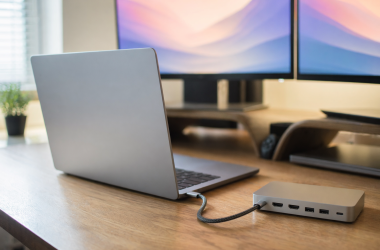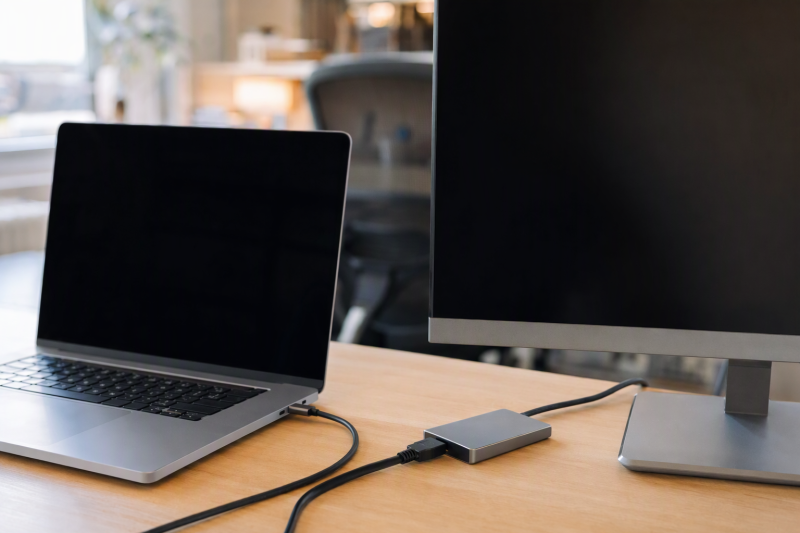
Sharing one display between laptops can mean three different things. A video-only switch changes only the picture source, so keyboards, mice, and storage stay attached to each computer separately. A KVM switches video and USB peripherals together. A USB-C monitor or dock switch routes a whole USB-C connection and may not have an HDMI output at all. Picking the wrong type costs more than picking the wrong maximum resolution.
The eight products below cover two to four computers. According to manufacturer specifications, video ceilings run from 4K at 60 Hz to 8K modes, USB data goes up to 20 Gbps, and Power Delivery goes up to 140 W. Some models support EDID, and switching is physical or remote. Every USB-C host must support the signal path the product requires. A charging-only or data-only USB-C port cannot provide a display signal.
GREATHTEK rates the S7239CH as a balanced two-computer KVM for one USB-C laptop, one HDMI computer, an HDMI monitor, and four shared USB devices. Unitek V1313A is the better video-only choice when four sources must share one HDMI display and USB peripherals do not need to follow. Cable Matters states the 201343 serves a different job, letting three computers share a compatible USB-C or Thunderbolt 4 monitor or detachable-host-cable dock.
USB-C Display Switch Comparison
| Image | Product | Details | Check Price |
|---|---|---|---|
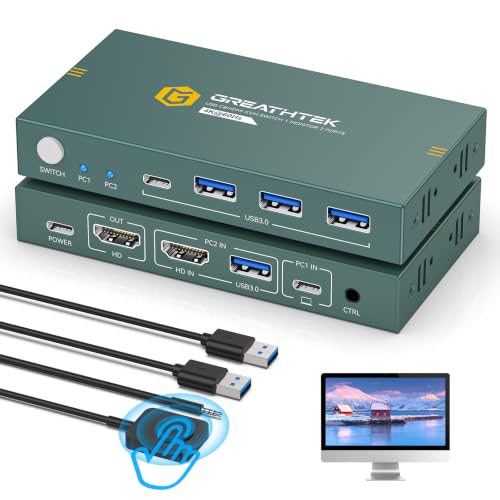 | GREATHTEK S7239CH | Best fit: Laptop and desktop sharing HDMI display and USB devices Host inputs: 1 USB-C; 1 HDMI plus USB-A Display output: 1 HDMI; up to 4K 60 Hz Shared USB: 3 USB-A; 1 USB-C; up to 5 Gbps Switching: Button; wired remote | Check Price on Amazon |
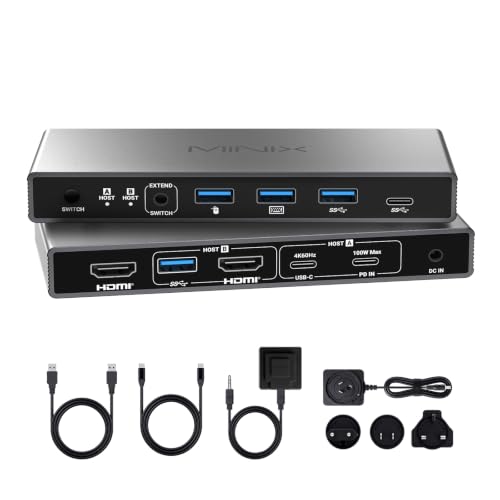 | MINIX K2 | Best fit: HDMI 2.1 desk needing laptop charging Host inputs: 1 USB-C; 1 HDMI plus USB data Display output: 1 HDMI; up to 8K 60 Hz Power Delivery: Up to 100 W Switching: Button; desktop controller | Check Price on Amazon |
 | Unitek V1313A | Best fit: Four-source video switching without USB peripherals Host inputs: 2 USB-C video; 2 HDMI Display output: 1 HDMI; up to 4K 60 Hz Peripheral sharing: None EDID: Adaptation supported | Check Price on Amazon |
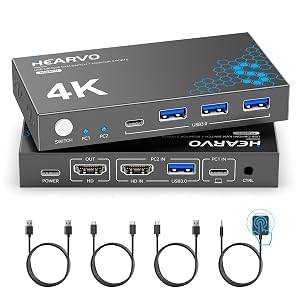 | Hearvo S723CH | Best fit: Complete-cable 4K mixed-input KVM Host inputs: 1 USB-C; 1 HDMI plus USB-A Display output: 1 HDMI; up to 4K 60 Hz Shared USB: 3 USB-A; 1 USB-C; up to 5 Gbps EDID: Adaptive EDID | Check Price on Amazon |
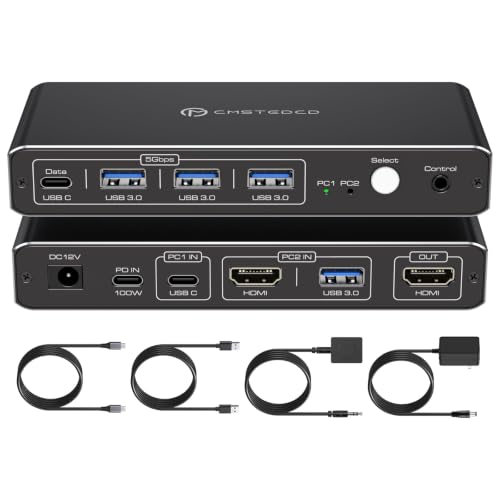 | ATLAHET SW526 | Best fit: Thunderbolt laptop with 100 W charging Laptop requirement: Thunderbolt 3 / 4 / 5 Display output: 1 HDMI; up to 4K 60 Hz Power Delivery: Up to 100 W Shared USB: 3 USB-A; 1 USB-C data | Check Price on Amazon |
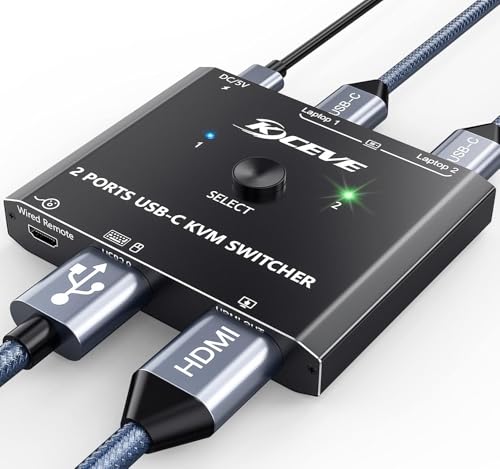 | MLEEDA USB-C KVM | Best fit: Two USB-C laptops sharing one HDMI monitor Host inputs: 2 USB-C Display output: 1 HDMI; up to 4K 60 Hz Switching: Button; 1.5 m wired remote EDID: Not supported | Check Price on Amazon |
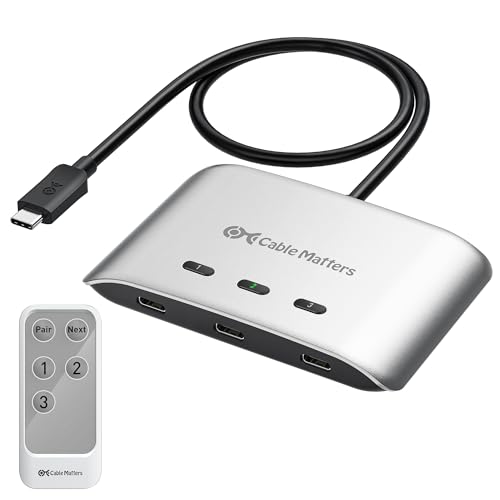 | Cable Matters 201343 | Best fit: Three computers sharing USB-C monitor or compatible dock Host inputs: 3 USB-C / USB4 Output: USB-C pigtail; no HDMI Data rate: 20 Gbps Power Delivery: Up to 140 W to active host | Check Price on Amazon |
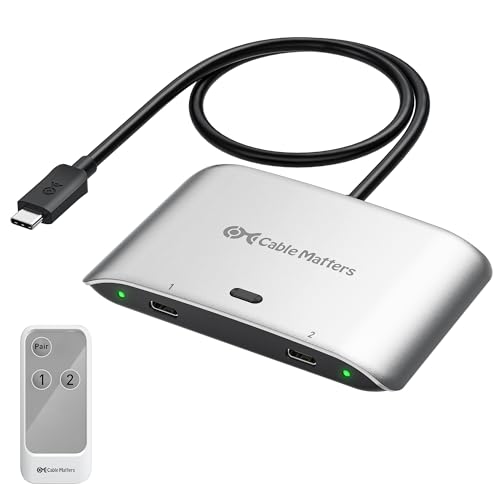 | Cable Matters 201352-B | Best fit: Two computers sharing USB-C monitor or compatible dock Host inputs: 2 USB-C / USB4 Output: USB-C pigtail; no HDMI Data rate: 20 Gbps Power Delivery: Up to 140 W to active host | Check Price on Amazon |
Read the connection path from host to display before comparing headline resolution. HDMI-output models need an HDMI monitor. The two Cable Matters products need a USB-C or Thunderbolt display or compatible dock. Most mixed KVMs use USB-C for one laptop and separate HDMI plus USB data for the other computer.
1. GREATHTEK S7239CH — Best Balanced Mixed-Input KVM
GREATHTEK connects one computer through HDMI plus USB-A and a second laptop through one full-featured USB-C cable that carries video and data. Both computers share a single HDMI monitor plus three USB-A ports and one USB-C peripheral port. USB 3.0 data is listed at up to 5 Gbps.
The HDMI output supports up to 4K at 60 Hz, HDCP 2.2, and lower modes including 4K at 30 Hz, 2K, and 1080p. Adaptive EDID is intended to retain display settings during switching. You select the source with the front button or the included wired remote, which allows the main unit to sit behind a monitor or under the desk.
Our Take: The S7239CH is the clearest general KVM for a laptop and desktop sharing one HDMI monitor and four USB connections. GREATHTEK does not state laptop charging, so plan the laptop’s power separately.
[su_box title=”PROS” style=”soft” box_color=”#2e7d32″] – Mixed HDMI-plus-USB and full-featured USB-C inputs suit desktop-and-laptop pairs. – Four USB 3.0 peripheral ports share devices at up to 5 Gbps. – Adaptive EDID helps retain resolution and display recognition during switching. – Front-button and wired-remote control support visible or hidden placement. [/su_box] [su_box title=”CONS” style=”soft” box_color=”#c62828″] – The USB-C laptop port must carry both video and data. – No Power Delivery charging figure is stated for the connected laptop. [/su_box]2. MINIX K2 — Best 8K Mixed-Input KVM
MINIX K2 lets a USB-C laptop and an HDMI computer share one HDMI monitor, keyboard, mouse, and printer. The laptop uses a full-featured USB-C connection, while the second computer uses HDMI plus USB data. Switching is intentionally limited to the physical button and included desktop controller. There is no hotkey or automatic switching.
MINIX lists the ceiling at 8K at 60 Hz with HDR, but that mode requires an HDMI 2.1 host, HDMI 2.1 monitor, and certified HDMI 2.1 cables. According to the manufacturer, a dedicated Power Delivery input accepts up to 100 W from a wall charger and passes power to Host A. The charger is not included. The box includes a 12 V adapter but no HDMI cables.
Our Take: Choose the K2 when an HDMI 2.1 path and laptop charging are both required. It supports only one HDMI monitor, excludes Apple Studio Display, and needs the laptop to provide full-featured USB-C or Thunderbolt 4.
[su_box title=”PROS” style=”soft” box_color=”#2e7d32″] – The 8K-at-60-Hz ceiling serves a complete HDMI 2.1 source-to-display chain. – A dedicated input passes up to 100 W to the active USB-C laptop. – Physical and desktop-controller switching avoid reliance on keyboard hotkeys. [/su_box] [su_box title=”CONS” style=”soft” box_color=”#c62828″] – HDMI 2.1 host, monitor, and certified cables are required for the top mode. – The 100 W wall charger and HDMI cables are not included. – Apple Studio Display and multiple-monitor output are unsupported. [/su_box]3. Unitek V1313A — Best Four-Source Video-Only Switch
Unitek V1313A takes two USB-C video sources and two HDMI sources to one HDMI display. You pick the active device with one of four matching buttons. It is explicitly a video switch rather than a KVM, so its USB-C inputs do not share a keyboard, mouse, storage drive, webcam, or other USB peripheral.
Unitek rates the switch to support 4K at 60 Hz, 2560 by 1440 at 120 Hz, and lower modes, plus HDCP 2.3, 2.2, and 1.4. HDR formats listed include HDR10, HDR10+, Dolby Vision, and HLG. EDID adaptation is intended to keep window and resolution behavior stable when switching. External power is required.
Our Take: Choose the V1313A when four video sources share one HDMI display and you don’t need to switch USB devices. Both USB-C sources must support video output, and connected devices need to stay awake.
[su_box title=”PROS” style=”soft” box_color=”#2e7d32″] – Two USB-C and two HDMI inputs serve four different display sources. – Four dedicated buttons make source selection direct and visible. – EDID adaptation helps preserve windows and resolution between changes. – Support includes 4K at 60 Hz and several named HDR formats. [/su_box] [su_box title=”CONS” style=”soft” box_color=”#c62828″] – Video-only operation does not share any keyboard, mouse, or USB device. – USB-C host ports must provide video rather than only data or charging. – The switch must remain connected to external power during use. [/su_box]4. Hearvo S723CH — Best Complete 4K KVM Kit
Hearvo S723CH follows the same topology as GREATHTEK. One computer connects through HDMI plus USB-A, while a laptop or Mac mini uses one full-function USB-C cable for video and data. Hearvo specifies three USB-A ports and one USB-C port to share keyboards, mice, printers, scanners, drives, and other peripherals at up to 5 Gbps.
The HDMI output is rated for 4K at 60 Hz with HDCP 2.2 and lower-resolution support. Adaptive EDID is intended to reduce flicker and repeated display detection. The package includes the KVM, USB power cable, full-function USB-C cable, USB-A data cable, wired remote, four anti-slip pads, and documentation.
Our Take: Hearvo is the 4K kit to buy for a two-computer mixed setup when you want its USB cables in the box. Hearvo states no Power Delivery figure, so a laptop that needs charging will still require its normal power path.
[su_box title=”PROS” style=”soft” box_color=”#2e7d32″] – Four shared USB ports support peripheral switching at up to 5 Gbps. – Adaptive EDID and 4K-at-60-Hz output address stable daily display changes. – Button and wired-controller selection work with the KVM placed out of sight. – Included USB-C, USB-A data, power, and remote hardware reduce extra purchases. [/su_box] [su_box title=”CONS” style=”soft” box_color=”#c62828″] – The USB-C host must be full-function for both video and data. – Laptop charging support is not stated. – The design supports one shared HDMI monitor rather than a dual-display desk. [/su_box]5. ATLAHET SW526 — Best 100W Thunderbolt-Laptop KVM
ATLAHET SW526 connects a compatible USB-C laptop and HDMI desktop to one HDMI monitor and four USB 3.0 peripherals. The laptop requirement is specific. Its port must support Thunderbolt 3, Thunderbolt 4, or Thunderbolt 5. The switch lists several HP, Dell, Lenovo, Acer, and Asus laptop families, but exact-model compatibility still needs checking.
ATLAHET rates the display ceiling at 4K at 60 Hz, with 2560 by 1440 at 120 Hz and lower modes. According to the manufacturer, a Power Delivery input accepts up to 100 W from the laptop’s original or compatible charger, while 12 V power is needed to run the KVM and attached peripherals. You select the source with the front button or wired extension controller. Keyboard hotkeys are unsupported.
Our Take: SW526 is the 4K choice for a confirmed Thunderbolt laptop that needs up to 100 W charging and four shared USB ports. Its USB-C peripheral port carries data only, not video or laptop power.
[su_box title=”PROS” style=”soft” box_color=”#2e7d32″] – Up to 100 W Power Delivery can charge a compatible active laptop. – Three USB-A and one USB-C data port share peripherals at up to 5 Gbps. – An extension controller keeps source selection accessible with the KVM hidden. – The LED indicator identifies the active computer without a software utility. [/su_box] [su_box title=”CONS” style=”soft” box_color=”#c62828″] – Laptop compatibility requires Thunderbolt 3 or newer rather than generic USB-C. – The KVM must be powered to operate, and the laptop charger supplies PD separately. – Hotkeys and HDMI-to-DisplayPort or HDMI-to-DVI/VGA conversion are unsupported. [/su_box]6. MLEEDA USB-C KVM — Best Two-Laptop HDMI Switch
MLEEDA is for two USB-C laptops sharing one HDMI monitor. A single shared USB port can connect a USB hub for keyboard, mouse, printer, and other peripherals. It differs from mixed HDMI/USB-C KVMs because both host computers use USB-C.
MLEEDA rates the video output for 4K at 60 Hz, with 2560 by 1440 at 120 Hz and lower modes. You select a source from the unit or a manufacturer-specified 1.5-meter wired remote with LED indication. USB power is required. The switch does not support EDID emulation, hotkeys, or USB-C docking stations, and its package omits USB-C and HDMI cables.
Our Take: MLEEDA is the direct two-laptop option when both computers supply USB-C video and the display uses HDMI. Buyers must supply every host cable and the HDMI cable, and the display layout may rearrange because EDID emulation is absent.
[su_box title=”PROS” style=”soft” box_color=”#2e7d32″] – Two USB-C host inputs fit a desk shared by two video-capable laptops. – The 4K-at-60-Hz ceiling covers common high-resolution HDMI monitors. – A 1.5-meter wired remote keeps switching reachable away from the cable cluster. [/su_box] [su_box title=”CONS” style=”soft” box_color=”#c62828″] – No EDID emulation means windows or resolution may change after switching. – USB-C docking stations and keyboard hotkeys are unsupported. – USB-C host cables and the HDMI cable are not included. [/su_box]7. Cable Matters 201343 — Best Three-Computer USB-C Dock Switch
Cable Matters 201343 is not an HDMI-output switch. It routes three computers to one USB-C or Thunderbolt 4 monitor or compatible dock through a 20 Gbps USB4 path. The path can share display, data, and dock-connected peripherals when the monitor or dock provides the downstream functions.
Windows modes are rated to reach 8K at 30 Hz, 5K at 60 Hz, or 4K at 144 Hz, while macOS is listed at 4K at 60 Hz on one external display. Power Delivery is rated at 140 W, but only the selected computer receives charging. You change hosts with an RF remote. Use only the included USB4 20 Gbps cables. Cable Matters explicitly rejects Thunderbolt 3, 4, or 5 cable substitutions.
Our Take: This switch is the advanced three-host choice for a compatible USB-C display or detachable-host-cable dock. Its 20 Gbps link can limit a 40 Gbps dock, and docks with captive host cables are unsupported.
[su_box title=”PROS” style=”soft” box_color=”#2e7d32″] – Three USB-C hosts can share one compatible monitor or detachable-cable dock. – A 20 Gbps data path supports more than video-only source switching. – Up to 140 W passes to the selected active computer. – The RF remote changes sources without placing the switch within hand reach. [/su_box] [su_box title=”CONS” style=”soft” box_color=”#c62828″] – There is no HDMI output for a conventional HDMI-only monitor. – The 20 Gbps path may constrain a 40 Gbps Thunderbolt 4 dock. – Captive-cable docks and substitute Thunderbolt cables are unsupported. [/su_box]8. Cable Matters 201352-B — Best Two-Computer USB-C Dock Switch
Cable Matters 201352-B applies the same 20 Gbps USB-C switching path to two computers. The pigtail connects to a USB-C or Thunderbolt 4 monitor or compatible dock, while two included 3.3-foot USB4 cables connect the hosts. A dock can then share its displays and peripherals between the selected computers.
Windows video reaches 8K at 30 Hz or 4K at 144 Hz, while macOS reaches 4K at 60 Hz on one external display. Up to 140 W passes through to the active host when the connected monitor or dock supplies compatible Power Delivery. The included USB4 20 Gbps cables are required, and docks with captive host cables should be avoided.
Our Take: Pick 201352-B when two laptops share a compatible USB-C monitor or detachable-host-cable Thunderbolt dock. Choose the three-host 201343 only when a third computer needs the additional port.
[su_box title=”PROS” style=”soft” box_color=”#2e7d32″] – Two computers share a USB-C monitor or dock through one 20 Gbps link. – Up to 140 W Power Delivery charges the selected active computer. – Included 3.3-foot USB4 cables satisfy the product’s exact cable requirement. – Windows support reaches 8K at 30 Hz or 4K at 144 Hz. [/su_box] [su_box title=”CONS” style=”soft” box_color=”#c62828″] – HDMI-only displays cannot connect directly to the pigtail output. – macOS is limited to one external display and 4K at 60 Hz here. – A 20 Gbps switch can reduce a 40 Gbps dock’s maximum configuration. [/su_box]Buying Guide: Choose the Right USB-C Display Switch
Map Every Host and Display Port
Mixed-input KVMs use two different host paths. GREATHTEK, MINIX, Hearvo, and ATLAHET take one laptop over USB-C and one computer over HDMI plus USB data. The display output is HDMI, so the monitor needs a compatible HDMI input.
USB-C monitor switches have no HDMI output. Cable Matters 201343 and 201352-B connect to a USB-C monitor or compatible dock. A DisplayPort cable cannot be inserted into that path without a separately supported conversion design.
Confirm USB-C Video Support
A USB-C connector does not promise display output. Unitek and MLEEDA require video-capable USB-C hosts, GREATHTEK and Hearvo require full-function USB-C, and MINIX names full-function USB-C or Thunderbolt 4. ATLAHET narrows its requirement to Thunderbolt 3, 4, or 5.
Test the direct cable path before adding a switch. A USB-C cable tester can check cable wiring and advertised capabilities, but it cannot add video support to a host port. Don’t put a USB-C port lock in any port that must accept the active display cable.
Decide Whether USB Peripherals Must Follow
A video switch changes only the picture. Unitek V1313A supports four sources but explicitly does not connect keyboards or mice through its USB-C inputs. A video-only switch can be ideal when each computer keeps separate peripherals or uses wireless input devices.
A KVM changes the monitor and USB devices together. GREATHTEK, Hearvo, and ATLAHET each provide four shared USB ports. MLEEDA supplies one shared USB connection that can feed a hub. An HDMI capture dongle records or ingests HDMI and does not replace a source switch.
Match Resolution to the Complete Signal Chain
The lowest-capability link sets the working mode. MINIX specifies the need for an HDMI 2.1 host, monitor, and certified cables for 8K at 60 Hz. The 4K-at-60-Hz KVMs need suitable host output, HDMI cable, monitor input, and display settings. Headline resolution is not guaranteed when one link falls short.
Operating-system limits still apply. Cable Matters lists Windows modes above the manufacturer-rated macOS 4K-at-60-Hz ceiling and notes one external display on macOS. An HDMI loop-out capture card serves capture and monitoring, not ordinary laptop display switching.
Check Charging, Power, and Cable Rules
Power Delivery is model specific. MINIX and ATLAHET pass up to 100 W, while both Cable Matters switches reach 140 W for the selected host. GREATHTEK, Hearvo, Unitek, and MLEEDA do not state host-charging support in these records. A USB-C electronic load is a bench tester, not an inline accessory for normal switching.
Follow exact cable instructions. Cable Matters requires its included USB4 20 Gbps cables and rejects Thunderbolt substitutions. MLEEDA includes neither host USB-C nor HDMI cables, while MINIX omits HDMI cables and its charger. Mount the finished cable cluster with a suitable docking-station mount only if vents and connector bends stay clear.
Frequently Asked Questions
Is a USB-C HDMI Switch the Same as a KVM?
No, a video switch may change only the display source. Unitek V1313A accepts two USB-C and two HDMI inputs but explicitly provides no keyboard or mouse sharing. It is the simplest choice when four devices only need the screen.
A KVM also routes USB peripherals. GREATHTEK, Hearvo, ATLAHET, MINIX, MLEEDA, and the Cable Matters dock-sharing paths add some form of USB device sharing, though port counts and topology differ.
Will Any USB-C Laptop Work?
No, the laptop port must support the required video and data modes. A charging-only or data-only port cannot feed the monitor. ATLAHET requires Thunderbolt 3 or newer, while several other models require full-function or video-capable USB-C.
The cable also matters. Use the included full-function cable where supplied. Cable Matters specifically requires its included 20 Gbps USB4 cables and says not to substitute Thunderbolt cables.
Which Products Keep the Laptop Charged?
MINIX K2 and ATLAHET SW526 pass up to 100 W. Their chargers are separate inputs, and MINIX does not include the wall charger. The two Cable Matters models pass up to 140 W when the connected monitor or dock supplies compatible power.
Only the selected host receives pass-through power on Cable Matters. Unselected laptops need their own charging arrangement. Do not infer Power Delivery from a USB-C connector when the listing does not state it.
Do I Need EDID Support?
EDID support can reduce rearrangement when switching. GREATHTEK and Hearvo describe Adaptive EDID, while Unitek describes EDID adaptation. Adaptive EDID and EDID adaptation are meant to preserve display recognition, windows, or resolution between source changes.
Not every product includes it. MLEEDA explicitly lacks EDID emulation, so windows or display modes may change after switching. Cable Matters routes a USB-C monitor or dock and presents a different topology from an HDMI EDID switch.
Can I Use These with Two Monitors?
Most HDMI-output models here target one monitor. MINIX explicitly supports only one HDMI display, and the GREATHTEK, Unitek, Hearvo, ATLAHET, and MLEEDA descriptions also center on one output.
Cable Matters can share a compatible dock, but host limits remain. Windows multi-monitor use depends on the dock and MST support, while macOS supports one external display in the stated configuration. A monitor hood controls ambient light and does not change display count or switching support.
Final Recommendation
GREATHTEK S7239CH is the best overall fit for a common laptop-plus-desktop desk because it combines a full-function USB-C host, HDMI-plus-USB host, one 4K-at-60-Hz HDMI output, four shared USB ports, Adaptive EDID, and a wired remote. Choose Unitek V1313A when four sources need only video switching, or MINIX K2 when a complete HDMI 2.1 chain and 100 W charging justify the higher ceiling.
For USB-C monitors and detachable-host-cable docks, ignore the HDMI category label and choose by topology. Cable Matters 201352-B serves two computers, while 201343 serves three. Verify every port, cable, charging path, monitor input, operating-system limit, and dock-host connection before buying.