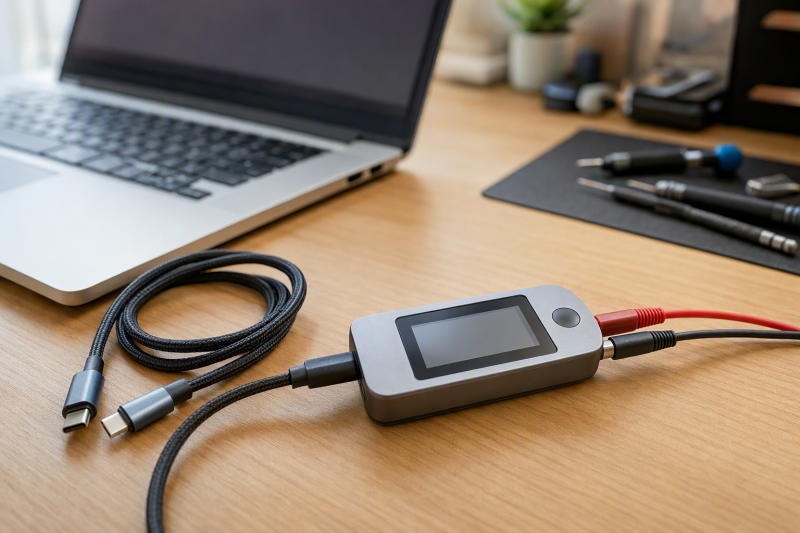
A USB-C cable can charge slowly, omit high-speed data pairs, carry no eMarker, or contain an open or shorted connection while looking identical to a fully wired cable. A useful tester shows those differences before a bad cable gets blamed on a charger, dock, monitor, or drive on the bench.
The Treedix TRX5-0816 is our best overall pick because it combines continuity and functionality checks with internal-resistance measurement, eMarker reading, USB-version identification, and a 2.4-inch color display. The ChargerLAB CT001 is the compact alternative for full 24-pin LED continuity, while the caberQU v4.6 is the specialist option for USB-C-to-USB-C analysis through a Bluetooth app.
Not every product here performs the same kind of test. The POROMETISTO UT01C measures a powered connection, charging protocols, ripple, and capacity, but its listing does not describe a passive pin-by-pin continuity mode. It is a live-link analysis companion, not a replacement for a standalone cable checker.
| Image | Product | Details | Check Price |
|---|---|---|---|
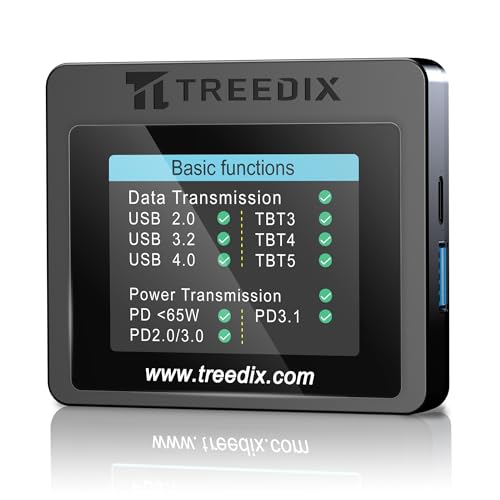 | Treedix TRX5-0816 | Best fit: All-around mixed cable analysis Display: 2.4-inch color Tests: Continuity; function; resistance; shield ground eMarker: Yes Power: AAA battery or USB-C 5V | Check Price on Amazon |
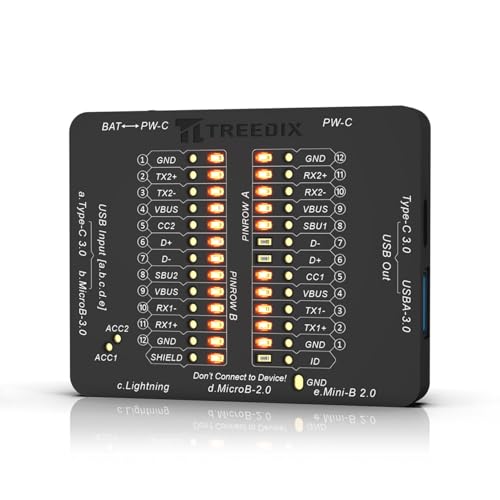 | Treedix TRX5-0865 | Best fit: Mixed legacy USB cable sorting Display: LED array Ports: USB-C; USB-A; Micro-B; Mini-B; Lightning Size: 7.3 x 5.7 x 1 cm Power: CR2032 or USB-C 5V | Check Price on Amazon |
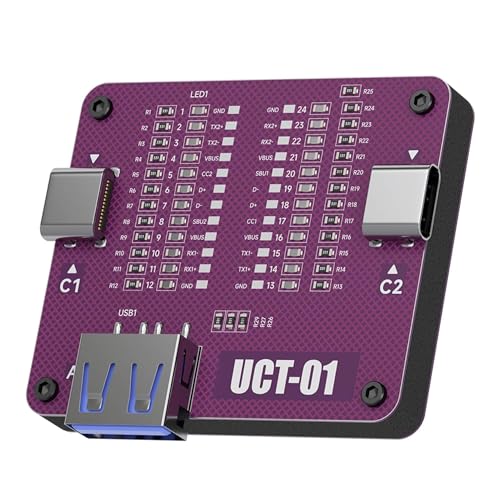 | AHHOMATATA UCT-01 | Best fit: Ready-to-use USB-A and USB-C kit Display: LED pinout Pins shown: VBUS; GND; D+; D-; CC Ports: USB-C-to-C and USB-A-to-C Included: 3 CR2032 batteries; screwdriver | Check Price on Amazon |
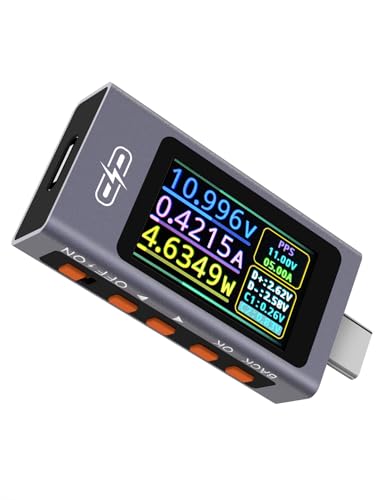 | POROMETISTO UT01C | Best fit: Live power and protocol analysis Live range: 3.3 to 40V; 0 to 12A; up to 240W Continuity mode: Not stated Sampling: 5 MHz stated Protocols: PD3.1 EPR; PPS; QC; BC1.2 stated | Check Price on Amazon |
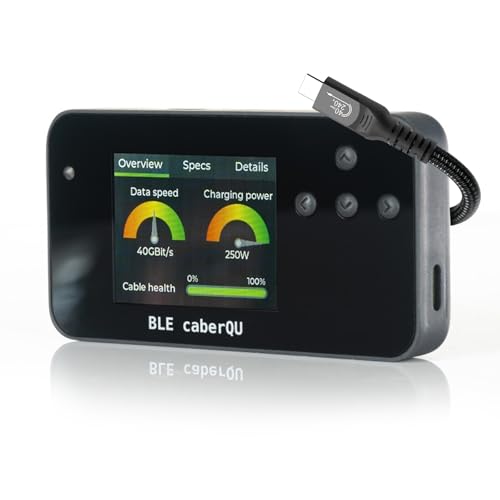 | caberQU BLE v4.6 Expert Kit | Best fit: Advanced USB-C-to-USB-C analysis Pin map: 24 pins plus shield eMarker: Yes App: Bluetooth; iOS and Android Included: Case; screen protector; USB4 cable; manual | Check Price on Amazon |
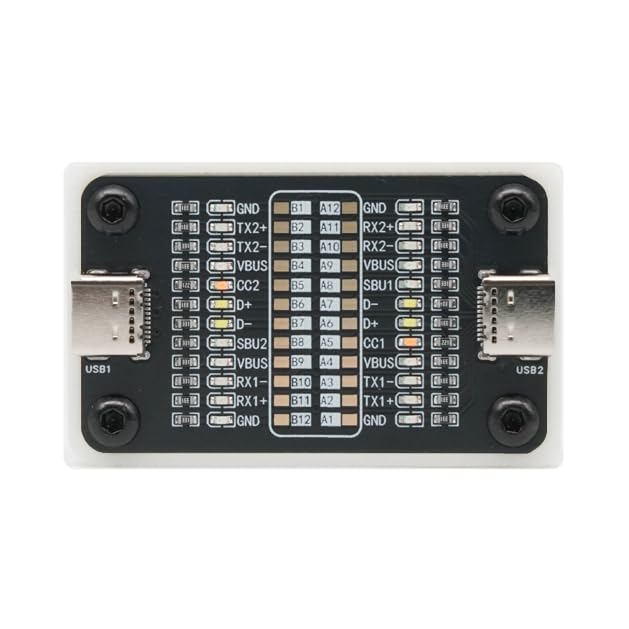 | ChargerLAB Power-Z CT001 | Best fit: Compact full-pin continuity checks Display: 24 LED indicators Size: 53 x 33 x 9 mm Weight: 17.8 g Power: CR2032 battery | Check Price on Amazon |
How we compared USB-C cable testers
All six products have a New offer and are presented for cable continuity, pinout, eMarker, charging, protocol, data-function, or live electrical checks. We compared supported connector types, number of pins shown, eMarker access, data-speed reporting, internal-resistance functions, display method, power source, included adapters, app requirements, and safe connection boundaries.
A continuity tester can identify wiring presence or faults, but it does not by itself prove stable operation at every advertised data rate or power level. A live meter can observe an operating link, but it may not reveal every missing pin directly. The best bench often uses the test type that answers the immediate question rather than expecting one device to certify every cable property.
1. Treedix TRX5-0816 — Best Overall Multi-Function Cable Tester
Our take: Buy the TRX5-0816 if one tester has to cover the most cable questions. Treedix says it checks continuity, charging function, data transfer, high-speed signal wiring, internal resistance, power efficiency, and the connection between ground and the outer shell. It can also read eMarker information from USB-C cables.
The eMarker page reports stated fields such as maximum current, voltage, and data rate. Treedix lists USB 2.0 and USB 3.2 identification along with PD 3.0 and PD 3.1 detection. The product title also names Lightning, USB-C, Micro-B 2.0 and 3.0, Mini-B, and Thunderbolt 3, 4, and 5 cable support.
A 2.4-inch color display presents cable status, resistance, and capability information. The unit can run from AAA batteries or a 5-volt USB-C supply, selected with a button. The screen and the two power options suit a bench that handles mixed legacy connectors as well as modern high-power USB-C cables.
Pros
- Continuity, function, internal resistance, and shield-ground checks share one unit.
- eMarker reading exposes stated current, voltage, and data-rate fields.
- A 2.4-inch color screen provides more detail than an LED-only board.
- AAA battery and 5V USB-C power options support portable or fixed use.
Cons
- The broader feature set requires more interpretation than a pin LED array.
- Exact dimensions are not stated.
2. Treedix TRX5-0865 — Best for Mixed Legacy USB Connectors
Our take: Buy the TRX5-0865 if you want a plain LED board to sort a drawer of mixed cable types. Its ports cover USB-C, USB-A 3.0, Micro-B 3.0, Micro-B 2.0, Mini-B 2.0, and Lightning cables, so it handles more cable types than USB-C-only testers.
The LED indicators show wire-core presence and are intended to distinguish normal, faulted, open-circuit, charge-only, data, and high-speed data configurations. Treedix states the unit measures 7.3 x 5.7 x 1 cm, so it can fit in a cable drawer or portable repair kit, without the larger display of the TRX5-0816.
According to the manufacturer, power comes from a CR2032 battery or a USB-C input using a separate 5-volt adapter. Treedix explicitly warns that the tester is solely for cables and must not connect to end devices such as phones or computers. Follow the port map and keep both ends of the cable within the tester during a standalone check.
Pros
- Ports cover USB-C, Lightning, USB-A, Micro-B, and Mini-B cable types.
- LEDs distinguish charge-only, data, high-speed, open, and fault states.
- The 7.3 x 5.7 x 1 cm body is compact enough for a repair kit.
Cons
- The LED array provides less descriptive detail than a color-screen analyzer.
- A 5V adapter is separate when USB-C power is used.
- The tester must not be connected to a phone or computer during testing.
3. AHHOMATATA UCT-01 — Best Ready-to-Use USB-A and USB-C Kit
Our take: Buy the UCT-01 if you want a tester that is ready to use on modern USB-A-to-C and USB-C-to-C cables. The kit includes a preinstalled CR2032 battery, two spare batteries, and a hex screwdriver, so you need fewer extra pieces before the first sorting session.
Its LEDs show VBUS, ground, D+, D-, and configuration-channel connections. AHHOMATATA says the tester can identify opens, shorts, charge-only cords, and data wiring. For USB-C-to-C cables, the ends use C1 and C2. USB-A-to-C cables must use C1 and A2. The listing says C2 and A2 will not function.
The violet board sits on an insulated black base rather than remaining a bare PCB. Its connector coverage is narrower than the Treedix mixed-port model because obsolete connectors are intentionally omitted. The listing also warns against connecting the tester to phones, computers, or power banks during a cable test.
Pros
- LEDs expose VBUS, ground, D+, D-, and CC continuity states.
- Three included CR2032 batteries support immediate and backup use.
- The insulated base protects the tester board during desktop handling.
- Dedicated C-to-C and A-to-C port mappings are clearly stated.
Cons
- Legacy Micro-B, Mini-B, and Lightning connectors are not included.
- Correct USB-A-to-C testing requires the C1 and A2 port combination.
- End devices must remain disconnected during standalone tests.
4. POROMETISTO UT01C — Best Live-Link Power Analysis Companion
Our take: Buy the UT01C when you want to measure a cable that is carrying power, which is a different job from the LED continuity testers. It measures an operating USB-C link from 3.3 to 40 volts and 0 to 12 amps, with a stated power ceiling of 240 watts. Those independent limits cannot always be reached together, and the connected source, cable, and load must remain within their own ratings.
The color IPS display reports voltage, current, power, capacity, temperature, current direction, and ripple. The manufacturer specifies a 5 MHz sampling rate to support curve plotting and ripple views, while power-off memory retains capacity and energy statistics. Gravity rotation keeps the screen upright in different orientations.
Listed protocol tools cover PD2.0, PD3.0, PD3.1 including AVS and EPR, QC2.0 through QC4.0+, PPS, and BC1.2. PDO and QC spoofing, eMarker simulation, and private-protocol triggering are also listed. None of those features establishes a passive 24-pin continuity test, so pair it with a cable checker when wiring faults are the concern.
Pros
- Live measurement covers 3.3 to 40V, 0 to 12A, and up to 240W.
- Ripple, curve, capacity, energy, and temperature views support deeper analysis.
- PD3.1 EPR, PPS, QC, and BC1.2 protocol tools are listed.
Cons
- Passive pin-by-pin cable continuity is not stated.
- Protocol spoofing and triggering require careful use within device ratings.
- Its many analysis modes add complexity for simple cable sorting.
5. caberQU BLE v4.6 Expert Kit — Best Advanced USB-C-to-USB-C Analyzer
Our take: Buy the caberQU v4.6 if you work mostly with USB-C-to-USB-C cables and want detailed readings. The manufacturer states it displays eMarker data, internal VBUS resistance, maximum transmission speed, power capacity, and a detailed map of all 24 pins plus the connector shield.
Bluetooth connects the tester to its official iOS and Android app. The listing says a free X-RAY firmware update unlocks cable-health percentage, data-speed and charging-power analysis, and protocol views that include Thunderbolt and DisplayPort support. Those diagnostic conclusions depend on the tester’s firmware and app rather than a simple LED continuity pattern.
The Expert Kit includes the assembled tester, hard-shell case, screen protector, high-speed USB4 cable, and printed manual. It supports standards from USB 1.1 through USB4 and voltage ranges from 5 to 48 volts. The listing focuses on USB-C-to-USB-C testing, so buyers with Lightning or Micro-B cables need another device.
Pros
- A 24-pin plus shield map gives detailed USB-C wiring visibility.
- eMarker and internal VBUS resistance readings address charging capability.
- Bluetooth apps support iOS and Android analysis.
Cons
- Advanced X-RAY views require a firmware update and mobile app.
- The listing focuses on USB-C-to-USB-C rather than legacy connectors.
- Cable health percentage depends on the product’s analysis method.
6. ChargerLAB Power-Z CT001 — Best Compact 24-Pin LED Tester
Our take: Buy the CT001 if you want the simplest portable way to view all 24 USB-C pins. Twenty-four independent LED indicators expose present, missing, or faulty connections without requiring an app or larger display. The tester also reports charging-pin continuity and whether data connections are present.
ChargerLAB specifies the body measures 53 x 33 x 9 mm and weighs 17.8 grams. The unit is powered by a CR2032 battery, so no external supply is required. At that size and weight, it suits a service bag and works as a quick first step before moving a suspicious cable to a more detailed analyzer.
It accepts USB-C-to-USB-C cables directly and includes a USB-A female to USB-C male adapter for USB-A-to-C cables. ChargerLAB says the tester detects whether data transfer is supported and how fast it can be, but the listing does not explain the exact speed categories or method. No eMarker readout or resistance figure is listed.
Pros
- Twenty-four LEDs let you see USB-C pin continuity directly.
- The 53 x 33 x 9 mm, 17.8 g body is highly portable.
- A CR2032 battery avoids an external bench-power requirement.
- The included adapter adds USB-A-to-USB-C cable checks.
Cons
- eMarker data, internal cable resistance, and data-speed categories are not stated.
Buying Guide: Choosing a USB-C Cable Tester
Start with the fault you need to find
A pinout tester is the clearest tool for open, shorted, or missing conductors. ChargerLAB exposes all 24 USB-C pins with LEDs. AHHOMATATA identifies VBUS, ground, D+, D-, and CC, while Treedix TRX5-0865 uses LEDs to classify charge-only, data, high-speed, open, and fault states.
A live meter answers electrical questions after the cable is operating. POROMETISTO reports voltage, current, power, ripple, capacity, and protocols but does not state passive continuity. It fits beside an electronic load tester, not as a replacement for a standalone cable board.
Decide whether eMarker data is essential
An eMarker readout helps interpret a USB-C cable’s declared power and data capabilities. Treedix TRX5-0816 reads fields such as maximum current, voltage, and transfer rate. caberQU also displays eMarker information and adds internal VBUS resistance, maximum speed, and power-capacity dials.
Without an eMarker result, a tester does not automatically establish every aspect of cable performance. The CT001 and UCT-01 focus on wiring, and their listings do not describe an eMarker reading. Use the cable specification and device requirements alongside the tester. A USB4 cable guide can help you decide which declared capability the setup needs.
Match the ports to the cable drawer
Mixed legacy collections suit the Treedix TRX5-0865. It includes USB-C, USB-A 3.0, Micro-B 2.0 and 3.0, Mini-B 2.0, and Lightning ports. The TRX5-0816 also lists broad compatibility and adds a screen-based analyzer.
USB-C-only benches can use a more focused design. caberQU centers on USB-C-to-C, ChargerLAB tests USB-C-to-C plus USB-A-to-C through an adapter, and AHHOMATATA uses dedicated C1, C2, and A2 port mappings. Buying unused legacy ports adds no value if every cable on the bench is Type-C.
Choose LEDs, a color screen, or an app
LED arrays make continuity quick to scan. Treedix TRX5-0865, AHHOMATATA, and ChargerLAB show wiring states without navigating pages. Their advantage is speed, and their limitation is less context around resistance, eMarker fields, and protocol behavior.
Screens and apps show more detail and interpretation. The TRX5-0816 uses a 2.4-inch display, POROMETISTO uses a rotating IPS screen, and caberQU adds Bluetooth apps. These options fit deeper analysis but require more setup. Keep a thermal camera separate from cable qualification because heat patterns do not reveal a complete pin map.
Follow the tester’s connection boundary
Standalone cable boards should connect to the cable, not powered end devices, when their instructions say so. Treedix TRX5-0865 warns against phones and computers, and AHHOMATATA warns against phones, computers, and power banks. The tester’s own ports provide the test circuit.
Live-link meters operate differently because they sit in an energized path. POROMETISTO measures up to its stated voltage, current, and power ceilings and provides protocol tools. Do not apply its live-use model to a passive tester. An ESD wrist strap is for handling components, which is a separate job, and does not make an incorrect cable connection safe.
Frequently Asked Questions
Can a continuity tester prove a cable supports its maximum advertised speed?
No. Continuity can show that expected conductors are present, but stable high-speed operation also depends on signal quality and the complete link. Treedix TRX5-0816 and caberQU publish richer speed or capability analysis than a simple pin LED board.
Use the tester’s exact result categories and avoid treating a lit pin as a full certification at every data rate. Hosts, devices, adapters, and cable length also influence the operating link. Test the intended system when performance must be confirmed.
Why do some USB-C cables have fewer lit pins?
A cable may be charge-only, use USB 2.0 data wiring, or omit connections required for higher-speed modes. Treedix TRX5-0865 is specifically intended to distinguish charge-only, data, and high-speed configurations, while ChargerLAB presents all 24 pin indicators.
A missing light can also indicate an open conductor or a port-mapping mistake. AHHOMATATA requires C1 and A2 for USB-A-to-C cables and says C2 and A2 will not work. Follow the tester’s map before rejecting the cable.
Do I need eMarker reading for ordinary charging cables?
An eMarker readout is most useful when the cable’s declared current, voltage, or high-speed capability affects the setup. Treedix TRX5-0816 and caberQU expose eMarker information. The readout can help sort visually identical USB-C cables with different rated capabilities.
For a basic low-power cable, continuity and correct pin configuration may settle the immediate question. An eMarker readout should still be interpreted alongside the cable and device specifications rather than treated as an independent performance guarantee.
Is the POROMETISTO UT01C a cable continuity tester?
No. Its listing describes a live USB power and protocol analyzer, not passive 24-pin continuity. The UT01C measures voltage, current, power, capacity, temperature, ripple, and charging protocols in an operating connection.
Pair it with a continuity device when the question is whether a conductor is missing or shorted. Use it after wiring checks when the question shifts to the charging mode the devices agreed on, voltage drop, ripple, or current behavior under a suitable load.
Which tester is easiest to carry?
For carrying, ChargerLAB publishes the clearest portable dimensions at 53 x 33 x 9 mm and 17.8 grams. Treedix TRX5-0865 is also compact at 7.3 x 5.7 x 1 cm. Both can run from button cells without a permanent bench supply.
AHHOMATATA includes three CR2032 batteries and a screwdriver, while caberQU includes a hard-shell case. Choose portability together with connector support, because a tiny USB-C tester does not help if the field kit still contains Lightning or Micro-B cables.
Final recommendation
The Treedix TRX5-0816 is the best overall tester because it combines broad connectors, continuity, resistance, shield, eMarker, USB-version, and PD checks on a 2.4-inch display. ChargerLAB CT001 is the better pocket tool for direct 24-pin LED continuity.
Choose Treedix TRX5-0865 for a mixed legacy cable drawer, AHHOMATATA for a ready-to-use USB-A/C battery kit, caberQU for advanced USB-C-to-C analysis, or POROMETISTO for live power and protocol measurement after continuity testing.