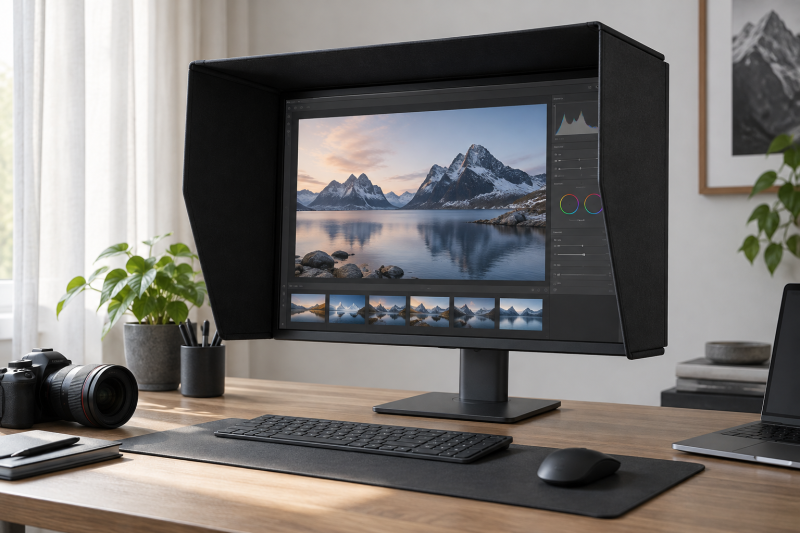
A monitor hood can reduce the overhead and side light reaching a display, so reflections are less distracting and the viewing environment is more consistent while you edit photos or video. The most important buying detail is physical fit. Some hoods are sold by the monitor’s total outer width, while others use a diagonal screen range or are made for a specific 16:9 size.
A hood does not calibrate a monitor, expand its color gamut, or guarantee accurate output. It controls part of the ambient-light environment around the screen. For color-critical work, use it alongside a suitable display, stable room lighting, a calibration device, and a repeatable editing workflow.
Measure the monitor’s complete outer width and inspect its rear housing before choosing a hood, then treat the hood as ambient-light control rather than a substitute for calibration.Best Monitor Hoods for Color-Critical Editing Desks Compared
| Image | Product | Details | Check Price |
|---|---|---|---|
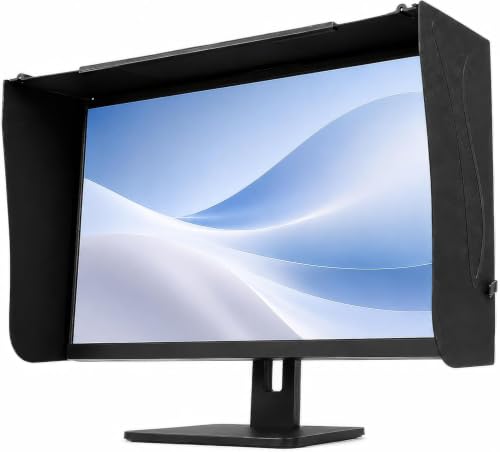 | Generic Strap-Back Monitor Hood | Fit: 41 to 71 cm outer width Depth: 16 to 20 cm Mount: Cross-tie straps Curved screens: No | Check Price on Amazon |
 | Photodon 112-SA-25 | Fit: 25 to 28.9 inches outer width Screens: Flat or curved Curve limit: 1900R or greater Mount: Removable design | Check Price on Amazon |
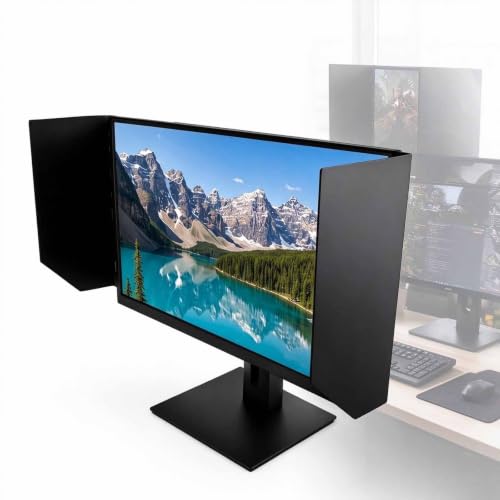 | GJOPU cyj000198 | Fit: 24-inch 16:9 monitors Adjustment: 180 degrees Mount: 3M adhesive Interior: Black matte liner | Check Price on Amazon |
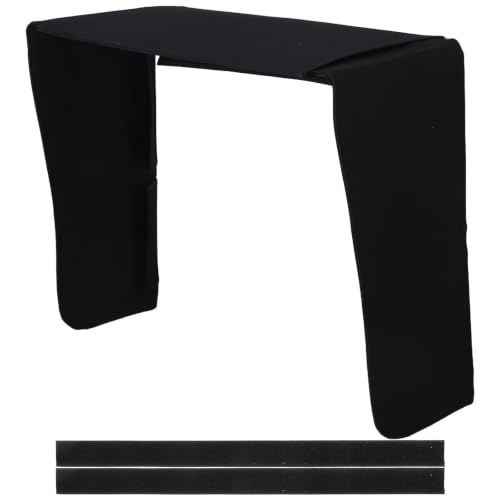 | LOCZUK 195194YEYT5OMX | Fit: 17 to 32-inch monitors Design: Expandable Mount: Quick installation and removal Build: Lightweight and portable | Check Price on Amazon |
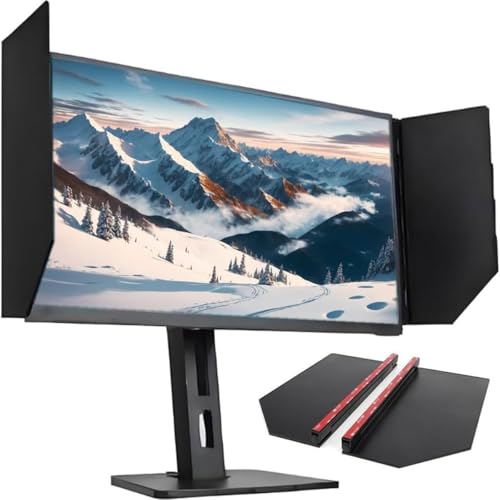 | Generic MBBMFALSC Foldable Hood | Fit: 24 to 27-inch monitors Adjustment: 180 degrees Mount: High-strength adhesive Interior: Black matte material | Check Price on Amazon |
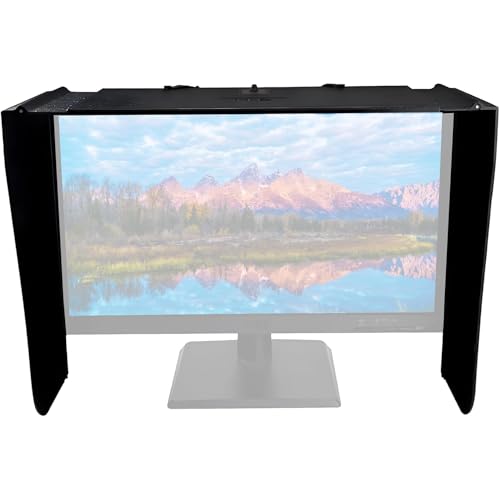 | Generic 17 to 28-Inch Sunhood | Fit: 17 to 28-inch screens Coverage: Top and two sides Mount: Strong adhesive Use: Office, retouching, gaming | Check Price on Amazon |
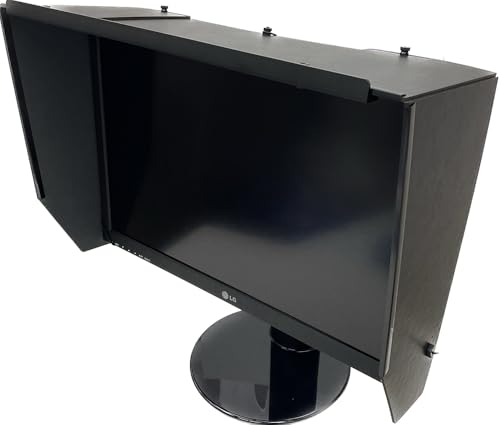 | Photodon 112-SA-34 | Fit: 34 to 39 inches outer width Curve limit: 1900R or greater Depth: 8-inch visor Mount: Pre-attached elastic cords | Check Price on Amazon |
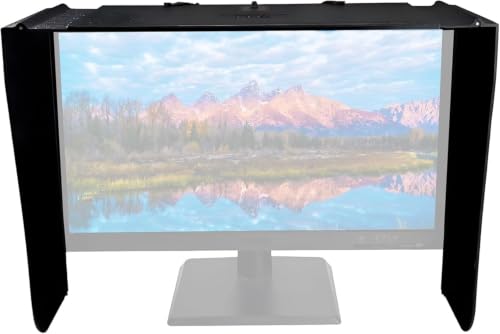 | MYFTNP Orwl000369 | Fit: 29 to 34-inch monitors Adjustment: 180 degrees Mount: Strong adhesive Coverage: Three sides | Check Price on Amazon |
1. Generic Strap-Back Monitor Hood — Best Adjustable 17 to 27-Inch Option
The strap-back hood has the most detailed adjustment range in the supplied records. Its width is adjustable from 41 to 71 cm, or 16.14 to 27.95 inches, and the listing associates that span with many 17 to 27-inch monitors. The deciding measurement is the width of the complete outside frame, from left edge to right edge, not the panel diagonal.
The hood is 36 cm high, with an adjustable depth of 16 to 20 cm. Its entire inner surface has a stated light-absorbing coating intended to reduce reflections inside the hood. At 1.1 kg, or 2.43 pounds, it is substantial enough that monitor stability and the strap path deserve attention before installation.
The cross-tie strap system uses no adhesive and can make removal easier than a permanently mounted panel. However, the listing excludes vertically rotated displays, curved monitors, bulky protruding rear shells, and thick raised rear brackets. Because of those exclusions, a rear-view inspection is just as important as the front width measurement.
Choose this hood when you need a stated 41 to 71 cm adjustment range and your flat monitor has a simple rear housing that accepts the cross-tie straps. Our TakeBuy the Generic Strap-Back Monitor Hood when width adjustment and a non-adhesive strap installation suit a flat 17 to 27-inch editing display. Its stated dimensions and compatibility exclusions make it easier to screen for fit than vague universal claims. Avoid it for curved, portrait-oriented, or bulky-backed monitors.
- Adjustable width stated from 41 to 71 cm.
- Depth adjusts from 16 to 20 cm.
- Strap-back design avoids an adhesive mount.
- Not stated for curved or portrait-oriented monitors.
- Bulky rear shells and raised brackets can prevent fit.
2. Photodon 112-SA-25 Adjustable Monitor Hood — Best Overall for Measured Fit
Photodon’s 112-SA-25 is the strongest all-around choice because it defines compatibility by monitor width rather than relying on diagonal size. It fits monitors stated at 25 to 28.9 inches wide. The width range makes the buying check direct. Measure the complete display enclosure from its leftmost to rightmost points and compare that number with the listed span.
Unlike the Generic Strap-Back hood, this Photodon model is stated to work with both flat screens and curved monitors with a radius of 1900R or greater. A larger radius means a gentler curve, so tightly curved panels fall outside the stated limit. The listing describes the hood as lightweight, durable, easy to install, and removable without damaging the monitor.
Its main function is blocking overhead and side light to improve screen visibility and reduce reflections. The side panels may also narrow casual side viewing in a shared room. Neither benefit changes the monitor’s measured color performance, so calibration and controlled room lighting remain separate parts of a serious editing setup.
Measure total monitor width, not panel diagonal, and confirm that any curved display has a stated radius of 1900R or greater. Our TakeBuy the Photodon 112-SA-25 when your monitor measures 25 to 28.9 inches across the full enclosure and you want a removable hood for a flat or gently curved screen. The clear width range is more useful than a broad diagonal claim. It is the best first choice when the monitor fits its stated dimensions.
- Compatibility is stated by 25 to 28.9-inch outer width.
- Supports flat screens and curves of 1900R or greater.
- Designed for easy installation and removal.
- Does not fit monitors outside its stated width range.
- No hood depth is stated in the supplied record.
3. GJOPU cyj000198 Monitor Hood — Best for a Standard 24-Inch Display
The GJOPU cyj000198 is designed specifically around standard 24-inch 16:9 monitors. That narrow target can be simpler than adapting a large adjustable hood when the editing desk uses a common 24-inch widescreen. The supplied record does not provide an exact enclosure width, so the physical monitor shape and bezel still need to match the mounting surfaces.
A strong 3M adhesive mount holds the hood, and the panels adjust through a stated 180-degree range. Angle adjustment can help aim the side and top coverage around overhead lamps or a nearby window. The tradeoff is adhesive contact with the monitor, which calls for more care during alignment and eventual removal than a strap or elastic-cord design.
The inner black matte liner is intended to absorb stray reflected light. The panels also narrow viewing from the sides, which can add casual privacy at an office desk. The GJOPU is best viewed as a focused hood for one stable 24-inch setup rather than a portable accessory moved repeatedly between monitors.
Buy the GJOPU cyj000198 when you have a standard 24-inch 16:9 flat monitor and want adjustable adhesive-mounted shading. Its matte liner and 180-degree movement help tune coverage around the desk lighting. Confirm that adhesive attachment is acceptable for the monitor finish before installation.
- Designed for standard 24-inch 16:9 monitors.
- Panels adjust through a stated 180 degrees.
- Black matte liner is intended to absorb stray light.
- Strong adhesive makes repositioning less convenient.
- Exact outer-width compatibility is not stated.
4. LOCZUK 195194YEYT5OMX Monitor Hood — Best Broad Diagonal Range
LOCZUK lists the broadest diagonal compatibility in this group at 17 to 32 inches. Its expandable design is intended to fit common office and gaming monitors, and the listing emphasizes quick installation and removal. Because the construction is lightweight and portable, it is a plausible choice for someone who wants to carry a hood between a home and office desk.
The broad range comes with less dimensional detail than the width-based options. The supplied record does not provide an exact outer-width range, hood depth, mounting mechanism, curved-screen radius, or rear-housing exclusions. A diagonal number alone cannot describe bezel thickness or enclosure shape, so this is a product to check carefully rather than assume it will fit every monitor in the range.
LOCZUK describes the hood as an anti-glare and privacy accessory. Its panels can reduce light from above and the sides and obstruct some side-angle viewing. The listing also calls it a dust and glare cover, though the record does not describe full display coverage for storage.
The 17 to 32-inch claim is broad, but the missing outer-width and mounting dimensions make a fit check essential before relying on it for an editing desk. Our TakeBuy the LOCZUK hood when portability and a broad stated diagonal range matter more than precise published dimensions. It may suit a movable office hood, but its fit claim is less specific than Photodon’s width ranges. Confirm the monitor enclosure, mount, and panel depth against the current offer before ordering.
- Broad stated compatibility from 17 to 32 inches.
- Expandable, lightweight, and portable design.
- Quick installation and removal are stated.
- No exact outer-width range is stated.
- Mounting method and curved-screen compatibility are unclear.
5. Generic MBBMFALSC Foldable Monitor Hood — Best 24 to 27-Inch Adhesive Hood
The MBBMFALSC is aimed at the common 24 to 27-inch desktop range and, according to the manufacturer, uses high-strength adhesive for a stable mount. Its foldable panels are rated to adjust through 180 degrees, which lets you change the amount of coverage around the top and sides. Changing coverage can be useful when daylight shifts across the room or an overhead fixture affects only one side of the display.
The listing describes a black matte inner material intended to absorb reflected and stray light. It also positions the side panels as a privacy aid by narrowing off-axis views. The supplied record does not include an outer-width range or a stated curve radius, so treat the diagonal range as a first check rather than a fit guarantee.
Because the attachment relies on strong adhesive, this hood makes the most sense on a monitor that will remain in one orientation and position. Frequent removal, portrait rotation, or moving the accessory between displays may be less practical. Check that the display bezel offers a clean, suitable mounting surface.
Use the MBBMFALSC for a fixed 24 to 27-inch monitor when 180-degree panel adjustment matters and an adhesive mount is acceptable. Our TakeBuy the Generic MBBMFALSC when you want foldable, angle-adjustable shading for a stable 24 to 27-inch desk monitor. Its matte interior and movable panels address changing side and overhead light. Choose an elastic or strap-mounted option if the hood must move between displays.
- Stated for 24 to 27-inch monitors.
- Foldable panels adjust through 180 degrees.
- Black matte inner material reduces internal reflections.
- High-strength adhesive is less portable.
- No exact width or curve compatibility is stated.
6. Generic 17 to 28-Inch Monitor Sunhood — Best Basic Privacy Hood
This generic sunhood is listed for 17 to 28-inch screens and is intended to block light and side views on three sides. It is aimed at office work, photo retouching, and gaming desks. The basic concept of shading the panel is useful, because ambient light otherwise creates reflections or changes the apparent contrast around the image.
The hood installs with strong adhesive. The supplied record does not state a hood depth, exact width span, adjustment angle, inner-surface material, or compatibility with curved panels. It also does not explain how the 17 to 28-inch range is measured. Those gaps leave it with less fit detail than the other adhesive hoods here.
Choose it only after checking the current listing dimensions against the monitor and confirming that permanent or semipermanent adhesive attachment is suitable. Claims about more accurate screen presentation refer to reduced external-light interference, not to measurement or correction of the panel itself.
A 17 to 28-inch diagonal claim is not enough for confident fit, so verify the current dimensions and attachment surfaces before buying. Our TakeBuy this generic 17 to 28-inch sunhood only when its live dimensions match the exact monitor and a strong adhesive mount fits the desk plan. It offers basic three-sided light and privacy shielding, but the supplied record lacks the measurements that make the Photodon and strap-back options easier to choose.
- Stated for 17 to 28-inch screens.
- Shades the top and two sides.
- Strong adhesive support is stated.
- No outer-width range or hood depth is stated.
- Curved-screen compatibility is not described.
7. Photodon 112-SA-34 Wide Monitor Hood — Best for Large and Curved Displays
Photodon’s 112-SA-34 is the clear large-display choice. It fits monitors stated at 34 to 39 inches wide, measured across the complete enclosure rather than by diagonal. It supports flat screens and curved monitors with a radius of 1900R or greater, so owners of wide, gently curved editing displays have a more specific way to check fit than a generic large-screen claim gives.
The hood has a stated 8-inch visor depth. Its interior uses neutral gray light-absorbing material, while the exterior is matte black. The wide Photodon is the only hood in the supplied records that states both visor depth and a neutral gray inner treatment. Those details are useful when the goal is predictable shading around a large screen.
Pre-attached elastic cords hold the hood in place without adhesive, and it arrives fully assembled. It folds flat for storage and transport, which helps if the editing room is temporary or the monitor must occasionally be used without a hood. As always, confirm the outer width and curve radius before ordering.
Buy the Photodon 112-SA-34 when a large flat or gently curved monitor measures 34 to 39 inches across its full enclosure. Its 8-inch visor, neutral gray interior, elastic cords, and ability to fold flat make up the strongest stated feature set for a wide editing display. It is unnecessary for smaller standard monitors.
- Fits stated outer widths from 34 to 39 inches.
- Supports flat screens and curves of 1900R or greater.
- 8-inch visor, elastic cords, and fold-flat construction.
- Far too large for typical 24 to 27-inch monitors.
- Tighter curves below the stated 1900R limit are excluded.
8. MYFTNP Orwl000369 Monitor Sunshade — Best for 29 to 34-Inch Screens
MYFTNP covers the sizes between standard 27-inch displays and Photodon’s large width-based hood. It is stated for most monitors with diagonals from 29 to 34 inches. Its panels adjust through 180 degrees, which lets you change shading around different lighting directions and desk arrangements.
The hood uses strong adhesive for installation and blocks views from three sides. Its listing positions it for photo retouching, video editing, office work, and other tasks that benefit from reduced ambient reflections. The supplied record does not state exact outside-width compatibility, hood depth, interior color, or a curved-screen radius.
The diagonal range makes MYFTNP a practical option by size when the monitor falls within the range and the current offer provides matching dimensions. It is less suitable for frequent removal because of the adhesive. Owners of curved displays should prefer a product with an explicit radius statement unless the live listing confirms compatibility.
The 29 to 34-inch range fills a useful size gap, but exact enclosure width and curved-screen fit still need confirmation before adhesive installation. Our TakeBuy the MYFTNP Orwl000369 when a 29 to 34-inch flat monitor needs adjustable three-sided shading and will stay in a fixed desk position. Its 180-degree adjustment helps address changing room light. Choose the large Photodon when measured width, curve radius, and removable elastic mounting are more important.
- Targets most monitors from 29 to 34 inches.
- Panels adjust through a stated 180 degrees.
- Three-sided design adds shading and casual privacy.
- Exact outer-width compatibility is not stated.
- Strong adhesive is less convenient for removal.
Buying Guide
1. Measure the full monitor enclosure
Start with the full outside width from the leftmost edge to the rightmost edge, including the bezel and any casing. Outer width is more useful than display diagonal for hood fit because two monitors with the same diagonal can have different bezels, aspect ratios, and chassis shapes. Photodon states its ranges directly in monitor width.
Also measure height and note any controls, sensors, speakers, webcams, or vents near the bezel. A hood should not cover functional hardware or obstruct ventilation. The strap-back model adds stated height and depth measurements, so it is easier to estimate how far the panels project into the desk area.
Do not round a borderline measurement in the product’s favor. A monitor near the edge of an adjustment range needs enough mounting clearance to remain stable. For selecting the display itself, our guides to monitors for photo editing and monitors for video editing cover panel features beyond the hood.
2. Inspect the rear housing and mount
Fit depends on more than the front rectangle. Rear bulges, thick stand brackets, cable routing, and protective cases can interfere with straps or cords. The Generic Strap-Back hood specifically excludes bulky protruding shells and thick raised rear brackets.
Adhesive hoods avoid routing straps behind the screen, but they need suitable bezel or casing surfaces. Clean, flat attachment points make alignment more predictable, while textured, narrow, or curved surfaces may reduce contact. Check whether removing adhesive later is acceptable for the monitor finish.
Elastic and strap mounts are easier to remove when the display serves several roles. A removable hood suits shared desks, temporary grading rooms, and monitors that travel. The Photodon 112-SA-34 folds flat, while the Generic Strap-Back hood uses a cross-tie strap rather than glue.
3. Check curved-screen compatibility by radius
A generic claim for large monitors does not prove that a hood bends correctly around a curve. Photodon states compatibility with curved monitors rated 1900R or greater for both width-based models. A 1900R curve is gentler than a numerically smaller, tighter radius.
Flat side panels may sit poorly against a tightly curved screen or leave gaps that admit side light. Use the monitor manufacturer’s stated curve radius as the comparison point. If the hood record gives no radius, ask for confirmation or choose a model with explicit support.
Curvature also changes the overall width relative to panel diagonal. Measure the actual enclosure instead of estimating width from the advertised screen size. Our curved monitor guide explains the broader desk and viewing considerations for this display type.
4. Choose visor depth for the room lighting
Deeper side and top panels can block light arriving at a shallow angle, but they also occupy more desk space and narrow access around the display. The large Photodon states an 8-inch visor depth, while the strap-back hood adjusts from 16 to 20 cm, or about 6.3 to 7.87 inches.
A desk directly under ceiling fixtures may need more top coverage than a desk with only controlled bias lighting. Match the hood depth to the actual direction of unwanted light rather than choosing the largest panels automatically. Movable 180-degree designs can offer more control when room lighting changes during the day.
The hood should not become the only lighting strategy. Stable, neutral room light is part of a repeatable editing environment. A monitor light bar can illuminate the desk, but position it so that it does not shine onto the panel or undo the hood’s shading.
5. Keep calibration separate from shading
A hood changes the light reaching the display and the viewer, not the display’s internal output. It cannot measure white point, luminance, gamma, gamut, or color error. Those tasks require monitor controls, calibration hardware, profiling software, and a repeatable target appropriate to the work.
Calibrate in the lighting conditions used for editing, then keep those conditions consistent. Moving from a dark hooded desk to bright uncontrolled room light changes visual adaptation, even if the monitor profile remains the same. Keep conditions consistent when you compare edits across sessions.
For demanding photo and video work, combine the hood with appropriate display equipment. A colorimeter or spectrophotometer provides measurements that a hood cannot. Our guides to monitor calibration tools and 4K monitors for creators cover those separate buying decisions.
6. Decide between adhesive and removable mounting
Adhesive mounts are simple for a permanent single-monitor workstation. GJOPU, MBBMFALSC, the Generic 17 to 28-inch hood, and MYFTNP state strong adhesive installation. Align the panels carefully because repeated repositioning may weaken adhesion or leave residue.
Straps and elastic cords better suit temporary or shared setups. The Generic adjustable hood uses cross-tie straps, while Photodon’s large model uses pre-attached elastic cords. Hoods mounted this way can be removed without relying on glue, though they require compatible rear geometry.
Consider maintenance before choosing. A removable hood makes it easier to clean the display, reach rear cables, or rotate the monitor. For screen care, use products designed for displays rather than household cleaners. Our monitor cleaning kit guide covers that separate task.
FAQ
Does a monitor hood improve color accuracy?
It can improve viewing consistency by reducing ambient light and reflections, but it does not change or calibrate the monitor’s output. A hood controls part of the environment rather than the display electronics.
Use calibration hardware and suitable software to measure color performance. The hood helps preserve a stable viewing condition after those steps, especially when overhead or side light would otherwise reach the screen.
How do I measure a monitor for a hood?
Measure the complete outside width of the monitor enclosure, not only the visible panel or diagonal. Run the measurement from the far left casing edge to the far right casing edge.
Also inspect the height, rear shell, stand bracket, vents, and any attached webcam. The mounting system needs clear surfaces and a safe path around functional parts.
Can I use a monitor hood on a curved display?
Yes, if the hood explicitly supports the display’s curve radius and measured width. The two Photodon models state support for curved screens rated 1900R or greater.
Do not assume a hood that looks flexible fits every curvature. Tighter curves and different enclosure shapes can create gaps or unstable mounting.
Is an adhesive monitor hood safe to remove?
It depends on the adhesive, monitor finish, installation time, and removal method. The supplied records promise strong mounting but do not give detailed removal procedures for the adhesive models.
Follow the current product instructions and monitor manufacturer’s care guidance. A strap or elastic-mounted hood is the safer choice when frequent removal is expected.
Will a hood make my monitor private?
It can narrow some side views, but it is not a complete privacy filter. Someone directly behind the user or within the open viewing angle may still see the screen.
Treat the side panels as casual visual shielding. Sensitive work may require a dedicated privacy filter, desk placement, and organizational controls beyond a hood. Our laptop privacy screen guide covers that separate type of accessory.
How deep should a monitor hood be?
It should be deep enough to block the room’s troublesome side and overhead light without obstructing controls, ventilation, or comfortable viewing. The right depth depends on light direction and desk geometry rather than screen size alone.
The supplied products with stated depth range from about 6.3 to 8 inches. Measure the available desk space and sightline before choosing maximum coverage.
Bottom Line
The Photodon 112-SA-25 is the best all-around choice when the monitor measures 25 to 28.9 inches wide, while the strap-back Generic hood covers a broader adjustable width without adhesive.
Choose GJOPU for a fixed 24-inch 16:9 monitor, LOCZUK for portable broad-range use, and MBBMFALSC for adjustable 24 to 27-inch shading. Choose Photodon 112-SA-34 for large or gently curved screens and MYFTNP for a fixed 29 to 34-inch display. Pick the basic Generic sunhood only after a detailed fit check.