A budget gaming laptop is easiest to judge by its graphics chip, because prices on Amazon move. The five laptops below use an RTX 4050, RTX 5050 or RTX 5060 laptop GPU, and Acer and ASUS each list an RTX 5070 above those in their lines. Thunderbolt 4 lets one USB-C cable carry a dock, a monitor and power, so each section checks that port. Acer, ASUS or Amazon states it for all five.
Screen, memory, SSD and weight figures come from the Amazon listing unless a section says a maker states them. Two listings carry memory that the seller upgraded or that the maker’s page does not list, and the text says where. The guide gives no prices, so check the price on Amazon before you buy.
Budget Gaming Laptops Compared
The table gives each laptop’s GPU, screen, memory and SSD, and whether Thunderbolt 4 is stated. A Thunderbolt 4 port does not tell you what a particular dock or monitor will do, so check that accessory’s manual as well.
| Image | Product | Details | Check Price |
|---|---|---|---|
 | Acer Nitro V 15 ANV15-52 | Best fit: Entry RTX 4050 pick GPU: RTX 4050 Screen: 15.6-inch Full HD, 165Hz Memory and SSD: 8GB, 512GB Thunderbolt 4: Stated by Amazon | Check Price on Amazon |
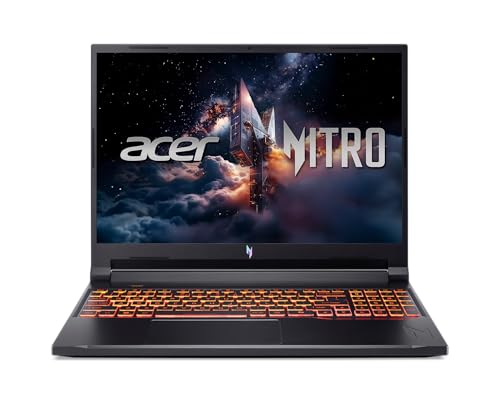 | Acer Nitro V 16 ANV16-72 | Best fit: RTX 5050 with 180Hz GPU: RTX 5050 Screen: 16-inch WUXGA, 180Hz Memory and SSD: 16GB, 1TB Thunderbolt 4: Stated by Acer and Amazon | Check Price on Amazon |
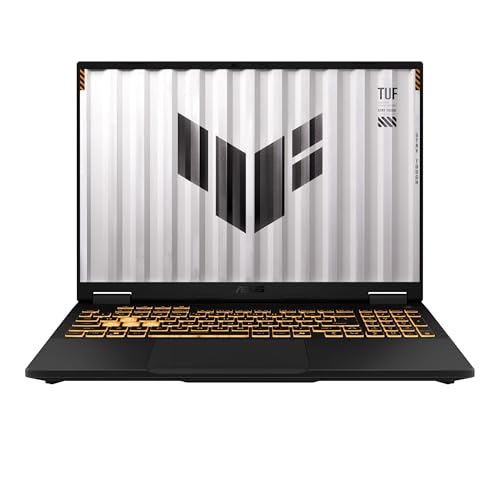 | ASUS TUF Gaming F16 FX608JMR | Best fit: RTX 5060 with 165Hz GPU: RTX 5060 Screen: 16-inch WUXGA, 165Hz Memory and SSD: 32GB, 1TB (seller upgrade) Thunderbolt 4: Stated by ASUS and Amazon | Check Price on Amazon |
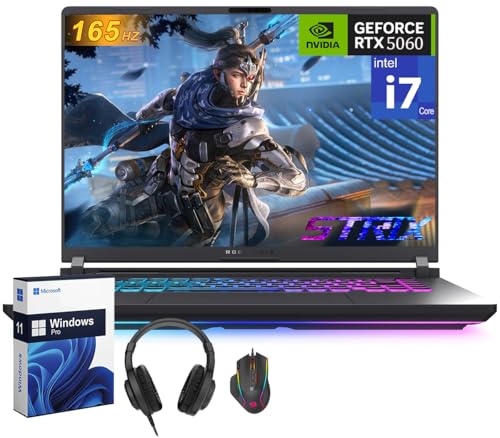 | ASUS ROG Strix G16 G615JMR | Best fit: RTX 5060 with vapor-chamber cooling GPU: RTX 5060 Screen: 16-inch 1920 by 1200, 165Hz Memory and SSD: 32GB, 1TB (ASUS lists 16GB) Thunderbolt 4: Stated by ASUS | Check Price on Amazon |
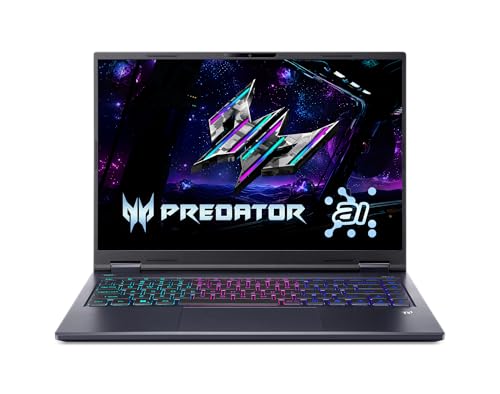 | Acer Predator Helios Neo 14 AI PHN14-71 | Best fit: Lightweight RTX 5060 at 4.19 lb GPU: RTX 5060 Screen: 14.5-inch WQXGA, 165Hz Memory and SSD: 16GB onboard, 1TB Thunderbolt 4: Stated by Amazon | Check Price on Amazon |
1. Acer Nitro V 15 ANV15-52 — Best Entry RTX 4050 Pick
Amazon lists the ANV15-52-586Z with an Intel Core i5-13420H, an NVIDIA GeForce RTX 4050 Laptop GPU, a 15.6-inch Full HD IPS screen at 165Hz, 8GB DDR5 memory and a 512GB PCIe Gen 4 SSD. The listing also names a Thunderbolt 4 port that carries power, data and video. We could not find an Acer page for this model, so the Thunderbolt 4 statement comes from Amazon alone.
The RTX 4050 is the lowest GPU tier in this group, which makes this the entry pick. Amazon lists two DDR5 slots with a 32GB maximum, Wi-Fi 6 and Killer gigabit Ethernet, and a weight of 4.66 lb. The 8GB of memory is the smallest in the group, against 16GB or 32GB on the other four.
Amazon lists the ANV15-52-586Z with an RTX 4050, a 165Hz Full HD screen and a Thunderbolt 4 port.Our Take Choose the Nitro V 15 when the lowest GPU tier in this group fits your games and you plan to add memory beyond the listed 8GB.
- Amazon lists an NVIDIA GeForce RTX 4050 Laptop GPU for the ANV15-52-586Z, the lowest GPU tier in this group.
- Amazon states a 15.6-inch Full HD IPS screen at 165Hz, the same refresh rate as three of the other four laptops.
- Amazon lists two DDR5 slots with a 32GB maximum for adding memory later.
- Amazon states that this Acer has a Thunderbolt 4 port carrying power, data and video.
- Amazon lists 8GB of memory for this Acer, the smallest of the five laptops here.
- Amazon states a 15.6-inch screen, smaller than the three 16-inch screens on this page.
- Amazon alone states the Thunderbolt 4 port, because we found no Acer page for this model.
2. Acer Nitro V 16 ANV16-72 — Best RTX 5050 With a 180Hz Screen
Amazon lists the ANV16-72-73EW with an Intel Core 7 240H, an NVIDIA GeForce RTX 5050 Laptop GPU, a 16-inch WUXGA (1920 by 1200) IPS screen at 180Hz, 16GB DDR5 memory and a 1TB PCIe Gen 4 SSD. Acer’s launch release for the ANV16-72 lists a Thunderbolt 4 Type-C port, an RJ-45 Ethernet port, HDMI 2.1 and a microSD reader. Amazon adds that the Thunderbolt 4 port charges at up to 65W.
Against Nitro V 15, this adds an RTX 5050, a 16-inch screen at 180Hz, and twice the memory and SSD space. Acer’s release is titled for casual gamers and says the Nitro V 16 goes up to an RTX 5070, so this listing sits below Acer’s top configuration. Amazon lists a weight of 5.29 lb, and Acer’s release lists the same.
Our Take Pick the Nitro V 16 when you want RTX 50-series graphics and a 180Hz screen without moving up to the RTX 5060 laptops below.
- Amazon lists an NVIDIA GeForce RTX 5050 Laptop GPU, a tier above the entry pick.
- Amazon states a 16-inch WUXGA IPS screen at 180Hz, the fastest refresh rate in this group.
- Acer lists a Thunderbolt 4 Type-C port for the ANV16-72, and Amazon states charging up to 65W through it.
- Amazon lists 16GB of memory and a 1TB SSD, twice the memory and SSD space of the entry pick.
- Acer’s release lists WQXGA and WUXGA screens, and Amazon lists WUXGA, the lower resolution of the two.
- Amazon states a weight of 5.29 lb, heavier than the 4.66 lb that Amazon states for Nitro V 15.
3. ASUS TUF Gaming F16 FX608JMR — Best RTX 5060 With 165Hz and Thunderbolt 4
Amazon lists the FX608JMR with an Intel Core i7-14650HX, an NVIDIA GeForce RTX 5060 with 8GB GDDR7, a 16-inch WUXGA IPS screen at 165Hz, 32GB DDR5 memory and a 1TB SSD. The listing says the seller, Rock eDigital, opened the seal to upgrade the memory and SSD to those sizes, and it adds a free 32GB USB drive. ASUS’s TUF Gaming F16 page lists up to 32GB per memory slot and up to 2TB of storage, so the 32GB and 1TB are the seller’s figures.
Amazon states one USB-C Thunderbolt 4 and USB4 port at 40Gbps with data, power delivery and DisplayPort 1.4, a second USB-C port at 10Gbps, HDMI 2.1 and an RJ-45 LAN port. ASUS’s page lists a Thunderbolt 4 Type-C port with DisplayPort 2.1 and an RJ45 LAN port, and says the Thunderbolt 4 port is not on the FX608JHI and FX608JMI models. The FX608JMR is neither of those.
ASUS says the Thunderbolt 4 port is not on the FX608JHI and FX608JMI, and the FX608JMR is neither.Our Take Choose the TUF Gaming F16 for an RTX 5060 with a 165Hz screen and a Thunderbolt 4 port that both ASUS and Amazon state. Treat the 32GB and 1TB as the seller’s upgrade.
- Amazon lists an NVIDIA GeForce RTX 5060 with 8GB GDDR7 for the FX608JMR.
- ASUS lists a Thunderbolt 4 Type-C port on the TUF Gaming F16, and Amazon states one at 40Gbps for the FX608JMR.
- Amazon states a 16-inch WUXGA screen at 165Hz.
- Amazon lists 32GB of memory and a 1TB SSD, both installed by the seller according to the listing.
- ASUS gives DisplayPort 2.1 for the Thunderbolt port and Amazon gives DisplayPort 1.4.
- ASUS’s page does not give the 32GB and 1TB sizes for the FX608JMR, and Amazon says Rock eDigital upgraded them.
4. ASUS ROG Strix G16 G615JMR — Best RTX 5060 With Vapor-Chamber Cooling
Amazon lists the G615JMR-AS74 with an Intel Core i7-14650HX, an NVIDIA RTX 5060 with a 115W maximum graphics power, a 16-inch 1920 by 1200 screen at 165Hz, 32GB DDR5 memory and a 1TB SSD. ASUS’s Strix G16 page lists the G615JMR-AS74 with one Thunderbolt 4 port that supports DisplayPort, power delivery and G-SYNC at up to 40Gbps, plus an RJ45 LAN port and a weight of 5.84 lb. Amazon’s bullets do not mention the Thunderbolt port.
Amazon credits the cooling to tri-fan airflow, a vapor chamber and liquid metal. ASUS’s page lists 2 x 8GB DDR5-5600 memory for the G615JMR-AS74, so the 32GB in the listing differs from ASUS’s page. One listing bullet also calls the laptop an ASUS TUF F16, while its title and model field name the ROG Strix G16, so confirm the model on the product page before you order.
Our Take Consider the ROG Strix G16 for an RTX 5060 with vapor-chamber cooling and ASUS’s documented Thunderbolt 4 port, and confirm the memory size on the listing at checkout.
- ASUS lists one Thunderbolt 4 port with DisplayPort, power delivery and G-SYNC for the G615JMR-AS74.
- Amazon lists an NVIDIA RTX 5060 with a 115W maximum graphics power.
- Amazon states tri-fan airflow, a vapor chamber and liquid metal cooling.
- ASUS lists 2 x 8GB of memory for the G615JMR-AS74, and Amazon lists 32GB.
- Amazon’s bullet text names an ASUS TUF F16, which does not match its ROG Strix G16 title.
5. Acer Predator Helios Neo 14 AI PHN14-71 — Best Lightweight RTX 5060 With a 165Hz WQXGA Screen
Amazon lists the PHN14-71-760T with an Intel Core Ultra 7 255H, an NVIDIA GeForce RTX 5060 Laptop GPU, a 14.5-inch WQXGA 16:10 matte screen at 165Hz with G-SYNC, 16GB LPDDR5X onboard memory and a 1TB PCIe Gen 4 SSD. The listing states a weight of 4.19 lb, the lightest of the five. We could not find an Acer page that lists this model’s ports, so the port facts below come from Amazon.
Amazon states one USB-C port with Thunderbolt 4, DisplayPort and power delivery up to 90W, and a second USB-C port at 10Gbps with DisplayPort and charging. It also lists two USB 3.2 Gen 2 ports, HDMI 2.1, a microSD reader and Wi-Fi 6E. The SSD has two M.2 slots with one available, and Amazon’s port list names no Ethernet jack.
Our Take Consider the Helios Neo 14 AI for an RTX 5060 in the lightest body here, and plan around its 16GB of onboard memory and the lack of a listed Ethernet jack.
- Amazon lists an NVIDIA GeForce RTX 5060 Laptop GPU for the PHN14-71-760T.
- Amazon states a weight of 4.19 lb for the 14.5-inch laptop, the lightest of the five.
- Amazon states a 14.5-inch WQXGA screen at 165Hz with G-SYNC.
- Amazon states a Thunderbolt 4 USB-C port with power delivery up to 90W.
- Amazon lists a 1TB SSD with two M.2 slots, one of them available.
- Amazon lists 16GB of onboard memory, less than the 32GB listed for TUF Gaming F16 and ROG Strix G16.
- Amazon’s port list names no Ethernet jack, and Nitro V 15, Nitro V 16, TUF Gaming F16 and ROG Strix G16 each list one.
Buying Guide
1. Judge the budget by GPU tier, not by a price
An RTX 4050, 5050 or 5060 sits in a lower GPU tier than the RTX 5070. Acer says the Nitro V 16 goes up to an RTX 5070, and ASUS names an RTX 5070 for the TUF Gaming F16. The Acer and ASUS laptops here use lower options of those lines. The guide gives no prices, so check the price on Amazon before you buy.
Nitro V 15 has the RTX 4050, Nitro V 16 has the RTX 5050, and TUF Gaming F16, ROG Strix G16 and Helios Neo 14 AI have the RTX 5060. A GPU name says little without the screen, memory and cooling. The guide gives listed and maker figures, not benchmark results, so compare the screen resolution and refresh rate with the games you play.
2. Check Thunderbolt 4 on the model you order
A USB-C connector does not tell you the port is Thunderbolt 4 or USB4. Acer lists a Thunderbolt 4 Type-C port for Nitro V 16, and ASUS lists one for TUF Gaming F16 and ROG Strix G16. Amazon alone states it for Nitro V 15 and Helios Neo 14 AI.
Amazon states the port for Nitro V 15 and Helios Neo 14 AI in one bullet each. Look for the port label or the maker’s port list on the product page before you order. The Thunderbolt laptop list and the USB4 laptop list show more laptops with these ports.
3. Plan the dock and monitors before you buy accessories
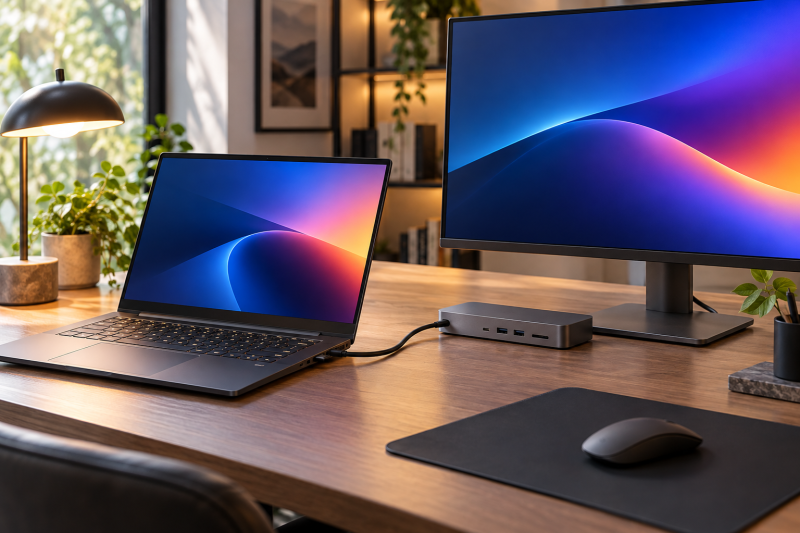
Thunderbolt 4 describes the laptop port, not the whole desk. A dock has its own limits for host support, cable, display outputs, resolution, refresh rate and charging. ASUS lists DisplayPort on the Thunderbolt 4 port of ROG Strix G16, and for TUF Gaming F16 ASUS gives DisplayPort 2.1 where Amazon gives DisplayPort 1.4.
Pick a dock from its own supported-host and display documentation. The Thunderbolt 4 docking-station guide is a place to start. The laptop, dock, cable and monitors work as one system, and a dock can send video by DisplayPort or by DisplayLink, which behave differently.
4. Treat memory and SSD sizes as the listing’s figures
Amazon lists 8GB and 512GB for Nitro V 15, 16GB and 1TB for Nitro V 16, and 32GB and 1TB for TUF Gaming F16 and ROG Strix G16, and 16GB and 1TB for Helios Neo 14 AI. The TUF Gaming F16 listing says the seller upgraded its memory and SSD. ASUS lists 2 x 8GB and a 1TB SSD for the ROG Strix G16, while Amazon lists 32GB.
Amazon states two DDR5 slots and a 32GB maximum for both Nitro V listings, and ASUS’s TUF Gaming F16 page says its memory and storage are accessible and upgradeable. Amazon lists the Helios Neo 14 AI‘s 16GB as onboard memory. Check the memory and SSD on the listing at checkout, because a seller can change them.
5. Weigh screen size and weight
Screen size, resolution and refresh rate differ across the five. Nitro V 15 has a 15.6-inch Full HD screen at 165Hz. Nitro V 16 has a 16-inch 1920 by 1200 screen at 180Hz, TUF Gaming F16 and ROG Strix G16 have 16-inch 1920 by 1200 screens at 165Hz, and Helios Neo 14 AI has a 14.5-inch WQXGA screen at 165Hz.
Amazon lists 4.19 lb for Helios Neo 14 AI, 4.66 lb for Nitro V 15, 5.29 lb for Nitro V 16 and 4.85 lb for TUF Gaming F16, and ASUS lists 5.84 lb for ROG Strix G16. Weight changes how easy a laptop is to carry between desks.
FAQ
Do I need Thunderbolt 4 on a budget gaming laptop?
No. A gaming laptop can suit you without it if the GPU, screen and ports meet your needs. Thunderbolt 4 helps when you plan to use one cable for a dock, a fast external drive or a monitor with power.
Acer or ASUS state it for Nitro V 16, TUF Gaming F16 and ROG Strix G16, and Amazon alone states it for Nitro V 15 and Helios Neo 14 AI. Check the port label on any of them before you count on a dock.
Can one Thunderbolt 4 port run two monitors for gaming?
Not on its own. The dock, cable, monitor inputs, resolution, refresh rate and GPU path all decide the result. A dock can use DisplayPort or DisplayLink, and the two behave differently.
Amazon lists DisplayPort over USB-C for Nitro V 16 and Helios Neo 14 AI and video display for Nitro V 15, and ASUS lists DisplayPort on the Thunderbolt 4 port of ROG Strix G16 and TUF Gaming F16. Match the dock you choose to the monitors you own.
Are the memory and SSD sizes the same on every model?
No. They are the sizes on the Amazon listings here. Nitro V 15 lists 8GB and 512GB, Nitro V 16 and Helios Neo 14 AI list 16GB and 1TB, and TUF Gaming F16 and ROG Strix G16 list 32GB and 1TB. A line can be sold with other sizes.
The TUF Gaming F16 listing says the seller upgraded its memory and SSD. ASUS’s page lists 2 x 8GB for the ROG Strix G16, so check the listing’s title and bullets before you order.
What is the difference between the 165Hz and 180Hz screens?
Amazon lists 165Hz for Nitro V 15, TUF Gaming F16, ROG Strix G16 and Helios Neo 14 AI, and 180Hz for Nitro V 16. A refresh rate sets how often the screen can update, and a game has to run at that frame rate to use it.
Resolution works the same way. The Helios Neo 14 AI‘s WQXGA screen asks the GPU to draw more pixels than a 1920 by 1200 screen. Compare the screen with the games you play, and look up performance for your own settings.
Can I add memory or storage to the Helios Neo 14 AI?
Amazon lists 16GB of LPDDR5X onboard memory for the Helios Neo 14 AI and does not list a memory slot. It lists a 1TB SSD with two M.2 slots, one of them available.
The two Nitro V listings state two DDR5 slots, while the Helios listing states onboard memory. Check the memory size on the listing before you order.
Bottom Line
Choose Nitro V 15 for the lowest GPU tier in this group, Nitro V 16 for an RTX 5050 with a 180Hz screen, or TUF Gaming F16 for an RTX 5060 with a stated Thunderbolt 4 port. Pick ROG Strix G16 for ASUS’s documented Thunderbolt port with vapor-chamber cooling, and Helios Neo 14 AI for an RTX 5060 in the lightest body here.