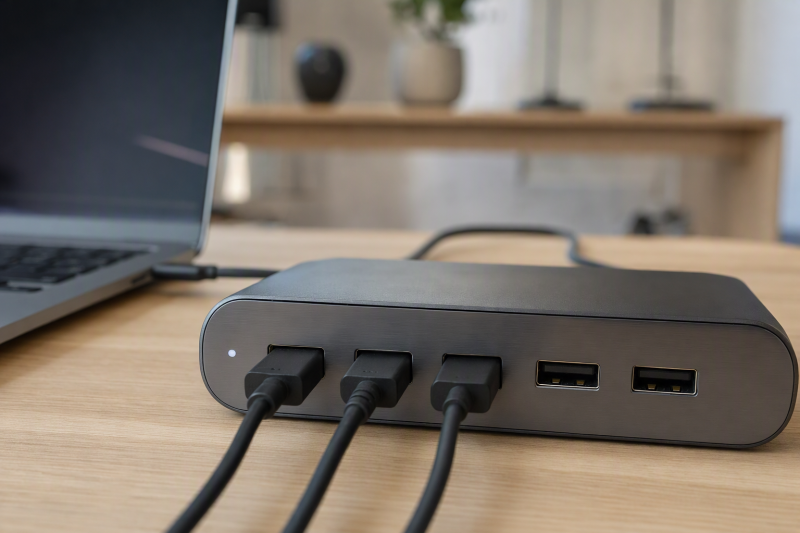
For a peripheral-heavy desk, the Sonnet Echo 20 Thunderbolt 4 SuperDock is the best USB-C hub with four or more USB-A ports. Sonnet states it supplies four 10Gbps USB-A ports and four USB-C ports alongside storage, display, network, card, and audio expansion. From there the choice narrows quickly: CalDigit TS4 is the five-USB-A premium alternative, Plugable TBT4-UDZ has six USB-A ports with distinct speed and charging roles, UGREEN Revodok Max 213 balances four USB-A ports with Thunderbolt expansion, and Plugable TBT-UDM is the four-USB-A option for a qualified Mac dual-display desk.
Asking for four or more USB-A ports usually moves this buying job out of pocket-hub territory and into a powered desktop dock. Every product selected here is a desk-oriented dock with its own larger port and power design. If portability matters more to you than USB-A count, start with the best USB-C hubs guide instead. Read USB speed labels as link ceilings rather than measured simultaneous throughput, and remember that six sockets do not mean six dedicated controllers or identical charging behavior.
Quick picks
- Sonnet Echo 20: Best overall for four fast USB-A plus broad expansion.
- CalDigit TS4: Best five-USB-A premium Thunderbolt 4 dock.
- Plugable TBT4-UDZ: Best six-USB-A Windows workstation dock.
- UGREEN Revodok Max 213: Best balanced four-USB-A Thunderbolt 4 dock.
- Plugable TBT-UDM: Best four-USB-A option for qualified newer MacBooks.
Compare hubs with four or more USB-A ports
| Image | Product | Details | Check Price |
|---|---|---|---|
 | Sonnet Echo 20 Thunderbolt 4 SuperDock | USB-A: Four 10Gbps ports Other data: Four 10Gbps USB-C plus downstream TB4 Desk expansion: 2.5GbE, UHS-II SD, audio and M.2 slot Power: Powered desktop dock; host charging unknown here Buyer check: SSD is not included and bandwidth is shared | Check Price on Amazon |
 | CalDigit TS4 | USB-A: Five downstream 10Gbps ports Other data: USB-C and downstream Thunderbolt 4 Desk expansion: 2.5GbE, dual UHS-II readers and audio Power: 98W host charging Buyer check: No direct HDMI; use DP/TB display route | Check Price on Amazon |
 | Plugable TBT4-UDZ | USB-A: Six ports with different roles Other data: USB-C plus Thunderbolt 4/USB4 host Desk expansion: Four video groups, 2.5GbE and dual card readers Power: 98W host charging Buyer check: Windows, Mac and USB-C paths differ | Check Price on Amazon |
 | UGREEN Revodok Max 213 | USB-A: Four ports; exact classes vary Other data: One USB-C data and two downstream TB4 Desk expansion: 2.5GbE, SD/microSD 4.0 and audio Power: Up to 90W host charging Buyer check: Map each USB-A role and host display branch | Check Price on Amazon |
 | Plugable TBT-UDM | USB-A: Four ports Other data: USB-C data and downstream Thunderbolt 4 Desk expansion: Dual HDMI, card readers, Gigabit Ethernet and audio Power: 96W certified host delivery Buyer check: Dual displays require a qualified Mac chip path | Check Price on Amazon |
1. Sonnet Echo 20 Thunderbolt 4 SuperDock — best overall
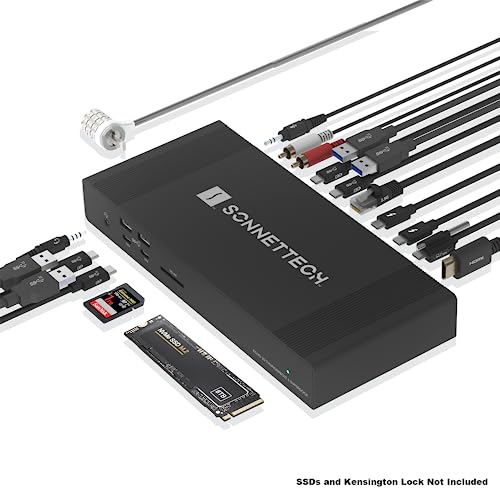
Sonnet documents four 10Gbps USB-A ports and four 10Gbps USB-C ports within a 20-interface Thunderbolt 4 desktop dock. The exact record also includes HDMI 2.1, two downstream Thunderbolt 4 connections, 2.5GbE, UHS-II SD, several audio routes, and a user-accessible internal M.2 NVMe slot. The SSD is not included.
That combination is the clearest answer when USB-A count is only one part of a peripheral-heavy desk. Legacy input devices and USB storage can stay attached while USB-C remains free for newer equipment. Total traffic is still governed by the shared Thunderbolt host path, so four ports labeled 10Gbps cannot each deliver 10Gbps at the same time through one upstream connection.
Display behavior remains host controlled. Sonnet’s Mac matrix gives different counts by Apple processor, and an HDMI plus downstream Thunderbolt connector does not create extra native display engines. The frozen manager packet does not reproduce a host-charging figure, so this package leaves it unknown rather than importing a conflicting secondary record.
Our Take
Choose Echo 20 when four fast USB-A ports must coexist with internal NVMe, fast network, media, audio, and display expansion. It is a fixed desk investment, not a pocket hub.
- Four 10Gbps USB-A and four USB-C ports
- 2.5GbE, UHS-II SD, and broad audio
- User-accessible M.2 NVMe slot
- Large powered desktop format
- Host charging is unknown in this frozen package
2. CalDigit TS4 — best five-port premium dock
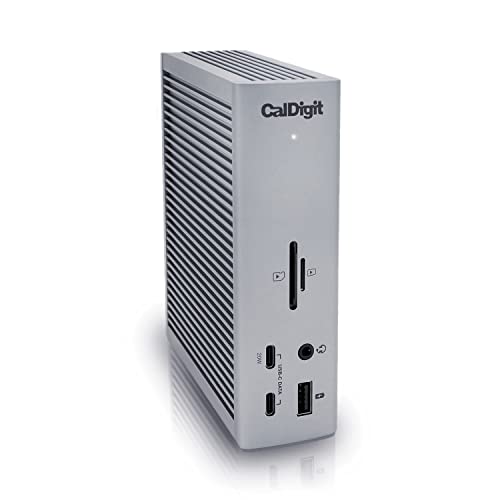
CalDigit documents five downstream 10Gbps USB-A ports in an 18-port Thunderbolt 4 dock. TS4 also provides multiple USB-C connections, downstream Thunderbolt, DisplayPort 1.4, 2.5GbE, UHS-II SD and microSD readers, audio routes, and 98W host charging. There is no HDMI in the retained specification.
Five USB-A sockets make TS4 easy to live with across keyboards, mice, security keys, printers, optical drives, and external storage, but the labels are not additive throughput. Every device shares the Thunderbolt upstream link and internal controller paths. Some USB ports may also have different charging or always-on behavior, so use the exact CalDigit port diagram instead of treating them as interchangeable.
Displays use DisplayPort or downstream Thunderbolt. CalDigit’s dual-display ceilings differ by host, and base Apple processors can retain lower native counts. Ninety-eight watts is the dock’s host charging ceiling, not a measured laptop draw.
Our Take
Pick TS4 when five fast USB-A ports, card readers, 2.5GbE, and 98W charging matter more than direct HDMI. Plan adapters and display routing before ordering.
- Five downstream 10Gbps USB-A ports
- 2.5GbE and dual UHS-II readers
- 98W host charging
- No direct HDMI output
- Port labels do not add into simultaneous bandwidth
3. Plugable TBT4-UDZ — best six-USB-A workstation dock
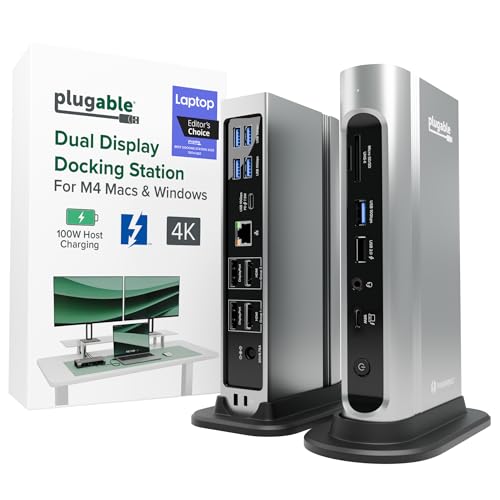
Plugable documents six downstream USB-A ports, but their speed and charging roles differ. That distinction is central to this page: TBT4-UDZ wins the raw socket count without pretending all six connectors are identical. The dock also includes USB-C, two HDMI and two DisplayPort groups, 2.5GbE, UHS-II SD and microSD, audio, and 98W host charging.
The strongest display branch is limited to qualified Windows Thunderbolt 4 or USB4 hosts using MST, where Plugable lists up to four 4K60 displays. Thunderbolt 3 and supported Mac paths have lower limits, and the detailed matrix limits base M1, M2, and M3 Macs to one 4K60 display. Qualified USB-C fallback also reduces capabilities. Linux and ChromeOS are not supported by the retained detailed matrix.
Map each USB-A device to the correct role, especially if a port must charge rather than only carry data. Six ports still share host and controller resources.
Our Take
Choose TBT4-UDZ when six USB-A sockets and extensive Windows display expansion justify a large dock. Read the detailed host and individual USB port matrix first.
- Six downstream USB-A ports
- Two HDMI and two DisplayPort groups
- 2.5GbE, dual UHS-II readers, and 98W charging
- USB-A ports have different roles
- Mac and USB-C-only host capabilities are reduced
4. UGREEN Revodok Max 213 — best balanced four-port alternative

UGREEN documents four USB-A ports plus one USB-C data port in a powered 13-port Thunderbolt 4 dock. Other retained connections include DisplayPort 1.4, two downstream Thunderbolt 4 ports, 2.5GbE, SD and microSD 4.0 readers, audio, a 180W supply, and up to 90W host charging.
The individual USB-A speed classes must remain exact. The gate does not reproduce every port-row label, so this article does not flatten all four into one generic speed. Check UGREEN’s diagram before you assign fast storage, input devices, or charging duties. The 40Gbps Thunderbolt host connection is a shared ceiling too, not four dedicated USB-A lanes plus separate full-rate display and network links.
UGREEN states that display behavior depends on the host. Its retained single-8K wording is tied to Windows, so no Mac 8K promise is made. Up to 90W is offered host power; the laptop can accept less.
Our Take
Pick Revodok Max 213 when four USB-A ports, two downstream Thunderbolt branches, fast network, and card readers form the right balance. Verify each USB-A role and host display row.
- Four USB-A plus one USB-C data port
- Two downstream Thunderbolt 4 ports
- 2.5GbE, card readers, and up to 90W charging
- USB-A speed classes need port-by-port checking
- Display ceiling remains host specific
5. Plugable TBT-UDM — best for qualified newer MacBooks

Plugable documents four USB-A ports beside a USB-C data port, one downstream Thunderbolt 4 connection, two HDMI 2.0 outputs, UHS-II SD and microSD, Gigabit Ethernet, and audio. The powered 13-port dock offers 96W certified host delivery from its included supply.
Its driverless native display matrix targets qualified M4 and M5 MacBook Air and Pro configurations, with named dual-4K60 branches. M3 has a clamshell condition, while base M1 and M2 remain one-external-display paths. Those Apple chip and lid-state conditions stay attached to the recommendation. Two HDMI sockets do not override the host’s native display limit.
The four USB-A ports make it useful for an established Mac desk carrying several legacy peripherals, but their traffic still shares the 40Gbps host connection with displays, cards, network, and other devices. The exact frozen packet does not establish simultaneous full-rate behavior.
Our Take
Choose TBT-UDM when four USB-A ports and native dual HDMI fit a qualified newer MacBook. Verify the exact Apple chip, macOS, lid state, and monitor path.
- Four USB-A ports and one USB-C data port
- Two direct HDMI 2.0 outputs
- 96W certified host delivery
- Dual-display support depends on exact Apple chip
- Desk dock rather than portable hub
How to choose a many-port USB-A dock
Accept the desktop form factor
The power supply and controller budget needed for many USB, display, network, and charging functions create a much larger product than a pocket hub. These Sonnet, CalDigit, Plugable, and UGREEN docks are intended to stay wired at a desk. Compare the best Thunderbolt docking stations if the broader desktop architecture matters more than the search word “hub.”
Assign devices by speed and power role
Put keyboards, mice, receivers, and security keys on ports that do not need the fastest path. Reserve maker-labeled high-speed ports for SSDs, capture hardware, or other demanding devices. Charging-capable USB-A ports can have different behavior from data-only ports, so use the exact diagram for TBT4-UDZ and Revodok rather than assuming uniformity.
Budget shared upstream bandwidth
Thunderbolt 4 provides a 40Gbps link ceiling, not 40Gbps for every connector. Displays, Ethernet, cards, USB storage, and downstream Thunderbolt traffic all compete within the dock and host architecture. Controller, device, protocol overhead, cable, and workload affect useful throughput. No product here has a measured simultaneous-load ranking.
Qualify displays and laptop power separately
Physical video outputs do not prove active-display count. Apple chip, Windows GPU, OS, MST/DSC, output group, cable, and monitor input all matter. Host charging is a separate negotiation: manufacturers rate the TS4 at 98W, TBT4-UDZ at 98W, UGREEN at up to 90W, and TBT-UDM at 96W certified delivery. The laptop may accept less or still need its main adapter.
Frequently asked questions
Are all USB-A ports on one dock the same speed?
No. Manufacturers can assign different data and charging roles to each socket. Plugable explicitly documents distinct roles on TBT4-UDZ, and the UGREEN port classes must be checked individually.
Can five 10Gbps ports transfer at 10Gbps simultaneously?
The labels are per-port ceilings, not a promise of additive throughput. All of that traffic must pass through shared controller and upstream resources.
Are any of these pocket hubs?
No. The four-or-more-port requirement has produced powered desktop docks. If you travel, either accept fewer USB-A ports or pair a smaller hub with a separate powered USB expansion device.
Final recommendation
Sonnet Echo 20 is the best overall choice for a fixed desk because its four 10Gbps USB-A ports sit beside four USB-C ports, internal NVMe, 2.5GbE, UHS-II SD, display, and audio expansion. After that, one requirement picks each alternative: TS4 for five fast USB-A ports, TBT4-UDZ for six varied USB-A roles, Revodok Max 213 for a balanced four-port Thunderbolt desk, TBT-UDM for qualified newer MacBooks. Whichever you buy, treat port labels as shared ceilings and verify exact speed, charging role, host display count, and power negotiation.