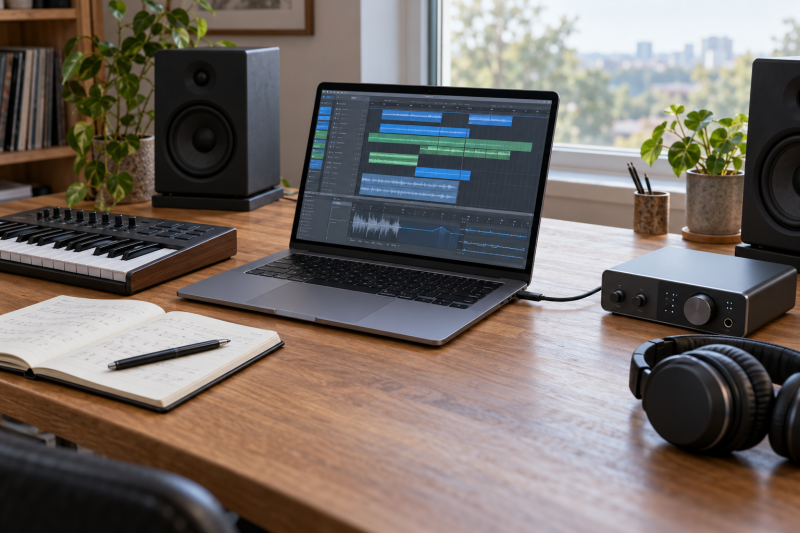
A music laptop needs enough processor cores and memory for your sessions and plugins, enough storage for your sample libraries and projects, and a fast port for your audio interface. The six laptops below all list Thunderbolt 4 or USB4 on at least one Type-C port, and they differ in processor, memory, storage, screen size and port count.
None of the sources for these laptops states how many tracks or plugins a laptop will run, its audio latency, or which audio interface drivers it supports. What the makers and the Amazon listings do state is the processor, memory, storage and ports, so this guide compares those and leaves performance questions to your DAW’s and your interface maker’s published requirements.
Compare memory and storage first, then count the Thunderbolt or USB4 ports your interface and drives will need.Laptops for Music Production Compared
| Image | Product | Details | Check Price |
|---|---|---|---|
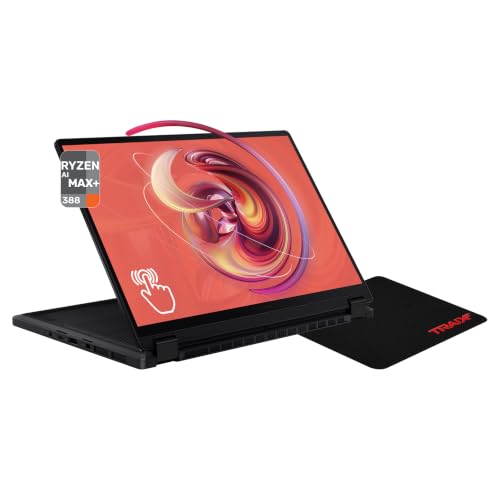 | ASUS ProArt PX13 HN7306EA | Best fit: 32GB of memory in a small laptop Processor: AMD Ryzen AI Max+ 388 (Amazon listing) Memory: 32GB LPDDR5X, 512GB SSD (Amazon listing) Thunderbolt or USB4 ports: 2x USB4 Type-C, up to 40Gbps Screen: 13.3-inch 3K OLED touchscreen | Check Price on Amazon |
 | Samsung Galaxy Book5 Pro 360 NP964QHA-KG1US | Best fit: Light 16-inch screen Processor: Intel Core Ultra 7 256V Memory: 16GB, 512GB SSD (Amazon listing) Thunderbolt or USB4 ports: 2x Thunderbolt 4 Screen: 16-inch 3K AMOLED touchscreen | Check Price on Amazon |
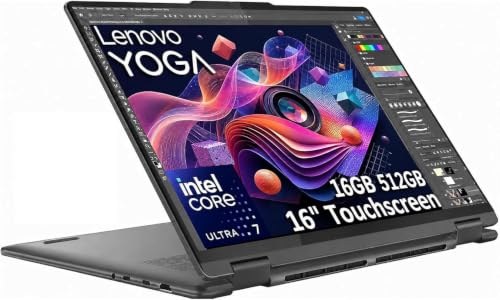 | Lenovo Yoga 7i 2-in-1 16IML9 | Best fit: Two USB-A ports on a 16-inch laptop Processor: Intel Core Ultra 7 155U Memory: 16GB LPDDR5X, 512GB SSD (seller-upgraded SSD) Thunderbolt or USB4 ports: 2x Thunderbolt 4 Screen: 16-inch WUXGA touchscreen | Check Price on Amazon |
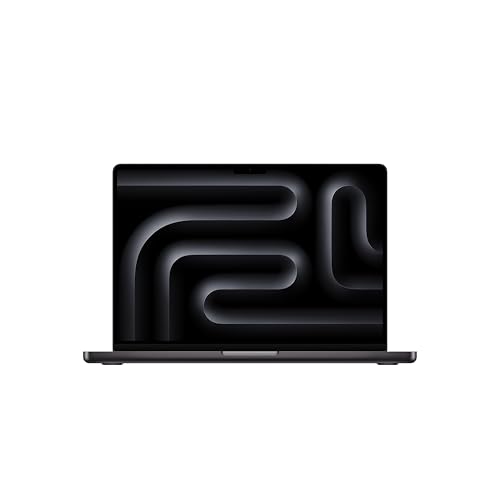 | Apple MacBook Pro 14-inch with M5 | Best fit: Mac users with three Thunderbolt 4 ports Processor: Apple M5, 10-core CPU Memory: 16GB unified memory, 1TB SSD Thunderbolt or USB4 ports: 3x Thunderbolt 4, up to 40Gb/s Screen: 14.2-inch Liquid Retina XDR | Check Price on Amazon |
 | Acer Swift Go 14 SFG14-72T-718K | Best fit: 14-inch Windows laptop Processor: Intel Core Ultra 7 155H (Amazon listing) Memory: 16GB LPDDR5X, 512GB SSD (Amazon listing) Thunderbolt or USB4 ports: 2x USB-C with USB4 and Thunderbolt 4 Screen: 14-inch WUXGA touchscreen | Check Price on Amazon |
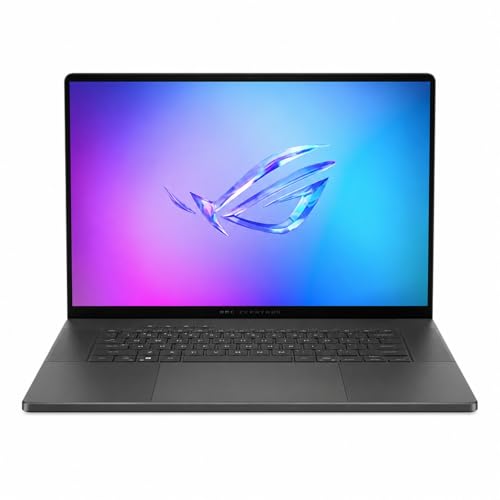 | ASUS ROG Zephyrus G16 GU605 | Best fit: Dedicated graphics card Processor: Intel Core Ultra 9 285H Memory: 16GB LPDDR5X, 1TB SSD Thunderbolt or USB4 ports: 1x Thunderbolt 4, up to 40Gbps Screen: 16-inch 2.5K OLED, 240Hz | Check Price on Amazon |
1. ASUS ProArt PX13 HN7306EA — Best for 32GB of Memory in a Small Laptop
The Amazon listing gives the ProArt PX13 an AMD Ryzen AI Max+ 388, which it describes as 8 cores and 16 threads at 3GHz up to 5GHz, plus 32GB of LPDDR5X memory and a 512GB SSD. The other five laptops here each list 16GB, half as much. The screen is a 13.3-inch 3K (2880×1800) OLED touchscreen in a convertible body that ASUS lists at 3.06 lbs.
ASUS lists two USB4 Type-C ports with display and power delivery at up to 40Gbps, one USB 3.2 Gen 2 Type-A port, a 3.5mm combo audio jack and a microSD reader, and the Amazon listing adds an HDMI 2.1 port. ASUS’s page for the HN7306 line lists the HN7306EA with a Ryzen AI Max+ 395, 64GB of memory and a 1TB SSD, which differs from the listing, so the processor, memory and storage above are the Amazon listing’s. ASUS lists the memory as on board and a single M.2 2230 slot, counting the slot the SSD uses.
Our Take Choose the PX13 when memory size and a small body come first and two USB4 ports cover your interface and one more device. Confirm the processor, memory and SSD on the Amazon listing before ordering, since ASUS’s own page lists the HN7306EA with different parts.
- The Amazon listing gives the PX13 32GB of LPDDR5X memory, double what the other five laptops here list, for buyers who put memory size first.
- ASUS lists two USB4 Type-C ports on the PX13 at up to 40Gbps, enough for an interface and one more device, plus a 3.5mm combo audio jack.
- ASUS lists the PX13 at 3.06 lbs with a 13.3-inch touchscreen.
- ASUS lists the HN7306EA with a Ryzen AI Max+ 395, 64GB and 1TB, not the Amazon listing’s 388, 32GB and 512GB.
- ASUS lists a single M.2 2230 slot on the PX13, and the SSD already uses it.
2. Samsung Galaxy Book5 Pro 360 NP964QHA-KG1US — Best for a Light 16-Inch Screen
Samsung lists the Galaxy Book5 Pro 360 with a 16-inch 3K Dynamic AMOLED 2X touchscreen and an Intel Core Ultra 7 256V processor, without a core count. The Amazon listing gives it 16GB of memory and a 512GB SSD. It also lists a weight of 3.72 lbs, lighter than the Yoga 7i, which Lenovo lists from 4.39 lbs, and the Zephyrus G16, which ASUS lists at 4.08 lbs. Samsung’s own page lists this model with 16GB or 32GB of memory and a 1TB SSD, so the 512GB SSD is the Amazon listing’s figure.
Samsung lists two Thunderbolt 4 ports, one HDMI 2.1 port, one USB 3.2 port, a microSD slot and a headphone/mic port. Samsung does not list a memory or SSD slot count on that page.
Amazon lists 3.72 lbs for the 16-inch Galaxy Book5 Pro 360, the lightest of the three 16-inch laptops here.Our Take Choose the Galaxy Book5 Pro 360 when you want a 16-inch touchscreen in the lightest body of the three 16-inch laptops here. Samsung lists one USB 3.2 port beside the two Thunderbolt 4 ports, where the Yoga 7i lists two USB-A ports.
- Samsung lists two Thunderbolt 4 ports and an HDMI 2.1 port.
- Amazon lists the Samsung at 3.72 lbs, the lightest of the three 16-inch laptops here.
- Samsung lists a 16-inch 3K Dynamic AMOLED 2X touchscreen.
- Samsung’s page lists this model with a 1TB SSD, not the 512GB SSD on the Amazon listing.
- Samsung lists one USB 3.2 port, where Lenovo lists two USB-A ports on the Yoga.
3. Lenovo Yoga 7i 2-in-1 16IML9 — Best for Two USB-A Ports on a 16-Inch Laptop
The Yoga 7i has a 16-inch WUXGA (1920×1200) IPS touchscreen on a 360-degree hinge. The Amazon listing names an Intel Core Ultra 7 155U, 16GB of LPDDR5X memory and a 512GB SSD. Lenovo lists the 155U at 12 cores, and lists the memory as soldered and not upgradable. Lenovo lists the laptop from 4.39 lbs.
Lenovo lists two Thunderbolt 4 ports with USB PD 3.1 and DisplayPort 2.1, two USB-A (5Gbps) ports, HDMI 2.1, a microSD reader and a 3.5mm headphone/microphone combo jack. Lenovo lists one M.2 2242 slot with up to 1TB. The Amazon listing says the seller resealed the laptop to upgrade the SSD, with a three-year seller warranty on the SSD and a one-year Lenovo warranty on the remaining parts. The listing does not say what size the SSD was before the upgrade, so check the installed size when it arrives.
Lenovo lists two Thunderbolt 4 ports and two USB-A ports on one 16-inch 2-in-1.Our Take Choose the Yoga 7i when you want a 16-inch touchscreen with two Thunderbolt 4 ports and two USB-A ports in one body. Check the installed SSD size on arrival, since the seller upgraded it.
- Lenovo lists two Thunderbolt 4 ports with USB PD 3.1 and DisplayPort 2.1.
- Lenovo lists two USB-A (5Gbps) ports beside HDMI 2.1 and a microSD reader.
- Lenovo lists the 155U at 12 cores.
- The Amazon listing says the seller upgraded the Yoga’s SSD and does not say its size before the upgrade.
- Lenovo lists the Yoga’s 16GB of memory as soldered and not upgradable.
4. Apple MacBook Pro 14-inch with M5 — Best for Mac Users with Three Thunderbolt 4 Ports
The MacBook Pro uses Apple’s M5 chip with a 10-core CPU and a 10-core GPU. The Amazon listing gives it 16GB of unified memory and a 1TB SSD. Apple’s M5 page lists 16GB, 24GB or 32GB of unified memory and 512GB or 1TB SSD choices, a 14.2-inch Liquid Retina XDR display and a weight of 3.4 lbs.
Apple lists three Thunderbolt 4 (USB-C) ports, each with Thunderbolt 4 and USB 4 at up to 40Gb/s, plus HDMI, an SDXC card slot, MagSafe 3 and a 3.5mm headphone jack with support for high-impedance headphones. The laptop runs macOS, so check your interface maker’s macOS support.
Our Take Choose the MacBook Pro when you work in macOS and want three Thunderbolt 4 ports, a 1TB SSD and a 14.2-inch screen. Its 16GB of memory is half the PX13‘s 32GB, so compare it with the memory your sample libraries call for.
- Apple lists three Thunderbolt 4 ports on the MacBook Pro, each with USB 4 at up to 40Gb/s.
- Apple lists a 3.5mm headphone jack with support for high-impedance headphones.
- The Amazon listing gives the MacBook Pro a 1TB SSD with 16GB of unified memory.
- The Amazon listing is the 16GB model, and Apple lists 24GB and 32GB as other memory choices.
5. Acer Swift Go 14 SFG14-72T-718K — Best for a 14-Inch Windows Laptop
The Amazon listing gives the Swift Go 14 a 14-inch WUXGA (1920×1200) touchscreen, an Intel Core Ultra 7 155H with 16 cores and 22 threads, 16GB of onboard LPDDR5X memory and a 512GB PCIe Gen 4 SSD. Acer’s manual covers the SFG14-72 and SFG14-72T and does not list the processor, memory or SSD, so those figures are the Amazon listing’s.
Amazon lists two USB Type-C ports supporting USB4 at up to 40Gbps and Thunderbolt 4, with power delivery up to 100W, two USB 3.2 Gen 1 ports, HDMI 2.1 and a headphone/microphone jack. Acer’s manual says the Type-C port that takes the power adapter supports Thunderbolt 4 and displays, and that its Type-C ports are compatible with USB4. The Amazon listing gives a weight of 2.91 pounds.
Our Take Choose the Swift Go 14 when a 14-inch Windows touchscreen with two Type-C ports and two USB 3.2 Gen 1 ports suits your desk, and confirm its weight with Acer, since the sources list none.
- Amazon lists two Type-C ports with USB4 at up to 40Gbps and Thunderbolt 4.
- Acer’s manual lists the Type-C port as compatible with Thunderbolt 4 and USB4.
- Amazon lists two USB 3.2 Gen 1 ports and HDMI 2.1 beside the Type-C ports.
- Amazon lists 16GB of memory and a 512GB SSD for the Swift Go, and Acer’s manual does not list either.
6. ASUS ROG Zephyrus G16 GU605 — Best for a Dedicated Graphics Card
The Zephyrus G16 pairs an Intel Core Ultra 9 285H, which ASUS lists at 16 cores, 16 threads and up to 5.4GHz, with an NVIDIA GeForce RTX 5070 Laptop GPU, 16GB of LPDDR5X memory and a 1TB PCIe 4.0 SSD. ASUS’s GU605 page lists a model with the same processor, graphics card, memory and SSD. The screen is a 16-inch 2.5K OLED at 240Hz, and ASUS lists the laptop at 4.08 lbs.
ASUS lists one Thunderbolt 4 port with DisplayPort and power delivery at up to 40Gbps, one USB 3.2 Gen 2 Type-C port, two USB 3.2 Gen 2 Type-A ports at 10Gbps, HDMI 2.1, an SD card reader and a 3.5mm combo audio jack. ASUS lists the memory as on board with no expansion possible, and two M.2 PCIe slots, counting the slot the SSD uses.
Our Take Choose the Zephyrus G16 when you want a 16-inch screen, a 16-core processor and a dedicated graphics card in one laptop and one Thunderbolt 4 port is enough. Choose the PX13 or the Yoga 7i for two Thunderbolt or USB4 ports.
- ASUS lists a Core Ultra 9 285H at 16 cores and up to 5.4GHz.
- ASUS lists two M.2 PCIe slots on the Zephyrus G16, counting the one the SSD uses.
- ASUS lists two USB 3.2 Gen 2 Type-A ports at 10Gbps beside HDMI 2.1.
- ASUS lists one Thunderbolt 4 port on the Zephyrus G16, a single port for an interface that lists Thunderbolt or USB4.
- ASUS lists the Zephyrus G16’s 16GB of memory as on board with no expansion possible.
Buying Guide
Processor and memory come first for sessions and plugins
The six laptops list different processors. The Ryzen AI Max+ 388 in the PX13 is listed by Amazon at 8 cores and 16 threads, and the Core Ultra 9 285H in the Zephyrus G16 is listed by ASUS at 16 cores and 16 threads. Amazon lists the Swift Go 14‘s Core Ultra 7 155H at 16 cores and 22 threads, Lenovo lists the Yoga 7i‘s Core Ultra 7 155U at 12 cores and 14 threads, and Apple lists the MacBook Pro‘s M5 with a 10-core CPU. Samsung names the Galaxy Book5 Pro 360‘s Core Ultra 7 256V without a core count. None of these sources says how any of them handles a plugin chain.
Memory is 16GB on five of the six laptops and 32GB on the PX13. Lenovo lists the Yoga 7i‘s memory as soldered and not upgradable, and ASUS lists the Zephyrus G16‘s memory as on board with no expansion possible. Choose the size you need before you order, and compare it with the memory recommendations your DAW and sample library makers publish.
Storage decides how much fits on the laptop
The Amazon listings for the Galaxy Book5 Pro 360, Yoga 7i, PX13 and Swift Go 14 name a 512GB SSD, and the MacBook Pro and Zephyrus G16 listings name a 1TB SSD. Add up your sample libraries and project folders and compare the total with the SSD on the listing. The Yoga 7i‘s seller upgraded its SSD, and the listing does not say the size it started at, so check the installed size on arrival.
Room to add storage differs. ASUS lists one M.2 2230 slot on the PX13 and Lenovo lists one M.2 2242 slot with up to 1TB on the Yoga 7i, each counting the slot the SSD uses, while ASUS lists two M.2 PCIe slots on the Zephyrus G16. Apple lists 512GB and 1TB SSD choices for the M5 MacBook Pro, and Samsung and Acer do not list a slot count. The site’s Thunderbolt laptops list covers more models if none of these has the storage you need.
Match the ports to your audio interface
Count the Thunderbolt or USB4 ports first: the MacBook Pro lists three, the PX13, Galaxy Book5 Pro 360, Yoga 7i and Swift Go 14 list two each, and the Zephyrus G16 lists one. Your audio interface maker states which connection and which operating system the interface supports, so match that against the port label on the laptop. The site’s Thunderbolt audio interfaces guide can help you compare interfaces that list a Thunderbolt connection.
Then check the other ports. The Yoga 7i and Zephyrus G16 list two USB-A ports each, the Swift Go 14 lists two USB 3.2 Gen 1 ports, the PX13 lists one USB-A port, and Samsung lists one USB 3.2 port. Every laptop lists a headphone or headphone/mic jack, and Apple lists support for high-impedance headphones on the MacBook Pro‘s. Our Thunderbolt 4 docking-station guide and USB4 laptops list cover adding ports and finding other models.
FAQ
Do I need Thunderbolt or USB4 for music production?
Only if your audio interface or storage lists it. Your interface maker’s page states the connection the interface uses, so check it before choosing a laptop.
All six laptops here list at least one Thunderbolt 4 or USB4 port, so each has a port for an interface that lists either one. Check the interface maker’s operating system support as well, since the laptop’s port label does not state it.
How much memory does a music laptop need?
No source here gives a memory size for a number of tracks or plugins. Your DAW maker and your sample library makers publish memory recommendations, and those are the figures to compare with the laptops.
The listings give 16GB on the Galaxy Book5 Pro 360, Yoga 7i, MacBook Pro, Swift Go 14 and Zephyrus G16, and 32GB on the PX13. Lenovo lists the Yoga 7i‘s memory as soldered, and ASUS lists the Zephyrus G16‘s as on board with no expansion possible.
Is a 512GB SSD enough?
It depends on the size of your sample libraries and projects, and no source here states a track or session count that fits. Add up what you keep on the laptop and compare it with the SSD size.
The MacBook Pro and Zephyrus G16 list a 1TB SSD, and Amazon lists 512GB on the other four. ASUS lists two M.2 PCIe slots on the Zephyrus G16, counting the one the SSD uses.
Which laptop is easiest to carry?
Weights from the sources run from 3.06 lbs for the PX13 and 3.4 lbs for the MacBook Pro to 3.72 lbs for the Galaxy Book5 Pro 360, 4.08 lbs for the Zephyrus G16 and 4.39 lbs for the Yoga 7i. The Amazon listing gives 2.91 pounds for the Swift Go 14.
Screen sizes are 13.3 inches on the PX13, 14.2 inches on the MacBook Pro, 14 inches on the Swift Go 14 and 16 inches on the other three. Carry weight depends on the charger and interface as well, and the sources list none of those weights.
Bottom Line
The MacBook Pro 14-inch with M5 suits macOS users who want three Thunderbolt 4 ports and a 1TB SSD. The ASUS ProArt PX13 lists 32GB of memory in a 13.3-inch body, and the Samsung Galaxy Book5 Pro 360 is the lightest of the three 16-inch laptops. The Lenovo Yoga 7i lists two Thunderbolt 4 and two USB-A ports, the Acer Swift Go 14 is the 14-inch Windows choice, and the Zephyrus G16 adds a dedicated graphics card with one Thunderbolt 4 port.