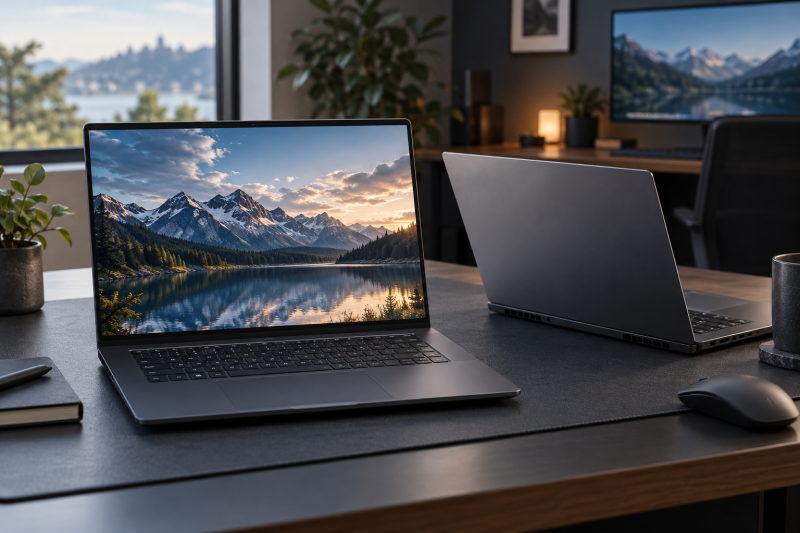
The RTX 5070 name does not make these six laptops interchangeable. The listings state screens from 120Hz to 240Hz, six different processors, and port descriptions that range from three Thunderbolt 4 ports to a bare “USB-C” or no port at all. Each section below names only the ports its listing states.
For a broader port-first buying decision, see the gaming laptop guide, USB4 laptop guide, and Thunderbolt 4 docking station guide. The Thunderbolt 5 gaming laptop guide is a separate group chosen around that newer connection.
RTX 5070 Laptops Compared
| Image | Product | Details | Check Price |
|---|---|---|---|
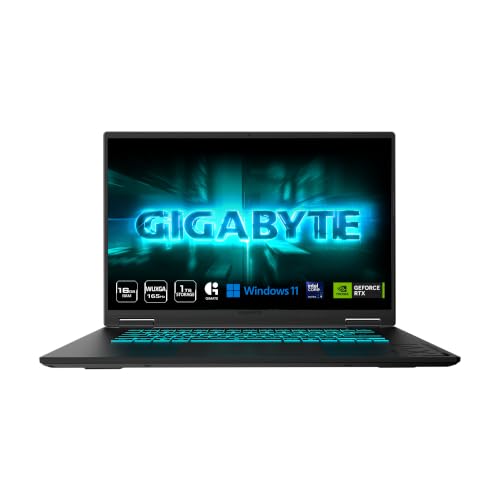 | GIGABYTE Gaming A16 | Best fit: 165Hz USB4 RTX 5070 Screen: 16-inch WUXGA 165Hz Processor: Core Ultra 9 185 Listed connections: USB4 up to 40Gbps, DisplayPort, PD 3.0 Memory and storage: 16GB DDR5, 1TB SSD | Check Price on Amazon |
 | Acer Nitro V 16 AI | Best fit: 180Hz RTX 5070 with USB4 Screen: 16-inch WUXGA 180Hz IPS Processor: Ryzen 9 270 Listed connections: USB4, HDMI 2.1, Ethernet Memory and storage: 16GB DDR5, 512GB Gen 4 SSD | Check Price on Amazon |
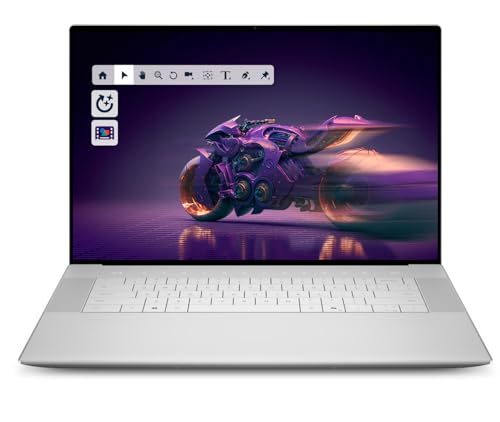 | AAA Computers Premium 16 | Best fit: 4K OLED RTX 5070 configuration Screen: 16.3-inch 4K OLED 48-120Hz touch Processor: Core Ultra 9 285H Listed connections: Three Thunderbolt 4 Gen 2 Type-C Memory and storage: 64GB LPDDR5X, 2TB SSD | Check Price on Amazon |
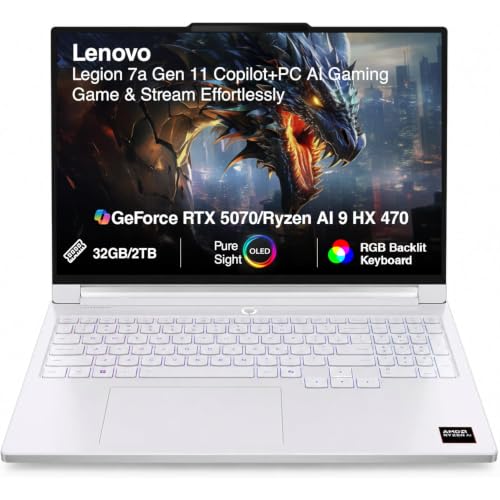 | Lenovo Legion 7a Gen 11 | Best fit: 240Hz OLED RTX 5070 Screen: 16-inch WQXGA OLED 240Hz Processor: Ryzen AI 9 HX 470 Listed connections: Two USB4, HDMI 2.1 Memory and storage: 32GB LPDDR5X, 2TB SSD (seller upgrade) | Check Price on Amazon |
 | ASUS ROG Strix G16 | Best fit: 165Hz ROG RTX 5070 Screen: 16-inch FHD+ 165Hz Processor: Ryzen 9 9955HX Listed connections: No port named in the listing Memory and storage: 16GB DDR5-5600, 1TB PCIe Gen 4 SSD | Check Price on Amazon |
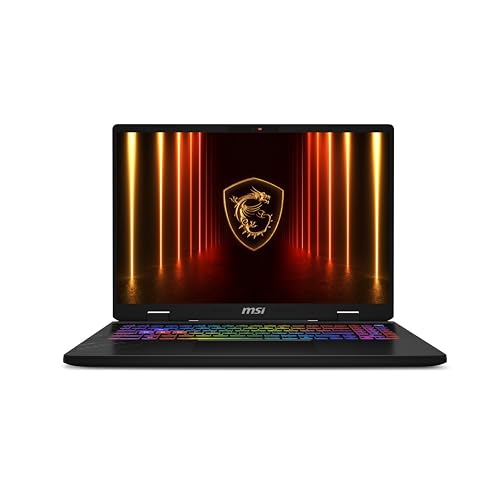 | MSI Crosshair A16 HX | Best fit: QHD+ 240Hz RTX 5070 Screen: 16-inch QHD+ 240Hz Processor: Ryzen 9 8940HX Listed connections: USB-C named; protocol not stated Memory and storage: 32GB DDR5, 1TB SSD | Check Price on Amazon |
1. GIGABYTE Gaming A16 — Best 165Hz USB4 Pick
The GIGABYTE Gaming A16 pairs a Core Ultra 9 185 with an RTX 5070 Laptop GPU. Amazon’s title lists a 16-inch 1920 x 1200 WUXGA screen at 165Hz, 16GB DDR5 memory and a 1TB SSD, and GIGABYTE’s feature text claims up to 14 hours of battery life in a 19.45mm chassis.
GIGABYTE says the USB4 Type-C port reaches up to 40Gbps, works with DisplayPort monitors and supports PD 3.0. It does not call the port Thunderbolt, so this guide does not either. The Acer (180Hz), Lenovo and MSI (240Hz) have faster screens, so choose the Gaming A16 when USB4 and a 1TB SSD count for more than refresh rate.
Our Take Choose the Gaming A16 for the 165Hz screen, 1TB SSD and a USB4 Type-C port that GIGABYTE says supports DisplayPort monitors and PD 3.0.
- GIGABYTE pairs the Gaming A16’s Core Ultra 9 185 and RTX 5070 Laptop GPU with 16GB DDR5 and a 1TB SSD.
- GIGABYTE says the Gaming A16’s USB4 Type-C port reaches 40Gbps, works with DisplayPort monitors and supports PD 3.0.
- GIGABYTE lists the Gaming A16 with a 16-inch 1920 x 1200 screen at 165Hz and up to 14 hours of battery life.
- The Gaming A16’s 165Hz screen is slower than the Acer’s 180Hz and the 240Hz Lenovo and MSI screens.
- GIGABYTE’s text names one USB4 Type-C port and does not list the laptop’s other ports.
2. Acer Nitro V 16 AI — Best 180Hz USB4 Pick
The Acer Nitro V 16 AI pairs a Ryzen 9 270 with an RTX 5070 and a 16-inch 1920 x 1200 IPS screen at 180Hz. Acer lists 100% sRGB, and Amazon’s title adds 16GB DDR5 and a 512GB Gen 4 SSD. It is the only laptop here with a 180Hz screen.
Acer’s ports bullet lists one USB4 Type-C port at up to 40Gbps with DisplayPort and Power Delivery up to 90W, one HDMI 2.1 port, one Ethernet port, one USB 3.2 Gen 2 port and two USB 3.2 Gen 1 ports. The GIGABYTE, Lenovo, MSI and AAA Computers listings do not name Ethernet.
The 512GB SSD is smaller than every other laptop’s here.Our Take Pick the Nitro V 16 AI for the 180Hz screen, the USB4 port with 90W Power Delivery, and the HDMI 2.1 and Ethernet ports Acer lists.
- Acer lists the Nitro with a 16-inch IPS screen at 180Hz and 100% sRGB.
- Acer names a USB4 port with Power Delivery up to 90W, HDMI 2.1 and Ethernet on the Nitro.
- Acer pairs the Nitro’s Ryzen 9 270 with an RTX 5070 and lists one USB 3.2 Gen 2 and two USB 3.2 Gen 1 ports.
- The Nitro’s 512GB SSD is the smallest storage on this page, below every other laptop’s.
3. AAA Computers Premium 16 — Best 4K OLED Configuration
Amazon shows the Premium 16 under the AAA Computers brand with Dell as the manufacturer, and its title adds “XPS 16 2025”. The warranty field says 1 year Dell. The listing states a 16.3-inch touch 4K OLED screen at 48-120Hz, a Core Ultra 9 285H, an RTX 5070 with 8GB GDDR7, 64GB LPDDR5X, a 2TB M.2 SSD and a 99Whr battery. It has the most memory on this page and is the only listing that states a touch screen.
The listing names three Thunderbolt 4 Gen 2 Type-C ports with DisplayPort 2.1 and Power Delivery. It fits a buyer who wants the 4K OLED screen and several Thunderbolt ports more than a 180Hz or 240Hz refresh rate. The listing does not say whether the memory or SSD is a reseller change.
Our Take Consider the Premium 16 for the touch 4K OLED screen, 64GB of memory, 2TB SSD and three Thunderbolt 4 Gen 2 Type-C ports.
- Amazon lists the AAA Computers configuration with a 16.3-inch touch 4K OLED screen at 48-120Hz.
- Amazon lists the AAA Computers configuration’s Core Ultra 9 285H, RTX 5070, 64GB LPDDR5X, 2TB M.2 SSD and 99Whr battery.
- Amazon lists three Thunderbolt 4 Gen 2 Type-C ports on the AAA Computers configuration, with DisplayPort 2.1 and Power Delivery.
- Amazon shows AAA Computers as the brand and Dell as the manufacturer, and the title adds XPS 16 2025.
- The AAA Computers configuration’s 120Hz ceiling is below the Acer’s 180Hz and the 240Hz Lenovo and MSI screens.
4. Lenovo Legion 7a Gen 11 — Best 240Hz OLED Pick
The Lenovo Legion 7a Gen 11 listing pairs a Ryzen AI 9 HX 470 with an RTX 5070 Laptop GPU (12GB GDDR7) and states a 16-inch 2560 x 1600 PureSight OLED screen at 240Hz with a 0.08ms response time, 500 nits, HDR and 100% DCI-P3. It also lists 32GB LPDDR5X and a 2TB PCIe NVMe SSD.
The listing names two USB4 Type-C ports, two USB 3.2 Type-A ports and HDMI 2.1. The seller says the original seal was opened to upgrade the SSD, with a 3-year warranty from the seller on the upgraded SSD and the original 1-year manufacturer warranty on all other hardware. Choose it for the 240Hz OLED screen and two USB4 ports.
Our Take Choose the Legion 7a Gen 11 for the 240Hz OLED screen, the RTX 5070 with 12GB of memory, and two USB4 ports.
- The Legion listing states a 16-inch OLED screen at 240Hz with 100% DCI-P3 and 500 nits.
- The Legion listing names two USB4 Type-C ports, two USB 3.2 Type-A ports and HDMI 2.1.
- The Legion listing pairs a Ryzen AI 9 HX 470 with an RTX 5070 Laptop GPU and lists 32GB LPDDR5X.
- The seller says the Legion’s original seal was opened to upgrade the SSD to 2TB.
- The seller covers the Legion’s upgraded SSD for 3 years and the rest of the laptop for the original 1 year.
5. ASUS ROG Strix G16 — Best 165Hz ROG Pick
The ASUS ROG Strix G16 with model number G614FP-OS94 pairs a Ryzen 9 9955HX with an RTX 5070 Laptop GPU. Amazon’s listing states 16GB DDR5-5600, a 1TB PCIe Gen 4 SSD and a 16-inch 16:10 FHD+ screen at 165Hz with a 3ms figure.
Amazon’s listing does not name any port, so it supports no Thunderbolt, USB4, HDMI or Ethernet claim for this model. Check the ports for G614FP-OS94 with the seller or on ASUS’s product page before relying on a dock or a specific display connection.
Our Take Choose the ROG Strix G16 for the Ryzen 9 9955HX, RTX 5070, 16GB DDR5-5600, 1TB SSD and 165Hz screen.
- Amazon lists a Ryzen 9 9955HX with an RTX 5070 Laptop GPU for the ROG Strix G16 model G614FP-OS94.
- Amazon lists the ROG Strix G16 with 16GB DDR5-5600 and a 1TB PCIe Gen 4 SSD.
- Amazon lists the ROG Strix G16’s 16-inch FHD+ screen at 165Hz with a 3ms figure.
- Amazon’s listing names no port for the ROG Strix G16, so check the ports with the seller or on ASUS’s product page before relying on a dock.
6. MSI Crosshair A16 HX — Best QHD+ 240Hz Pick
The MSI Crosshair A16 HX (model CrosshairA16E8009) pairs a Ryzen 9 8940HX with an RTX 5070, 32GB DDR5 and a 1TB NVMe SSD, according to Amazon’s title. Its 16-inch 2560 x 1600 QHD+ screen at 240Hz matches the Legion’s resolution and refresh rate, though the MSI listing does not say the panel is OLED.
The MSI listing names USB-C connectivity and gives no protocol, charging, display output or speed. Choose it for the 240Hz QHD+ screen, then confirm the ports with the seller or on MSI’s page if they will decide your desk setup.
Our Take Consider the Crosshair A16 HX for the 240Hz QHD+ screen, Ryzen 9 8940HX, RTX 5070, 32GB DDR5 and 1TB SSD.
- The MSI listing states the Crosshair A16 HX’s 16-inch 2560 x 1600 QHD+ screen at 240Hz.
- The MSI listing pairs the Crosshair A16 HX’s Ryzen 9 8940HX with an RTX 5070, 32GB DDR5 and a 1TB SSD.
- The MSI listing names USB-C for the Crosshair A16 HX without a protocol, charging, display output or speed, so confirm the ports with the seller or on MSI’s page if they will decide your desk setup.
Buying Guide
1. Compare the screen line before treating RTX 5070 as the whole decision
The six laptops list 120Hz, 165Hz, 180Hz and 240Hz screens. The Premium 16 lists a 4K OLED at 48-120Hz, the GIGABYTE Gaming A16 and ROG Strix G16 list 165Hz, the Acer Nitro V 16 AI lists 180Hz, and the Legion 7a and MSI Crosshair both list 240Hz.
Panel types differ too. The Legion 7a lists an OLED with 100% DCI-P3, while the Nitro V 16 AI lists an IPS panel with 100% sRGB. Compare resolution, panel type and refresh rate together, because the same GPU appears with different screens.
2. Check which parts the seller changed
The Legion 7a listing says the seller opened the original seal to upgrade the SSD, so its 2TB figure is the seller’s upgrade and carries a 3-year seller warranty. Amazon sells the Premium 16 under the AAA Computers brand with Dell as the manufacturer, and the listing does not say whether its 64GB of memory or 2TB SSD is a reseller change.
The ROG and MSI listings give model numbers, G614FP-OS94 and CrosshairA16E8009. Match the model number on the product page to the listing before ordering, because memory, storage and ports can differ between laptops with similar names.
3. Read USB4 and Thunderbolt language literally
Amazon lists USB4 at up to 40Gbps for the GIGABYTE Gaming A16 and the Acer Nitro V 16 AI, both with DisplayPort support. The Legion names two USB4 Type-C ports and HDMI 2.1. Only the Premium 16 listing names Thunderbolt 4, with three Gen 2 Type-C ports, DisplayPort 2.1 and Power Delivery.
The ROG listing names no port, and the MSI listing names only USB-C. Neither listing supports a Thunderbolt or USB4 claim. If a dock, external display, charging or wired network decides the purchase, check the ports with the seller or the maker’s model page before ordering.
4. Treat storage capacity as listing-specific
The GIGABYTE Gaming A16, ROG Strix G16 and MSI Crosshair A16 HX list 1TB SSDs, the Acer Nitro V 16 AI lists 512GB, and the Premium 16 and Legion 7a list 2TB. Memory runs from 16GB on the GIGABYTE, Acer and ROG to 32GB on the Legion and MSI.
The Premium 16 lists 64GB LPDDR5X, the most memory here, while the Legion’s 2TB is the seller upgrade described above. Compare the memory and storage listed for the model you are buying, not a figure from another configuration.
5. Use the complete processor and screen pairing
The six laptops use six different processors: Core Ultra 9 185, Core Ultra 9 285H, Ryzen 9 270, Ryzen AI 9 HX 470, Ryzen 9 9955HX and Ryzen 9 8940HX. The listings give no performance comparison between them, so judge each laptop by its full screen, memory and port list.
The Acer pairs the Ryzen 9 270 with a 180Hz WUXGA screen, while the Lenovo pairs the Ryzen AI 9 HX 470 with a 240Hz OLED. The RTX 5070 name is the one thing all six share.
FAQ
Which RTX 5070 laptops here list 240Hz screens?
The Lenovo Legion 7a Gen 11 and MSI Crosshair A16 HX both list 240Hz 16-inch screens at 2560 x 1600. The Lenovo is a PureSight OLED, while the MSI listing calls its screen QHD+.
The Lenovo listing also states 100% DCI-P3, 500 nits, HDR and a 0.08ms response time. The MSI listing gives no color or brightness figures.
Which one lists three Thunderbolt 4 ports?
The AAA Computers Premium 16 lists three Thunderbolt 4 Gen 2 Type-C ports with DisplayPort 2.1 and Power Delivery. The same listing names a 16.3-inch touch 4K OLED screen at 48-120Hz.
Amazon shows AAA Computers as the brand and Dell as the manufacturer, and the title adds XPS 16 2025. No other laptop on this page is listed with Thunderbolt 4.
Which one lists USB4 and Ethernet?
The Acer Nitro V 16 AI lists USB4 up to 40Gbps, DisplayPort, charging up to 90W, HDMI 2.1 and Ethernet. It also lists a 16-inch WUXGA IPS screen at 180Hz with 100% sRGB.
The GIGABYTE Gaming A16 also lists USB4 at up to 40Gbps, but its text names no Ethernet or HDMI port. The Legion lists two USB4 ports and HDMI 2.1 without Ethernet.
Does the ASUS ROG Strix G16 listing name a port?
No. Amazon’s listing for the ROG Strix G16 G614FP-OS94 states a Ryzen 9 9955HX, RTX 5070, 16GB DDR5-5600, a 1TB PCIe Gen 4 SSD and a 165Hz/3ms screen, and names no port.
A missing port list does not mean the laptop has no ports. Check the ports for this model number with the seller or on ASUS’s product page before choosing a dock or display.
Which ones list 2TB storage?
The AAA Computers Premium 16 and Lenovo Legion 7a Gen 11 list 2TB storage. The Premium 16 lists a 2TB M.2 SSD with 64GB LPDDR5X, while the Lenovo lists a 2TB PCIe NVMe SSD with 32GB LPDDR5X.
The Legion listing says the seller opened the original seal to upgrade the SSD, so its 2TB size is the seller’s change.
Bottom Line
Choose the GIGABYTE Gaming A16 for USB4 on a 165Hz screen, the Acer Nitro V 16 AI for the only 180Hz screen plus USB4, HDMI 2.1 and Ethernet, or the Premium 16 for a touch 4K OLED screen and three Thunderbolt 4 ports. The Legion 7a is the 240Hz OLED choice, the ROG Strix G16 is the 165Hz ROG with a Ryzen 9 9955HX, and the MSI Crosshair A16 HX is the QHD+ 240Hz alternative. Confirm the ports and storage for the exact model number before you order.