Want a large, thin AMD system with two maker-documented connections? The Acer Swift Edge 16 SFE16-43-R6FN is the best laptop with dual USB4 ports. Acer Swift Go 14 provides the compact touch alternative, ASUS Zenbook S 16 is the only pick here with two explicitly rated 40Gbps ports, Microsoft Surface Laptop 7th Edition is the compact Snapdragon choice, and Samsung Galaxy Book4 Edge is the 15.6-inch Windows on Arm alternative.
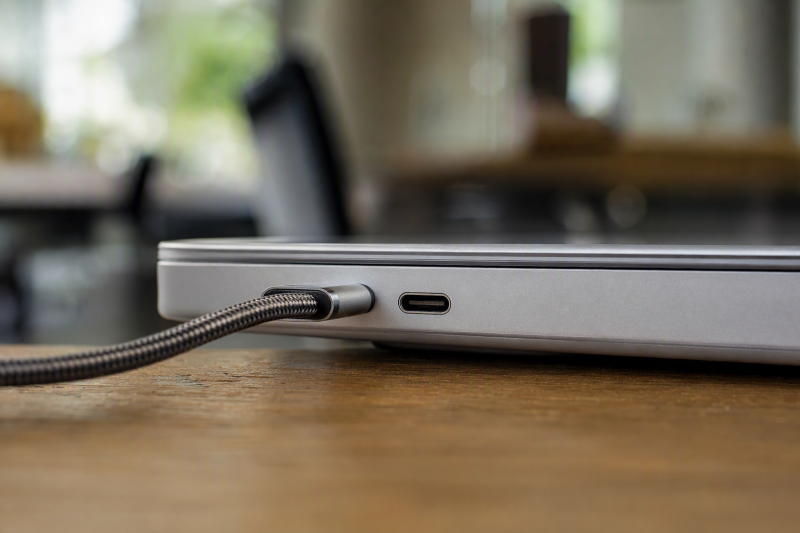
Two USB4 ports improve cable placement and spare you unplugging a charger before attaching a device. They prove nothing about two independent controllers, double aggregate bandwidth, two simultaneous full-rate transfers, universal display output, power in both directions, or eGPU support. This page owns the port-count decision, so every product carries first-party evidence for two USB4-capable connections. Our broader verified USB4 laptop list explains the exact-configuration gate behind that claim.
Quick picks
- Acer Swift Edge 16 SFE16-43-R6FN: Best overall large-screen dual-port option.
- Acer Swift Go 14 SFG14-63T-R1F4: Best compact touch choice.
- ASUS Zenbook S 16 UM5606WA: Best dual 40Gbps option.
- Microsoft Surface Laptop 7th Edition ZGP-00001: Best compact Arm pick.
- Samsung Galaxy Book4 Edge NP754XQA-KB2US: Best 15.6-inch Arm alternative.
Compare laptops with two USB4 ports
| Image | Product | Details | Check Price |
|---|---|---|---|
 | Acer Swift Edge 16 SFE16-43-R6FN | USB4 ports: Two; speed unspecified Display and power: Display capability and 65W PD stated Exact configuration: Ryzen 7, 16GB, 1TB, 16-inch 3200 x 2000 Architecture: Windows x86 Buyer check: No independent-controller or combined-rate proof | Check Price on Amazon |
 | Acer Swift Go 14 SFG14-63T-R1F4 | USB4 ports: Two; speed unspecified Display and power: DisplayPort and USB charging stated Exact configuration: Ryzen 7, 16GB, 1TB, 14-inch touch Architecture: Windows x86 Buyer check: Accepted power and simultaneous behavior unknown | Check Price on Amazon |
 | ASUS Zenbook S 16 UM5606WA | USB4 ports: Two; up to 40Gbps each Display and power: Display and Power Delivery stated Exact configuration: Ryzen AI 9, 24GB, 1TB, 16-inch 3K OLED touch Architecture: Windows x86 Buyer check: Amazon title shortens UM5606WA to UM5606 | Check Price on Amazon |
 | Microsoft Surface Laptop 7th Edition ZGP-00001 | USB4 ports: Two; speed unspecified Display and power: Not stated in retained port wording Exact configuration: Snapdragon X Elite, 16GB, 512GB, 13.8-inch touch Architecture: Windows on Arm Buyer check: Apps, drivers and display accessories need checks | Check Price on Amazon |
 | Samsung Galaxy Book4 Edge NP754XQA-KB2US | USB4 ports: Two; speed unspecified Display and power: Not stated in retained port wording Exact configuration: Snapdragon X Plus, 512GB, 15.6-inch FHD Architecture: Windows on Arm Buyer check: Peripheral drivers and simultaneous behavior unknown | Check Price on Amazon |
1. Acer Swift Edge 16 SFE16-43-R6FN — best overall

Acer lists the selected configuration as the exact SFE16-43-R6FN with AMD Ryzen 7 7840U, 16GB memory, 1TB SSD, and a 16-inch 3200 x 2000 display. Acer’s SFE16-43 family record names two USB4 Type-C ports and states 65W Power Delivery, fast charging, and display capability for the route.
Acer attaches no numeric 20Gbps or 40Gbps rate to the selected model in the retained page, so speed stays unspecified. That 65W statement also promises nothing about every charger, dock, and cable sustaining the laptop under every workload, since power direction, negotiated input, and accessory output all have to match.
The pair of ports buys genuine left-right flexibility for travel and desk use, and Acer proves neither that both run from independent controllers nor that they maintain every data, display, and charging feature at once. External-display count, optional PCIe tunneling, eGPU support, and Thunderbolt certification are not inferred.
Our Take
Choose Swift Edge 16 when a large high-resolution screen and two explicitly documented USB4 ports outweigh a published rate. Across this slate, it holds the strongest general dual-port layout.
- Two explicit USB4 Type-C ports
- Display and 65W PD capability stated
- Exact 16-inch high-resolution configuration
- USB4 speed is unspecified
- Independent-controller and simultaneous behavior are unproved
2. Acer Swift Go 14 SFG14-63T-R1F4 — best compact touch option

Acer lists the exact SFG14-63T-R1F4 configuration with an AMD Ryzen 7 8845HS, 16GB LPDDR5X, 1TB SSD, and a 14-inch touch display. Acer’s tightly scoped SFG14-63 and SFG14-63T material says the two USB-C connections support USB4, DisplayPort, and USB charging.
As with Swift Edge, Acer attaches no numeric USB4 rate to this exact wording. Never borrow 40Gbps from another Acer line or read it off the processor. Two ports do make a compact desk easier to wire, with power on one side while a dock or storage device uses the other, subject to the laptop’s actual routing.
The retained evidence proves no simultaneous full-rate operation, independent controllers, external-display count, accepted charging wattage, PCIe tunneling, eGPU support, or Thunderbolt certification. This page recommends the exact model on documented count and compact format alone.
Our Take
Pick Swift Go 14 when two USB4 ports in a smaller touch laptop suit you better than the 16-inch Acer. Where a stated 40Gbps ceiling on both ports is required, take the ASUS.
- Two USB4 ports in Acer’s scoped matrix
- DisplayPort and charging support stated
- Compact exact Ryzen 7 touch configuration
- No published USB4 speed in retained wording
- No combined-bandwidth or tunneling result
3. ASUS Zenbook S 16 UM5606WA — best dual 40Gbps option
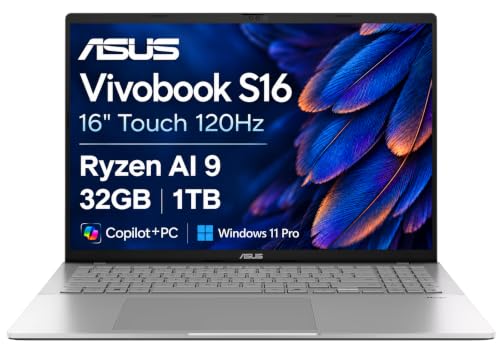
ASUS’s exact manufacturer model is UM5606WA, while the selected offer shortens the title to UM5606 and identifies a Ryzen AI 9 365 configuration with 24GB memory, 1TB SSD, and a 16-inch 3K OLED touch display. That suffix difference stays visible here because exact configuration matters.
ASUS documents two USB 4.0 Gen 3 Type-C ports, each with data speed up to 40Gbps, display support, and Power Delivery. No other product in the group states its dual-port row this explicitly, giving buyers a maker-stated rate on both connections instead of a bare USB4 name.
Two matching descriptions still establish no independent controllers, no 80Gbps combined result, no particular display count, no simultaneous full-speed transfers, and no accepted charging wattage, PCIe tunneling, eGPU support, or Thunderbolt certification. A 40Gbps link is a ceiling rather than measured application throughput, and the device, protocol overhead, cable, storage, dock, and workload all reduce or share it.
Our Take
Choose Zenbook S 16 when two explicitly rated 40Gbps USB4 ports outrank a perfect Amazon suffix match. Verify that the shortened UM5606 offer is the intended UM5606WA configuration.
- Two USB4 ports up to 40Gbps
- Display and Power Delivery on both listed ports
- 16-inch 3K OLED touch configuration
- Amazon title shortens the exact ASUS suffix
- Controller topology and simultaneous ceiling are unknown
4. Microsoft Surface Laptop 7th Edition ZGP-00001 — best compact Arm pick
Microsoft’s store maps exact SKU ZGP-00001 to a Platinum 13.8-inch Surface Laptop 7th Edition with Snapdragon X Elite 12-core, 16GB RAM, and 512GB SSD, and the frozen Amazon model field matches. Microsoft’s scoped support page documents two USB-C / USB4 ports for this generation.
In the retained sources, Microsoft attaches no USB4 speed, display capability or count, charging wattage or direction, optional PCIe tunneling, eGPU support, or Thunderbolt certification to those ports, so every one of those fields stays unspecified. Two connectors are no promise that both handle the same dock and monitor arrangement at the same time.
This is Windows on Arm. Verify applications, drivers, VPN, security tools, printer, audio, capture hardware, dock utilities, games, and anti-cheat components, because a physically compatible USB4 device can still hang on an unavailable Arm driver.
Our Take
Choose ZGP-00001 when the compact touchscreen, exact SKU match, and dual USB4 count fit an Arm-ready workflow. With any required driver still uncertain, take an x86 model instead.
- Two documented USB4 ports
- Exact Microsoft and Amazon SKU match
- Compact 13.8-inch touch configuration
- Speed, display, and charging scope are unspecified
- Windows on Arm drivers need exact checks
5. Samsung Galaxy Book4 Edge NP754XQA-KB2US — best 15.6-inch Arm alternative

Samsung and the frozen offer both identify NP754XQA-KB2US. The selected system pairs Snapdragon X Plus with 512GB storage and a 15.6-inch Full HD anti-glare screen, and Samsung’s US family matrix states that the 15.6-inch Galaxy Book4 Edge has two USB 4.0 ports.
The source attaches no speed, display route or count, charging figure, optional PCIe tunneling, eGPU support, or Thunderbolt certification. Two ports are established; their simultaneous behavior and optional features are not. Confirm any dock, monitor, or storage requirements against the exact Samsung configuration and the accessory maker.
As on the Surface, Windows on Arm is the deciding caveat, so confirm all required applications and peripheral drivers. The larger display format will appeal to anyone who does not want the compact Surface, and USB4 count is never a reason to skip the software fit.
Our Take
Pick NP754XQA-KB2US when a 15.6-inch Arm laptop with two explicit USB4 ports matches the workload. Never assume a rate or accessory behavior Samsung did not state.
- Two explicit USB 4.0 ports
- Exact Samsung and offer identifier
- 15.6-inch anti-glare display
- Port speed and optional features are unspecified
- Arm software and peripheral drivers require checks
How to choose a dual-port USB4 laptop
Match the exact configuration first
Family marketing settles nothing. Shop by SFE16-43-R6FN, SFG14-63T-R1F4, UM5606WA, ZGP-00001, or NP754XQA-KB2US, because a sibling can change processor, region, ports, or power behavior. Read the Zenbook’s shortened marketplace title as a visible warning to compare CPU, memory, storage, screen, keyboard, adapter, and warranty fields.
Buy two ports for placement, not multiplied bandwidth
Dual ports keep a charger connected while a dock or SSD uses the other side, and they make cable routing easier at home and in meetings. What they never prove is two independent host controllers or a doubled aggregate rate. Where simultaneous high-bandwidth devices matter, find an exact block diagram or manufacturer statement instead of multiplying the port labels.
Use the maker’s stated speed
ASUS publishes up to 40Gbps for both Zenbook ports, while Acer, Microsoft, and Samsung leave the rate unspecified in the retained wording. Never infer 40Gbps from the USB4 name alone, and remember that even a published ceiling is no benchmark. The USB4 NVMe enclosure guide keeps host, enclosure controller, SSD, cooling, cable, and workload limits separate.
Map display and charging direction
Acer states display and charging capability, and ASUS states display and Power Delivery, while the retained Microsoft and Samsung port wording authorizes neither addition. No record here proves a universal display count. Check host GPU routing, internal panel, cable, dock, adapter, monitor inputs, resolution, and refresh together. On power, work out whether the port accepts laptop input, supplies accessories, or does both under defined ceilings.
Audit Windows on Arm before accessories
Surface Laptop and Galaxy Book4 Edge run Qualcomm Arm platforms, so validate software and drivers before choosing a dock. A generic compatibility list can miss VPN clients, security agents, audio drivers, capture devices, printers, games, or anti-cheat software. Acer and ASUS stand as the x86 alternatives in this slate.
Require separate eGPU and certification proof
USB4 establishes no optional PCIe tunneling, firmware behavior, eGPU drivers, enclosure compatibility, or resource allocation, and it is no Thunderbolt certification statement either. The USB4 eGPU guide explains the extra proof required.
Final recommendation
Acer Swift Edge 16 SFE16-43-R6FN is the best overall dual-USB4 laptop here because its large exact configuration carries two documented ports plus display and 65W PD wording. From there, one need selects each alternative: Swift Go for compact touch use, Zenbook for two maker-stated 40Gbps ports, Surface for a compact Arm system, Galaxy Book4 Edge for a 15.6-inch Arm alternative. Port count is proved; speed, controller independence, simultaneous behavior, display count, power direction, optional tunneling, and software compatibility all still need qualifying separately.