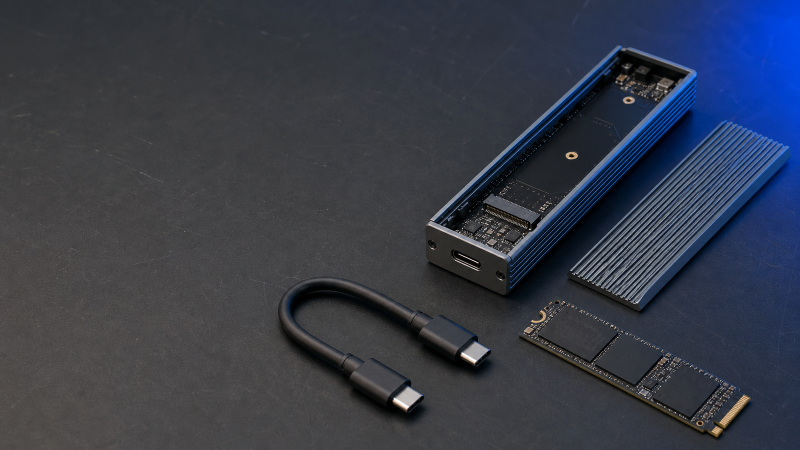
The StarTech USB4 M.2 NVMe Enclosure is the best USB4 NVMe enclosure for most buyers, because its official datasheet documents the whole path: USB4 and Thunderbolt host support, four M.2 lengths, an explicit M.2 SATA exclusion, an identified bridge controller, passive cooling, a thermal pad, bus power, and a short USB4 cable. That does not make it the fastest enclosure in every computer. It makes it the easiest top pick to validate before you install your own SSD.
Go DIY when you already own a suitable M.2 NVMe drive, want to choose the capacity yourself, or expect to replace the SSD later. A prebuilt portable SSD is simpler when you want one supported product with the drive already installed, which our portable SSD guide covers. If USB generations and connector labels are still a blur, start with our USB4 explainer.
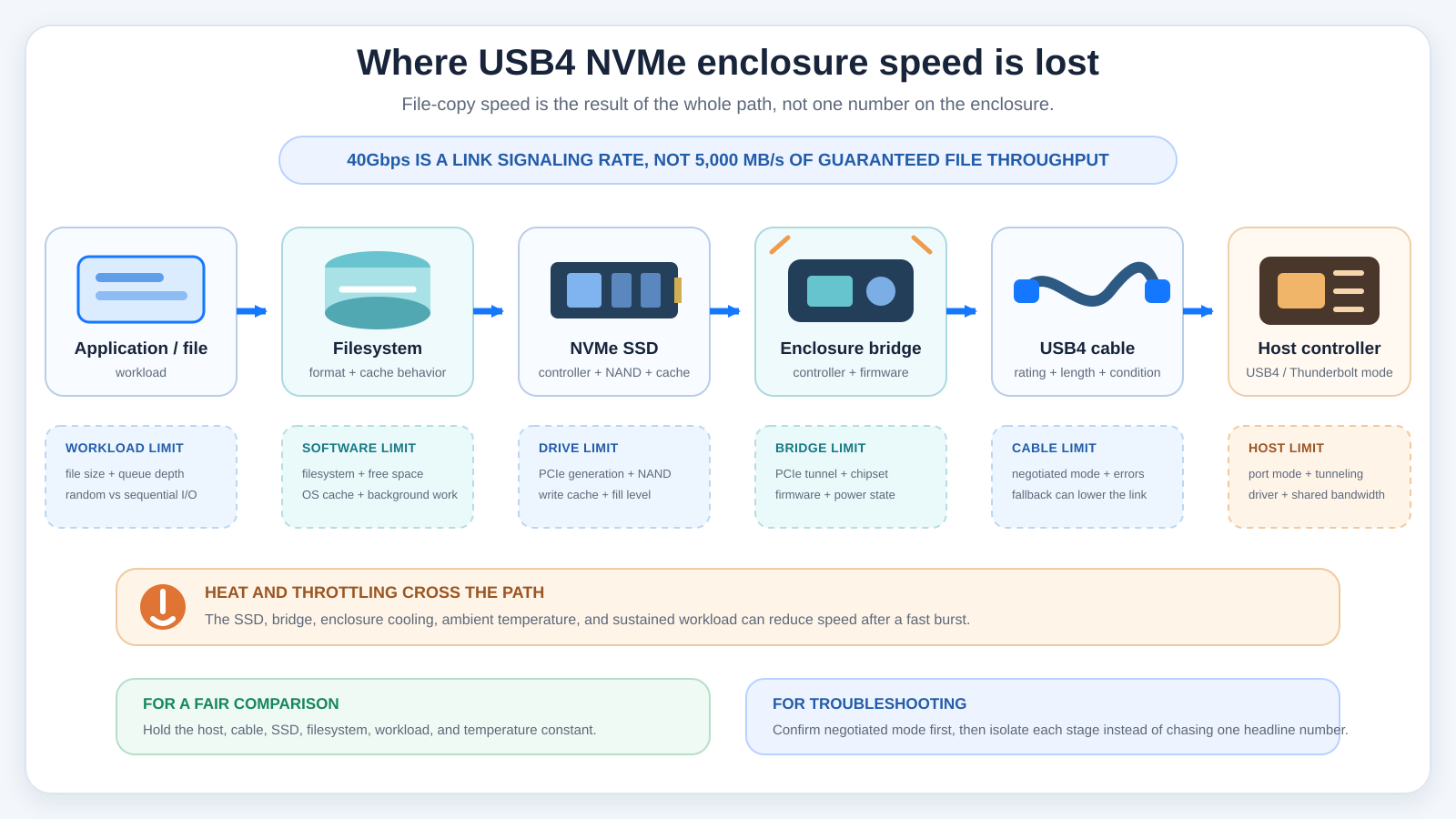
A 40Gbps label describes the link, not the speed of every file copy. The host controller, negotiated mode, bridge chip, cable, SSD, filesystem, cache, temperature, and workload all shape what you actually see. So this guide ranks documented fit and compatibility instead of lining up seven unrelated manufacturer maximums as though they came from one controlled comparison.
Current Evidence and Updates
October 2026: We replaced an unavailable tool-free active-cooled enclosure slot with the GRAUGEAR G-M2DK-U4-40G.
July 2026: We built this guide from manufacturer pages and datasheets. Every enclosure on the list had an active New offer on Amazon in the US on July 21, 2026.
Two source limits affect the comparison. Satechi’s technical-specifications URL now returns 404, though its live product page and support articles carry the drive, installation, filesystem, port, and size details used here. TerraMaster publishes two different performance pairs on one product page, so neither is used to rank the D1 SSD Plus. Those are evidence boundaries, not blanks to fill with assumptions.
Quick Picks
Connect the enclosure straight to the intended USB4 or supported Thunderbolt port before adding a hub or dock.| Image | Product | Details | Check Price |
|---|---|---|---|
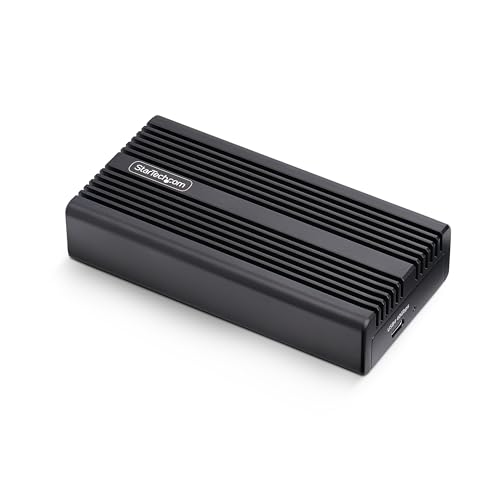 | StarTech USB4 M.2 NVMe Enclosure | Pick: Best overall documented support Connection: USB4 40Gbps; Thunderbolt 5/4/3 M.2 sizes: 2230/2242/2260/2280 Cooling: Fanless aluminum heatsink Installation: Screwdriver included | Check Price on Amazon |
 | OWC Express 1M2 | Pick: Best heavy passive heatsink Connection: USB4 40Gbps; Thunderbolt 5/4/3 M.2 sizes: 2230/2242/2280 Cooling: Solid aluminum passive heatsink Installation: Screwdriver included | Check Price on Amazon |
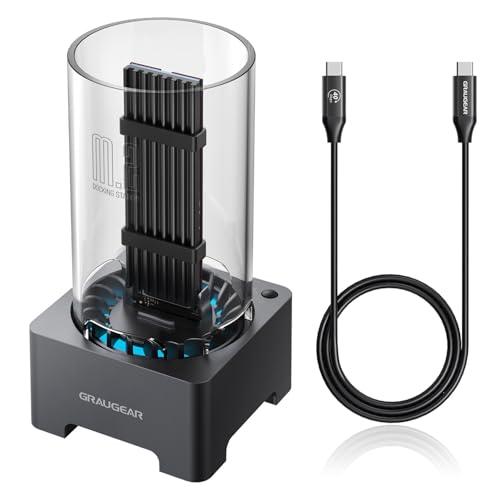 | GRAUGEAR G-M2DK-U4-40G | Pick: Best tool-free active cooling Connection: USB4 40Gbps M.2 sizes: 2230 to 2280; maker lists 22110 Cooling: 50mm active fan and aluminum heatsink Installation: Tool-free | Check Price on Amazon |
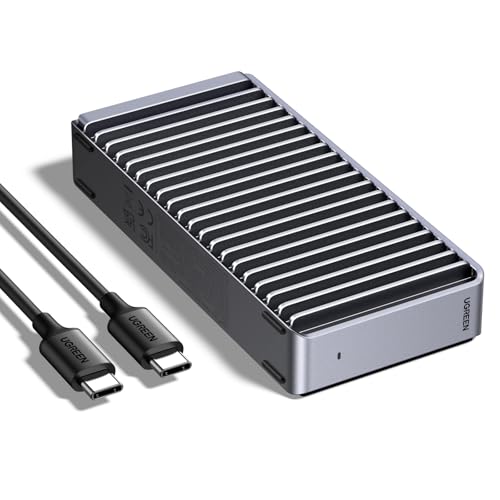 | UGREEN Tool-Free 40Gbps NVMe SSD Enclosure | Pick: Best fanless upright design Connection: USB4 40Gbps M.2 sizes: 2230/2242/2260/2280 Cooling: Fanless double-sided aluminum fins Installation: Tool-free | Check Price on Amazon |
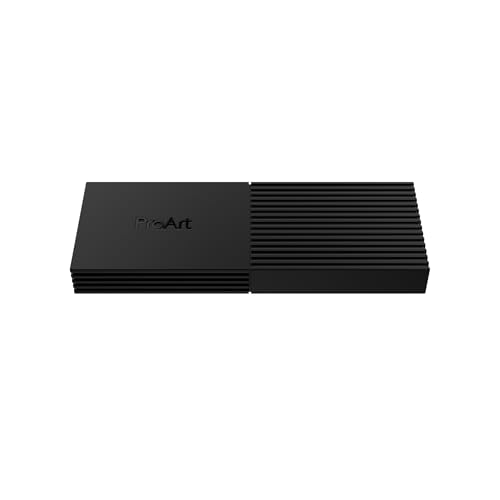 | ASUS ProArt PA40SU | Pick: Best compact tool-free newcomer Connection: USB4 40Gbps M.2 sizes: 2230/2280 Cooling: Four-level smart active fan Installation: Tool-free push-to-open | Check Price on Amazon |
 | Satechi USB4 NVMe SSD Pro Enclosure | Pick: Best documented high-capacity support Connection: USB4; Thunderbolt 5/4/3 M.2 sizes: 2242/2260/2280 Cooling: Thermal pad and polycarbonate case Installation: Tool-free latch | Check Price on Amazon |
 | TerraMaster D1 SSD Plus | Pick: Best 2280-only desktop enclosure Connection: USB4 40Gbps; Thunderbolt 5/4/3 M.2 sizes: 2280 Cooling: Fanless aluminum-alloy unibody Installation: Tool-free on the Amazon listing | Check Price on Amazon |
1. StarTech USB4 M.2 NVMe Enclosure — Best Overall for Documented Support
StarTech earns first place on documentation, not on an isolated maximum-speed claim. Its official datasheet names the ASMedia ASM2464PD controller and supports M.2 NVMe drives in 2230, 2242, 2260, and 2280 lengths, and it expressly excludes M.2 SATA. The feature text covers M-key and B+M-key NVMe modules, and the storage feature list includes UASP, TRIM, 4Kn, and SMART.
The host side is equally clear. StarTech lists USB4 40Gbps plus Thunderbolt 5, 4, and 3 compatibility, with USB 3.2 fallback. A list that broad does not guarantee one speed on every computer, least of all where an older Thunderbolt 3 implementation or a lower USB mode is involved. What it does is make the enclosure easy to assess across a mixed collection of current and older machines.
This is a screw-secured, fanless aluminum design. The heatsink-style top, preinstalled thermal pad, and 340g weight all favor substantial passive cooling over minimum carry weight. StarTech includes a screwdriver and a 0.3m USB4 cable, and the enclosure draws power from the host. Its OS-independent, no-driver wording helps when one drive travels between machines, though the filesystem on that drive still decides which operating systems can read and write it.
Our Take
Choose the StarTech when proof matters more than a tool-free lid. Controller, storage features, drive lengths, SATA exclusion, cooling parts, cable, power method, and host modes are all documented for the exact model. Skip it when the 340g body or the screwdriver step fights a very light travel kit.
- StarTech’s datasheet documents four M.2 lengths and expressly excludes M.2 SATA, a good fit for a buyer who wants proof of drive fit.
- For the exact model, StarTech’s datasheet names the controller and lists the storage features.
- StarTech includes a screwdriver for the screw-secured design and a short USB4 cable.
- At 340g, the StarTech body favors substantial passive cooling over minimum carry weight, which makes it heavy for a very light travel kit.
- StarTech’s screw-secured design adds a screwdriver step that a tool-free lid would skip.
2. OWC Express 1M2 — Best Heavy Passive-Heatsink Design
The OWC Express 1M2 is the passive-cooling choice for buyers who want the enclosure body itself to act as a large heatsink. OWC describes a solid aluminum design that surrounds the drive and carries heat into the case without a fan. It is not tool-free: it opens with screws, and OWC supplies the necessary screwdriver along with a 0.3m USB-C 40Gbps cable.
Drive support covers M.2 NVMe modules in 2230, 2242, and 2280 lengths, single-sided or double-sided. OWC states support up to 8TB and recommends PCIe Gen 4 or newer for its best performance, while still listing Gen 3 compatibility. The Amazon listing here is the enclosure-only OWCUS4EXP1M2, not one of OWC’s prebuilt storage configurations.
OWC lists USB4, Thunderbolt 5, Thunderbolt 4, Thunderbolt 3, and lower USB-C operation, with performance adapting to the connection. Its page also publishes unusually detailed measurement conditions for one PC result, which we do not set against vendor numbers documented far less fully. The recommendation rests on drive flexibility, passive construction, and clear enclosure-only support, not on declaring a winner from mismatched measurements.
Our Take
Choose the Express 1M2 when you want a dense passive heatsink and need support for a double-sided NVMe drive. It is the better fit than Satechi when your module already carries components on both sides. Skip it if you expect frequent, tool-free drive swaps, or if a lighter enclosure matters more than thermal mass.
- OWC describes a solid aluminum design that surrounds the drive and carries heat into the case without a fan.
- Compared with Satechi, OWC expressly accepts single-sided and double-sided NVMe modules, the better fit for a module with components on both sides.
- OWC supplies the necessary screwdriver along with a short 40Gbps USB-C cable.
- Frequent, tool-free drive swaps are not what OWC offers, because it opens with screws.
- OWC’s page does not state 2260 support.
3. GRAUGEAR G-M2DK-U4-40G — Best Tool-Free Active-Cooled Pick
GRAUGEAR’s G-M2DK-U4-40G has tool-free SSD access and a 50mm active-cooling fan. The maker describes a USB4 docking station with a power switch, an aluminum heat sink, and a removable Plexiglas cylinder for heat dissipation. It is a different form factor from a pocket enclosure, but it suits a desk where the drive may be changed often.
GRAUGEAR’s datasheet specifies M-key PCIe Gen4x4 NVMe drives in 2230, 2242, 2260, 2280, and 22110 lengths, while the Amazon listing names 2230 to 2280, so confirm 22110 fit with the seller before buying a long drive. The manufacturer identifies the ASM2464PD controller and USB4 Type-C connection, with up to 40Gbit/s when paired with an NVMe PCIe 4.0 x4 SSD. Its included 60cm Type-C cable is longer than the cables packaged with several other picks.
The manufacturer lists Windows and macOS support, while the exact Amazon listing also describes Thunderbolt 4 and Thunderbolt 3 compatibility. The GRAUGEAR page does not state Linux support, although the Amazon listing names Linux among its systems. The enclosure uses a 40Gbps USB4 link, and that ceiling applies only when the host, cable, bridge, and SSD support the needed mode.
Our Take
Choose the G-M2DK-U4-40G when tool-free access, a 50mm fan, and support for five M.2 lengths fit a desk setup. It also has a power switch and a longer cable than compact travel enclosures. Skip it when a silent shell, a small carry format, or documented Linux support is required.
- The G-M2DK-U4-40G offers tool-free SSD access, a fit for a desk where the drive may be changed often.
- GRAUGEAR lists a 50mm fan and an aluminum heat sink for cooling.
- From 2230 through 22110, GRAUGEAR specifies five M.2 lengths for M-key NVMe drives.
- GRAUGEAR includes a 60cm Type-C cable, longer than the cables packaged with several other picks.
- GRAUGEAR’s 50mm fan does not suit a buyer who requires a silent shell.
- As a docking station, the G-M2DK-U4-40G is a different form factor from a pocket enclosure and does not suit a small carry format.
- GRAUGEAR’s own page names only Windows and macOS, and Linux appears only on the Amazon listing.
4. UGREEN Tool-Free 40Gbps NVMe SSD Enclosure — Best Fanless Upright Design
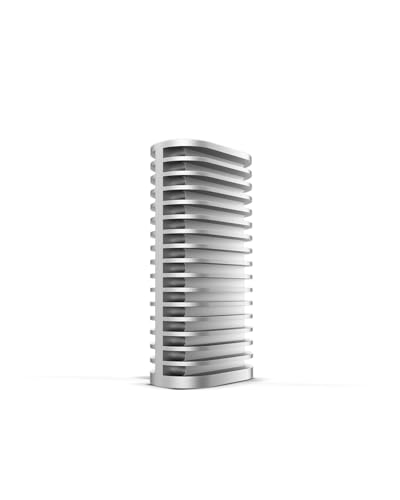
UGREEN’s model 55316 takes the fanless route, then gives the aluminum case a pronounced double-sided fin structure. That enlarged surface is the reason to choose it over a smooth compact shell. The product is presented in an upright orientation, which may also suit a desk where horizontal space is limited. With no fan, there is no fan motor and no fan noise to account for.
Installation is tool-free, and the enclosure accepts NVMe modules in 2230, 2242, 2260, and 2280 lengths, with capacity up to 8TB. UGREEN explicitly excludes both SATA NGFF and mSATA drives. Its platform list runs to Windows, macOS, Linux, and Android, and the page describes driverless operation. The stated physical size is 12.2 x 6.6 x 2.7cm at 232g.
UGREEN markets the connection as USB4 40Gbps and says its maximum claim requires a Thunderbolt 4 cable plus a Thunderbolt 3 or USB4 device. The page gives no complete measurement setup, so that number is not used for comparison. The live specification also does not clearly state which cable ships in the package, or expressly identify the power method. Confirm both details on the exact listing if they affect your setup.
Our Take
Choose the UGREEN when you want easy access and a large passive fin structure with no fan. Its four-length support and explicit SATA exclusions take the usual guesswork out of drive selection. Skip it when a fully documented cable bundle and power statement are necessary before ordering, because the official page leaves those fields unclear.
- UGREEN’s model 55316 is tool-free and fanless, with no fan motor or fan noise to account for.
- UGREEN gives the aluminum case a pronounced double-sided fin structure, the reason to choose it over a smooth compact shell.
- UGREEN’s four-length support and explicit SATA NGFF and mSATA exclusions take the usual guesswork out of drive selection.
- UGREEN’s specification does not clearly state which cable ships in the package, and a buyer who needs a documented cable bundle must confirm it on the exact listing.
- Where a power statement is required before ordering, UGREEN’s specification falls short, because it does not expressly identify the power method.
5. ASUS ProArt PA40SU — Best Compact Tool-Free Newcomer
The ASUS ProArt PA40SU is the compact active-cooled choice. ASUS lists a 13.5mm profile and 127g weight and still fits a four-level smart fan inside, with a push-to-open mechanism for tool-free access. That combination is the answer when you want airflow without the larger body or the installation screws of the heavier passive picks.
The trade-off is a narrower drive matrix. ASUS documents M-key M.2 NVMe support for 2230 and 2280 lengths only, with a maximum capacity of 4TB, and the specifications carry no official support statement for 2242 or 2260. ASUS does not expressly discuss M.2 SATA on these pages either, so buy to the affirmative requirement: an M-key NVMe module in one of the two stated lengths.
The host connection is USB4 40Gbps over USB-C. ASUS warns that the whole chain matters, and that a port labeled Thunderbolt 4 or USB-C can still negotiate a lower link depending on PCIe bandwidth, protocol handling, cable, and SSD. Windows 10, Windows 11, and macOS 14.4 or later are listed. The package list covers a USB-C to USB-C cable, manual, and quick guide. The overview mentions a protective sleeve and the technical package list does not, so this guide does not promise one.
Our Take
Choose the PA40SU when small dimensions, low weight, a fan, and tool-free access matter more than broad drive-length support. It is the most narrowly specified capacity choice here, though that limit makes the decision easy when you already own a supported 2230 or 2280 drive. Skip it for a 2242, a 2260, or a drive above 4TB.
- At the 13.5mm profile ASUS lists, the PA40SU suits a buyer who puts small dimensions and low weight first.
- ASUS lists a push-to-open mechanism for tool-free access, without the installation screws of the heavier passive picks.
- ASUS fits a four-level smart fan inside the compact body for airflow.
- ASUS documents M-key NVMe support for the 2230 and 2280 lengths only.
- Capacity tops out at the 4TB maximum ASUS documents, and a larger drive is outside that limit.
6. Satechi USB4 NVMe SSD Pro Enclosure — Best for Documented High-Capacity Support
Satechi’s ST-EU4NPM is the high-capacity pick because its support article explicitly allows M.2 NVMe drives up to 16TB. That ceiling arrives with conditions: the supported lengths are 2242, 2260, and 2280, and Satechi excludes M.2 SATA, double-sided drives, and SSDs with preinstalled heatsinks. Capacity alone does not prove fit here.
There is a source conflict around 2230. One product-page information block includes that length, while the support article and the product-page FAQ list only 2242, 2260, and 2280. This guide uses the narrower list, because Satechi does not state 2230 support consistently.
Installation is tool-free. The quick guide describes a sliding latch, a removable top, and a silicone pin that holds the SSD. Satechi includes a thermal pad and clear polycarbonate case, and recommends using both for heat distribution. An included USB-C cable is documented, but its length is not. The enclosure supports USB4 and Thunderbolt 3, 4, and 5, plus several older USB modes. A USB-C to USB-A adapter is not included.
Satechi also says the drive must not be hot-swapped: eject it, disconnect the enclosure, and only then open the case. For cross-platform use it recommends exFAT, with NTFS for Windows and APFS or Mac OS Extended for macOS. The published dimensions are 113 x 68 x 22mm at 163g, and the product page states a two-year warranty.
Our Take
Choose the Satechi only after checking sidedness, length, and heatsink status as carefully as capacity. Inside those limits, its 16TB statement, tool-free latch, included thermal parts, and detailed filesystem guidance make a strong package. Skip it for a double-sided drive, a module with an attached heatsink, or any setup that depends on 2230 support.
- Satechi’s support article explicitly allows M.2 NVMe drives up to 16TB, within its stated drive limits.
- In Satechi’s quick guide, tool-free installation uses a sliding latch and a silicone pin that holds the SSD.
- Satechi includes a thermal pad and a clear polycarbonate case and recommends using both for heat distribution.
- Double-sided drives and SSDs with preinstalled heatsinks fall outside what Satechi supports.
- Satechi’s pages conflict on 2230 support.
7. TerraMaster D1 SSD Plus — Best 2280-Only Desktop Enclosure
The TerraMaster D1 SSD Plus is the specialized 2280-only pick. It accepts one PCIe Gen 3, Gen 4, or Gen 5 M.2 NVMe module up to 8TB, and no shorter length is listed. That makes it easy to rule in or out: a standard 2280 drive, yes; a compact 2230, 2242, or 2260 module, no.
TerraMaster uses a fully enclosed aluminum-alloy unibody with passive cooling and no system fan. At 112.5 x 60 x 33mm and 246g, it is far more substantial than the slim ASUS and reads as a stable desk or Mac mini companion, though TerraMaster does include a carry bag. The package contains a 0.3m USB4 C-to-C cable, quick guide, and warranty note. Power is listed as USB 5V.
Compatibility covers USB4 40Gbps, Thunderbolt 5, 4, and 3, plus USB 3.2, 3.1, and 3.0. TerraMaster warns that some Windows computers have Thunderbolt 3 ports with incomplete USB4 support, which can cause non-recognition or slow operation. Its OS table lists macOS and Windows 11 24H2 or later, so do not stretch that claim to an older Windows release.
The manufacturer publishes two different read/write pairs on the same page. One section names a host, SSD, operating system, and application; the specification table shows lower figures with less context. Rather than reach for the larger pair, this guide treats the conflict as unresolved. The enclosure’s documented value is its 2280 support, passive metal construction, broad port list, package contents, and two-year warranty.
Our Take
Choose the D1 SSD Plus for a 2280 drive in a fanless desktop-oriented enclosure, especially when the short included cable and carry bag suit your layout. Skip it for any shorter M.2 module, or when you need TerraMaster’s own page to document the opening method before purchase.
- TerraMaster describes a fully enclosed aluminum-alloy unibody with passive cooling and no system fan.
- The D1 SSD Plus accepts PCIe Gen 3, Gen 4, or Gen 5 M.2 NVMe modules.
- In the package, TerraMaster includes a short USB4 C-to-C cable and a carry bag.
- TerraMaster lists only the 2280 length and does not list any shorter M.2 module.
- TerraMaster’s page does not state the opening method, and only the Amazon listing describes tool-free installation.
USB4 Is Not the Same as a USB-C Connector
USB-C is the reversible connector shape and nothing more. It does not tell you whether the port carries USB 2.0, a 5Gbps or 10Gbps USB mode, USB4, Thunderbolt, DisplayPort, or charging at any particular level. A USB4 NVMe enclosure will physically connect to a great many USB-C ports while negotiating very different data paths.
Start with the computer’s exact manual or support page. Look for USB4 or an appropriate Thunderbolt mode, then check whether the manufacturer attaches a speed or PCIe-tunneling qualification to that port. The cable needs a suitable data rating too. A charge-focused USB-C cable can fit perfectly and still force a slow connection, or keep the enclosure from appearing as expected.
The same distinction explains why an enclosure can work on an older USB-C computer without ever reaching its headline mode. Backward compatibility is genuinely useful for access and migration, but the negotiated fallback becomes the ceiling. A 10Gbps fallback is not USB4 storage performance simply because the enclosure itself has a USB4 controller.
What Does 40Gbps Mean for Storage Throughput?
Forty gigabits per second is a signaling rate. Divide by eight and you get a five-gigabyte-per-second paper conversion, before encoding, protocol overhead, controller work, filesystem activity, and the behavior of the actual SSD enter the picture. A file copy is also not a synthetic sequential workload: small files, mixed reads and writes, queue depth, cache exhaustion, and background activity can all move the result a long way.
The enclosure bridge converts between the host link and NVMe PCIe traffic. The SSD may have its own fast cache, which makes a short operation look nothing like a sustained transfer. The operating system may cache in memory as well. And as the controller and flash warm up, either component may pull performance back to stay within thermal limits.
That is why this guide does not convert vendor claims into a league table. OWC publishes a detailed setup for one result, TerraMaster publishes a different application and hardware path, and several vendors publish maximums with no equivalent context at all. Those numbers answer different questions. The honest comparison is whether the enclosure supports your host, your drive, your cable, your cooling preference, and your workload.
How USB4 and Thunderbolt Fallback Behaves
USB4 and Thunderbolt overlap, but a logo alone does not guarantee every enclosure-host combination. Thunderbolt 4 and 5 systems are generally the easier modern targets when a manufacturer lists them explicitly. Thunderbolt 3 needs more care, especially on Windows, because implementations vary and some systems never expose the USB4 or PCIe path an enclosure expects.
TerraMaster warns about exactly this on some Windows Thunderbolt 3 computers. ASUS tells buyers to examine host PCIe bandwidth, protocol negotiation, and the cable rather than trusting the port label. Both cautions point to one buying rule: exact manufacturer compatibility language, for the enclosure and for the host, is stronger evidence than a connector icon.
Our Thunderbolt 5, Thunderbolt 4, and USB4 comparison explains the standards at a wider level. If you would rather have a complete drive built around the newer interface than a DIY enclosure, compare the current Thunderbolt 5 external SSD options. Either way, a lower-mode host remains a lower-mode host.
Bridge Controller, SSD Generation, and Host Limits
The bridge controller is the translator inside the enclosure. StarTech and GRAUGEAR both identify the ASM2464PD, which makes their internal path easier to document. A missing controller name does not prove an enclosure is poor. It just means you cannot use that field to decide from the official source.
Buying a PCIe Gen 5 SSD does not turn a 40Gbps enclosure into a Gen 5-speed external drive. TerraMaster accepts Gen 5 modules; the external link is still USB4 40Gbps. OWC recommends Gen 4 or newer for best performance while supporting Gen 3. The sensible approach is to choose an SSD fast enough not to be the obvious bottleneck, then spend the rest of your attention on capacity, thermal behavior, endurance, and fit rather than on an internal-interface peak the enclosure cannot reproduce.
The host matters just as much. Shared controller bandwidth, a dock sitting between the computer and enclosure, or another busy peripheral can all reduce available throughput. For the cleanest diagnosis, connect the enclosure straight to the intended high-speed host port before adding a hub or dock to the path.
M.2 Length, Keying, and SATA Exclusions
The four common lengths in this category are 2230, 2242, 2260, and 2280. The first two digits give the module width in millimeters, the remaining digits the length. A retaining pin or screw must line up with the size you choose, and an enclosure that supports 2280 does not automatically secure a 2230 module.
Keying and protocol are separate checks again. StarTech describes M-key and B+M-key NVMe support, while GRAUGEAR specifies M-key NVMe. Several products explicitly exclude M.2 SATA. Satechi adds physical limits on top, rejecting double-sided drives and modules with preinstalled heatsinks. OWC goes the other way and expressly accepts single-sided and double-sided NVMe modules.
Match protocol, key, length, sidedness, and heatsink clearance before capacity. If your drive is a SATA model, buy an enclosure built for that protocol instead, such as the category covered in our USB-C SATA enclosure guide. Never force a physically similar module into an NVMe-only product.
Active Versus Passive Cooling
Active cooling uses a fan to move air, and GRAUGEAR and ASUS are the active picks here. A fan can help move heat during sustained work, but it adds a moving part and may produce audible sound. The SSD and thermal interface need to be installed correctly; a fan does not compensate for a missing pad or an unsupported drive with its own bulky heatsink.
Passive designs move heat into the enclosure body and then into the surrounding air. StarTech, OWC, UGREEN, Satechi, and TerraMaster each take a variation of this approach: OWC emphasizes a large solid-aluminum heatsink, UGREEN uses pronounced fins, TerraMaster uses a thicker aluminum-alloy unibody. Passive does not mean cool to the touch. A warm metal case may be carrying heat away from the SSD exactly as intended.
Choose on workload and environment. Long media transfers or scratch-disk activity may justify active airflow or more thermal mass, while short backup jobs and quiet rooms favor a fanless body. Either way, leave space around the enclosure and follow the exact thermal-pad instructions.
Cable Requirements and Bus Power
Use the included high-speed cable wherever the manufacturer clearly specifies it. StarTech, OWC, and TerraMaster each document a short 0.3m cable, while GRAUGEAR documents a 60cm Type-C cable. Satechi documents an included USB-C cable but not its length, ASUS lists a USB-C to USB-C cable, and UGREEN’s official page leaves the included cable specification unclear.
A replacement cable needs more than USB-C plugs on the ends. It has to carry the required data mode at the length you need. Our USB-C cable guide covers the broad category, while the Thunderbolt 5 cable guide focuses on newer high-bandwidth certified options. Buying a higher-rated cable cannot upgrade a slower host port or enclosure, but an inadequate cable can hold back a capable path.
Bus-powered enclosures draw their operating power from the host. StarTech states this directly. Other pages use different wording, or publish only an input value, so this guide does not copy the bus-power label across the group. A docked setup adds one more variable, because the dock must pass the data and supply a stable downstream connection.
Filesystem and Operating-System Considerations
A newly installed SSD may not appear in a file browser until it is initialized, partitioned, and formatted. The filesystem then determines where that drive can be read and written. Satechi recommends exFAT for movement between Windows and macOS, NTFS for Windows, and APFS or Mac OS Extended for macOS. The trade is broad compatibility against operating-system-specific features.
Do not treat enclosure compatibility and filesystem compatibility as one problem. A computer can recognize the USB4 enclosure and still refuse to mount the volume, because the filesystem is unsupported or damaged. The reverse holds too: the right filesystem cannot fix a host port that never negotiates a supported connection.
Boot use is a third layer again. A manufacturer may describe a boot-drive scenario, but the computer firmware, operating system, security policy, and installation method still control whether your exact machine can start from it. TerraMaster promotes Mac boot use for the D1 SSD Plus, and that statement should not be stretched to every Mac, every Windows computer, or every enclosure in the list.
Enclosure-Only Total-Cost Checklist
The enclosure is only one part of the purchase. Plan for a compatible bare NVMe SSD, any required thermal pad replacement, and a suitable cable if the included one is absent, too short, or poorly documented. A USB-C to USB-A adapter may be needed for fallback access, though it will never create USB4 performance. Satechi expressly says that adapter is not included.
Account for installation tools as well. StarTech and OWC include screwdrivers, while GRAUGEAR, UGREEN, ASUS, and Satechi advertise tool-free access. TerraMaster’s official page does not state the opening method, while its Amazon listing describes tool-free installation. If you plan frequent swaps, a tool-free latch is convenient, but easy opening does not make hot swapping safe.
Finally, ask whether a DIY enclosure still serves the goal. A prebuilt drive can simplify support, while a larger desktop storage system can add several disks, redundancy, or network access. Our external hard-drive guide covers the broader direct-attached choices. DIY USB4 wins when drive choice and replaceability are what you are buying for.
Installation and Safe-Removal Checklist
- Identify the SSD: Confirm it is NVMe, then check key, length, sidedness, attached heatsink, and capacity against the exact enclosure page.
- Back up important data: Installing or formatting a drive can expose mistakes quickly. Keep another copy of anything that cannot be replaced.
- Disconnect the enclosure: Never install or remove an SSD while the enclosure is connected to the host.
- Open it as documented: Use the included screwdriver for StarTech or OWC, and work the latch or push mechanism only as the relevant tool-free guide directs.
- Set the retainer correctly: Move the pin or screw to the position for 2230, 2242, 2260, or 2280 before seating the drive.
- Insert without force: Align the key, slide the SSD into the socket at the documented angle, then secure it flat.
- Apply the thermal material: Remove protective films and place the pad where the manufacturer shows. Do not stack an unsupported drive heatsink under the lid.
- Close the enclosure fully: A partly latched or uneven cover can compromise contact and strain the connector.
- Start with the included cable: Connect directly to the intended USB4 or supported Thunderbolt port before adding a hub or dock.
- Initialize and format carefully: Select the correct disk and filesystem. Formatting erases the selected volume.
- Eject before disconnecting: Wait for writes to finish, use the operating system’s eject or safe-removal control, then unplug.
- Power down before a drive change: Satechi expressly forbids hot swapping, and the same conservative sequence protects the drive and filesystem in any enclosure.
Frequently Asked Questions
Will any NVMe SSD work in a USB4 enclosure?
No. The drive has to match the enclosure’s protocol, keying, supported length, capacity ceiling, sidedness allowance, and heatsink clearance. StarTech accepts four common lengths, while GRAUGEAR adds 22110 support. TerraMaster lists only 2280. Satechi supports up to 16TB but excludes double-sided drives and drives with preinstalled heatsinks. ASUS lists only 2230 and 2280, with a 4TB ceiling.
Start from the exact SSD label or manufacturer page, not the capacity alone. Confirm M.2 NVMe, the physical length, and whether components sit on one side or both. Then read the enclosure’s support page for any additional limit.
Can a USB4 enclosure work on Thunderbolt 3, 4, or 5?
It can, when the enclosure manufacturer lists that host mode and the computer exposes the required path. All seven manufacturers provide some Thunderbolt compatibility language, but the scope differs. Thunderbolt 3 on Windows deserves particular care, because implementations vary. TerraMaster warns that some Thunderbolt 3 Windows systems may not recognize its enclosure correctly, or may run slowly.
Thunderbolt 4 and 5 do not guarantee the same file speed either. The enclosure, SSD, cable, operating system, and workload all remain limits. Check the exact host documentation, and connect directly during initial setup.
Why is a 40Gbps enclosure slower than an internal SSD?
The 40Gbps figure is the external link’s signaling rate. Your file data still has to pass through the filesystem, SSD controller, enclosure bridge, cable, host controller, and operating-system storage stack. Protocol overhead consumes part of the link, while caching, queue depth, file size, drive fullness, and temperature reshape the workload.
An internal SSD may also run on a faster PCIe path than the enclosure can expose, so its advertised internal result does not carry over unchanged. Compare measurements only when the host, SSD, application, workload, cable, and thermal conditions are sufficiently clear.
Does USB4 support TRIM and SMART?
The USB4 label alone does not prove that every enclosure, bridge, operating system, and utility exposes TRIM or SMART the same way. StarTech explicitly lists TRIM and SMART, along with UASP and 4Kn, for its exact model. The other manufacturers do not all make the same feature-level statement on their pages.
If either feature is essential, require an exact enclosure claim and verify operating-system behavior for the chosen filesystem and tool. Do not transfer StarTech’s feature list to another enclosure just because both use USB4.
Can an M.2 SATA SSD fit?
A SATA module can look almost identical, and that does not make it compatible. StarTech, UGREEN, and Satechi explicitly exclude SATA variants in their documented specifications. GRAUGEAR specifies M-key NVMe drives. The safe default for this category is to buy only the NVMe protocol and keying that the enclosure affirmatively supports.
Never force the module into the socket. If you already own an M.2 SATA drive, choose an enclosure whose manufacturer explicitly supports M.2 SATA rather than relying on physical resemblance.
Is a fan necessary?
Not for every workload. OWC, StarTech, UGREEN, Satechi, and TerraMaster use passive approaches, while GRAUGEAR and ASUS add active fans. A large aluminum body or a set of fins can dissipate heat with no moving part at all. A fan can move air during sustained activity, but it also adds sound and another component.
The better choice depends on workload length, room temperature, placement, and the SSD. Whichever design you choose, install the thermal pad correctly and keep the enclosure’s surfaces or vents unobstructed.
Can the enclosure be used as a boot drive?
Sometimes, but enclosure compatibility is only the first requirement. The computer firmware, operating system, security configuration, partition scheme, filesystem, and installation process all have to support external startup too. TerraMaster describes the D1 SSD Plus as suitable for a macOS boot disk, which is useful first-party evidence for that product’s intended use.
It is not a universal promise for every Mac or PC. Check the computer maker’s external-boot instructions and preserve a separate recovery path before depending on the enclosure as the only startup volume.
How We Research and Select
Every recommendation names an exact model and an enclosure-only Amazon listing, sold without an SSD. This guide does not state prices, because offers change.
For specifications, we read manufacturer pages and datasheets. We compared host modes, M.2 lengths, protocol and key limits, capacity, cooling, installation, cable, power, operating systems, filesystem guidance, dimensions, and warranty only where the exact manufacturer source stated them. Missing details stayed missing.
Conflicts were resolved conservatively or disclosed outright. Satechi’s support text governs the narrower drive-length recommendation. OWC’s 8TB statement takes precedence over broader future-capacity language. TerraMaster’s conflicting performance pairs are omitted from the ranking. No enclosure was physically handled for this guide, and no throughput measurement is presented as ours.
The final order reflects evidence completeness and defined buyer fit, not a synthetic speed score. Read whichever enclosure you choose alongside your host manual, the exact SSD specifications, and the cable documentation.
Honorable Mentions and Exact Exclusions
Prebuilt USB4 and Thunderbolt SSDs
Complete portable drives were excluded because this article is for buyers choosing a bare M.2 NVMe SSD and an empty enclosure separately. A prebuilt drive may well be the more convenient product, but it answers a different purchase question and does not belong in the main seven.
M.2 SATA and 2.5-Inch SATA Enclosures
SATA products were excluded because physical similarity does not erase the protocol difference. Including them would encourage exactly the compatibility mistake this guide is designed to prevent.
Multi-Bay RAID, DAS, and NAS Products
Multi-drive storage can add redundancy, very high capacity, or network access, but none of it is a single-drive portable USB4 enclosure. If you need shared storage, start with our Thunderbolt 3 NAS storage guide rather than stretching this list beyond its intent.
Additional USB4 Enclosures Without a Cleared Exact Listing
Other enclosures stayed off the main list when their exact enclosure-only Amazon listing had no New offer or their maker did not publish the specifications this comparison needs. Leaving one out does not mean it is worse.