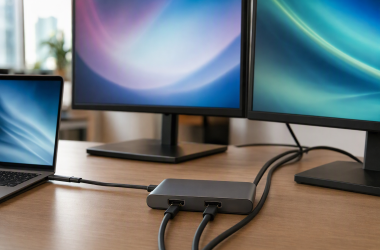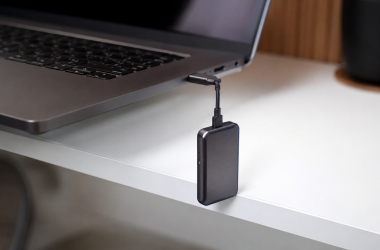
Two USB-C cables can look identical and still do completely different jobs. The connector tells you nothing about the cable’s data speed, charging ceiling, usable length, or ability to carry video. Belkin identifies its own BoostCharge cable as a 240W USB 2.0 cable. USB-IF puts that data class at 480Mbps and states that a USB 2.0 Type-C cable lacks the signal conductors DisplayPort Alt Mode needs. The cable can charge a laptop at full power and still fail to put a single pixel on a monitor.
That gap between the label and the wiring is why we wrote this guide. We picked one cable per job instead of ten versions of the same charging cable, and we checked every pick against the manufacturer’s own specification page. Our top pick is the Belkin Connect USB4, because Belkin rates it for 20Gbps data, 240W charging, 4K60 HDR video, and a 2 m length. That is four useful capabilities in one cable, and Belkin puts all four in writing.
Everything below is what the manufacturer documents. When a seller’s title and the maker’s specification page disagree, we go with the specification page and we tell you where the two conflict. When a maker says a cable cannot carry video, we say so plainly instead of leaving it out.
Recent Updates
July 14, 2026: First edition. We checked each pick against its manufacturer’s specification page for data rate, power, length, certification, and display support, and we flag the listings whose marketing runs ahead of the spec sheet.
Quick Picks
- Best overall: Belkin states that its Connect USB4 cable carries 20Gbps data, up to 240W, and 4K60 HDR across 2 m.
- Best for 240W charging: Belkin rates the BoostCharge at 240W across 2 m, but identifies it as USB 2.0 with no DP Alt Mode.
- Best USB4 cable: Cable Matters rates model 201304 at 40Gbps and 240W, with DP Alt Mode support across this 1 m version.
- Best Thunderbolt 5 cable: Cable Matters lists 80Gbps bidirectional data and up to 120Gbps display Bandwidth Boost for its 1 m certified cable.
- Best budget cable: Amazon Basics lists 60W charging and 480Mbps data at a 6 ft length. USB-IF says this USB 2.0 cable class does not support DP Alt Mode.
- Best long display cable: Apple specifies an active 3 m construction, 40Gbps Thunderbolt and USB4 operation, and DisplayPort HBR3 support.
- Best braided cable: Anker rates its Prime cable for 240W and claims a lifespan of more than 300,000 bends, while explicitly ruling out screen mirroring.
- Best short travel cable: UGREEN lists 240W charging, an e-marker, and a 0.5 m length. UGREEN says monitor video is not supported.
- Best right-angle cable: Cable Matters lists 20Gbps, 240W, and a 90-degree connector, but its specification page makes no video claim.
- Best certified 10Gbps cable: Cable Matters states that model 201025 supports 10Gbps, 100W, DP Alt Mode, and 4K60 for this 1 m length.
| Image | Product | Details | Check Price |
|---|---|---|---|
 | Belkin Connect USB4 20Gbps 240W Cable, 2 m | Data: 20Gbps USB4 Power: 240W Length: 2 m / 6.6 ft Video: 4K60 HDR | Check Price on Amazon |
| Belkin BoostCharge USB-C Cable 240W, 2 m | Data: USB 2.0 / 480Mbps Power: 240W at 48V/5A Length: 2 m Video: No DP Alt Mode | Check Price on Amazon | |
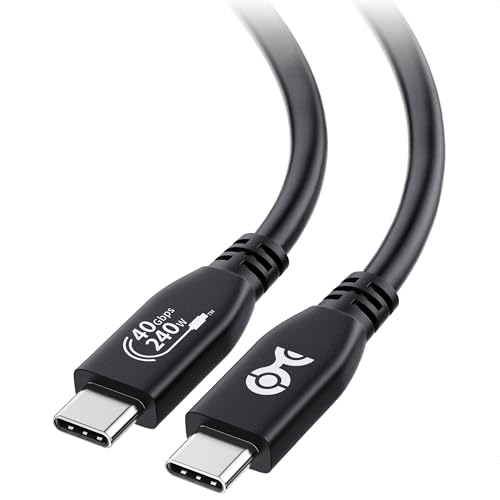 | Cable Matters USB4 40Gbps Cable, 1 m | Data: USB4 40Gbps Power: 240W PD 3.1 EPR Length: 1 m / 3.3 ft Video: DP Alt Mode; 8K and high-refresh 4K claimed | Check Price on Amazon |
 | Cable Matters Intel-Certified Thunderbolt 5 Cable, 1 m | Data: 80Gbps bidirectional; up to 120Gbps Bandwidth Boost Power: 240W PD 3.1 Length: 1 m Video: Dual 6K, dual 8K, or triple 4K144 on compatible systems | Check Price on Amazon |
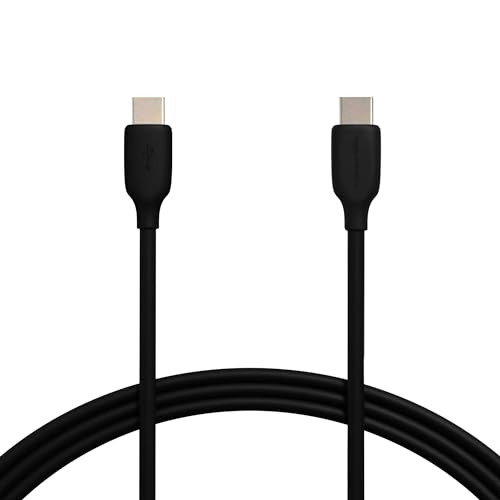 | Amazon Basics USB-C 2.0 60W Cable, 6 ft | Data: USB 2.0 / 480Mbps Power: 60W at 20V/3A Length: 6 ft Video: No DP Alt Mode | Check Price on Amazon |
 | Apple Thunderbolt 4 Pro Cable, 3 m | Data: 40Gbps TB3/TB4/USB4; 10Gbps USB 3.2 Gen 2 Power: 100W Length: 3 m Video: DisplayPort HBR3; named 5K display support | Check Price on Amazon |
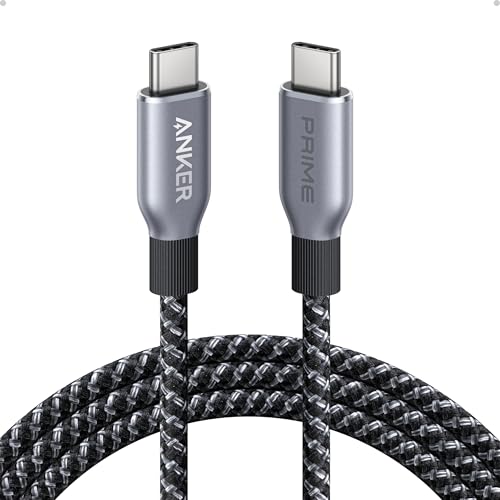 | Anker Prime USB-C Cable 240W, 6 ft | Data: USB 2.0 / 480Mbps Power: 240W Length: 6 ft Video: No screen mirroring | Check Price on Amazon |
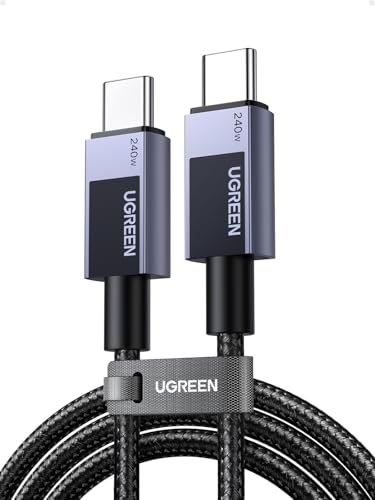 | UGREEN USB-C Cable 240W, 0.5 m | Data: 480Mbps Power: 240W PD 3.1 Length: 0.5 m / 1.6 ft Video: No monitor video | Check Price on Amazon |
| Cable Matters 20Gbps 90-Degree USB-C Cable, 3 ft | Data: 20Gbps Power: 240W Length: 3 ft Video: Not claimed by manufacturer; data and charging only | Check Price on Amazon | |
 | Cable Matters USB-C 10Gbps Gen 2 Cable, 1 m | Data: USB 3.2 Gen 2 / 10Gbps Power: 100W Length: 1 m / 3.3 ft Video: DP Alt Mode; 4K60 | Check Price on Amazon |
1. Belkin Connect USB4 20Gbps 240W Cable, 2 m — Best Overall USB-C Cable
We picked the Belkin Connect as the best cable for most people because Belkin answers all four questions on one page. Belkin rates it for 20Gbps data, up to 240W charging, 4K60 HDR video, and a 2 m, or 6.6 ft, length. Belkin also says the cable is USB-IF certified and carries dual e-marker chips with over-temperature protection.
Those four numbers cover almost everything you ask a cable to do. Belkin’s 20Gbps rating is enough for many docks, hubs, and external drives, and the explicit display claim removes the guessing that surrounds charging-only cables. The 2 m length gives you room to reach a wall charger, a dock, or a monitor across a desk, which the short passive cables in the highest bandwidth classes cannot do.
The one catch sits in the name. Belkin calls this a USB4 cable and rates it at 20Gbps, not the 40Gbps class. USB4 is a protocol family, not a promise of the top rate. Buy the Cable Matters USB4 model below if a 40Gbps device really needs that bandwidth. Buy this one if reach, high charging capacity, and confirmed video support matter more to you than the highest transfer number.
Our Take
If you only want to own one USB-C cable, own this one. Belkin’s specification sheet covers data, power, display, length, certification, and electronic marking, so you know what you are getting and what you are giving up.
- Belkin confirms data, charging, and display capability
- Useful reach for desks and travel charging
- USB-IF certification claim adds buying confidence
- Dual e-marker design includes temperature protection
- Belkin caps data below the fastest USB4 class
- More capability than a charging-only setup needs
2. Belkin BoostCharge USB-C Cable 240W, 2 m — Best 240W Charging Cable
Buy the Belkin BoostCharge when charging is the job and a monitor is not. Belkin rates this exact 2 m cable for up to 240W at 48V/5A and says it contains dual e-marker chips with over-temperature protection. Belkin also identifies it as a USB-IF certified USB 2.0 cable.
The USB 2.0 label decides everything about how you can use it. USB-IF defines USB 2.0 Type-C at 480Mbps and states that the class does not implement the SuperSpeed or Alt Mode signal conductors. So the BoostCharge charges a laptop and syncs a phone, and it does not support DP Alt Mode and cannot drive a USB-C monitor. The 240W figure describes how much power the cable can carry. It says nothing about the data and display wiring inside it.
Give it a high-power charger and a laptop and it does that one job very well. Your charger and your device still negotiate the power between them, so a 240W cable does not force 240W into anything and does not make a smaller charger faster. Skip it for external SSDs, for docks that depend on fast upstream data, and for every monitor connection.
Our Take
Belkin’s honest USB 2.0 label is the reason this cable is here. It carries a lot of power, it moves data slowly, it shows no video, and Belkin tells you all three before you buy.
- Belkin rates it for high-capacity laptop charging
- Dual e-marker chips include temperature protection
- Two-meter length works well around furniture
- USB-IF certification claim is clearly documented
- USB 2.0 data is limited to basic transfers
- No DP Alt Mode and no monitor video
3. Cable Matters USB4 40Gbps Cable, 1 m — Best USB4 40Gbps Cable
We picked the Cable Matters 201304 for the USB4 devices that can actually use the full 40Gbps cable class. Cable Matters rates this 1 m, or 3.3 ft, version for 40Gbps USB4 data and 240W USB PD 3.1 EPR charging. The company says the cable is USB-IF verified, supports DP Alt Mode, and can carry 8K and high-refresh 4K video when the connected hardware supports the required link.
Fast storage, a capable dock, or a USB-C display all want a cable like this rather than a charging cable. If you are pairing it with one of the best portable SSDs, check the drive and the host port first. A 40Gbps cable cannot make a 10Gbps drive or a 10Gbps port run faster, because every link in the chain has to support the mode you want.
Cable Matters sells this cable in several lengths, and this ASIN is the 1 m version. Do not assume a longer sibling behaves the same way without reading its own specifications, because length changes what a passive cable can sustain.
Our Take
Buy this cable when a device genuinely needs 40Gbps USB4, not as insurance against a future you have not bought yet. Cable Matters documents high-speed data, EPR power, USB-IF verification, and DP Alt Mode in one short cable.
- Cable Matters confirms the full USB4 data class
- Manufacturer explicitly lists DP Alt Mode support
- High charging ceiling suits demanding USB-C devices
- USB-IF verification claim supports the specification set
- One-meter reach may be short for some desks
- Endpoints still determine actual speed and display mode
4. Cable Matters Thunderbolt 5 Cable, 1 m — Best Thunderbolt 5 Cable
Buy the Cable Matters 107062 if you have a real Thunderbolt 5 chain to feed. Cable Matters rates the cable for 80Gbps bidirectional bandwidth, up to 120Gbps through display Bandwidth Boost, and 240W USB PD 3.1 charging. Cable Matters lists the product as Intel certified and specifies this ASIN at 1 m.
The 120Gbps figure needs a footnote. Intel explains that Bandwidth Boost reallocates capacity toward display-heavy traffic, so it is not 120Gbps of symmetric file-transfer throughput. Cable Matters says the cable supports dual 6K, dual 8K, or triple 4K144 displays on compatible systems, which is the case where the number earns its keep. The same cable suits a Thunderbolt 5 dock or a high-bandwidth storage workflow.
None of that helps a slower port. A Thunderbolt 4 computer, a USB4 enclosure, or an older dock runs at its own ceiling no matter what you plug into it. What you are paying for here is certification and a complete Thunderbolt 5 capability set across a passive 1 m run. Intel states that Thunderbolt 5 signaling supports passive operation up to 1 m, and that is exactly the length of this version.
Our Take
This is the specialist pick, and only for a certified Thunderbolt 5 system. Cable Matters states the data rate, charging, display support, length, and certification for this model instead of hiding behind the word compatible.
- Cable Matters claims Intel certification
- Supports Thunderbolt 5’s bidirectional bandwidth class
- Bandwidth Boost serves demanding display configurations
- High charging ceiling supports capable connected devices
- Benefits require Thunderbolt 5 hardware throughout
- One-meter length limits placement options
5. Amazon Basics USB-C 2.0 60W Cable, 6 ft — Best Budget USB-C Cable
The Amazon Basics cable is the sensible pick for plain charging and device sync. Amazon rates it for up to 60W at 20V/3A, 480Mbps data, and a 6 ft length. Amazon also says it is USB-IF certified and rates the design for 5,000 bend cycles.
The limits matter as much as the features. It is a USB 2.0 Type-C cable, so it does not support DP Alt Mode and cannot carry monitor video, because USB-IF says the class lacks the Alt Mode signal conductors. It also has the lowest charging ceiling in this roundup, so it will not keep up with a laptop that wants more than the 60W Amazon specifies.
For phones, tablets, lower-power laptops, controllers, and simple file sync, none of that is a problem. USB-IF rules do not require an e-marker for the 3A power class on its own, and Amazon makes no e-marker claim for this cable. Buy it because your job is simple. Do not buy it because the connector looks the same as the one on a display-capable cable.
Our Take
This is the cable you buy three of and leave near the sofa. Amazon documents a modest power ceiling, basic data, certification, and useful reach, and nothing beyond that.
- Amazon clearly states the basic capability set
- Long reach suits bedside and travel charging
- USB-IF certification claim adds confidence
- Appropriate for low-bandwidth device sync
- Charging ceiling trails the higher-power picks
- No DP Alt Mode and no monitor video
6. Apple Thunderbolt 4 Pro Cable, 3 m — Best Long 40Gbps Display Cable
The Apple Thunderbolt 4 Pro Cable is our pick for a long run that still has to carry fast data and video. Apple explicitly calls the 3 m version active. Apple rates it for 40Gbps with Thunderbolt 3, Thunderbolt 4, and USB4, plus 10Gbps in its USB data mode, and specifies up to 100W charging and DisplayPort HBR3 support.
The word active is what separates it from every other long cable. Apple rates this 3 m model for those high-bandwidth modes and names Studio Display, Pro Display XDR, and LG UltraFine 5K among the displays it supports. A generic long USB-C cable with nothing but a wattage number on the box gives you no such promise.
Reach for it when a monitor, dock, or drive has to sit well away from the computer. The guide to the best Thunderbolt 4 cables covers the wider set of certified options, and the guide below covers the displays built for this class of connection.
Our Take
Apple gives the clearest answer of any maker here for a 3 m high-bandwidth display cable. The cable is active, Apple says outright that it drives displays, and Apple spells out how the speed changes from one protocol to the next.
- Apple identifies this as an active cable
- Apple’s three-meter length solves difficult desk layouts
- Apple names supported professional displays
- Clear speed claims across several protocols
- Apple rates charging below newer EPR cables
- Excessive for short charging-only connections
7. Anker Prime USB-C Cable 240W, 6 ft — Best Braided Durability Pick
We picked the Anker Prime A88E2 for the cable that gets packed, bent, and yanked out of bags every day. Anker rates this 6 ft version for up to 240W and says the upcycled braided design withstands more than 300,000 bends.
A tough cable with a big power rating is still not a fast cable. Anker identifies the Prime as USB 2.0 and rates its data at 480Mbps. Anker also says outright that the cable does not support screen mirroring, so it carries no monitor video at all. It is a very good charger cable and a bad choice for a dock, a display, or an external SSD.
USB-IF requires electronic identification for the EPR power class, though Anker does not publish a chip count for this model. Your charger and your device still settle the real charging speed between them. Buy it if durability and high charging capacity are what you need. Skip it if the same cable also has to move large files or reach a monitor.
Our Take
Anker states the trade plainly. You get a lot of power and a braid rated for a very long life, and you give up fast data and any hope of video. That is an easy trade to accept when charging is the only hard job.
- Anker publishes an unusually high bend rating
- Braided construction suits frequent packing
- High charging ceiling handles demanding devices
- Charging focus is clearly documented
- USB 2.0 data is slow for storage
- Anker explicitly rules out screen mirroring
8. UGREEN USB-C Cable 240W, 0.5 m — Best Short Travel Cable
UGREEN model 45066 connects a charger to a device without leaving a coil of spare cable in your bag. UGREEN identifies this ASIN as the 0.5 m, or 1.6 ft, version, rates it for 240W USB PD 3.1 charging, 480Mbps data, and 30,000 bends, and says it contains an e-marker chip.
UGREEN also states the limit that matters: monitor video is not supported. It is a short charging and sync cable and nothing more. UGREEN makes no USB-IF or Intel certification claim for this exact model in the material we verified, so we do not credit it with one.
Half a meter is the right length between a power bank and a laptop, between a compact charger and a device sitting next to it, or inside a packed travel kit. Half a meter is the wrong length beside a bed or behind a desk, where the plug ends up under sideways strain. UGREEN sells longer cables in the same family, and this pick covers only the 0.5 m version at this ASIN.
Our Take
This is a tidy travel charging cable that tells you where it stops. UGREEN confirms the e-marker and rules out video. Buy it for short, high-power charging and let another cable handle displays and storage.
- Short length keeps travel setups tidy
- UGREEN states high-capacity charging support
- Manufacturer explicitly confirms an e-marker chip
- UGREEN publishes a bend rating
- Short reach can strain awkward outlets
- UGREEN says monitor video is unsupported
- No verified certification claim for this model
9. Cable Matters 20Gbps 90-Degree USB-C Cable, 3 ft — Best Right-Angle Cable
We picked the Cable Matters 201345 for handheld devices, cramped desks, and side-facing laptop ports. Cable Matters rates the 3 ft cable for 20Gbps data and 240W charging, and specifies a 90-degree connector, gold-plated contacts, and strain relief. You get fast data and high-power charging from a plug that does not stick out of the side of the device.
We list it as a data and charging cable only, because Cable Matters’ own specification page never claims DP Alt Mode or any video resolution. The Amazon title and a feature bullet advertise 4K120. The manufacturer’s page does not support that, so neither do we.
The data and charging case holds up on its own. A side-facing port on a handheld or a laptop is exactly where the 90-degree plug pays for itself, and Cable Matters’ strain-relief claim addresses the sharp bend a straight plug would take in the same spot. Check which way the plug points before you order, because a right-angle connector only helps when it turns toward the free side.
Our Take
Buy it for the shape and the speed, and never for a monitor. Cable Matters publishes the data rate, the power, the connector shape, the contacts, and the strain relief, and says nothing at all about video.
- Right-angle plug reduces side clearance
- Cable Matters confirms high-speed data support
- High charging ceiling serves capable devices
- Strain relief supports constrained placements
- Right-angle plug may not fit every port layout
- No verified USB-IF or Intel certification claim
10. Cable Matters USB-C 10Gbps Gen 2 Cable, 1 m — Best Certified 10Gbps Cable
Cable Matters model 201025 is the sensible middle of the range for a USB-C monitor, dock, or external drive that never needed USB4. Cable Matters rates this 1 m, or 3.3 ft, cable for 10Gbps USB 3.2 Gen 2 data and 100W charging. The company says the cable contains an e-marker, is USB-IF certified, supports DP Alt Mode, and carries 4K60 monitor video.
A complete specification like that beats a vague high-wattage cable on an ordinary desk. It gives a 10Gbps SSD or hub the data class it needs, it drives a monitor in a mode the maker actually names, and it powers a compatible laptop up to the 100W ceiling Cable Matters publishes. It will not unlock 20Gbps or 40Gbps storage, and you should not buy it hoping for a display mode above the 4K60 it claims.
Look at what this cable proves. It carries far less power than the 240W Anker and Belkin charging cables, and it is the one that drives a monitor while those two show nothing at all. Power and display are separate specifications that happen to be printed on the same box. Buy the cable that fits the whole connection instead of the one with the biggest number in the listing.
Our Take
For a 10Gbps desk, this is the easiest cable in the guide to recommend. Cable Matters documents the speed, the power, the e-marker, the certification, DP Alt Mode, the length, and the monitor ceiling.
- Cable Matters explicitly confirms DP Alt Mode
- USB-IF certification claim is clearly stated
- E-marker claim supports the published power class
- Good match for mainstream docks and SSDs
- Data ceiling trails USB4 and Thunderbolt picks
- One-meter reach may not suit large desks
Buying Guide: Read Four Specs, Not the Connector
USB-C is the shape of the plug. It says nothing about the data protocol, the power class, the display wiring, or the construction a signal needs to survive a given length. Read those four fields one at a time, then check that the slowest port, cable, dock, and device in the chain can still give you what you want.
1. Data rate: match the cable to the slowest endpoint
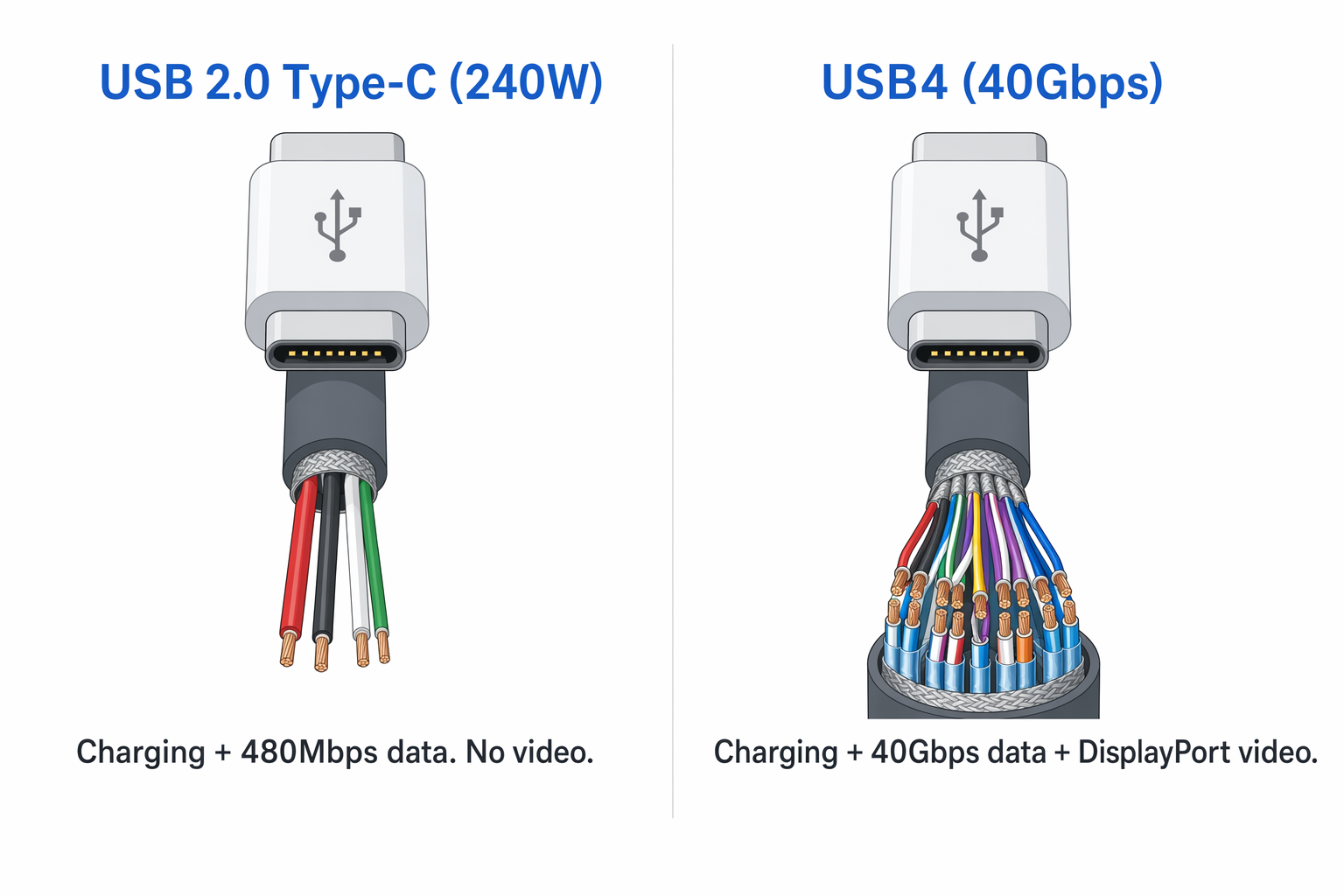
The wiring is the reason a 240W cable can fail to drive a monitor. A USB 2.0 Type-C cable carries the conductors it needs for power and 480Mbps data, and it does not carry the extra high-speed pairs that DisplayPort Alt Mode uses. Adding charging capacity does not add those pairs. That is why the wattage on the package tells you nothing about video.
USB-IF defines USB 2.0 Type-C at 480Mbps. That is enough for charging accessories, syncing a phone, and low-bandwidth peripherals, and it is a severe bottleneck for modern external storage. USB-IF defines the USB 3.2 consumer classes at 5Gbps, 10Gbps, and 20Gbps. Each step up serves faster storage and better docks, but only if the host agrees. A 20Gbps Gen 2×2 cable and drive will still drop to a lower rate on a host that does not support the mode.
USB-IF defines USB4 performance classes at 20Gbps and 40Gbps in the products covered here, which is why the word USB4 on its own tells you almost nothing. Belkin rates our overall pick at 20Gbps. Cable Matters rates model 201304 at 40Gbps. Both are USB4. The guide to what USB4 actually means explains how protocol tunneling and negotiated links play out in a real setup.
Intel defines Thunderbolt 5 at 80Gbps bidirectional with up to 120Gbps Bandwidth Boost for display-heavy traffic. The larger figure is not symmetric file-transfer speed. It only means anything when a certified Thunderbolt 5 host, cable, and device are all connected and the work you are doing can use the extra display allocation.
Verdict: Take 480Mbps for charging and basic sync, 10Gbps for mainstream SSDs and hubs, 20Gbps for compatible higher-speed devices, 40Gbps for USB4 or Thunderbolt 4 gear, and Thunderbolt 5 only for a real 80Gbps-class chain. A faster cable never upgrades a slower port.
2. Power: 60W, 100W, and 240W describe capacity, not speed
USB-IF puts ordinary 3A cables in the power class usually labeled up to 60W. A cable does not need an e-marker just to support that 3A class, though a maker can add one anyway. Amazon rates the Basics pick at 60W and 20V/3A and makes no e-marker claim.
The older 5A USB PD SPR class is usually rated at 100W, and USB-IF requires electronic identification for a 5A cable. Apple rates its active Thunderbolt 4 cable at 100W. Cable Matters rates its certified Gen 2 cable at 100W and says an e-marker is present. Neither rating proves USB4, Thunderbolt, or video support, because power ratings never do.
USB-IF says USB PD 3.1 adds fixed 28V, 36V, and 48V levels for power up to 140W, 180W, and 240W. USB-IF requires EPR cables to be electronically marked and requires the 240W marking in its certification program. Even so, the cable only carries the power the charger and the device agree on. Plugging a 240W cable into a smaller charger does not make the charger bigger.
Verdict: Meet or beat what the device asks for, and never read the wattage label as evidence of data or video capability. The best USB-C chargers decide how much power exists at the source in the first place.
3. Length: high bandwidth gets harder as the cable gets longer
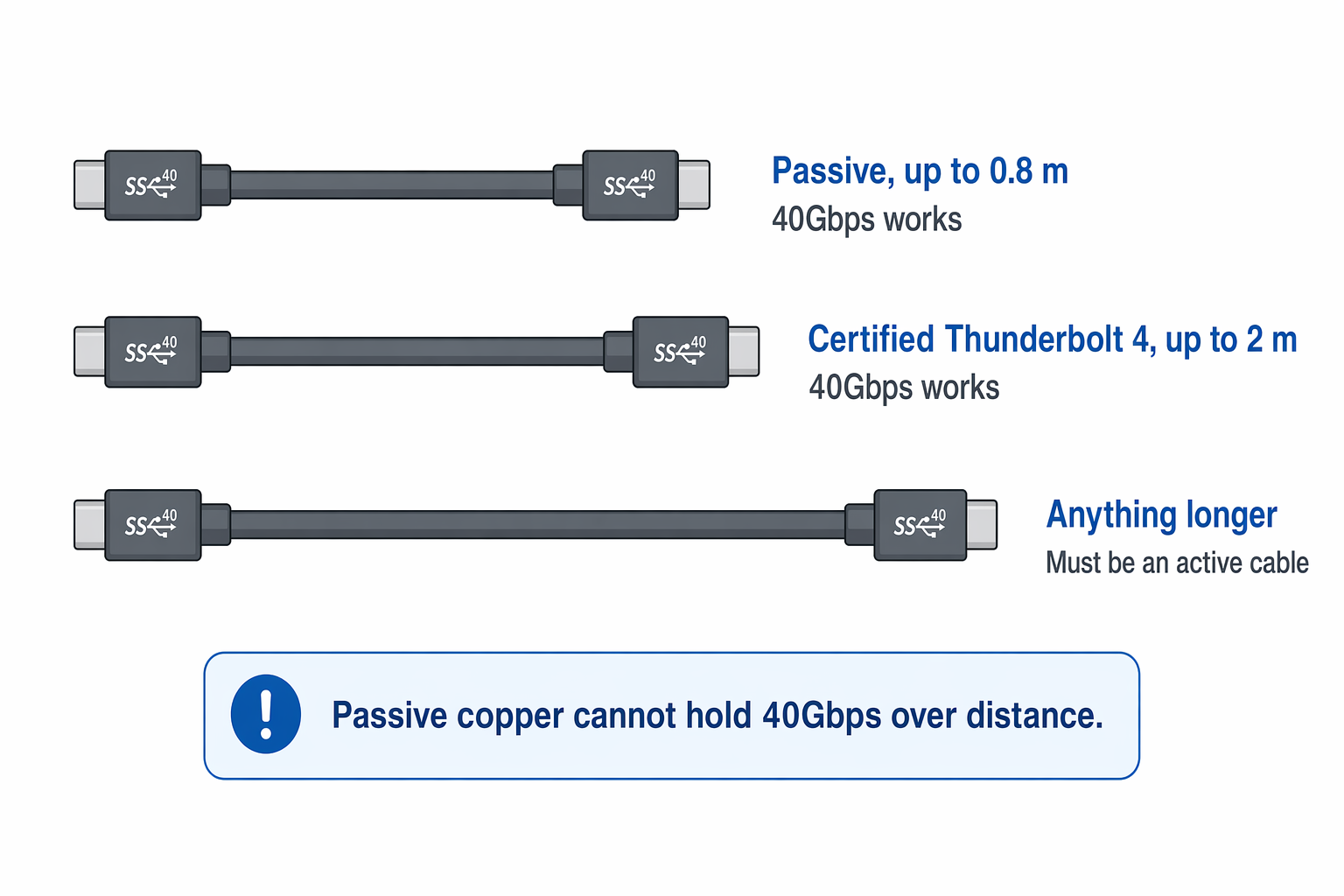
USB-C has no single maximum length. USB-IF electrical material uses roughly 0.8 m as the passive reference length for USB4 Gen 3 at 40Gbps and 2 m for passive Gen 2 at 20Gbps. Active electronics can push a high-speed link past those passive reference lengths, but then the maker has to document what the exact cable actually does.
Intel says Thunderbolt 4 provides certified universal 40Gbps cabling up to 2 m, and that Thunderbolt 5’s PAM-3 signaling supports passive operation up to 1 m. Apple takes the other route with its 3 m Thunderbolt 4 Pro Cable. Apple calls that cable active and rates its Thunderbolt and USB4 operation at 40Gbps.
The exact length and the exact ASIN matter, because one cable family can hold several very different cables. Never take the specification from a short version and assume the long version inherits it. A longer cable may keep the same charging class and drop to a slower data class, or it may need active electronics to hold the speed on the box.
Verdict: Use the shortest cable that reaches comfortably. For a long 40Gbps run, choose a certified or active model whose maker publishes the data and display behavior at that exact length.
4. Display: require an explicit DP Alt Mode or Thunderbolt claim
Video is its own capability, separate from everything else. USB-IF explains that USB 2.0 Type-C cables do not implement the SuperSpeed and Alt Mode signal conductors, so they cannot carry DP Alt Mode at all. That is how the 240W Belkin BoostCharge and the 240W Anker Prime can charge a demanding laptop and still be useless as monitor cables.
A full-featured cable needs the manufacturer to say so in plain words. Look for DisplayPort Alt Mode, DisplayPort HBR3, Thunderbolt display support, or a named monitor. Cable Matters claims DP Alt Mode and 4K60 for model 201025. Belkin claims 4K60 HDR for the Connect USB4. Apple claims DisplayPort HBR3 and names the displays its active cable works with.
Then look at the port and the monitor on either end. A resolution printed on a cable box cannot force an unsupported laptop, dock, or display to produce that mode. High resolution and high refresh also depend on link rate, lane allocation, and Display Stream Compression. The best USB-C monitors guide covers the display side, and the guide to cables for high-refresh-rate monitors explains why a resolution headline never tells the whole story.
Verdict: If the maker does not claim display support, assume the cable cannot drive a monitor. A USB-C plug, a 240W label, and the word compatible are not evidence.
Where USB-C Marketing Claims Go Wrong
The oldest trick in this category is printing unrelated numbers next to each other and letting the buyer join them up. A listing shows 240W beside USB-C, and the reader concludes the cable must be fast and must drive a monitor. Belkin and Anker refute that in their own documents. Belkin identifies the 240W BoostCharge as USB 2.0, and Anker rates the 240W Prime at 480Mbps while saying it does not support screen mirroring.
The word USB4 hides a real difference too. Belkin rates the Connect USB4 at 20Gbps. Cable Matters rates model 201304 at 40Gbps. Both cables are USB4, and only one of them satisfies a device that needs 40Gbps. A listing that prints the protocol and skips the rate has left out the number you are buying on.
The sharpest conflict in this guide belongs to Cable Matters B0C9NJN7Q1. Its Amazon title and a feature bullet advertise 4K120. Cable Matters’ own product page backs up 20Gbps data, 240W charging, the 90-degree connector, gold-plated contacts, and strain relief, and it never states DP Alt Mode or any video resolution. We list it as a data and charging cable only, because the manufacturer’s specification page does not support the video claim in the marketplace title.
Certification language needs the same care. A cable sold as compatible with a Thunderbolt port may do nothing more than fall back to a slower USB rate. Intel certification is a much stronger claim, and we only use that word for a cable whose maker uses it first. So read the rate, the power, the exact length, the display field, and the certification field as five separate lines, and do not let a strong number in one line vouch for a missing one in another.
Frequently Asked Questions
Can a 240W USB-C cable carry video?
Only if the maker separately says it does. Wattage describes power capacity and says nothing about display wiring. Belkin identifies its 240W BoostCharge as USB 2.0, and USB-IF says that class lacks the Alt Mode signal conductors. Anker rates its 240W Prime at 480Mbps and says it does not support screen mirroring. Neither one carries monitor video.
Cable Matters rates its 240W USB4 model for DP Alt Mode, and Belkin rates the 240W Connect USB4 for 4K60 HDR. The same power number sits on cables that behave completely differently once a monitor is involved. Ask for an explicit DP Alt Mode, Thunderbolt display, or named resolution claim for the exact cable you are buying.
Is every USB4 cable rated for 40Gbps?
No. USB-IF defines more than one USB4 performance class. Belkin rates the Connect USB4 in this guide at 20Gbps, and Cable Matters rates model 201304 at 40Gbps. The name USB4 does not settle the speed.
Check the published data rate for the exact length, then match it to the host and the device. A 40Gbps cable cannot make a 20Gbps port faster, and a 20Gbps cable becomes the bottleneck between two devices that could otherwise run at 40Gbps.
Do I need an e-marker in a USB-C cable?
It depends on the power class. USB-IF says an e-marker is not required for the ordinary 3A class rated up to 60W on its own. USB-IF does require electronic identification for 5A cables and for USB PD 3.1 EPR cables, and its certification rules require the 240W marking on certified EPR products.
An e-marker tells connected devices what the cable can do. It does not prove the cable carries video or runs at the fastest data class. Belkin says the BoostCharge contains dual e-markers, and the BoostCharge is still a USB 2.0 charging cable with no DP Alt Mode.
Why do long high-speed USB-C cables use active electronics?
A high-speed copper link gets harder to hold together as it gets longer. USB-IF material uses about 0.8 m as a passive USB4 40Gbps reference, while Intel guarantees certified Thunderbolt 4 cabling at 40Gbps up to 2 m. Active electronics clean up the signal and stretch the supported run.
Apple’s 3 m Thunderbolt 4 Pro Cable is the example in this guide. Apple calls it active and rates Thunderbolt and USB4 operation at 40Gbps. Check the exact length every time, because the short and long versions of one cable family do not always behave the same way.
Can one USB-C cable handle a charger, hub, SSD, and monitor?
Yes, as long as the cable is full-featured and every device in the chain supports the modes you want. Start from the data rate the SSD or hub needs, confirm the power the laptop needs, and insist on an explicit display claim. The cable, the host port, the hub, and the device all negotiate down to the slowest link among them.
For a compact desk, the best USB-C hubs gather peripherals and display output into one connection. Do not swap out the full-featured upstream cable that came with a hub for a charging-only USB 2.0 cable, however big the wattage number on the replacement is.
How We Research and Select USB-C Cables
We do not treat an Amazon title as the final word on anything. For every cable here we read the manufacturer’s product page, the USB-IF and Intel standards material behind it, competitor coverage, the data attached to the exact ASIN, and the live offers on that listing. A cable only made the guide if its information was complete, verified, and in stock while we were working.
Each cable also had to do a job no other cable in the guide was doing. For each one we recorded the data rate the maker states, the power ceiling, the length of that exact ASIN, the display claim, the e-marker language, and the certification claim. We never read 40Gbps into the word USB4, we never read monitor support into a 240W label, and we never carry a specification from one length over to a different ASIN.
We also read the marketing copy against the specification page, and where the two disagreed, we kept the narrower claim. The Cable Matters right-angle cable stays in the guide because its maker supports the data, charging, and ergonomic claims. It is not a display pick, because Cable Matters does not repeat the Amazon title’s 4K120 claim anywhere on its own page.
The manufacturer’s own statements give us the product facts. USB-IF and Intel material gives us the rules behind data classes, power marking, cable length, and certification. Every verdict above rests on something you can go and read for yourself before you spend anything.
Honorable Mentions
Belkin BoostCharge for a dedicated charging station
Buy a second BoostCharge for the charger that never moves. Belkin rates it for 240W across 2 m and says its dual e-marker chips include over-temperature protection. The USB 2.0 classification and the missing DP Alt Mode are permanent limits, so put a label on it or keep it well away from the drawer where your display cables live.
Apple Thunderbolt 4 Pro for a long dock connection
Apple’s active 3 m cable is worth a second look when the computer simply cannot sit near the dock or the display. Apple rates it at 40Gbps for Thunderbolt and USB4, specifies DisplayPort HBR3, and names the displays it supports. On a small desk that reach is wasted. In a large room, or with the cable hidden inside a wall or a desk channel, it solves a problem none of the short passive picks can touch.
Cable Matters Gen 2 for a mainstream USB-C desk
Choose Cable Matters model 201025 over a faster cable when nothing you own goes past 10Gbps. Cable Matters claims 100W charging, an e-marker, USB-IF certification, DP Alt Mode, and 4K60 support across 1 m. All of that is written down, which makes it a safer monitor and dock cable than an unverified listing shouting a bigger wattage number.