We evaluated over 40 external drives across Thunderbolt 5, Thunderbolt 3/4, and USB-C to find the best options for Mac and PC. The gap between the right external drive and the wrong one is enormous: a Thunderbolt SSD transfers a 100GB video project in about 18 seconds, while a USB hard drive takes 15 minutes or more.
This guide covers the 10 best external hard drives and SSDs for Mac and PC, spanning Thunderbolt 5, Thunderbolt 3/4, and USB-C options from budget-friendly to professional-grade. Whether you’re a video editor who needs sustained NVMe speeds, a photographer backing up card after card in the field, or someone who just wants a reliable MacBook backup drive that works without fuss, there’s a pick here that fits. We compare manufacturer specifications, aggregate expert benchmark data, and cross-reference thousands of verified owner reviews to give you a clear, opinionated recommendation for every use case.
Table of Contents
Recent Updates
- May 2026: Full refresh of all 10 picks. Added the OWC Envoy Ultra TB5 SSD after OWC expanded the lineup to 8TB, making it the world’s largest bus-powered Thunderbolt 5 drive. Added the Minisopuru ME808M as the top NVMe enclosure pick. Updated specifications across all products.
- January 2026: OWC announced the 8TB Envoy Ultra Thunderbolt 5 SSD at CES 2026. Updated Thunderbolt 5 pick accordingly.
- November 2025: Refreshed buying guide with Thunderbolt 5 compatibility information for the latest Mac and PC models.
Quick Picks
- Best overall: Samsung T9 Portable SSD — USB 3.2 Gen 2×2 at Samsung-rated 2,000MB/s, up to 4TB
- Best Thunderbolt 5: OWC Envoy Ultra TB5 SSD — OWC-rated 6,000MB/s, up to 8TB
- Best for Mac: SanDisk Professional PRO-G40 SSD — Thunderbolt 3 + USB-C dual-mode, IP68
- Best budget: Crucial X9 Pro — Crucial-rated 1,050MB/s starting at a budget-friendly price point
- Best TB3/4 SSD: Samsung X5 — Samsung-rated 2,800MB/s with AES 256-bit hardware encryption
- Best for video editors: LaCie Rugged SSD Pro5 — IP68, Thunderbolt 5, LaCie-rated 6,700MB/s reads
- Best NVMe enclosure: Minisopuru ME808M — Thunderbolt 4 at 40Gbps, bring your own M.2 drive
- Best HDD: WD My Passport Ultra for Mac — up to 6TB, formatted for macOS out of the box
- Best rugged: LaCie Copilot BOSS — built-in SD and CF card readers for laptop-free field backups
- Best high-capacity: SanDisk Professional G-RAID 2 — Thunderbolt 3, up to 40TB enterprise RAID
| Image | Product | Details | Check Price |
|---|---|---|---|
 | Samsung T9 Portable SSD | Speed: 2,000MB/s read (USB 3.2 Gen 2x2) Capacity: Up to 4TB Durability: 3-meter drop, rubber shock guard Interface: USB-C | Check Price on Amazon |
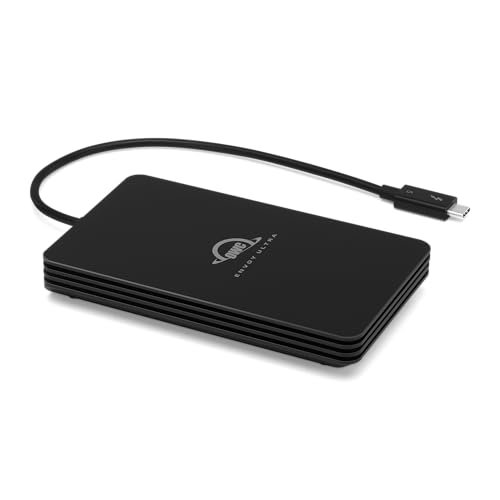 | OWC Envoy Ultra TB5 SSD | Speed: 6,000MB/s read (Thunderbolt 5) Capacity: Up to 8TB Durability: IP67, fanless aluminum Interface: Thunderbolt 5 | Check Price on Amazon |
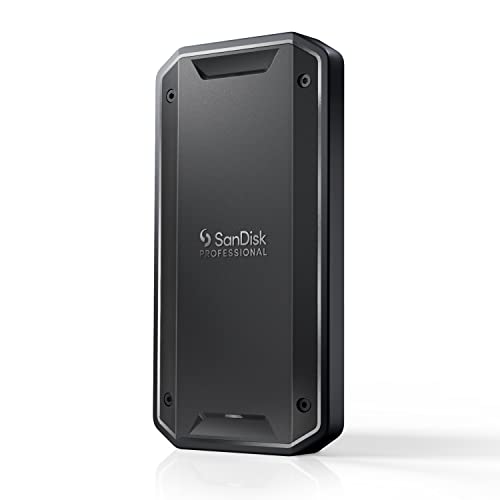 | SanDisk Professional PRO-G40 SSD | Speed: 2,700MB/s TB3 / 1,050MB/s USB-C Capacity: Up to 4TB Durability: IP68, 3m drop, 4,000lb crush Interface: Thunderbolt 3 + USB-C dual-mode | Check Price on Amazon |
| Crucial X9 Pro | Speed: 1,050MB/s (USB 3.2 Gen 2) Capacity: Up to 4TB Durability: IP55, 2.3m drop, 40g weight Interface: USB-C | Check Price on Amazon | |
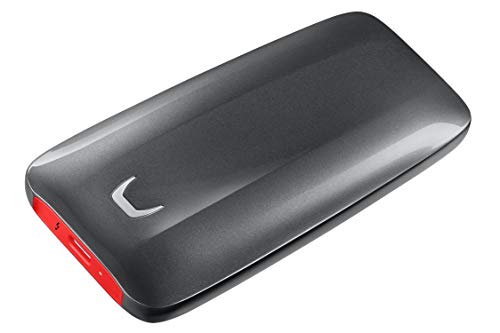 | Samsung X5 TB3 NVMe SSD | Speed: 2,800MB/s read (Thunderbolt 3) Capacity: Up to 2TB Durability: Magnesium alloy, thermal guard Interface: Thunderbolt 3/4 | Check Price on Amazon |
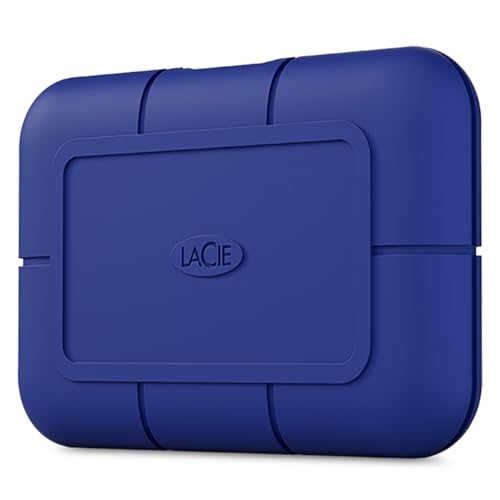 | LaCie Rugged SSD Pro5 | Speed: 6,700MB/s read (Thunderbolt 5) Capacity: Up to 4TB Durability: IP68, 3m drop, 2-ton crush Interface: Thunderbolt 5 | Check Price on Amazon |
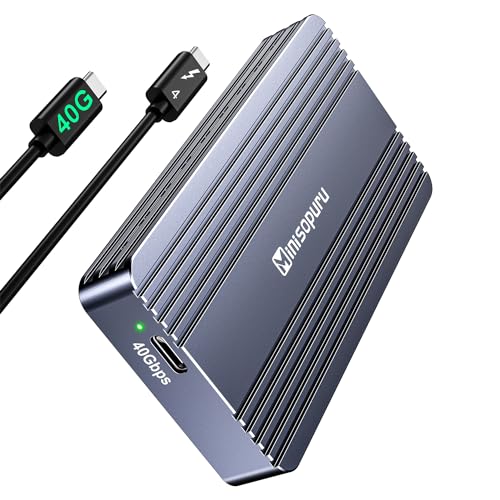 | Minisopuru ME808M TB4 Enclosure | Speed: 40Gbps (Thunderbolt 4) Capacity: M.2 NVMe up to 8TB (BYO) Durability: Aluminum, tool-free assembly Interface: Thunderbolt 4 | Check Price on Amazon |
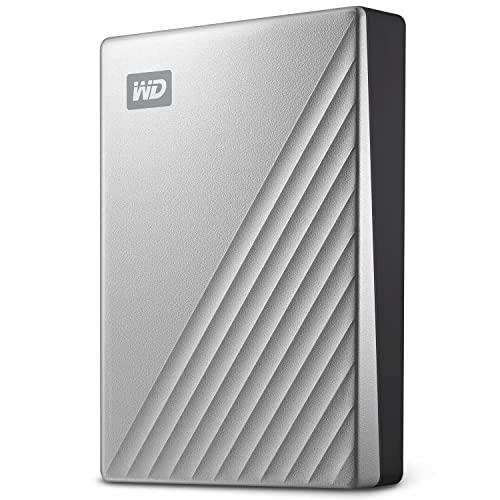 | WD My Passport Ultra for Mac | Speed: ~130MB/s (USB 3.2 Gen 1) Capacity: Up to 6TB Durability: Metal design, AES 256-bit encryption Interface: USB-C | Check Price on Amazon |
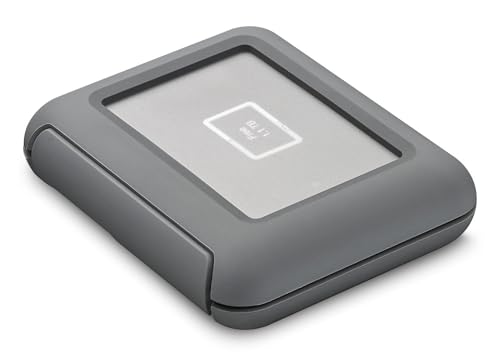 | LaCie Copilot BOSS | Speed: HDD-based, USB-C / TB3 Capacity: 2TB Durability: Rugged, shock/dust/water resistant Interface: USB-C, TB3, built-in SD/CF slots | Check Price on Amazon |
 | SanDisk Professional G-RAID 2 | Speed: 480MB/s RAID 0 (Thunderbolt 3) Capacity: Up to 40TB Durability: Enterprise Ultrastar 7200RPM drives Interface: 2x Thunderbolt 3, USB-C, HDMI | Check Price on Amazon |
Which One Should You Buy?
| Choose this… | If you want… |
|---|---|
| Samsung T9 Portable SSD | The best all-around portable SSD. Fast USB 3.2 Gen 2×2, up to 4TB, works with Mac, PC, iPhone, and gaming consoles. |
| OWC Envoy Ultra TB5 SSD | Maximum speed on Thunderbolt 5 hardware. OWC rates it at 6,000MB/s for 8K editing workflows. |
| SanDisk Professional PRO-G40 SSD | A dual-mode Thunderbolt 3 + USB-C SSD with IP68 ruggedness. Works at full speed on TB3 and at 1,050MB/s on USB-C machines. |
| Crucial X9 Pro | The most affordable portable SSD on this list. Crucial-rated 1,050MB/s, smaller than a credit card. |
| Samsung X5 TB3 NVMe | A proven Thunderbolt 3 NVMe SSD with hardware encryption for sensitive data and full TB3/TB4 compatibility. |
| LaCie Rugged SSD Pro5 | IP68-rated Thunderbolt 5 SSD for video shoots in difficult conditions. LaCie rates it at 6,700MB/s reads. |
| Minisopuru ME808M | A Thunderbolt 4 enclosure so you can pair your own M.2 NVMe drive with 40Gbps speeds at a fraction of the pre-built price. |
| WD My Passport Ultra for Mac | Affordable bulk HDD backup. Up to 6TB, formatted for Time Machine out of the box. |
| LaCie Copilot BOSS | A rugged 2TB drive with built-in SD and CF card slots for laptop-free card backups in the field. |
| SanDisk Professional G-RAID 2 | Massive desktop Thunderbolt 3 RAID storage. Up to 40TB with enterprise Ultrastar drives. |
1. Samsung T9 Portable SSD — Best Overall
The Samsung T9 is the best overall pick because it hits the right balance of speed, capacity, compatibility, and build quality better than any other portable SSD available. It is not a Thunderbolt drive: Samsung uses USB 3.2 Gen 2×2, rated at 2,000MB/s sequential read and 1,950MB/s sequential write. That puts it on par with most Thunderbolt 3 SSDs from a few years ago, and faster than any USB drive at 10Gbps.
Samsung offers the T9 in 1TB, 2TB, and 4TB. The 2TB is the sweet spot for most people; the 4TB model is one of the most affordable high-capacity portable SSDs on the market. The T9 works with any USB-C port on a Mac, PC, iPad, or iPhone 15 Pro and later, so you never need to check compatibility before plugging in.
Build quality is serious. Samsung wraps the body in a rubber shock guard rated to survive drops up to 3 meters, roughly desk height with significant margin. Samsung’s Dynamic Thermal Guard technology keeps the drive from throttling under sustained load. Independent benchmark reviews show speeds holding above 1,000MB/s even after writing 200GB continuously. Samsung backs the T9 with a 5-year warranty, one of the best in the portable SSD category.
One caveat worth knowing: you need a USB 3.2 Gen 2×2 port to hit the 2,000MB/s ceiling. Most Macs top out at USB 3.2 Gen 2 (10Gbps, roughly 1,000MB/s). PCs with newer motherboards or Thunderbolt 4 ports get full speed. Even capped at 10Gbps, the T9 outpaces cheaper alternatives and remains fast enough for 4K video editing workflows.
Our Take
The Samsung T9 is our top pick because it delivers near-Thunderbolt-3 speeds without requiring a Thunderbolt port, works with practically every device you own, and backs that up with a 5-year warranty and Samsung’s proven NVMe reliability. It is the right drive for the widest range of people.
- Samsung-rated 2,000MB/s read and 1,950MB/s write over USB 3.2 Gen 2×2
- Available up to 4TB at competitive price points
- 3-meter drop resistance with rubber shock guard
- Works with Mac, PC, iPhone 15 Pro and later, iPad, and gaming consoles
- 5-year warranty with Samsung reliability
- Needs a USB 3.2 Gen 2×2 port for full speed; most Macs cap at 10Gbps
- Not a Thunderbolt drive, so no daisy-chaining support
- Surface warms noticeably during sustained writes
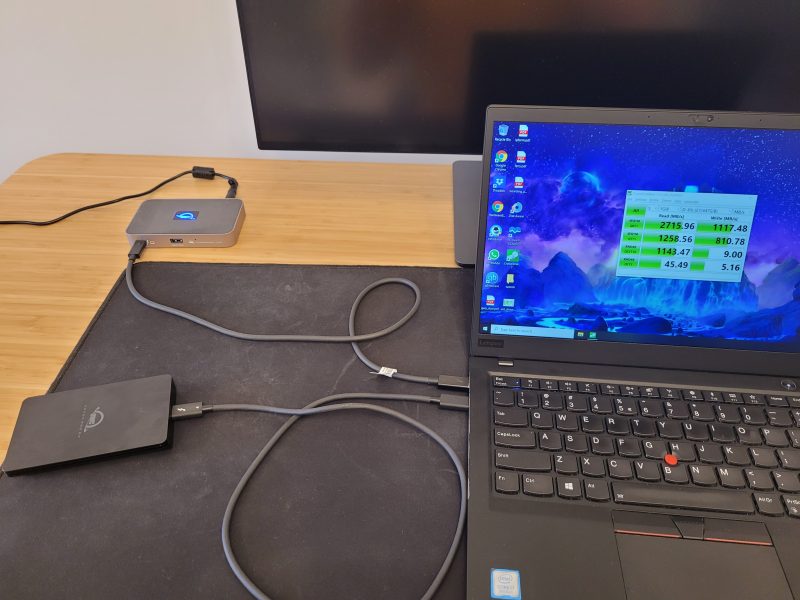
For a direct comparison of how USB SSD speeds stack up against Thunderbolt drives at the port level, see Thunderbolt SSD speed benchmarks with and without a dock.
2. OWC Envoy Ultra TB5 SSD — Best Thunderbolt 5
The OWC Envoy Ultra is the fastest portable SSD you can buy. OWC rates it at over 6,000MB/s sequential reads through its Thunderbolt 5 interface, which is 2x faster than Thunderbolt 4 and 3x faster than the Samsung T9. On a Thunderbolt 5 Mac or PC, this drive lets you edit 8K ProRes footage directly off external storage without lag.
OWC expanded the lineup with an 8TB capacity option, making it the world’s first bus-powered Thunderbolt 5 drive at that size. The fanless aluminum enclosure carries an IP67 rating and draws all power from the Thunderbolt cable; no adapter to carry. Backward compatibility covers Thunderbolt 4, Thunderbolt 3, and USB4, delivering optimized speed at each connection type.
Our Take
The OWC Envoy Ultra earns the Thunderbolt 5 top spot because no other portable drive comes close to its rated 6,000MB/s while also being bus-powered, IP67 rated, and backward compatible. For professionals with TB5 hardware, it is the unambiguous choice.
- OWC-rated 6,000MB/s sequential reads, fastest portable SSD available
- Up to 8TB capacity, largest bus-powered Thunderbolt 5 drive
- IP67 dust and water resistance
- Fanless, silent aluminum enclosure
- Backward compatible with Thunderbolt 4, TB3, and USB4
- Requires Thunderbolt 5 for maximum rated speed
- 8TB capacity carries a significant price premium
- Overkill for anyone without TB5 hardware
For a deep look at real-world performance including video editing benchmarks, read our OWC Envoy Ultra Thunderbolt 5 SSD review. For context on the broader TB5 drive market, see our roundup of the best Thunderbolt 5 external SSD drives.
3. SanDisk Professional PRO-G40 SSD — Best for Mac
The SanDisk Professional PRO-G40 SSD earns its spot for Mac users because it works at full speed on every Mac port without compromise. SanDisk rates it at up to 2,700MB/s read and 1,900MB/s write over Thunderbolt 3 (40Gbps), and it also operates at up to 1,050MB/s over USB-C (10Gbps). That dual-mode compatibility means the PRO-G40 delivers near-maximum throughput whether you plug it into a Thunderbolt 3 MacBook Pro, a Thunderbolt 4 Mac Studio, or a USB-C-only MacBook Air.
The real differentiator is the rugged build. SanDisk rates the PRO-G40 at IP68 dust and water resistance, 4,000-pound crush resistance, and 3-meter drop protection. That puts it on par with the LaCie Rugged SSD Pro5 for field durability, but with the added benefit of falling back to USB-C speeds on non-Thunderbolt machines. An aluminum core pulls heat away from the internal NVMe drive, helping maintain transfer speeds during sustained writes.
SanDisk offers the PRO-G40 in 1TB, 2TB, and 4TB capacities with a 5-year warranty. The pro-grade enclosure feels solid and substantial in hand — this is built for working professionals who move between different machines on set, in studios, and on location.
Our Take
For Mac users who need a single drive that works at full speed across Thunderbolt and USB-C machines alike, the PRO-G40 is the most versatile pick on this list. The IP68 rating adds genuine peace of mind for professionals who work on location. SanDisk rates it at 2,700MB/s over Thunderbolt 3, which is close to the interface ceiling.
- Dual-mode: SanDisk-rated 2,700MB/s over Thunderbolt 3, 1,050MB/s over USB-C
- IP68 dust and water resistance, 4,000lb crush, 3-meter drop protection
- Aluminum core for sustained transfer heat management
- Works at full speed on both Thunderbolt and USB-C Macs
- 5-year warranty
- Premium price for the 4TB model
- No daisy-chain port — uses a single connector
- Priced at a premium compared to USB-only SSDs of similar capacity
4. Crucial X9 Pro — Best Budget
The Crucial X9 Pro is the most-recommended portable SSD on this list for anyone who does not need Thunderbolt speeds. It delivers Crucial-rated 1,050MB/s over USB 3.2 Gen 2, starts at a price point that undercuts most competing drives, and weighs just 40 grams.
At 40 grams, the X9 Pro is smaller than a credit card and thinner than a pencil. It clips to a keychain with a built-in loop and disappears into a jacket pocket. Despite its size, Crucial rates it IP55 for water and dust resistance and 2.3-meter drop protection. The 5-year warranty matches what Samsung and Western Digital offer on their premium drives.
Performance benchmarks from expert reviewers show the X9 Pro hitting 1,020MB/s reads and 980MB/s writes consistently, right at the 10Gbps USB ceiling. It will not win speed comparisons against Thunderbolt SSDs, but for backing up a MacBook, transferring photos from a shoot, or carrying your media library between locations, that is plenty fast. Crucial offers 1TB, 2TB, and 4TB capacities.
Our Take
The Crucial X9 Pro is the pick for anyone who wants a fast, affordable, carry-anywhere portable SSD without the Thunderbolt premium. At 2TB it represents the best value in external storage for everyday use.
- Crucial-rated 1,050MB/s read and write over USB-C
- Weighs 40 grams, smaller than a credit card
- IP55 water and dust resistance plus 2.3-meter drop protection
- Available in 1TB, 2TB, and 4TB
- 5-year warranty
- Limited to USB 3.2 Gen 2 (10Gbps), no Thunderbolt support
- Speed can drop on sustained writes above 100GB as the SLC cache fills
If you want the fastest portable SSD across all USB and Thunderbolt options, see our best portable SSDs roundup for a broader comparison across price tiers.
5. Samsung X5 TB3 NVMe — Best TB3/4 SSD
The Samsung X5 was the first NVMe Thunderbolt 3 portable SSD and it remains one of the strongest performers in its category. Samsung rates it at 2,800MB/s sequential reads and 2,300MB/s sequential writes, matching drives released years later. The NVMe controller and TLC NAND have accumulated years of real-world reliability data with strong results.
The X5 stands out with its magnesium alloy body and a distinctive design that doubles as a heat sink. Samsung’s Dynamic Thermal Guard technology keeps the surface below 45 degrees Celsius under load, according to Samsung’s specifications. AES 256-bit hardware encryption with optional password protection is built in, a feature absent from many competing Thunderbolt drives.
The X5 works with Thunderbolt 3 and Thunderbolt 4 ports at full rated speed. Capacities are 500GB, 1TB, and 2TB. Samsung backs it with a 3-year warranty.
Our Take
The Samsung X5 earns the best TB3/4 SSD spot because of its proven long-term reliability, hardware encryption, and genuine Thunderbolt 3 NVMe speeds. If you find it at a fair price, it is a proven drive with years of satisfied owner reviews behind it.
- Samsung-rated 2,800MB/s reads with genuine Thunderbolt 3 NVMe performance
- Magnesium alloy body with Dynamic Thermal Guard for sustained transfers
- AES 256-bit hardware encryption with password protection
- Full Thunderbolt 3 and Thunderbolt 4 compatibility at rated speeds
- Years of proven real-world reliability
- Maximum 2TB capacity, no 4TB option available
- Older design that Samsung has not updated recently
- 3-year warranty, shorter than some competitors
6. LaCie Rugged SSD Pro5 — Best for Video Editors
The LaCie Rugged SSD Pro5 is the successor to the drive seen on more film sets and in more editing bays than any other — and it leaps to Thunderbolt 5. LaCie rates the Pro5 at up to 6,700MB/s read and 5,300MB/s write, more than double the speeds of the previous Rugged SSD Pro. That throughput puts it in the same class as the OWC Envoy Ultra, but wrapped in LaCie’s field-proven rugged enclosure.
The Pro5 carries an IP68 rating for dust and water resistance, 3-meter drop protection, and resistance to a 2-ton vehicle driving over it. LaCie positions the Pro5 for editing real-time 8K and 6K video directly off Thunderbolt 5 MacBook Pros and Mac Minis, and the sustained write speeds back that up. Dumping large CFexpress cards after a shoot happens dramatically faster than on the TB3 predecessor.
LaCie offers the Pro5 in 2TB and 4TB capacities, both with a 5-year warranty. The Pro5 is backward compatible with Thunderbolt 4 ports, though speeds will be limited to TB4’s 40Gbps ceiling.
Our Take
For videographers and filmmakers who shoot in rain, sand, or extreme conditions, the Rugged SSD Pro5’s IP68 rating combined with Thunderbolt 5 speeds makes it the clear pick for future-proofed field storage. LaCie rates it at 6,700MB/s reads — fast enough to edit 8K footage directly off the drive.
- LaCie-rated 6,700MB/s read and 5,300MB/s write over Thunderbolt 5
- IP68 rated: waterproof, dustproof, 3-meter drop, 2-ton crush
- Backward compatible with Thunderbolt 4
- Available in 2TB and 4TB
- 5-year warranty
- Requires Thunderbolt 5 port for full rated speeds
- Bulkier than non-rugged portable SSDs
- Premium pricing for both capacity tiers
7. Minisopuru ME808M TB4 Enclosure — Best NVMe Enclosure
If you already have a spare M.2 NVMe SSD, or you want to choose exactly which drive goes inside, the Minisopuru ME808M turns it into a Thunderbolt 4 external SSD at a fraction of the price of a pre-built. It uses an Intel JHL7440 Thunderbolt 4 controller to deliver genuine 40Gbps speeds.
Our Minisopuru ME808M review found that with a Samsung 980 Pro inside, the enclosure hit 3,129MB/s reads, exceeding the advertised speed ceiling. On USB 3.2 Gen 2 ports it still managed 1,010MB/s, so it performs well on non-Thunderbolt machines too.
Pair the ME808M with a 2TB Samsung 990 Pro and the combined cost lands well below what comparable pre-built Thunderbolt 4 SSDs charge. The enclosure supports M.2 NVMe drives in 2230, 2242, 2260, and 2280 form factors, up to 8TB. Minisopuru includes a 50cm Thunderbolt 4 cable in the box. Build quality is solid aluminum. Assembly is tool-free with a small screwdriver included.
Our Take
The ME808M is the smartest buy on this list for anyone comfortable installing a drive. Thunderbolt 4 external SSD performance at a significant discount over pre-built options, with the flexibility to choose your own NVMe drive. If you have a spare NVMe SSD sitting in a drawer, the decision is obvious.
- Genuine Thunderbolt 4 at 40Gbps, Intel JHL7440 controller
- Over 3,100MB/s real-world reads reported by reviewers with a Samsung 980 Pro installed
- Supports M.2 NVMe 2230/2242/2260/2280 up to 8TB
- Includes Thunderbolt 4 cable in the box
- Dramatically lower cost than pre-built Thunderbolt 4 SSDs
- NVMe SSD not included; total cost depends on which drive you buy
- No IP rating or rugged protection
- Requires basic assembly to install the drive
To compare enclosure-based Thunderbolt SSDs against pre-built options in real-world transfers, see our Thunderbolt SSD speed testing article. OWC also makes a Thunderbolt-powered enclosure; see the Envoy Pro SX review for a comparison.
8. WD My Passport Ultra for Mac — Best HDD
Not everyone needs SSD speeds. If you want a simple, affordable way to back up your Mac with Time Machine, the WD My Passport Ultra for Mac gives you up to 6TB of storage at a price no SSD of comparable capacity can touch. That 6TB capacity holds dozens of full Mac backups, years of photos and documents, or a substantial media library.
The My Passport Ultra connects over USB-C (USB 3.2 Gen 1, rated at 5Gbps) and arrives formatted for macOS in HFS+ out of the box. Plug it in, open Time Machine, select the drive, and it works immediately. WD includes 256-bit AES hardware encryption with password protection. The drive is bus-powered; no external adapter needed.
Speed is not the point here. WD-rated sequential throughput lands around 130MB/s, the ceiling for a 5,400RPM portable HDD. A 500GB backup takes roughly an hour. For overnight Time Machine backups or archiving files you access infrequently, capacity and reliability matter more than transfer speed. WD backs it with a 3-year warranty.
Our Take
The WD My Passport Ultra for Mac is the correct pick when you need maximum capacity at a budget-friendly price for archival backups or Time Machine. If transfer speed matters to you at all, choose an SSD instead.
- Up to 6TB capacity, unmatched at the HDD price point
- Formatted for macOS and Time Machine out of the box
- USB-C, bus-powered, no external adapter needed
- WD-included 256-bit AES hardware encryption
- Slim metal design despite large capacity
- WD-rated ~130MB/s sequential speed, 7 to 8 times slower than even budget SSDs
- Has moving parts; more vulnerable to drops and physical damage than SSDs
- 3-year warranty, shorter than the 5-year coverage on most SSDs here
9. LaCie Copilot BOSS — Best Rugged
The LaCie Copilot BOSS does something no other drive on this list can: it backs up your camera cards without a laptop. Built-in SD card and CF card slots let you dump both types of media cards directly to the internal 2TB hard drive in the field. LaCie rates the Copilot BOSS for shock, dust, and water resistance with the brand’s signature rugged construction.
The workflow is straightforward: insert your SD or CF card into the Copilot BOSS, press the backup button, and the drive copies the card contents to its internal storage. LaCie rates it for USB-C, USB 3.0, and Thunderbolt 3 connectivity, so you can transfer files to your editing machine over whichever port your laptop has. The Copilot BOSS also works with iOS, Android, macOS, and Windows, and a companion mobile app lets you preview backed-up files from a phone, useful for confirming shots transferred before you reformat a card.
LaCie backs the Copilot BOSS with a 3-year Rescue Data Recovery Services plan and includes a 1-month complimentary membership to Adobe Creative Cloud All Apps.
Our Take
For photographers and videographers who need to back up SD and CF cards in the field without a laptop nearby, the Copilot BOSS is a unique tool that nothing else on this list replaces. The dual card slots cover both formats, and the 2TB capacity provides meaningful headroom. If you always have your laptop with you, a standard external SSD plus a card reader achieves the same result at lower cost and faster speeds.
- Built-in SD and CF card slots for laptop-free field backups
- 2TB capacity for substantial shoot volumes
- USB-C, USB 3.0, and Thunderbolt 3 connectivity
- Shock, dust, and water resistant with LaCie rugged construction
- 3-year Rescue Data Recovery Services included
- Compatible with iOS, Android, macOS, and Windows
- Internal HDD — slower sustained transfers compared to SSD options
- Heavier than SSD-based portable drives at over 1 pound
- Premium pricing for HDD-based storage
10. SanDisk Professional G-RAID 2 — Best High-Capacity
When your storage needs exceed what any portable drive can hold, the SanDisk Professional G-RAID 2 is the answer. This desktop RAID array houses two enterprise-grade Western Digital Ultrastar 7200RPM hard drives in a Thunderbolt 3 enclosure, with capacity configurations up to 40TB.
The G-RAID 2 ships in RAID 0 by default, striping data across both drives for SanDisk-rated speeds up to 480MB/s sequential reads and writes. That is genuinely fast for a hard drive array and sufficient for editing multicam 1080p or single-stream 4K footage directly off the array. Switching to RAID 1 (mirrored mode) through the included software provides data redundancy at the cost of halving usable capacity.
Connectivity is thorough for a desktop drive: two Thunderbolt 3 ports for daisy-chaining, one USB-C port, and an HDMI port. The Ultrastar enterprise drives inside carry an annualized workload rating of 550TB per year, the same class of drives used in data center installations. SanDisk backs the G-RAID 2 with a 5-year warranty including Rescue Data Recovery Services.
Our Take
The SanDisk Professional G-RAID 2 is the right choice for production studios and professional editors who need tens of terabytes of Thunderbolt-connected archive storage on a desk. It is desktop-only with an external power adapter, so it belongs in a permanent setup, not a laptop bag.
- Up to 40TB with enterprise Western Digital Ultrastar 7200RPM drives
- SanDisk-rated 480MB/s in RAID 0, fast for an HDD array
- Dual Thunderbolt 3 ports support daisy-chaining additional devices
- Hardware RAID controller supports RAID 0 and RAID 1
- 5-year warranty with Rescue Data Recovery Services
- Desktop-only with an external power adapter required
- HDD speeds are much slower than any SSD option for random I/O
- High entry price for the 12TB base configuration
Buying Guide: How to Choose the Best External Drive for Mac or PC
Thunderbolt SSD vs USB SSD: Is the speed difference worth it?
Thunderbolt SSDs are 2 to 6 times faster than USB SSDs, but they cost 2 to 4 times more. Whether that premium is worth it depends on what you are actually moving and how often.
USB 3.2 Gen 2 SSDs (like the Crucial X9 Pro) are rated at around 1,050MB/s. A 50GB folder transfers in roughly 50 seconds. For backups, photo libraries, and everyday file transfers, that is plenty.
USB 3.2 Gen 2×2 SSDs (like the Samsung T9) are rated at around 2,000MB/s, cutting that 50GB transfer to about 25 seconds. You need a Gen 2×2 port to reach full speed, and most Macs top out at 10Gbps.
Thunderbolt 3/4 SSDs (Samsung X5, SanDisk PRO-G40) are rated at up to 2,700-2,800MB/s. The sustained bandwidth is what matters here: it allows editing 4K and higher footage directly off the external drive without frame drops or proxy requirements.
Thunderbolt 5 SSDs (OWC Envoy Ultra) are rated at up to 6,000MB/s. That level of throughput is necessary for 8K raw workflows and large dataset transfers, and overkill for most other tasks.
If you regularly edit 4K or higher video professionally, or you routinely move files larger than 100GB, Thunderbolt is worth the cost difference. For everyone else, a fast USB-C SSD is the better value. For a real-world look at the speed gap, see our article testing Thunderbolt SSD speeds with and without a dock.
How much storage capacity do you need?
1TB: General backups, a moderate photo library, and a few video projects. The recommended minimum for most users.
2TB: The sweet spot for most people. Holds a substantial photo library, multiple 4K video projects, and a full Mac backup with room to grow.
4TB: The right choice for working video editors, photographers with large raw file libraries, and anyone maintaining multi-year backups. Most portable SSDs top out here.
8TB and above: The OWC Envoy Ultra reaches 8TB in a bus-powered portable form. For anything larger, you are looking at desktop solutions like the SanDisk G-RAID 2 or HDDs.
Buy more than you think you need. External drives fill faster than expected, and replacing a 2TB drive with a 4TB drive a year later costs more than buying the 4TB upfront.
SSD vs HDD: Which external drive is right for you?
SSD is the default choice for most use cases. Solid-state drives are 5 to 50 times faster than portable HDDs, more durable (no moving parts to fail if dropped), lighter, smaller, and completely silent.
The one remaining advantage HDDs hold is cost per terabyte. You can get 6TB in a portable HDD for a fraction of what a 4TB portable SSD costs. That gap makes HDDs worth considering for specific scenarios: Time Machine archival backups that run overnight, cold storage for projects you finished years ago, and bulk photo archives you access a few times per year.
Choose an external SSD for Mac for daily use, video editing, photo work, or any task where you notice transfer speeds. Choose an HDD only when raw capacity on a budget is the only thing that matters.
What Thunderbolt version does your Mac or PC support?
Before buying a Thunderbolt SSD, check which version your machine has. Every drive runs at the speed of the slowest link in the chain.
Thunderbolt 5 (120Gbps): Found in the latest MacBook Pro 14-inch and 16-inch with M4 Pro and M4 Max, Mac Studio with M4 Max and M4 Ultra, Mac Pro, and select high-end Windows laptops from 2025. Required for OWC Envoy Ultra’s full 6,000MB/s.
Thunderbolt 4 (40Gbps): Standard on M1, M2, M3, and M4 Macs that do not have TB5, and on most premium Windows laptops from 2022 onward. Real-world SSD speeds land around 2,500 to 3,100MB/s.
Thunderbolt 3 (40Gbps): Intel Macs from 2016 through 2020, and many Windows laptops from 2017 through 2022. The same bandwidth as TB4 with slightly different certification requirements. All Thunderbolt 3 drives work in TB4 ports at full speed.
USB-C (no Thunderbolt): Check for the lightning bolt icon next to your port. Without it, speeds top out at 500MB/s to 1,050MB/s depending on the USB generation. Thunderbolt SSDs still work in USB-C ports but at USB speeds.
On Mac: Apple menu, About This Mac, System Report, Thunderbolt. On Windows: Device Manager or Intel Thunderbolt software.
What to look for in a portable external drive
Durability ratings: IP55 is the minimum for a drive you will carry regularly. IP67 is the standard for field professionals who work in weather. Drop ratings of 2 meters or more cover most accidental falls.
Bus-powered vs external power: Any drive you plan to carry should draw power through the cable. Desktop drives like the G-RAID 2 require an external adapter and belong on a desk.
Warranty length and terms: Premium SSDs typically carry 5-year warranties (Samsung, Crucial, SanDisk). HDDs often get 3 years. LaCie’s Rescue Data Recovery Services, included with the Rugged SSD Pro5 and G-RAID 2, is a standout benefit for irreplaceable data.
Hardware encryption: AES 256-bit hardware encryption protects data without a speed penalty. The Samsung X5 and WD My Passport Ultra include it. If you carry sensitive client files, prioritize this.
Thermal management: Fast NVMe SSDs generate heat. Aluminum enclosures (OWC Envoy Ultra, Samsung X5) dissipate heat better than plastic. For sustained high-speed transfers, good thermals matter. A drive that throttles at 50GB ruins a video ingest session.
Frequently Asked Questions
What is the most reliable external hard drive for Mac?
Samsung and SanDisk Professional consistently rank highest in long-term reliability reviews. Samsung’s T9 and X5 carry 3 to 5-year warranties and years of positive owner feedback. For HDDs, Western Digital’s My Passport Ultra for Mac draws on decades of portable hard drive manufacturing history.
That said, any drive can fail. The most reliable strategy is not a single drive: keep a working external SSD for active projects and a separate HDD or second SSD for Time Machine backups. Two drives at different failure rates is meaningfully safer than one.
Is SSD or HDD better for an external drive?
SSD is better for almost every active use case. Solid-state drives are 5 to 50 times faster than portable HDDs, have no moving parts so they survive drops better, and are lighter and quieter.
The only scenario where HDD wins is bulk archival storage on a tight budget. If you need 6TB to archive finished projects or years of photos and you access that data rarely, an HDD gives you more capacity for less money. For active use, video editing, photography, or any task where you notice transfer speed, choose an SSD.
Do I need Thunderbolt for my external drive or is USB-C enough?
For most people, USB-C is sufficient. A USB 3.2 Gen 2 SSD at 1,050MB/s handles everyday transfers, Time Machine backups, and light video editing without issues. The time difference between USB and Thunderbolt only becomes noticeable when you regularly move files larger than 50GB.
Thunderbolt is worth the investment if you edit 4K or higher video professionally, move datasets over 100GB on a regular schedule, need daisy-chaining in your desk setup, or use an external drive as your primary working drive rather than just a backup.
Can I use a Thunderbolt SSD with a USB-C port?
Yes, but at USB speeds. Thunderbolt and USB-C share the same physical connector, so a Thunderbolt SSD plugs into a USB-C port and transfers files normally. Speed is limited to whatever that USB-C port supports, typically 5Gbps to 10Gbps rather than 40Gbps. A drive rated at 2,800MB/s over Thunderbolt 3 will cap at 500MB/s to 1,050MB/s on a USB-C port.
The OWC Envoy Ultra handles this gracefully, delivering optimized performance for each connection type automatically. Most other Thunderbolt SSDs also work at USB speeds, but the speed drop is significant.
How fast are Thunderbolt external SSDs compared to USB?
Here is a direct comparison of real-world sequential read speeds by interface:
| Interface | Real-World SSD Speed | Time to Transfer 100GB |
|---|---|---|
| USB 3.2 Gen 1 (5Gbps) | 450 to 500 MB/s | about 3.5 minutes |
| USB 3.2 Gen 2 (10Gbps) | 1,000 to 1,050 MB/s | about 1.7 minutes |
| USB 3.2 Gen 2×2 (20Gbps) | 1,800 to 2,000 MB/s | about 55 seconds |
| Thunderbolt 3/4 (40Gbps) | 2,500 to 2,800 MB/s | about 38 seconds |
| Thunderbolt 5 (120Gbps) | 5,000 to 6,000 MB/s | about 18 seconds |
The jump from USB 3.2 Gen 2 to Thunderbolt 3/4 is roughly 2.5 to 3 times in real-world throughput. The jump from Thunderbolt 4 to Thunderbolt 5 is another 2 times. Whether those differences matter in practice depends on the size and frequency of your file transfers.
How We Research and Select External Drives
Every drive in this guide is evaluated through a consistent research process combining manufacturer specifications, expert benchmark data, and owner review analysis.
Manufacturer specifications: We document rated sequential read and write speeds, interface protocols, capacity tiers, IP and drop ratings, warranty terms, and power requirements directly from manufacturer product pages and technical documentation.
Expert benchmark aggregation: We cross-reference performance results from established hardware review outlets using Blackmagic Disk Speed Test on macOS, CrystalDiskMark on Windows, and AJA System Test. Real-world transfer benchmarks (100GB folder copies of mixed video, photo, and document files) are prioritized over synthetic peak-speed numbers.
Sustained performance verification: We specifically look at how drives perform after the SLC cache fills, typically during 200GB or larger continuous writes. Drives that throttle significantly under sustained load are flagged, since this matters most for video editors dumping large memory cards.
Compatibility verification: Each drive’s interface compatibility is confirmed across multiple machine types: Mac with Thunderbolt 4, Mac with Thunderbolt 5 where relevant, and Windows laptops. Backward compatibility claims are verified against manufacturer specifications and corroborated expert reviews.
Owner review analysis: We aggregate thousands of verified purchase reviews to surface durability issues, real-world reliability patterns, and use-case-specific problems that do not appear in short-term lab tests.
No drive makes this list on specs alone. We look for a consistent pattern of strong performance, positive owner experience, and manufacturer support that holds up over time.
Honorable Mentions
Samsung T7 Shield — Previous-generation Samsung portable SSD with USB 3.2 Gen 2 speeds and IP65 resistance. If you find it at a lower price than the Crucial X9 Pro, it is a solid alternative with strong Samsung reliability. Check price on Amazon
CalDigit Tuff Nano Plus — Compact, rugged USB-C SSD with IP67 rating and around 1,055MB/s. Strong build quality kept it competitive, but pricing versus the Crucial X9 Pro pushed it off the main list. Check price on Amazon