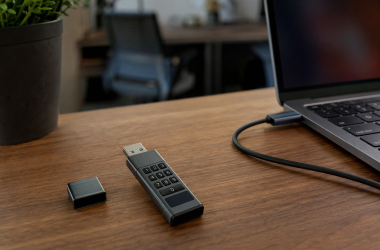
The Anker Prime Thunderbolt 5 Cable is the best Thunderbolt 5 cable for most people, because Anker documents every part of the specification that counts. Thunderbolt 5 certification, 80Gbps of data, up to 120Gbps of display bandwidth, and 240W of charging are all documented for the exact model rather than the product family.
The checking matters, because a USB-C connector tells you almost nothing about the link behind it. A charging cable, an 80Gbps USB4 cable, and a certified Thunderbolt 5 cable can look nearly identical in your hand. Buy by the exact model, and match its certification, length, bandwidth, and charging rating to the setup you actually own. If you only need ordinary charging or slower data, our best USB-C cables guide covers broader options. If you are still choosing a connection standard, start with our Thunderbolt 3 vs 4 vs 5 comparison.
Recent Updates
July 2026: The listed 2-meter active model is explicitly active, Apple’s 1-meter model is MDW94AM/A, and every main pick had a New Amazon offer in July 2026.
Quick Picks
- Best overall: Anker Prime Thunderbolt 5 Cable. Anker documents the whole specification on the exact model, and the evidence holds up.
- Best long cable: Cable Matters Active Thunderbolt 5 Cable. A manufacturer-verified 2-meter run with active electronics inside it.
- Best for 240W Mac charging: Apple Thunderbolt 5 Pro Cable. Apple states the 240W rating and tells you plainly what the cable connects to.
- Best value: Plugable TBT5-240W1M. Complete certification details, a stated two-year warranty, and lifetime support.
- Best for displays: Belkin Connect Thunderbolt 5 Cable. Belkin explains Bandwidth Boost more clearly than any other brand here.
| Image | Product | Details | Check Price |
|---|---|---|---|
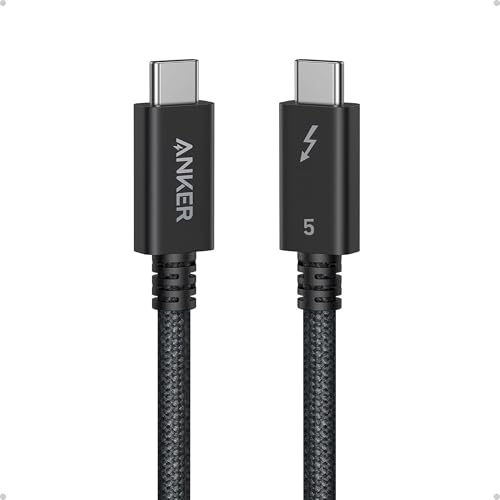 | Anker Prime Thunderbolt 5 Cable | Length options: 3.3 ft selected (Anker) Rated bandwidth: 80Gbps; up to 120Gbps display bandwidth (Anker) Rated charging: Up to 240W (Anker) Best for: Most buyers | Check Price on Amazon |
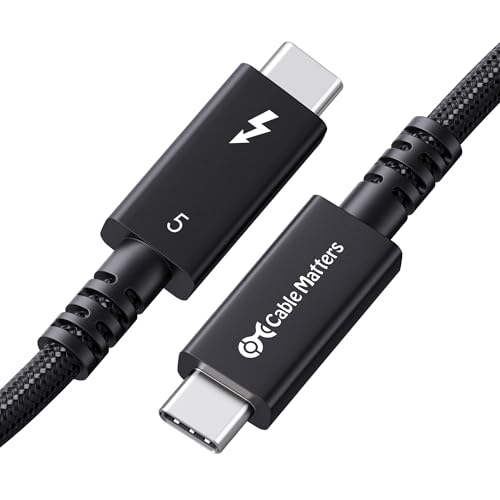 | Cable Matters Active Thunderbolt 5 Cable | Length options: 2 m / 6.6 ft selected (Cable Matters) Rated bandwidth: 80Gbps; up to 120Gbps Bandwidth Boost (Cable Matters) Rated charging: Up to 240W PD 3.1 (Cable Matters) Best for: Long cable runs | Check Price on Amazon |
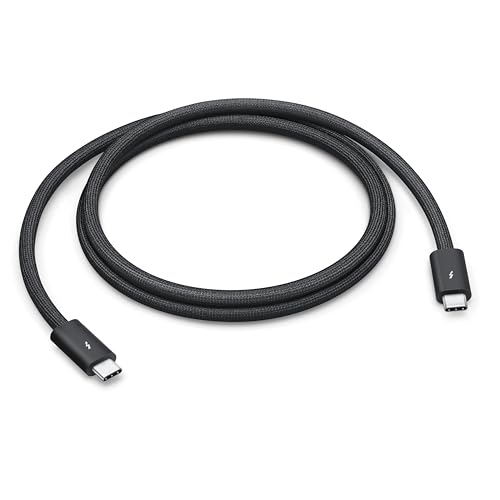 | Apple Thunderbolt 5 Pro Cable | Length options: 1 m selected (Apple) Rated bandwidth: Up to 80Gbps bidirectional; Bandwidth Boost applies (Apple, Intel) Rated charging: Up to 240W (Apple) Best for: Apple devices | Check Price on Amazon |
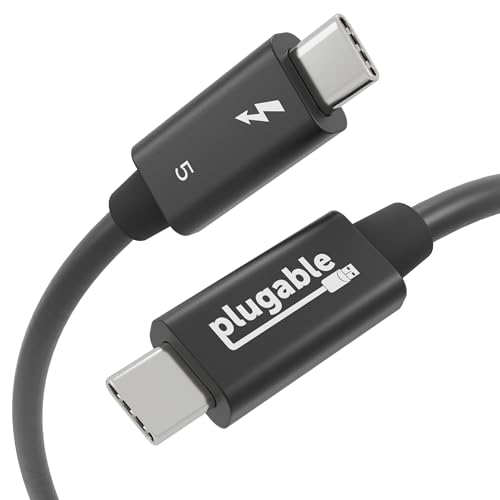 | Plugable TBT5-240W1M | Length options: 1 m / 3.3 ft selected (Plugable) Rated bandwidth: 80Gbps bidirectional; up to 120Gbps Boost (Plugable) Rated charging: Up to 240W at 48V/5A (Plugable) Best for: Value and support | Check Price on Amazon |
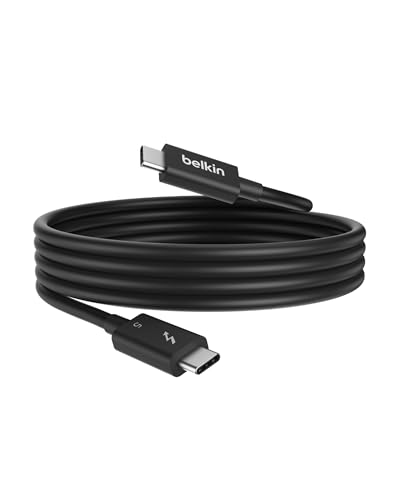 | Belkin Connect Thunderbolt 5 Cable | Length options: 1 m / 3.3 ft selected (Belkin) Rated bandwidth: 80Gbps bidirectional; up to 120Gbps Boost (Belkin) Rated charging: Up to 240W (Belkin) Best for: Display setups | Check Price on Amazon |
 | OWC Thunderbolt 5 Cable | Length options: 1 m selected (OWC) Rated bandwidth: 80Gbps bidirectional; up to 120Gbps display bandwidth (OWC) Rated charging: Up to 240W (OWC) Best for: Longer warranty | Check Price on Amazon |
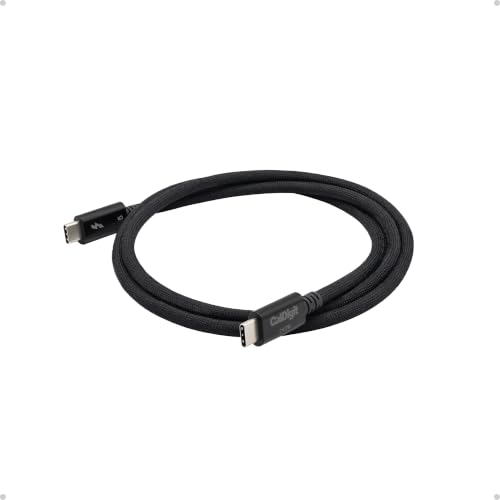 | CalDigit Thunderbolt 5 Pro Cable | Length options: 1 m selected (CalDigit) Rated bandwidth: 80Gbps bidirectional; 120Gbps Bandwidth Boost (CalDigit) Rated charging: Up to 240W (CalDigit) Best for: Braided durability | Check Price on Amazon |
1. Anker Prime Thunderbolt 5 Cable — Best Overall
The Anker Prime A84N1 is the best starting point for a new Thunderbolt 5 setup. Anker rates it at 3.3 feet, 80Gbps for data, and 240W for USB-C charging. The official Thunderbolt product record adds up to 120Gbps of display bandwidth and support for two 8K displays at 60Hz.
Read the display figures as cable capability, not as a promise. Your computer, your dock, and your monitors all have to support the same modes before any of it happens. What Anker gives you is a cable documented for the full link, with nothing important left vague.
The jacket is braided, and the official Thunderbolt record lists an 18-month warranty. Anker’s product page also sells a shorter variant in the same family, but the Amazon ASIN here resolves to model A84N1 in the 3.3-foot configuration and nothing else. The exact match is the whole point, because it stops you from carrying a specification across from one length to a different listing that may use different electronics inside.
Use it to connect a Thunderbolt 5 laptop to a compatible dock, a fast drive, or a display chain. A Thunderbolt 5 dock will draw more of the available link than an older accessory, and backward-compatible gear negotiates down to its own maximum. Anker never says whether this exact cable is active or passive on the pages we cite, so we do not put a construction type on it.
Our Take
Buy the Anker Prime when you want one short, fully specified cable for a modern desk. It takes the top spot because Anker and the official Thunderbolt record back up the data, display, charging, length, and warranty claims for the exact model. Skip it if your equipment sits farther apart than the stated 3.3 feet, because this ASIN will not solve a long run.
- Anker states 80Gbps data and up to 120Gbps display bandwidth
- Anker rates charging at up to 240W
- Official record lists an 18-month warranty
- Braided exterior suits regular desk use
- Anker lists this ASIN at 3.3 feet only
- Official pages do not state active or passive construction
2. Cable Matters Active Thunderbolt 5 Cable 2m — Best Long Cable
Cable Matters model 107082 is what you buy when a 1-meter cable simply will not reach. Cable Matters says the 2-meter, 6.6-foot cable carries an integrated active chipset that preserves signal integrity over the longer run. Both the manufacturer and the official Thunderbolt record identify it as an Intel-certified Thunderbolt 5 product, not a generic USB4 cable wearing the word compatible.
Cable Matters rates it for 80Gbps of data and up to 120Gbps of Bandwidth Boost where the host and the display allow it. The company lists USB PD 3.1 charging up to 240W, and compatibility with Thunderbolt 4, Thunderbolt 3, USB4, and USB-C. The braided jacket and the aluminum connector housings are pleasant, and they are not why you buy it. You buy it for the active electronics and for the certification on the exact 2-meter part.
The extra length earns its keep with a tower under the desk, a dock pushed off to one side, or a fast external drive you want away from the work surface. Pair it with one of the best Thunderbolt 5 external SSDs and the drive and the host are still the parts most likely to cap your speed. Cable Matters states a limited one-year product warranty and lifetime technical support.
Our Take
Buy this one when the distance is a requirement and not a preference. Cable Matters is unusually direct about the active chipset, the exact length, the certification, the bandwidth, the charging, and the compatibility, which is more than most cable brands manage on a single page. A short cable is still easier to route on a small desk, but none of the 1-meter picks here can give you this cable’s documented reach.
- Cable Matters verifies active electronics at 2 meters
- Cable Matters rates 80Gbps data and 240W charging
- Intel-certified for the exact long cable
- Backward compatibility is clearly documented
- Longer cable creates more slack on small desks
- Cable Matters states a one-year product warranty
3. Apple Thunderbolt 5 Pro Cable 1m — Best for Apple Devices
Apple’s 1-meter Thunderbolt 5 Pro Cable is model MDW94AM/A, and the Amazon ASIN matches that model exactly. Apple calls it a passive cable with a black braided design. Apple states support for Thunderbolt 5 data transfer up to 120Gbps, Thunderbolt 3, Thunderbolt 4, and USB4 transfer up to 80Gbps, USB 3 transfer up to 10Gbps, DisplayPort 2.1 video output, and charging up to 240W.
The first of those numbers needs context. Apple’s up-to-120Gbps line does not mean you get a 120Gbps two-way file-transfer path. Intel’s Thunderbolt 5 documentation explains that Bandwidth Boost reallocates the connection for up to 120Gbps in one direction during display-heavy use. For ordinary two-way work, 80Gbps is the ceiling Intel states for the standard.
Apple positions the cable for connecting compatible Macs to Thunderbolt and USB displays, docks, and external drives, and it lists USB-C iPhone and iPad connectivity as well. If your desk is built around Apple hardware, that is the appeal. You get Apple’s own compatibility wording instead of reading a third-party matrix and hoping you read it correctly. What you do not get is a published warranty duration, because Apple states none for the cable on its product and support pages, so we assume none.
Our Take
Choose the Apple cable when a Mac, an iPad, or a USB-C iPhone anchors the setup, and you want compatibility guidance straight from the manufacturer. Apple substantiates the data, display, and charging capabilities for the exact 1-meter model. If you want a published warranty duration, or a cable that reaches farther, take another pick from this list.
- Apple states DisplayPort 2.1 video support
- Apple rates charging at up to 240W
- Exact model matches the Amazon ASIN
- Passive braided construction is manufacturer-stated
- Apple does not state a cable-specific warranty duration
- Up-to-120Gbps wording requires Bandwidth Boost context
4. Plugable TBT5-240W1M — Best Value
Plugable’s TBT5-240W1M takes the value position on documentation and support, not on a passing discount. Plugable identifies the exact 1-meter cable as passive, Thunderbolt certified, USB-IF certified, and independently tested to the UL 9990 cable safety standard. It rates the cable for 80Gbps of bidirectional bandwidth, and up to 120Gbps with Bandwidth Boost in one direction.
Plugable specifies 240W at 48V/5A, and lists compatibility with Thunderbolt 5, Thunderbolt 4, Thunderbolt 3, USB4, and USB-C hosts and devices. Its display claims come with an explicit condition attached, which is the honest way to write them. No cable can make a laptop expose a display mode, a charging input, or a link speed the laptop does not have.
The support policy is what separates it. Plugable states a two-year warranty and lifetime technical support from its North American team, so a home-office buyer or an IT admin has somewhere to go when a chain of devices refuses to negotiate the way it should. The Amazon ASIN identifies model TBT5-240W1M.
Our Take
Plugable is the easy recommendation if you want the specification written down plainly and a support path that outlives the purchase. The certification, the passive construction, the one-direction Bandwidth Boost explanation, the charging figure, and the warranty all sit on one manufacturer page. It comes in the common 1-meter desk length only, so move to the active Cable Matters cable when your layout needs more reach.
- Plugable states both Thunderbolt and USB-IF certification
- Manufacturer clearly explains one-direction Bandwidth Boost
- Plugable provides a two-year warranty
- Lifetime technical support adds practical value
- Plugable offers this model at 1 meter only
- Display modes remain host and device dependent
5. Belkin Connect Thunderbolt 5 Cable 1m — Best for Displays
Belkin explains its own display headline better than anyone else here. Belkin states that the 1-meter INZ005 cable supports 80Gbps of bidirectional bandwidth. In Bandwidth Boost mode, Belkin specifies up to 120Gbps in one direction and 40Gbps in the other, and it says so on the product page. Compare that with the brands that drop 120Gbps into a title and leave you to discover the asymmetry on your own.
Belkin lists display configurations up to 8K, 4K at 540Hz, or three 4K displays at 144Hz. Every one of those numbers describes the cable and not your computer. The host, the graphics hardware, the dock, the operating system, and the monitors all have to support the same mode. Belkin also rates the cable for up to 240W Power Delivery, and lists backward compatibility with Thunderbolt 4, Thunderbolt 3, USB4, and earlier USB-C connections.
Belkin states that the cable is Intel and Thunderbolt 5 certified, and documents an e-marker chip with over-voltage protection alongside a two-year warranty. The e-marker detail is worth having, because a 240W label on its own tells you nothing about how a cable announces its power capability during negotiation. Belkin does not say whether this exact cable is active or passive on the product page, so we leave the field unstated rather than guess.
Our Take
Choose the Belkin when high-resolution or high-refresh displays drive the purchase and you want the manufacturer to spell out the limits. Its explicit 120Gbps and 40Gbps split is the clearest product-level explanation in this roundup. It is still a 1-meter cable, and the impressive display modes only arrive when the entire chain supports them.
- Belkin clearly explains asymmetric Bandwidth Boost
- Manufacturer documents several demanding display modes
- Belkin lists e-marker over-voltage protection
- Two-year warranty is stated on the product page
- Maximum display modes require matching host support
- Belkin does not state active or passive construction
6. OWC Thunderbolt 5 Cable 1m — Best Warranty
OWC’s 1-meter cable comes with a three-year limited warranty, and that is the longest unambiguous product-warranty duration among the main recommendations. The official Thunderbolt product database lists the OWC cable family, and OWC’s own manufacturer page covers the exact 1-meter length we selected.
OWC rates the cable for up to 80Gbps of bidirectional data, and up to 120Gbps when the job is display bandwidth. It states up to 240W charging, and compatibility with Thunderbolt 4, Thunderbolt 3, USB4, and USB-C hosts and devices. The family page shows several lengths, but this Amazon ASIN is the 1-meter product alone, and we have not borrowed a single feature from the separate 2-meter listing to describe it.
The cable suits a storage-heavy workstation, because OWC positions the family for docks, displays, eGPUs, PCIe expansion, SSDs, and RAID storage. None of that makes it faster than any other correctly certified 80Gbps cable. It simply makes the choice obvious if you already run OWC storage and already know how the company’s support works. OWC does not state whether the 1-meter SKU is active or passive, so we make no construction claim.
Our Take
Pick OWC when published warranty coverage decides the purchase. The company supports its 1-meter cable with a clear three-year term while documenting the Thunderbolt 5 data, display-bandwidth, charging, and backward-compatibility capabilities you would expect. If you need a cable that is explicitly active over a long run, go back to the 2-meter Cable Matters model instead.
- OWC states a three-year limited warranty
- Manufacturer rates 80Gbps bidirectional data
- OWC lists up to 240W charging
- Older Thunderbolt and USB compatibility is documented
- Selected Amazon ASIN is the 1-meter version
- OWC does not state its active or passive construction
7. CalDigit Thunderbolt 5 Pro Cable 1m — Best Braided Cable
If the cable is going to be plugged, coiled, and moved every week, CalDigit’s 1-meter Thunderbolt 5 Pro Cable is the one to get. CalDigit states that the braided design has a 20,000-bend lifespan, and backs the cable with a two-year warranty. Both are manufacturer claims rather than independent endurance measurements, but they at least give you a concrete number to compare construction against.
CalDigit’s family page and the official certification entry covering the 0.5-meter and 1-meter versions substantiate 80Gbps of bidirectional bandwidth, 120Gbps Bandwidth Boost, up to 240W Power Delivery, and DisplayPort 2.1 compatibility. CalDigit also lists compatibility with Thunderbolt 4, Thunderbolt 3, USB4 v2, USB4, and USB-C. E-marker chips at both ends communicate the appropriate power capability to connected devices, according to CalDigit.
Watch the variant here. CalDigit separately markets a 2-meter active version, and the 1-meter product page and certification record do not label this ASIN active or passive. The Amazon listing identifies the 1-meter braided cable CalDigit sells.
Our Take
Choose CalDigit if a braided jacket, a published bend claim, and a two-year warranty matter more to you than reach. Its exact 1-meter certification record closes the important identity and capability questions, which is rarer than it should be. Do not buy this ASIN expecting the active electronics CalDigit advertises for its separate 2-meter version.
- CalDigit states a 20,000-bend braided design
- Exact 1-meter certification record is available
- Manufacturer lists DisplayPort 2.1 compatibility
- CalDigit provides a two-year warranty
- Active claim belongs to a separate 2-meter model
- One-meter ASIN does not solve long cable runs
Thunderbolt 5 Certification vs an 80Gbps USB4 Label
Thunderbolt 5 and USB4 share the same USB-C connector and some of the same underlying capabilities. The labels are still not interchangeable. Intel explains that Thunderbolt certification sets required capabilities and validates interoperability for any product carrying the Thunderbolt name, and the official Thunderbolt product database then gives you a useful second check on many exact cables.
A manufacturer can legitimately sell an 80Gbps USB4 cable without ever calling it Thunderbolt 5. Such a cable may well work with a Thunderbolt port at some negotiated mode, but an 80Gbps headline on its own does not prove Thunderbolt certification. Our USB4 explainer covers how the broader USB standard differs from Thunderbolt’s certified product program.
For a Thunderbolt 5 purchase, look for the Thunderbolt name on the exact model, and confirm it through the manufacturer or the official product database. Do not accept a marketplace title that merely says for Thunderbolt 5, compatible with Thunderbolt 5, or USB4 v2 as equivalent evidence. Those phrases describe compatibility or a USB generation, and neither one proves that the product passed Thunderbolt certification.
The exact model matters as much as the brand. One company can sell certified Thunderbolt 5 cables, certified USB4 cables, and ordinary charging cables in almost identical jackets, and it can use different electronics for different lengths of the same product. Match the model number, the length, the connector shape, and the ASIN before you rely on any specification.
80Gbps vs 120Gbps Bandwidth Boost
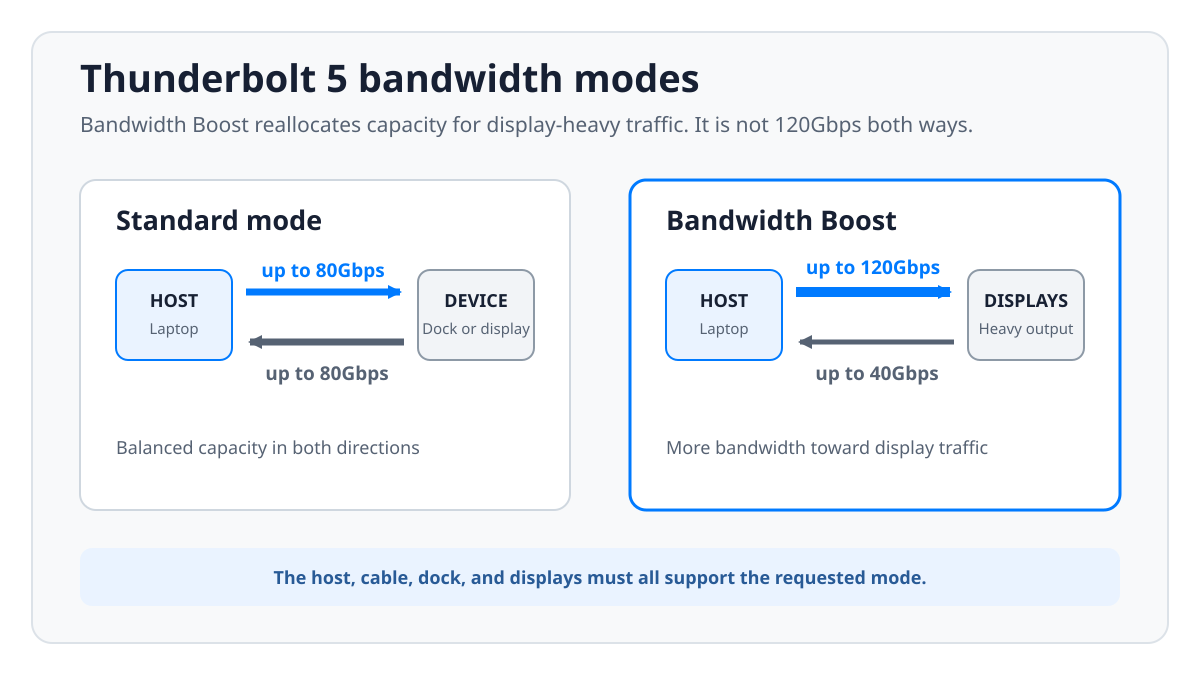
Intel defines the normal Thunderbolt 5 link as 80Gbps of bidirectional bandwidth. In that mode the connection has serious capacity in both directions, which is what fast storage, docks, networking, and other two-way peripherals actually need.
Bandwidth Boost changes how that capacity gets divided. Intel states that the link can provide up to 120Gbps in one direction, and manufacturers such as Plugable and Belkin explicitly describe the remaining direction at 40Gbps. The total lane capability is being redistributed, not increased. It is a 120Gbps connection in one direction, not both, and it should never be translated into a guaranteed file-copy speed.
Intel’s definitions make 80Gbps the core two-way link rating, and 120Gbps a conditional display-bandwidth mode. The mode depends on the host, the cable, the connected display chain, and software support. A certified cable makes the mode possible, and it cannot add Bandwidth Boost to a computer or a dock that lacks it.
Display-resolution headlines deserve the same caution. A manufacturer may list demanding combinations the cable supports, but the laptop GPU, the operating system, the dock topology, Display Stream Compression support, and the monitors all get a vote on whether your setup can use them. Buy for a documented cable capability, then check the display matrix for the host and the dock separately.
Why Cable Length and Active Electronics Matter
High-speed signaling gets harder to preserve as a cable gets longer. Length is therefore something to verify on the exact model, not a cosmetic choice you make at checkout. A short cable can use a completely different design from a long cable sold under the same family name.
The clearest example in this roundup is Cable Matters model 107082. Cable Matters explicitly identifies its 2-meter cable as active, and says the integrated chipset maintains Thunderbolt 5 performance over the longer run. Apple and Plugable explicitly identify their selected 1-meter cables as passive. The Anker, Belkin, OWC, and 1-meter CalDigit pages we cite state no construction type at all, so this guide does not fill the gap with a guess.
Active is not automatically better. Active electronics are a way of preserving the intended signal over a demanding length. For a laptop sitting beside a dock, a 1-meter cable cuts clutter and saves you paying for reach you will never use. For a tower below the desk or a display across the room, an exact certified 2-meter active model is the correct engineering choice.
Measure the real route around the furniture and the strain-relief bends, then buy the shortest verified length that reaches without tension. Do not stretch a cable between ports, hide a tight bend behind a laptop, or add an unverified USB-C extension. An extension adds another connection point, and it can break the certification assumptions the original cable was built on.
When 240W Charging Matters
Every main pick here is rated by its manufacturer for up to 240W, but that number describes what the cable can carry. It does not mean every Thunderbolt 5 cable on the market supports the same power, and it does not force a connected laptop to accept 240W.
The charger, the host port, the cable, and the receiving device negotiate power together, and the final charging level is limited by the weakest part of that chain and by device policy. CalDigit warns that charging behavior depends on the host, and that some computer makers cap charging on their ports. A high-capacity cable is genuinely useful for USB PD 3.1 EPR systems and it makes future upgrades easier, and it still cannot replace a charger with the right output.
An e-marker matters at these power levels, because it communicates cable capability during negotiation. Belkin documents an e-marker with over-voltage protection, and CalDigit states that its cable carries e-marker chips at both ends. Product-level statements like those are worth far more than assuming every 240W cable uses the same internal design.
Backward Compatibility With Older Ports
Thunderbolt 5 cables plug into the same USB-C-shaped port used by Thunderbolt 4, Thunderbolt 3, USB4, and many plain USB-C devices. Plugable, Cable Matters, Belkin, OWC, and CalDigit all list that backward compatibility for the products selected here. Apple lists use with Thunderbolt 3, Thunderbolt 4, Thunderbolt 5, USB4, USB 3, and USB-C devices on its product page.
Backward compatible does not mean every feature survives the trip. Intel rates Thunderbolt 4 at a lower link ceiling than Thunderbolt 5, and a basic USB-C device will negotiate a lower USB mode still. Display output depends on the host exposing a compatible video path, and charging stays subject to the charger and device limits described above.
A verified Thunderbolt 5 cable is therefore a reasonable replacement for an older short cable when you want one well-documented connection to serve several devices. It will not make an older dock faster, and it will not add display support that was never there. If your whole desk stays on Thunderbolt 4, a certified Thunderbolt 4 cable may already cover everything your equipment can use.
How to Avoid Counterfeit or Mislabeled Cables
Start from the exact manufacturer model, not from a generic product photo. Compare the model number, the advertised length, the connector orientation, and the package description against the manufacturer page. Then check whether the official Thunderbolt product database lists the brand and the product family. Not every valid product has an easy database entry, and a record that conflicts with the listing is a reason to stop.
On Amazon, confirm that the ASIN resolves to the same model and the same length. A listing can combine variants, and the selected option can change as the page loads. The Amazon listing establishes product identity and offer state, while maker specifications establish technical claims.
Be skeptical of any title built around compatible with Thunderbolt 5, because compatibility is not certification. Walk away from a listing that pairs a 2-meter photo with a 1-meter model number, claims 120Gbps without explaining Bandwidth Boost, or advertises 240W charging with no clear manufacturer specification behind it.
Frequently Asked Questions
Is a Thunderbolt 5 cable worth buying for a Thunderbolt 4 computer?
It can be, though it will not make a Thunderbolt 4 port run at Thunderbolt 5 speed. Intel rates the older standard at a lower link ceiling, so the host stays the limit no matter what you plug into it. A certified Thunderbolt 5 cable makes sense when you want a well-documented replacement that can move to a newer computer later, especially if its charging and length ratings suit the machine you have now. If everything on your desk will stay on Thunderbolt 4, a correct certified Thunderbolt 4 cable delivers everything the existing host can actually use.
Can a 120Gbps Thunderbolt 5 cable copy files at 120Gbps?
No, and you should not read the 120Gbps number as a bidirectional file-copy rating. Intel describes Thunderbolt 5 as 80Gbps bidirectional. Bandwidth Boost can reallocate lanes for up to 120Gbps in one direction during display-heavy operation, with manufacturers such as Belkin and Plugable describing 40Gbps in the return direction. Real storage throughput then depends on the host controller, the PCIe path, the enclosure, the drive, the file workload, and the software. A cable rating establishes link capability, and it never guarantees a benchmark result.
Do all Thunderbolt 5 cables support 240W charging?
No. Thunderbolt 5 and a 240W charging rating are separate claims, and each one has to be checked on the exact cable. All seven main products here are rated by their manufacturers for up to 240W, but that is a result of how we selected them, not a rule of the standard. Even with one of these cables, the charger and the receiving device must support the appropriate USB PD mode, and the laptop will accept only the power level its hardware and firmware permit.
Can a 2-meter Thunderbolt 5 cable maintain full bandwidth?
Yes, when the exact long cable is designed and certified for it. Cable Matters states that model 107082 uses an integrated active chipset to maintain Thunderbolt 5 performance across its 2-meter length, and the official Thunderbolt database holds a record for that exact long model. None of that evidence extends to an arbitrary 2-meter USB-C cable you find on a marketplace. Verify the length, the active construction where it is claimed, the certification, and the model, rather than trusting appearance.
Will these cables work with ordinary USB-C devices?
The manufacturers generally list backward compatibility with USB-C and with older Thunderbolt or USB modes, though the connection always negotiates down to what both endpoints support. A phone may fall back to a slower USB data mode, a charger may deliver less than the cable’s maximum, and a USB-C port with no video output will not drive a display just because the cable supports DisplayPort. A cable provides a path for supported features. It cannot add a feature that either endpoint is missing.
How can I tell whether a Thunderbolt 5 cable is genuine?
Match four things, which are the manufacturer model, the exact length, the Thunderbolt branding or official product record, and the Amazon ASIN. Check the selected variation once more before you order, because marketplace pages can group several lengths or several cable families under one listing. Avoid anything that says only for Thunderbolt 5 or compatible with Thunderbolt 5. Those phrases can describe a USB4 cable that works at some negotiated mode, and they establish nothing about whether the exact product passed Thunderbolt certification.
How We Research and Select
Each main pick has maker documentation for its exact length, Thunderbolt 5 capability, bandwidth language, charging rating, backward compatibility, and warranty status. Where a maker does not state active or passive construction, the field is left unstated. Where a family contains several lengths, claims apply only to the selected SKU.
Each included Amazon ASIN identifies the product title, model where available, condition, offer state, and merchant. Products with no New offer, an ambiguous length, only generic USB4 evidence, or compatibility wording without Thunderbolt evidence are not recommended.
No cable was physically tested for this article, and no transfer or charging measurement here is presented as our own. The rankings reflect manufacturer specifications, use-case fit, warranty and support terms, exact Amazon model identity, and the absence of unresolved technical contradictions. Offers change, so confirm the selected variation and the seller yourself before ordering.
Honorable Mentions
StarTech TBLT5MM1M240W
StarTech TBLT5MM1M240W is a source-rich 1-meter option. StarTech’s datasheet specifies passive construction, Intel Thunderbolt certification, 80Gbps bidirectional bandwidth, 120Gbps display-oriented Boost Mode, 240W PD EPR, and DisplayPort 2.1 Alt Mode. It missed the main list on a paperwork problem, because the same official datasheet says bothHardware Warranty: Lifetime and Warranty: 2 Years. Until StarTech resolves the contradiction, no warranty duration should be assumed.