Our best USB4 40Gbps cable is the Cable Matters 201304-BLK-1m, whose exact-model product information covers the full decision: 1m copper construction, a manufacturer-rated 40Gbps ceiling, up to 240W USB PD 3.1 EPR, DP Alt Mode, and a USB-IF verification claim. Belkin, StarTech, and Anker are the compact copper alternatives, and OWC is the specialist 3m active optical option. Our USB-C cable guide covers charging-only, lower-speed, and Thunderbolt-specific jobs too.
USB4 does not automatically mean 40Gbps, which is why this page includes only exact SKUs whose makers document that ceiling. Speed, power, display support, certification, construction, connector orientation, length, and warranty all stay separate claims. A 40Gbps label is not a transfer benchmark, and no cable makes a slower host, dock, SSD, or display run faster.
Quick picks
- Cable Matters 201304-BLK-1m: Best overall copper USB4 40Gbps cable.
- Belkin INZ001 0.8m: Best compact 100W Belkin option.
- StarTech 1M-40G-USB4-CABLE: Best exact StarTech 1m alternative.
- Anker 515 A8487 1m: Best exact Anker 1m alternative.
- OWC USB4 Active Optical Cable 3m: Best long active optical run.
Compare USB4 40Gbps cables
| Image | Product | Details | Check Price |
|---|---|---|---|
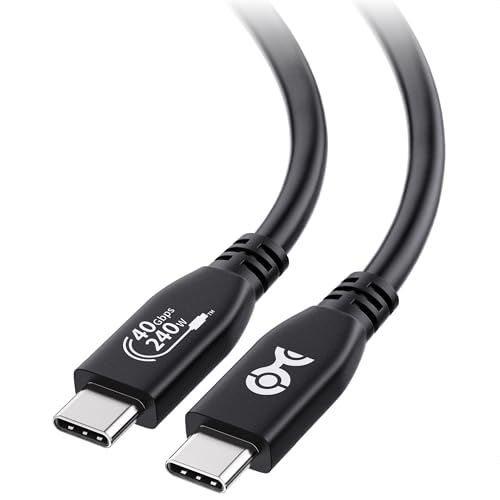 | Cable Matters 201304-BLK-1m | Exact length: 1 m Construction: Compact copper cable Data ceiling: Manufacturer-rated USB4 40Gbps Power/display: Up to 240W; DP Alt Mode documented Buyer check: Endpoints still control speed and display mode | Check Price on Amazon |
 | Belkin INZ001 0.8m | Exact length: 0.8 m Construction: Compact copper cable Data ceiling: Manufacturer-rated USB4 40Gbps Power/display: 100W; exact display ceiling not stated Buyer check: USB4 identity alone does not prove 40Gbps | Check Price on Amazon |
 | StarTech 1M-40G-USB4-CABLE | Exact length: 1 m Construction: Compact copper cable Data ceiling: Manufacturer-rated USB4 40Gbps Power/display: Exact values not stated Buyer check: Verify charging and display fields separately | Check Price on Amazon |
 | Anker 515 A8487 1m | Exact length: 1 m Construction: Compact copper cable Data ceiling: Manufacturer-rated USB4 40Gbps Power/display: Exact values not stated Buyer check: Match exact A8487 record, not another Anker cable | Check Price on Amazon |
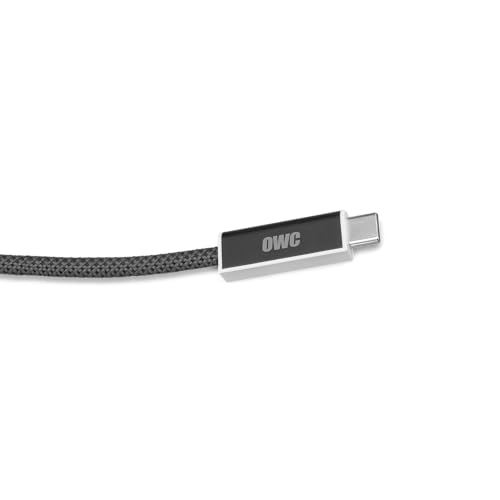 | OWC USB4 Active Optical Cable 3m | Exact length: 3 m Construction: Active optical Data ceiling: Manufacturer-rated USB4 40Gbps Power/display: Exact values not stated Buyer check: Confirm power, display and connector orientation | Check Price on Amazon |
1. Cable Matters 201304-BLK-1m — best overall copper cable
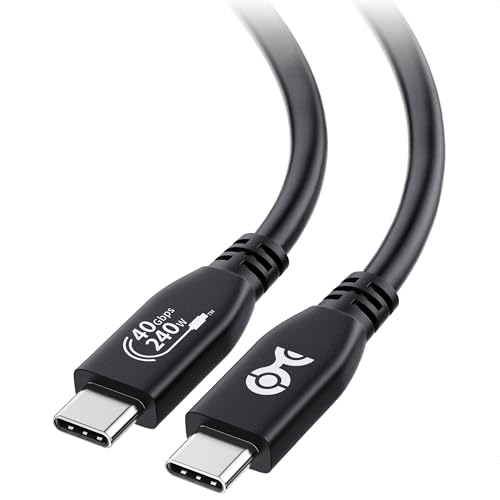
Cable Matters rates exact model 201304-BLK-1m for USB4 40Gbps and up to 240W USB PD 3.1 EPR, and the first-party product information adds DP Alt Mode support and USB-IF verification. With that many fields documented in one place, it is the easiest copper pick to qualify for a short dock, storage, monitor, or high-power laptop connection.
Cable Matters also publishes high-resolution and high-refresh display headlines, and those remain endpoint-dependent ceilings. The host GPU, USB-C port, lane allocation, DSC support, cable, adapter, and monitor input all have to support the selected mode. Buy the one-meter ASIN deliberately, because a longer sibling can carry a different electrical design. Charging is negotiated and establishes nothing about display or data behavior.
Our Take
Choose 201304 when one compact cable has to carry explicit 40Gbps, EPR power, DP Alt Mode, and verification claims. Endpoints below those ceilings stay where they are.
- Manufacturer-rated USB4 40Gbps ceiling
- Up to 240W EPR power capacity
- DP Alt Mode and USB-IF verification stated
- One-meter reach may not suit routed desks
- Display headlines depend on the complete chain
2. Belkin INZ001 0.8m — best compact 100W Belkin option
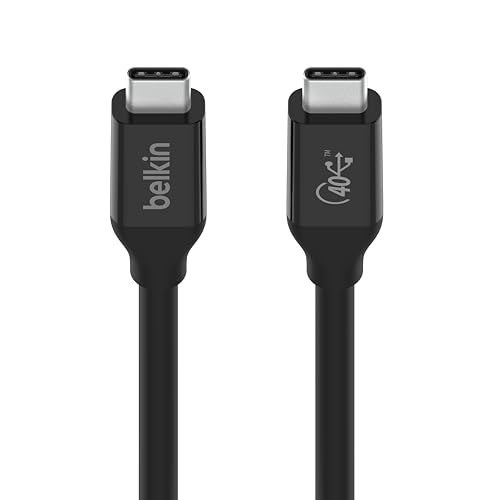
At 0.8m, Belkin INZ001 is the shortest cable on this list. Belkin documents this copper USB4 cable at 40Gbps and up to 100W. For a laptop sitting beside a dock or drive where 100W covers the host, that is a tidy match, and any extra length would only coil up behind the desk.
This page cites no numeric display ceiling, certification claim, connector-orientation rule, or warranty term for this exact SKU, and none is inferred from the USB4 label. Confirm those fields on Belkin’s INZ001 page when the cable will feed a monitor or when a particular warranty forms part of the purchase. Do not confuse INZ001 with Belkin’s INZ002 or INZ003 Thunderbolt 4 cables.
Our Take
Pick INZ001 for a very short 40Gbps copper connection with a documented 100W ceiling. Measure the routed path first, because 0.8m disappears quickly.
- Compact 0.8m length
- Manufacturer-rated 40Gbps USB4
- Documented 100W power ceiling
- Too short for many monitor-arm routes
- Exact display claim is not cited here
3. StarTech 1M-40G-USB4-CABLE — best StarTech exact-model alternative

StarTech puts the central specification in the model name itself: 1M-40G-USB4-CABLE is a 1m copper USB4 cable with a manufacturer-documented 40Gbps ceiling. That explicit identity cuts the risk of grabbing a similar-looking StarTech USB-C cable with a different data class or length.
This page cites no numeric power, display, connector-orientation, certification, or warranty values for this model, so check the exact StarTech data sheet for those fields. It is the right pick where StarTech’s documentation and support route suit an IT purchase, though the manufacturer name creates no faster result than the common 40Gbps path negotiated by the connected equipment.
Our Take
Choose the StarTech model where exact part-number purchasing matters. Carry its uncited power and display values forward as pre-order checks.
- Descriptive exact StarTech part number
- One-meter copper construction
- Manufacturer-rated USB4 40Gbps ceiling
- Power and display values are not cited here
- No speed benefit for slower endpoints
4. Anker 515 A8487 1m — best Anker exact-model alternative

Anker 515 model A8487 is the exact 1m copper USB4 40Gbps cable covered on this page. The model code carries real weight here, because Anker also sells many high-wattage USB-C charging cables whose USB 2.0 data path would not fit this decision. A familiar brand and a USB-C plug are no substitute for the 40Gbps product record.
This page cites no numeric power, display mode, connector orientation, certification, or warranty for A8487, and it attaches no number borrowed from another Anker cable. Choose A8487 once its exact manufacturer page matches the power and display jobs expected from the host and peripheral.
Our Take
Buy A8487 when Anker’s exact 1m 40Gbps USB4 model is what you are after. Never replace it with a charging-focused Anker cable that merely looks similar.
- Exact A8487 identity
- Compact 1m copper construction
- Manufacturer-rated 40Gbps ceiling
- Other numeric fields are not cited here
- Anker family name does not prove capability
5. OWC USB4 Active Optical Cable 3m — best long optical run
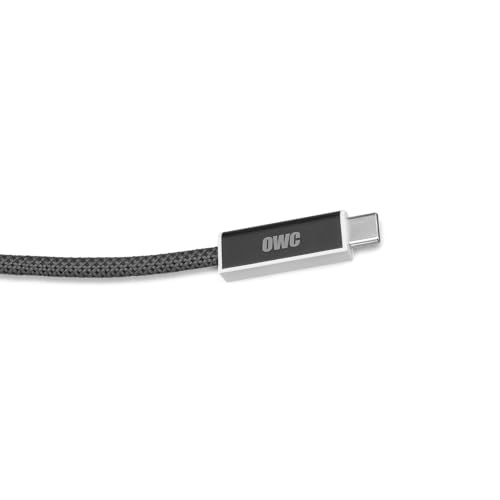
OWC’s exact 3m cable is the specialist here. OWC identifies it as active optical and documents a USB4 40Gbps ceiling. When a host and a high-bandwidth device have to sit farther apart than the compact copper options allow, that construction is the candidate.
Active optical is not simply a longer copper cable. Power behavior, display support, connector orientation, handling radius, and warranty all have to come from OWC’s exact page, and this page cites none of those values, so this guide assumes none of them. Confirm whether the intended device needs bus power through the cable, whether the required display mode is documented, and whether any source/device labeling controls installation.
Our Take
Choose OWC only for a genuine three-meter 40Gbps problem. Where the devices sit together, a shorter copper cable is simpler to route and simpler to qualify.
- Three-meter reach
- Manufacturer-documented active optical construction
- USB4 40Gbps ceiling
- Power and display behavior need exact-page confirmation
- Long optical run is unnecessary for compact setups
How to choose a USB4 40Gbps cable
Read the rate, not just USB4
USB4 is a protocol family with more than one performance class, so a cable labeled USB4 can carry a lower published ceiling. Every pick here has an exact 40Gbps manufacturer rating. Where another listing omits the rate, leave it out of this class rather than promoting it in. Our guide to what USB4 means covers negotiation and tunneling in more detail.
Match copper or active optical to the route
The first four picks are short copper cables running from 0.8m to 1m, while OWC is a 3m active optical cable. Measure the installed path, then choose the simplest exact construction that reaches without strain. Length never implies optical construction, and an active copper cable is not an optical one.
Treat power as an independent requirement
Cable Matters publishes up to 240W for 201304, while Belkin publishes 100W for INZ001, and both are 40Gbps cables. Wattage decides neither data speed nor video. The charger, cable, and device negotiate power together, and no cable ceiling makes the charger bigger.
Require an explicit display record
Cable Matters explicitly documents DP Alt Mode for 201304. For every other pick, work from the exact manufacturer display field rather than assuming the USB4 name guarantees a resolution or refresh. Host graphics, lane allocation, DSC, adapter, cable, and monitor input all carry weight. The high-refresh cable guide maps those dependencies.
Check optical orientation and handling
Active optical products can carry installation details that never apply to short copper cables. This page cites no OWC directional rule or bend specification, so none is claimed here. Read the published OWC instructions before routing it through furniture or a wall, and verify any source/device labels before closing the route.
Keep certification and warranty exact
Cable Matters states USB-IF verification for 201304, and that claim transfers to no other USB4 cable. Warranty terms likewise vary by exact model and sales region. Treat both as product-level evidence rather than assumptions drawn from a protocol or a brand.
Start from the peripheral’s real interface
Check the storage enclosure, dock, or monitor before buying any cable. A 10Gbps SSD gains no transfer speed from a 40Gbps cable, and a display on a lower-bandwidth input gains no unsupported mode. Buy 40Gbps for an endpoint that documents that path, or for one qualified cable serving several known devices, rather than because the largest number feels safer.
Avoid silent charging-only substitutions
USB-C charging cables can look identical while carrying only basic data and no display path at all. Keep the exact model label visible in the cable drawer, especially where the USB4 cable feeds a dock or storage device. Swap in a high-wattage charging cable and laptop power survives while the data or video capability the setup depends on quietly disappears.
Final recommendation
Cable Matters 201304-BLK-1m is the best overall USB4 40Gbps cable because its product information covers data, EPR power, DP Alt Mode, and USB-IF verification in one record. After that, each pick answers a different need: Belkin as the compact 100W option, StarTech and Anker as exact 1m alternatives, OWC as the long active optical specialist. Choose from the whole connection: exact length, construction, data, power, display, orientation, certification, and warranty.