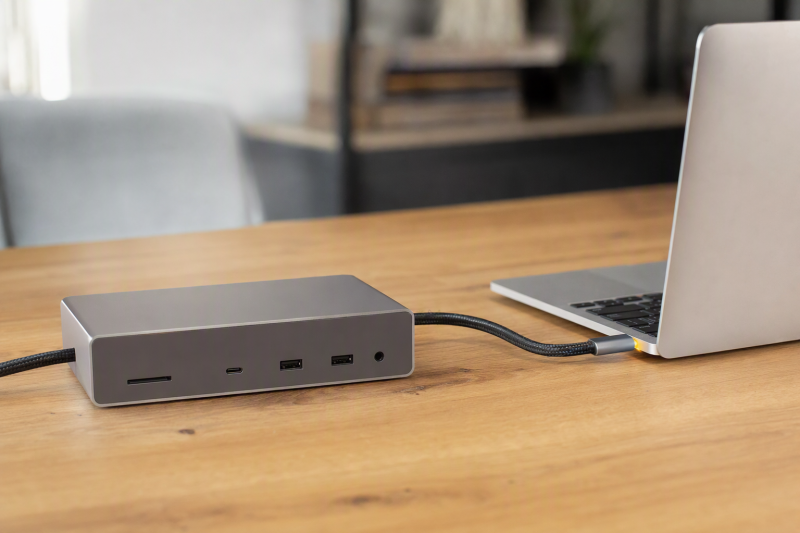
When an up-to-140W dock charging path is a firm requirement, our first choice is the Anker Prime A83B5. Anker documents that ceiling alongside Thunderbolt 5, 2.5GbE, audio, and card readers. Behind it, the UGREEN Revodok Max 2131/U715 is the 13-in-1 alternative, and the CalDigit TS5 Plus suits a desk that can use 10GbE and many fast USB connections. Read all of these as ceiling-based recommendations. Where charging above 100W is optional, our broader MacBook Pro dock guide is the better page.
Understand what a ceiling is before you shop. No dock here guarantees that every MacBook Pro receives or sustains 140W. Negotiation is controlled by the exact Mac model, USB PD 3.1/EPR support, dock power budget, host cable, concurrent port loads, battery state, and macOS power behavior. An up-to-140W path also does not mean the dock always replaces MagSafe or the Apple-supplied adapter. Keep direct power when Apple or the dock maker requires it.
Quick picks
- Anker Prime A83B5: Best overall 140W-class dock with a broad retained TB5 desk role.
- UGREEN Revodok Max 2131 / U715: Best 13-in-1 alternative with a retained M4 Max display branch.
- Plugable TBT-UDT3: Best for three downstream TB5 ports and no fixed video outputs.
- OWC 11-Port Thunderbolt 5 Dock: Best 140W-class choice with separate UHS-II SD and microSD readers.
- CalDigit TS5 Plus: Best for 10GbE and a large 10Gbps USB collection.
Compare MacBook Pro docks with up-to-140W charging
| Image | Product | Details | Check Price |
|---|---|---|---|
 | Anker Prime A83B5 | Manufacturer host ceiling: Up to 140W Mac negotiation check: Exact model, PD 3.1/EPR, cable, battery state Dock-side expansion: TB5, 2.5GbE, audio, dual-format UHS-I readers Display condition: HDMI and DisplayPort mutually exclusive Power-adapter decision: Do not assume MagSafe replacement | Check Price on Amazon |
 | UGREEN Revodok Max 2131 / U715 | Manufacturer host ceiling: Up to 140W Mac negotiation check: Exact model, PD 3.1/EPR, cable, active loads Dock-side expansion: Thunderbolt 5 13-in-1 dock Display condition: Named M4 Max matrix must be matched Power-adapter decision: Keep MagSafe when Mac requires it | Check Price on Amazon |
 | Plugable TBT-UDT3 | Manufacturer host ceiling: Up to 140W Mac negotiation check: Exact model, EPR cable, port loads, macOS Dock-side expansion: Three downstream TB5, 2.5GbE, dual UHS-II Display condition: No native HDMI or DisplayPort Power-adapter decision: Ceiling is not universal delivery | Check Price on Amazon |
 | OWC 11-Port Thunderbolt 5 Dock | Manufacturer host ceiling: Up to 140W Mac negotiation check: Exact model, cable, battery state, concurrent loads Dock-side expansion: Three downstream TB5, dual UHS-II, 2.5GbE Display condition: Host display matrix controls Power-adapter decision: Do not assume supplied-adapter replacement | Check Price on Amazon |
 | CalDigit TS5 Plus | Manufacturer host ceiling: Up to 140W Mac negotiation check: Exact model, cable, power budget, macOS Dock-side expansion: Ten 10Gbps USB ports and 10GbE Display condition: Qualifying TB5 host required for full modes Power-adapter decision: Demanding laptops may need direct power | Check Price on Amazon |
1. Anker Prime A83B5 — best overall 140W-class dock

Anker documents an up-to-140W host path on the Prime A83B5, with Thunderbolt 5 expansion, 2.5GbE, audio, and full-size plus microSD UHS-I readers retained alongside it. For a high-power MacBook Pro desk that also needs broad everyday connectivity, no other frozen combination in this cohort balances as well.
The 140W figure remains a ceiling. Confirm that the exact MacBook Pro accepts the required USB PD 3.1/EPR mode over the selected port, and that the supplied host cable and dock power configuration support the same path. Active peripherals and downstream charging consume the dock’s power budget. Battery state and macOS can change the negotiated draw. Anker also states that HDMI and DisplayPort are mutually exclusive, so display topology must be checked separately.
Our Take
Choose the A83B5 when its power chain and port layout both match the desk you actually have. Keep MagSafe available until the exact Mac, cable, dock load, and macOS behavior prove the dock covers the intended use.
- Manufacturer-documented up-to-140W host path
- Thunderbolt 5, 2.5GbE, and audio
- Two card-reader formats
- 140W is not a universal negotiated result
- HDMI and DisplayPort are mutually exclusive
2. UGREEN Revodok Max 2131 / U715 — best 13-in-1 alternative
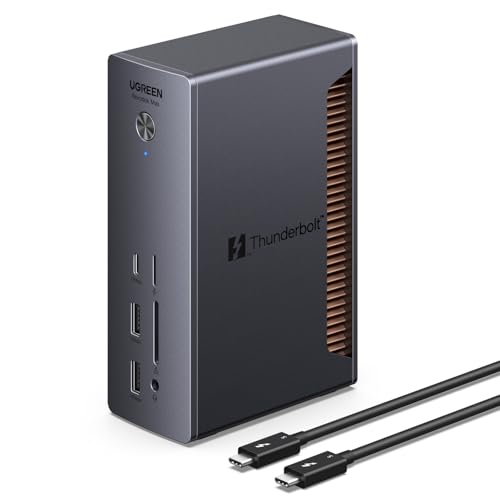
UGREEN documents an up-to-140W host path for the Thunderbolt 5 Revodok Max 2131/U715. Its retained identity is a 13-in-1 dock, and the manager gate also preserves an up-to-dual-4K240 display ceiling for a named M4 Max path. Planning a high-power dock and a specific M4 Max display topology in the same purchase makes UGREEN worth a close look.
Treat the charging and display branches as separate qualifications. A Mac may match the M4 Max display row and still negotiate less than the host-power ceiling because of its power input support, cable, dock power budget, connected devices, battery state, or macOS behavior. The frozen gate does not preserve the exact included power components or complete charging matrix, so do not assume every retail package or cable supports EPR. Do not discard MagSafe on the strength of the headline.
Our Take
Buy the U715 when UGREEN’s published power table names your exact Mac and the complete EPR chain is present. That display headline proves nothing about the charging result.
- Documented up-to-140W host path
- Thunderbolt 5 13-in-1 dock role
- Retained named M4 Max display branch
- Exact included EPR components are not retained
- Charging and display qualifications must be checked separately
3. Plugable TBT-UDT3 — best downstream TB5 expansion

Plugable documents up to 140W host charging, three downstream Thunderbolt 5 ports, 2.5GbE, and separate SD and microSD UHS-II readers. Where high-power host charging needs to sit beside several downstream TB5 devices rather than fixed HDMI or DisplayPort outputs, this is the strongest choice on the list.
Two structural notes first: there is no native HDMI or DisplayPort, and retained evidence excludes Thunderbolt 3. More important for this page, the up-to-140W path still depends on the exact Mac’s EPR acceptance, the supplied power budget, a suitable cable, concurrent TB5 and USB loads, battery state, and macOS. Plugable’s ceiling is not a promise of sustained 140W during every workload and does not automatically replace direct Apple power.
Our Take
Choose Plugable for a downstream-TB5 desk once you have confirmed the exact Mac power row. Where direct video connectors matter, another 140W-class dock will be easier to route.
- Up-to-140W host path
- Three downstream Thunderbolt 5 ports
- 2.5GbE and dual UHS-II readers
- No native HDMI or DisplayPort
- Mac and cable EPR support remain mandatory
4. OWC 11-Port Thunderbolt 5 Dock — best dual-card-reader alternative
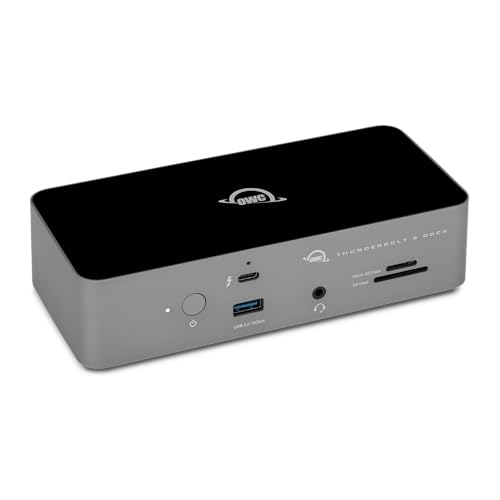
OWC documents up to 140W host charging, three downstream Thunderbolt 5 branches, separate SDXC and microSDXC UHS-II readers, 2.5GbE, and audio. When charging and access to both card formats share top priority on a MacBook Pro desk, this is the best frozen fit.
The power ceiling remains subject to Mac model, USB PD 3.1/EPR negotiation, cable, the dock’s available power budget, attached devices, battery state, and macOS behavior. The card-reader bus ceilings are also not measured or simultaneous transfer results, and display modes remain host dependent. OWC’s retained manual records a Windows Ethernet driver and SDXC re-recognition caveat, though those Windows notes do not create a Mac charging claim.
Our Take
Pick the OWC when two UHS-II formats matter as much as the power ceiling. The 140W label is not evidence that direct MacBook Pro power is obsolete.
- Up-to-140W host path
- Separate SD and microSD UHS-II readers
- Three downstream TB5 branches and 2.5GbE
- Power remains negotiated and load dependent
- Card-reader figures are not measured transfers
5. CalDigit TS5 Plus — best 10GbE alternative
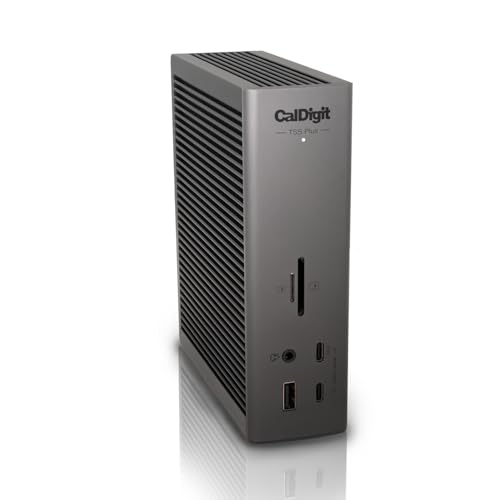
CalDigit documents up to 140W host charging on the TS5 Plus, plus Thunderbolt 5, 20 ports, ten 10Gbps USB ports, 10GbE, SD and microSD UHS-II readers, and DisplayPort 2.1. For a MacBook Pro desk that can genuinely use a fast wired storage network and a large peripheral collection, nothing retained here comes closer.
CalDigit warns that demanding laptops may still need their direct proprietary power. On a MacBook Pro, that means verifying the exact power-input support, EPR cable, dock power configuration, active port loads, battery state, and macOS behavior. Full TB5 and display capabilities require a qualifying host, and every active port shares the upstream path. Neither the 140W nor 10GbE label proves measured workload performance.
Our Take
Choose the TS5 Plus when 10GbE and many fast USB ports justify the dock on their own, then treat 140W as the top of a negotiated range. Keep direct power available for demanding use.
- Up-to-140W host path
- 10GbE and ten 10Gbps USB ports
- Dual UHS-II readers
- Demanding laptops may still need direct power
- Full capability requires a qualifying TB5 host
How to qualify a 140W MacBook Pro dock
Check the Mac’s accepted power path
Start with the exact MacBook Pro model rather than its screen size alone. The computer has to support the necessary USB PD 3.1/EPR input mode over the selected USB-C or Thunderbolt port. A dock that can advertise up to 140W still cannot force a Mac to request it. Apple’s own charging and battery behavior remains part of the result.
Verify the whole power chain
The dock power supply, internal power allocation, host cable, and Mac all have to support the same EPR path, and the weakest link decides the outcome. Where the frozen product record does not identify an included cable or supply configuration, treat that component as unknown and confirm it from the exact package. A cable that works for data or lower charging is not automatically a 140W cable.
Account for dock and peripheral loads
Every USB device, downstream charging port, card reader, network interface, and display draws on the dock’s available power and bandwidth. The manufacturer’s host figure is an up-to ceiling after its documented allocation, not a measured constant under every combination. Battery state and macOS may also lower the requested power.
Decide whether MagSafe stays connected
A one-cable desk is convenient, and it is not the only valid goal. Keep MagSafe or the supplied Apple adapter when the exact Mac needs more than the dock negotiates, when the maker recommends direct power, or when sustained load makes battery behavior unacceptable. This page does not claim charging times or a universal replacement.
Keep display capability separate
Anker’s HDMI and DisplayPort are mutually exclusive. Plugable has neither built in. UGREEN has a named M4 Max high-refresh branch, while OWC and CalDigit retain host-dependent display limits. Not one of those facts changes the power negotiation. Our dual-monitor dock guide covers display topology separately.
Networking is its own line item too. Anker, Plugable, and OWC retain 2.5GbE, while TS5 Plus documents 10GbE. See the 2.5GbE dock guide when Ethernet class matters more than charging.
Final recommendation
The Anker Prime A83B5 is the best balanced 140W-class choice. After that, one need selects each alternative: UGREEN as the 13-in-1, Plugable as the downstream-TB5 pick, OWC as the dual-card-reader option, TS5 Plus as the 10GbE workstation dock. None guarantees universal 140W delivery. Confirm Mac model, PD 3.1/EPR support, power supply, cable, concurrent loads, battery state, and macOS behavior, and retain MagSafe whenever the exact setup needs it.