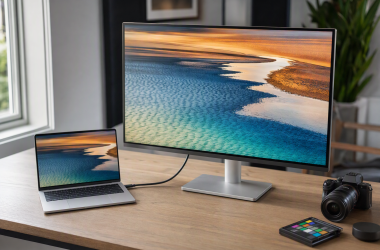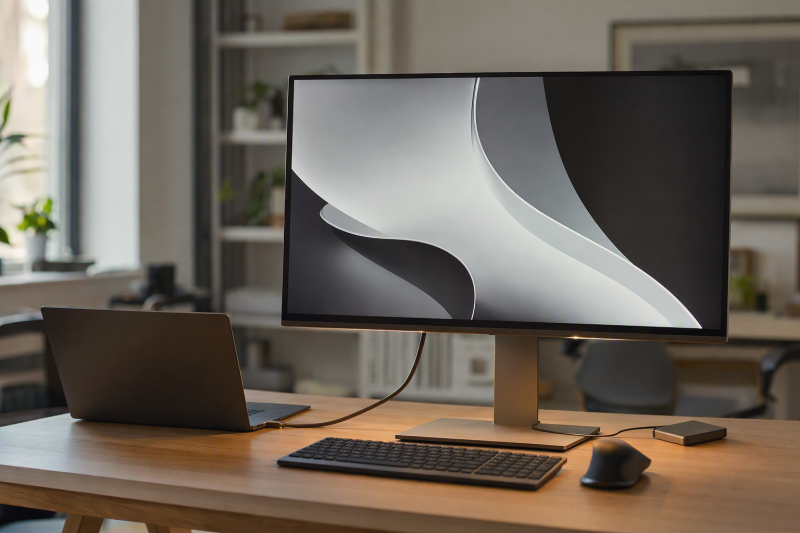
Our best USB-C monitor with 100W or more laptop charging is the Dell UltraSharp U2725QE, which brings together a 27-inch 4K panel, a Thunderbolt 4 hub, a manufacturer-stated 140W EPR ceiling, 2.5GbE, and two documented downstream display routes. U3225QE delivers the same power class in a 31.5-inch 4K format, U4025QW opens up a 39.7-inch 5K2K ultrawide canvas, ViewSonic VP2776T-4K offers 100W with an exact Thunderbolt chain, and VG2458 is the compact 100W docking monitor. Our USB-C monitor guide covers lower-power and simpler displays.
Read the 100W or 140W figure as an offered ceiling. It is not the laptop’s accepted draw, not a battery charging measurement, and not proof that one cable enables every display and hub feature at once. USB PD negotiation, EPR support, cable capability, host port, GPU, lane allocation, DSC, monitor input, and attached peripherals all bear on the result. Manufacturer refresh, color, contrast, HDR, and topology claims stay attributed specifications.
Quick picks
- Dell UltraSharp U2725QE: Best overall compact 140W Thunderbolt 4 hub monitor.
- Dell UltraSharp U3225QE: Best 31.5-inch 4K 140W hub monitor.
- Dell UltraSharp U4025QW: Best 5K2K ultrawide with a 140W ceiling.
- ViewSonic ColorPro VP2776T-4K: Best 100W Thunderbolt chain for two exact-model displays.
- ViewSonic VG2458: Best compact 100W docking monitor.
Compare USB-C monitors with 100W or more charging
| Image | Product | Details | Check Price |
|---|---|---|---|
 | Dell UltraSharp U2725QE | Panel: 27-inch 3840 x 2160 Host input: Thunderbolt 4 upstream with DP 1.4/DSC PD ceiling: Up to 140W EPR Dock features: 2.5GbE plus downstream display routes Buyer check: Host and cable control charge and display topology | Check Price on Amazon |
 | Dell UltraSharp U3225QE | Panel: 31.5-inch 3840 x 2160; up to 120Hz Host input: Thunderbolt 4 upstream PD ceiling: Up to 140W EPR Dock features: KVM and 2.5GbE Buyer check: Ceiling is not the laptop's accepted draw | Check Price on Amazon |
 | Dell UltraSharp U4025QW | Panel: 39.7-inch 5120 x 2160 curved; up to 120Hz Host input: Thunderbolt 4 upstream with DP Alt Mode PD ceiling: Up to 140W EPR Dock features: KVM and 2.5GbE Buyer check: Resolution and refresh depend on exact input path | Check Price on Amazon |
 | ViewSonic ColorPro VP2776T-4K | Panel: 27-inch 3840 x 2160 Host input: Thunderbolt 4 input PD ceiling: Up to 100W Dock features: Thunderbolt out with exact chain conditions Buyer check: Host display count and certified cables control chain | Check Price on Amazon |
 | ViewSonic VG2458 | Panel: 24-inch 1920 x 1080 Host input: USB-C DP Alt Mode and data PD ceiling: Up to 100W Dock features: RJ45, USB-C display out and 5-port USB hub Buyer check: Exact host, chain and cable conditions still apply | Check Price on Amazon |
1. Dell UltraSharp U2725QE — best overall compact 140W hub monitor

Dell documents a 27-inch 3840 x 2160 Thunderbolt 4 hub monitor. Its upstream port carries DisplayPort 1.4 with DSC, offers up to 140W EPR, and supports Dell’s two-lane/four-lane switching, with 2.5GbE on the hub. For downstream displays, Dell documents both DisplayPort 1.4 output and a Thunderbolt 4 downstream port marked for daisy chain.
Two routes are not one universal second-monitor promise. A Windows MST path through DisplayPort out and a supported Thunderbolt chain carry different host and OS conditions, and Dell publishes no single two-display resolution ceiling on its product page. The host, cable, display engines, lane mode, DSC, and second monitor all have to match. Accepting more than 100W also requires compatible EPR negotiation on the laptop.
Our Take
Choose U2725QE when a compact 4K screen, a 140W-class host path, 2.5GbE, and flexible downstream display routes all belong on one desk. Qualify the exact chain instead of counting ports.
- 27-inch 4K format
- Thunderbolt 4 upstream up to 140W EPR
- 2.5GbE plus DP and Thunderbolt display outputs
- No universal dual-display mode is listed
- EPR requires a compatible host and cable
2. Dell UltraSharp U3225QE — best 31.5-inch 4K 140W option
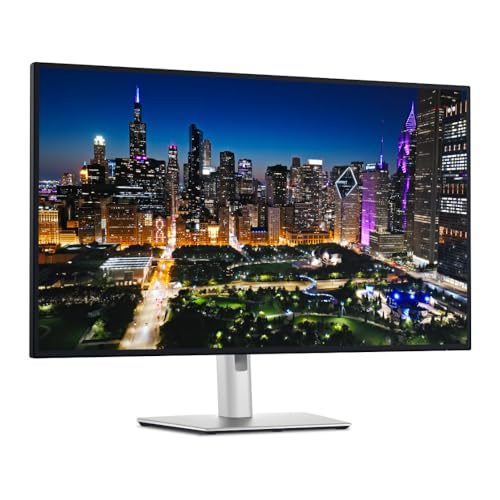
Dell documents a 31.5-inch 3840 x 2160 IPS Black panel with an up-to-120Hz ceiling. Its Thunderbolt 4 upstream port offers up to 140W EPR, while downstream Thunderbolt 4 and DisplayPort output serve exact qualified display routes. KVM functionality, 2.5GbE, and USB-A and USB-C hub ports round out the package.
What separates it from U2725QE is the larger panel, not a better result on every desk. Dell’s 120Hz, contrast, color, and power values are manufacturer specifications, and actual refresh comes down to host graphics, input selection, cable, operating system, and chosen mode. A 140W ceiling neither means the laptop accepts 140W nor that charging holds at that level under every condition.
Our Take
Pick U3225QE when a larger 4K canvas and full hub features earn the desk space. Confirm EPR and the selected 120Hz path against the exact laptop.
- 31.5-inch 4K panel
- Dell-stated 120Hz and 140W ceilings
- KVM, 2.5GbE, and broad USB hub
- Larger footprint than the 27-inch Dell
- Host path controls refresh and accepted power
3. Dell UltraSharp U4025QW — best 5K2K ultrawide with 140W

Dell documents a 39.7-inch curved 5120 x 2160 IPS Black panel with an up-to-120Hz ceiling. Thunderbolt 4 upstream carries DisplayPort Alt Mode and offers up to 140W EPR, with DisplayPort 1.4 and DSC, a USB hub, KVM, and 2.5GbE listed alongside. On this list, it is the one screen that replaces a much wider desktop workspace.
That panel ceiling is not a universal Thunderbolt result. Dell ties high-resolution, high-refresh operation to exact input conditions, and the host GPU, DSC support, cable, lane allocation, and selected mode control what appears. Do not infer 120Hz over every input, universal Mac scaling, a gaming result, HDR performance, or color accuracy. The 140W EPR offer stays separate from display bandwidth.
Our Take
Choose U4025QW when the 5K2K ultrawide canvas is the reason you are buying and the exact host supports its intended mode. The larger charging number is no reason on its own.
- 39.7-inch 5120 x 2160 curved panel
- Thunderbolt 4 up to 140W EPR
- KVM, USB hub, and 2.5GbE
- Maximum resolution/refresh is host and input dependent
- Requires much more desk width
4. ViewSonic ColorPro VP2776T-4K — best exact 100W Thunderbolt chain
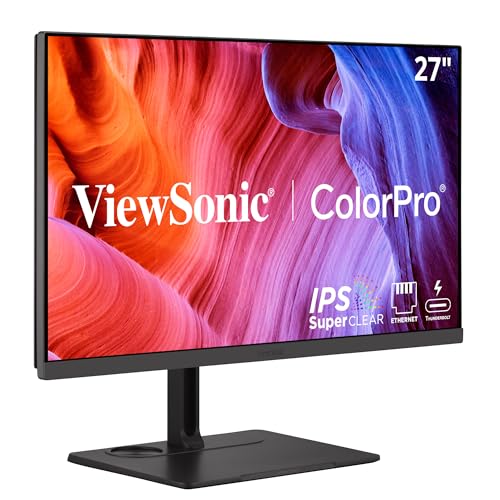
ViewSonic documents a 27-inch 3840 x 2160 Thunderbolt 4 display whose Thunderbolt input carries video, data, and up to 100W depending on the source device. The downstream Thunderbolt port offers up to 15W, and ViewSonic documents an exact-model chain of up to two VP2776T-4K monitors at 3840 x 2160 60Hz.
Strict boundaries come with that chain. Graphics compatibility controls the number of displays, the laptop’s internal screen can count as one, and ViewSonic requires certified Thunderbolt 4 cables. The dual-4K60 statement covers the named VP2776T-4K configuration, not every ColorPro monitor and not every host. Manufacturer color claims stay attributed rather than independent measurements.
Our Take
Pick VP2776T-4K when 100W covers the laptop and the exact documented two-monitor Thunderbolt chain matches the host. Its chain ceiling is far clearer than a vague downstream-port claim.
- 27-inch 4K Thunderbolt display
- Up to 100W host power
- Exact dual VP2776T-4K 4K60 chain documented
- Host active-display count still controls
- Certified Thunderbolt 4 cables are required
5. ViewSonic VG2458 — best compact 100W docking monitor
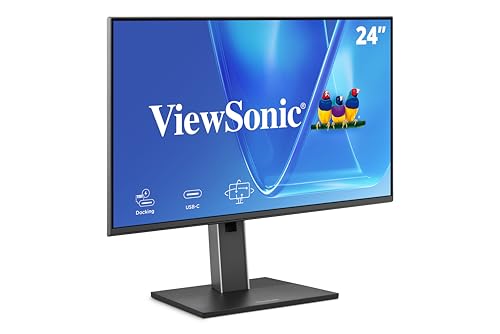
ViewSonic documents a 24-inch 1920 x 1080 docking monitor with USB-C DisplayPort Alt Mode/data and up to 100W, plus RJ45, USB-C display output, and a five-port USB hub. Where network and peripheral consolidation outrank 4K resolution or a 140W EPR path, this is the compact choice.
That downstream USB-C display connector establishes no universal second-monitor mode. This page gives no exact chain resolution, refresh, OS matrix, or cable-in-box promise, so none is invented here. Confirm the host’s display count, USB-C video output, cable, network requirements, and target downstream monitor. The 100W ceiling remains negotiated as well.
Our Take
Choose VG2458 for a compact FHD one-cable office desk with Ethernet and a substantial hub. Consult ViewSonic’s exact chain table before adding another display.
- Compact 24-inch FHD panel
- USB-C up to 100W
- RJ45, USB-C display out, and five-port USB hub
- Lower resolution than the other four picks
- Exact downstream mode must be confirmed
How to choose a 100W or 140W monitor
Compare the ceiling with the laptop’s accepted profile
The three Dell monitors offer up to 140W EPR, and the two ViewSonic monitors offer up to 100W. Start from the laptop’s USB-C or Thunderbolt charging specification. A host that accepts only 100W will not take 140W just because the monitor offers it, while a performance laptop expecting more than 100W may gain from a qualified EPR path.
Use an EPR-capable cable where required
Anything above 100W requires the complete USB PD EPR path: a compatible monitor, cable, host port, and laptop. A data-capable USB-C cable carrying a lower power class quietly becomes the charging limit. Use the manufacturer’s required cable, and never infer 140W from connector shape.
Keep panel and charging decisions separate
U2725QE and VP2776T-4K are 27-inch 4K displays, U3225QE is 31.5-inch 4K, U4025QW is a 39.7-inch 5120 x 2160 ultrawide, and VG2458 is 24-inch FHD. Settle resolution, size, scaling, and desk fit first, then check whether the power ceiling meets the host.
Map the exact display topology
Dell U2725QE exposes DisplayPort and Thunderbolt downstream paths, ViewSonic VP2776T-4K has an exact dual-model Thunderbolt chain, and VG2458 has USB-C display out. Three different routes, and in each case host display engines, operating system, DSC, cables, and monitor inputs keep control. Our Thunderbolt monitor guide covers the wider certified-display ecosystem.
Budget hub bandwidth and network class
U2725QE, U3225QE, and U4025QW document 2.5GbE, while VG2458 documents RJ45 without a higher stated class here. USB devices, Ethernet, displays, and other dock traffic all share the host connection and internal design, and port labels remain ceilings rather than measured simultaneous throughput. See monitors with built-in docking stations for the monitor-versus-dock tradeoff.
Keep refresh and color attributed
Dell states up to 120Hz for U3225QE and U4025QW on exact paths, and ViewSonic documents dual 4K60 for the named VP2776T-4K chain. Neither statement is measured gaming, latency, HDR, or color performance. Match the exact input mode, and read maker color or contrast figures as specifications.
Does a 140W monitor charge every laptop at 140W?
No. The monitor offers a ceiling, the cable carries a supported class, and the laptop accepts a negotiated profile. A 100W-only host stays at its supported level. Some laptops use proprietary charging or need their original adapter for maximum performance, so read the exact laptop manual before retiring it.
Final recommendation
Dell U2725QE is the best overall choice for a compact 4K desk needing a 140W EPR-class host path, 2.5GbE, and flexible downstream displays. After that, one requirement selects each alternative: U3225QE for a larger 4K panel, U4025QW for 5K2K ultrawide workspace, VP2776T-4K for an exact 100W dual-monitor Thunderbolt chain, VG2458 for compact FHD docking. Power offered, power accepted, panel mode, cable, hub, network, and display topology all qualify independently.