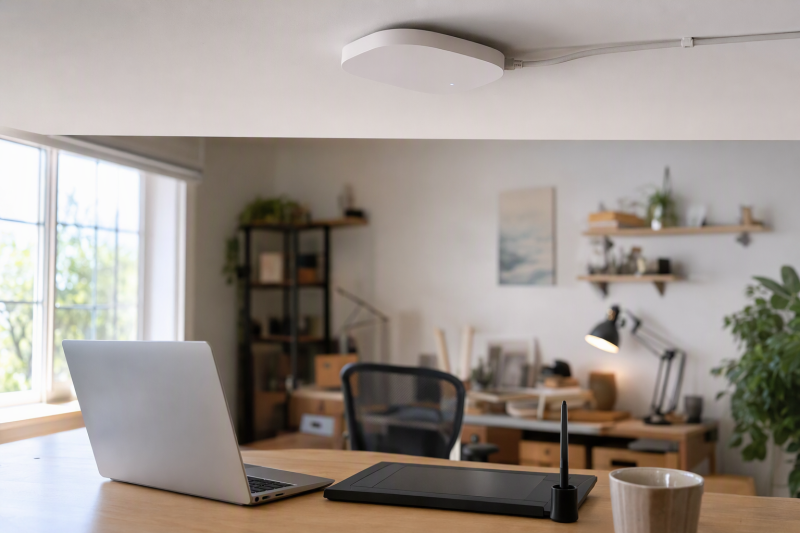
A creator studio often grows beyond the corner where the home router first landed. A drawing tablet, phone, camera, editing laptop, and guests may all need reliable Wi-Fi while large project files move to a wired workstation or NAS. A dedicated access point (AP) can put wireless coverage where the work happens, fed by Ethernet from the existing network. It is not a replacement for the router that assigns addresses and connects the home to the Internet.
These six access points span simple local setup, controller-based networks, different power options, and Wi-Fi 5 through Wi-Fi 7. The useful choice depends more on where you can run Ethernet, what powers the ceiling or wall location, and how you will manage the network than on a combined wireless speed label. No coverage, throughput, or roaming result was measured in a particular home.
Plan the Ethernet path and power source before choosing an AP. A fast radio in the wrong location, or without a compatible PoE source, will not fix a weak studio connection.Studio Access Points Compared
| Image | Product | Details | Check Price |
|---|---|---|---|
 | TP-Link EAP650 | Wireless: Wi-Fi 6 AX3000 Wired uplink: Gigabit Power: PoE+ or included DC Management: Standalone or Omada | Check Price on Amazon |
 | NETGEAR WAX210PA | Wireless: Wi-Fi 6 AX1800 Wired uplink: Gigabit Power: PoE or included DC Management: Local browser | Check Price on Amazon |
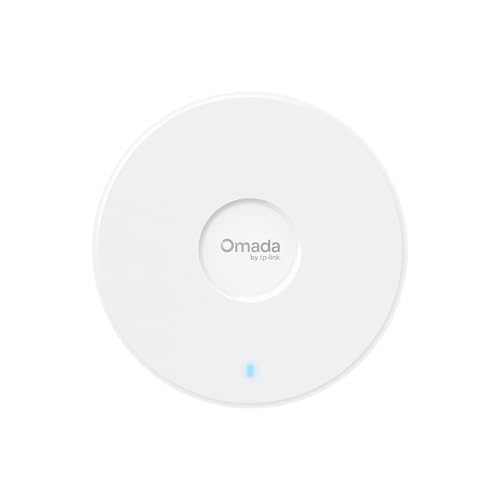 | TP-Link EAP720 | Wireless: Wi-Fi 7 dual-band Wired uplink: 2.5G Power: PoE+ or included DC Management: Omada options | Check Price on Amazon |
 | TP-Link EAP610 | Wireless: Wi-Fi 6 AX1800 Wired uplink: Gigabit Power: PoE+ or included DC Management: Standalone or Omada | Check Price on Amazon |
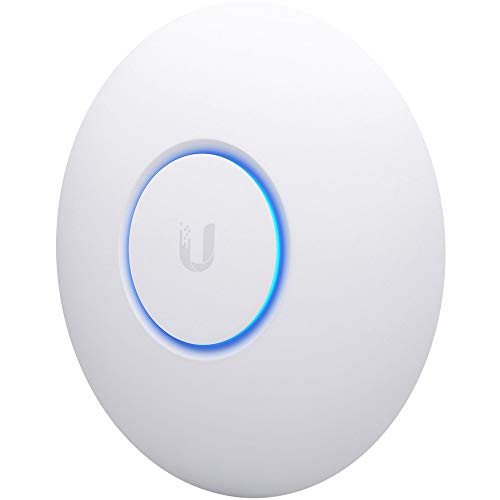 | Ubiquiti UniFi nanoHD | Wireless: Wi-Fi 5 AC Wired uplink: Gigabit Power: PoE adapter listed Management: UniFi Network | Check Price on Amazon |
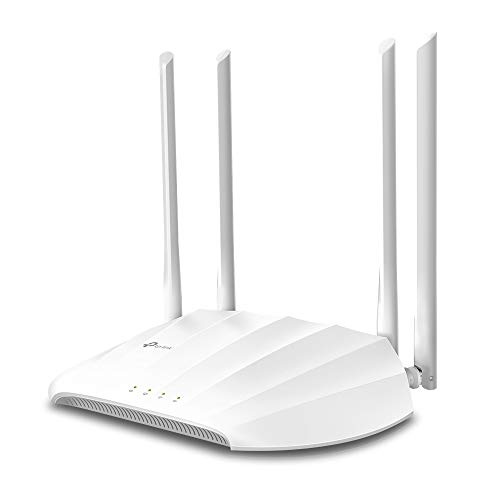 | TP-Link TL-WA1201 | Wireless: Wi-Fi 5 AC1200 Wired uplink: Gigabit Power: Passive PoE adapter Management: AP/client/extender modes | Check Price on Amazon |
1. TP-Link EAP650 — Best Wi-Fi 6 Omada Starting Point
EAP650 is a compact dual-band Wi-Fi 6 AX3000 access point designed for ceiling mounting. The checked listing includes a 12V/1.5A DC adapter and names 802.3at PoE+ and 48V passive PoE as alternatives. That flexibility helps when a studio has Ethernet but no PoE switch yet. Verify the exact hardware revision and power source before installation. Its Wi-Fi 6 radio can serve a mix of recent laptops and phones, but a client must support the relevant features to benefit from them.
TP-Link lists standalone management as well as Omada controller options. Omada Mesh and managed roaming need an Omada SDN controller, according to the maker’s product notes. Buying one AP does not by itself create a managed multi-AP system. The EAP650 has a Gigabit Ethernet uplink in the maker specification, so the AX3000 headline is not an end-to-end file-transfer promise. Place it where the studio needs coverage and keep the NAS or main editing machine wired for heavy transfers.
Our Take Choose EAP650 as a first dedicated AP if you want Wi-Fi 6 and a choice between DC or PoE+ power. Plan controller features separately.
- DC adapter included in checked listing.
- PoE+ and standalone/Omada management options.
- Compact ceiling-oriented design.
- Gigabit wired uplink.
- Managed roaming requires a controller.
2. NETGEAR WAX210PA — Best Local Browser Setup
NETGEAR’s WAX210PA is a Wi-Fi 6 AX1800 AP with one Gigabit Ethernet port. This specific PA listing includes a power adapter. The maker also says it can be powered from a compatible PoE switch. It explicitly requires an existing router and Ethernet connection and is not sold as a router or repeater. The router requirement makes the purchase boundary unusually clear for someone adding studio coverage rather than replacing the whole network.
The listing describes setup from a local web browser, up to four SSIDs, and WPA2 and WPA3 options. NETGEAR’s product page calls it locally managed, so a home creator who does not want another network-controller account has a straightforward path. Separate SSIDs alone do not prove full network isolation. Configure the router and VLANs if guests must be kept away from studio storage. The stated area and client counts are manufacturer claims, not a measured guarantee through walls and equipment racks.
Our Take Choose WAX210PA if you want a standalone Wi-Fi 6 AP set up from a local browser, with the adapter included. Four network names do not mean four isolated networks.
- Browser-based local management stated.
- Power adapter included with PA variant.
- Four SSIDs available.
- Gigabit uplink only.
- Existing router and wired run required.
3. TP-Link EAP720 — Best Dual-Band Multi-Gig Uplink
The EAP720 brings a 2.5G Ethernet port and dual-band Wi-Fi 7 to an AP with managed or standalone options. Its listing names 802.3at PoE+ and DC power, with an adapter included, and gives a PoE power-consumption figure of 17.83W. The multi-gig port is useful for a studio already using a 2.5GbE switch and compatible newer laptops. The link still depends on switch capacity, cabling, client radios, and radio conditions. The port does not make a Gigabit Internet plan faster.
The listed Wi-Fi 7 bands are 2.4 GHz and 5 GHz, and 6 GHz is not listed for this model. Do not buy it assuming a third band. Omada management adds centralized configuration, while the product listing describes additional network features such as VLAN and bandwidth controls. Check which functions need a controller and which work in standalone mode before designing a guest or equipment network around them. If your clients remain Wi-Fi 5 or 6 and your wired switch is Gigabit, the extra radio and port capacity may sit unused.
Our Take Choose EAP720 if your studio network already has multi-gig wiring and you want a Wi-Fi 7 AP without needing 6 GHz. Its 2.5G port is its main advantage.
- 2.5G wired uplink.
- PoE+ or included DC adapter.
- No 6 GHz band stated.
- Advanced Omada features may need controller planning.
4. TP-Link EAP610 — Best Modest Wi-Fi 6 Omada Build
EAP610 is the AX1800 Wi-Fi 6 member of this Omada group, with a compact ceiling-mount form and a DC adapter in the checked offer. The listing also gives 802.3at PoE+ and passive PoE options. If you want one extra wireless cell for a small studio, rather than the higher advertised wireless class of EAP650 or the 2.5G port of EAP720, EAP610 covers that simpler role. Its Ethernet backhaul should be run to the router or a switch, not confused with a power-only cable.
TP-Link says it can operate standalone, but Omada Mesh and managed roaming require an SDN controller. That distinction is important when placing two APs at opposite ends of a workspace. Roaming is also a client behavior, so it should be tested with your actual laptop and phone rather than inferred from a feature badge. The listing calls it the V2 model. Check that the unit shipped matches the revision and that its power and documentation match before mounting it.
Our Take Choose EAP610 for a modest Wi-Fi 6 Omada expansion when coverage placement counts for more than buying the largest radio class.
- DC adapter and PoE+ choices listed.
- Standalone operation or Omada integration.
- Controller needed for named mesh/roaming features.
- Lower advertised wireless class than EAP650.
5. Ubiquiti UniFi nanoHD — Best Existing UniFi Fit
The nanoHD is a compact Wi-Fi 5, 802.11ac Wave 2 AP with a Gigabit wired uplink and PoE power. Ubiquiti’s technical sheet lists its mounting options, a PoE adapter, and UniFi Network application requirements. It can be a logical extension if you already use UniFi network management and want another matching wireless cell without replacing the router. The optional covers described in the listing are a placement detail, not a performance feature.
The nanoHD is an older wireless generation than the Wi-Fi 6 or 7 options here. The listing’s large number of concurrent clients is not a measured throughput target for simultaneous uploads, streaming cameras, and video calls. Confirm the included adapter, software version, and support path for the exact unit and seller before buying an older AP. Someone starting a new Wi-Fi system from scratch may find EAP650 or WAX210PA easier to justify than adopting an additional management stack only for this one device.
Our Take Choose nanoHD as an addition to an existing UniFi installation. Its compact shape does not remove the Wi-Fi 5 tradeoff.
- Compact ceiling/wall form and published tech sheet.
- Matches an existing UniFi management setup.
- Older Wi-Fi 5 radio.
- PoE and UniFi Network setup need planning.
6. TP-Link TL-WA1201 — Best Simple Multi-Mode Placement
TP-Link lists the TL-WA1201 as an AC1200 Wi-Fi 5 AP with a Gigabit Ethernet port and four external antennas. Unlike the ceiling-mount Omada units, it can sit where a small router would normally sit. The listing names AP, client, multi-SSID, and range-extender modes. In AP mode, Ethernet carries the studio network to the chosen spot. Extender mode is a different compromise that relies on wireless backhaul, and it should not be mistaken for an equivalent wired AP.
The checked listing says this model uses passive PoE with a provided adapter. Passive PoE is not the same standard as the 802.3at PoE+ cited for the Omada models, so do not assume a switch port or injector is interchangeable. Its listed security options are WPA and WPA2. Verify the exact firmware and security capabilities if WPA3 is a requirement. The external antenna placement can help in a narrow room, but no advertised coverage claim substitutes for checking signal at the editing desk.
Our Take Choose TL-WA1201 for AP mode when physical placement and an included passive-PoE adapter suit the room. Mind the older radio and power standard.
- AP mode plus alternate client/extender modes.
- Gigabit Ethernet and external antennas.
- Passive-PoE adapter listed.
- Wi-Fi 5 generation.
- Passive PoE must not be confused with PoE+.
Buying Guide: Place the AP Where the Work Happens
Wire the backhaul before comparing radio labels
An AP works best when its Ethernet backhaul reaches the existing router or switch. Plan that cable route to the studio, and put the AP where laptops and phones need coverage rather than where cabling is easiest. The WAX210PA explicitly requires a wired uplink and an existing router. The other APs serve the same basic role in AP mode. A wireless mesh hop may be useful where cable is impossible, but it adds another radio path and, with Omada, can require controller setup.
For large media files, keep the editing machine and NAS on wires when practical. A 2.5G AP uplink only helps if the switch and client path can use it. EAP720’s port does not create multi-gig speeds over an older Gigabit switch. Our USB-C docking station guide covers fixed laptop Ethernet connections, while the USB-C hub guide addresses portable local ports. Neither replaces proper AP placement.
Confirm PoE class, adapter, and management plan
PoE is not one interchangeable power setting. EAP650, EAP610, and EAP720 list 802.3at PoE+ options. The nanoHD uses PoE, and TL-WA1201 lists passive PoE through its provided adapter. Check the exact model and revision requirements before combining an AP with a switch or injector. Several checked offers include a DC adapter, which may be easier for a shelf installation but requires a nearby outlet. Wall or ceiling mounting changes the power and cable plan.
Choose management deliberately. WAX210PA has a local browser setup path, while the Omada models can run standalone or join controller management. Some mesh, roaming, and portal features specifically require the Omada SDN controller. nanoHD is designed for UniFi Network. One AP does not need a complex controller just to improve coverage. Multiple coordinated APs may make a managed system useful. Avoid buying a second ecosystem without a reason.
Separate guest devices from studio storage
A guest SSID can keep a visitor off the primary network name, but full isolation depends on the AP, switch, and router configuration. WAX210PA lists four SSIDs. Omada product pages list VLAN and policy features. Decide whether clients need only different passwords or a separate network that cannot reach a NAS. A separate SSID without the right network rules may still permit access to the same wired storage.
Use WPA2 or WPA3 modes your actual clients support and keep the firmware updated. Coverage and interference depend on walls, neighbors, channel choices, and client radios as well as the AP’s AX or BE number. Test at the editing desk, call area, and doorway, then adjust placement or channels. If the Internet upload is the bottleneck, a faster AP alone will not speed cloud backups or video calls.
Frequently Asked Questions
Can an access point replace my router?
Not for the normal home-network job. An AP adds Wi-Fi to an existing network, while the router handles the Internet connection, address assignment, and usually firewalling. NETGEAR explicitly labels WAX210PA as neither router nor repeater and says it needs an existing router and Ethernet. The listed Omada and UniFi APs are similarly intended to join a network.
If the router’s Wi-Fi is weak, you can often leave its routing function in place and add a wired AP nearer the studio. Plan network names and channel overlap so clients do not stay on a distant signal. A standalone AP is not automatically a whole-home mesh system.
Do I need PoE to use one of these APs?
Not always. EAP650, EAP610, EAP720, and WAX210PA checked offers include power adapters, so an outlet may suffice. nanoHD’s maker tech sheet lists a PoE adapter. TL-WA1201’s listing says passive PoE via its provided adapter. Verify exactly what is in the box you receive before mounting the unit.
PoE can be tidier for ceiling placement because one cable carries data and power. Match the AP’s standard and power budget to the switch or injector. Do not plug a passive-PoE expectation into an 802.3at plan without checking compatibility.
Will Wi-Fi 7 make studio uploads faster?
Uploads get faster only if the rest of the path supports it. EAP720’s Wi-Fi 7 radio and 2.5G uplink do not raise the speed of the Internet plan. Compatible clients, channel conditions, switch ports, and destination storage all affect the speed you get. Its listing names 2.4 and 5 GHz bands, not 6 GHz.
For a local NAS, a faster AP may help a compatible wireless laptop, but a wired editing machine is usually the more predictable setup. Measure the actual work transfer or call quality before paying solely for a headline radio class.
Bottom Line
Choose TP-Link EAP650 for a flexible Wi-Fi 6 starting point with DC or PoE+ power, NETGEAR WAX210PA to keep management local and simple, or EAP720 if your studio is already set up for 2.5GbE. The first purchase decision is still where the Ethernet and power will reach.