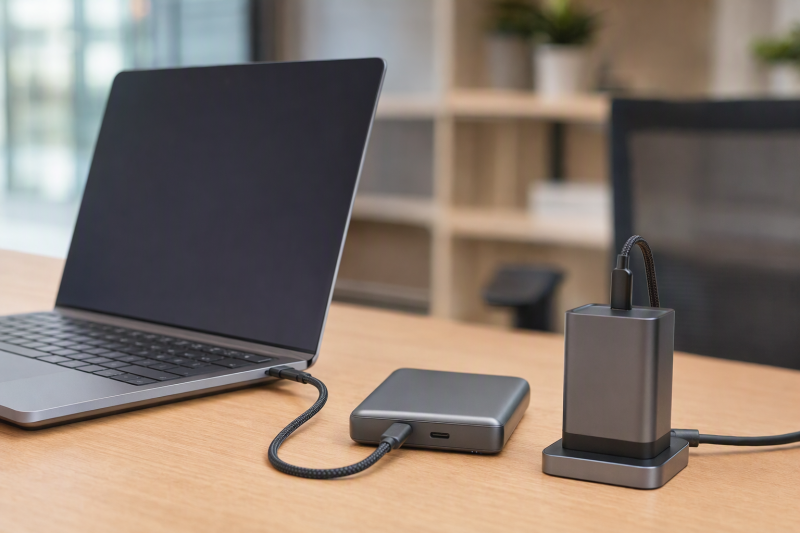
Every listing here states a one-foot cable and either 100W or 240W charging, and each fits a charger, power bank or laptop placed within arm’s reach. The wattage is a cable rating, not a result for every device, because the charger and the device set the power they use. For longer runs, see our USB-C cable guide; for power sources, see our USB-C charger guide.
Measure the distance first, then match the cable’s stated power, data and display limits to that one-foot connection.Short USB-C Cables Compared
| Image | Product | Details | Check Price |
|---|---|---|---|
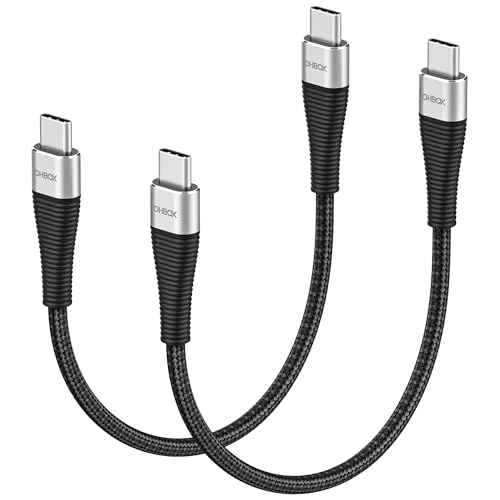 | ohbox 1-Foot 100W USB-C Cable | Best fit: Basic one-foot charging connection Length: 1 ft; two-pack Stated power: Up to 100W Data: Up to 480Mbps Buyer check: No video mode stated | Check Price on Amazon |
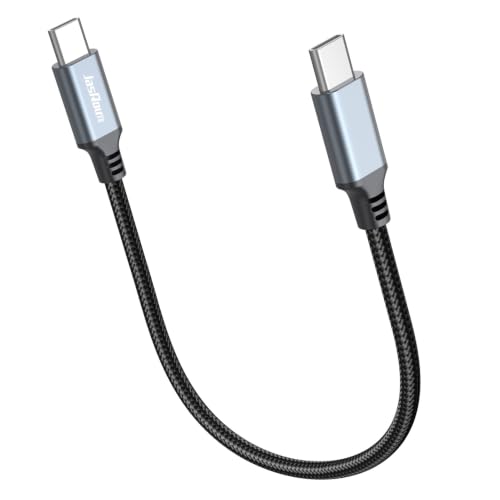 | JasRoum 1-Foot 100W USB-C Cable | Best fit: One-foot power-bank cable Length: 1 ft Stated power: 100W, 20V/5A Data: 480Mbps Buyer check: Actual device power can be lower | Check Price on Amazon |
 | INIU 1-Foot 240W USB-C Cable | Best fit: Two short 240W cables with LED indicator Length: 1 ft plus 1 ft Stated power: Up to 240W Data: USB-C data transfer; no rate stated Buyer check: A compatible 240W charger is needed for the 240W figure | Check Price on Amazon |
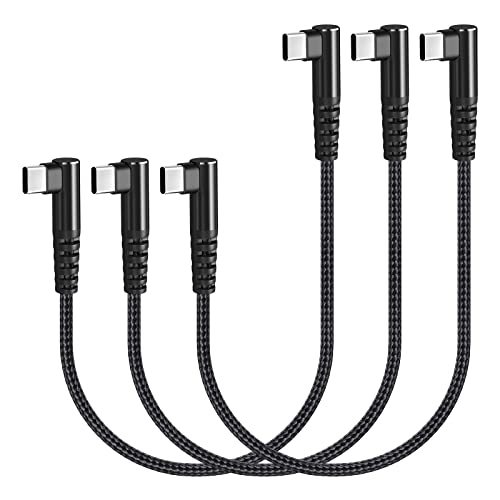 | Osecet Right-Angle 1-Foot 100W USB-C Cable | Best fit: Right-angle cable for a power bank Length: 1 ft; three-pack Stated power: Up to 100W, 20V/5A Data: Up to 480Mbps Buyer check: Listing says no media display | Check Price on Amazon |
 | Silkland 1-Foot 240W USB-C Cable | Best fit: Two short PD 3.1 cables Length: 1 ft; two-pack Stated power: Up to 240W, PD 3.1 Data: No rate stated; not a USB 3.0 cable Buyer check: Actual charging speed depends on device and charger | Check Price on Amazon |
 | ZeroneTeck Right-Angle 1-Foot USB-C Cable | Best fit: Short cable with data and display claims Length: 1 ft / 30cm Stated power: Up to 100W Data: 20Gbps Buyer check: 4K 60Hz stated; asks for DP Alt Mode | Check Price on Amazon |
1. ohbox 1-Foot 100W USB-C Cable — Best Basic One-Foot Charging Connection
ohbox lists a two-pack of one-foot USB-C-to-USB-C cables with 100W maximum charging at 20V/5A and up to 480Mbps data. It fits two nearby charging positions, and Amazon’s warranty field gives 2 years.
ohbox does not state a video mode, so confirm video support with the seller before using it with a monitor.
ohbox names MacBook Pro and MacBook Air among compatible USB-C devices. The stated data figure is 480Mbps. Confirm the charger and laptop separately before choosing it for a short charging lead.
Our Take Choose the ohbox two-pack when two nearby devices need one-foot cables with stated 100W charging and 480Mbps data.
- ohbox lists two one-foot cables in the pack.
- Amazon’s warranty field gives ohbox cables 2 years, and ohbox states 100W charging with 480Mbps data.
- ohbox does not state a video mode, so confirm video support with the seller before using it with a monitor.
- ohbox lists one-foot cables, a length meant for nearby charging positions.
2. JasRoum 1-Foot 100W USB-C Cable — Best One-Foot Power-Bank Cable
JasRoum states one foot, 100W, 20V/5A, a smart E-marker chip, and 480Mbps transfer.
JasRoum also says that when the devices at both ends do not reach 100W, the actual device values prevail. It does not list a video mode.
JasRoum calls its one-foot cable a companion for using a power bank.Our Take Choose the JasRoum cable for a one-foot power-bank connection with stated 100W charging and a smart E-marker chip.
- JasRoum states 100W charging with a smart E-marker chip.
- JasRoum calls its one-foot cable a companion for using a power bank, a close power-bank connection.
- JasRoum says the actual device values prevail when the devices at both ends do not reach 100W.
- JasRoum does not state a video mode.
3. INIU 1-Foot 240W USB-C Cable — Best 240W Pair With an LED Indicator
INIU lists a 1ft+1ft package with up to 240W charging, an LED indicator, and USB-C data transfer. INIU notes that a compatible 240W USB-C charger is needed.
INIU gives no data-speed or video-mode figure. Choose it for two short charging routes with a 240W rating, not for a specified display or storage connection.
INIU says the cable supports power levels from 18W to 240W across USB-C devices. Confirm a compatible charger for the top figure, and do not infer a monitor mode from a power rating alone.
INIU states that a compatible 240W USB-C charger is needed for its 240W figure.Our Take Choose the INIU pair when two one-foot charging routes need a stated 240W ceiling and an LED indicator.
- INIU lists two one-foot cables in its 1ft+1ft package.
- INIU states up to 240W charging and an LED indicator.
- INIU says a compatible 240W USB-C charger is needed for the 240W figure.
- INIU gives no data-speed or video-mode figure, so confirm both with the seller before using it with a display or a drive.
4. Osecet Right-Angle 1-Foot 100W USB-C Cable — Best Right-Angle Three-Pack
Osecet lists a three-pack of one-foot, 90-degree USB-C cables with 100W at 20V/5A, an E-Mark chip, and 480Mbps transfer. Its listing calls the cables suitable for power banks, charging stations, USB-C hubs, wall chargers, car chargers, and laptops.
Osecet says the cable does not support media display. It describes the two 90-degree ends as more comfortable for using a device while it charges, and it lists a braided nylon jacket.
Our Take Choose the Osecet three-pack when nearby charging routes need one-foot cables with 90-degree connectors at both ends.
- Osecet describes its two 90-degree ends as more comfortable for using a device while it charges.
- Osecet lists three one-foot cables in the pack.
- Osecet says the cable does not support media display.
- Osecet lists one-foot cables, a length meant for nearby charging routes.
5. Silkland 1-Foot 240W USB-C Cable — Best PD 3.1 Two-Pack
Silkland lists a two-pack of one-foot USB-C cables rated to 240W and compliant with PD 3.1, with an e-Marker chip. Silkland says actual charging speed depends on the device and wall charger.
Silkland also says the cable is not a USB 3.0 or 4K cable and does not support video output.
Our Take Choose the Silkland two-pack when two one-foot routes need a stated 240W, PD 3.1 charging cable with an e-Marker chip.
- Silkland states 240W charging, PD 3.1 compliance and an e-Marker chip.
- Silkland lists two one-foot cables in the pack.
- Silkland says the cable does not support video output.
- Silkland says actual charging speed depends on the device and wall charger.
6. ZeroneTeck Right-Angle 1-Foot USB-C Cable — Best Short Cable With 20Gbps and 4K Stated
ZeroneTeck lists one foot, a 90-degree plug, 20Gbps, 100W, and 4K at 60Hz. Amazon’s size field gives 11.81 inches. For the 4K figure, ZeroneTeck asks buyers to make sure the device has a USB-C port that supports DP Alt Mode. It is the only listing on this page that states a video mode.
ZeroneTeck also lists an E-Marker chip. It says maximum speeds are reached when both the upstream and downstream devices are Thunderbolt 3 interfaces, and its 100W line asks for a C-port adapter of appropriate power. Because of the right-angle plug, ZeroneTeck says the cable does not suit devices with a thick protective case. Use it only when its stated data and display figures fit the short connection you have.
ZeroneTeck states 20Gbps data and 4K at 60Hz, and asks for DP Alt Mode on the device for the video figure.Our Take Choose the ZeroneTeck cable when a one-foot connection needs stated 20Gbps data, 4K at 60Hz and a 90-degree plug.
- ZeroneTeck states 20Gbps data and 4K at 60Hz.
- ZeroneTeck states 100W charging and an E-Marker chip.
- ZeroneTeck asks buyers to make sure the device supports DP Alt Mode for video.
- ZeroneTeck says the right-angle plug does not suit a thick protective case.
Buying Guide
Measure before choosing one foot
Measure the exact distance. One foot works when the charger, laptop, or power bank sits beside the device, not when the power source is under a desk.
The listed packs differ in quantity: two for ohbox, INIU and Silkland, three for Osecet, and one each for JasRoum and ZeroneTeck by Amazon’s item count. A multipack only helps if every connection needs one foot.
Treat wattage as a ceiling
ohbox, JasRoum, Osecet, and ZeroneTeck state 100W. INIU and Silkland state 240W, and INIU says a compatible 240W charger is needed.
JasRoum and Silkland both say device and charger affect the actual rate. A 240W label does not make a lower-power device draw 240W.
Keep charging and display separate
Osecet says no media display, and Silkland says no video output. Neither is a monitor cable because of its charging rating. ohbox, JasRoum, and INIU do not state a video mode either.
ZeroneTeck states 4K at 60Hz and asks for DP Alt Mode on the device. Confirm the device’s video output and the display’s input before treating that figure as available.
Choose data speed deliberately
ohbox, JasRoum, and Osecet list 480Mbps. INIU says USB-C data transfer but gives no rate, and Silkland says the cable is not a USB 3.0 cable, so neither listing gives a speed to compare.
ZeroneTeck lists 20Gbps and is the only listing on this page with a data rate above 480Mbps. Its listing says maximum speeds are reached when both the upstream and downstream devices are Thunderbolt 3 interfaces. Check both devices when the one-foot length also fits the connection.
Check plug shape and case clearance
Osecet and ZeroneTeck list 90-degree connectors. A right-angle plug can suit a tight space beside a port, but the direction must fit the device.
ZeroneTeck says a thick protective case is not suitable. Check one foot, connector shape, and physical clearance together.
Frequently Asked Questions
Will a 240W cable make every device charge at 240W?
No. INIU says a compatible 240W charger is needed, and Silkland says the actual rate depends on the charger and device.
The 240W figure is a listed cable rating. A lower-power charger or device can limit the power.
INIU and Silkland both pair the 240W claim with one-foot cables. The pair suits a close connection only when the physical distance and the power arrangement both fit.
Can every cable here connect a monitor?
No. Osecet says no media display, and Silkland says no video output. ohbox, JasRoum, and INIU do not state a video mode.
ZeroneTeck states 4K at 60Hz and asks for a device with DP Alt Mode. A cable cannot add video output to a port that does not provide it.
For charging alone, the video limits above do not apply. The purchase decision depends on the function required, not on the shared USB-C connector shape.
Which listings include multiple cables?
ohbox, INIU, and Silkland each list two cables, and Osecet lists three. JasRoum and ZeroneTeck are single cables by Amazon’s item count.
The quantity does not change the listed one-foot length. Check every connection before choosing a pack. A second or third cable helps only when another device sits beside its charger, and it does not replace a longer cable when the measured connection is longer than one foot.
A buyer who needs one power-bank connection may prefer JasRoum or ZeroneTeck, and a buyer supplying several fixed desk positions may prefer a pack.
Which listings state an E-marker?
JasRoum states a smart E-marker chip, Osecet states an E-Mark chip, ZeroneTeck states an E-Marker chip, INIU states EMARK2.0, and Silkland states an e-Marker chip. ohbox does not mention one in its bullets.
An E-marker statement does not replace the endpoint check. The charger and device need to support the intended USB-C arrangement.
The E-marker statements sit beside the charging claims, and none of them states a video mode. Compare the charging figure with the connected charger and device before treating the cable as a fit.
Is ZeroneTeck right for every short connection?
Not always. ZeroneTeck is the listing that states 20Gbps and 4K at 60Hz, and those figures help only when the connection needs those capabilities.
For charging alone, a listed 100W or 240W cable may fit better. The decision should follow length, power, data, and plug shape.
ZeroneTeck’s 11.81-inch length in Amazon’s size field and its 90-degree plug also need physical clearance. Its display and data figures apply only after the connection check passes.
Bottom Line
Choose ohbox for a basic 100W two-pack, INIU for a 240W pair with an LED indicator, and ZeroneTeck for the listing that states 20Gbps data and 4K at 60Hz.