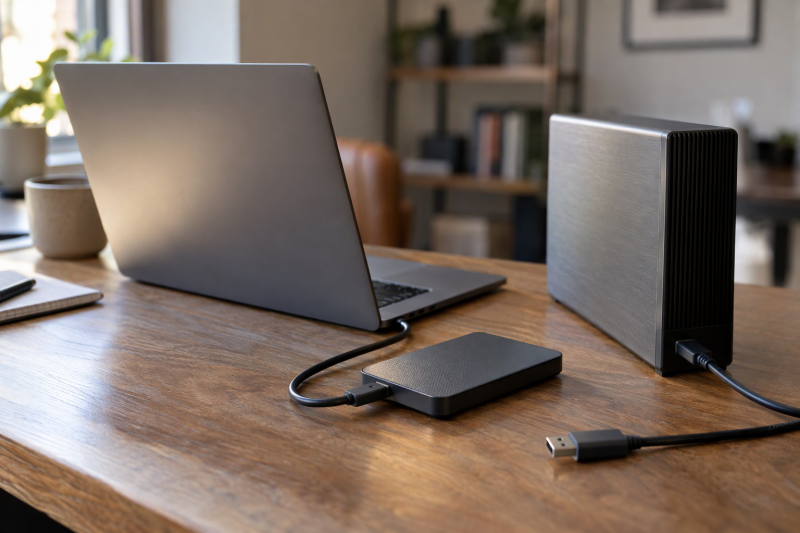
Seagate sells its external drives under several names, and the names say more about shape and software than about a speed ranking. The guide covers four portable drives and two desktop drives. Seagate describes the One Touch Desktop as bus-powered, while it says the Expansion Desktop needs its power adapter. Three questions sort the six drives: whether the drive travels, which cable end your computer needs, and whether you want backup software or plain drag and drop. The Amazon listings and Seagate pages quoted here state no transfer speed for these drives, so this page compares size, connection, power and software instead.
Seagate Portable, Backup Plus and Expansion Drives Compared
| Image | Product | Details | Check Price |
|---|---|---|---|
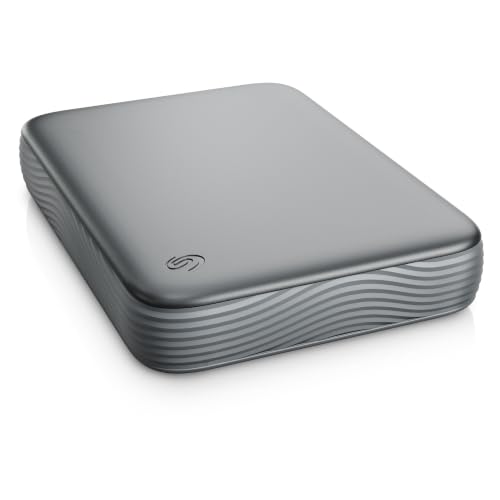 | Seagate Expansion Portable 4TB | Best fit: 4TB pocket drive with a USB-C cable Listed capacity: 4TB Connection: Micro-B to USB-C cable included Host support: Windows and macOS Form: Portable | Check Price on Amazon |
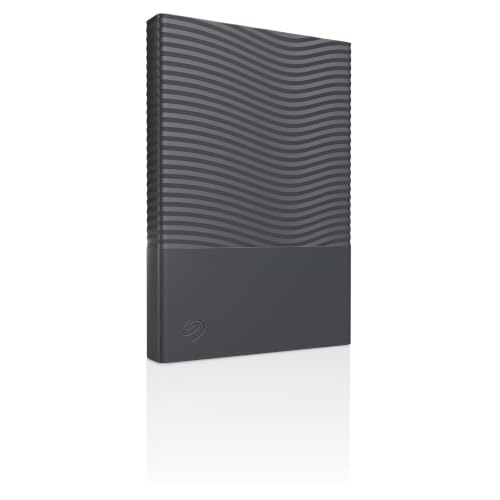 | Seagate One Touch Portable 2TB | Best fit: Portable drive with password protection Listed capacity: 2TB Connection: USB-C cable included Host support: Windows and macOS Form: Portable | Check Price on Amazon |
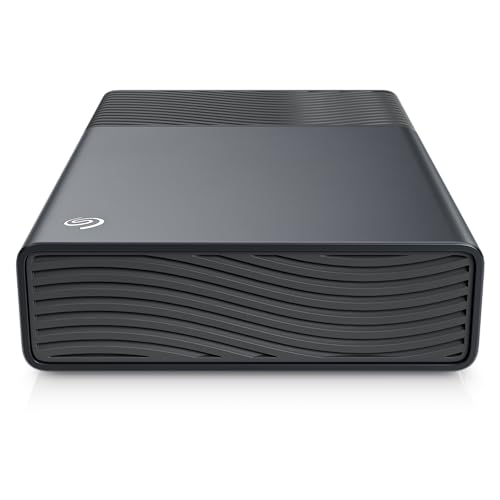 | Seagate One Touch Desktop 8TB | Best fit: Bus-powered 8TB desk drive Listed capacity: 8TB Connection: USB-C, bus-powered Host support: Windows and macOS Form: Desktop | Check Price on Amazon |
 | Seagate Portable Drive 4TB | Best fit: Plain drag-and-drop backup Listed capacity: 4TB Connection: 18-inch USB 3.0 cable Host support: Windows and Mac Form: Portable | Check Price on Amazon |
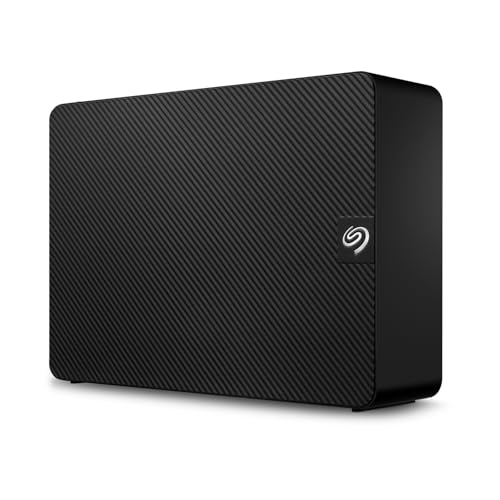 | Seagate Expansion Desktop 22TB | Best fit: Large powered desk archive Listed capacity: 22TB Connection: USB 3.0 with power adapter Host support: Windows, macOS and ChromeOS Form: Desktop | Check Price on Amazon |
 | Seagate Backup Plus Portable 4TB | Best fit: Toolkit scheduled backups Listed capacity: 4TB Connection: 18-inch USB Type-A cable Host support: Windows, macOS and ChromeOS Form: Portable | Check Price on Amazon |
1. Seagate Expansion Portable 4TB — Best 4TB Pocket Drive With a USB-C Cable
Seagate’s Expansion Portable page lists 2TB and 4TB sizes, USB-C connectivity, and a 0.5m USB Micro-B to Type-C cable in the box. Amazon’s listing for model STNN4000400 is the 4TB size, and its bullets say the drive works with most Windows and macOS systems and includes Rescue Data Recovery Services. Seagate lists a one-year limited warranty and one year of Rescue service for the range, and says both may vary by region.
Amazon gives the body as 4.61 by 3.35 by 0.79 inches at 0.59 pounds. For a laptop with only USB-C ports, Seagate’s cable has USB-C at the computer end and Micro-B at the drive end. Seagate’s page does not describe password protection or backup software for this model.
Seagate ships the 4TB Expansion Portable with a Micro-B to USB-C cable.Our Take Choose this drive when you want 4TB in a portable body with a USB-C cable in the box, and you don’t need backup software from Seagate.
- Seagate includes a 0.5m Micro-B to USB-C cable and lists USB-C connectivity.
- Amazon lists the 4TB size at 0.59 pounds, and Seagate sells the Expansion Portable as a portable drive.
- Amazon’s bullets say the drive works with most Windows and macOS systems.
- A buyer who wants password protection or backup software will not find either described on Seagate’s Expansion Portable page.
- The cable Seagate includes has a Micro-B end at the drive, not a USB-C end.
2. Seagate One Touch Portable 2TB — Best Portable Drive With Password Protection
The One Touch Portable is the only drive on this page that Seagate and Amazon both describe with built-in password protection and hardware encryption. Seagate’s One Touch portable page also lists Seagate Toolkit software and a 0.5m USB Type-C cable. The page lists a two-year limited warranty with two years of Rescue Data Recovery Services, and says both may vary by region. Amazon’s listing for model STNR2000400 is the 2TB size of a range Seagate sells in 2TB and 4TB.
Seagate adds two notes for buyers. The drive needs reformatting for use with Time Machine, and the Toolkit software is not compatible with ChromeOS. Amazon lists the body at 4.61 by 3.19 by 0.55 inches and 0.33 pounds, the lightest of the six drives on this page.
Our Take Pick the One Touch Portable when password protection is a higher priority than capacity, and set up the password before your first backup.
- Seagate and Amazon both describe built-in password protection with hardware encryption for this drive.
- Seagate lists Toolkit software and a 0.5m USB Type-C cable for the One Touch Portable.
- Amazon lists the body at 0.33 pounds, the lightest of the six drives on this page.
- Amazon’s listing is the 2TB size, half the capacity of the 4TB drives on this page.
- Seagate says the Toolkit software is not compatible with ChromeOS.
3. Seagate One Touch Desktop 8TB — Best Bus-Powered Desk Drive
The One Touch Desktop is the only desktop drive on this page that Seagate describes as bus-powered. Amazon’s bullets for model STNB8000400 say the drive is bus-powered over USB-C with no wall outlet required and one port, one cord. Seagate’s One Touch range page lists a desktop drive in sizes from 8TB to 24TB with bus-powered, single-cable USB-C connectivity and Windows and macOS support. The same page lists a two-year limited warranty with Rescue Data Recovery Services.
Amazon gives the body as 8.58 by 8.35 by 3.03 inches at 2.59 pounds, so it is a drive for a desk, not a bag. Amazon’s title calls it 8TB and USB-C compatible with most Windows and macOS systems.
Seagate describes the One Touch Desktop as bus-powered with a single USB-C cable, so it needs no wall adapter, unlike the 22TB Expansion Desktop.Our Take Choose the One Touch Desktop for a large archive on a tidy desk where you want to avoid a second power cable.
- Seagate and Amazon both describe bus-powered, single-cable USB-C connectivity.
- Seagate’s One Touch range page lists Windows and macOS support for the desktop drive.
- Amazon lists the One Touch Desktop at 8TB, twice the 4TB that Amazon lists for the Expansion Portable.
- Amazon lists the One Touch Desktop at 2.59 pounds, so it does not suit carrying in a bag.
- Amazon gives the body as 8.58 by 8.35 by 3.03 inches, a footprint sized for a desk.
4. Seagate Portable Drive 4TB — Best Plain Drag-and-Drop Backup
Every Portable Drive fact in this guide comes from Amazon’s listing for model STGX4000400. The bullets say the 4TB drive works with Windows or Mac computers, is recognized automatically with no software required, and comes with an 18-inch USB 3.0 cable. The title also names a one-year Rescue service. The listing does not mention a backup program or a password feature.
Amazon gives the body as 4.61 by 3.15 by 0.58 inches at 0.57 pounds. The bullets call it a USB 3.0 cable without naming the computer end, so look at the cable in the listing photos before you rely on it with a USB-C-only laptop.
Our Take Pick the Portable Drive when you want to plug in a 4TB drive and copy files without installing software, and your computer has the port its cable needs.
- Amazon lists the 4TB size in a 0.57-pound body.
- Amazon says the drive is recognized automatically with no software required.
- Amazon lists an 18-inch USB 3.0 cable as included with the drive.
- Amazon’s listing does not name the connector at the computer end of the cable, so a USB-C-only laptop owner has to check the listing photos.
- The Amazon listing does not mention password protection or a backup program.
5. Seagate Expansion Desktop 22TB — Best Large Powered Archive
Seagate’s Expansion Desktop page lists the STKP22000400 as a 22TB model and says the drive needs its external power adapter, because it does not draw power from the USB connection. Seagate lists USB 3.0 connectivity, plug-and-play use with no extra software, and compatibility with Windows, macOS and ChromeOS. Amazon’s title also says USB 3.0, while one bullet says USB 3.3, so this page uses the USB 3.0 wording Seagate gives.
Amazon gives the body as 7.04 by 4.92 by 1.65 inches at 2.65 pounds, and the drive is the heaviest on this page. Seagate and Amazon both say Mac users must reformat the drive for Time Machine. Amazon shows Blue Orbit Commerce Group, not Amazon.com, as the seller of the New offer for this size, so read the seller terms at checkout.
Our Take Choose this model for one large archive that stays beside a power outlet, and confirm the seller and the file system before you copy your only set of files onto it.
- Seagate lists the STKP22000400 as a 22TB model.
- Seagate says the drive works with Windows, macOS and ChromeOS systems.
- Seagate describes plug-and-play use with no extra software.
- Seagate says the drive needs an electrical outlet to operate.
- Time Machine use requires reformatting, according to both Seagate and Amazon.
6. Seagate Backup Plus Portable 4TB — Best Backup Plus Workflow
Backup Plus is the older Seagate name on this page. Seagate’s own page for model STHP4000400 lists a 4TB size, an included 18-inch USB Type-A cable, and Windows, macOS and ChromeOS compatibility. Seagate’s page describes Toolkit software for starting a backup with one click or scheduling one hourly, daily or weekly, plus folder mirroring to keep files synced across devices. Amazon’s bullet gives different intervals for the same scheduling, daily, weekly or monthly. The page also describes a metal casing and says the drive is not shockproof or water-resistant.
Amazon gives the body as 4.54 by 3.15 by 0.82 inches at 0.44 pounds. The New offer on Amazon comes from WEDNET LLC, not Amazon.com. Amazon’s title names one year of Mylio Create and two months of Adobe Creative Cloud Photography. Seagate’s page describes different terms, a six-month Mylio Photos+ plan and a two-month Adobe Creative Cloud Pro trial, so treat any software bundle as unconfirmed until you see the offer.
Our Take Pick the Backup Plus when scheduled Toolkit backups and a Type-A cable are what you want, and read the seller terms before ordering.
- Seagate describes one-click and scheduled backups through Toolkit.
- Seagate lists an 18-inch USB Type-A cable and ChromeOS support.
- Seagate’s page describes a metal casing for the Backup Plus.
- Seagate says the drive is not shockproof or water-resistant.
- Amazon’s New offer comes from WEDNET LLC, not Amazon.com.
Buying Guide
1. Start with the physical role
Seagate’s portable models are built to move with a laptop. Amazon lists the One Touch Portable at 0.33 pounds, the Seagate Portable Drive at 0.57 pounds and the Expansion Portable at 0.59 pounds, which suit a bag better than the 2.59 and 2.65 pounds Amazon lists for the two desktop drives.
The desktop drives belong in one place. Seagate says the 22TB Expansion Desktop needs its power adapter, while Seagate’s One Touch range page describes the One Touch Desktop as bus-powered with a single USB-C cable. A drive that needs an outlet also needs a spot near one, so plan the desk before you pick the size.
2. Match the cable to the computer port
The cable decides whether the drive plugs into a USB-C-only laptop. Seagate includes a 0.5m Micro-B to USB-C cable with the Expansion Portable and a 0.5m USB Type-C cable with the One Touch Portable, while Seagate lists an 18-inch USB Type-A cable for the Backup Plus. Amazon names an 18-inch USB 3.0 cable for the Portable Drive without saying which connector sits at the computer end.
A drive with a Type-A cable can work with a laptop that has only USB-C ports if you add an adapter or hub. The USB-C cable guide and USB-C hub guide cover that setup, but the cable Seagate packs in the box is the connection you can count on.
3. Treat capacity, software and recovery service as separate choices
Amazon lists 22TB for the Expansion Desktop, 8TB for the One Touch Desktop, 4TB for the Expansion Portable, Portable Drive and Backup Plus, and 2TB for the One Touch Portable. More space does not create a backup plan. Seagate describes Toolkit scheduled backups for the One Touch Portable and Backup Plus, and its Expansion Desktop page lists the 22TB model without Toolkit software.
Seagate’s pages describe Rescue Data Recovery Services for the Expansion Portable, One Touch Portable, Expansion Desktop and Backup Plus, and say the service is not available in all countries. A recovery service is not a second copy, so keep another copy of anything you cannot replace. The external hard drive guide for Mac backups covers drives that arrive ready for Time Machine.
4. Plan the file system for Mac use
Seagate says Time Machine needs a reformat on the One Touch Portable and Expansion Desktop and may need one on the Backup Plus, and Amazon says the same for the Expansion Desktop. File-system preparation is part of the purchase when one drive will move between Windows and Mac computers.
Seagate lists ChromeOS support for the Backup Plus and Expansion Desktop and Windows and macOS for the One Touch Portable, and says the One Touch Portable’s Toolkit software is not compatible with ChromeOS. Check the operating systems you use against each drive’s list before you choose.
FAQ
Which Seagate drive is easiest to carry?
Amazon lists the One Touch Portable as the lightest at 0.33 pounds. It lists the Backup Plus Portable at 0.44 pounds, the Portable Drive at 0.57 pounds and the Expansion Portable at 0.59 pounds, and the 22TB Expansion Desktop at 2.65 pounds.
Choose by routine. A portable drive suits a bag, and a desktop drive suits one fixed spot, even though all six attach by USB.
Do these drives work with Mac computers?
Amazon lists Windows and Mac support for the Seagate Portable Drive and the 22TB Expansion Desktop, and Windows and macOS support for the Expansion Portable and One Touch Desktop. Seagate lists Windows, macOS and ChromeOS support for the Backup Plus and the Expansion Desktop, and Windows and macOS for the One Touch Portable.
Several of the Seagate and Amazon pages above mention reformatting for Time Machine. Mac compatibility does not mean the drive is ready for Time Machine, so check the file system before you copy your only backup.
Does each drive include data recovery service?
Seagate lists Rescue Data Recovery Services with the Expansion Portable (one year) and One Touch Portable (two years), and says the terms may vary by region. Seagate’s Expansion Desktop and Backup Plus pages also describe the service. For the Portable Drive, only Amazon’s title mentions a one-year Rescue service.
Terms differ by drive and country, so read the service terms on the page for your size before you rely on them.
Bottom Line
Seagate includes a Micro-B to USB-C cable with the 4TB Expansion Portable, and the 2TB One Touch Portable adds password protection and Toolkit. The Portable Drive is the plain 4TB option, and the Backup Plus is the older name with Toolkit scheduled backups. For a desk, Seagate describes the One Touch Desktop as bus-powered at 8TB, while Seagate lists the Expansion Desktop at 22TB with a power adapter.