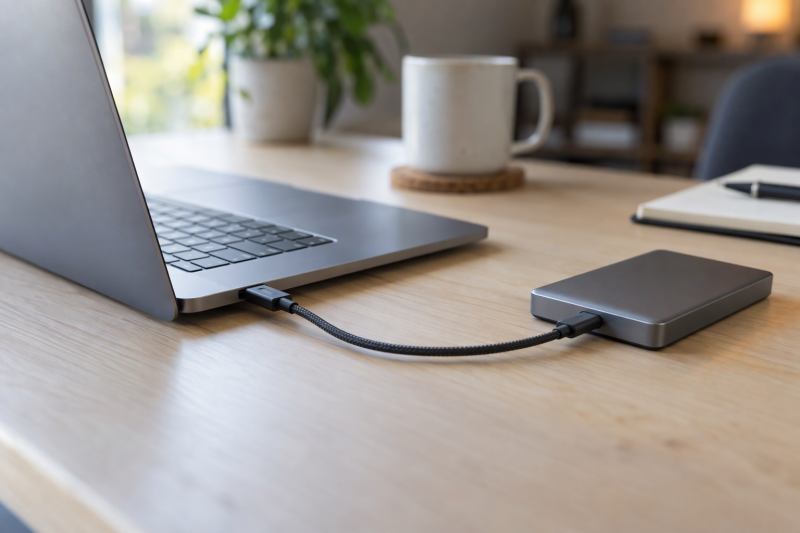
Every cable here connects an older USB-A host port to a USB-C device. They are cables, not USB-C-to-USB-C cables and not USB-A adapters. Amazon Basics lists USB 2.0 at 480Mbps, while Cable Matters, Aoybevty, FEMORO and CableCreation list up to 10Gbps. Treat every data figure as the seller’s or maker’s ceiling, then check the ports on both ends.
| Image | Product | Details | Check Price |
|---|---|---|---|
 | Amazon Basics Nylon Braided USB 2.0 | Best fit: Everyday six-foot charging Connection: USB-A to USB-C Length: 6 feet Listed data: Up to 480Mbps USB 2.0 Listed charging: 5V/3A | Check Price on Amazon |
 | Cable Matters 10Gbps Gen 2 | Best fit: Short legacy USB-A data link Connection: USB-A to USB-C Length: 3.3 feet Listed data: Up to 10Gbps USB 3.1 Gen 2 Listed charging: Up to 5V/3A, no Power Delivery | Check Price on Amazon |
 | Aoybevty AOY-AC01 | Best fit: Long 10Gbps data cable Connection: USB-A to USB-C Length: 6.6 feet Listed data: Up to 10Gbps USB 3.1/3.2 Gen 2 Listed charging: 60W, 3A with a 60W charger | Check Price on Amazon |
 | FEMORO N45-13 | Best fit: Short SSD link, Gen 2 ports at both ends Connection: USB-A to USB-C Length: 3 feet Listed data: Up to 10Gbps USB 3.2 Gen 2 Listed charging: Up to 3A | Check Price on Amazon |
 | CableCreation CC1046 | Best fit: Five-foot SSD cable, no video Connection: USB-A to USB-C Length: 5 feet Listed data: Up to 10Gbps USB 3.2 Gen 2 Listed charging: 3A shown in title only | Check Price on Amazon |
1. Amazon Basics Nylon Braided USB 2.0 — Best for everyday six-foot charging
Amazon Basics lists this round nylon-braided cable as USB 2.0, certified by USB-IF to that standard, with data up to 480Mbps and charging at 5V/3A. The listing gives the length as 1.8 m (six feet), the model as UTC-C-A-2.0-6FT-GRY and the finish as dark grey.
Its compatibility bullet names iPhones, iPads, the MacBook Pro M4, Galaxy and Pixel phones, and its title adds laptops. Neither the title nor the bullets mention an external SSD. Amazon Basics also says the braid was tested to bend 95 degrees 5,000 times, a durability figure from its own test.
Amazon Basics is the only cable of the five that lists USB 2.0 instead of a 10Gbps data class.Our Take Choose it for charging and ordinary sync between a USB-A laptop and a USB-C phone or tablet, where six feet of reach helps. Pass on it for an external SSD, because Amazon Basics lists only 480Mbps.
- Amazon Basics lists six feet, or 1.8 m, of round braided nylon cable, reach that helps between a laptop and a phone or tablet.
- Amazon Basics says the cable is USB-IF certified to USB 2.0, a standard that fits charging and ordinary sync.
- Amazon Basics lists 5V/3A charging, and its compatibility bullet names iPhones, iPads, Galaxy and Pixel phones.
- Amazon Basics says it tested the braid to bend 95 degrees 5,000 times, a durability figure from its own test.
- Amazon Basics lists only 480Mbps, the lowest data figure of the five cables, so an external SSD is a poor fit.
- Amazon Basics sells a cable that joins USB-A to USB-C, and a laptop with only USB-C ports gains no USB-A port from it.
2. Cable Matters 10Gbps Gen 2 — Best for a short legacy USB-A data link
Cable Matters’ own product page, number 201041, describes a USB-IF certified USB-C to USB-A Gen 2 cable, 3.3 feet long, with data up to 10Gbps on compatible ports. The Amazon listing gives the model as 201041-BLK-1m in black. Cable Matters says the cable works with USB 3.0 and 2.0 Type-A ports at their respective speeds. It also describes a rubberized TPE jacket, molded strain relief and full shielding.
On charging, Cable Matters states up to 5V/3A (15W) and says the cable does not support USB Power Delivery. It also states there is no video output and no DisplayPort Alt Mode. The Amazon bullets name a USB-C portable SSD such as the Samsung T3, and Target Disk Mode between a 2015 or 2016 MacBook and an older MacBook with a USB 3.0 port. Among the five, the Cable Matters listing is the only one that names a laptop-to-laptop connection as a use, and it is a data use, not charging.
Cable Matters states on its own page that the cable has no video output and no USB Power Delivery support.Our Take Pick it for a USB-A laptop, desktop or charger sitting next to a USB-C SSD or phone, or for an older MacBook that needs Target Disk Mode. At 3.3 feet it suits a desk, not a run across a room.
- The USB-IF certification and the data figure of up to 10Gbps both come from Cable Matters’ own product page, not only from the Amazon listing.
- Cable Matters says the cable works with USB 3.0 and 2.0 Type-A ports at their respective speeds, so an older port stays connected at its own speed.
- The Cable Matters Amazon bullets name Target Disk Mode between a 2015 or 2016 MacBook and an older MacBook with a USB 3.0 port, a stated job for older MacBooks.
- Cable Matters describes a rubberized TPE jacket, molded strain relief and full shielding on the cable.
- Cable Matters states no video output and no DisplayPort Alt Mode, so a monitor is the wrong job for this cable.
- Cable Matters states no USB Power Delivery support and lists charging at up to 5V/3A, and the listing gives no laptop charging figure.
- At 3.3 feet, the second shortest of the five cables, the Cable Matters cable suits a desk and not a run across a room.
3. Aoybevty AOY-AC01 — Best for a long 10Gbps data cable
Aoybevty lists the AOY-AC01 in grey at 6.6 feet, with USB 3.1/3.2 Gen 2 data up to 10Gbps and a 60W, 3A charging figure. Its bullets say the cable is backward compatible with USB 3.1, 3.0 and 2.0, and name portable SSDs among compatible USB-C devices.
Aoybevty attaches a condition to the charging line: the cable has a built-in E-Marker chip, and a charger of 60W or more is required for best results. Aoybevty does not say which USB-A source supplies 60W, so check your laptop port or charger before counting on it. Aoybevty describes an aluminum alloy case with a reinforced connector, a 10,000-time plug test and a 10,000-time bending test, and suggests use at an office desk, in a car back seat or on a sofa.
Our Take Choose it when the USB-A source sits across a desk or couch from a USB-C SSD or phone, and read the 60W line as a ceiling that needs a 60W charger, per Aoybevty. FEMORO, Cable Matters and CableCreation are all shorter.
- Aoybevty lists 6.6 feet, the longest of the five cables, for a USB-A source across a desk or couch.
- Aoybevty lists data up to 10Gbps and names portable SSDs among compatible USB-C devices, so the long cable has a stated SSD use.
- Aoybevty says an E-Marker chip is built in and attaches a condition to its charging line, a charger of 60W or more for best results.
- Aoybevty describes an aluminum alloy case and a reinforced connector, and lists a 10,000-time plug test and a 10,000-time bending test as its own durability figures.
- Aoybevty does not state which USB-A source supplies its 60W figure, so check the laptop port or charger before counting on it.
- Aoybevty lists up to 10Gbps, and the cable reaches that speed only when the USB-A port and the device both run at it.
4. FEMORO N45-13 — Best for a three-foot SSD link with stated host limits
FEMORO lists the N45-13 in grey at three feet, with USB 3.2 Gen 2 data up to 10Gbps, quoted as up to 1,050MB/s, and charging up to 3A. Its title names external SSDs, laptops, PCs, Android Auto and CarPlay, and a compatibility bullet names MacBook Air, Pro and Neo, and HP, Dell, ASUS and Surface laptops.
FEMORO opens its bullets with a note: for the full 10Gbps, both cable ends must be plugged into USB 3.2 Gen 2 ports, USB-C and USB-A. It tells buyers who are unsure to check with the device’s maker or FEMORO support. The listing says the cable carries up to 3A in line with the USB-A standard and gives no Power Delivery figure. FEMORO also describes a double-layer cotton braid and says the strain relief survives 20,000 or more bend cycles.
Our Take Pick it for a short laptop-to-SSD run when you can confirm Gen 2 on both ports. Its listing names the widest list of laptop brands among the five. Choose a longer cable when the laptop and the device are not side by side.
- FEMORO names MacBook Air, Pro and Neo, and HP, Dell, ASUS and Surface laptops as compatible, the widest laptop list among the five cables.
- FEMORO places the both-ends Gen 2 condition for 10Gbps in the first bullet of its listing, ahead of its other claims.
- FEMORO describes a double-layer cotton braid and gives a bend-cycle figure for its strain relief.
- FEMORO lists three feet, the shortest of the five cables, so the laptop and the device need to sit side by side.
- FEMORO says both ends need USB 3.2 Gen 2 for the full 10Gbps, and it sends unsure buyers to the device’s maker or FEMORO support.
- FEMORO lists up to 3A in line with the USB-A standard and gives no Power Delivery or wattage figure, so the listing offers no laptop charging figure.
5. CableCreation CC1046 — Best for a five-foot external-SSD cable
CableCreation lists the CC1046 in black at five feet (1.5 m), with USB 3.2 Gen 2 data up to 10Gbps. Its first bullet names USB-C external SSDs and adds two limits in brackets: no data transfer or charging between two laptops, and no video output. A second bullet names USB-C and Thunderbolt 3 devices and OTG phones.
CableCreation also lists backward compatibility with USB 3.1, 3.0 and 2.0, an aluminum alloy shell and a gold-plated connector. Its own tips warn that the cable is a bit stiff because it is thick. The bullets give no charging wattage, and the title shows 3A beside Android Auto.
Our Take Choose it for a five-foot laptop-to-SSD run when neither a laptop-to-laptop link nor video is part of the job. Expect a cable that CableCreation itself calls a bit stiff.
- CableCreation lists five feet (1.5 m) and data up to 10Gbps for a laptop-to-SSD run.
- CableCreation names USB-C external SSDs, Thunderbolt 3 devices and OTG phones as compatible.
- CableCreation states in its first bullet that the cable carries no video and no data or charging between two laptops.
- CableCreation describes an aluminum alloy shell and a gold-plated connector on the cable.
- CableCreation says the cable does not output video and does not transfer data or charge between two laptops.
- CableCreation says the cable is a bit stiff because it is thick.
- CableCreation’s bullets give no charging wattage, and only the title shows 3A beside Android Auto, so the cable has no stated laptop charging figure.
Buying Guide
Start by identifying the USB-A host port
All five cables join USB-A on the host side to USB-C on the device side. They suit an older laptop, desktop, wall charger or power bank that has USB-A and a device that has USB-C. They do not turn a USB-C-only laptop into a USB-A host, because an adapter handles that different problem.
The USB-C-to-USB-A adapter guide covers adapters, while the USB-C cable guide covers USB-C-to-USB-C cables. Match the two physical ends before comparing speed figures.
Separate 480Mbps everyday use from 10Gbps data work
Amazon Basics lists 480Mbps USB 2.0 for its six-foot braided cable. Cable Matters, Aoybevty, FEMORO and CableCreation each list up to 10Gbps on their USB 3.1 or USB 3.2 Gen 2 cables. The split is charging and ordinary sync on one side, and an external-SSD path on the other.
Cable Matters states that its cable runs at the speed of a USB 3.0 or 2.0 Type-A port when plugged into one. FEMORO says the full 10Gbps needs USB 3.2 Gen 2 on both ends. Check the USB-A port’s own speed before paying for a 10Gbps cable.
Use length as a desk-placement decision
Per the listings, FEMORO is three feet, Cable Matters 3.3 feet, CableCreation five feet, Amazon Basics six feet and Aoybevty 6.6 feet. A shorter cable keeps a portable SSD close to a laptop with little spare cable, while a five- or six-foot cable suits a charger or device placed farther away.
Length does not change the connector direction, because every cable here is USB-A to USB-C. Choose reach after choosing the port direction and data class.
Read charging figures as listing limits, not laptop-power promises
Amazon Basics lists 5V/3A. Cable Matters states up to 5V/3A (15W) with no USB Power Delivery. Aoybevty lists 60W/3A and says a charger of 60W or more is required for best results. FEMORO lists up to 3A, and CableCreation’s title shows 3A. None of the five lists a laptop charging figure.
A laptop charger, host port and connected device must all support the intended charging path. Use a USB-C-to-USB-C cable when the laptop and charger both use USB-C power delivery.
Do not buy a USB-A-to-USB-C data cable for video
Cable Matters states no video output or DisplayPort Alt Mode, and CableCreation says CC1046 does not output video. The other three listings name no display use. Treat a USB-A-to-USB-C cable as a power-and-data cable unless its own listing names a display function.
For a laptop monitor, use a cable whose maker names the display mode and connector arrangement. A USB-C plug does not prove a cable carries every USB-C function.
Check the device-side requirement as carefully as the laptop side
FEMORO says full 10Gbps requires USB 3.2 Gen 2 on both ends. Aoybevty and CableCreation list backward compatibility with USB 3.1, 3.0 and 2.0, and Cable Matters states it for USB 3.0 and 2.0 Type-A ports. Backward compatibility keeps an older device connected at its own speed.
Check the laptop’s exact USB-A version and the USB-C device’s port specification. The slowest part of the connection sets the usable data speed, whatever ceiling the cable listing gives.
FAQ
Can a USB-A to USB-C cable connect an older laptop to an external SSD?
Yes, if the laptop has USB-A and the SSD accepts USB-C. Cable Matters’ Amazon bullets name a computer-to-USB-C portable SSD transfer, and CableCreation, Aoybevty and FEMORO also name external or portable SSDs.
For the faster data class, choose a cable listed at 10Gbps and then check the laptop port. Amazon Basics lists 480Mbps USB 2.0 and names no SSD, so it is the ordinary-sync choice.
Does USB-C on one end mean the cable supports video?
No. Cable Matters states no video output for its cable, and CableCreation says the same of CC1046. A USB-C connector identifies the plug, not every function the cable carries.
For a monitor, read the monitor and cable maker’s pages for the required display connection. A data cable can be right for an SSD and wrong for a display.
Which of the five cables suits a long run to an SSD?
Aoybevty lists the AOY-AC01 at 6.6 feet with up to 10Gbps data and names portable SSDs. CableCreation is the five-foot alternative and Cable Matters the 3.3-foot option. Amazon Basics lists six feet but only 480Mbps.
A longer cable does not guarantee the listed 10Gbps. Check the USB-A port and the SSD’s USB-C specification first.
Can any of these cables charge one laptop from another?
No listing here states that job. CableCreation says CC1046 does not support charging or data transfer between two laptops. Cable Matters’ Amazon bullets mention Target Disk Mode between a 2015 or 2016 MacBook and an older MacBook with a USB 3.0 port, which is a data mode, not charging.
Check the equipment’s stated power roles. A USB-A laptop port is not automatically a source for charging another laptop.
Why does FEMORO list both 10Gbps and 1,050MB/s?
FEMORO writes both figures as ceilings for the N45-13 in its own listing. Neither is a measured result from this guide or from an independent test.
Check FEMORO’s own note first. Both the USB-A and USB-C ports must be USB 3.2 Gen 2 for the full speed.
Bottom Line
Choose Cable Matters 10Gbps Gen 2 for a short USB-IF-certified link from a legacy USB-A port, or CableCreation CC1046 for a five-foot cable with stated no-video and no-two-laptop limits. Take Aoybevty AOY-AC01 for its listed 6.6-foot reach and 10Gbps data, FEMORO N45-13 for a close SSD connection with an explicit two-end Gen 2 condition, and Amazon Basics Nylon Braided for six-foot USB 2.0 charging and sync at its listed 480Mbps.