A 14-inch screen sets a laptop’s footprint, not its memory, storage, panel or ports. Amazon’s listings for these six laptops, plus Samsung’s and ASUS’s pages for two of them, list 4GB to 32GB of memory, 128GB to 1TB of storage, and port lists that run from none named to a Thunderbolt 4 port.
The Acer Aspire 14 AI is the touch model whose Amazon title names 16GB of memory and a 1TB SSD. The ASUS Vivobook 14 Flip is the OLED touchscreen convertible, and ASUS’s page names its Thunderbolt 4 port. The HP 14-dq6199nr sits at the other end, with 4GB of memory and 128GB of UFS storage in HP’s bullets.
Every pick below is tied to what Amazon, Samsung or ASUS states, and no laptop is rated for a particular job.14-Inch Laptops Compared
| Image | Product | Details | Check Price |
|---|---|---|---|
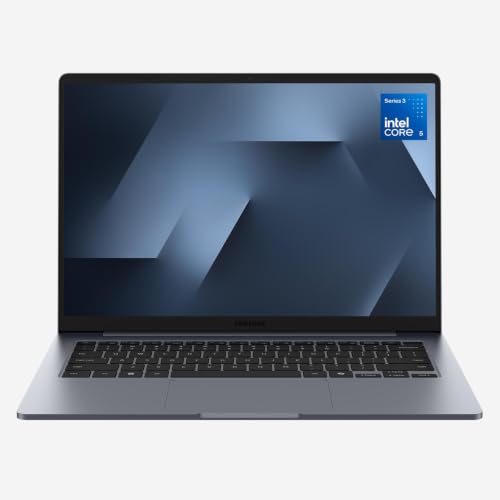 | Samsung Galaxy Book6 | Best fit: 14-inch non-touch laptop with HDMI and two USB-C ports Display: 14-inch FHD+ 16:10, non-touch Processor: Intel Core 5 Memory and storage: 8GB / 256GB Ports: HDMI, two USB-C, USB-A (Samsung page) | Check Price on Amazon |
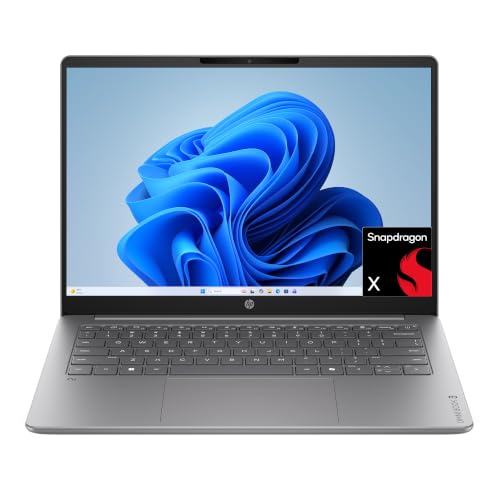 | HP OmniBook 3 14 | Best fit: 14-inch OLED laptop with Snapdragon X Display: 14-inch 1920 x 1200 OLED Processor: Snapdragon X X1-26-100 Memory and storage: 8GB / 256GB Ports: Not stated in listing | Check Price on Amazon |
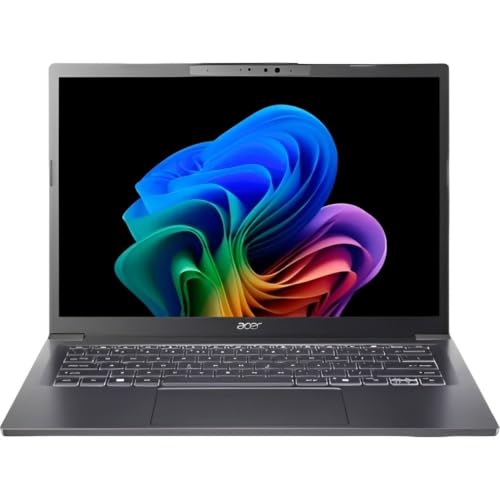 | Acer Aspire 14 AI | Best fit: 14-inch touch laptop with 16GB and 1TB (Amazon title) Display: 14-inch 1920 x 1200 touch Processor: Core Ultra 5 226V Memory and storage: 16GB / 1TB (Amazon title) Ports: Not stated in listing | Check Price on Amazon |
 | HP 14-dq6199nr | Best fit: 14-inch laptop with 4GB and 128GB UFS Display: 14-inch HD Processor: Intel N150 Memory and storage: 4GB / 128GB UFS Ports: Not stated in listing | Check Price on Amazon |
 | Samsung Galaxy Book6 Enterprise | Best fit: 14-inch edition with Samsung Knox security Display: 14-inch; panel not stated Processor: Core Ultra 7 355 Memory and storage: 32GB / 512GB (Amazon title only) Ports: Described in general terms only | Check Price on Amazon |
 | ASUS Vivobook 14 Flip | Best fit: 14-inch OLED 2-in-1 with a Thunderbolt 4 port Display: 14-inch WUXGA OLED touch Processor: Core Ultra 9 386H Memory and storage: 32GB / 1TB Ports: Thunderbolt 4, USB-C, USB-A, HDMI, microSD | Check Price on Amazon |
1. Samsung Galaxy Book6 — 14-Inch Non-Touch Laptop With HDMI and Two USB-C Ports
Amazon’s title lists this Galaxy Book6 as a non-touch laptop with an Intel Core 5 processor, 8GB of memory and 256GB of storage. Its bullets state a 14-inch FHD+ 16:10 anti-glare display with up to 60Hz refresh and 350 nits of peak luminosity. Samsung’s Galaxy Book6 (Intel Core) page lists a 14-inch Core 5 model with 8GB of RAM and a 256GB SSD, and says the 14-inch Intel Core model does not support touch.
Samsung’s page names HDMI, two USB-C ports, one USB-A port, a headphone and mic jack and a security slot. It does not say whether either USB-C port supports Thunderbolt or video. The page also lists a 61.2 Wh battery with up to 25 hours of video playback and a 2.97-pound weight. Amazon’s bullets add Phone Link, Quick Share and Second Screen for Galaxy devices.
Our Take The ports come from Samsung’s page, not the Amazon bullets. Amazon’s bullets describe the 16:10 screen as giving more vertical space for documents and web pages. At 8GB and 256GB it lists less memory and storage than the Acer or ASUS.
- Samsung’s page gives the Galaxy Book6 a named port list of HDMI, two USB-C ports, a USB-A port, a headphone and mic jack and a security slot.
- Amazon’s bullets state a 14-inch 16:10 anti-glare display with up to 350 nits of peak luminosity, and Samsung’s page says the Intel Core model does not support touch.
- Amazon’s weight field lists the Galaxy Book6 at 2.98 pounds, lighter than the ASUS at 3.46 pounds.
- Samsung’s page does not say whether either USB-C port on the Galaxy Book6 supports Thunderbolt or video output.
- The Galaxy Book6 lists 8GB of memory and 256GB of storage on Samsung’s page, less than the 16GB and 1TB in Amazon’s Acer title and the 32GB and 1TB on ASUS’s page.
2. HP OmniBook 3 14 — 14-Inch OLED Laptop With Snapdragon X
Amazon’s title calls the OmniBook 3 14 a 14-inch laptop with a Snapdragon X X1-26-100 processor, 8GB of RAM, a 256GB SSD and Windows 11 Home. HP’s bullets state an OLED display at 1920 by 1200 with up to 300 nits, 8GB of LPDDR5x memory and a 256GB PCIe Gen4 NVMe M.2 SSD. They also name Qualcomm Wi-Fi 6E and a Full HD camera with HDR auto-switch.
HP’s bullets give up to 41 hours and 45 minutes of battery life and a Fast Charge to 50 percent in approximately 45 minutes, without naming the test behind the battery figure. Neither the title nor the bullets name a USB, HDMI or other port.
Amazon’s bullets state a 1920 by 1200 OLED screen and a Snapdragon X processor in this 14-inch laptop.Our Take The OmniBook and the ASUS are the two OLED listings here, and the OmniBook is the one with a Qualcomm processor where the other five use Intel. HP lists 8GB and 256GB where ASUS lists 32GB and 1TB, and HP names no ports where ASUS names a Thunderbolt 4 port.
- HP’s bullets state a 1920 by 1200 OLED display with up to 300 nits for the OmniBook.
- HP lists up to 41 hours and 45 minutes of battery life for the OmniBook and a 50 percent charge in approximately 45 minutes.
- HP’s bullets list 8GB of LPDDR5x memory and a 256GB PCIe Gen4 NVMe SSD for the OmniBook.
- HP’s title and bullets name no USB, HDMI or other port for the OmniBook.
- HP’s bullets give no test conditions for the OmniBook’s 41-hour and 45-minute battery figure.
3. Acer Aspire 14 AI — 14-Inch Touch Laptop With 16GB and 1TB
Amazon’s title for the Acer Aspire 14 AI lists an Intel Core Ultra 5 226V, an Intel Arc 130V GPU, 16GB of LPDDR5X memory, a 1TB Gen 4 SSD, a 14-inch WUXGA touch display and NPU performance of up to 40 TOPS. Acer’s bullets describe a 1920 x 1200 touch display, an aluminum chassis, a 180-degree lie-flat hinge and a 1080p FHD IR webcam.
The bullets give up to 22 hours of battery life and say it was measured under specific video playback settings. The memory and storage appear only in the title, since the bullets do not repeat them, and no listing text names a USB-C, HDMI or Thunderbolt port.
Our Take Both the Acer and the ASUS are touch listings, but the Acer’s listing names a lie-flat hinge where the ASUS listing names a 360-degree hinge. The Acer’s title lists 16GB and 1TB, against the 8GB and 256GB that the Amazon listings give the Samsung Galaxy Book6 and the HP OmniBook, while the ASUS bullets go to 32GB.
- Acer’s bullets state a 14-inch 1920 x 1200 touch display and a 1080p FHD IR webcam.
- Acer describes a 180-degree lie-flat hinge on an aluminum chassis.
- Amazon’s title lists an Intel Core Ultra 5 226V with NPU performance of up to 40 TOPS.
- Acer’s bullets name no USB-C, HDMI or Thunderbolt port.
- Acer lists a 180-degree lie-flat hinge, while the ASUS lists a 360-degree Flip hinge with tablet, stand and tent modes.
4. HP 14-dq6199nr — 14-Inch Laptop With 4GB and 128GB UFS
HP’s bullets for the 14-dq6199nr state a micro-edge HD display, an Intel N150 processor, Intel Graphics, 4GB of RAM and 128GB of Universal Flash Storage. Amazon’s size field reads 4GB | 128GB Storage, which matches the title and bullets. The title names Windows 11 Home, and the bullets add a Copilot key, a camera with two microphones and a one-year Microsoft 365 Personal subscription.
HP lists Fast Charge from 0 to 50 percent in approximately 45 minutes. The bullets give the screen only as HD, with no resolution, and name no USB, HDMI or other port.
HP’s bullets and Amazon’s size field both state 4GB of RAM and 128GB of UFS storage, the lowest memory and storage amounts among the six.Our Take Compare 4GB and 128GB with the minimum memory and storage your software lists before choosing it. The other five laptops list 8GB or more of memory and 256GB or more of storage.
- HP’s bullets and Amazon’s size field agree on 4GB of RAM and 128GB of UFS storage.
- HP’s bullets add Windows 11 Home and a one-year Microsoft 365 Personal subscription.
- HP lists a camera with two microphones and a Copilot key.
- HP lists 4GB of RAM, against 8GB or more for the other five laptops.
- HP’s bullets call the screen HD without giving a resolution.
5. Samsung Galaxy Book6 Enterprise — 14-Inch Edition With Samsung Knox Security
Amazon’s title for this Galaxy Book6 Enterprise Edition lists a 14.0-inch screen, an Intel Core Ultra 7 355, Intel Graphics, 32GB of RAM, 512GB of storage and Windows 11 Pro. Amazon’s size field reads 14 Inch. The bullets repeat none of the processor, memory, storage or Windows edition, and no Samsung page covering the Enterprise Edition was located, so the 32GB and 512GB figures rest on the title alone.
The bullets describe Samsung Knox hardware-backed security, Galaxy AI actions such as summarizing notes into highlights, Quick Share and Link to Windows. They give up to 24 hours of battery life and 33 percent charging in 30 minutes, and they describe the ports only in general terms.
Our Take The Enterprise Edition is the only listing here that names Samsung Knox. Its memory and storage come from the title, and its ports are described only in general terms.
- Amazon’s title lists a Core Ultra 7 355, 32GB of RAM, 512GB of storage and Windows 11 Pro.
- Samsung’s bullets describe Knox hardware-backed security, and the Enterprise Edition is the only listing here that names it.
- Samsung’s bullets describe the Enterprise Edition’s ports only in general terms, with no named port list.
- Amazon’s title is the only place the 32GB and 512GB figures appear, and the bullets do not repeat them.
6. ASUS Vivobook 14 Flip — 14-Inch OLED 2-in-1 With a Thunderbolt 4 Port
Amazon’s bullets for the Vivobook 14 Flip state a 14-inch 16:10 WUXGA OLED touchscreen, an Intel Core Ultra 9 386H with an NPU rated up to 50 TOPS, 32GB of memory and a 1TB SSD. ASUS’s page for the Vivobook 14 Flip lists a 1920 x 1200 OLED at 60Hz with 95% DCI-P3 color, and its benchmark footnotes name a TP3407AA with 32GB of RAM and a 1TB SSD, the same prefix as Amazon’s TP3407AA-DS96T model number.
Amazon’s bullets name one USB 3.2 Gen 1 Type-A port, one USB 3.2 Gen 2 Type-C port, one Thunderbolt 4 port, HDMI 2.1 TMDS, a 3.5mm combo audio jack and a microSD reader. ASUS’s page says the Thunderbolt 4 port supports up to 40 Gbps and charging from 5-20V USB-C chargers, and that the USB 3.2 Gen 2 Type-C port supports an external display up to 4K at 120Hz. The bullets add a 360-degree hinge and Wi-Fi 7.
Our Take The Vivobook 14 Flip is the only listing here that names a Thunderbolt 4 port, and its 32GB and 1TB come from the bullets, not just the title. Amazon’s weight field lists 3.46 pounds.
- Amazon’s bullets and ASUS’s page name a Thunderbolt 4 port, and ASUS lists it at up to 40 Gbps.
- ASUS’s page lists a 1920 x 1200 OLED, and Amazon’s bullets state 32GB of memory and a 1TB SSD.
- ASUS lists a 70Wh battery with up to 38 hours of battery life and a 60 percent charge in 49 minutes.
- Amazon’s weight field lists the ASUS at 3.46 pounds, against the 2.97 pounds Samsung lists for the Galaxy Book6.
- Neither Amazon’s bullets nor ASUS’s page names a wattage for the charger.
Buying Guide
1. Compare the stated screen type, not only the 14-inch label
The six listings describe different panels. Samsung’s page and Amazon’s bullets give the Galaxy Book6 a 14-inch FHD+ 16:10 anti-glare display without touch. Amazon’s bullets give the OmniBook a 1920 by 1200 OLED, the Acer a 1920 by 1200 touch display and the ASUS a WUXGA OLED touchscreen. HP’s bullets call the 14-dq6199nr screen HD, and Amazon’s Enterprise bullets give no panel detail.
Touch and hinge differ by model. Acer’s bullets state touch and a 180-degree lie-flat hinge, and ASUS’s bullets state touch and a 360-degree Flip hinge with laptop, tablet, stand and tent modes. Samsung’s page says its 14-inch Intel Core model does not support touch.
2. Let stated memory and storage set the work boundary
Listed memory runs from 4GB to 32GB and storage from 128GB to 1TB. HP’s bullets list 4GB and 128GB of UFS for the 14-dq6199nr. Samsung’s page lists 8GB and 256GB for the Galaxy Book6, and HP’s bullets list the same for the OmniBook. Amazon’s Acer title lists 16GB and 1TB, Amazon’s Enterprise title lists 32GB and 512GB, and ASUS’s bullets list 32GB and 1TB.
Title-only figures need the order page. The Acer’s 16GB and 1TB and the Enterprise Samsung’s 32GB and 512GB appear in Amazon titles but not in those listings’ bullets, and no maker page covering the Enterprise Edition was located. Compare them with the order page and with the minimum memory and storage your software lists.
3. Choose the processor after the operating system and capacity
Amazon’s listings name six different processors. They are an Intel Core 5 for the Samsung Galaxy Book6, a Snapdragon X X1-26-100 for the OmniBook, a Core Ultra 5 226V for the Acer, an Intel N150 for the HP 14-dq6199nr, a Core Ultra 7 355 for the Enterprise Samsung and a Core Ultra 9 386H for the ASUS. Samsung’s page says the Intel Core model does not support Copilot+ PC features, while Amazon’s Acer and ASUS titles both call their laptops Copilot+ PCs.
A processor name is not a compatibility statement. The OmniBook uses a Qualcomm processor where the other five use Intel, so check your software maker’s stated requirements for the chip in the laptop you pick.
4. Build a dock plan from named ports only
Only two laptops here have a port inventory. Samsung’s page names HDMI, two USB-C ports, a USB-A port, a headphone and mic jack and a security slot for the Galaxy Book6. Amazon’s ASUS bullets name Thunderbolt 4, a USB 3.2 Gen 2 Type-C port, a USB 3.2 Gen 1 Type-A port, HDMI 2.1 TMDS and a microSD reader. The Acer, OmniBook, HP 14-dq6199nr and Enterprise listings name no ports, or describe them only in general terms.
A longer port list does not establish every mode. ASUS’s page says its Thunderbolt 4 port supports up to 40 Gbps and its USB 3.2 Gen 2 Type-C port supports an external display up to 4K at 120Hz, while Samsung’s page does not say whether its USB-C ports support video or Thunderbolt. Use the Thunderbolt 4 dock guide and the 14-inch Thunderbolt laptop guide to compare docks, then check the laptop, dock, cable and display together.
5. Read battery figures as vendor conditions
Each maker states its own battery conditions. HP lists up to 41 hours and 45 minutes for the OmniBook with no test named, and Acer lists up to 22 hours measured under video playback settings. Samsung’s page lists up to 25 hours of video playback for the Galaxy Book6, the Enterprise bullets list up to 24 hours and ASUS lists up to 38 hours. The figures do not come from one common test.
Charging notes vary too. HP lists 0 to 50 percent in approximately 45 minutes for both the OmniBook and the 14-dq6199nr, the Enterprise bullets list 33 percent in 30 minutes and ASUS lists 60 percent in 49 minutes. ASUS says its charging figure was tested with the device powered off and the included adapter.
FAQ
Which 14-inch laptop here lists the most memory and storage?
ASUS’s bullets list 32GB of RAM and a 1TB SSD for the Vivobook 14 Flip, the largest pair in any bullets here. Amazon’s Acer title lists 16GB of LPDDR5X memory and a 1TB Gen 4 SSD.
Amazon’s Enterprise Samsung title lists 32GB of RAM and 512GB of storage, but its bullets do not repeat those figures. Compare them with the order page before you rely on them.
Which model has Thunderbolt 4?
ASUS’s page and Amazon’s bullets name one Thunderbolt 4 port on the Vivobook 14 Flip, and ASUS says it supports up to 40 Gbps. Samsung’s page names HDMI, two USB-C ports and a USB-A port for the Galaxy Book6, but not Thunderbolt.
Amazon’s listings for the other four laptops do not name Thunderbolt 4. Read the order page or maker page for the port list instead of inferring it from the processor or screen size.
Which options have OLED displays?
Amazon’s OmniBook 3 14 bullets state an OLED display at 1920 by 1200, and Amazon’s Vivobook 14 Flip bullets state a 14-inch 16:10 WUXGA OLED touchscreen.
Samsung’s page and Amazon’s bullets describe the Galaxy Book6 display as anti-glare FHD+, and Amazon’s Acer bullets describe a WUXGA touch display. HP’s bullets call the 14-dq6199nr screen HD, and the Enterprise Samsung bullets do not name a panel type.
How does the HP 14-dq6199nr’s memory and storage compare with the Acer and ASUS?
HP’s bullets list 4GB of RAM and 128GB of UFS storage for the 14-dq6199nr. Amazon’s Acer title lists 16GB and 1TB, and ASUS’s bullets list 32GB and 1TB.
Check the minimums your own software lists before choosing between 4GB and the 8GB-to-32GB range on the other five laptops.
Can I use any of these laptops with a dock?
ASUS’s page names a Thunderbolt 4 port at up to 40 Gbps, a USB 3.2 Gen 2 Type-C port with external display support and HDMI 2.1. Samsung’s page names HDMI and two USB-C ports for the Galaxy Book6 without saying whether they support Thunderbolt.
Amazon’s listings for the other four laptops name no ports, or describe them only in general terms. Verify the order-page ports and the dock’s host requirements, since a 14-inch screen and Windows 11 do not establish a display output, charging level or dock compatibility.
Bottom Line
Amazon’s Acer title lists 16GB of memory and a 1TB SSD on a touch laptop. ASUS’s page and Amazon’s bullets name a Thunderbolt 4 port on the OLED touchscreen ASUS Vivobook 14 Flip. Samsung’s page names HDMI and two USB-C ports on the non-touch Galaxy Book6. The Acer Aspire 14 AI figures, the HP’s 4GB and 128GB and the Enterprise Samsung’s title-only 32GB and 512GB each need a check against the order page.