A budget does not pick the laptop for you. It only narrows the questions: operating system, screen size, storage, and the ports a desk setup needs. Amazon’s titles put these six laptops at 13, 14, 16 and 17.3 inches, across Windows, ChromeOS and macOS.
The Samsung Galaxy Book6 is the 14-inch Windows choice for documents, and Samsung’s own page names its USB-C, USB-A and HDMI ports. The Acer Chromebook Plus 514 pairs ChromeOS with USB-C, USB-A and HDMI in its Amazon bullets. The Apple MacBook Neo is the only macOS model here.
Choose the operating system and screen size first. Then check the memory, storage and ports on the order page for the configuration you buy.Six Budget Laptops Side by Side
| Image | Product | Details | Check Price |
|---|---|---|---|
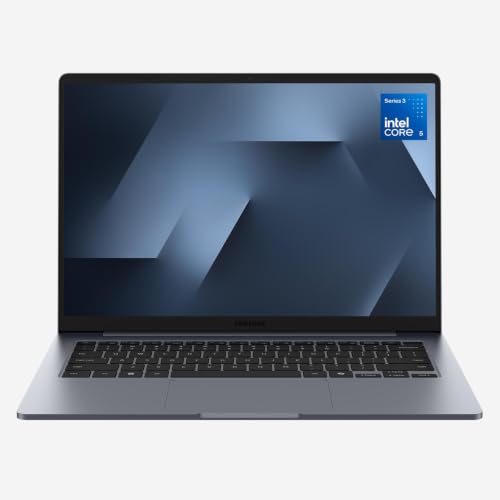 | Samsung Galaxy Book6 | Best fit: 14-inch Windows laptop for daily documents Screen: 14-inch FHD+ 16:10 Processor: Intel Core 5 Memory and storage: 8GB / 256GB Ports: 2 USB-C, 1 USB-A, HDMI (Samsung page) | Check Price on Amazon |
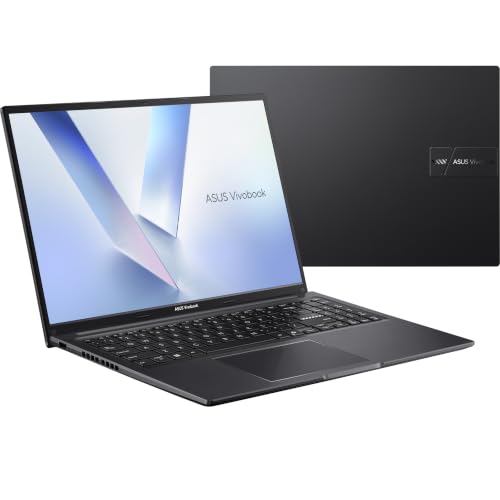 | ASUS Vivobook 16 | Best fit: 16-inch Windows laptop with USB-C and HDMI Screen: 16-inch WUXGA 16:10 Processor: AMD Ryzen 5 150 Memory and storage: 8GB / 512GB Ports: 2 USB-C, 3 USB-A, HDMI | Check Price on Amazon |
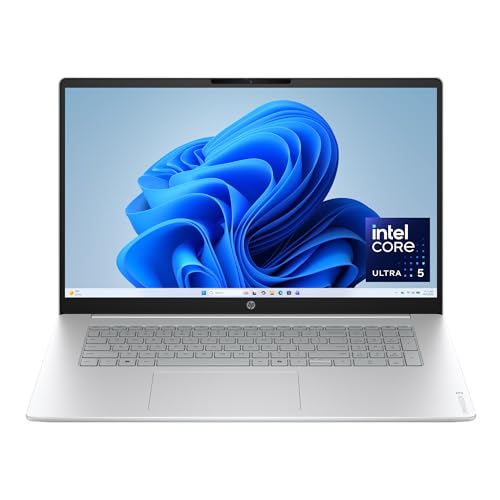 | HP OmniBook 3 17.3 | Best fit: Large Full HD screen for home work Screen: 17.3-inch Full HD IPS Processor: Intel Core Ultra 5 225U Memory and storage: 8GB / 512GB Ports: Not stated in listing bullets | Check Price on Amazon |
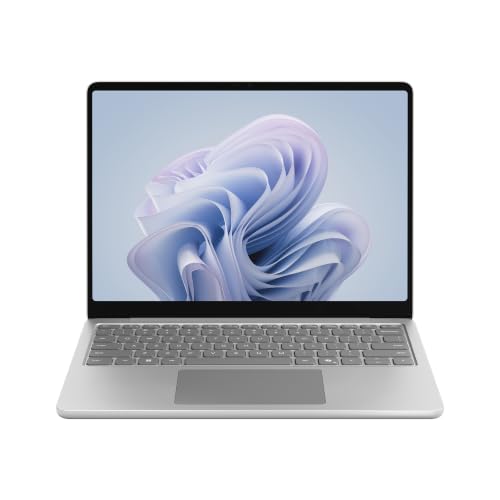 | Microsoft Surface Laptop 13 | Best fit: 13-inch touchscreen with Snapdragon X Plus Screen: 13-inch PixelSense Flow touch Processor: Snapdragon X Plus Memory and storage: 8GB / 256GB UFS Ports: Not stated in listing bullets | Check Price on Amazon |
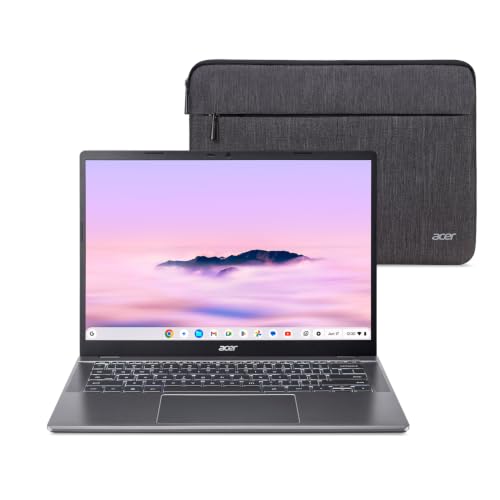 | Acer Chromebook Plus 514 | Best fit: ChromeOS laptop with USB-C and HDMI Screen: 14-inch WUXGA touch Processor: Intel Core i3-1315U Memory and storage: 8GB / 256GB SSD Ports: 2 USB-C, 2 USB-A, HDMI | Check Price on Amazon |
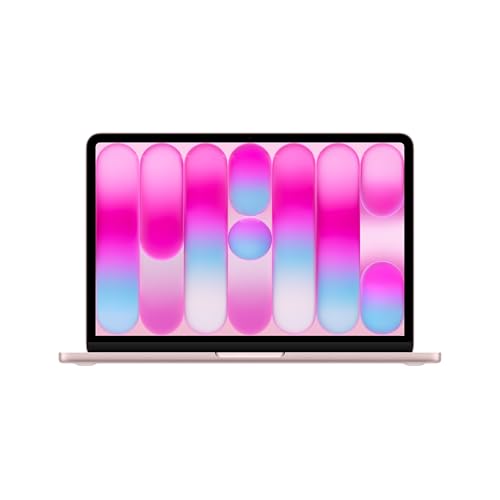 | Apple MacBook Neo | Best fit: 13-inch macOS laptop with A18 Pro Screen: 13-inch Liquid Retina Processor: A18 Pro Memory and storage: 8GB unified / 256GB SSD Ports: Not stated in listing bullets | Check Price on Amazon |
1. Samsung Galaxy Book6 — Best 14-Inch Windows Choice for Daily Work
Amazon lists the Samsung NP740VJK-KG7US as a 14-inch non-touch Windows laptop with an Intel Core 5 processor, 8GB of memory and 256GB of storage. The bullets describe a 14-inch FHD+ 16:10 anti-glare display with up to 60Hz refresh and 350 nits of peak luminosity.
Samsung’s Galaxy Book6 (Intel Core) page matches the 14-inch, 8GB and 256GB configuration, although it does not print this model number. It names HDMI, two USB-C ports, one USB-A port, a headphone and mic jack and a security slot. Samsung gives the weight as 2.97 pounds and the thickness as 15.7 mm, with up to 25 hours of local video playback under its own test conditions. Samsung also says the Intel Core model does not support Copilot+ PC features and that its memory cannot be upgraded after purchase.
The Amazon bullets emphasize Galaxy phone and tablet features: Phone Link, Quick Share, Storage Share, Multi Control, and Second Screen with a Galaxy Tab.
Our Take A Galaxy phone or tablet owner gets the most from this laptop, because Phone Link, Quick Share and Second Screen lead its listing. A buyer who expects to add memory later should read Samsung’s statement that the memory cannot be upgraded before ordering.
- Samsung’s page names HDMI, two USB-C ports and a USB-A port for the Galaxy Book6 (Intel Core), a port list to check against a desk setup.
- Amazon’s bullets describe the Galaxy Book6 display as 16:10 and anti-glare, with up to 350 nits of peak luminosity.
- Samsung states that the memory on the Intel Core model cannot be upgraded after purchase, a limit to read before ordering.
- Samsung also states that the Intel Core model does not support Copilot+ PC features.
2. ASUS Vivobook 16 — Best 16-Inch Windows Screen With USB-C and HDMI
Amazon lists the ASUS Vivobook 16 M1605NAQ-ES51 with a Ryzen 5 150 processor, 8GB of memory, a 512GB SSD and Windows 11 Home. The 16-inch screen is 1920 by 1200 in a 16:10 shape, up to 300 nits, and ASUS credits it with TÜV Rheinland certified low blue light.
ASUS’s bullets list USB 2.0 Type-A, two USB 3.2 Gen 1 Type-A ports, two USB 3.2 Gen 1 Type-C ports, HDMI 1.4 and a 3.5mm audio jack. They do not say whether either USB-C port carries video or charges the laptop, and they do not call either port Thunderbolt.
The bullets add a 180-degree lay-flat hinge, an ErgoSense keyboard with a number key, MIL-STD 810H durability, and fast charging from a low battery to 60 percent in as little as 49 minutes. Amazon’s dimensions list 14.12 by 9.82 inches, 0.78 inches thick, and 4.14 pounds.
The bullets list five USB ports, HDMI 1.4 and a 180-degree hinge on a 16-inch 1920 by 1200 screen.Our Take Take the Vivobook for a roomy 16-inch screen on a desk full of USB-A accessories. Acer’s spec line names DisplayPort over USB-C and ASUS’s bullets do not, so a buyer who plans to drive a monitor over USB-C should compare the two.
- ASUS lists a 16-inch display on the Vivobook at 1920 by 1200 in a 16:10 shape, with up to 300 nits.
- ASUS lists three USB-A ports on the Vivobook, along with two USB-C, HDMI 1.4 and a 3.5mm audio jack, a mix that suits a desk full of USB-A accessories.
- ASUS states MIL-STD 810H durability for the Vivobook and describes a 180-degree lay-flat hinge.
- ASUS’s bullets name USB 3.2 Gen 1 for the Vivobook’s USB-C ports and say nothing about video output, charging or Thunderbolt.
- Amazon’s dimensions list the Vivobook at 14.12 by 9.82 inches and 4.14 pounds, a larger carry than a 13-inch or 14-inch laptop.
3. HP OmniBook 3 17.3 — Best 17.3-Inch Screen for Home Work
Amazon lists the HP OmniBook 3 17-dg0099nr with a 17.3-inch Full HD IPS display with 178-degree viewing angles, an Intel Core Ultra 5 225U, 8GB of DDR5 memory and a 512GB PCIe Gen4 NVMe SSD, running Windows 11 Home. Amazon’s dimensions list 15.65 by 10.09 inches, 0.65 inches thick, and 4.43 pounds.
HP’s bullets add an FHD camera with HDR auto-switch, Wi-Fi 6, Bluetooth 5.4, a Copilot key, and an AI noise reduction mode that tracks only your voice on conference calls. HP states up to 16 hours and 15 minutes of battery life and Fast Charge from 0 to 50 percent in approximately 45 minutes, without giving a test condition. The bullets name no ports.
Our Take The OmniBook suits a buyer whose laptop stays on one desk or table, where the 17.3-inch screen is the reason to buy. Read the port list on HP’s order page before planning a dock or monitor.
- HP lists the OmniBook with a 17.3-inch Full HD IPS display and 178-degree viewing angles.
- HP states up to 16 hours and 15 minutes of battery life and Fast Charge from 0 to 50 percent in approximately 45 minutes.
- HP’s bullets describe an Advanced Personal Mode that tracks only your voice during conference calls.
- Amazon’s dimensions list the OmniBook at 15.65 by 10.09 inches and 4.43 pounds, a large footprint for a bag or a small desk.
- HP’s bullets name no ports for the OmniBook, so a dock plan needs the exact order-page specifications.
4. Microsoft Surface Laptop 13 — Best 13-Inch Windows Touchscreen
Amazon lists the Microsoft Surface Laptop 13-inch, model EP2-82113 and titled 1st Edition, in Platinum with a PixelSense Flow touchscreen, a Snapdragon X Plus eight-core processor, 8GB of RAM, 256GB of UFS storage and Windows 11.
Microsoft’s bullets state up to 23 hours of battery life for local video playback and a Qualcomm Hexagon NPU rated up to 45 TOPS. They also name three colors: Violet, Ocean and Platinum. The bullets give no ports, no external-display support and no panel resolution.
Microsoft’s bullets pair a 13-inch touchscreen with up to 23 hours of local video playback.Our Take Pick the Surface when touch input is a requirement, because it is the one Windows laptop here whose listing names a touchscreen. Add a port check to the plan, since the bullets list none.
- Microsoft’s bullets name a 13-inch PixelSense Flow touchscreen, the one touchscreen named on a Windows laptop here.
- Microsoft states a Qualcomm Hexagon NPU rated up to 45 TOPS.
- Microsoft’s 23-hour battery figure covers local video playback only.
- Microsoft’s bullets do not list USB ports, display output or panel resolution for the Surface Laptop.
5. Acer Chromebook Plus 514 — Best ChromeOS Pick With USB-C and HDMI
Amazon lists the Acer CB514-5HT-33RD as a ChromeOS laptop with an Intel Core i3-1315U, 8GB of on-board LPDDR5 memory and a 256GB PCIe Gen4 SSD. Its display is a 14-inch 16:10 IPS touch screen with an anti-glare coating and up to 300 nits. The title gives the resolution as 1920 by 1080, the spec line gives 1920 by 1200 and one bullet gives 1900 by 1200, so confirm the resolution on the order page.
Acer’s spec line names two USB-C ports at USB 3.2 Gen 2 up to 10Gbps with DisplayPort over USB-C and charging up to 65W, two USB 3.2 Gen 1 Type-A ports, and one HDMI 1.4 port with HDCP support.
The bullets also list Wi-Fi 7, a 1080p camera with a privacy shutter, a Titan C2 security chip and a protective sleeve in the box. Acer states up to 17 hours of battery life and adds that actual battery life may be lower.
Our Take The Chromebook Plus 514 fits a buyer whose daily programs all run on ChromeOS and whose desk mixes a USB-C or HDMI monitor with older USB-A accessories. A program that exists only for Windows points to the Samsung or ASUS instead.
- Acer’s spec line names two USB-C ports with USB 3.2 Gen 2 up to 10Gbps, DisplayPort over USB-C and charging up to 65W.
- The Acer Chromebook adds two USB-A ports and HDMI 1.4 with HDCP support, all named in Acer’s spec line.
- Acer lists a 14-inch 16:10 IPS touch display with an anti-glare coating and up to 300 nits.
- Wi-Fi 7 and a 1080p camera with a privacy shutter come from Acer’s bullets.
- Acer’s title states 1920 by 1080, its spec line states 1920 by 1200 and one bullet states 1900 by 1200, so confirm the resolution on the order page.
- Acer’s 17-hour battery figure carries the note that actual battery life may be lower.
- Acer’s title names Chrome OS rather than Windows, so a program that exists only for Windows points to the Samsung or ASUS instead.
6. Apple MacBook Neo — Best macOS Pick for a 13-Inch Laptop
Amazon lists the Apple MacBook Neo, model MHFH4LL/A in Blush, as a 13-inch macOS laptop with an Apple A18 Pro chip, 8GB of unified memory and a 256GB SSD. Apple’s bullets describe a Liquid Retina display that supports 1 billion colors, a 1080p FaceTime HD camera, a dual-mic array and two side-firing speakers.
The bullets also describe a recycled aluminum enclosure with 60 percent recycled content by weight, and four colors, Silver, Blush, Citrus and Indigo, each with a matching keyboard. Apple’s bullets state up to 16 hours of battery life with an asterisk, and the bullet does not give the test conditions behind it. Amazon’s dimensions list 11.71 by 8.12 by 0.5 inches and about 2.7 pounds.
Our Take Apple’s bullets address students and iPhone owners, giving coursework, Apple Intelligence and iPhone handoff as the examples. Read Apple’s order page for the port list before buying a dock or monitor cable.
- Amazon lists the MacBook Neo with an A18 Pro chip and 8GB of unified memory in a 13-inch laptop.
- Apple’s bullets state a Liquid Retina display that supports 1 billion colors.
- A 1080p FaceTime HD camera, a dual-mic array and two side-firing speakers appear in Apple’s bullets.
- Apple’s bullets name no ports for the MacBook Neo, so read the order page’s port list before buying a dock or monitor cable.
- Apple’s 16-hour battery figure carries an asterisk, and the bullet gives no test condition.
Buying Guide
1. Pick the operating system before comparing hardware
Windows, ChromeOS and macOS run different software. Samsung’s page names Windows 11 Home, and the Amazon titles for the ASUS, HP and Surface name Windows 11. Acer’s title names Chrome OS, and Apple’s bullets name macOS. A required program that runs on only one of them settles the choice before any spec does.
Start with the program list, then the hardware. Acer’s USB-C ports help only a buyer whose software runs on ChromeOS, and the MacBook Neo’s A18 Pro helps only a buyer for whom macOS is acceptable.
2. Match the screen size to the place you use it
The screens run from 13 inches to 17.3 inches. Amazon’s titles give 13 inches for the Surface Laptop and MacBook Neo, 14 inches for the Galaxy Book6 and Chromebook Plus 514, 16 inches for the Vivobook and 17.3 inches for the OmniBook. A larger screen gives more room for side-by-side documents and takes more room in a bag.
Resolution and weight add detail. ASUS lists 1920 by 1200 on its 16-inch screen, Acer’s spec line lists 1920 by 1200 on its 14-inch touch display, and the Amazon bullets give Samsung a 14-inch FHD+ 16:10 panel at 350 nits. Samsung’s page gives 2.97 pounds for the Galaxy Book6, while Amazon’s dimensions list about 2.7 pounds for the MacBook Neo, 3.11 for the Acer, 4.14 for the Vivobook and 4.43 for the OmniBook.
3. Treat memory and storage as a configuration check
All six listings name 8GB of memory. The titles each give 8GB, and some describe it as DDR5, LPDDR5 or unified memory. Samsung adds that the memory on its Intel Core model cannot be upgraded after purchase, and the other listings are silent on upgrades.
Storage splits into 256GB and 512GB. The Samsung, Surface, Acer and Apple listings name 256GB, and the ASUS and HP listings name 512GB. A buyer with large local files should start from that split before comparing features.
4. Read the port list literally for a desk setup
Three sources give a port list. ASUS’s bullets name two USB-C, three USB-A and HDMI 1.4. Acer’s spec line names two 10Gbps USB-C ports with DisplayPort over USB-C, two USB-A ports and HDMI 1.4. Samsung’s page names HDMI, two USB-C ports and one USB-A port. Of the three, Acer’s spec line is the one that names DisplayPort over USB-C and USB-C charging.
Do not fill in missing ports from a product name. The HP, Surface and Apple Amazon bullets list no ports. For a dock decision, use the Thunderbolt 4 dock guide and USB-C monitor guide after confirming the port details of the configuration you order.
5. Compare vendor battery figures by their stated conditions
Each maker states battery life under its own conditions. HP’s bullets state up to 16 hours and 15 minutes, Microsoft’s bullets state up to 23 hours of local video playback, Apple’s bullets state up to 16 hours with an asterisk, Acer’s bullets state up to 17 hours with a note that actual life may be lower, and Samsung’s page states up to 25 hours of local video playback. No two share a test, so the numbers are not a ranking.
Charging statements are separate too. HP’s bullets give 0 to 50 percent in approximately 45 minutes, ASUS’s bullets give a low battery to 60 percent in as little as 49 minutes, and Samsung’s page gives 33 percent in 30 minutes with a 65W charger from 2 percent. Acer’s spec line names USB-C charging up to 65W. The starting points and chargers differ, so the figures describe each maker’s claim and not a head-to-head result.
FAQ
Which laptop here has the largest screen?
The HP OmniBook 3 has the largest screen at 17.3 inches. Its Amazon listing names a Full HD IPS panel, an Intel Core Ultra 5 225U, 8GB of DDR5 memory and a 512GB PCIe Gen4 SSD.
The ASUS Vivobook 16 is next at 16 inches, and ASUS’s bullets list 1920 by 1200 along with USB-C, USB-A and HDMI ports.
Which model has the most clearly stated ports?
The Acer Chromebook Plus 514’s spec line gives the most detail: two USB-C ports up to 10Gbps with DisplayPort over USB-C, two USB-A ports and HDMI 1.4. ASUS’s bullets name two USB-C, three USB-A and HDMI 1.4, and Samsung’s page names HDMI, two USB-C and one USB-A.
The HP, Surface and Apple Amazon bullets name no ports. An omitted port list is not a statement that a dock or display will fail or work, so check the order page for the exact configuration.
Is the MacBook Neo a replacement for the Windows laptops?
The MacBook Neo’s bullets name macOS, while the Samsung, ASUS, HP and Surface listings name Windows 11. Your applications, school requirements and the devices you keep using decide the choice.
The Surface Laptop is the 13-inch Windows alternative, with a Snapdragon X Plus processor and a PixelSense Flow touchscreen in Microsoft’s bullets.
Which choices have 512GB storage?
The ASUS Vivobook 16 and HP OmniBook 3 listings each name 512GB. ASUS lists a 512GB SSD, and HP lists a 512GB PCIe Gen4 NVMe M.2 SSD.
The Samsung Galaxy Book6, Surface Laptop 13, Acer Chromebook Plus 514 and MacBook Neo listings each name 256GB. Confirm the storage on the order page before buying.
Can these laptops connect to a monitor?
ASUS’s bullets name HDMI 1.4 and two USB-C ports. Acer’s spec line names HDMI 1.4 and USB-C with DisplayPort over USB-C, and Samsung’s page names HDMI and two USB-C ports. Each of the three gives a starting point for a monitor connection.
The HP, Surface and Apple Amazon bullets name no monitor port. Match the laptop’s port list, the cable, any dock and the monitor input before buying, instead of assuming a display connection from the operating system or the screen size.
Bottom Line
The ASUS Vivobook 16 pairs 512GB with a 16-inch screen and a full USB-C, USB-A and HDMI list in ASUS’s bullets, the HP OmniBook 3 has the largest screen at 17.3 inches, the Acer Chromebook Plus 514 gives ChromeOS buyers USB-C with DisplayPort and HDMI in Acer’s spec line, and the MacBook Neo is the macOS choice. Start with the operating system, then match screen size, storage and ports to your work.