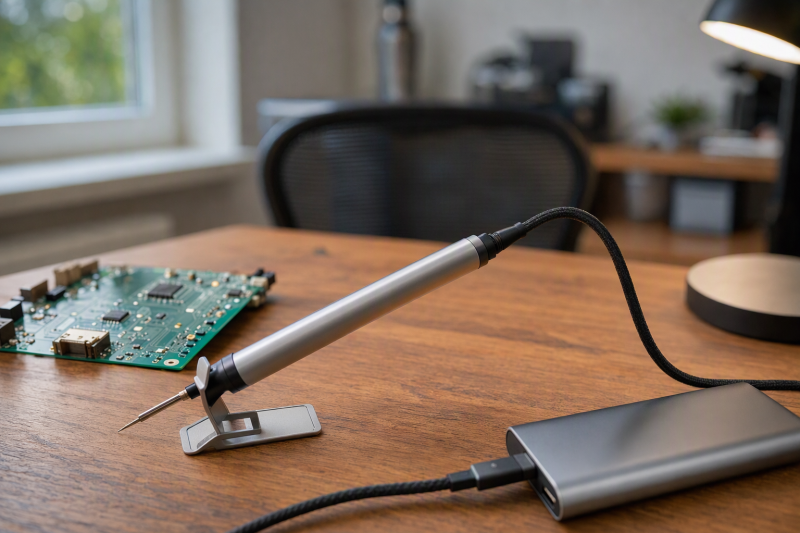
A USB-C soldering iron runs from a charger or power bank you may already own, so a repair kit can fit in a pouch instead of needing a bench station. Pick the iron by how much power it asks for over USB-C first, then by the tips it takes and the temperature control it offers.
The eight irons below all list USB-C or Type-C power input on their own listings. Their listings range from pens that run on a 45W PD source to a 140W iron that needs a high-output charger. Match the iron to the source you plan to use, because a weak charger or power bank can slow how fast the iron heats.
Quick Picks
- Best value: PINE64 Pinecil
- 100W from a USB-C charger: ALIENTEK T80
- Charger in the box: MINIWARE TS21
- Power bank field work: FNIRSI HS-01
- Most power over USB-C: ALIENTEK T90B
| Image | Product | Details | Check Price |
|---|---|---|---|
 | PINE64 Pinecil | USB-C input: USB-C PD and QC 3.0, plus DC5525 Max power over USB-C: Not stated Temperature range: Not stated Tip: B2 | Check Price on Amazon |
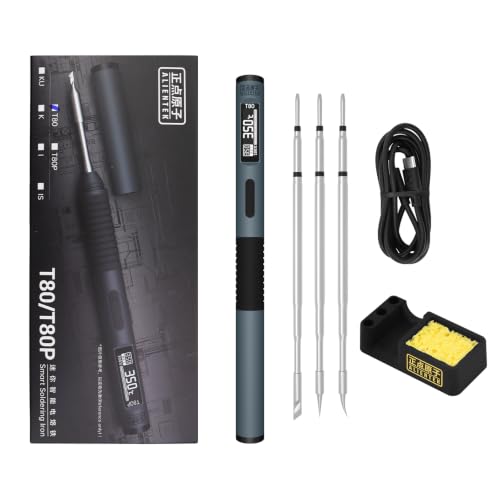 | ALIENTEK T80 | USB-C input: Type-C PD/QC, 9-20V Max power over USB-C: 100W (18-100W adjustable) Temperature range: Not stated Tip: 3 tips, family not named | Check Price on Amazon |
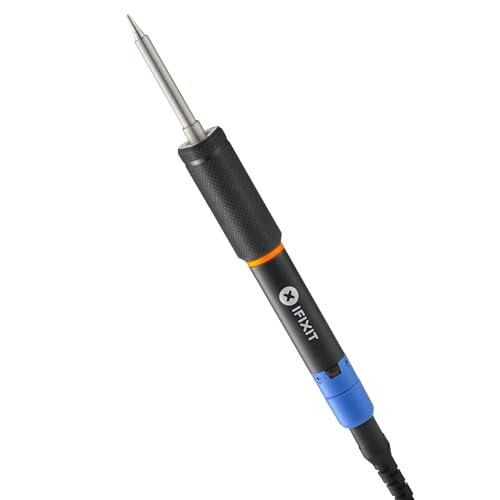 | iFixit FixHub Smart Soldering Iron | USB-C input: USB-C, voltage not stated Max power over USB-C: 100W Temperature range: Not stated Tip: Not stated | Check Price on Amazon |
 | UY CHAN TS101 | USB-C input: PD 12-24V, plus DC5525 9-24V Max power over USB-C: 45W on PD (DC 65W) Temperature range: 50-400°C (122-752°F) Tip: B2 | Check Price on Amazon |
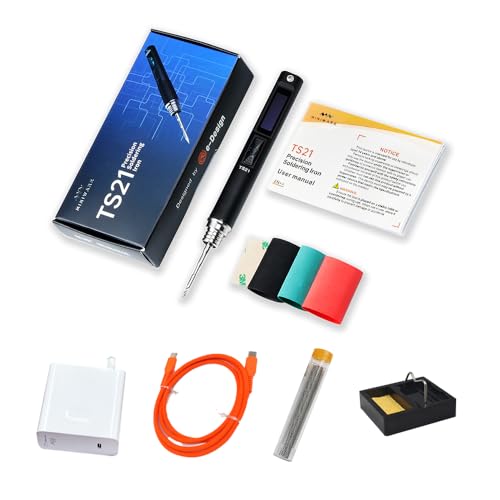 | MINIWARE TS21 | USB-C input: Any USB-C PD source, 65W adapter included Max power over USB-C: Not stated Temperature range: 100-400°C Tip: KU | Check Price on Amazon |
 | WEP 928D-IV | USB-C input: Type-C PD/QC, 20V 60W recommended Max power over USB-C: 60W recommended source Temperature range: 194-842°F Tip: C235-I | Check Price on Amazon |
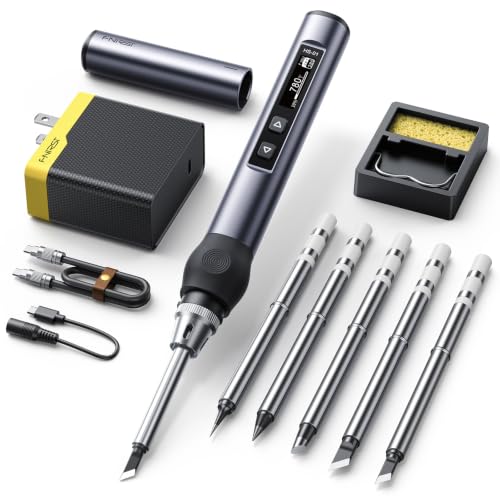 | FNIRSI HS-01 | USB-C input: Type-C PD, 9-24V, plus DC Max power over USB-C: 65W on PD (DC 96W) Temperature range: 80-420°C (180-780°F) Tip: 6 tip types, not named | Check Price on Amazon |
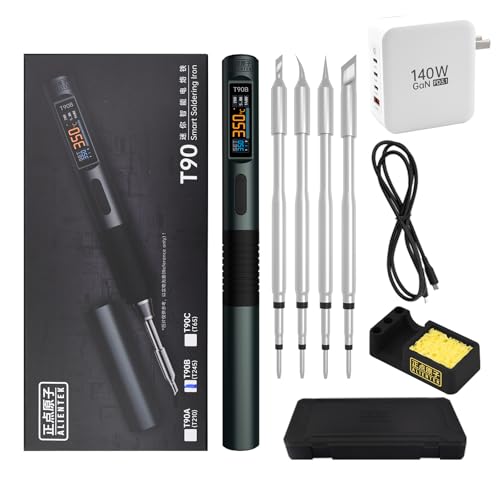 | ALIENTEK T90B | USB-C input: USB-C PD3.1/QC3.0, 9-28V Max power over USB-C: 140W (18-140W) Temperature range: 80-450°C Tip: T245 | Check Price on Amazon |
Key Takeaway: Check the voltage range and maximum wattage the iron lists for its USB-C input, then pick a charger or power bank that can supply that level over USB-C Power Delivery.
An iron rated at 100W or 140W reaches that figure only when the charger and cable can deliver it.
Source boundary: Product names, specifications, and features in this guide come from each brand’s own Amazon listing. Some listings leave out wattage or temperature range, and this guide says so where they do. No iron here was tested by us.
1. PINE64 Pinecil — Best Value USB-C PD Iron
The PINE64 Pinecil is the iron to buy if you already own a good USB-C charger and want a small pen that runs from it. PINE64’s listing names two power inputs. The USB-C port supports both PD and QC 3.0, and a DC5525 barrel jack takes a DC supply instead.
PINE64 says the Pinecil reaches operating temperature in 12 seconds and supports an on-demand rapid boost. The listing describes a slim body made of an SAE 304 stainless steel core inside a polycarbonate shell. An auto standby mode engages when the iron is not in use, which PINE64 frames as a safety feature.
The box holds the iron and a Type B2 tip. PINE64 states that no power supply is included, and its listing gives no wattage figure and no temperature range. Plan to pair it with a PD charger or power bank you already trust, and read the charger’s output before assuming fast heat-up.
Our Take The Pinecil is the simplest way into USB-C soldering when the charger is already in your bag. It gives you both USB-C and barrel input in a small pen. The trade-off is a short listing, so buyers who want a stated wattage or temperature range before buying should look at the UY CHAN TS101 or FNIRSI HS-01.
- PINE64 lists USB-C input with PD and QC 3.0 plus a DC5525 barrel jack.
- PINE64 states the iron reaches operating temperature in 12 seconds and offers a rapid boost.
- PINE64 lists an auto standby mode that engages when the iron is not in use.
- PINE64 states that no power supply is included in the box.
- PINE64’s listing gives no wattage figure and no temperature range.
2. ALIENTEK T80 — For 100W From a USB-C Charger
The ALIENTEK T80 is for a buyer who wants more heat than a 45W or 65W pen and plans to run it from a strong USB-C charger. ALIENTEK lists Type-C power input that supports the PD and QC fast charge protocols, a 9-20V working voltage range, and heating power adjustable from 18W to 100W.
ALIENTEK says the T80 can melt tin in 2 seconds when it runs at 100W. The listing also claims a fast return to temperature for large solder joints and gives a temperature control stability of 2%. An OLED display shows the working status, and the title lists auto sleep.
The T80 kit includes the iron, a USB-C to USB-C cable, and three tips. The features do not name the tip family, and the listing gives no temperature range. ALIENTEK sells the T80 alongside a T80P version under the same title, so check that the kit you order is the T80 kit with three tips.
Our Take The T80 suits a buyer with a 100W USB-C charger who wants faster heat than the smaller pens here. For heavy joints that need more power, the ALIENTEK T90B has a higher ceiling. If you need a charger to pair with it, see our list of 100 watt USB-C chargers.
- ALIENTEK lists Type-C input with PD and QC support across a 9-20V range.
- ALIENTEK states heating power adjustable from 18W to 100W.
- ALIENTEK claims a temperature control stability of 2% with an OLED status display.
- ALIENTEK’s listing gives no temperature range for the T80.
- ALIENTEK does not name the tip family for the three tips in this kit.
3. iFixit FixHub Smart Soldering Iron — For Repair Benches and Auto Cool-Down
The iFixit FixHub Smart Soldering Iron is for a buyer who wants a 100W USB-C iron from a repair-focused brand and cares about how it behaves when set down. iFixit lists USB-C power and a 100W rating, and says the iron heats up in seconds while giving full-size soldering performance in a compact design.
The standout feature on the listing is automatic cool-down when you set the iron down and automatic re-heating when you pick it up. A ring light shows whether the iron is heating, hot, or cooling. iFixit says the cool-down and ring light let you work efficiently and safely.
iFixit describes a durable design with easy-to-replace components. The listing does not state an input voltage, a PD version, a temperature range, or the tip type, and the title names only the handle, a cap, and USB-C.
Our Take Pick the FixHub when a hot iron left on the desk is your main worry. The auto cool-down and ring light are aimed at that worry. It asks for the same 100W as the ALIENTEK T80, but its listing tells you less about voltage, temperature, and tips, so check the product photos and box contents before buying.
- iFixit lists a 100W iron powered over USB-C that heats up in seconds.
- iFixit states the iron cools down automatically when set down and re-heats when picked up.
- iFixit describes easy-to-replace components and a ring light that shows heating, hot, or cooling.
- iFixit’s listing gives no input voltage, PD version, or temperature range.
- iFixit does not name the tip type on this listing.
4. UY CHAN TS101 — For a Barrel Jack Plus USB-C PD
The UY CHAN TS101 is for a buyer who wants a documented temperature range and two ways to power the iron. UY CHAN lists DC and PD dual power input. The DC5525 port accepts 9-24V at up to 65W, and the PD port works with 12-24V PD adapters and power banks at up to 45W.
The split between the two inputs is the key buying detail. On USB-C PD, the TS101 is capped at 45W by its own listing, so the 65W figure in the title applies only to the barrel input. A buyer who plans to use USB-C alone gets the lower ceiling.
The OLED screen shows the temperature, which UY CHAN says adjusts from 122°F to 752°F (50°C to 400°C). A Boost function heats the tip quickly for special jobs. UY CHAN lists dual temperature sensors and an acceleration sensor, an automatic sleep mode, and an automatic overheat warning. You can also connect the iron to a computer to set your own temperature curves and custom functions. The title lists a B2 tip and a USB Type-C cable.
Our Take The TS101 is the pick for a buyer who wants a stated temperature range and the option of a barrel supply at home. On USB-C alone it tops out at 45W, below the FNIRSI HS-01 and its 65W PD figure. Choose it for its sensors and programmable settings, not for peak power over USB-C.
- UY CHAN lists a temperature range of 122°F to 752°F on an OLED screen.
- UY CHAN lists a DC5525 input at up to 65W alongside the PD input.
- UY CHAN states dual temperature sensors, auto sleep, and an overheat warning.
- UY CHAN caps the PD input at 45W, below its barrel-input rating.
- UY CHAN’s listing names no charger in the box, only a USB Type-C cable.
5. MINIWARE TS21 — For a Kit With the Charger in the Box
The MINIWARE TS21 is for a buyer who does not want to shop for a separate charger. MINIWARE lists a 65W power adapter in the box, along with the iron, a KU tip, a USB-C cable, a mini stand, and solder wire. The listing says no additional accessories are needed to start soldering.
MINIWARE says the TS21 runs from any USB-C PD source, and names a laptop, a power bank, and a car charger as examples. The included MINIWARE USB-C cable is rated by MINIWARE for up to 48V 5A 240W with PD3.1 support. That 240W figure describes the cable, not the iron, and the listing does not give a wattage for the iron itself.
MINIWARE states a temperature range of 100°C to 400°C, reached in under 10 seconds, shown on a bright OLED screen. The body is aluminum alloy, and MINIWARE describes it as small enough for pockets or a toolkit. MINIWARE claims the TS21 handles common electronics tasks such as boards, wires, and small components with its KU tip.
Our Take The TS21 is a complete box for a first iron, since the charger and stand come with it. The drawback is a missing wattage figure for the iron, so you cannot compare its power directly with the ALIENTEK T80 or iFixit FixHub. Choose it for the complete kit, not for a stated power level.
- MINIWARE includes a 65W power adapter, a USB-C cable, a mini stand, and solder wire.
- MINIWARE says the iron runs from any USB-C PD source, including a power bank or car charger.
- MINIWARE lists a 100°C to 400°C range on an OLED screen.
- MINIWARE’s listing gives no wattage figure for the iron itself.
- MINIWARE’s 240W figure applies to the included cable, not the iron.
6. WEP 928D-IV — For Cartridge Tips and a Travel Cap
The WEP 928D-IV is for a buyer who wants a cartridge-style tip and a cap that makes the iron easy to pack. WEP lists a C235-I cartridge tip, which heats up in seconds when the iron is powered by a 60W adapter or power bank. WEP gives a temperature range of 194°F to 842°F.
WEP supports the PD and QC protocols, and its menu lets you pick PD, QC, or automatic selection by hand. The listing says the iron works with lower-power USB-C sources, but WEP recommends a 20V 60W supply, adapter, or power bank for full heating performance and faster heat-up. WEP also states that the product is not cordless and not chargeable.
The threaded protective cap insulates the tip and holds a brass wool cleaner, so you can pack the iron once you are done. WEP lists a length of 7.75 inches (18.5 cm) and a weight of 0.12 lb (55 g). The screen rotates with the direction of use and can be locked, and the menu sets the sleep timer from 5 to 30 minutes and auto shutdown from 1 to 10 minutes. The box includes the iron, the tip, a Type-C cord, and a stand. WEP’s listing also carries a note that the product is rated for 110-127V US specifications and should not be connected to a 220V socket.
Our Take The 928D-IV suits a buyer who solders on the go and wants the iron capped and packed. WEP is clear about the 60W source it wants. Plan for a 20V 60W charger or power bank, since the box includes a Type-C cord but no adapter.
- WEP names a 20V 60W source for full heating.
- WEP lists a threaded protective cap with a built-in brass wool tip cleaner.
- WEP lets you select PD, QC, or automatic protocol selection in the menu.
- WEP states the iron is not cordless and not chargeable.
- WEP’s box list includes a Type-C cord but no power adapter.
7. FNIRSI HS-01 — For Running From a Power Bank
The FNIRSI HS-01 is for a buyer who plans to solder away from an outlet. FNIRSI lists DC and PD dual power input, with power up to 96W on DC and PD input up to 65W through its Type-C interface. The working voltage is 9-24V. Amazon’s product details for this kit list 6 types of solder tips and a 65W PD adapter.
FNIRSI’s listing names specific power bank outputs. It says the iron can be powered by a 12V 3A or 9V 2.0A power bank. FNIRSI also explains what to do when a source is too weak. If the iron restarts after heating, the adapter’s output at that voltage is not enough, and FNIRSI tells you to select a lower working voltage to match the adapter.
The OLED screen shows the temperature, which FNIRSI says adjusts from 180°F to 780°F (80°C to 420°C). The listing names sleep, automatic power-off, and a child lock mode. FNIRSI describes a light body that fits in the palm and in a pocket. It also notes that the plug variant you receive may look slightly different while it changes inventory.
Our Take The HS-01 is the most practical iron here for a power bank, because FNIRSI tells you which bank outputs work and how to handle a restart. Its 65W PD figure sits above the UY CHAN TS101 on USB-C. Our guide to USB-C power banks for Macs covers power bank options.
- FNIRSI lists PD input up to 65W and DC input up to 96W across 9-24V.
- FNIRSI names 12V 3A and 9V 2.0A power bank outputs that can run the iron.
- FNIRSI lists a child lock mode alongside sleep and automatic power-off.
- FNIRSI warns the iron can restart on a weak adapter unless you lower the working voltage.
- FNIRSI notes the plug variant you receive may differ in appearance.
8. ALIENTEK T90B — For the Most Power Over USB-C
The ALIENTEK T90B is for large solder joints and ground planes. ALIENTEK lists a USB-C power port with a 9-28V input range and support for PD3.1 and QC3.0, with power from 18W to 140W. The features say PD3.1, while the title says PD3.0, so read the charger’s own specifications before you rely on the top figure.
ALIENTEK says the iron can automatically identify the maximum output of the fast charger and match it, or you can pick one of 7 power gears by hand. ALIENTEK claims tin melts in 2.5 to 5 seconds and lists PID temperature control within ±2%. The range is 80°C to 450°C, with three one-touch presets at 280°C, 350°C, and 450°C.
The box includes a 140W 1.2m Type-C cable, but ALIENTEK names no charger. The T90 comes in three versions with different tips, and this listing is the T90B, which uses T245 tips. The T90A (T210 tips) and T90C (T65 tips) are separate versions. ALIENTEK lists overcurrent, overheating, MOS tube abnormality, and heater resistance protection, plus auto sleep. The body is CNC-machined aluminum at about 55g, with a 0.99 inch IPS color screen and a quick-lock sleeve for tip changes.
Our Take The T90B is the pick when a 100W iron is not enough. The iron can only draw 140W from a charger and cable that supply it, so budget for both unless you already own them. Our UGREEN Nexode 140W GaN charger review covers one such charger. For smaller boards and a smaller charger, the ALIENTEK T80 is the lower-power ALIENTEK model.
- ALIENTEK lists power from 18W to 140W across a 9-28V USB-C input.
- ALIENTEK states the iron detects the charger’s maximum output or takes 7 manual power gears.
- ALIENTEK lists 280°C, 350°C, and 450°C presets within an 80°C to 450°C range.
- ALIENTEK includes a 140W cable but names no charger in the box.
- ALIENTEK’s title says PD3.0 while its features say PD3.1.
Buying Guide: Choosing a USB-C Soldering Iron
Match the iron’s wattage to your charger
Start with the maximum wattage the iron lists for its USB-C input, then check that your charger or power bank can supply it. USB-C Power Delivery lets the iron and the charger agree on a voltage and current. Our explainer on USB Power Delivery covers how that agreement works.
The irons here fall into three power groups. The UY CHAN TS101 lists 45W on PD, and the FNIRSI HS-01 lists 65W on PD, while WEP recommends a 20V 60W source. The ALIENTEK T80 and iFixit FixHub list 100W, and the ALIENTEK T90B lists up to 140W. The Pinecil and MINIWARE TS21 listings give no iron wattage.
Several listings here describe what happens on a weaker source. WEP says its iron works on lower-power USB-C sources with slower heat-up, and FNIRSI says a restart after heating means the adapter lacks power at that voltage. For a charger that covers the 100W irons, compare our 100 watt USB-C chargers, and see our USB-C chargers roundup for smaller setups.
Use a cable rated for the power
A 100W or 140W iron only gets that power through a cable rated for it. A USB-C cable rated for 60W or 3A caps the power even when both the iron and the charger can go higher. That limit applies to the ALIENTEK T80, iFixit FixHub, and ALIENTEK T90B in particular.
Two listings here state the rating of the included cable. ALIENTEK includes a 140W Type-C cable with the T90B, and MINIWARE rates the cable in the TS21 box for up to 240W. Our explainer on why a 240W USB-C cable still charges at 100W shows how the charger and the device set the ceiling, not the cable alone.
Tips and replacements
Tip styles differ between irons here, so a spare tip for one iron may not fit another. The listings here name B2 for the Pinecil and UY CHAN TS101, KU for the MINIWARE TS21, C235-I for the WEP 928D-IV, and T245 for the ALIENTEK T90B.
The ALIENTEK T80 kit includes three tips without naming the family, and the iFixit FixHub listing does not name a tip. Amazon’s product details for the FNIRSI HS-01 list six tip types without naming them. Check the tip type in the product photos before you order spares, and buy spares made for that exact iron.
Temperature range and control
A stated range tells you whether the iron covers the solder you use. The ALIENTEK T90B lists 80°C to 450°C, the FNIRSI HS-01 lists 80°C to 420°C, and the UY CHAN TS101 and MINIWARE TS21 top out at 400°C. The WEP 928D-IV lists 194°F to 842°F.
The Pinecil, ALIENTEK T80, and iFixit FixHub listings give no temperature range. For control, the T90B offers three one-touch presets, and the TS101 lets you program your own temperature curves from a computer.
Safety features and handling
Every listing here except the MINIWARE TS21 names a sleep, standby, or cool-down mode for when you put the iron down. The iFixit FixHub goes furthest, cooling automatically when set down and showing its state with a ring light. The FNIRSI HS-01 adds a child lock, and the UY CHAN TS101 lists an overheat warning.
Follow each maker’s own limits. WEP states its iron is not cordless and not chargeable, and carries a note against connecting it to a 220V socket. FNIRSI tells you to lower the working voltage when the iron restarts on a weak adapter. Let the tip cool before packing, and use the stand or cap the iron ships with.
Power banks for field repairs
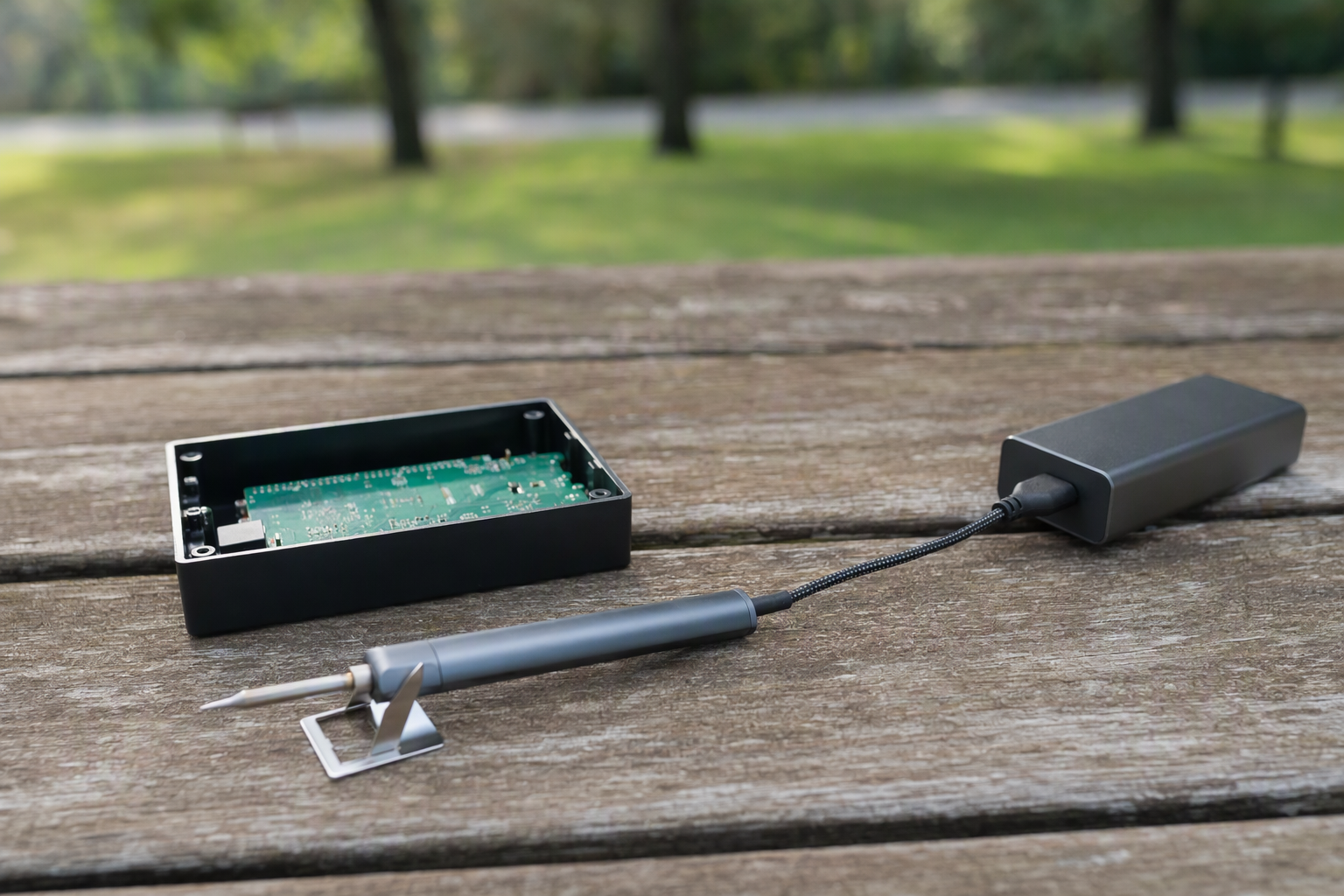
A USB-C power bank lets you solder at a drone field, a car, or a workbench with no outlet. The bank has to supply the voltage and wattage your iron asks for over USB-C PD.
The FNIRSI HS-01 listing names 12V 3A or 9V 2.0A banks, and WEP and MINIWARE both name power banks as sources. For banks with higher outputs, see our guides to USB-C power banks for Macs and power banks for handheld gaming PCs, which include high-wattage PD models.
FAQ
Can I run a USB-C soldering iron from a phone charger?
Only if the charger supplies the voltage and wattage the iron asks for. The irons here list 45W to 140W, and a charger below the iron’s listed input can leave it heating slowly or restarting.
Check the iron’s listing for its PD input range, then check the charger’s label. WEP says its iron works on lower-power sources with slower heat-up, while FNIRSI says a restart means the adapter is too weak at that voltage.
Which iron here has the most power over USB-C?
The ALIENTEK T90B lists up to 140W across a 9-28V input. The ALIENTEK T80 and iFixit FixHub listings follow at 100W.
To reach 140W, the T90B needs a charger and cable that can deliver it. ALIENTEK includes a 140W cable but no charger, so a smaller charger limits the iron to that charger’s output.
Do these irons come with a charger?
Two irons here list a power adapter in the box. MINIWARE lists a 65W adapter with the TS21, and Amazon’s product details for the FNIRSI HS-01 list a 65W PD adapter. PINE64 states that no power supply is included with the Pinecil.
The other listings name cables, cords, or tips but no charger. Budget for a PD charger or power bank matched to the iron’s listed wattage, and see our USB-C chargers guide for options.
Why is the TS101 listed at 65W and 45W?
The two figures belong to two different inputs. UY CHAN lists the TS101 DC5525 barrel port at up to 65W and its PD port at up to 45W.
If you plan to use USB-C only, plan around the 45W figure. FNIRSI lists the same kind of split for the HS-01, 96W on DC and 65W on PD.
Can I use a USB-C soldering iron on a power bank?
Yes, when the bank supplies enough power over USB-C PD. FNIRSI names 12V 3A and 9V 2.0A banks for the HS-01, and MINIWARE, WEP, and UY CHAN name power banks as sources.
A bank with a higher PD output can keep up better with the 100W irons. If you also use the bank to run other small USB-C tools, our guide to USB-C PD trigger boards covers pulling a fixed voltage from the same kind of source.
What else belongs in a small USB-C repair kit?
A stand or cap, spare tips, solder, and the right cable complete the kit. The MINIWARE TS21 ships with a mini stand and solder wire, and the WEP 928D-IV includes a stand and a protective cap.
A repair often starts by opening a case, so a USB-C electric screwdriver pairs well with the iron. Our guide to USB-C electric screwdrivers covers compact options for opening cases.
Final Word
For most buyers with a good USB-C charger, the PINE64 Pinecil is the simplest start. Choose the MINIWARE TS21 if you want the charger in the box, the FNIRSI HS-01 for power bank work, the ALIENTEK T80 or iFixit FixHub for 100W, and the ALIENTEK T90B for the heaviest joints. Whichever you pick, match the iron’s listed USB-C wattage to your charger and use a cable rated for it.