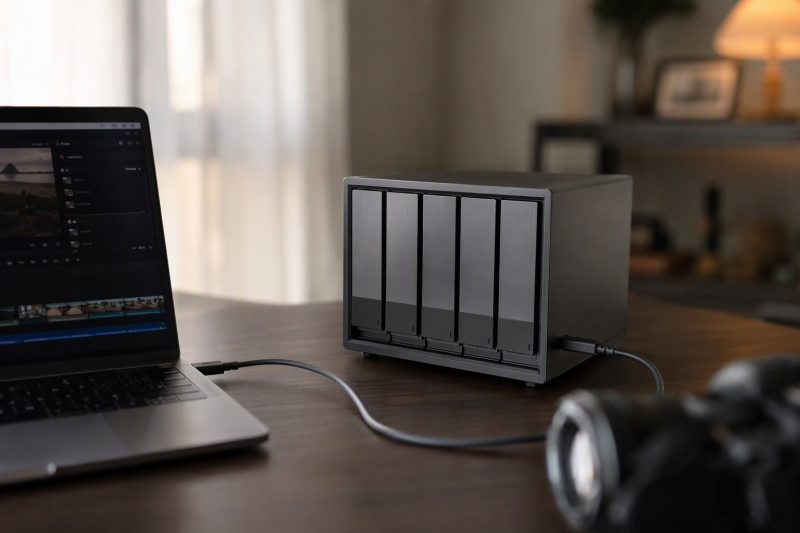
Video archives grow quickly, and scattering projects across loose external drives makes footage harder to find, protect, and reuse. A five-bay direct-attached storage enclosure puts several SATA drives behind one workstation connection. It can be a practical home for completed projects, camera originals, proxies, exports, and local backups without adding a network storage server.
Capacity is only one part of the decision. These eight enclosures differ in hardware RAID support, 5Gbps versus 10Gbps USB, drive format, cooling, power, and whether disks remain independent. Some are plain multi-drive DAS units, and others can combine disks through RAID. Choose the storage behavior first, then match the connection and drives.
[blueblock]A DAS connects to one host computer over USB. It is not automatically shared storage, and RAID is not a backup. Keep at least one independent copy of footage that cannot be replaced.[/blueblock]Quick Picks
- Best overall non-RAID DAS: SABRENT DS-SC5B specifies 10Gbps USB-C, individual bay controllers, trayless loading, per-bay power, and a 120mm PWM fan for the DS-SC5B.
- Best hardware RAID flexibility: Yottamaster PS500RC3 states the PS500RC3 supports RAID 0, 1, 3, 5, 10, JBOD, span, and clone modes for mixed archive strategies.
- Best straightforward 5Gbps JBOD: Yottamaster PS500C3 documents that the PS500C3 exposes five individual disks and accommodates both 2.5-inch and 3.5-inch SATA media.
- Best 10Gbps daisy-chain pick: Yottamaster FS5C3 lists the FS5C3 with dual USB-C ports, a built-in 150W supply, and hot-swap support.
- Best for older USB-A workstations: ORICO 5-Bay USB-A specifies a USB 3.0 Type-B host connection and tool-free top access for this 5-bay model.
- Best high-power daisy-chain alternative: Yottamaster VN500C3 rates the VN500C3 for 10Gbps USB-C, hot swapping, and includes a 150W internal supply.
- Best simple USB-C value: ORICO 9758C3 includes a USB-A/USB-C host cable, a 12V/10A adapter, and an 80mm fan with the 9758C3.
- Best high-capacity RAID pick: UGREEN 5-Bay RAID DAS states this 5-Bay RAID DAS supports up to 32TB per bay and eight independent, combined, clone, or RAID modes.
Comparison Table
| Image | Product | Details | Check Price |
|---|---|---|---|
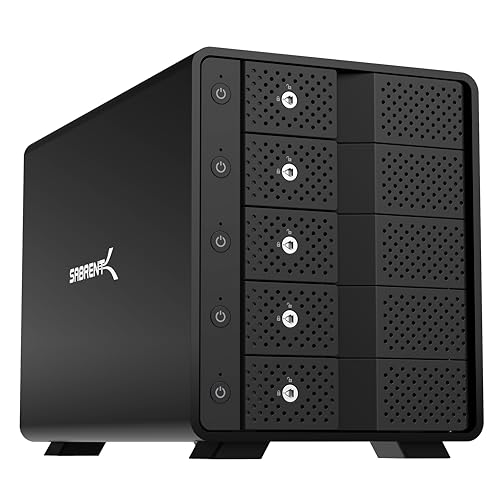 | SABRENT DS-SC5B | Storage mode: Five independent disks; no hardware RAID Host link: USB-C 10Gbps Drive support: Five 3.5-inch SATA HDDs or SSDs Capacity: Up to 100TB total Cooling: 120mm PWM temperature-controlled fan | Check Price on Amazon |
 | Yottamaster PS500RC3 | Storage mode: RAID 0/1/3/5/10, JBOD, span, clone Host link: USB-C 5Gbps Drive support: Five 2.5-inch or 3.5-inch SATA drives Capacity: Up to 110TB total Power: 78W combined drive limit stated | Check Price on Amazon |
| Yottamaster PS500C3 | Storage mode: Five independent disks; software RAID possible Host link: USB-C 5Gbps Drive support: Five 2.5-inch or 3.5-inch SATA drives Capacity: Up to 110TB total Cooling: 80mm fan | Check Price on Amazon |
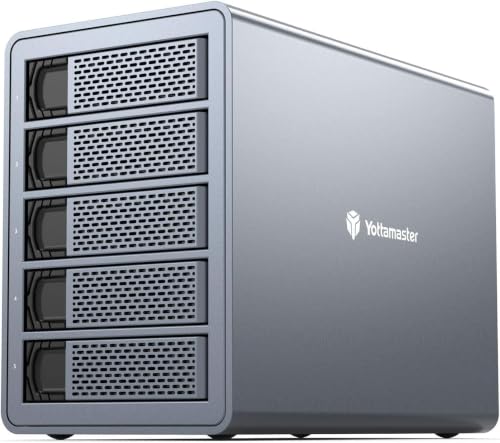 | Yottamaster FS5C3 | Storage mode: Independent disks; no hardware RAID stated Host link: Dual USB-C 10Gbps ports Drive support: 2.5-inch or 3.5-inch SATA drives Capacity: Up to 120TB total stated Power: 150W built-in supply | Check Price on Amazon |
 | ORICO 5-Bay USB-A | Storage mode: Independent disks Host link: USB 3.0 Type-B at up to 5Gbps Drive support: Five 2.5-inch or 3.5-inch SATA drives Capacity: Up to 110TB total Cooling: 60mm double-ball-bearing fan | Check Price on Amazon |
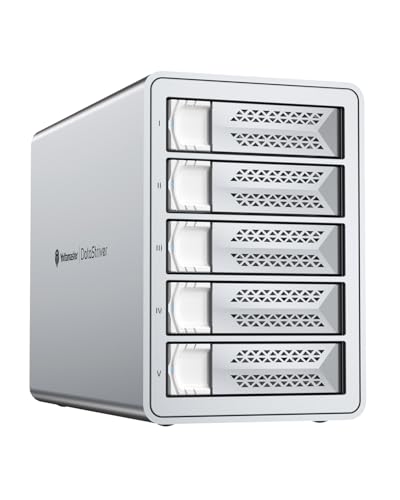 | Yottamaster VN500C3 | Storage mode: Independent disks; no hardware RAID stated Host link: Dual USB-C 10Gbps ports Drive support: 2.5-inch or 3.5-inch SATA drives Capacity: Up to 120TB total stated Power: 150W built-in supply | Check Price on Amazon |
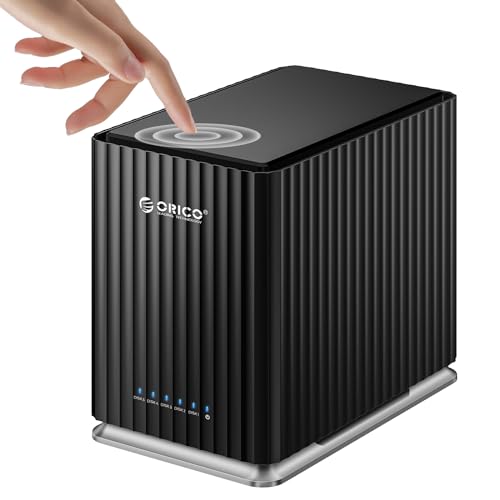 | ORICO 9758C3 | Storage mode: Independent disks Host link: USB-C 5Gbps with USB-A/USB-C cable Drive support: Five 2.5-inch or 3.5-inch SATA drives Capacity: Up to 110TB total Power: 12V/10A adapter | Check Price on Amazon |
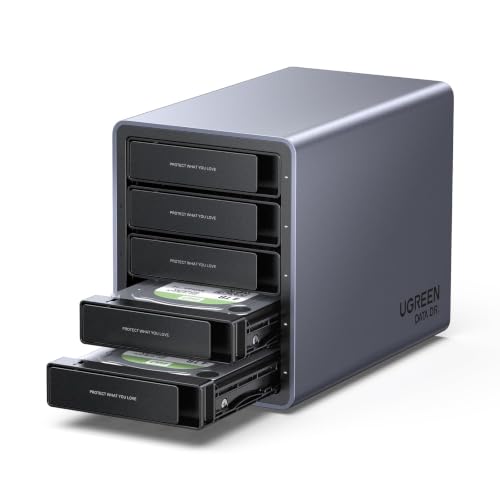 | UGREEN 5-Bay RAID DAS | Storage mode: PM, Large, Clone, RAID 0/1/3/5/10 Host link: USB-C 5Gbps Drive support: Five 2.5-inch or 3.5-inch SATA drives Capacity: Up to 160TB total Cooling: S.M.A.R.T.-based automatic fan control | Check Price on Amazon |
1. SABRENT DS-SC5B — Best Overall Non-RAID DAS
The SABRENT DS-SC5B is the strongest fit for editors who want five visible drives rather than a hardware RAID set. Sabrent specifies a dedicated ASMedia ASM1351 controller for every bay, and each disk mounts independently. That structure is easy to follow. One bay can hold current client masters, another camera originals, and the rest finished projects from past years or redundant local copies. If the enclosure fails, the disks do not depend on a proprietary array layout.
Sabrent rates the host connection at USB-C 10Gbps, although five mechanical hard drives can still contend for that shared upstream link during simultaneous transfers. SABRENT includes a USB-C-to-C cable and allows another peripheral or enclosure to connect through the rear USB-C port. The device is explicitly DAS, not NAS, and provides no hardware RAID. Software RAID is a host-level choice, but independent disks are the safest default when portability is a priority.
The physical design suits frequent archive work. The enclosure provides five trayless 3.5-inch bays with individual power switches and activity LEDs, while a locking key and Kensington slot add basic physical control. The manufacturer includes a 120mm PWM fan that changes speed with drive temperature, and the internal auto-switching supply removes the need for a large external power adapter. The stated limit is 20TB per bay, or 100TB total.
Compatibility covers Windows, macOS, and Linux, but this model is for 3.5-inch SATA HDDs or SSDs. Editors planning to reuse bare 2.5-inch laptop drives should select a model that explicitly supports them. For a workstation archive built mainly from high-capacity 3.5-inch disks, this model pairs 10Gbps USB with plain disk visibility and easy bay controls.
- Dedicated controller for each bay
- 10Gbps USB-C with rear expansion port
- Large temperature-controlled 120mm fan
- Individual bay power and activity controls
- No hardware RAID
- No stated 2.5-inch drive support
- 100TB stated ceiling is lower than newer rivals
2. Yottamaster PS500RC3 — Best Hardware RAID Flexibility
The PS500RC3 is among the most flexible choices when the enclosure itself must provide RAID. Its modes include RAID 0, 1, 3, 5, 10, JBOD span, and clone, with both hardware and software configuration paths described. That range can serve a scratch array, a capacity-focused volume, or a redundant archive set, but changing modes can reinitialize disks. Back up all valuable media before creating or changing any array.
Five removable trays accept 2.5-inch or 3.5-inch SATA HDDs and SSDs, with screws holding each drive in place. Yottamaster states capacity reaches 22TB per bay and 110TB total. Taking both drive types helps teams that mix older SATA SSDs with new high-capacity archive disks, although RAID members should normally match in capacity and performance to avoid wasting space or creating uneven behavior.
The USB-C interface is rated at 5Gbps, which suits archiving, restoring, and editing compressed media better than it suits the combined speed of five SSDs. An aluminum shell, front and rear ventilation, and an 80mm temperature-controlled fan help the drives handle sustained heat. Windows, macOS, and Linux compatibility is stated.
Power deserves close attention. The enclosure can run five drives, but the stated total drive draw must remain below 78W. High-power disks can exceed that budget during spin-up or heavy operation, and the product guidance calls for additional external power in that situation. Check the maximum or startup draw of all five drives before committing to a populated RAID set.
- Wide selection of RAID and independent-disk modes
- Supports both 2.5-inch and 3.5-inch SATA drives
- 110TB stated capacity
- 5Gbps host connection
- 78W combined drive-power condition
- RAID changes require careful backup discipline
3. Yottamaster PS500C3 — Best Straightforward 5Gbps JBOD
The PS500C3 removes hardware RAID from the equation and presents five individual disks to the computer. It suits editors who organize archives by physical drive and use normal file-copy or backup software. You can create software RAID with operating-system tools, but the enclosure does not manage an array itself.
Both 2.5-inch and 3.5-inch SATA HDDs and SSDs fit its removable trays. Each drive can hold up to 22TB, for a stated 110TB total. Screwed trays take longer to populate than a trayless dock, yet they secure drives during desk moves and reduce strain on the SATA connector.
Its USB 3.1 Gen 1 Type-C connection is rated at 5Gbps, with up to 260 MB/s stated for SSD operation. The stated SSD speed is enough for routine archive intake and retrieval, but the link is not designed to carry the full simultaneous speed of several SATA SSDs. The aluminum body, ventilation, and 80mm fan provide continuous cooling for a full set of spinning disks.
Yottamaster includes a 78W (12V/6.5A) power adapter, and total drive consumption must stay within that limit. The front door uses a push latch, while Windows and macOS support is stated. New blank disks may require initialization, but never initialize an old archive disk merely because it does not appear immediately.
- Clear non-RAID behavior
- 2.5-inch and 3.5-inch drive support
- Secure removable trays
- 110TB stated total capacity
- Limited to 5Gbps USB
- 78W total drive-power condition
- Software RAID depends on the host OS
4. Yottamaster FS5C3 — Best 10Gbps Daisy-Chain Pick
The FS5C3 targets larger desk setups with dual 10Gbps USB-C ports. Yottamaster states one SSD can reach 503 MB/s, while four SSDs can reach a combined 1,000 MB/s under the manufacturer’s cited test conditions. Actual results depend on disk performance, workload, host controller, and whether several volumes are active at once.
The second USB-C port enables daisy-chaining with compatible enclosures and portable SSDs. The manufacturer states the five-bay capacity is 24TB per drive and 120TB total, with much larger combined capacity claimed across chained devices. A chain does not multiply the bandwidth of the first host link, so use it to simplify cabling and expand cold storage, not on the assumption that every connected disk gets a dedicated 10Gbps path.
This aluminum enclosure accepts 2.5-inch and 3.5-inch SATA disks in removable metal trays, cools them with a low-noise fan, and supports hot swapping. The manufacturer includes a 150W built-in power supply, which offers substantially more headroom than 78W external-adapter models. Automatic restart after a power loss is also useful for a workstation that must resume unattended backup jobs.
The product information gives conflicting counts of four and five supported individual disks and uses inconsistent names in some descriptive text. Treat the physical five-bay design as the buying target, but verify the bay count, the exact model marking, and the cable layout before loading irreplaceable footage. It has no stated hardware RAID, so disks should appear independently.
- Dual 10Gbps USB-C ports
- 150W internal power supply
- Hot-swap support
- Up to 24TB per bay stated
- No hardware RAID stated
- Shared bandwidth across a daisy chain
- Conflicting product wording about drive count
5. ORICO 5-Bay USB-A — Best for Older USB-A Workstations
This ORICO enclosure is a practical option for older hosts. It connects through a USB 3.0 Type-B port at up to 5Gbps, a familiar arrangement for desktops without USB-C. The link is backward-compatible in normal USB use, although older host ports reduce speed. It accepts both 2.5-inch and 3.5-inch SATA HDDs and SSDs.
Five bays are rated to provide up to 22TB each and 110TB total. The magnetic top cover allows tool-free access, which is convenient when rotating offline archive disks. Because the cover opens without tools, the enclosure should stay stationary during transfers. Bare SATA connections are not intended to absorb movement or accidental cable pulls.
ORICO includes a 60mm double-ball-bearing fan and rear honeycomb vents to handle cooling. The fan is smaller than the 80mm and 120mm designs elsewhere in this guide, so placement and airflow need attention during long multi-drive writes. ORICO states protection against over-voltage, over-current, overheating, short circuits, and leakage is included.
Windows, macOS, and Linux compatibility is listed, but Linux has a major qualification, because only one drive may be readable at a time. Linux editors who need all five volumes concurrently should avoid this model. The product information also mentions four indicators despite the five-bay format, so confirm the exact status display after setup.
- Works with conventional USB-A hosts
- Tool-free magnetic cover
- Broad 2.5/3.5-inch SATA support
- Multiple electrical protections stated
- Only one disk at a time stated for Linux
- Smaller 60mm fan
- No 10Gbps connection
6. Yottamaster VN500C3 — Best High-Power Daisy-Chain Alternative
The VN500C3 closely parallels the FS5C3 in the features an editing desk depends on. It offers 10Gbps USB-C, dual ports for compatible daisy-chaining, and Yottamaster states single-SSD reads of 503 MB/s. Aggregate four-SSD results are claimed by the manufacturer up to 1,000 MB/s, subject to drive and host performance.
Five 2.5-inch or 3.5-inch SATA bays provide a manufacturer-stated 120TB maximum at 24TB per disk. Chaining can expand total attached capacity far beyond one chassis, but the supplied descriptions conflict between 330TB and 360TB. Plan around the verified capacity of each installed enclosure rather than the promotional aggregate.
Hot swapping, removable metal trays, a low-noise fan, and an aluminum shell suit frequent media rotation. Its 150W internal supply provides useful spin-up headroom, while automatic power-on after an outage can restore an interrupted workstation workflow. A surge-protected UPS is still advisable for an archive array and its host.
No hardware RAID is stated, and some descriptive text incorrectly says four individual disks despite the five-bay format. Verify that the received model shows all five bays before copying the only copy of a project. This model makes the most sense as a DAS for independent disks with high power headroom and a fast uplink, not as a substitute for a RAID controller.
- Dual 10Gbps USB-C ports
- 150W internal supply
- Hot-swap trays
- Automatic restart after power loss
- No hardware RAID stated
- Conflicting daisy-chain capacity figures
- Published text inconsistently describes drive count
7. ORICO 9758C3 — Best Simple USB-C Value
The ORICO 9758C3 is a simple five-drive DAS for buyers who want broad host connectivity without RAID complexity. Its included two-in-one USB-A/USB-C cable can serve an older desktop today and a newer Type-C workstation later. The host link is rated for 5Gbps, with actual read and write performance stated at up to 260 MB/s.
ORICO states each bay accepts a 2.5-inch or 3.5-inch SATA drive up to 22TB, for 110TB total. The push-to-open design simplifies installation and keeps the enclosure compact on a desk. It is best treated as stationary storage, particularly when all five drives are spinning and the host cable is attached.
The included 12V/10A adapter is rated for 120W nominal output, which provides more power headroom than the Yottamaster adapters rated at 78W. The included 80mm fan supports sustained operation and simultaneous reads or writes across multiple disks. Exact noise still depends heavily on the installed hard drives, which usually dominate a five-bay desktop enclosure.
There is no hardware RAID mode stated. The missing RAID mode is a benefit for editors who want independently mounted archive disks, but redundancy must then come from separate copies or host-managed software. Use descriptive volume names and maintain an offline catalog so a drive remains identifiable when removed from the chassis.
- USB-A and USB-C host options
- 120W nominal adapter output
- Supports both common SATA drive sizes
- Quiet 80mm cooling fan
- 5Gbps rather than 10Gbps
- No hardware RAID stated
- 260 MB/s stated real transfer ceiling
8. UGREEN 5-Bay RAID DAS — Best High-Capacity RAID Pick
UGREEN combines the highest stated single-chassis capacity here with a broad set of storage modes. Its PM mode exposes independent disks, Large combines capacity, Clone duplicates data, and RAID 0, 1, 3, 5, and 10 cover speed or drive-failure protection goals. Always back up before changing modes because reformatting is required.
UGREEN rates the enclosure for 2.5-inch or 3.5-inch SATA HDDs or SSDs at up to 32TB per bay and 160TB total. That ceiling leaves room for future archive growth, although the 5Gbps USB-C host link limits transfer speed. The enclosure can attach to a compatible NAS for external backup, but its disks cannot become members of that NAS storage pool.
UGREEN states that cooling responds to S.M.A.R.T. temperature information, and the aluminum housing releases heat. In PM mode, disks sleep and the fan stops after about 15 minutes of inactivity. Five red and white LEDs report drive presence, mode problems, and RAID rebuild status, which helps when a protected array needs attention.
UGREEN includes a 12V/8A adapter rated for 96W nominal power for simultaneous multi-drive use. RAID can improve availability after one drive failure in appropriate modes, but it cannot recover deleted files, malware damage, theft, enclosure failure, or a second failure beyond the mode’s tolerance. Maintain a separate backup even when using RAID 5 or RAID 10.
- Highest stated capacity in the group
- Eight storage and RAID modes
- Temperature-responsive cooling
- Clear per-drive status LEDs
- 5Gbps USB-C connection
- RAID changes require reformatting
- RAID still needs an independent backup
Buying Guide: Choosing a Five-Bay DAS for Video Archives
Decide between independent disks and hardware RAID
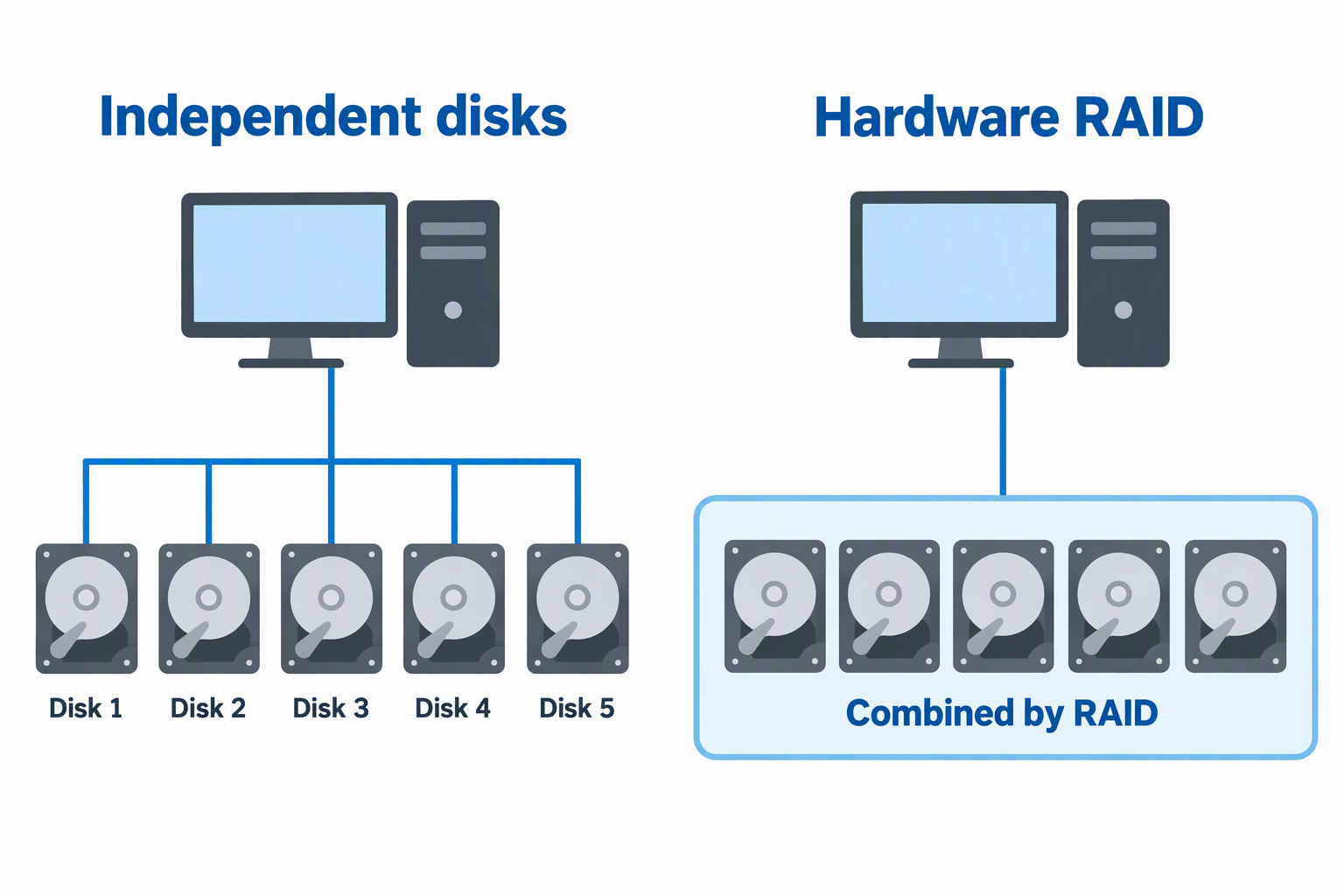
Independent-disk or PM/JBOD-style access makes each drive visible to the workstation. It is simple to organize, move, and recover without depending on an enclosure’s RAID metadata. SABRENT, PS500C3, FS5C3, VN500C3, ORICO 9758C3, and the older ORICO model focus on separate disks, while UGREEN also provides a PM mode.
Hardware RAID combines drives according to a selected policy. RAID 1, 5, or 10 can tolerate defined drive failures, while RAID 0 prioritizes speed without redundancy. The Yottamaster PS500RC3 and UGREEN provide the broadest hardware choices. Never select a mode until every valuable file has another verified copy.
Match 5Gbps or 10Gbps USB to the workload
A 5Gbps USB link is usually adequate for scheduled archive copies, retrieving one project, and mechanical-drive workloads. It becomes restrictive when several SSDs transfer concurrently or an editor expects aggregate array speed. PS500RC3, PS500C3, both ORICO units, and UGREEN use 5Gbps host links.
The SABRENT, FS5C3, and VN500C3 provide 10Gbps USB-C. That extra bandwidth is most useful for SSD arrays, concurrent disk access, and large restore jobs. It does not guarantee a specific application speed because file sizes, disk zones, RAID mode, cable, host controller, and chained devices all affect the speed you get.
Calculate usable capacity rather than headline capacity
Five disks do not always contribute their full raw sum. A five-by-22TB enclosure provides a theoretical 110TB raw, while parity or mirrored RAID modes reserve some capacity for protection. File-system formatting and the difference between decimal and binary units also make the figure your operating system reports appear lower.
Buy capacity around your retention policy, because camera originals, project files, exports, caches, and backups have different lifetimes. Keep at least 20 percent operational free space when possible so transfers, verification, and reorganization do not constantly run against the limit. Confirm that the enclosure supports the capacity of every planned disk.
Check drive format, trays, and rotation needs
All choices except SABRENT explicitly support 2.5-inch and 3.5-inch SATA drives. That flexibility helps reuse laptop SSDs, but 3.5-inch HDDs generally provide the practical capacity for large video archives. NVMe M.2 drives do not fit these SATA bays without a separate bridge that may not be supported.
Trayless bays are fastest for regular rotation, while screwed removable trays secure drives during handling. Label both the physical disk and its volume consistently. If drives leave the enclosure, store them in antistatic protective cases and never treat a bare archival HDD as a portable everyday device.
Verify the power budget before filling every bay
Five HDDs can draw substantial current during startup. The PS500RC3 and PS500C3 specify a 78W combined drive limit, whereas the FS5C3 and VN500C3 use 150W internal supplies. The ORICO 9758C3 provides a nominal 120W adapter, and UGREEN supplies a nominal 96W adapter.
Check each drive’s startup and operating requirements, not only its average idle draw. A power shortfall can look like drive failure, with disks dropping, failing to appear, or resetting under load. Connect the enclosure and workstation to appropriate surge protection or a UPS, especially during RAID rebuilds and large ingest jobs.
Plan cooling and acoustic placement
A full five-drive enclosure produces heat even when USB traffic is modest. Larger 80mm or 120mm fans can move air at lower rotational speeds than a 60mm design, though controller behavior and disk heat still determine noise. Leave ventilation openings clear and avoid closed cabinets without airflow.
Archive HDD vibration and seeking may be louder than the fan. Place the DAS on a stable surface away from microphones and avoid soft material that blocks vents. During long transfers, monitor drive temperature and error indicators rather than assuming an aluminum shell alone guarantees safe cooling.
Treat RAID, backup, and archive as separate jobs
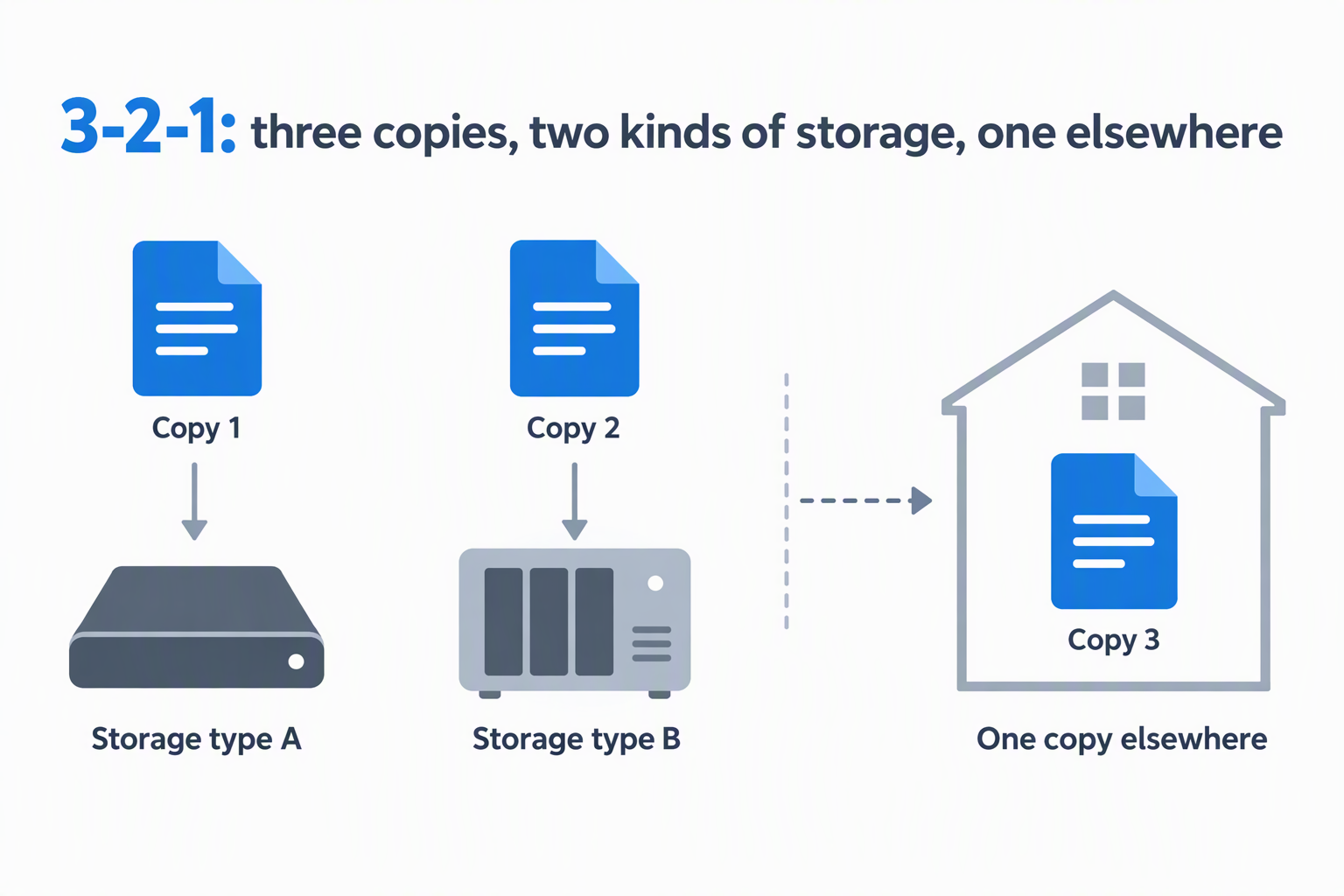
RAID improves continuity for specific hardware failures. It does not preserve prior versions or off-site copies. A resilient plan follows the 3-2-1 principle where practical: three copies, on two kinds of storage, with one copy elsewhere. A five-bay DAS can hold one layer, not the entire protection strategy.
Use checksum verification for finished project moves and test restores before deleting source media. Keep irreplaceable footage on an independent device or location, and document the file system, RAID mode, drive order, encryption keys, and recovery procedure so the archive remains usable years later.
Frequently Asked Questions
Is a five-bay DAS the same as a NAS?
No. A DAS connects directly to one computer through USB, while a NAS connects to a network and normally serves multiple clients. A DAS may be shared through its host computer, but that host must remain on and becomes part of the access path.
A DAS is usually simpler and avoids network configuration. A NAS is better when editors need simultaneous access from several machines, permissions, and remote management. Choose around collaboration needs rather than bay count alone.
Does five-bay DAS automatically mean RAID?
No. Several models here present five independent disks and state no hardware RAID. Others provide independent, combined, clone, and RAID modes. Read the mode specification carefully because “JBOD” can describe independent disks or one spanned volume depending on the product.
Software RAID may be possible on the host, but portability depends on the operating system and configuration. Independent volumes are easier to move between computers, while hardware RAID can provide a single large protected volume.
Is 5Gbps fast enough for editing video?
It can be, especially for compressed footage or a single mechanical disk, but it depends on the workload. Multiple high-bitrate streams, multicam timelines, or simultaneous SSD transfers can exceed what a shared 5Gbps link delivers after overhead.
For demanding active projects, use fast internal or dedicated working storage and move completed material to the DAS. A 10Gbps model gives more headroom, but it still does not guarantee the combined native speed of five drives.
Can different drive capacities be mixed?
Independent-disk modes generally allow mixed capacities because every disk mounts separately. RAID behavior differs, because many modes size all members around the smallest disk and leave extra space on larger drives unused.
Matching drives also makes performance and replacement planning more predictable. Before building an array, confirm the controller’s exact rules and keep a compatible spare available for critical storage.
Can drives be swapped while the enclosure is running?
Only models that explicitly support hot swapping should be treated that way, and the volume must still be ejected safely first. FS5C3 and VN500C3 state hot-swap support. SABRENT describes trayless hot-swap bays with per-bay controls.
For every other model, shut down or disconnect according to its instructions before removal. Never pull a drive during a write, RAID rebuild, file-system repair, or checksum operation.
Related Storage and Workstation Guides
- 3.5-inch hard drive enclosures for desktop archives
- Managed 2.5GbE switches for editing networks
- SFP+ network cards for small 10GbE studios
- SFP+ direct-attach cables for studio links
- Fiber media converters for desk network extensions
- Ethernet patch panels for creator studio wiring
- Rack shelves for non-rack studio gear
- Wi-Fi 7 PCIe cards for desktop workstations
Bottom Line
The SABRENT DS-SC5B is the strongest all-around non-RAID choice for five 3.5-inch archive drives, while the Yottamaster PS500RC3 offers broad RAID flexibility. The UGREEN 5-Bay RAID DAS stands out when you want the maximum stated capacity and managed RAID modes.