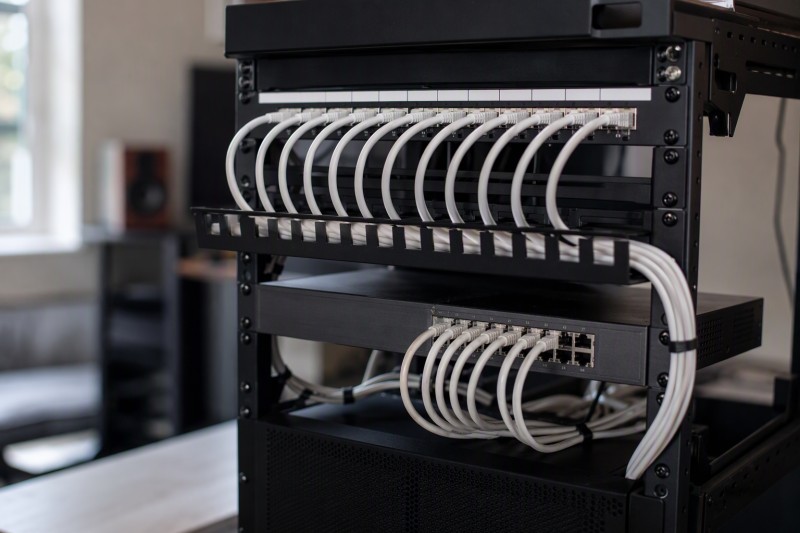
A patch panel gives permanent Ethernet runs a stable, numbered termination point in a creator studio rack. It separates in-wall or room-to-room cabling from short, replaceable patch leads to the switch, so you can label edit desks, access points, cameras, storage, control systems, and future drops. The panel itself does not switch traffic or add network speed.
These eight options fall into three types: feed-through panels with RJ45 couplers on both sides, punch-down panels for bare permanent cable, and blank frames that accept separate keystone modules. Rack width is just as important as the type. Six use the common 19-inch format, and two are made for compact 10-inch racks and will not directly fit a standard 19-inch opening.
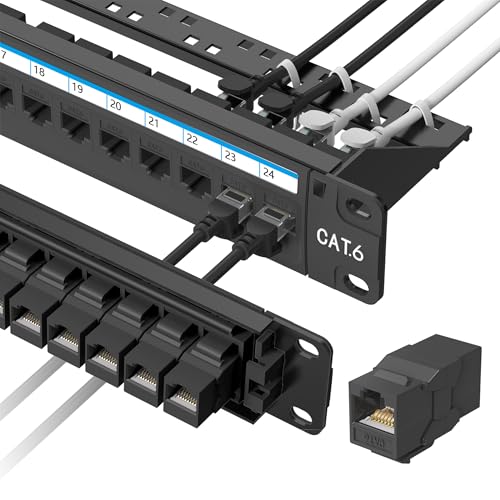
Choose the termination method before the brand. A feed-through panel needs pre-terminated RJ45 cables, a punch-down panel needs bare cable conductors, and a blank keystone panel needs separately purchased modules.- Best easy 19-inch feed-through panel: Jadaol Preloaded 24-Port includes 24 removable Cat 6 couplers plus one spare, a rear bar, and 1U rack or wall mounting.
- Best punch-down panel: Cable Matters Cat 6 24-Port supports T568A and T568B termination, 10Gb Ethernet claims, PoE through PoE++, and included D-rings and cable ties.
- Best mixed-media panel: Cable Matters Blank 24-Port accepts Ethernet, fiber, HDMI, USB, coax, audio, and other standard keystones in one 19-inch 1U frame.
Ethernet Patch Panel Comparison
| Image | Product | Details | Check Price |
|---|---|---|---|
 | Jadaol 24-Port Cat 6 Feed-Through Patch Panel | Ports: 24 plus 1 spare coupler Type: RJ45 feed-through Rack: 19 in, 1U Speed claim: Up to 10Gbps Cable support: Rear management bar | Check Price on Amazon |
 | Cable Matters 24-Port Cat 6 Punch-Down Patch Panel | Ports: 24 Type: Cat 6 punch-down Rack: 19 in, 1U Speed claim: 10Gb Ethernet Power: PoE, PoE+, PoE++ stated | Check Price on Amazon |
 | GeeekPi 12-Port Cat 6 Patch Panel | Ports: 12 keystone positions Type: Modular keystone Rack: 10 in, 1U Material: Steel Accessories: Mounting screws and 12 ties | Check Price on Amazon |
 | Cable Matters 24-Port Blank Keystone Patch Panel | Ports: 24 empty keystone openings Type: Blank mixed-media frame Rack: 19 in, 1U Modules: Not included Cable support: Removable rear bar | Check Price on Amazon |
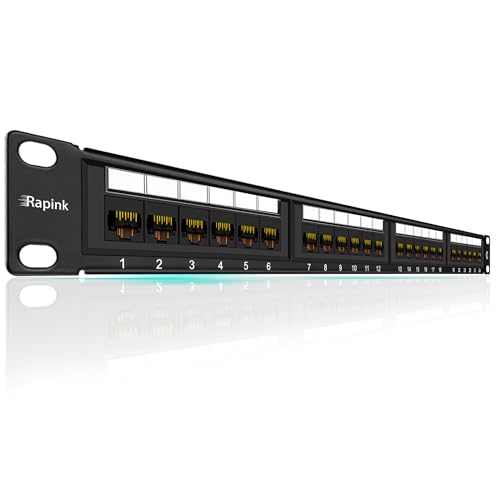 | Rapink 24-Port Cat 6 Punch-Down Patch Panel | Ports: 24 Type: Cat 6 punch-down Rack: 19 in, 1U Wiring guide: 568B Speed claim: Up to 10G | Check Price on Amazon |
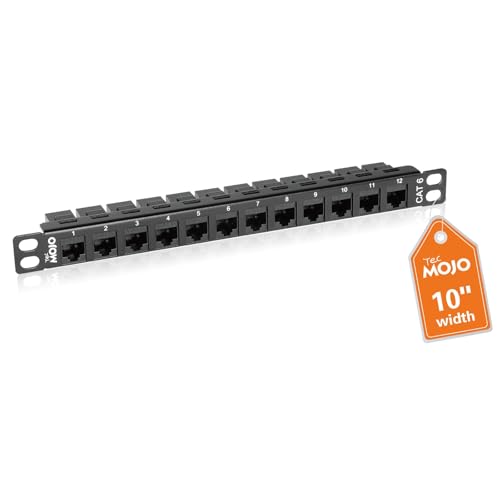 | Tecmojo 12-Port Cat 6 10-Inch Patch Panel | Ports: 12 removable keystones Type: Modular feed-through Rack: 10 in, 0.5U Speed claim: Gigabit and 10G applications Hardware: 10-32 screws and nuts | Check Price on Amazon |
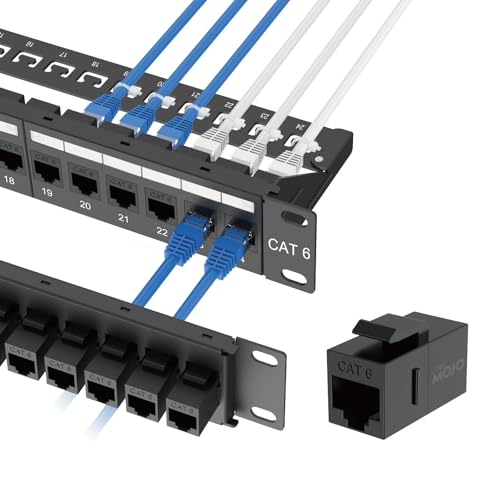 | Tecmojo HPP-2403 24-Port Cat 6 Patch Panel | Ports: 24 preloaded couplers Type: RJ45 feed-through Rack: 19 in, 1U Speed claim: Up to 1000Mbps Accessories: Cage nuts, screws, ties | Check Price on Amazon |
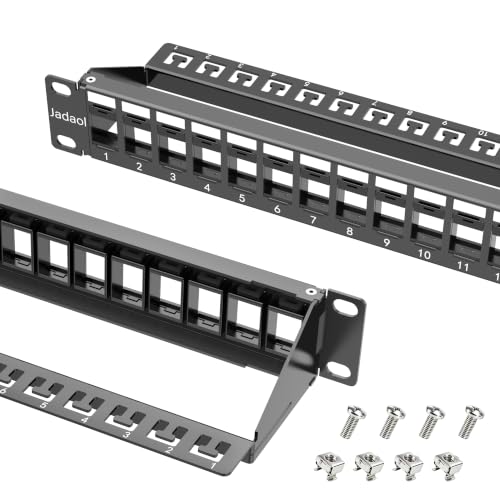 | Jadaol 24-Port Blank Keystone Patch Panel | Ports: 24 empty keystone openings Type: Blank mixed-media frame Rack: 19 in, 1U Modules: Not included Cable support: Integrated management and rear bar | Check Price on Amazon |
1. Jadaol Preloaded 24-Port Panel — Best Easy 19-Inch Feed-Through Pick
If your room runs already end in RJ45 plugs, Jadaol’s panel is a fast way to get them onto a rack. It is preloaded with 24 Cat 6 RJ45 keystone couplers and one spare module, and each port accepts an RJ45 plug at the front and rear. Installation uses pre-terminated patch or horizontal cables rather than individual conductor termination. Skipping termination reduces wiring errors and eliminates a punch-down tool, but the panel cannot accept bare cable directly.
The panel is a standard 19-inch 1U design for rack, cabinet, or compatible wall-mount use. A rear cable-management bar holds incoming leads so their weight does not pull on the couplers. You can replace a damaged port individually because the modules are removable, and the included spare reduces downtime when a coupler fails.
Jadaol states support up to 10Gbps with Cat 6 cable and lists the panel as UL certified. Actual channel performance depends on every cable, coupler, connector, length, and installation detail. The extra mated connection at each feed-through coupler is the price of that convenience, compared with ending the permanent run directly at a punch-down block.
[accentbox]Choose Jadaol when the fixed runs already end in RJ45 plugs and quick, tool-free installation is more valuable than direct punch-down termination.[/accentbox]- 24 couplers plus one spare
- No punch-down tool required
- Rear cable-management bar
- Requires pre-terminated RJ45 cables
- Additional coupler connection in each channel
2. Cable Matters Cat 6 Punch-Down Panel — Best Overall Punch-Down Pick
When the permanent runs are bare cable, this Cable Matters panel is made to terminate them. It takes up to 24 bare Cat 6 runs in a 19-inch 1U space and is unshielded and backward-compatible with Cat 5e and Cat 5 cable. Color-coded T568A and T568B diagrams show where each conductor goes, and numbered front ports make it easier to map each terminated run to a room and wall-jack label.
The listing states support for 10-Gigabit Ethernet and PoE, PoE+, and PoE++. Gold-plated contacts are intended to maintain stable connections. Those capabilities depend on correct category cable, pair geometry, termination quality, total channel length, and powered-device requirements. A poor punch-down can compromise a link regardless of the panel’s rating.
Its 1U height is 1.75 inches, and it fits standard 19-inch racks, cabinets, or wall brackets. The UL-listed panel includes D-rings and cable ties for rear organization. Of the two punch-down panels here, it is the one with more documented accessories and ratings, which makes it the stronger conventional choice when permanent solid-conductor runs should terminate directly instead of arriving with RJ45 plugs.
[accentbox]Use this panel for bare Cat 6 structured cable and plan a punch-down tool, cable tester, labeling scheme, and rear strain relief as part of the installation.[/accentbox]- T568A and T568B guides
- 10GbE and PoE++ support stated
- D-rings and cable ties included
- Requires punch-down termination
- Unshielded design
3. GeeekPi 12-Port 10-Inch Panel — Best 10-Inch 1U Pick
A desk or home-lab enclosure is where this panel fits, because 24 ports would waste space and depth there. GeeekPi serves compact studio racks with a 10-inch-wide, 1U, 12-port steel panel designed around DeskPi RackMate models and other compatible 10-inch racks rather than standard 19-inch equipment.
Twelve numbered keystone positions are paired with a cable-management bar. The listing calls the design modular and says individual keystone jacks can be replaced or changed to different colors. It states compatibility with Cat 5, Cat 5e, Cat 6, and Cat 6a cables, but it does not clearly describe whether the listed keystone couplers are preloaded or need separate purchase.
Mounting screws and twelve cable ties are included. Because the package description is less explicit than the Jadaol and Tecmojo feed-through products, confirm the included jack count and termination style before ordering. The half-height Tecmojo panel states that its twelve jacks are included, which GeeekPi’s description does not. The GeeekPi panel’s central advantage is its compact rack width, not a unique performance rating.
[accentbox]Buy the GeeekPi only for a 10-inch rack ecosystem. It will not directly span a conventional 19-inch rack without another mounting solution.[/accentbox]- Compact 10-inch rack format
- Numbered 12-port layout
- Steel panel and cable-management bar
- Does not fit 19-inch racks directly
- Included keystone details are unclear
4. Cable Matters Blank Keystone Panel — Best Mixed-Media Pick
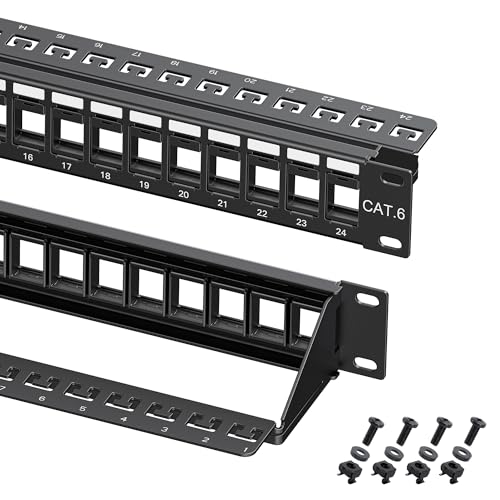
A creator rack that carries production, monitoring, data, and utility connections can put them all on one labeled panel with this blank Cable Matters frame. It supplies 24 standard keystone openings rather than fixed network ports, and it can mix RJ45 Ethernet, RG6 coax, HDMI, banana binding posts, 3.5 mm audio, USB, fiber, and other compatible modules.
No keystone jacks are stated as included, so you select a module for every port. The benefit is that you can replace modules and reconfigure later. The cost is more work choosing components, and the Jadaol blank panel asks for the same work. Check each module’s dimensions because some oversized keystones can crowd neighboring openings even when they nominally follow a standard format.
The heavy-duty flame-retardant powder-coated steel panel fits 19-inch 1U racks, cabinets, and wall brackets. A removable rear support bar has 24 C-shaped keyholes for tying cables in place. Stamped port numbers and writable label spaces help you identify mixed signals during maintenance.
[accentbox]Choose this blank frame when the rack needs Ethernet plus audio, video, coax, USB, or fiber keystones. Budget every insert separately.[/accentbox]- Supports many keystone signal types
- 24 ports in 1U
- Removable rear support bar
- No keystone modules included
- Wide modules may crowd adjacent ports
5. Rapink 24-Port Cat 6 Panel — Best Alternative Punch-Down Value
If you need a second punch-down option for bare cable, Rapink offers a conventional 24-port Cat 6 punch-down panel for 19-inch 1U racks, cabinets, or wall mounts. It works with Cat 6, Cat 5e, and Cat 5 cabling and claims support for Ethernet links up to 10G. The rear uses a labeled 568B reference rather than the dual-scheme description given for Cable Matters.
Gold-plated 8P8C contacts are intended to support stable connections. Screws and zip ties are included, with the ties used to reduce movement and strain at terminated cables. The supplied information does not mention a rear support bar, D-rings, UL listing, PoE levels, or 568A labeling, so buyers needing those exact items should choose the Cable Matters panel instead.
As a punch-down unit, it expects bare network cable rather than RJ45 plugs. Keep pair twists close to each termination, follow the chosen wiring pattern consistently, and test every port. A panel cannot correct category violations or damaged conductors elsewhere in the channel.
[accentbox]Rapink is the straightforward 568B punch-down value for a 19-inch rack. Choose it when the omitted accessories and certifications are not project requirements.[/accentbox]- 24 ports in 1U
- 10Gb Ethernet support stated
- Screws and zip ties included
- Only 568B labeling stated
- PoE and UL details not provided
6. Tecmojo 12-Port 10-Inch 0.5U Panel — Best Space-Saving Mini-Rack Pick
When a mini rack has little vertical space, Tecmojo fits 12 ports into 0.5U of a 10-inch rack, which is less height than the 1U GeeekPi. The listing explicitly warns that it does not fit 19-inch racks. A half-height panel works when the compact cabinet has compatible mounting holes and you can still reach the couplers and labels comfortably.
Twelve removable keystone jacks are included, so you can replace one jack instead of the full panel. The source states compatibility with Cat 6, Cat 6a, and Cat 5e for Gigabit and 10G Ethernet applications. As with every feed-through design, the complete channel and cables must meet the desired performance target.
Bold numbering and writable label spaces help you identify each port. The kit includes two sets of 10-32 mounting screws and nuts but does not list a rear cable-support bar or ties. A 0.5U panel can save rack space while making cable dressing tighter, so plan bend clearance and strain relief behind the frame.
[accentbox]Select Tecmojo for a 10-inch rack that truly supports 0.5U mounting and needs maximum port density. It is not a 19-inch or punch-down product.[/accentbox]- 12 ports in 0.5U
- Removable jacks included
- Mounting hardware included
- 10-inch racks only
- No rear support bar stated
7. Tecmojo HPP-2403 — Best Gigabit-Rated Feed-Through Kit
The HPP-2403 suits a Gigabit studio whose runs already end in plugs. It is a 19-inch 1U feed-through panel preloaded with 24 Cat 6 UTP RJ45 couplers. Front and rear labeling plus numbered ports make it easier to match room runs to switch ports. Because the couplers are removable, you can replace a failed connection without discarding the steel frame.
Tecmojo rates this listing up to 1,000 Mbps, which is lower than the Cat 6 category suggests and lower than the 10Gbps that other panels claim. A buyer who needs a validated 10GbE channel should not assume the product goes beyond its stated speed. It remains suitable for Gigabit workstations, cameras, control devices, and access points when the rest of the network matches.
The tool-free design needs pre-terminated Cat 6, Cat 5e, or Cat 5 UTP cables. Cage nuts, screws, and zip ties are included for rack installation and cable dressing. The listing says couplers can reduce installation time versus traditional panels, but the actual benefit depends on whether the studio already has terminated leads.
[accentbox]Choose the HPP-2403 for a Gigabit feed-through installation. Use a panel with an explicit 10GbE claim when that higher speed is a firm requirement.[/accentbox]- 24 couplers preloaded
- Front and rear labels
- Cage nuts, screws, and ties included
- Only 1,000 Mbps stated
- Cannot punch down bare cable
8. Jadaol Blank 24-Port Panel — Best Heavy-Duty Custom Frame
For a custom mix of data and production connections, Jadaol’s blank panel offers 24 empty keystone openings in a 19-inch 1U steel frame. No jacks, couplers, or inserts are included, the same as with the Cable Matters blank panel. It accepts standard-sized modules for Cat 6A, Cat 6, Cat 5e, Cat 5, studio audio, HDMI, USB Type-C, fiber, coax, and other signals.
An integrated cable-management structure and a removable rear support bar hold and organize cable bundles. The heavy-duty powder-coated steel resists corrosion, and the clear numbering and writable spaces let you keep a durable labeling scheme. These physical features make it a strong foundation for a creator rack, though you supply every module.
The title uses “10Gbps,” but a blank metal frame does not establish network speed by itself. Performance comes from the installed keystone, cable, termination, patch cords, and total channel. Select modules with ratings appropriate to each signal, and confirm that their housings fit side-by-side before populating all 24 positions.
[accentbox]Use this Jadaol as a custom heavy-duty frame, not a ready-to-connect network panel. Every port requires a separately selected keystone insert.[/accentbox]- Broad data and media keystone support
- Rear support bar
- Heavy-duty labeled steel frame
- No keystones included
- Speed depends entirely on installed components
Buying Guide: Choosing a Studio Patch Panel
Pick feed-through, punch-down, or blank keystone first
Feed-through panels place an RJ45 coupler between front and rear cables. They are fast to deploy when every permanent run already has a plug. Punch-down panels terminate bare twisted-pair conductors directly and are the conventional approach for fixed structured cabling. The two styles need different tools and cable preparation. Of the eight, the Jadaol Preloaded panel and both Tecmojo panels are feed-through, the Cable Matters punch-down and Rapink panels are punch-down, and the two blank frames come from Cable Matters and Jadaol.
Blank panels accept separately chosen keystones and can mix Ethernet with audio, video, fiber, coax, and USB. They offer the most flexibility but arrive incomplete. Build a port schedule first, then decide whether fixed data density or mixed-media adaptability is the more important goal.
Match 10-inch or 19-inch rack width
Standard equipment racks use a 19-inch mounting width. Jadaol, Cable Matters, Rapink, and the 24-port Tecmojo all target that format. GeeekPi and the 12-port Tecmojo target 10-inch mini racks and do not directly bolt across a 19-inch rack.
Vertical size counts too. Most panels are 1U, equal to 1.75 inches, while the compact Tecmojo is 0.5U. Confirm that the rack uses compatible half-unit mounting positions and leaves enough hand access. Verify width and hole alignment before you look at port count or category claims.
Choose port count with a growth margin
Count every current room drop, access point, camera, control device, workstation, and storage connection that terminates in the rack. Add labeled spare capacity for planned changes. A 24-port panel can support a growing studio without taking more than 1U, but unused ports do not provide value in a tiny desk rack.
Twelve-port panels suit compact 10-inch systems and smaller studios. Avoid filling every opening on day one if expansion is likely. A consistent numbering plan should map patch-panel port, wall jack, destination room, and switch port so the physical and logical records agree.
Do not confuse category claims with guaranteed speed
A Cat 6 or 10Gbps label on the panel is only one part of channel performance. Cable category, conductor quality, termination, couplers, patch leads, distance, and installation all contribute. The Tecmojo HPP-2403 explicitly states 1,000 Mbps, while Jadaol, Cable Matters, Rapink, and the compact Tecmojo make higher-speed claims.
A blank panel has no inherent data category until populated. Use rated modules and cable, preserve pair twists, avoid excessive untwisting, and test the completed channel. For a high-speed editing network, certify or at least verify each link at the intended negotiated rate before it carries production work.
Plan PoE and shielding requirements
Cable Matters explicitly lists PoE, PoE+, and PoE++ support on its punch-down panel. Other listings may omit power details even when a passive panel could carry compatible PoE. High-power links make termination quality, conductor size, bundle heat, and rated components especially important.
These products are generally described as UTP or unshielded unless otherwise stated. A shielded cabling system requires compatible shielded jacks, panel bonding, cable, and installation practice throughout the channel. Do not mix a shielded design casually with an unshielded patch panel and expect the shield path to remain effective.
Support cables and preserve bend radius
Rear support bars, D-rings, C-shaped tie points, and cable ties keep weight off terminations and couplers. Jadaol and the blank Cable Matters products provide substantial rear support, while package contents vary on the other panels. Cable organization is functional because tension and sharp bends can damage link reliability.
Use hook-and-loop restraint where cables may be changed often and avoid crushing bundles with overtightened zip ties. Leave a service loop that permits panel removal without pulling on fixed runs. Route power and data thoughtfully, keep labels visible, and preserve the cable maker’s minimum bend radius.
Build a labeling and test process
Numbered ports help only when the same identifiers appear at wall outlets and in documentation. Use a durable scheme that describes destination rather than the current device, since an “Edit Bay 2” run may serve different hardware later. Record panel port, outlet, room, cable type, test result, and switch port.
Test every termination before closing the rack. A basic continuity test catches opens, shorts, reversals, and split pairs, while performance qualification may be needed for high-speed links. Keep spare couplers or keystones for modular panels and document every change so troubleshooting does not depend on memory.
Frequently Asked Questions
Does a patch panel require a network switch?
Yes, for active Ethernet connectivity. A patch panel is passive organization and termination. Short patch cords normally connect its front ports to switch ports, while fixed runs leave from the rear.
The panel does not assign addresses, route traffic, or add bandwidth. It makes connections easier to label, rearrange, test, and protect.
Is feed-through better than punch-down?
Neither is universally better. Feed-through is faster when rear cables already have RJ45 plugs and makes modules replaceable. Punch-down is designed for bare permanent cable and avoids a rear plug-to-coupler connection.
Choose based on the cable arriving at the rack, installer skill, desired serviceability, and channel design. Do not buy a feed-through panel for unterminated conductors.
Can a Cat 6 patch panel run 10Gb Ethernet?
Several panels here claim support up to 10Gbps, but the whole channel must meet the required specifications. Cable length, category, terminations, patch cords, and interference all affect the result.
The Tecmojo HPP-2403 lists only 1,000 Mbps. Blank panels depend on the chosen keystones. Treat the weakest rated component as the channel limit and test the completed run.
Can I put HDMI or fiber in an Ethernet patch panel?
The blank standard-keystone frames are the panels here that list those module types. The Cable Matters and Jadaol blank panels explicitly list multimedia keystones such as HDMI, USB, fiber, coax, and audio.
Fixed RJ45 feed-through and punch-down panels cannot be converted by relabeling the ports. Confirm module width because some large multimedia keystones can block neighboring spaces.
How many rack units does a patch panel need?
Most 24-port products here need 1U, while the Tecmojo 10-inch 12-port model claims 0.5U. The GeeekPi compact panel uses 1U in a 10-inch rack.
Leave adjacent space if patch-cord bend, finger access, or a horizontal cable manager requires it. The most space-dense option is not always the easiest to service.
Related Studio Infrastructure Guides
- Managed 2.5GbE switches for small editing networks
- SFP+ network cards for small 10GbE studios
- SFP+ direct attach cables for studio links
- Fiber media converters for desk extensions
- Wi-Fi 7 PCIe cards for desktop workstations
- Audio cable testers for studio patch cables
- Desktop rack stands for small audio interfaces
- Rack shelves for non-rack studio gear
Bottom Line
The Jadaol Preloaded 24-Port is the simplest tool-free choice for terminated RJ45 runs. The Cable Matters Punch-Down Panel is the better conventional structured-cabling option, while the Cable Matters Blank Panel fits a creator rack that needs Ethernet beside audio, video, USB, coax, or fiber.