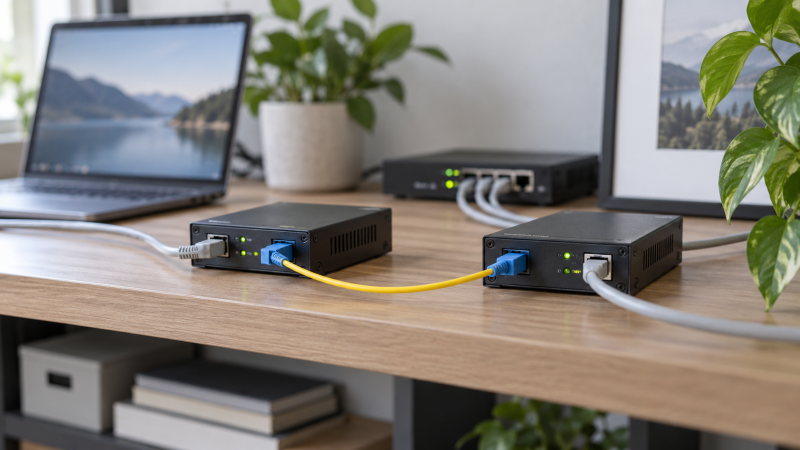
A fiber media converter extends an Ethernet connection beyond ordinary copper reach, or across a path that needs electrical isolation and resistance to interference. One side accepts copper Ethernet from a workstation, switch, camera, or router. The other side sends the network over fiber. For a desk extension, the useful differences are fiber type, wavelength, connector format, included modules, distance, pair count, fault reporting, and management simplicity.
These eight verified options are Gigabit-class converters rather than 10GbE devices. Some arrive as complete two-end kits, some include one converter and one SFP module, and others leave the transceiver choice open. Buying the wrong fiber or optical pair can prevent any link at all, so select the path and endpoints before comparing convenience features.
A media converter changes the physical medium. It does not increase a 1GbE network to 10GbE. Match fiber type, wavelength, connector, optical direction, distance, and transceiver at both ends before powering the link.- Best complete multimode pair: 10Gtek 2-Pack includes two converters and 850 nm multimode SFP modules for links up to 550 meters.
- Best open-SFP value: TP-Link Omada MC220L accepts compatible single-mode or multimode SFP modules and supports up to 20 km single-mode or 550 m multimode, depending on the module.
- Best controls and fault visibility: ADnet Single-Mode Converter adds selectable 100/1000 fiber speed, Link Fault Pass-through, storm control, jumbo frames, and an included 1310 nm module.
Fiber Media Converter Comparison
| Image | Product | Details | Check Price |
|---|---|---|---|
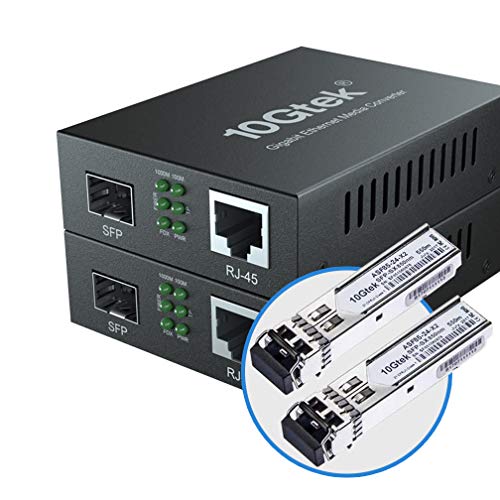 | 10Gtek Gigabit Multimode Media Converter 2-Pack | Converters: 2 Included optics: 2 x 850 nm multimode SFP Fiber: Dual LC MMF Reach: Up to 550 m Copper: 10/100/1000 Mbps | Check Price on Amazon |
 | TP-Link Omada MC220L Media Converter | Converters: 1 Included optics: Not stated SFP support: Single-mode or multimode Reach: Up to 20 km SM / 550 m MM by module Copper: 10/100/1000 Mbps | Check Price on Amazon |
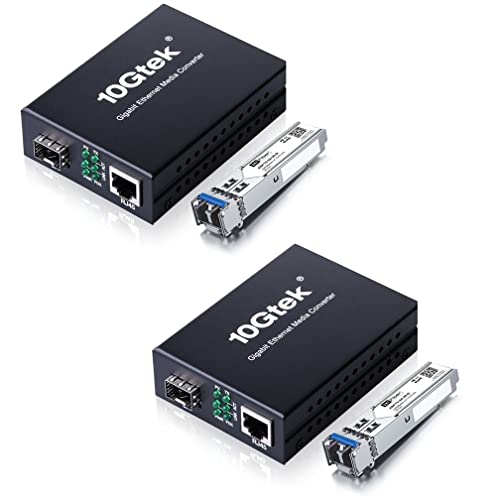 | H!Fiber Single-Mode Media Converter 2-Pack | Converters: 2 Included optics: 2 x 1310 nm 1000BASE-LX Fiber: Dual LC single-mode Reach: Up to 20 km Frames: 9K jumbo | Check Price on Amazon |
 | GESD 30 km Single-Mode BiDi Media Converter Pair | Converters: 2 Included optics: 2 x stated BiDi LC single-mode Reach: Up to 30 km Frames: 9K jumbo Verification: Confirm wavelengths and SX/LX wording | Check Price on Amazon |
 | ADnet Single-Mode LC Gigabit Media Converter | Converters: 1 Included optics: 1310 nm 1000BASE-LX Fiber: OS2 9/125 duplex LC Reach: Up to 20 km Controls: LFP, storm control, 100/1000 fiber | Check Price on Amazon |
 | GESD 550 m Multimode Media Converter Pair | Converters: 2 Included optics: 2 x stated multimode LC Reach: Up to 550 m Frames: 9K jumbo Verification: Confirm BiDi/dual-LC and LX wording | Check Price on Amazon |
 | StarTech MCM1110SFP Gigabit Media Converter | Converters: 1 Included optics: Not stated SFP support: Open MSA-compliant SM or MM Features: LFP, 9K frames, VLAN pass-through Mounting: Standalone or compatible chassis | Check Price on Amazon |
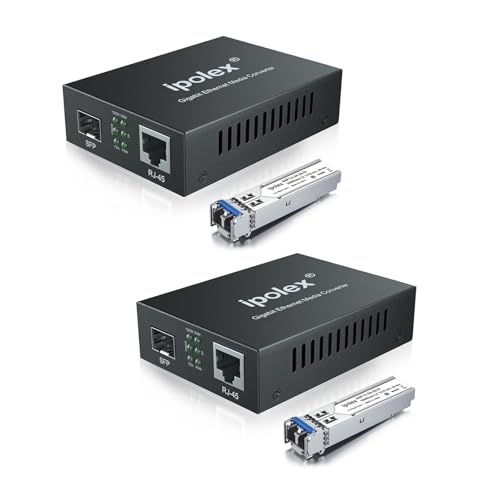 | ipolex 20 km Single-Mode Media Converter 2-Pack | Converters: 2 Included optics: 2 x 1310 nm 1000BASE-LX Fiber: Duplex LC OS1/OS2 single-mode Reach: Up to 20 km Warranty: 1 year stated | Check Price on Amazon |
1. 10Gtek Multimode 2-Pack — Best Complete Short-Range Pair
The 10Gtek kit supplies both ends of a typical desk-to-network extension: two media converters and two 1.25G, 850 nm multimode SFP transceivers. The optical side uses dual LC multimode fiber and is rated for up to 550 meters. The stated reach is far beyond most studio or building routes, and the kit is a clear fit for existing multimode cabling.
10Gtek specifies that each RJ45 port negotiates 10, 100, or 1,000 Mbps, supports full or half duplex, and includes automatic MDI/MDIX crossover. The copper segment is listed for Cat 5e up to 100 meters. End-to-end throughput still follows the Gigabit fiber link and the slowest attached Ethernet device, not the 1.25G transceiver signaling figure.
Two UL-certified 5V, 1A power supplies are listed. Because the optical modules are already specified as a matched type, this kit means less work choosing parts than open-SFP models. Fiber patch cable is not listed among the package contents, so plan the correct dual-LC multimode cable separately.
[accentbox]Choose this kit when both endpoints need converters and the installed or planned path is dual-LC multimode fiber at 850 nm.[/accentbox]- Two converters and two SFPs
- Up to 550 m stated reach
- Auto-negotiating RJ45 ports
- Multimode only with included optics
- Fiber cable not listed as included
2. TP-Link Omada MC220L — Best Open-SFP Value
The MC220L converts 1000BASE-SX or 1000BASE-LX fiber to 1000Base-T copper and can work in either direction. Its hot-swappable open SFP slot accepts compatible single-mode or multimode modules, so the buyer picks optics for the actual fiber run instead of replacing the converter when the required reach changes.
TP-Link states up to 20 km over single-mode or 550 meters over multimode, depending on the chosen SFP. The RJ45 side supports 10/100/1000 Base-T, auto negotiation, half or full duplex, and auto-MDI/MDIX. No software or configuration is required, which suits a simple unmanaged extension.
The tradeoff is that the supplied record does not say an SFP module is included. A complete point-to-point extension also needs compatible equipment at the remote end, whether another converter or a switch with the right SFP port. The UL-certified metal enclosure is durable, but the source does not provide Link Fault Pass-through or jumbo-frame details.
[accentbox]The MC220L is the flexible choice when you want to select the SFP module, fiber mode, and distance yourself. Budget for optics and the far-end device.[/accentbox]- Single-mode and multimode SFP support
- Hot-swappable optical port
- Plug-and-play metal design
- SFP not stated as included
- Second endpoint sold separately
3. H!Fiber Single-Mode 2-Pack — Best 20 km Complete Kit
H!Fiber includes two Gigabit converters, two 1000BASE-LX single-mode modules, two power supplies, and a manual. The optics use 1310 nm over dual-LC OS1, OS2, or OS3 single-mode fiber for a stated reach up to 20 km. The kit is a complete endpoint pair for a long building, campus, or electrically isolated run, with fiber cable still selected separately.
H!Fiber specifies the copper side as a Gigabit connection with backward compatibility for 10 and 100 Mbps devices. The units are rated to support full or half duplex, automatic MDI/MDI-X, and 9K-byte jumbo frames. Jumbo frames only help when every relevant endpoint and network segment is configured to support the selected frame size.
LED indicators show network activity, and the manufacturer specifies a 5V, 1A supply fed from 100-240V input for each converter. The listing promises a 30-day return period, three-year warranty, and lifetime technical support. The model field in the supplied record does not clearly match the named kit, so identify it by title and product page when seeking support.
[accentbox]Choose H!Fiber when you need a matched dual-LC 1310 nm single-mode pair rather than choosing SFP modules yourself.[/accentbox]- Complete two-end kit
- 20 km stated single-mode reach
- 9K jumbo-frame support
- Fiber cable not stated as included
- Single-mode only with bundled optics
4. GESD 30 km Single-Mode BiDi Pair — Best Long-Range Single-Fiber Claim
This GESD package lists two converters, two BiDi LC single-mode transceivers, two power supplies, and a manual. Its stated reach is up to 30 km at 1310 nm, with 1.25Gbps SFP signaling and 10/100/1000 Mbps copper auto negotiation. BiDi normally applies where transmit and receive share one fiber strand through paired directional optics.
The supplied title and bullets contain naming conflicts. The title refers to 1000Base-SX despite describing single-mode 1310 nm operation, while one bullet calls the included modules “SFP LX.” It also uses both BiDi and plural transceiver language without giving paired wavelengths. Confirm the exact module labels, connector strand count, transmit and receive wavelengths, and fiber requirement before buying.
Operational features include automatic MDI/MDIX, full or half duplex, 9K jumbo frames, status LEDs, and a 0 to 60 degrees C range. The 5V, 1A power supplies accept 100-240V input. The kit can be a useful long-distance option only when the delivered optics match each other and the installed fiber.
[accentbox]Do not design a run from the product name alone. Verify whether the kit is truly single-strand BiDi, which paired wavelengths it uses, and why the listing mixes SX and LX terminology.[/accentbox]- Two converters and two optics
- Up to 30 km stated reach
- 9K jumbo-frame support
- Conflicting SX, LX, and BiDi terms
- Paired wavelengths not stated
5. ADnet Single-Mode Converter — Best Controls and Fault Visibility
ADnet ships one converter with a fitted 1310 nm 1000BASE-LX single-mode LC transceiver for OS2 9/125 duplex fiber, rated up to 20 km. The package also lists a power adapter, Cat 6 patch cable, wall-mount ears, and cable clip. A second compatible endpoint is still required at the far end.
Rear DIP switches select 1000Base-LX or 100Base-LX fiber operation and control Link Fault Pass-through, broadcast-storm behavior, and forced speed on fiber and copper. Link Fault Pass-through can drop the copper link when fiber fails, which makes a remote switch or workstation aware of the break. Jumbo frames and 10/100/1000 copper auto sensing are also included.
The fanless enclosure measures 94 x 70.5 x 26.5 mm and is rated from 0 to 70 degrees C. LEDs show power, activity, duplex, and speed. The richer control set is valuable for troubleshooting but adds more settings to document. Set the DIP positions to match the network behavior you intend before installation.
[accentbox]ADnet is the strongest single-unit pick when Link Fault Pass-through, selectable fiber speed, wall mounting, and visible state are more important to you than buying a complete pair.[/accentbox]- 100/1000 fiber selection
- Link Fault Pass-through and storm control
- Optic, patch cable, and mounts included
- Only one converter
- More settings to configure correctly
6. GESD 550 m Multimode Pair — Best Budget Multimode Alternative
This GESD kit lists two Gigabit converters, two multimode LC transceivers, two power supplies, and a manual. Its optical reach is stated at 550 meters over multimode fiber, while the copper side negotiates 10, 100, or 1,000 Mbps over Cat 5e runs up to 100 meters. It is a direct alternative to the 10Gtek pair for a short- to medium-distance multimode path.
The listing again contains conflicting terminology. The title calls the optics BiDi and “LC Dual,” while a bullet describes multimode LC dual transceivers but then calls them “SFP LX,” a label normally associated with a different optical category than the stated multimode use. Confirm whether the delivered modules use duplex fiber or a BiDi single-strand scheme, plus their wavelength and connector arrangement.
Features include plug-and-play operation, 9K jumbo frames, status LEDs, auto-MDI/MDIX, and a 0 to 60 degrees C range. The power supplies accept 100-240V and output 5V, 1A. Until the module details are resolved, do not pre-terminate or order the permanent fiber run around this kit.
[accentbox]Treat the 550 m multimode rating as conditional on receiving the described matching optics. Resolve the BiDi, dual-LC, and LX wording before installation.[/accentbox]- Two converters and optics
- 550 m stated reach
- 9K jumbo frames
- Conflicting optical terminology
- Exact fiber strand scheme needs confirmation
7. StarTech MCM1110SFP — Best Open-SFP Professional Pick
The StarTech MCM1110SFP is an open-SFP Gigabit converter for buyers who want to select any compatible MSA-compliant single-mode or multimode transceiver. StarTech states the unit converts a 10/100/1000 Mbps RJ45 connection to fiber and supports auto negotiation. Reach depends on the installed SFP rather than a fixed bundled optic.
Link Fault Pass-through helps expose a failed fiber segment to the copper side, while StarTech specifies support for 9K jumbo frames where the rest of the network permits them. The converter also passes 802.1Q VLAN tags, which is important when the fiber extension carries multiple segmented networks between switches or managed endpoints.
The compact unit can operate alone or mount in StarTech’s MCM7 or MCM15 media chassis. It is TAA compliant and includes stated lifetime 24/5 multilingual technical assistance. An SFP, fiber cable, second endpoint, and any optional chassis are separate planning items, so it is a more modular but less complete purchase than paired kits.
[accentbox]Choose StarTech for an open-SFP, VLAN-pass-through, fault-aware deployment where support and chassis integration justify buying optics separately.[/accentbox]- Open MSA-compliant SFP slot
- Link Fault Pass-through
- 9K frames and VLAN pass-through
- SFP not stated as included
- Far-end hardware sold separately
8. ipolex 20 km Single-Mode 2-Pack — Best Straightforward LX Pair
The ipolex kit is specified to include two media converters, two 1310 nm 1000BASE-LX single-mode SFP modules, two power supplies, and technical support. According to ipolex, it is built for duplex LC OS1 or OS2 fiber up to 20 km. The clear module description makes it easier to specify than the GESD kits with mixed optical labels.
Each RJ45 port is rated to negotiate 10, 100, or 1,000 Mbps, support automatic MDI/MDIX, and operate in half or full duplex. No software or configuration is required, and the SFP modules are hot-swappable. A fiber cable is not listed among the included components, so order the correct duplex single-mode LC run separately.
The source states a one-year warranty and marks new availability as limited. For a simple building link, the kit means you do not source four active components separately. It does not provide the fault pass-through detail of ADnet and StarTech or the DIP control detail of ADnet.
[accentbox]ipolex is the uncomplicated 20 km duplex-LC single-mode pair when having both endpoints included is more important than advanced fault controls.[/accentbox]- Two converters and LX modules
- 20 km stated reach
- Clear duplex-LC single-mode requirement
- New stock is often limited
- One-year warranty stated
Buying Guide: Choosing a Fiber Media Converter
Match single-mode or multimode fiber
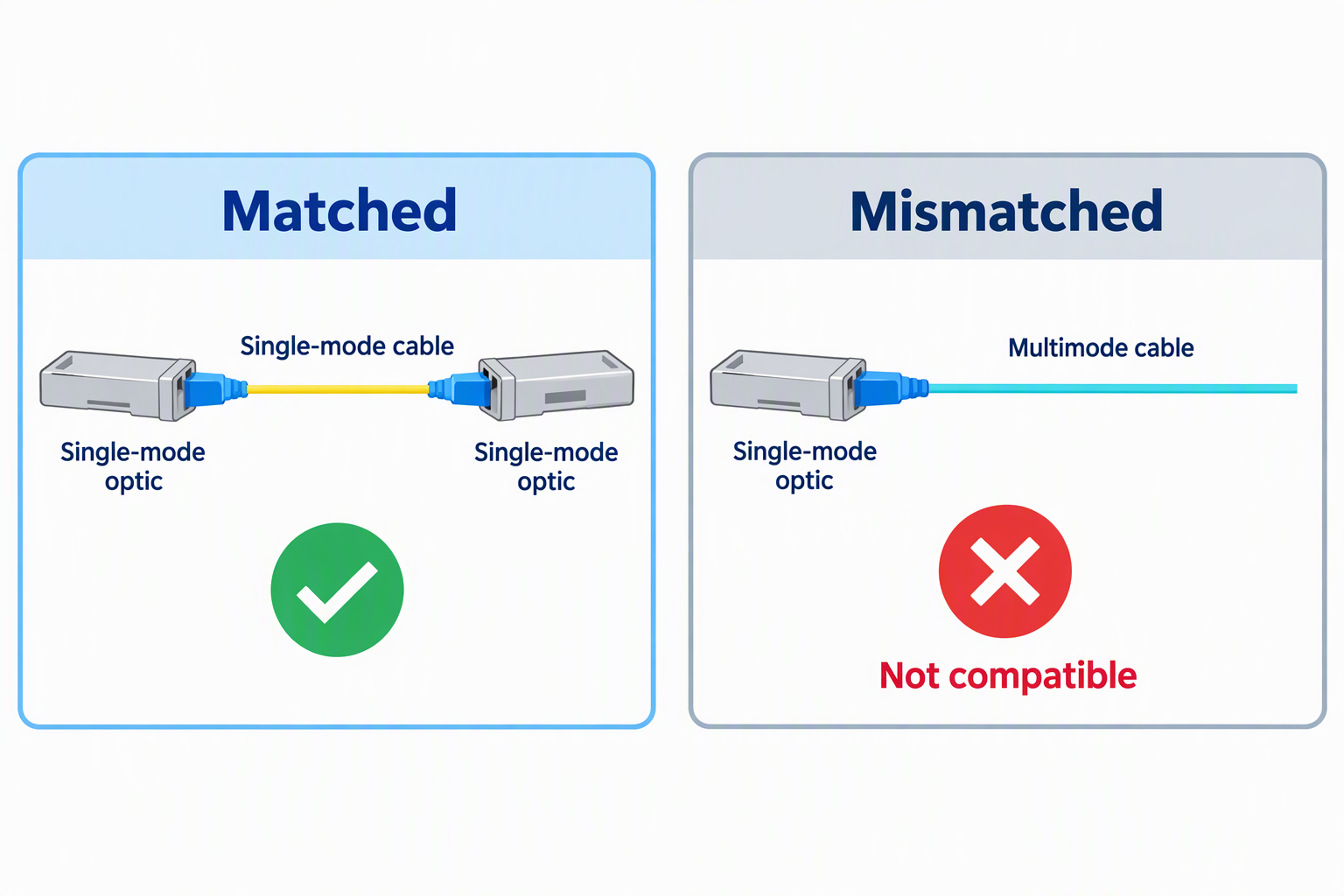
Single-mode and multimode fiber are not interchangeable when purchasing. The H!Fiber and ipolex kits are rated for 1310 nm single-mode LX optics for up to 20 km, while the 10Gtek kit uses 850 nm multimode optics for up to 550 meters. The installed cable and both optics must be compatible with one another.
For a new short in-building extension, either medium may be technically possible, but existing infrastructure often decides. Inspect or document the fiber type, strand count, connector, and termination before buying. Never select by reach alone. A manufacturer-rated 20 km single-mode rating does not make an optic compatible with multimode cable.
Decide between bundled optics and an open SFP slot
A complete pair such as 10Gtek, H!Fiber, or ipolex includes two converters and matching modules. A pair reduces selection risk and gives both ends of the path. An open-SFP converter such as TP-Link or StarTech lets the same converter serve different fiber types and reaches when fitted with appropriate optics.
Open slots offer flexibility but lengthen the list of parts to buy. A point-to-point path needs a compatible optical transmitter and receiver scheme at both ends, plus fiber. Budget the converter count, SFP count, power supplies, patch cables, and remote endpoint rather than comparing the converter price alone.
Verify wavelength, connector, and strand count
“LC” identifies a connector family, not the entire optical link. Duplex LC uses separate transmit and receive fibers, while BiDi designs can send opposing directions over one strand with paired wavelengths. The GESD descriptions mix BiDi, dual LC, SX, and LX terms, leaving the actual included optics unclear.
Read the labels on both transceivers before connecting a BiDi path. Each end must have the complementary transmit and receive wavelengths. For duplex links, confirm both modules share the expected wavelength and fiber mode. Do not force a connector or assume that two visually similar LC interfaces form a valid pair.
Understand copper and fiber speed limits
These converters bridge 10/100/1000 Mbps RJ45 devices to a Gigabit-class fiber side. They do not create 2.5GbE or 10GbE capacity. A 100 Mbps endpoint may connect through auto negotiation, but its traffic remains limited to 100 Mbps even when the other side is Gigabit.
The 1.25G figure in several listings describes the manufacturer-specified SFP signaling rate, not a 1.25Gbps application throughput promise. File transfers face Ethernet overhead and endpoint limits. For editing directly from shared storage, determine whether 1GbE per link is adequate before choosing a media converter instead of a faster switch or network card path.
Use fault pass-through when link awareness matters
Basic converters can leave one copper device believing its local link is active even when the remote fiber path has failed. Link Fault Pass-through propagates the failure, which helps attached equipment detect it. ADnet and StarTech explicitly list Link Fault Pass-through. The simpler kits generally emphasize plug-and-play conversion.
Fault signaling is valuable for managed switches, monitored infrastructure, and unattended endpoints. For a manually supervised desk extension, LEDs may be enough. Decide whether a broken remote link must trigger automatic port-down behavior or whether local visual troubleshooting is acceptable.
Check jumbo frames and VLAN transparency
H!Fiber, both GESD kits, ADnet, and StarTech list jumbo-frame support, commonly rated up to 9K bytes. Jumbo frames require consistent configuration across endpoints and every intermediate device. A mismatch can cause confusing failures even though basic small packets pass.
StarTech explicitly lists 802.1Q VLAN pass-through. When a converter sits between managed switches, confirm that tagged frames cross unchanged. For a single untagged desk endpoint, VLAN transparency may not affect the design, but frame-size and tag behavior should still match the network plan.
Plan power and physical placement at both ends
Every converter endpoint needs power. A two-converter kit therefore needs two outlets, possibly in different rooms or buildings. Many products here list the use of 5V, 1A adapters, but power-source details and certifications vary. Protect both ends with the same level of surge and backup planning used for their attached network devices.
Leave ventilation around fanless enclosures and keep the fiber bend radius gentle. ADnet includes wall-mount ears, while StarTech supports optional multi-unit chassis. At a desk, secure the converter so copper or fiber tension cannot pull it to the floor or stress the LC connector and SFP cage.
Frequently Asked Questions
Do I need one media converter or two?
You need conversion at each end unless one endpoint already has a compatible fiber port and SFP. A switch with the correct SFP can serve as one end, so only one converter is needed near the copper-only device.
Two-pack kits are convenient when both endpoints use RJ45. Confirm that the included optics match the fiber between them and that power is available at both locations.
Can a Gigabit converter carry 2.5GbE or 10GbE?
No. These products are built around Gigabit fiber and 10/100/1000 Mbps copper ports. A faster attached device will negotiate down when supported or fail to link if there is no common rate.
For multi-gig studio storage, use converters, switches, and network cards designed for that speed. A longer fiber rating does not imply higher bandwidth.
Is single-mode fiber better for a short desk extension?
Not automatically. Single-mode supports long reach, while multimode products here cover up to 550 meters, already far beyond most desk links. Existing cable, optics, connector type, cost, and future plans decide the better fit.
The critical rule is consistency. Use matching optics and the correct cable mode. Do not connect an 850 nm multimode kit to a single-mode run merely because the distance is short.
What is Link Fault Pass-through?
Link Fault Pass-through makes a failure on one side affect the link state on the other side. It can help a switch, workstation, or monitoring system recognize that the end-to-end path is broken.
Without it, the local copper port may remain electrically linked to the converter even when the remote fiber is disconnected. ADnet and StarTech explicitly provide this feature.
Are fiber patch cables included?
The supplied records list converters, modules, power supplies, and selected accessories, but they do not establish an included long fiber run for these picks. Plan to purchase or use the correct fiber separately.
Match single-mode or multimode type, LC connector layout, strand count, polish where applicable, and the route length. The cable must agree with both optical modules.
Related Studio Network Guides
- SFP+ network cards for small 10GbE studios
- SFP+ direct attach cables for short studio links
- Managed 2.5GbE switches for small editing networks
- Wi-Fi 7 PCIe cards for desktop workstations
- Ethernet adapters for laptops
- Thunderbolt docks for workstation desks
- USB-C hubs for desktop connectivity
- Rack shelves for non-rack studio gear
Bottom Line
The 10Gtek 2-Pack is the simplest matched multimode extension, while the TP-Link MC220L gives buyers freedom to choose single-mode or multimode optics. The ADnet converter is the better one-end unit when you need Link Fault Pass-through, selectable fiber speed, and visible controls.