A 14-inch laptop has to be light enough to carry and ready to connect to a desk. Four of these five Amazon listings state Thunderbolt 4 in their port lists, and the fifth, the ASUS Vivobook Flip 14, states it in its title. All five had a New offer in stock when checked.
Amazon lists two Thunderbolt 4 ports for the ThinkPad E14, Zenbook 14, and ThinkPad T14, and gives no port count for the Dell or the Vivobook. Three listings include Ethernet and three include a touchscreen. Two use OLED panels. The seller resealed the Dell to upgrade its memory and SSD, so its sizes are the seller’s configuration.
Count the Thunderbolt 4 ports and check the configuration before ordering, because Amazon gives two ports for three of these laptops and no count for the other two.14-Inch Laptops Compared
The table compares screen, ports, memory and storage, and wireless for each laptop. A Thunderbolt port is only one part of the connection, and the dock, cable, and monitors need their own compatibility check.
| Image | Product | Details | Check Price |
|---|---|---|---|
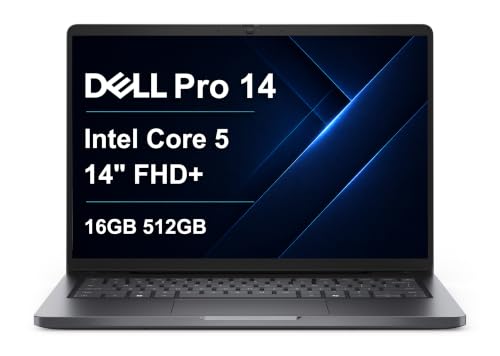 | Dell Pro 14 PC14250 | Best fit: Business laptop with Ethernet and a 55Wh battery Screen: 14-inch WUXGA, 300 nits, anti-glare Ports: Thunderbolt 4 (no count), USB-C, USB-A, HDMI 2.1, Ethernet Memory and storage: 16GB DDR5, 512GB SSD (seller-upgraded) Wireless: Wi-Fi 6E, Bluetooth 5.3 | Check Price on Amazon |
 | Lenovo ThinkPad E14 Gen 7 | Best fit: Non-touch with 32GB and two Thunderbolt 4 ports Screen: 14-inch WUXGA IPS, anti-glare, non-touch Ports: 2x Thunderbolt 4, 2x USB-A, HDMI 2.1, Ethernet Memory and storage: 32GB LPDDR5X, 1TB PCIe Gen4 SSD Wireless: Wi-Fi 6E, Bluetooth 5.3 | Check Price on Amazon |
 | ASUS Zenbook 14 | Best fit: OLED touchscreen with two Thunderbolt 4 ports Screen: 14-inch WUXGA OLED touch, 500 nits HDR, 100% DCI-P3, glossy Ports: 2x Thunderbolt 4, USB-A 3.2, HDMI 2.1 Memory and storage: 16GB RAM, 512GB SSD Wireless: Wi-Fi 7 | Check Price on Amazon |
 | Lenovo ThinkPad T14 Gen 5 | Best fit: AMD touchscreen ThinkPad Screen: 14-inch WUXGA IPS touch, 400 nits, anti-glare Ports: 2x Thunderbolt 4 / USB4 40Gbps, 2x USB-A, HDMI 2.1, Ethernet Memory and storage: 32GB DDR5, 1TB NVMe SSD Wireless: Wi-Fi 6E, Bluetooth 5.3 | Check Price on Amazon |
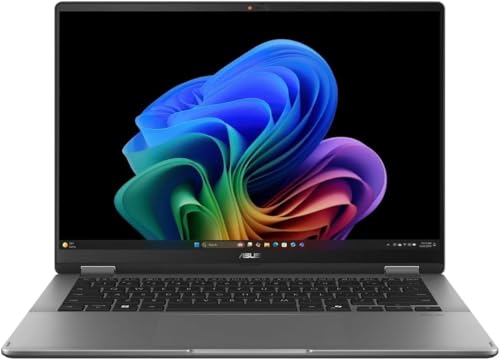 | ASUS Vivobook Flip 14 TP3407SA | Best fit: 2-in-1 OLED convertible with 1TB Screen: 14-inch 1920x1200 OLED touch, 60Hz, 500 nits peak, 100% DCI-P3 Ports: Thunderbolt 4 in title, no port list Memory and storage: 16GB LPDDR5X, 1TB PCIe 4.0 NVMe SSD Wireless: Wi-Fi 7, Bluetooth 5.4 | Check Price on Amazon |
1. Dell Pro 14 PC14250 — Best Dell Business Laptop With Ethernet
Amazon lists the Dell Pro 14 PC14250 with a 14-inch WUXGA (1920×1200) anti-glare display at 300 nits, a Core 5 120U with 10 cores at up to 5.0GHz, 16GB of DDR5 memory, and a 512GB PCIe SSD. It states Thunderbolt 4, USB-C, USB-A, HDMI 2.1, RJ-45 Ethernet, Wi-Fi 6E, Bluetooth 5.3, a 55Wh battery, and a weight of 3.44 pounds. Amazon also says the laptop passes MIL-STD 810H tests.
Amazon says the laptop can run three external monitors through HDMI, USB-C, and Thunderbolt 4 at up to 4K at 60Hz without a docking station. It gives no Thunderbolt 4 port count. The seller, Issaquah Highlands Tech, says it resealed the New computer to upgrade the memory and SSD, and Amazon lists a one-year warranty.
Our Take Choose the Dell Pro 14 for a 14-inch business laptop with built-in Ethernet and a 55Wh battery. Confirm the seller’s upgrade and warranty terms before ordering.
- The Dell Pro 14 lists its own RJ-45 Ethernet port on Amazon, and Amazon also lists Thunderbolt 4 and HDMI 2.1.
- Without a docking station, the Dell Pro 14 can run three external monitors at up to 4K at 60Hz, according to Amazon.
- Amazon lists a 55Wh battery for the Dell Pro 14 and says the laptop passes MIL-STD 810H tests.
- A buyer planning a dock gets no Thunderbolt 4 port count for the Dell Pro 14 from Amazon.
- The memory and SSD in the Dell Pro 14 are the seller’s upgrade, and Amazon lists a one-year warranty.
- At 300 nits, the Dell display is the lowest of the four brightness figures Amazon gives for these laptops.
2. Lenovo ThinkPad E14 Gen 7 — Best Non-Touch ThinkPad With 32GB and Two Thunderbolt 4 Ports
Amazon lists the ThinkPad E14 Gen 7, model 21U200BSUS, with a Core Ultra 7 258V, 32GB of LPDDR5X memory, and a 1TB PCIe Gen4 SSD. It describes the 14-inch WUXGA (1920×1200) IPS anti-glare display as non-touch. The ports are two USB-C Thunderbolt 4 ports at 40Gbps, two USB-A 5Gbps ports, HDMI 2.1, and RJ-45 Ethernet, with Wi-Fi 6E and Bluetooth 5.3.
Amazon also lists a fingerprint reader, a 1080p IR camera with a privacy shutter, TPM security, MIL-STD-810H durability, and Windows 11 Pro. It gives 2.91 pounds in its dimensions and 1.34 kg (2.95 pounds) in its bullets, plus a one-year warranty. Amazon gives no brightness figure or battery size.
Our Take Choose the E14 Gen 7 for a non-touch 14-inch ThinkPad with 32GB of memory and two Thunderbolt 4 ports. Look at the T14 instead when you want a touchscreen.
- Amazon lists two USB-C Thunderbolt 4 ports on the ThinkPad E14, along with HDMI 2.1 and RJ-45 Ethernet.
- The ThinkPad E14 and T14 are the two laptops with 32GB, and Amazon lists the E14 memory as LPDDR5X with a 1TB PCIe Gen4 SSD.
- The ThinkPad E14 listing includes a fingerprint reader, an IR camera with a privacy shutter, and TPM security, and Amazon also lists MIL-STD-810H durability.
- Wi-Fi 6E is what Amazon lists for the ThinkPad E14, and the Zenbook and Vivobook listings state Wi-Fi 7.
- Amazon describes the ThinkPad E14 display as non-touch, unlike the Zenbook, T14, and Vivobook touchscreens.
- Amazon gives no brightness figure for the ThinkPad E14 display, and the other four listings each give one.
3. ASUS Zenbook 14 — Best OLED Touchscreen With Two Thunderbolt 4 Ports
Amazon lists the ASUS Zenbook 14 with a 14-inch WUXGA (1920×1200) OLED touchscreen at 500 nits HDR and 100% DCI-P3, a Core Ultra 7 255H, 16GB of RAM, and a 512GB SSD. It states two Thunderbolt 4 ports, one USB-A 3.2 port, one HDMI 2.1 port, Wi-Fi 7, a backlit keyboard, and an FHD IR privacy camera. Amazon gives a weight of 2.65 pounds.
Amazon lists Windows 11 Home and no Ethernet port. Its model field reads “Ultra 7 255H,” a processor name, so confirm the exact ASUS model number with the seller before ordering. Amazon lists no warranty term.
Amazon describes the Zenbook’s OLED display as glossy, while the Dell, E14, and T14 listings state anti-glare panels.Our Take Choose the Zenbook 14 for an OLED touchscreen with two Thunderbolt 4 ports and Wi-Fi 7. Confirm the model number first, since Amazon’s model field names the processor.
- The Zenbook 14 has a 14-inch OLED touchscreen at 500 nits HDR and 100% DCI-P3, according to Amazon.
- Amazon lists two Thunderbolt 4 ports on the Zenbook 14, along with one USB-A 3.2 port and HDMI 2.1.
- At 2.65 pounds, the Zenbook 14 is the lightest of the four weights Amazon gives for these laptops.
- The Zenbook 14 display is glossy according to Amazon, and the Dell, E14, and T14 listings state anti-glare panels.
- Amazon lists 16GB of RAM and a 512GB SSD for the Zenbook 14, less than the 32GB and 1TB on the E14 and T14.
- The Zenbook 14 model field on Amazon holds a processor name, not an ASUS model number.
4. Lenovo ThinkPad T14 Gen 5 — Best AMD ThinkPad With a Touchscreen
Amazon lists the ThinkPad T14 Gen 5 with an 8-core Ryzen 7 PRO 8840U at up to 5.1GHz, 32GB of DDR5 memory, and a 1TB NVMe SSD. The 14-inch WUXGA (1920×1200) IPS touchscreen is listed at 400 nits with an anti-glare coating and 45% NTSC color. The ports are two Thunderbolt 4 / USB4 40Gbps USB-C ports with Power Delivery and DisplayPort, two USB-A 5Gbps ports, HDMI 2.1, and RJ-45 Ethernet, with Wi-Fi 6E.
Amazon also lists a 52.5Wh battery with up to six hours of battery life, a 5.0MP plus IR camera, a fingerprint reader, a backlit keyboard, Windows 11 Pro, and a weight of 3.06 pounds. Amazon’s model field reads 21MCCTO1LXE, and Amazon lists no warranty term.
Our Take Choose the T14 Gen 5 for an AMD processor, a touchscreen, and two Thunderbolt 4 / USB4 ports in a 14-inch ThinkPad. Check the warranty with the seller, since Amazon lists none.
- Amazon lists two Thunderbolt 4 / USB4 ports at 40Gbps on the ThinkPad T14, with Power Delivery and DisplayPort.
- Amazon lists 32GB of DDR5 memory and a 1TB NVMe SSD on the ThinkPad T14, the same memory and storage amounts listed for the E14.
- The ThinkPad T14 has a 52.5Wh battery with up to six hours of battery life, and Amazon also lists a 5.0MP plus IR camera.
- Amazon lists the ThinkPad T14 display at 400 nits, while the Zenbook and Vivobook listings state 500 nits.
- Amazon lists a weight of 3.06 pounds for the ThinkPad T14, more than the 2.91 pounds listed for the E14 and the 2.65 pounds for the Zenbook.
- Amazon lists no warranty term for the ThinkPad T14, unlike the one-year terms for the Dell, E14, and Vivobook.
5. ASUS Vivobook Flip 14 TP3407SA — Best 2-in-1 OLED Convertible With 1TB of Storage
Amazon lists the ASUS Vivobook Flip 14 TP3407SA as a 2-in-1 with a 14-inch 1920×1200 OLED touchscreen at 500 nits peak and 100% DCI-P3, a 60Hz refresh rate, an 8-core Core Ultra 7 256V, 16GB of LPDDR5X memory, and a 1TB PCIe 4.0 NVMe SSD. It also lists Wi-Fi 7, Bluetooth 5.4, a backlit keyboard, a Full HD webcam, Windows 11 Home, and a one-year manufacturer warranty. The title adds Copilot+ PC.
The title states Thunderbolt 4, and the bullets give no port list. Amazon’s weight field shows 5.22 pounds and a 19 by 11 by 4 inch size, too large for a 14-inch laptop, so this guide gives no weight for the Vivobook.
Amazon states Thunderbolt 4 only in the Vivobook title, so ask the seller for the port list before buying a dock.Our Take Choose the Vivobook Flip 14 for a 2-in-1 with an OLED touchscreen, 1TB of storage, and Wi-Fi 7. Confirm its Thunderbolt 4 ports before buying a dock.
- The Vivobook Flip 14 has a 14-inch 1920×1200 OLED touchscreen, and Amazon lists it at 500 nits peak with 100% DCI-P3.
- Amazon lists a 1TB PCIe 4.0 NVMe SSD on the Vivobook Flip 14, with 16GB of LPDDR5X memory.
- Amazon lists a one-year manufacturer warranty for the Vivobook Flip 14, along with Wi-Fi 7 and Bluetooth 5.4.
- Thunderbolt 4 appears only in the Amazon title of the Vivobook Flip 14, and Amazon lists no port count.
- Amazon lists Windows 11 Home for the Vivobook Flip 14 and no Ethernet port.
Buying Guide
1. Count the Thunderbolt 4 ports before buying a dock
Amazon lists two Thunderbolt 4 ports for the ThinkPad E14, Zenbook 14, and ThinkPad T14. It gives the Dell Pro 14 and the Vivobook Flip 14 no port count. With one port, a dock and another fast device have to share it.
The Thunderbolt 4 docking-station guide and the USB4 hubs and docks guide cover dock types. The laptop, dock, cable, and monitors work as one system, so check the dock’s manual for its display and charging modes.
2. Choose between OLED and anti-glare IPS
The Zenbook and Vivobook list 500-nit OLED touchscreens, and Amazon labels those figures HDR or peak. The T14 lists 400 nits and the Dell lists 300 nits, both as plain brightness, so compare the two kinds of figure with care. The E14 gives no brightness figure.
Amazon calls the Zenbook display glossy, and the Dell, E14, and T14 listings state anti-glare. The T14, Zenbook, and Vivobook are touchscreens, and the E14 is non-touch. Amazon does not say whether the Dell has touch.
3. Compare weight and battery
Amazon’s weights run from 2.65 pounds for the Zenbook to 3.44 pounds for the Dell. The E14 is 2.91 pounds in its dimensions and 2.95 pounds in its bullets, and the T14 is 3.06 pounds. The Vivobook listing gives no laptop weight.
Only two listings state a battery size. The Dell lists 55Wh, and the T14 lists 52.5Wh with up to six hours of battery life. Amazon gives no battery size for the E14, Zenbook, or Vivobook, so check the maker’s page for those three before relying on battery life.
4. Match memory and storage to the seller’s configuration
The E14 and T14 are the two laptops with 32GB of memory. The Dell, Zenbook, and Vivobook list 16GB. The E14, T14, and Vivobook list a 1TB SSD, and the Dell and Zenbook list 512GB.
Amazon says the seller upgraded the Dell’s memory and SSD. Amazon lists a one-year warranty for the Dell, the E14, and the Vivobook, and none for the Zenbook or T14. Record the model number, memory, storage, and warranty before buying, because a similarly named listing can differ.
5. Check the Windows edition, Ethernet, and Wi-Fi
Amazon lists Windows 11 Pro for the Dell, E14, and T14, and Windows 11 Home for the Zenbook and Vivobook. The Dell, E14, and T14 also list RJ-45 Ethernet, and Amazon lists none for the Zenbook or Vivobook.
The Zenbook and Vivobook list Wi-Fi 7, and the Dell, E14, and T14 list Wi-Fi 6E. For a desk with a wired network, check whether the laptop has its own Ethernet port or needs a dock to supply one. The Thunderbolt laptop list and the USB4 laptop list compare more models. Decide on the wired network and the Windows edition before the screen.
FAQ
Which 14-inch laptop here has two Thunderbolt 4 ports?
The ThinkPad E14 Gen 7, Zenbook 14, and ThinkPad T14 Gen 5 each list two. The E14 and T14 listings also state USB4 at 40Gbps for those ports.
The Dell Pro 14 lists Thunderbolt 4 and the Vivobook Flip 14 states it in its title. Amazon gives no count for either.
Which models include an Ethernet port?
Three of the five do. The Dell, E14, and T14 list RJ-45 Ethernet. Amazon lists no Ethernet port for the Zenbook or Vivobook.
A dock with an Ethernet port can cover those two, and the Thunderbolt 4 docking-station guide covers dock types.
Which is the lightest?
Of the four weights Amazon gives, the Zenbook is lightest at 2.65 pounds. The Vivobook listing gives no laptop weight, so it cannot be ranked.
The E14 lists 2.91 pounds, the T14 lists 3.06 pounds, and the Dell lists 3.44 pounds.
Which has the brightest screen?
The Zenbook and Vivobook each list 500 nits, labeled HDR on the Zenbook and peak on the Vivobook. Amazon gives no brightness figure for the E14.
The T14 lists 400 nits and the Dell lists 300 nits.
Which models have 32GB of memory?
The E14 and T14 list 32GB. The Dell, Zenbook, and Vivobook list 16GB.
Amazon says the seller upgraded the Dell’s memory, so the Dell’s 16GB is the seller’s configuration. The Zenbook and Vivobook listings do not say who set their sizes.
Bottom Line
Choose the ThinkPad E14 Gen 7 for 32GB of memory and two Thunderbolt 4 ports in a non-touch laptop, the Zenbook 14 for an OLED touchscreen with two Thunderbolt 4 ports, or the ThinkPad T14 Gen 5 for an AMD touchscreen. Confirm the configuration you order, because the configuration is the buying decision.