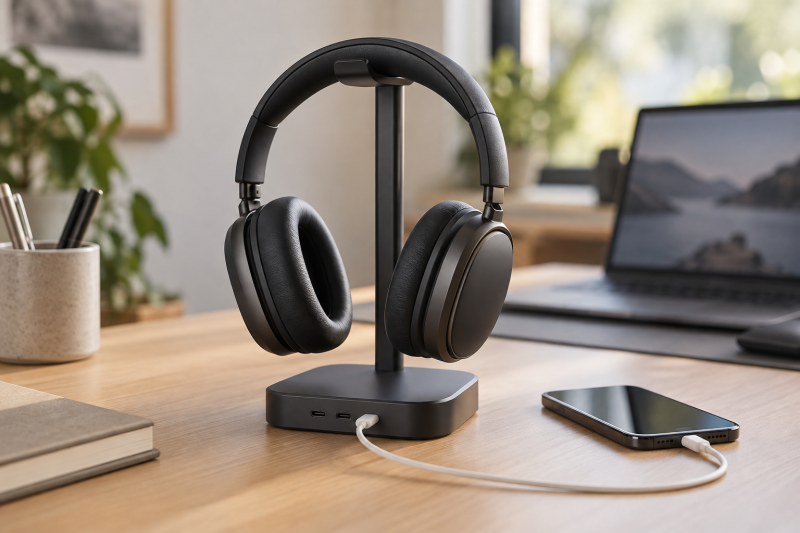
A desktop headphone stand with USB-C charging can keep a headset in one predictable place while giving a phone, wireless accessory, or tablet a charging spot nearby. The most useful difference is whether the stand has the ports and mains outlets that match the devices already on your desk.
These six stands take two different approaches. Some are small holders with USB-C ports, while others combine a headset hanger with a compact power strip. Check the power source, outlet count, cable route, and whether you need a single or dual hanger before picking one. For related setup decisions, see our USB-C charging-station guide and headphone-stand guide.
Choose the charging and outlet layout first. A stand only saves desk space when its power connection and port mix suit the devices you use.Desktop Headphone Stands with USB-C Charging Compared
| Image | Product | Details | Check Price |
|---|---|---|---|
 | New Bee RGB Headphone Stand | Best fit: USB-C and wireless charging USB ports: 2 USB-C, 1 USB listed Wireless charging: Listed AC outlets: None listed | Check Price on Amazon |
 | KAFRI RGB Dual Headphone Stand | Best fit: Two headsets and AC outlets Headsets: 2 listed USB ports: 1 USB-C, 2 USB-A listed AC outlets: 2 listed | Check Price on Amazon |
 | charlxee RGB Headphones Stand | Best fit: USB-C port variety USB ports: Data and charging listed; count differs by listing section Wireless charging: Not listed Base: Non-slip listed | Check Price on Amazon |
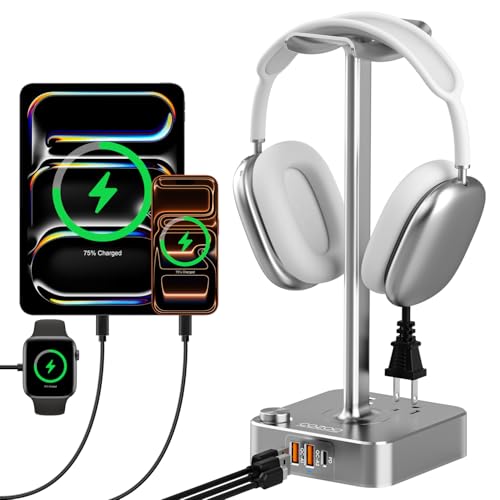 | cozoo Headphone Stand | Best fit: USB-C charging with two outlets USB-C: 20W listed USB-A: 2 ports listed AC outlets: 2 listed | Check Price on Amazon |
 | TROND Headphone Stand | Best fit: Outlet-heavy desk power AC outlets: 3 listed USB ports: 1 USB-C, 2 USB-A listed Cord: 5ft flat listed | Check Price on Amazon |
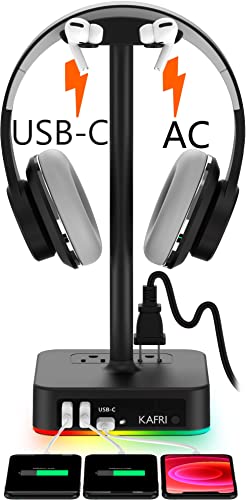 | KAFRI RGB Headphone Stand | Best fit: Straightforward single-headset power Headsets: 1 listed USB ports: 1 USB-C, 2 USB-A listed AC outlets: 2 listed | Check Price on Amazon |
1. New Bee RGB Headphone Stand — USB-C and Wireless Charging
For a desk that needs a place for headphones plus charging connections close to the keyboard, New Bee is a compact option. Its listing names two USB-C ports, one USB port, and wireless charging, along with a 10.4-inch stand height and a rubber contact area for the headset. The stand suits a desk where it is the charging hub, rather than an extension of an outlet strip.
The listing also says one USB-C port and the USB port can transfer data when connected to a computer. Treat the data ports as a convenience, not a replacement for a dock. Check what powers the stand and where the connection cable reaches before relying on its ports for a phone or accessory.
The listed wireless charger and two USB-C ports make this a compact desk choice when nearby charging counts for more than AC outlets.Our Take Buy the New Bee if you want a headphone stand with listed USB-C connections and wireless charging in a small footprint. It suits one headset and a few desk devices.
- Two USB-C ports and wireless charging are listed.
- Rubber headset contact and non-slip base are listed.
- No AC outlets are listed.
- Check host cable routing before using the data ports.
2. KAFRI RGB Dual Headphone Stand — Two Headsets and AC Outlets
The KAFRI Dual is for a shared desk, a gaming desk with more than one headset, or a setup that uses one set of headphones for work and another for play. The listing says the two hangers fit headbands up to 2.1 inches wide, and it combines them with one USB-C port, two USB-A ports, and two AC outlets. The outlets make it a more complete power-strip arrangement than a simple USB stand.
Its listed outlet capacity is 1250W total. That figure describes the stand’s AC-outlet rating, not the needs of every connected device. Keep high-demand equipment on appropriate power equipment, and use this form factor where it replaces a small desktop outlet strip. For a separate source for laptop power, our USB-C laptop-charger guide has more focused options.
The KAFRI Dual holds two headsets and doubles as a power strip, so plan its desk position around the AC cable as well as the headphone hangers.Our Take Buy the KAFRI Dual if two headsets and two listed AC outlets solve a desk organization problem. It is a better fit for a shared desk with many accessories than for a minimal one-headset setup.
- Two headset hangers are listed.
- USB-C, two USB-A ports, and two AC outlets are listed.
- Needs room for its power cable and outlet connection.
- Headband width needs to match the listed hanger limit.
3. charlxee RGB Headphones Stand — USB-C Port Variety
Charlxee is the stand to compare if a data-capable USB-C connection and dedicated charging are part of your decision. Its listing names USB-C data transfer and Type-C charging, but the title and technical bullet describe the port count differently. It also lists a non-slip base, a 9.84-inch stand height, and no wireless charging.
Read the port labels carefully before you plug in accessories. A desk stand may be convenient for a keyboard, phone, or wireless receiver, but a listed charging port is not automatically a video output or a high-speed hub. Compare it with a dedicated USB-C hub when display connections or broader I/O are the priority.
Our Take Buy the charlxee if its listed data and charging connections suit your desk better than AC outlets or a wireless pad. Verify the port count from the current listing before making it the charging hub for several devices.
- USB-C data transfer and Type-C charging are listed.
- Non-slip base and curved headset support are listed.
- Wireless charging is explicitly not listed.
- Listing sections disagree on the port count.
4. cozoo Headphone Stand — USB-C Charging with Two Outlets
For a desk that charges a phone, a wireless accessory, and a couple of plug-in devices, the cozoo stand combines a headphone holder with a compact mains power strip. Its listing names one 20W USB-C port, two USB-A ports, and two AC outlets, which is a practical mix for that job. The listing also gives the outlets a 1250W total rating.
The power-strip layout is useful if you would otherwise have a separate outlet strip sitting behind the monitor. It is less appealing if the desk already has a managed power bar or if only a single USB-C cable is needed. Keep the AC connection and the headset stand close enough together that neither creates a cable loop across the desk surface.
Our Take Buy the cozoo if a listed 20W USB-C port and two AC outlets are the mix your single-headset desk needs. It suits consolidating small accessory charging and headphone storage in one spot.
- 20W USB-C port and two AC outlets are listed.
- Two USB-A ports add accessory-charging flexibility.
- Requires a mains-outlet location at the desk.
- One headset hanger may not suit shared desks.
5. TROND Headphone Stand — Outlet-Heavy Desk Power
TROND is the option for a desk that needs three AC outlets as much as it needs headphone storage. Its listing combines a detachable hanger with three AC outlets, two USB-A ports, and one USB-C port, plus a five-foot flat extension cord. The USB-C port is listed at 5V/3A maximum and the listing says quick charging is not supported, so it is better read as a standard charging connection than a fast-charging promise.
The flat plug and five-foot cable can make routing easier behind a desk or furniture. Still, a desktop power accessory needs a sensible route that does not pull against the stand or run through a chair path. If you are deciding between more outlets and a smaller footprint, compare it with the cozoo Headphone Stand.
Our Take Buy the TROND if three listed AC outlets and a flat extension cord count for more than charging speed. It suits a powered desk corner better than a bare laptop desk.
- Three AC outlets and a five-foot flat cord are listed.
- Detachable hanger helps with setup placement.
- Quick charging is not supported according to the listing.
- Needs careful cable routing around the desk.
6. KAFRI RGB Headphone Stand — Straightforward Single-Headset Power
If you do not need a second hanger, the single-headset KAFRI is the simpler alternative to the KAFRI RGB Dual Headphone Stand. The listing names one USB-C port, two USB-A ports, two AC outlets, and a detachable five-foot power cord. The single hanger gives a similar power-strip concept without dedicating more desk space to a dual headset rack.
The listing says its USB-C port cannot charge an iPhone 15. A specific limit like this is more useful than a generic compatibility claim, so check the devices you plan to connect before making this your only desktop charging point. For a setup built around a phone, a dedicated wireless charger can be a cleaner pairing.
Our Take Buy the single KAFRI if one headset, two listed AC outlets, and basic USB charging are enough for your desk. Verify your phone and accessory requirements before treating its USB-C port as universal.
- USB-C, two USB-A ports, and two AC outlets are listed.
- Detachable five-foot power cord is listed.
- One headset hanger only.
- Listing names an iPhone 15 USB-C charging limitation.
Buying Guide
1. Match the power connections to the desk
Count the devices that need AC power separately from USB charging. A stand with USB-C ports is useful for a phone or a small accessory, but it may not replace the outlets used by a monitor, laptop charger, or desktop speaker. The KAFRI, cozoo, and TROND models add listed AC outlets. The New Bee and charlxee focus more on USB connections.
Read the port role instead of assuming every USB-C socket behaves alike. Charlxee distinguishes a USB-C data port from its charging ports, while TROND lists standard 5V/3A USB-C charging and says quick charging is not supported. If the job is external displays or broad laptop expansion, use a dedicated dock rather than a headphone stand.
2. Choose single or dual headset storage
A single hanger keeps a personal desk simple. New Bee, charlxee, cozoo, TROND, and the single KAFRI are aimed at one headset position. One hanger is usually enough for a laptop desk, and it avoids placing a wide stand beside the keyboard just to hold an unused second hanger.
A dual hanger earns its width only when both positions get used. The KAFRI Dual is the natural choice when a work headset and a gaming headset share the same desk, or when two people use the setup. Its listed headband-width limit is a detail to check before assuming two large headsets fit comfortably.
3. Plan the cable route before the stand arrives
Mains-powered stands need a clean path to the wall. A long flat cord such as the one listed for TROND can be helpful behind furniture, but any extension cord needs a route away from chair wheels and foot space. Put the stand where the headphone cable and the power cable do not share the same narrow gap.
Keep desk accessories in their proper role. These stands can organize a charging corner, yet their listing details do not establish surge protection, laptop-docking capability, or performance with every phone and cable. Use the listed ports and outlet ratings as a compatibility starting point, then check the manuals for the devices you connect.
FAQ
Does a USB-C headphone stand replace a USB-C dock?
No. A USB-C headphone stand is primarily a storage and charging accessory. A listing may name data transfer or charging ports, but that does not make it a display dock, Ethernet adapter, or full laptop expansion device.
Choose a dock for computer I/O and a stand for desk organization. A separate dock is the safer choice when monitor output, storage, networking, or high-power laptop charging are required. The stand can still keep headphones and small accessories in a tidy nearby position.
Can I plug a laptop charger into a headphone stand with AC outlets?
Possibly, but first check the outlet rating on the specific stand and the requirements of the charger. Several listings here name a 1250W total outlet rating, but the correct setup depends on the equipment and electrical environment.
Use the outlet information as a limit, not a reason to connect everything at once. Keep the stand in a ventilated, stable location and avoid overloading a compact desktop power accessory. If a laptop’s charger is the only device that needs mains power, a simpler stand may be the better fit.
Are RGB lights useful on a headphone stand?
They can be useful if desk lighting is part of the setup, but they do not decide charging compatibility or storage quality. Every RGB feature should be secondary to the stand’s port mix, outlet layout, cable routing, and headset capacity.
Turn lighting into a tiebreaker after the practical checks. New Bee, the two KAFRI stands, charlxee, and TROND list lighting modes, while their power layouts differ. Pick the layout that works with the desk first, then decide whether the lighting control adds value.
Bottom Line
The New Bee is a compact starting point for a listed USB-C and wireless-charging layout. Pick the KAFRI Dual when two headsets and AC outlets belong in the same desk zone, or TROND when the third AC outlet and flat extension cord better suit the wiring plan. The best stand is the one whose power connection, port role, and hanger count fit the desk, rather than the one with the most lights.