A laptop for writing away from a connection should keep the document, research notes and keyboard usable after Wi-Fi disappears. Several compact Snapdragon machines run Windows on Arm, but your writing app and any required plug-ins must work on Arm-based Windows. Test that before choosing a screen or trusting a headline about battery life.
These five exact Amazon US configurations were selected from active New offers. They include a light Zenbook, two Surface sizes with different equipment, an anti-glare 14-inch display and a Samsung OLED. Writing battery life, keyboard comfort and offline behavior were not measured for this comparison.
Download your files, prove your app works without a connection, then choose the display and carry size you want to type on for hours.Windows on Arm Writing Laptops Compared
| Image | Product | Details | Check Price |
|---|---|---|---|
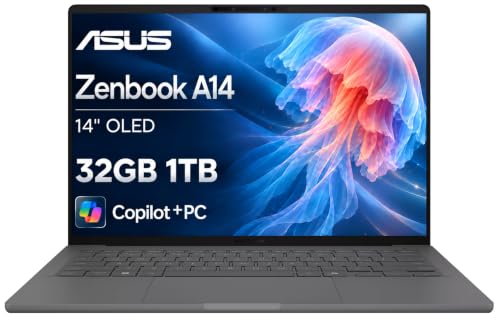 | ASUS Zenbook A14 Snapdragon X | Screen: 14 inch FHD+ OLED Processor: Snapdragon X Memory: 32 GB listed Writing fit: Light travel writing | Check Price on Amazon |
 | Microsoft Surface Laptop 13.8 (2026) | Screen: 13.8 inch touch Processor: Snapdragon X2 Elite Memory: 16 GB listed Writing fit: Compact travel setup | Check Price on Amazon |
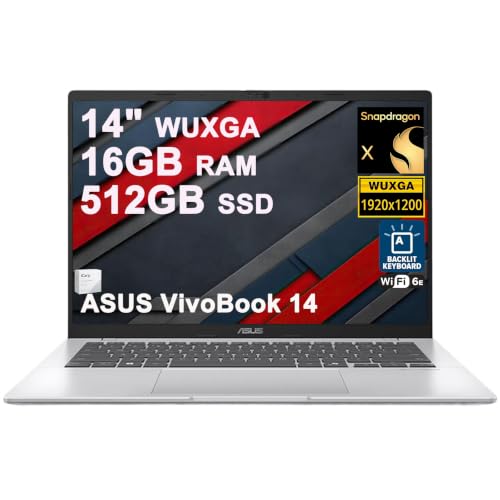 | ASUS Vivobook 14 Snapdragon X | Screen: 14 inch WUXGA anti-glare Processor: Snapdragon X 8-core Memory: 16 GB listed Writing fit: Matte-screen typing | Check Price on Amazon |
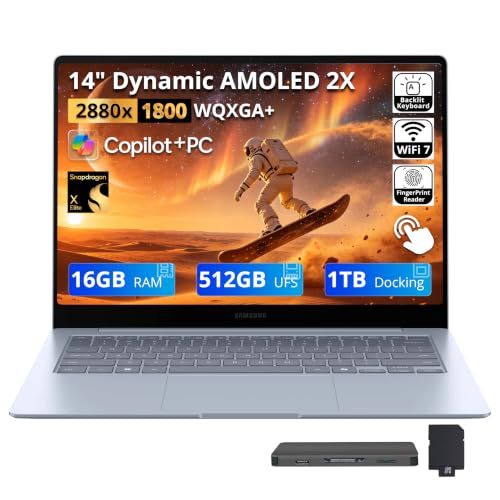 | Samsung Galaxy Book4 Edge 14 | Screen: 14 inch 3K AMOLED touch Processor: Snapdragon X Elite Memory: 16 GB listed Writing fit: OLED reading and drafting | Check Price on Amazon |
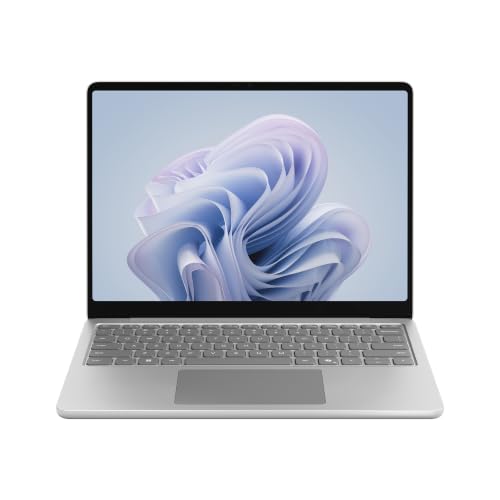 | Microsoft Surface Laptop 13 Snapdragon X Plus | Screen: 13 inch Processor: Snapdragon X Plus Memory: 8 GB listed Writing fit: Compact focused writing | Check Price on Amazon |
1. ASUS Zenbook A14 Snapdragon X — Best Light Travel Writing Pick
On long offline writing sessions you often move between a train, library and temporary desk. The exact Zenbook A14 offer lists a 14-inch FHD+ OLED display, Snapdragon X, 32 GB memory and 1 TB SSD. Its Amazon brand field names the reseller ist computers, while the Zenbook A14 UX3407 is an ASUS model. The offer lists 2.16 pounds; ASUS’s separate family weight is not a measurement of the delivered unit.
With 32 GB, you have room for an editor and locally saved research. The listing does not establish that your editor, citation tools or cloud files work without Wi-Fi. The OLED panel may suit a writer who likes sharp text, but reflections and eye comfort over a long session have to be judged in the place you work. ASUS’s battery figures are based on maker test conditions. They are not measured writing hours.
Compared with the Surface Laptop 13.8, the A14 has more listed memory in a 14-inch clamshell. Neither specification is a guide to keyboard comfort. A portable monitor can add room at a fixed desk, but it also adds power and a cable choice to the travel kit.
Our Take Zenbook A14 suits a writer who wants a light 14-inch work surface and room for local notes. Test the exact keyboard, display reflections and disconnected editor before depending on it for a long trip.
- 32 GB and 1 TB listed for this exact offer.
- Portable 14-inch model family.
- OLED display for readers who prefer that panel.
- OLED reflections need a workspace check.
- Listed weight and maker battery figures are not hands-on results for this unit.
2. Microsoft Surface Laptop 13.8 (2026) — Best Compact Premium Writing Pick
A writer moving between trains, libraries and meeting rooms may prefer one self-contained machine. This exact Surface Laptop offer lists a 13.8-inch touch display, Snapdragon X2 Elite, 16 GB RAM and 512 GB SSD. Microsoft’s 2026 Surface announcement confirms a 13.8-inch Snapdragon X2 Laptop family. The Surface Laptop is a compact drafting space that can fit a crowded table.
Before a trip, open your editor, its dictionary or citation add-ons, and every document you need while disconnected. Microsoft’s Arm guidance says many Windows apps can run through emulation, but drivers and certain peripherals still need Arm support. A USB-C hub may expose an old USB-A port. It cannot make an incompatible printer driver work.
The Vivobook 14 is the pick for a matte screen, while the Surface is the compact choice with touch. Neither listing is proof of keyboard comfort for your hands. Try a typing session and check the charger size if you plan to work between outlets.
Use airplane mode during your trial. A document that opens online may still fail to load its linked research or a copy left by a sync conflict.Our Take Surface Laptop 13.8 fits someone who wants a compact, integrated writing setup and has already tested the exact editor on Windows on Arm. Its modest screen size may feel tight beside a large research archive.
- Compact 13.8-inch form factor.
- Snapdragon X2 Elite and 512 GB SSD in the exact offer.
- Touch screen for quick document navigation.
- Smaller panel gives less room for draft and notes together.
- 16 GB RAM is less than the A14’s listed capacity.
- Arm driver support still needs checking.
3. ASUS Vivobook 14 Snapdragon X — Best Anti-Glare Typing Pick
Glare can be more disruptive than a small difference in screen resolution when you write near a window. This exact Vivobook 14 offer lists a 14-inch WUXGA anti-glare display, Snapdragon X 8-core processor, 16 GB RAM and 512 GB SSD. The matte screen claim is from the marketplace configuration, not from a measured reflection test. The Vivobook is the alternative here for a buyer who prefers a non-OLED working surface.
The listing also names a backlit keyboard. The backlight helps you find keys in dim surroundings, but does not establish key travel, noise or comfort over a long session. Test your writing posture and screen brightness in the place you expect to work. A USB-C laptop stand can raise the display at a desk. It is less useful on a train tray.
Compared with the Samsung Galaxy Book4 Edge, the Vivobook has an anti-glare WUXGA panel in this offer where the Samsung has an OLED touch display. The right choice depends on reading comfort and lighting, not on a blanket claim that one technology is always better for writers.
Our Take Vivobook 14 is a practical candidate for writers who prioritize an anti-glare 14-inch screen and a straightforward clamshell. Verify the exact listing’s keyboard and offline software behavior rather than buying from panel wording alone.
- Anti-glare WUXGA screen stated in the exact offer.
- Backlit keyboard listed.
- 14-inch size balances writing space and mobility.
- No hands-on glare or keyboard result for this SKU.
- 512 GB storage needs a document and backup plan.
4. Samsung Galaxy Book4 Edge 14 — Best OLED Reading and Drafting Pick
If your day alternates between reading source material and drafting, the Galaxy Book4 Edge has a different kind of display. The exact offer names a 14-inch 3K AMOLED touch screen, Snapdragon X Elite and 16 GB RAM. Samsung confirms that its 14-inch Book4 Edge family uses an AMOLED touch panel and X Elite processor. The screen may appeal for reading, but we did not compare eye comfort or reflections in a writing workspace.
Read the storage bundle closely. This marketplace offer advertises 1.5 TB total, but according to its title the total is 512 GB built-in UFS plus a 1 TB dock. The dock’s capacity is not internal laptop storage. Keep the live manuscript on the device or another deliberate offline location, then back it up when connected. An external SSD is another way to keep a local copy, not an automatic sync plan.
Samsung quotes up to 20 hours of video playback for the 14-inch family, which is not a measured writing session. Runtime can change with a bright 3K touch panel, Wi-Fi state and your app. For a matte alternative, compare the Vivobook 14 under your lighting.
The bundled 1 TB dock is separate. The exact offer identifies 512 GB of built-in laptop storage.Our Take Galaxy Book4 Edge 14 suits writers who like an OLED reading surface and understand the storage bundle. Buy it for that screen preference, not the misleading idea of a 1.5 TB internal drive or a guaranteed all-day battery result.
- 3K AMOLED touch panel in the exact offer.
- Compact 14-inch form factor.
- Samsung documents the model-family display and processor.
- Only 512 GB is built into the laptop in this bundle.
- OLED reflections and runtime need an actual workspace check.
- Dock adds another item to carry.
5. Microsoft Surface Laptop 13 Snapdragon X Plus — Best Entry Compact Writing Pick
Some writers want a small self-contained Windows laptop and do not need a large library of local files. The exact Surface Laptop 13 offer lists a 13-inch screen, Snapdragon X Plus, 8 GB RAM and 256 GB UFS storage. Microsoft’s standard model sheet lists 16 GB for this family, so the seller’s 8 GB claim needs confirmation before purchase. The smaller Surface is a different size and generation from the 13.8-inch 2026 Surface above.
For a plain editor, local notes and a small set of reference PDFs, the 13-inch machine may be enough. If you keep many browser tabs, large scans and a citation database open together, test that workload before ordering an 8 GB configuration. A portable monitor can add space at a temporary desk, but test power and cabling before packing it.
The Surface Laptop 13.8 has a larger display, newer listed processor, twice the memory and twice the local storage. The 13-inch model’s appeal is a smaller writing kit, not a claim of superior typing or battery endurance. Test the exact editor in airplane mode and confirm local files fit comfortably.
Our Take Surface Laptop 13 works for a focused, compact writing routine after the apps and file set pass an offline trial. Choose the 13.8-inch model if 8 GB RAM or 256 GB storage feels restrictive.
- Compact 13-inch form factor.
- Snapdragon X Plus in the exact offer.
- Only 8 GB RAM and 256 GB UFS listed.
- Small screen limits side-by-side notes.
- Offline app fit remains untested.
Buying Guide
1. Prove the writing stack works on Arm and offline
Test the exact editor, add-ons and export path in airplane mode. Windows on Arm can run many Windows apps, including some through emulation, but a required driver or plug-in may not work. Open saved documents, search local notes, use spelling tools, export a PDF and restart without Wi-Fi. If the job depends on a USB-C document camera or other unusual peripheral, verify its Arm driver too.
Know where the current file lives. A cloud folder may show a filename without downloading its contents. Pin the manuscript and references locally, make a test edit offline, then reconnect and check how conflicts are handled. Keep an independent backup. None of the laptops here is a substitute for a file plan, and a dock’s extra storage is not automatically available away from the desk.
2. Pick the screen for the places you write
A larger display can reduce window switching. The 14-inch Zenbook, Vivobook and Samsung have more space here than the 13-inch Surface. The 13.8-inch Surface is between them in size. Think about train trays, window glare and whether you use touch. A USB-C monitor can expand a home desk but not an offline notebook at a cafe.
Do not infer comfort from panel labels alone. The Vivobook offer says anti-glare, while the Samsung says AMOLED touch. Neither label shows which is easier for your eyes under a particular light. Try a long page at your usual brightness, check scaling and keyboard position, and compare the options before ordering. The Zenbook A14 is another OLED option, not a guarantee of better reading comfort.
3. Treat battery claims as test prompts
Video playback figures are not results for writing sessions. ASUS and Samsung publish long runtime figures under defined maker conditions, but your editor, screen brightness, background sync and wireless settings differ. Download files before the trip, then time a realistic disconnected session with the exact laptop and charger you intend to carry.
Plan a safe stopping point. Save locally at intervals, verify the document can reopen, and bring a charger when the day is longer than your tested runtime. Battery conservation is useful, but do not turn off a backup or accessibility feature just to chase a headline figure. You should end offline work with a recoverable draft, not merely an uncharged computer.
FAQ
Will a normal Windows writing app run on a Snapdragon laptop?
Many will, but not every app or plug-in. Microsoft documents native Arm apps and emulation for many x86/x64 programs on Windows 11 Arm, while components that depend on drivers may need support built for Arm. A program’s launch screen is not a complete compatibility test.
Install your exact editor and add-ons on a pilot unit. Test opening, saving, search, dictionaries, export and any printer or scanner you need. Do it again without network access before depending on the laptop during travel.
Does airplane mode guarantee my cloud documents are available?
No. Some sync tools leave cloud-only placeholders and download the file only when it is opened online. A document can appear in a folder yet be unavailable after you disconnect.
Mark essential files for offline use, open each one, then disconnect and repeat the edit and export workflow. Keep a separate backup and check for conflicting copies once you reconnect.
Is the Samsung listing’s 1.5 TB inside the laptop?
No. The exact Galaxy Book4 Edge bundle identifies 512 GB of internal UFS storage plus a separate 1 TB docking-station component. The total in the listing title is not the laptop’s internal capacity.
Plan local manuscript and research space against 512 GB. If you intend to use the dock, confirm it is included and that its files remain accessible in the places where you write. Do not keep the only copy of a working draft on an accessory.
Bottom Line
The Zenbook A14 is the light 14-inch choice. The Surface Laptop 13.8 has more listed resources than the Surface Laptop 13. The Vivobook 14 is the pick for an anti-glare screen, and the Galaxy Book4 Edge is the pick for AMOLED. The winner is the laptop on which your own editor, files and backup plan work disconnected.