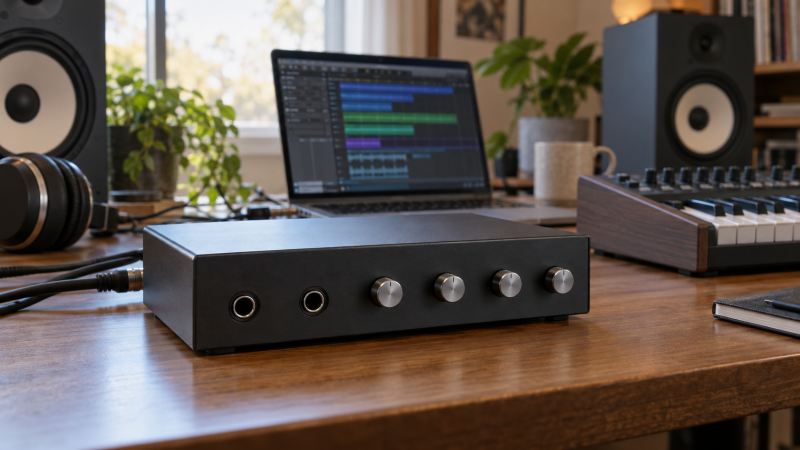
A laptop studio needs one path for recording and another that keeps instruments audible when the laptop is disconnected. An interface can hold a monitor mix without the host, but standalone does not mean every USB or software channel survives. That limit counts when synths, effects and speakers stay connected all week.
These five interfaces had active New Amazon US offers on September 29, 2026. They serve different rig sizes, from MOTU’s compact UltraLite-mk5 to RME’s large UFX III. We did not test sound quality, latency or reliability. Standalone behavior comes from manufacturer documentation. Plan the physical connections first.
Draw the signal path that must remain alive without the laptop. Buy for those physical inputs, outputs and stored routes, not the biggest USB channel number.Standalone-Routing Interfaces Compared
| Image | Product | Details | Check Price |
|---|---|---|---|
 | Arturia AudioFuse 16Rig | Standalone role: Two internal mixers Key I/O: 16 line inputs, 2 mic preamps Host link: USB-C Buyer fit: Hardware-heavy synth desk | Check Price on Amazon |
 | MOTU UltraLite-mk5 | Standalone role: DSP CueMix monitor mixes Key I/O: 2 combo mic inputs, 6 line inputs Host link: USB Buyer fit: Compact multi-output studio | Check Price on Amazon |
 | RME Fireface UCX II | Standalone role: Stored setups and DURec Key I/O: 20-in/20-out listed Host link: USB 2.0 Buyer fit: Portable routing and recording | Check Price on Amazon |
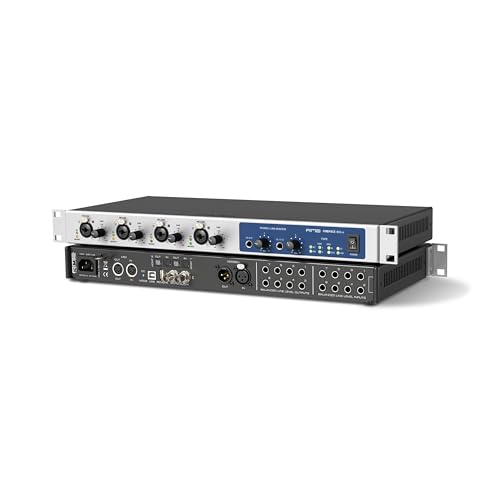 | RME Fireface 802 FS | Standalone role: Six internal setup memories Key I/O: 4 mic/line preamps, ADAT Host link: USB 2.0 Buyer fit: Rack routing with recall | Check Price on Amazon |
 | RME Fireface UFX III | Standalone role: DURec direct USB recording Key I/O: 4 mic/line preamps, MADI/ADAT Host link: USB 3.0 Buyer fit: Large multichannel rig | Check Price on Amazon |
1. Arturia AudioFuse 16Rig — Best for a Hardware-Heavy Synth Desk
The 16Rig is built around a large hardware patch. Arturia lists sixteen quarter-inch line inputs, two mic preamps, twelve analog outputs and two internal standalone mixers. Its routing matrix can build sends and returns for outboard effects, while a cue mixer can feed a separate headphone or speaker mix. The manufacturer says audio and MIDI can be routed without a computer connection after configuration. Those capabilities help if several synths, pedals and monitors are always wired in.
Sixteen line inputs do not mean sixteen microphone preamps. A band needs to count preamps or plan for external ones and ADAT expansion. Configure routing in Arturia’s Control Center, then check what remains adjustable from the hardware alone. Compared with MOTU UltraLite-mk5, 16Rig makes sense when permanent line sources are the constraint. Our USB-C audio-interface guide for guitar covers a smaller recording job.
Our Take Choose 16Rig for a hardware-first room that needs several routes to stay ready without opening a session on the laptop. Do not buy it merely because its total input number is high. Check how many sources need actual mic gain.
- Arturia documents two internal standalone mixers and saved configurations.
- Sixteen line inputs reduce routine repatching for synth-heavy setups.
- Separate cue and effects-routing options support more than a single speaker mix.
- Only two of the listed inputs are built-in microphone preamps.
- A dense matrix takes planning before it becomes easy to use without the laptop.
2. MOTU UltraLite-mk5 — Best Compact Standalone Mixer
MOTU’s UltraLite-mk5 puts a DSP-driven monitor mixer in a half-rack-sized interface. Its listing names two combo mic/line/instrument inputs, six additional analog inputs, ten analog outputs and optical I/O. The manufacturer manual describes a separate monitor mix for each analog output pair, with CueMix 5 controlling levels and processing. It explicitly calls out stand-alone mixing, including tablet control on the road. UltraLite-mk5 is a useful middle ground for a laptop desk that needs several cue or speaker outputs without a full rack.
The standalone mixer is not a laptop replacement. Computer playback disappears with the host, so test which live inputs reach each output. MOTU names tablet control, but check your power and connection plan before a rehearsal. Compared with Arturia 16Rig, UltraLite suits fewer instruments and several output mixes. A USB-C dock can organize the desk, but the interface needs its own verified power path.
Check the mix on the physical output pair you will actually use. An impressive DSP mixer is no help if the cue feed is routed to the wrong sockets.Our Take UltraLite-mk5 is the compact choice for someone who wants several independent monitor paths and is happy to manage them through CueMix 5. Count the two built-in mic inputs before planning a larger live session.
- Manufacturer manual explicitly documents stand-alone mixing.
- Separate analog output-pair mixes suit more than one monitor or cue feed.
- Compact half-rack format avoids a large console footprint.
- Only two combo mic inputs are built in.
- Detailed mix changes depend on the CueMix control workflow.
3. RME Fireface UCX II — Best Portable Routing and Recording
RME’s UCX II is listed as a 20-in/20-out USB interface, but that figure includes digital routes. The more relevant standalone detail comes from RME’s manual. Its display, encoder and buttons can configure the device, and six internal setups can be stored for host-free operation. The manual also describes direct USB recording controls. A portable hybrid studio could keep one routing setup for laptop recording and another for monitoring connected instruments without booting the DAW.
The small front panel is useful without a computer, but slower than an on-screen TotalMix matrix. Save the routes, disconnect the host and rehearse recall. Check analog sockets before treating 20-in as twenty microphone inputs. Compared with RME Fireface 802 FS, UCX II favors portability over a wider rack layout.
Our Take UCX II fits a small studio that alternates between computer sessions and standalone monitoring, with the option of direct USB recording. It rewards careful setup and labeling. It is not a shortcut around routing design.
- RME manual documents six stored standalone states.
- Display and encoder provide device-side setup access.
- Direct USB recording is available without a DAW computer.
- A small display is slower for complex matrix changes than a computer interface.
- Headline USB I/O count includes digital connections, not twenty mic preamps.
4. RME Fireface 802 FS — Best Rack-Format Recall
The Fireface 802 FS is a rack-oriented interface with four listed mic/line preamps, optical digital I/O and RME’s TotalMix FX routing. RME says it has six internal memory slots for configurations and can operate without a computer. That recall helps when a studio rack needs to switch between a tracking route, a rehearsal monitor route and an outboard-processing route. The saved setup is the core feature here, not the mere presence of a USB connector.
RME’s manual says front-panel operation is mainly gains and volume. Wider standalone control may need a configured ARC USB or MIDI remote. Do not assume every TotalMix action works from the front panel. Compared with UCX II, 802 FS fits a rack needing more physical I/O. The anniversary edition is a variant, not another pick.
Plan the recall controls before the computer is unavailable. A saved matrix and a usable way to select it are two separate requirements.Our Take Choose 802 FS for a fixed rack that needs repeatable TotalMix routes and more physical connectivity. Budget attention for remote-control setup if you need to change much after unplugging the laptop.
- Six internal configuration memories support repeatable standalone routes.
- Four listed mic/line preamps and optical I/O suit an expanded rack.
- TotalMix FX offers flexible routing while configuring the unit.
- Front-panel standalone controls are limited mainly to gain and volume.
- Optional remote hardware may be needed for convenient host-free changes.
5. RME Fireface UFX III — Best Large-Rig Direct Recording
UFX III is the large-rig option. Its listing names USB 3.0, four mic/line preamps, ADAT/AES and direct USB recording. RME adds MADI and wide TotalMix FX routing. Its distinctive standalone feature is DURec, which records inputs and outputs to a USB drive without a computer. DURec provides a separate path for a large session.
Do not mistake a very high channel count for a ready-made microphone rack. Many channels are digital and need converters or connected gear. Count actual analog sources and the required expansion before paying for this class of interface. The product page says direct USB media has a capacity limit, so verify compatible storage and run a complete recording/replay test before trusting it for an important show. Compared with Arturia 16Rig, UFX III is most compelling when multichannel direct recording and digital expansion are central, not simply because a few synths must stay plugged in.
Our Take UFX III is a specialist purchase for a demanding multichannel setup. A compact studio should not pay for unused MADI and direct-recorder capacity when its actual requirement is only one saved monitor mix.
- DURec records to USB media independently of a host computer.
- MADI, ADAT and TotalMix routing suit a large connected system.
- Direct recording provides an alternative to a laptop-only capture path.
- Most headline channels are not built-in microphone preamps.
- Complexity and expansion capacity are excessive for a small two-input desk.
Buying Guide
Draw the host-free signal path
List every source that must pass audio when the laptop is disconnected. Include instruments, microphones, outboard effects and return channels. Then draw each destination: main speakers, a headphone cue, a second room or a recorder. A USB return from the DAW cannot exist when the host is off, so do not leave it as the only route to the speakers. This simple diagram exposes whether the problem is input count, output count or routing memory.
Next, distinguish line inputs from microphone preamps. Arturia 16Rig lists sixteen line inputs but only two built-in preamps. MOTU UltraLite-mk5 also has two combo mic inputs. RME UFX III’s huge channel figure includes digital I/O. Count the physical analog sockets at the sample rate you plan to use, then add external converters or preamps only when that expansion is supported and useful.
Decide what standalone means here
Host-free monitoring, host-free routing and host-free recording are separate jobs. MOTU documents stand-alone CueMix monitoring, Arturia documents two internal standalone mixers, and RME UCX II and 802 FS can recall stored setups. UFX III adds direct USB recording. A model can do more than one job, but do not infer a recorder from a monitor mixer or assume that a saved route can be edited with the computer gone.
Check how a preset is created and recalled. The 802 FS has internal memories, but its front panel does not expose every TotalMix function. Wider changes may depend on an optional remote. The UCX II has a device display and encoder. Try the full cold-start sequence: save a configuration, power down, remove the host cable, power back up, recall the route, and verify each physical output at a safe level. A manual claim is not a substitute for that rehearsal in your own wiring.
Plan monitoring and recording separately
A good monitor path lets performers hear the right balance without causing feedback. Assign each headphone and speaker output deliberately and test a cue mix with all intended sources active. Arturia’s cue mixer and MOTU’s separate analog output-pair mixes are helpful only when the right feed reaches the right socket. If the studio uses an external headphone amp, include that in the diagram rather than assuming every interface headphone jack serves multiple people.
For recording, verify the destination and failure mode. RME’s direct USB recording can protect a large session from a laptop problem, but you still need suitable media, storage capacity, a channel map and a playback check. If the DAW remains the primary recorder, keep a small test session to verify that the USB channels arriving in software match the physical inputs. Do not discover a swapped channel after a long take.
Leave room for a laptop workflow
Standalone routing is useful precisely because the laptop will sometimes reconnect. Label the USB playback returns and decide whether they belong in the same monitor mix as live inputs. The routing should avoid doubling a monitored signal through both direct and DAW paths. A return from a DAW may be helpful for overdubs but irrelevant when the computer is shut down. Save a separate setup if the two states differ significantly.
Finally, check power, firmware and control-device requirements. A tablet-controlled mixer still needs compatible software and a dependable connection. A rack interface still needs its power supply and any optional remote. Test the system after sleep, restart and host reconnection. The goal is a repeatable physical path, not an impressive routing screenshot that only works in one session.
FAQ
Can these interfaces pass audio with the laptop unplugged?
Their manufacturers document standalone mixing, stored routing or direct recording, but the exact path differs. Arturia 16Rig has internal mixers, MOTU UltraLite-mk5 has CueMix stand-alone mixing, RME UCX II and 802 FS can hold setups, and UFX III can record directly to USB media. Those claims concern hardware routes, not a continuing stream of computer audio.
Set up the route in advance, unplug the laptop and test every source and output. Some changes require an app, front-panel menu or optional remote. A standalone-capable interface is not necessarily convenient to reconfigure without a screen.
Does a 20-in or 94-in interface have that many microphone jacks?
No. Published channel totals often combine analog inputs, optical ports, MADI, software playback and other digital paths. The UCX II listing’s 20-in/20-out figure is not twenty mic preamps, and the UFX III’s much larger number also relies on digital connectivity. Compare physical sockets and preamps before comparing USB totals.
If you need more live microphones, count the built-in preamps first and then check how an external preamp or ADAT converter would join the system. Budgeting for channels you cannot physically connect is a costly mistake.
Is direct USB recording the same as a standalone monitor mix?
No. A monitor mix routes live signals to speakers or headphones. A direct recorder writes tracks to storage. RME’s DURec feature is specifically a recording path, while MOTU’s documented CueMix feature is a monitor-mix path. Some products offer both kinds of capability, but the setup and verification steps are different.
If recording without a laptop is essential, test a complete record-and-playback cycle with the actual USB media before relying on it. If you only need to hear instruments while the laptop is off, prioritize an easy-to-recall monitor route instead of paying for recorder capacity you will not use.
Bottom Line
Arturia 16Rig fits a synth-heavy hardware patch. MOTU UltraLite-mk5 is the compact multi-output mixer. RME UCX II adds portable setup recall and direct recording, 802 FS serves a fixed rack, and UFX III earns its place only in a large digital rig. Draw the host-free route, count physical I/O, and rehearse the saved setup before buying expansion you do not need.