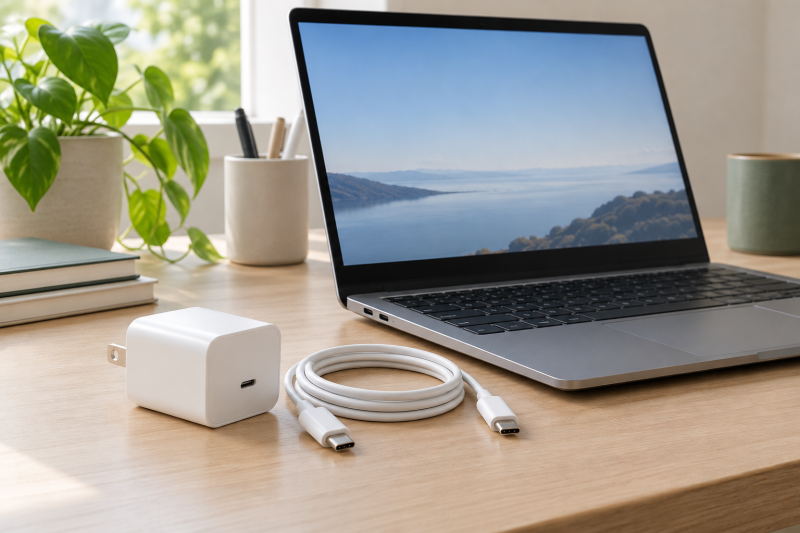
A replacement Chromebook charger has to match the charging connector and the power class first. Five of these six chargers state 45W and one states 65W, and each states USB-C charging and names Chromebook models or Chromebook use.
Check the original charger label and the Chromebook documentation before buying. A USB-C-shaped connector does not show whether a particular Chromebook accepts USB-C power or whether 45W is enough.
Choose the wattage your Chromebook specifies, then confirm USB-C charging and an exact model or part-number match.Chromebook USB-C Chargers Compared
| Image | Product | Details | Check Price |
|---|---|---|---|
 | DECSZDY LX-45W Chromebook Charger | Best fit: Named HP Chromebook x360 14 models Output: 45W Connector: USB-C Cord: Power cord included, length not stated Buyer check: Confirm the HP model is in the list | Check Price on Amazon |
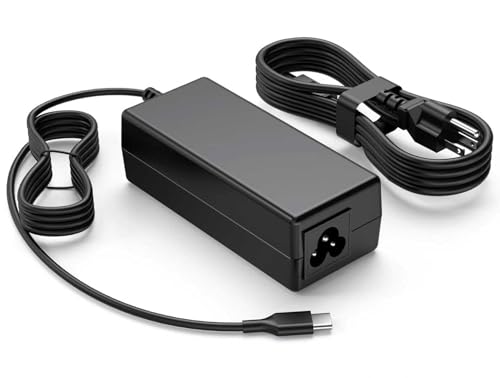 | S SKSTYLE 45W Chromebook Charger | Best fit: 45W Chromebook needing a long fixed cord Output: 45W maximum Connector: USB-C Cord: 8.8 ft total Buyer check: Not for barrel ports; confirm 45W is accepted | Check Price on Amazon |
 | SLE-TECH SM45CL-01 Chromebook Charger | Best fit: 45W charger with a detachable AC cord Output: 45W, PD 3.0 Connector: USB-C Cord: 6 ft detachable AC cord plus USB-C cable Buyer check: PPS is not supported | Check Price on Amazon |
 | NELEBUTO SK90A200225 45W Chromebook Charger | Best fit: HP Chromebook part-number matching Output: 45W Connector: USB-C Cord: Length not stated Buyer check: Use the named HP model or part number | Check Price on Amazon |
 | Belkin BBC025-1MWH-2PK 45W Charger | Best fit: Two compact USB-C chargers Output: 45W maximum, PD 3.1 Connector: USB-C Cord: Two 3.3 ft USB-C cables Buyer check: Confirm the Chromebook accepts 45W USB-C PD | Check Price on Amazon |
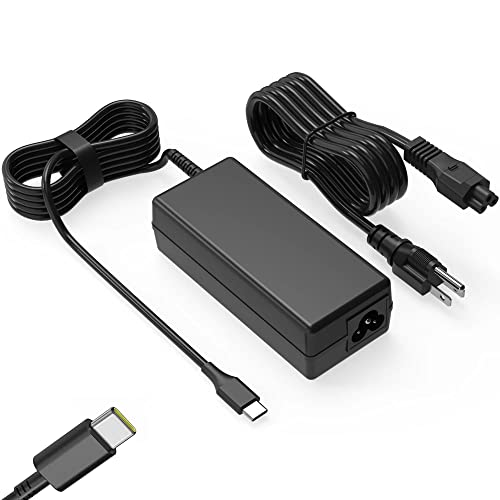 | SLE-TECH SM65CL-01 65W Chromebook Charger | Best fit: Named Chromebook requiring 65W Output: 65W; also states 45W compatibility Connector: USB-C Cord: Length not stated Buyer check: Confirm the Chromebook specifies 65W | Check Price on Amazon |
1. DECSZDY LX-45W Chromebook Charger — Best for Named HP Chromebook x360 Models
DECSZDY identifies LX-45W as a 45W USB-C charger and names several HP Chromebook x360 14 models. Its listing states 100-240V input and output steps at 5V, 9V, 12V, 15V and 20V, with 20V at 2.25A. The package lists one power adapter and one power cord.
An HP owner can check the model number against DECSZDY’s list. Another brand, or an HP model the list does not name, falls outside what DECSZDY states.
Our Take Choose LX-45W when your HP Chromebook model appears in DECSZDY’s list and your original adapter is 45W USB-C.
- DECSZDY states 45W USB-C output and names several HP Chromebook x360 14 models, so an HP owner can check a model number against its list.
- DECSZDY states 100-240V input and output steps from 5V to 20V.
- DECSZDY lists a power adapter and a power cord in the package.
- DECSZDY names only HP Chromebook x360 14 models, so another brand or an unlisted HP model falls outside its list.
- DECSZDY lists a power cord but does not state its length.
2. S SKSTYLE 45W Chromebook Charger — Best for a Long Fixed Cord
S SKSTYLE states 45W maximum output in six voltage steps from 5V to 20V, a USB-C connector, and an 8.8-foot total cord length. Its listing says the charger suits some HP, Lenovo, Dell, Acer, ASUS and Samsung Chromebooks, without model numbers, and asks buyers to confirm the charging port and required wattage before ordering.
S SKSTYLE says the extended reach gives more flexibility between the wall outlet and the laptop, with a fixed USB-C output cable. It also says the charger does not fit round-tip or barrel ports, and that models in the same brand or series may need 65W, 90W or higher.
Use the 8.8-foot reach only after verifying that the Chromebook charges over USB-C and accepts 45W.Our Take Choose the S SKSTYLE charger when your Chromebook charges over USB-C at 45W and you want its stated 8.8-foot total cord.
- S SKSTYLE states an 8.8-foot total cord and says the extra reach gives more flexibility between the outlet and the laptop, against the 3.3-foot cables Belkin states.
- S SKSTYLE states 45W maximum output in six voltage steps from 5V to 20V.
- S SKSTYLE names Chromebooks from HP, Lenovo, Dell, Acer, ASUS and Samsung.
- S SKSTYLE says its charger does not fit round-tip or barrel ports.
- S SKSTYLE gives brand-level compatibility without model numbers and asks buyers to confirm the charging port and required wattage.
3. SLE-TECH SM45CL-01 Chromebook Charger — Best with a Six-Foot AC Lead
SLE-TECH calls SM45CL-01 a 45W USB-C PD 3.0 adapter. Its title names HP x360 11 and 14a, Dell 5190, Lenovo C330 and S330, Acer Spin 311, 511 and C733, ASUS C204 and C213, and Samsung 4.
The listing includes a detachable six-foot AC cord and an integrated USB-C cable, and SLE-TECH says the cord gives extra length for use in offices or homes. SLE-TECH’s listing says the adapter charges at standard PD speeds because PPS is not supported, while Belkin’s title lists PPS.
The detachable AC lead adds outlet reach, but it does not replace checking the Chromebook’s 45W USB-C requirement.Our Take Choose SM45CL-01 when your Chromebook needs 45W USB-C and you want a detachable six-foot AC cord.
- SLE-TECH states 45W USB-C PD 3.0 output.
- SLE-TECH states a detachable six-foot AC cord for use in offices or homes.
- SLE-TECH’s title names HP, Dell, Lenovo, Acer, ASUS and Samsung models, such as Dell 5190 and Acer Spin 311.
- SLE-TECH says PPS is not supported.
- SLE-TECH states a six-foot AC cord but not the length of the attached USB-C cable.
4. NELEBUTO SK90A200225 45W Chromebook Charger — Best for HP Part-Number Matching
NELEBUTO identifies its charger as 45W USB-C with 100-240V input at 50-60Hz and output steps through 20V at 2.25A. Its listing gives a long list of HP Chromebook models and HP adapter part numbers, so a buyer has more than a brand name to compare against an old charger label.
The same listing also names ThinkPad and Dell XPS laptops, so the HP Chromebook list sits among names that are not Chromebooks. Check the HP Chromebook model or HP part number against the label on your old charger and set the other names aside.
Amazon lists DongGuan Simer Electronics as the manufacturer of the NELEBUTO, S SKSTYLE and both SLE-TECH chargers. NELEBUTO’s part-number field reads SM45CL-01, which is the model name of the SLE-TECH 45W adapter above.
Our Take Choose the NELEBUTO charger when an HP Chromebook model or HP adapter part number in its list matches your original unit.
- NELEBUTO states 45W USB-C output with 100-240V input at 50-60Hz.
- NELEBUTO lists HP Chromebook models and HP adapter part numbers that a buyer can compare with the label on an old charger.
- NELEBUTO states the same 20V at 2.25A output step that DECSZDY and S SKSTYLE state.
- NELEBUTO’s listing also names ThinkPad and Dell XPS laptops next to its HP Chromebook list, so a buyer sets those names aside when matching a model.
- NELEBUTO does not state a cord length in its listing.
5. Belkin BBC025-1MWH-2PK 45W Charger — Best Two Compact USB-C Chargers
Belkin’s BBC025 pack contains two compact chargers, and its title states 3.3-foot cables included. Belkin states a 45W maximum output, USB-C PD 3.1 and foldable prongs, and says the output suits high-power devices such as a MacBook or Chromebook. It also states 2-year coverage.
Belkin gives no list of compatible Chromebook models or part numbers. It names one Chromebook, the ThinkPad C13 Yoga Gen 1, in a claim that it charges from 0 to 50% in 37 minutes. Confirm that your Chromebook accepts 45W USB-C PD before choosing the pack.
Our Take Choose the Belkin two-pack when you want two 45W USB-C chargers and your Chromebook accepts 45W USB-C PD.
- Belkin sells two 45W chargers with USB-C cables in one pack.
- Belkin states USB-C PD 3.1 and foldable prongs.
- Belkin states 2-year coverage.
- Belkin gives no list of compatible Chromebook models or adapter part numbers, so a buyer confirms the Chromebook’s USB-C PD input before choosing the pack.
- Belkin states 3.3-foot cables, shorter than the 8.8-foot cord S SKSTYLE states.
6. SLE-TECH SM65CL-01 65W Chromebook Charger — Best for a Named Chromebook Requiring 65W
SLE-TECH identifies SM65CL-01 as a 65W USB-C charger that is also compatible with 45W, with 100-240V input and output steps at 5V, 9V, 15V and 20V, with 20V at up to 3.25A. Its title names HP x360 14c, Dell 3100, 3110 and 3120, Lenovo 100e, 300e and 500e, Acer Spin 713, and Samsung Chromebook 4.
Its listing also names many ThinkPad, Dell XPS and HP Spectre laptops. Consider SM65CL-01 only after confirming that your Chromebook specifies 65W. A higher stated maximum does not make a 45W-only system a 65W one, and SLE-TECH does not say which of the listed models need 65W.
Use the 65W SM65CL-01 only when the Chromebook documentation or original adapter says 65W USB-C is required.Our Take Choose SM65CL-01 when a model in its title matches your Chromebook and the original USB-C adapter is rated 65W.
- SLE-TECH states a 65W USB-C maximum and also states 45W compatibility.
- SLE-TECH’s title names HP, Dell, Lenovo, Acer and Samsung models, such as Lenovo 100e and Acer Spin 713.
- SLE-TECH states 100-240V input and 20V output at up to 3.25A.
- SLE-TECH’s listing also names ThinkPad, Dell XPS and HP Spectre laptops among its Chromebook models.
- SLE-TECH does not say which of its listed models need 65W, so the Chromebook’s own documentation or original adapter has to settle it.
Buying Guide
1. Establish whether the Chromebook charges through USB-C
The port and the power path are separate checks. Look at the original charger, Chromebook manual, or support page for a USB-C charging requirement. All six picks state USB-C, but that does not prove every USB-C port on a Chromebook accepts input power.
Exclude barrel-tip chargers before comparing wattage. S SKSTYLE says its charger does not fit round-tip or barrel ports. A USB-C replacement must match the Chromebook’s physical charging connection before any 45W or 65W decision.
2. Match 45W and 65W to the original adapter
Five picks state 45W, while SM65CL-01 states 65W and 45W compatibility. Use the figure printed on the original unit or in Chromebook support documentation. A charger can state multiple voltage steps, but the Chromebook’s required power class determines whether it is appropriate.
Do not treat a higher maximum as an automatic improvement. A 45W Chromebook does not gain a new capability from a 65W charger, and a 65W Chromebook should not be given a 45W option without its documentation supporting that arrangement. The generic USB-C charger guide explains broader USB-C charger choices.
3. Prefer exact model or part-number wording
A named model is stronger than a brand name alone. DECSZDY names HP Chromebook x360 14 models, NELEBUTO lists HP model and adapter part numbers, and both SLE-TECH titles name models. Compare the exact model, not merely HP, Acer, Lenovo, or Samsung branding.
Brand-level lists need a second check. S SKSTYLE names Chromebooks from six brands without model numbers, and Belkin gives no model list. Use the original power label when no exact model appears in the listing.
4. Pick cable length after the compatibility decision
The stated lengths run from Belkin’s 3.3-foot cables to S SKSTYLE’s 8.8-foot total cord. SLE-TECH SM45CL-01 has a detachable six-foot AC cord plus a USB-C cable of unstated length. Measure the path from the outlet to the desk and leave enough slack for normal movement.
Longer is not universally better. S SKSTYLE says its extended reach gives more flexibility between outlet and laptop, and Belkin states foldable prongs and 3.3-foot cables for a compact charger. Cable reach belongs after the connector, model, and wattage checks.
5. Separate a generic USB-C brick from a model-specific replacement
Belkin gives no model list, while DECSZDY, NELEBUTO and both SLE-TECH chargers name models. Belkin is useful when two Chromebooks that accept 45W USB-C PD each need a charger, but it offers less help with matching a replacement to a specific model.
A listed model does not confirm the power class. Treat the charger label, the exact Chromebook, and the stated power as one matching check. The Chromebook dock guide covers a different decision involving ports and displays, not replacement charging.
FAQ
Is 45W enough for every Chromebook?
No. Chromebook chargers vary, and the correct power is the one specified for the individual system. The original adapter label or Chromebook support documentation establishes that requirement.
Use a 45W model only after confirming USB-C charging and a 45W requirement. For a system that specifies 65W, the SLE-TECH SM65CL-01 is the only 65W charger on this page.
Can I use a 65W USB-C charger with a 45W Chromebook?
Only when the Chromebook documentation says it accepts USB-C Power Delivery at the higher power. The 65W SLE-TECH SM65CL-01 states 45W compatibility, but that wording does not replace the system documentation.
The safer process is to match the original 45W adapter when that is the documented requirement. Do not choose a higher number as a shortcut around model matching.
Why check the Chromebook model when the plug is USB-C?
The plug identifies the connector, not the complete power requirement. S SKSTYLE warns that models in the same brand or series may use different connectors or need 65W, 90W or higher.
Look for a model or part number in the listing, such as DECSZDY’s HP x360 list or NELEBUTO’s HP part-number list. If it is absent, rely on the Chromebook maker’s support information.
Which charger is best for a distant outlet?
S SKSTYLE is the only listing here that states a total cord length, 8.8 feet. SLE-TECH SM45CL-01 has a detachable six-foot AC cord plus a USB-C cable of unstated length, while Belkin states 3.3-foot cables.
Decide on the Chromebook’s wattage and port first, because cord length changes neither. Then compare the stated lengths against the path from the outlet to your desk.
Does a Chromebook charger need Thunderbolt or USB4?
No. A Chromebook charger needs USB-C power at the wattage the Chromebook specifies. Thunderbolt and USB4 describe data connections, and none of these six listings mentions either.
Confirm USB-C charging support, the original wattage, and an exact model or part-number match. The three checks settle a Chromebook replacement-charger purchase.
Bottom Line
Choose DECSZDY LX-45W for named HP x360 systems, S SKSTYLE for a stated 8.8-foot cord, Belkin BBC025 for a two-charger pack, and SLE-TECH SM65CL-01 when a named system requires 65W. Confirm the Chromebook’s USB-C input and original wattage before buying.