For most buyers who want a finished, bus-powered drive, the OWC Envoy Ultra is the best Thunderbolt 5 SSD here. It is Thunderbolt 5 certified and backed by a five-year limited warranty. Go with the Oyen Digital U35 Bolt+ when you have a compatible Mac and want a USB4 80Gbps drive with Thunderbolt 5 support, or the OWC Express 1M2 80G when you want a prebuilt drive you can open and upgrade later.
Every product below had a matching Amazon listing and a manufacturer source. We left out exact listings with no current Amazon offer or no usable official proof. Rankings consider peak and long-write speed, host support, cooling, cable design, and SSD replaceability, not product-page numbers alone.
Recent Updates
October 2026: We replaced an unavailable prebuilt slot with the Oyen Digital U35 Bolt+ 2TB.
July 2026: We rebuilt this guide around eight products. The OWC Envoy Ultra led the prebuilt recommendations, and the other products were 80Gbps prebuilt or DIY options for replaceable SSDs, active cooling, silent operation, and different M.2 sizes. We dropped the LaCie Rugged SSD Pro5 and ORICO X50 from the ranked slate because their exact Amazon items returned no offer during validation.
Quick Picks
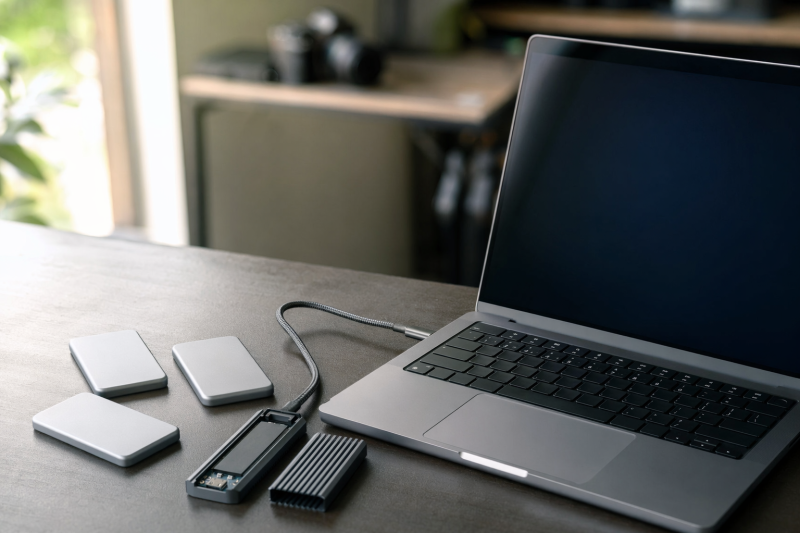
The first three picks arrive with storage installed, while the other five let you choose the NVMe SSD that fits the build.Thunderbolt 5 SSD Comparison
| Image | Product | Details | Check Price |
|---|---|---|---|
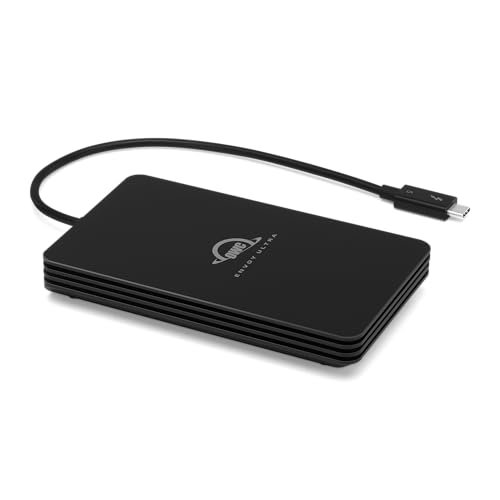 | OWC Envoy Ultra 2TB | Pick: Best overall Thunderbolt 5 SSD Type: Prebuilt drive Connection: Thunderbolt 5 Rated speed: Above 6000MB/s SSD: 2TB | Check Price on Amazon |
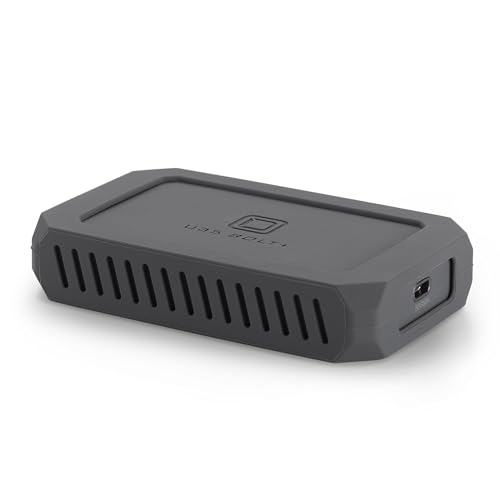 | Oyen Digital U35 Bolt+ 2TB | Pick: Best prebuilt 80Gbps drive for Mac Type: Prebuilt drive Connection: USB4 80Gbps; Thunderbolt 5 support Rated speed: Up to 6000MB/s SSD: 2TB | Check Price on Amazon |
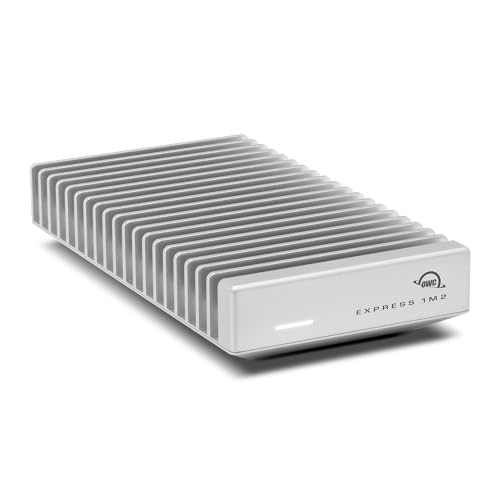 | OWC Express 1M2 80G 2TB | Pick: Best upgradeable prebuilt drive Type: Prebuilt drive Connection: USB4 80Gbps Rated speed: Above 6000MB/s SSD: 2TB | Check Price on Amazon |
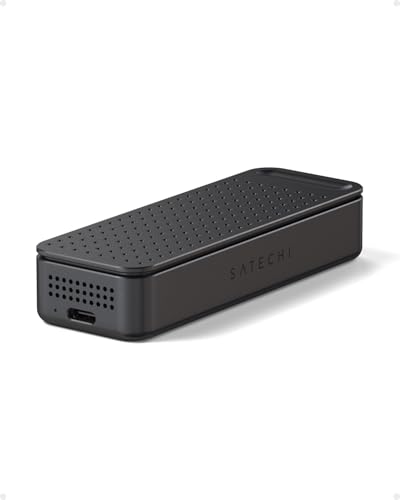 | Satechi DotDisk 80Gbps | Pick: Best compact active-cooled enclosure Type: Diskless enclosure Connection: USB4 v2 80Gbps Rated speed: Not listed SSD: M.2 2280 NVMe; PCIe gen not listed | Check Price on Amazon |
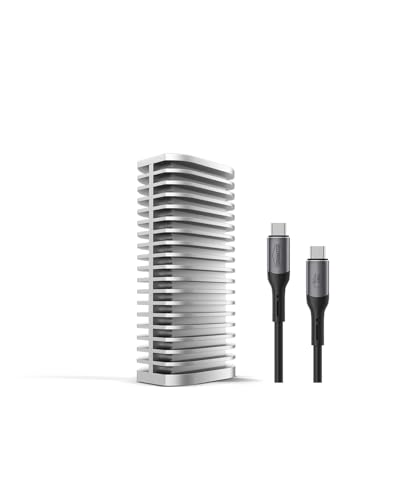 | TerraMaster D1 SSD Pro | Pick: Best silent DIY enclosure Type: Diskless enclosure Connection: USB4 80Gbps Rated speed: 7061MB/s read; 6816MB/s write SSD: M.2 2280 NVMe, PCIe Gen 3/4/5 | Check Price on Amazon |
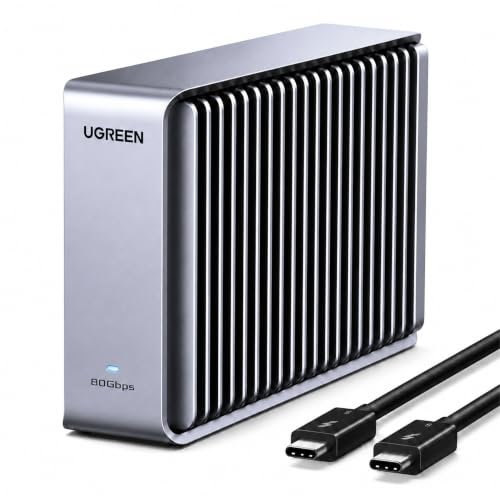 | UGREEN 80Gbps M.2 NVMe Enclosure | Pick: Best for several M.2 sizes Type: Diskless enclosure Connection: USB4 v2 80Gbps Rated speed: Not listed SSD: M.2 2230/2242/2260/2280 NVMe | Check Price on Amazon |
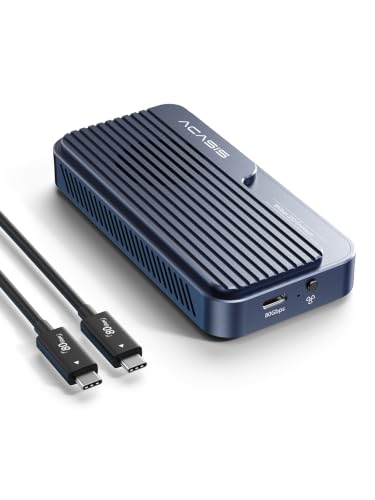 | ACASIS TB501 Pro | Pick: Best tool-free active cooling Type: Diskless enclosure Connection: 80Gbps Rated speed: Above 6000MB/s SSD: M.2 2230/2242/2260/2280, PCIe 3/4/5 | Check Price on Amazon |
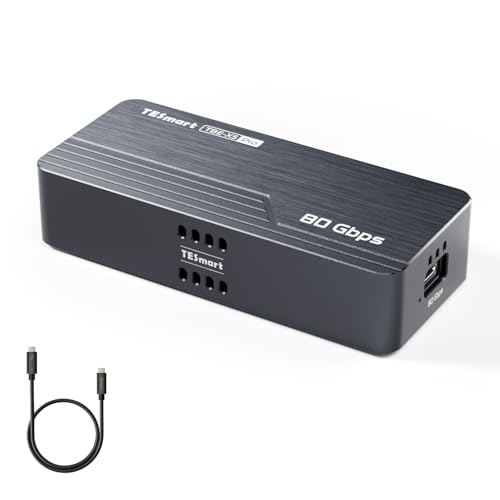 | TESmart TBE-X5Pro | Pick: Best PCIe 5.0 enclosure Type: Diskless enclosure Connection: USB4 v2/Thunderbolt 5-class 80Gbps Rated speed: Up to 7000MB/s SSD: M.2 2280 NVMe, PCIe Gen 3/4/5 | Check Price on Amazon |
The first three picks arrive with an SSD installed. The other five are diskless enclosures, so their final capacity, NAND, controller, warranty mix, power draw, and sustained-write behavior all ride on the NVMe drive you add. A DIY build is often easier to repair or upgrade, but it also asks you to pick a compatible M.2 SSD and seat the thermal pads correctly.
1. OWC Envoy Ultra 2TB — Best Overall Thunderbolt 5 SSD

When the computer already has the right port, the OWC Envoy Ultra is the easiest Thunderbolt 5 portable SSD to recommend. It arrives assembled, pulls power from the host, and never asks you to choose an NVMe drive or fit thermal pads. OWC identifies it as Thunderbolt 5 certified and rates transfer speed above 6000MB/s on a suitable host. Official capacities are 2TB, 4TB, and 8TB, and the exact Amazon pick here is the validated 2TB model.
Independent numbers put that ceiling in context. MacRumors measured about 5,255MB/s write and 5,347MB/s read in Blackmagic Disk Speed Test on an M4 Pro Mac mini. Those are short benchmark results from one review setup, not a promise for every file or computer. The same review relayed much lower long-write rates, supplied by OWC, once the fast cache is exhausted. That gap is exactly why the Envoy Ultra ranks first on its complete package rather than on a box number that holds forever.
OWC specifies a fanless aluminum body, IP67 protection, and a built-in 9.2-inch Thunderbolt 5 cable. That captive cable makes the drive quick to grab from a bag, since there is no separate lead to forget, and it is also the design’s main repair weakness: a worn or damaged cable cannot simply be swapped. PetaPixel saw no thermal throttling in its empty and full test workload, but that is one publication’s workload and ambient condition, not proof that heat will never touch another transfer.
OWC lists Thunderbolt 5, Thunderbolt 4, Thunderbolt 3, and USB4 hosts on Mac and Windows, and slower ports lower the ceiling. Our OWC Envoy Ultra review looks at this exact drive in more detail.
Our Take
Choose the Envoy Ultra when you want the least complicated route to genuine Thunderbolt 5 portable storage. It pulls together certification, a finished SSD, bus power, weather protection, broad fallback support, and a five-year limited warranty. Choose the Oyen Digital U35 Bolt+ instead when you have a compatible Mac and want its USB4 80Gbps design with Thunderbolt 5 support.
- The Envoy Ultra arrives assembled, and OWC identifies it as Thunderbolt 5 certified.
- On a suitable host, OWC rates the Envoy Ultra’s transfer speed above 6000MB/s.
- Powered by the host, the Envoy Ultra has a fanless aluminum body with the IP67 protection OWC specifies.
- OWC backs the Envoy Ultra with a five-year limited warranty.
- A built-in 9.2-inch Thunderbolt 5 cable makes the drive quick to grab from a bag, since there is no separate lead to forget.
- A worn or damaged cable cannot simply be swapped, because the Envoy Ultra’s 9.2-inch cable is built in.
- Long writes run at much lower rates than the short benchmark speeds once the fast cache is exhausted, according to figures OWC supplied to MacRumors.
- Slower ports on the host lower the Envoy Ultra’s ceiling, even though OWC lists Thunderbolt 4, Thunderbolt 3, and USB4 hosts.
2. Oyen Digital U35 Bolt+ 2TB — Best Prebuilt 80Gbps Drive for Mac

The Oyen Digital U35 Bolt+ is a finished 2TB drive for a Mac setup that can use USB4 80Gbps or Thunderbolt 5. Oyen Digital identifies the U35 Bolt+ as a bus-powered portable SSD with an internal aluminum cooling core. It arrives with storage installed, so it does not ask the buyer to source an NVMe drive or apply thermal pads.
Oyen Digital specifies USB4 80Gbps over USB-C and rates the U35 Bolt+ at up to 6000MB/s on USB4 80Gbps or Thunderbolt 5. The manufacturer lists up to 3800MB/s on USB4 40Gbps or Thunderbolt 4, so an older port changes the ceiling. Those figures are manufacturer maximums, not a promise for every file, host, or sustained write.
The manufacturer lists Thunderbolt 5, USB4 40Gbps, Thunderbolt 4, and Thunderbolt 3 host support for Apple silicon Macs. Oyen Digital says the drive ships formatted APFS for macOS and can be reformatted if desired. Oyen Digital lists only Mac requirements, Mac OS 11 or later. Our Thunderbolt 3 vs 4 vs 5 guide explains the interface differences before you assume an older port will hit the headline rate.
Oyen Digital backs the U35 Bolt+ with a three-year warranty and identifies TLC NAND flash with an Intel JHL9480 controller. The maker also lists 1TB, 2TB, 4TB, and 8TB capacities, and this Amazon listing is the 2TB version. If you want an SSD that can be replaced later, move to the OWC Express 1M2 80G, and if you want hosts listed for both Mac and Windows, move to the OWC Envoy Ultra.
Our Take
Pick the U35 Bolt+ when you use a compatible Mac and want a finished 2TB drive with USB4 80Gbps and Thunderbolt 5 support. Oyen Digital publishes different speeds for different host ports, and the finished design means you do not buy a separate SSD. Do not treat the USB4 80Gbps label as a Thunderbolt 5 certification claim.
- The finished 2TB drive uses USB4 80Gbps over USB-C, and Oyen Digital lists Thunderbolt 5 host support for Apple silicon Macs.
- On USB4 80Gbps or Thunderbolt 5, Oyen Digital rates the U35 Bolt+ at up to 6000MB/s.
- Oyen Digital states the internal aluminum cooling core keeps SSD temperatures stable under sustained heavy loads.
- The U35 Bolt+ ships formatted APFS for macOS and can be reformatted if desired, and Oyen Digital lists only Mac requirements, Mac OS 11 or later.
- An older port changes the ceiling, since Oyen Digital lists up to 3800MB/s on USB4 40Gbps or Thunderbolt 4.
- Speed figures for the U35 Bolt+ are manufacturer maximums, not a promise for every file, host, or sustained write.
- The USB4 80Gbps label is not a Thunderbolt 5 certification claim, although Oyen Digital lists Thunderbolt 5 host support.
3. OWC Express 1M2 80G 2TB — Best Upgradeable Prebuilt Drive

The OWC Express 1M2 80G sits between a sealed portable SSD and a DIY enclosure. This exact Amazon listing arrives configured with 2TB of storage, so it is ready to use once you format it for the intended platform. You can also open it later and replace the M.2 NVMe drive, instead of tying the life of the aluminum shell and bridge to one fixed capacity.
The naming matters here. OWC calls the product USB4 80G and Thunderbolt compatible; it does not present it as Thunderbolt 5 certified. USB4 at 80Gbps can reach the same high-bandwidth class on a suitable Thunderbolt 5 or USB4 80Gbps host, but a certification label and a compatibility promise are not the same thing. OWC rates the unit above 6000MB/s with USB4 80Gbps or Thunderbolt 5, above 3800MB/s on USB4 40Gbps, up to 3800MB/s with Thunderbolt 4, and up to 2800MB/s on Thunderbolt 3 Macs. Those are OWC’s maximums, not our measurements.
Macworld measured about 5.6GB/s read and 5.5GB/s write in its synthetic test and also ran a 450GB write. The review hit a macOS Finder limitation in its tested software path, a useful reminder that bridge silicon and NAND are only part of the chain. That result belongs to the review’s OS version and setup, and it should not harden into a permanent macOS ceiling once system software changes.
The deeply finned aluminum body is passive, with no fan. OWC includes a removable USB4 cable and powers the enclosure through the host. It accepts PCIe Gen 3, Gen 4, and Gen 5 M.2 NVMe SSDs, though OWC recommends a Gen 5 SSD draw no more than 11W for sustained use. SATA M.2 drives are not supported.
Our Take
The Express 1M2 80G is the right middle ground when a finished 2TB drive sounds easier today but replaceable storage matters tomorrow. Its fanless heat sink and removable cable keep the design serviceable. Just remember it is a USB4 80G product with Thunderbolt compatibility, not one to relabel as Thunderbolt 5 certified.
- The 2TB listing arrives configured, and you can open the enclosure later to replace the M.2 NVMe drive.
- With a USB4 80Gbps or Thunderbolt 5 host, OWC rates the Express 1M2 80G above 6000MB/s.
- Heat is handled by a passive, deeply finned aluminum body with no fan, and OWC includes a removable USB4 cable.
- Fallback ceilings from OWC run above 3800MB/s on USB4 40Gbps, up to 3800MB/s with Thunderbolt 4, and up to 2800MB/s on Thunderbolt 3 Macs.
- OWC calls the Express 1M2 80G USB4 80G and Thunderbolt compatible, and it does not present the unit as Thunderbolt 5 certified.
- For sustained use, OWC recommends a Gen 5 SSD draw no more than 11W.
- SATA M.2 drives are not supported by the Express 1M2 80G, which accepts M.2 NVMe SSDs.
4. Satechi DotDisk 80Gbps — Best Compact Active-Cooled Enclosure

The Satechi DotDisk is a compact 80Gbps enclosure for buyers who would rather have active cooling than a large passive heat sink. Satechi specifies a fan inside the aluminum body, USB4 v2 at 80Gbps, and compatibility with Thunderbolt 5, Thunderbolt 4, and USB4 hosts. The exact Space Black Amazon listing is diskless, so its final behavior leans heavily on the M.2 SSD you install.
The compatibility list is narrower than the broad wording some rivals use. Satechi supports M.2 2280 NVMe SSDs up to 8TB, but explicitly rules out SATA drives, other M.2 lengths, SSDs with their own heat sinks, and double-sided SSDs. Its page also says standard USB-C and USB 3 connections are not supported. These are not footnotes to find out about after buying, so check the physical build of the SSD, not just its capacity and PCIe generation.
PCWorld’s May 2026 review called the DotDisk warm but found no thermal throttling in its tests. That backs the point of the fan under that specific SSD and workload, but it cannot promise the same curve for every capacity, controller, room temperature, or sustained transfer. Active cooling also means a moving part and some sound, so a quiet recording room may be better served by the larger fanless TerraMaster.
Satechi lists macOS Sonoma 14.6 or later, Windows 11, and Linux, plus a two-year warranty for the enclosure, while the SSD inside keeps its own warranty and operating conditions. The DotDisk earns its place for a buyer who already knows which single-sided 2280 NVMe drive is going inside and wants cooling in a travel-friendly shell.
Our Take
Choose the DotDisk for a small active-cooled DIY build on a current Thunderbolt 5, Thunderbolt 4, or USB4 computer. Its blunt incompatibility list is a feature: it stops anyone from treating the enclosure as a universal M.2 box. Confirm the SSD is NVMe, single-sided, heat-sink-free, and exactly 2280 before ordering.
- In a compact enclosure, Satechi specifies USB4 v2 at 80Gbps and compatibility with Thunderbolt 5, Thunderbolt 4, and USB4 hosts.
- PCWorld’s May 2026 review called the DotDisk warm but found no thermal throttling in its tests, and Satechi specifies a fan inside the aluminum body.
- macOS Sonoma 14.6 or later, Windows 11, and Linux are the systems Satechi lists.
- The enclosure is covered by a two-year warranty that Satechi lists, while the SSD inside keeps its own warranty and operating conditions.
- Satechi supports M.2 2280 NVMe SSDs up to 8TB and rules out SATA drives, other M.2 lengths, SSDs with their own heat sinks, and double-sided SSDs.
- Standard USB-C and USB 3 connections are not supported, according to Satechi’s page.
- The fan adds a moving part and some sound.
5. TerraMaster D1 SSD Pro — Best Silent DIY Enclosure

The TerraMaster D1 SSD Pro takes the opposite cooling approach. According to TerraMaster, its all-aluminum body uses 38 external fins and no fan, which suits quiet desk use. The official page lists 300g, while the exact Amazon listing describes the CNC aluminum body as 270g. The two sources may be measuring different parts, but the evidence does not reconcile the values, so verify the exact listing if weight matters.
TerraMaster identifies the D1 SSD Pro as an 80Gbps, diskless M.2 2280 NVMe enclosure that accepts PCIe Gen 3, Gen 4, and Gen 5 drives up to 8TB. It ships with a removable 0.3m 80Gbps cable and a two-year warranty. It is not storage until you add an SSD, so compare the enclosure and drive together, not the box on its own.
The official page reports 7,061MB/s read and 6,816MB/s write from an internal AJA test using a Samsung 990 Pro 4TB and an M4 Pro Mac. Those figures show what TerraMaster reached in its named setup. They are not an independent test, not a minimum, and not a sustained rate after cache exhaustion. A different SSD, fill level, file system, host, OS, cable, or workload can land somewhere else.
TerraMaster lists Thunderbolt 5/4/3, USB4, and USB fallback on the product and marketplace material. Its current page also calls out Windows 11 24H2 or later and macOS in host guidance while broader compatibility material references Linux. That mix calls for an exact host check, especially on older Windows builds or a Linux system where bridge and sleep behavior matter. A port may connect at a fallback rate without delivering the reason to buy an 80Gbps enclosure.
Our Take
Pick the D1 SSD Pro for a silent DIY build that will live on a desk. TerraMaster’s finned shell gives heat more passive surface area, and the removable cable and replaceable SSD keep the build serviceable. Treat the company’s named AJA result as one internal test, not as your guaranteed long-write rate.
- The all-aluminum body uses 38 external fins and no fan, according to TerraMaster, which suits quiet desk use.
- PCIe Gen 3, Gen 4, and Gen 5 M.2 2280 NVMe drives up to 8TB fit the enclosure, according to TerraMaster.
- The included removable 0.3m 80Gbps cable keeps the build serviceable, along with the replaceable SSD.
- TerraMaster ships the D1 SSD Pro with a two-year warranty.
- In an internal AJA test with a Samsung 990 Pro 4TB and an M4 Pro Mac, TerraMaster’s official page reports 7,061MB/s read and 6,816MB/s write.
- The two sources do not reconcile on weight, with TerraMaster’s official page listing 300g and the Amazon listing describing the CNC aluminum body as 270g.
- The D1 SSD Pro is diskless and is not storage until you add an SSD.
- TerraMaster’s AJA result is one internal test, not an independent test, not a minimum, and not a sustained rate after cache exhaustion.
6. UGREEN 80Gbps M.2 NVMe Enclosure — Best for Several M.2 Sizes
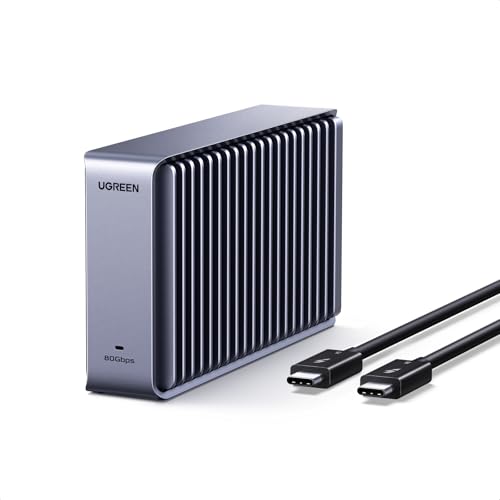
UGREEN’s 80Gbps enclosure stands out because the official page supports M.2 NVMe drives in 2230, 2242, 2260, and 2280 lengths. Most 80Gbps rivals in this guide take only 2280. That wider physical support pays off when you want to reuse a short SSD from a handheld PC or compact system rather than buy another drive just for the enclosure.
UGREEN specifies M-key and M+B-key NVMe support, capacities up to 8TB, and a USB4 v2 80Gbps interface. M+B keying can describe more than one storage protocol, so the word NVMe still carries weight. An M.2 SATA drive does not become compatible just because its edge connector slots in. The enclosure is diskless, and the SSD you choose sets the capacity and much of the long-write behavior.
Cooling is fully passive. Double-sided aluminum fins spread heat without fan noise, which suits a quiet desk. The trade is the same one the TerraMaster makes: the surface area needs open air, and the thermal interface has to make proper contact. UGREEN lists a two-year warranty and support for Windows, macOS, iOS, Linux, and Android, though the useful link speed still depends on what the exact device exposes through its USB-C port.
One documentation gap is worth flagging. The exact Amazon listing advertises Thunderbolt 5/4/3, USB4, and USB 3 fallback. The current UGREEN product page clearly centers the 80Gbps interface and current platforms, but it does not spell out every legacy fallback mode or the supplied cable in its extracted specifications. So we do not treat all of the marketplace wording as an official promise. Confirm the included high-speed cable and your exact older host before buying for backward compatibility.
Our Take
Choose the UGREEN enclosure when support for 2230, 2242, 2260, and 2280 NVMe drives matters more than a preinstalled SSD. Its fanless fins keep it quiet. Verify the exact cable and the legacy host path, because UGREEN’s current official page and Amazon catalog do not document fallback at the same level of detail.
- The enclosure accepts M.2 NVMe drives in 2230, 2242, 2260, and 2280 lengths, according to UGREEN’s official page, which pays off when you want to reuse a short SSD from a handheld PC or compact system rather than buy another drive.
- Double-sided aluminum fins spread heat without fan noise, which suits a quiet desk.
- Capacities up to 8TB and a USB4 v2 80Gbps interface are what UGREEN specifies.
- UGREEN lists a two-year warranty and support for Windows, macOS, iOS, Linux, and Android.
- Diskless by design, the enclosure leaves the capacity and much of the long-write behavior to the SSD you choose.
- UGREEN’s product page does not spell out every legacy fallback mode or the supplied cable in its extracted specifications, while the Amazon listing advertises Thunderbolt 5/4/3, USB4, and USB 3 fallback.
- An M.2 SATA drive does not become compatible just because its edge connector slots in.
7. ACASIS TB501 Pro — Best Tool-Free Active Cooling

The ACASIS TB501 Pro is the DIY pick for someone who expects to open the enclosure more than once. ACASIS gives the family tool-free access, and the Pro version adds an adjustable active fan. That combination makes drive swaps and cooling control easier than on an enclosure held shut by several tiny screws. The exact validated Amazon product is the Phantom Gray TB501 Pro, not every color or base-model variant on the family page.
ACASIS specifies an Intel JHL9480 bridge, an 80Gbps connection, and support for M.2 2230, 2242, 2260, and 2280 NVMe SSDs up to 8TB. It also lists PCIe Gen 5, Gen 4, and Gen 3 drives and advertises transfer above 6000MB/s on a suitable system. Those are manufacturer specifications. The NVMe model, capacity, NAND, firmware, power draw, and thermal-pad fit decide whether a build approaches that ceiling or holds speed through a long write.
The compatibility evidence conflicts. ACASIS’s current family page advertises Thunderbolt 5, Thunderbolt 4, Thunderbolt 3, USB4, and USB fallback. The Amazon listing for ASIN B0DXF5SV2L says this TB501 Pro is not compatible with Thunderbolt 3. The safe move is to use this exact pick with Thunderbolt 5, Thunderbolt 4, or USB4 and not count on Thunderbolt 3. Verify the exact listing and host if an older computer is part of the workflow.
That conflict is what keeps the TB501 Pro below Satechi and TerraMaster, despite its practical access and cooling. It can be a fine bench or lab enclosure for moving drives among systems, but only when the host path is known. For a 40Gbps DIY alternative, our Minisopuru ME808M enclosure review shows why enclosure thermals and the host link both matter.
Our Take
Buy the TB501 Pro for tool-free SSD access and adjustable active cooling on a known Thunderbolt 5, Thunderbolt 4, or USB4 host. Do not buy this exact ASIN assuming Thunderbolt 3 will work. The manufacturer family page and the exact Amazon catalog disagree, so the stricter listing position wins.
- ACASIS gives the TB501 family tool-free access, which makes drive swaps easier than on an enclosure held shut by several tiny screws.
- The Pro version adds an adjustable active fan, which makes cooling control easier.
- M.2 2230, 2242, 2260, and 2280 NVMe SSDs up to 8TB are supported, and ACASIS lists PCIe Gen 5, Gen 4, and Gen 3 drives.
- An Intel JHL9480 bridge and an 80Gbps connection are what ACASIS specifies, with transfer advertised above 6000MB/s on a suitable system.
- Amazon’s data for this exact listing says the TB501 Pro is not compatible with Thunderbolt 3, while the ACASIS family page advertises Thunderbolt 3.
- The NVMe model, capacity, NAND, firmware, power draw, and thermal-pad fit decide whether a build approaches the advertised ceiling or holds speed through a long write.
- The exact Amazon listing covers the Phantom Gray TB501 Pro, not every color or base-model variant on the family page.
8. TESmart TBE-X5Pro — Best PCIe 5.0 Enclosure

The TESmart TBE-X5Pro is built around a PCIe 5.0 NVMe use case rather than minimum size or silent running. TESmart specifies an Intel JHL9480 B2 bridge, USB4 v2/Thunderbolt 5-class 80Gbps connectivity, and a PWM-controlled active fan. It supports M.2 2280 PCIe Gen 3, Gen 4, and Gen 5 NVMe SSDs up to 8TB.
According to the product page, TESmart supplies a removable 80Gbps USB-C cable, thermal pads, and a screwdriver. The PWM fan is meant to match cooling effort to load. That can carry a high-power drive through long transfers, but the outcome still depends on pad placement, SSD controller, NAND, ambient temperature, and enclosure position. TESmart advertises up to 7000MB/s. Treat that as a manufacturer maximum, not a measured sustained result.
Host support needs closer reading than the logo row. The exact Amazon catalog lists Windows 10/11 with Thunderbolt 4 or 5, macOS 14.4 or later with Thunderbolt 4/USB4, and macOS 15 or later for Thunderbolt 3, along with named Linux distributions. Check the product page and your computer before relying on an older mode. A generic USB-C port is not an 80Gbps host, even when the connector fits.
TESmart’s product page does not give a clear warranty term for this exact product. Warranty-sensitive buyers should confirm the manufacturer and seller conditions rather than borrow a term from another TESmart product. The TBE-X5Pro belongs in a high-end DIY build where active cooling and PCIe 5.0 drive support are deliberate choices. For a routine backup target or photo archive, a cheaper 40Gbps or USB SSD reaches the practical goal with less heat.
Our Take
Choose the TBE-X5Pro when you have a compatible 80Gbps host, an M.2 2280 NVMe drive, and a real reason to pair PCIe 5.0 support with active cooling. Do not buy it just because a Gen 5 SSD posts a higher internal benchmark. Confirm OS support and warranty terms for the exact purchase.
- TESmart supports M.2 2280 PCIe Gen 3, Gen 4, and Gen 5 NVMe SSDs up to 8TB.
- The TBE-X5Pro uses the Intel JHL9480 B2 bridge that TESmart specifies for its USB4 v2/Thunderbolt 5-class 80Gbps connectivity.
- A PWM-controlled active fan, which TESmart specifies, is meant to match cooling effort to load.
- According to the product page, TESmart supplies a removable 80Gbps USB-C cable, thermal pads, and a screwdriver.
- Up to 7000MB/s is a manufacturer maximum that TESmart advertises, not a measured sustained result.
- The Amazon catalog lists Windows 10/11 with Thunderbolt 4 or 5, macOS 14.4 or later with Thunderbolt 4/USB4, and macOS 15 or later for Thunderbolt 3, along with named Linux distributions.
- TESmart’s product page did not give a clear exact-product warranty term during research.
Peak Speed vs Sustained Write Speed
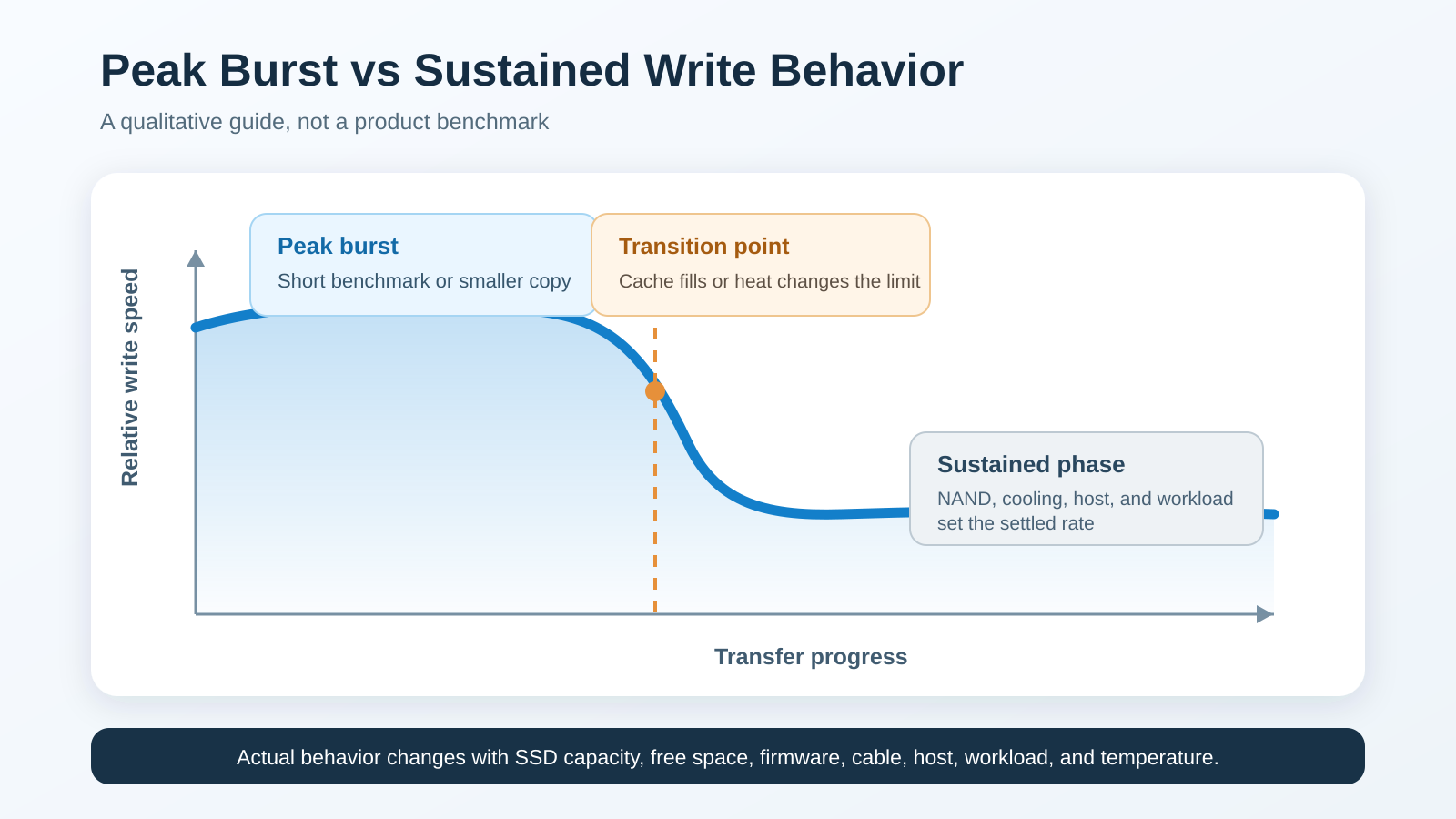
The biggest number on a product page usually describes a short benchmark under favorable conditions. It is useful for showing that the interface and storage can move data quickly, but it is not the same as copying hundreds of gigabytes without slowing down. A portable SSD can start near its peak and then settle at a lower rate once its fast cache is consumed or heat and power limits kick in.
Many modern SSDs run part of their NAND in a fast SLC-like mode. Samsung explains the pattern through its Intelligent TurboWrite buffer: incoming data first lands in a faster buffer before it moves into denser multi-bit NAND. SanDisk describes a related bridge between fast caching and higher-capacity storage in its nCache material. Cache size can shift with capacity, free space, firmware, and workload.
Peak speed answers how fast a short burst can run; sustained speed answers how long the drive can keep useful throughput during a large write. A 20GB transfer may finish inside the fast region. A 500GB video folder, disk image, or backup can run past the point where the buffer fills. From there the SSD writes closer to the native NAND rate while it also clears cached data in the background.
Cooling shapes that later phase. The SSD controller and NAND make heat, the Thunderbolt or USB4 bridge adds more, and the whole enclosure runs on power from one cable. A fanless shell leans on thermal pads, surface area, and open air. A fan clears heat faster but brings sound and a moving part. Neither design guarantees a result without a named SSD, host, workload, and environment.
The Envoy Ultra shows why both figures belong in the conversation. MacRumors measured more than 5GB/s in a short Blackmagic test, while the same article relayed lower long-write figures from OWC after cache exhaustion. Those numbers are not a flaw unique to OWC; they simply show two phases of SSD behavior. The inline diagram prepared with this refresh is deliberately qualitative, because assigning an invented rate to the other seven products would mislead readers.
Do You Need Thunderbolt 5 for External Storage?
Thunderbolt 5 is worth it when three things line up: the host exposes the faster data path, the external device can use it, and the workload moves enough data for the wait to matter. Intel’s technical brief requires 64Gbps of PCIe data bandwidth for Thunderbolt 5, against 32Gbps for Thunderbolt 4. The 120Gbps figure often tied to Thunderbolt 5 is Bandwidth Boost for display traffic. Storage uses the 80Gbps bidirectional mode, not a permanent 120Gbps write lane.
A video editor moving camera originals between systems, a developer cloning large virtual machines, a 3D artist carrying project caches, or a technician imaging several computers can put the higher ceiling to work. The gain is clearest when both source and destination are fast. Copy from a hard drive, a network share, an SD card, or another slow SSD, and the source becomes the bottleneck.
Thunderbolt 4 storage is still fast enough for many photo libraries, backups, sample libraries, and everyday project folders. Someone who copies 30GB once a week may save too little time to justify a new host and drive. Our current Thunderbolt laptop list helps confirm which systems have the port, but always check the exact configuration, because one laptop family can ship with different I/O.
Prebuilt Thunderbolt 5 SSD or DIY Enclosure?
A prebuilt SSD is the safer choice when you want one warranty path and a configuration the manufacturer has already qualified. The controller, NAND, bridge, firmware, thermal pads, and power profile arrive as one system. You still format it for the intended OS and back it up, but you do not have to research M.2 keying, physical length, single-sided construction, or drive power.
A DIY enclosure hands you control over capacity and the internal SSD. It can reuse a drive you already own, and a failed or undersized SSD can be swapped without throwing away the bridge and housing. It also splits the warranties: the enclosure maker covers its part, and the SSD maker covers the drive under its own conditions. Troubleshooting can mean testing the SSD, bridge, cable, and host one at a time.
Start with physical fit. M.2 2280 is the most common size, but UGREEN and ACASIS take shorter lengths too. Check whether the enclosure allows double-sided modules or SSDs with their own heat sinks. Satechi explicitly does not. Remove an incompatible factory heat sink only if the SSD manufacturer allows it and the warranty terms stay acceptable.
Then check protocol. M.2 describes a shape, not a guarantee of NVMe. The 80Gbps enclosures here require NVMe, and a SATA M.2 drive can slot into some keyed connectors while staying electrically incompatible. PCIe generation is a separate question again. Gen 5 support does not make a Gen 5 drive the best thermal fit. OWC’s 11W guidance for the Express 1M2 80G shows why power belongs in the decision.
Finally, decide between passive and active cooling. Passive aluminum is silent and mechanically simple. Active cooling can do more for a compact shell or a high-power SSD during a long write, but fan sound and dust are real tradeoffs. No enclosure rescues an SSD with poor sustained NAND behavior once its cache fills.
Cable Design, Power, and Safe Removal
All eight picks draw power over the data cable. That keeps the kit small, but it also puts the host port and cable in the performance path. A removable cable is easy to replace and lets you pick the length. A captive cable is harder to forget and removes one connector junction, but damage can sideline the whole device.
Use the included cable first. If it needs replacing, choose a certified cable rated for the required mode and keep it as short as the desk allows. A USB-C cable sold mainly for charging may carry only USB 2 data. A long cable can also have different data capabilities even when its power rating looks impressive. Cable labels tell you more than connector appearance.
Bus-powered storage can drop if a laptop enters deep sleep, a dock cannot supply stable power, or a loose cable shifts during a write. For important work, connect the drive straight to the computer before you blame the SSD. A dock adds another bridge, power budget, cable, and firmware layer. Our Thunderbolt 5 dock guide covers current expansion options, but the fastest way to test storage is usually the simplest direct path.
Windows lets external storage use Quick removal or Better performance policies. Microsoft explains that Better performance can enable write caching, which makes safe removal especially important. On any platform, wait for file activity to finish and eject the volume through the operating system before you unplug it. A finished progress bar is not permission to pull a drive while cached writes or metadata updates are still pending.
Thunderbolt 5, Thunderbolt 4, USB4, and OS Compatibility
Backward compatibility does not mean identical performance. A Thunderbolt 5 SSD on a Thunderbolt 4 host usually works within the older link’s limits when both makers support the pairing. A USB4 80Gbps device on a USB4 40Gbps host can also negotiate down. USB 3 fallback varies by product, so a portable SSD that runs on a basic USB-C computer is no proof that every diskless 80Gbps enclosure will.
Mac compatibility depends on both the hardware and macOS. Some older Intel Macs expose Thunderbolt 3 but not USB4. Current Apple silicon systems differ by generation and port. Windows support can hinge on the USB4 implementation, Thunderbolt drivers, firmware, and OS build. Linux may recognize storage while sleep, hot-plug, or performance behavior still varies by kernel and hardware.
This is why the Satechi incompatibility list and the ACASIS discrepancy sit up front. Do not buy the DotDisk for a standard USB-C/USB 3 host. Do not buy the exact ACASIS listing on the assumption of Thunderbolt 3, even though its manufacturer family page advertises that mode. And check TESmart’s exact OS conditions against the intended computer.
Before ordering, write down the computer model, port specification, OS version, and whether the drive will connect directly or through a dock. Then match that list against the exact product page, not a general family page. Our best external SSDs for Mac page covers a wider range when 80Gbps is not required.
How We Chose These Thunderbolt 5 SSDs
Every product needed a current official manufacturer page that backed its identity and core specifications. Those pages supplied the interface, physical SSD support, cooling, cable, compatibility, capacity, and warranty claims. When Amazon and a manufacturer disagreed, we kept the discrepancy visible and used the more conservative buying advice.
Independent reviews counted only for the findings made by the named publication. The MacRumors, PetaPixel, Macworld, and PCWorld observations stay attributed to those sources and their setups. We did not turn a short synthetic benchmark into a sustained-write claim, and we did not assign performance to products where no usable measurement was found.
The ranking rewards a clear buyer position. Prebuilt drives come first because they cut parts and compatibility risk for the broad query. DIY enclosures follow by cooling approach, physical SSD support, source clarity, host restrictions, and repair or upgrade value. Prices are left out because offers change.
The current LaCie Rugged SSD Pro5 and ORICO X50 exact ASINs returned no Amazon offer during validation. LaCie also faces a current discontinuation report. We removed both rather than leave dead affiliate boxes. Other 40Gbps drives can still be good products, they just do not answer the 80Gbps Thunderbolt 5 purchase intent as directly.
Frequently Asked Questions
What is the best Thunderbolt 5 SSD?
The OWC Envoy Ultra is the best overall prebuilt Thunderbolt 5 SSD in this guide. OWC identifies it as Thunderbolt 5 certified, rates it above 6000MB/s on a suitable host, and backs it with a five-year limited warranty. The Oyen Digital U35 Bolt+ is the prebuilt alternative for compatible Mac users who want USB4 80Gbps and Thunderbolt 5 support.
Is a Thunderbolt 5 SSD faster than a Thunderbolt 4 SSD?
It can be, on a suitable host and workload. Intel’s Thunderbolt 5 requirements double the minimum PCIe data bandwidth from 32Gbps in Thunderbolt 4 to 64Gbps. The real gain depends on the SSD, bridge, host, cable, file system, workload, free space, and temperature. A slow source drive or a small everyday copy can hide the difference.
Can a Thunderbolt 5 SSD work on Thunderbolt 4?
Several picks here explicitly support Thunderbolt 4 fallback, including the OWC Envoy Ultra and Oyen Digital U35 Bolt+. They run at the slower connection’s practical ceiling. Support is product-specific, so check the exact model rather than assume every USB4 80Gbps enclosure accepts every older host.
Can a Thunderbolt 5 SSD work with ordinary USB-C?
The plug can fit without the storage working in the intended mode. Some products support USB 3 fallback and others do not. Satechi says the DotDisk is not compatible with standard USB-C or USB 3. Confirm the computer’s port protocol and the exact enclosure’s fallback list before buying.
Why does an external SSD slow down during a large copy?
A short write can land in a fast cache. Once that cache fills, the SSD has to write to its underlying NAND and may also fold cached data into denser storage. Heat and power limits can slow it further. The sustained phase depends on the exact SSD capacity, controller, NAND, firmware, free space, enclosure cooling, and ambient temperature.
Should I buy a prebuilt Thunderbolt 5 SSD or an enclosure?
Buy a prebuilt SSD when you want one qualified system and one main support path. Buy an enclosure when you want to choose, reuse, or replace the NVMe drive. DIY saves no work if the SSD you pick is the wrong length, uses SATA instead of NVMe, carries an incompatible heat sink, or draws too much power for the cooling design.
Final Recommendation
Buy the OWC Envoy Ultra when you want a finished Thunderbolt 5 portable SSD with the fewest setup decisions. Buy the Oyen Digital U35 Bolt+ when you have a compatible Mac and want a finished 2TB USB4 80Gbps drive with Thunderbolt 5 support, or the OWC Express 1M2 80G when you want a ready-to-use 2TB drive that stays serviceable.
For a DIY build, match the enclosure to the SSD and the room. The Satechi DotDisk is the compact active-cooled choice, the TerraMaster D1 SSD Pro is the silent desk choice, and UGREEN handles the broadest set of M.2 lengths. ACASIS is handy for tool-free swaps but carries a Thunderbolt 3 catalog conflict. TESmart suits a deliberate PCIe 5.0 build after the OS and warranty checks.
The best purchase is not the box with the highest burst number. It is the drive whose host support, cable, cooling, SSD construction, sustained behavior, and warranty fit the files you actually move. If the computer stops at 40Gbps or the workload is ordinary backup, put the budget into capacity and another backup copy before paying for an 80Gbps label.