An 18-inch laptop is a bigger decision than the screen size alone, because these five Amazon listings state very different screens, graphics and ports. The Razer Blade 18 lists a dual-mode screen at UHD+ 240Hz or FHD+ 440Hz, the ASUS ROG Strix Scar 18 a 4K 240Hz Mini LED panel, and the Acer Predator Helios Neo 18 AI a 240Hz IPS screen. The MSI Titan 18 HX AI lists an RTX 5090 with 6TB of storage, and the ASUS Vivobook 18 lists a 144Hz screen and names no graphics card.
For a port-led gaming purchase, see the Thunderbolt 5 gaming laptop guide, gaming laptop guide, USB4 laptop guide, and Thunderbolt 4 docking station guide.
18-Inch Laptops Compared
| Image | Product | Details | Check Price |
|---|---|---|---|
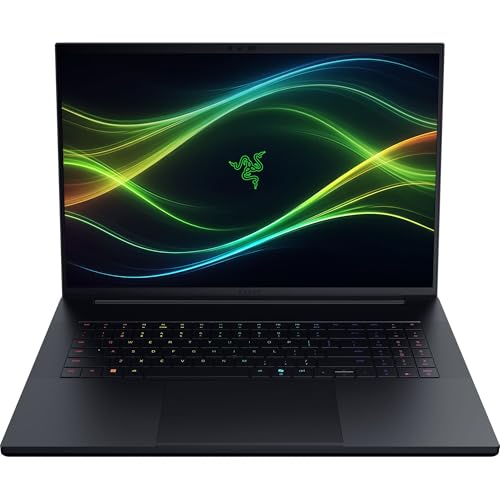 | Razer Blade 18 | Best fit: Dual-mode 240Hz or 440Hz display Screen: 18-inch UHD+ 240Hz / FHD+ 440Hz Processor: Core Ultra 9 290HX Listed connections: Thunderbolt 5, Thunderbolt 4, HDMI 2.1, 2.5Gb Ethernet, no counts Memory and storage: 32GB DDR5, 1TB SSD | Check Price on Amazon |
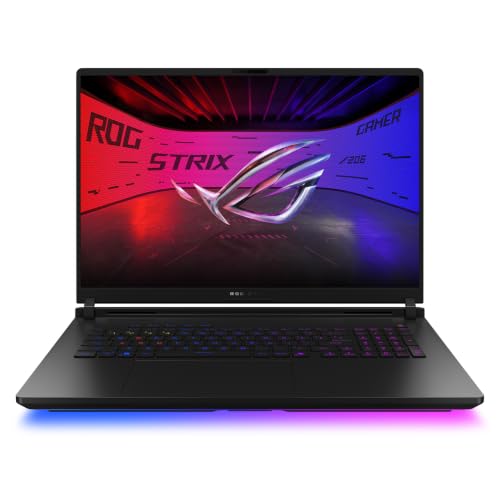 | ASUS ROG Strix Scar 18 | Best fit: 4K 240Hz Mini LED with RTX 5080 Screen: 18-inch 4K 240Hz Mini LED Processor: Core Ultra 9 290HX Plus Listed connections: Dual Thunderbolt 5, 2.5G LAN Memory and storage: 32GB DDR5, 1TB SSD | Check Price on Amazon |
 | MSI Titan 18 HX AI | Best fit: RTX 5090 with 6TB SSD Screen: 18-inch 4K mini LED, 120Hz in title Processor: Core Ultra 9 285HX Listed connections: Thunderbolt 5 in title, no port count Memory and storage: 64GB DDR5, 6TB SSD | Check Price on Amazon |
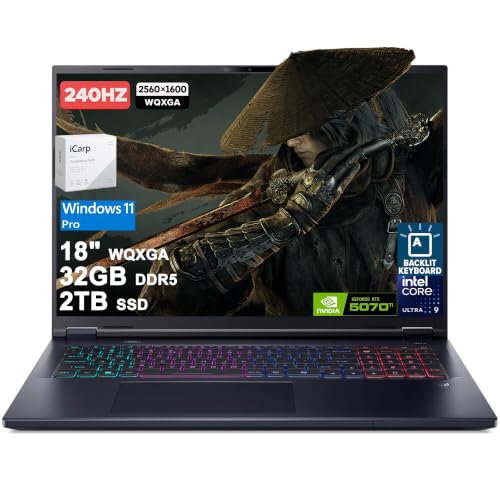 | Acer Predator Helios Neo 18 AI | Best fit: 240Hz IPS with two Thunderbolt 4 ports Screen: 18-inch 2560 x 1600 IPS 240Hz Processor: Core Ultra 9 275HX Listed connections: 2x Thunderbolt 4, 3x USB-A, HDMI 2.1, RJ-45 Memory and storage: 32GB DDR5, 2TB SSD | Check Price on Amazon |
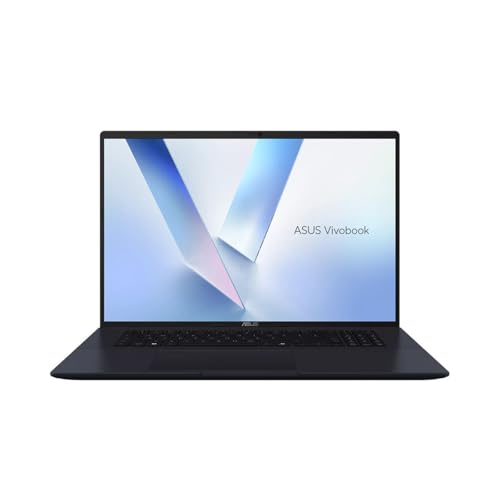 | ASUS Vivobook 18 | Best fit: 144Hz Copilot+ PC Screen: 18-inch WUXGA 144Hz Processor: Ryzen AI 9 465 Listed connections: No ports listed Memory and storage: 32GB DDR5, 1TB SSD | Check Price on Amazon |
1. Razer Blade 18 — Best Dual-Mode Display Pick
The Amazon listing for the Razer Blade 18 (model K12-18) states an 18-inch dual-mode display: UHD+ (3840×2400) at 240Hz or FHD+ at 440Hz, with 600-nit brightness, 100% DCI-P3 and a 3ms response time. It lists a Core Ultra 9 290HX, an RTX 5080 Laptop GPU with 16GB GDDR7, 32GB DDR5-6400 and a 1TB SSD. For upgrades, it states memory up to 128GB and two M.2 slots that support up to 8TB each.
The listing names Thunderbolt 5 plus Thunderbolt 4, HDMI 2.1, SD UHS-II, 2.5Gb Ethernet and USB-A ports, with no count for any of them. A buyer planning a dock or an external monitor can see Thunderbolt 5 and HDMI 2.1 named, but must confirm how many ports there are.
The 1TB SSD is smaller than the Acer and MSI listings.Our Take Choose the Blade 18 for the screen that switches between UHD+ 240Hz and FHD+ 440Hz and for a listing that names Thunderbolt 5, Thunderbolt 4, HDMI 2.1 and 2.5Gb Ethernet.
- The Blade 18 listing states an 18-inch dual-mode display that switches between UHD+ 240Hz and FHD+ 440Hz.
- The Blade 18 listing gives the graphics, memory and storage together, an RTX 5080 with 16GB GDDR7, 32GB DDR5-6400 and a 1TB SSD.
- The Blade 18 listing states memory upgradeable up to 128GB and two M.2 slots, a memory ceiling and slot count the Acer, MSI and Vivobook listings leave out.
- For a buyer planning a dock or an external monitor, the Blade 18 listing names Thunderbolt 5, Thunderbolt 4, HDMI 2.1, SD UHS-II and 2.5Gb Ethernet.
- The Blade 18 listing writes “Thunderbolt 5 + Thunderbolt 4” with no number beside either, so a buyer must confirm how many ports there are.
- The Blade 18 listing states a 1TB SSD, less storage than the 2TB Acer and 6TB MSI listings.
2. ASUS ROG Strix Scar 18 — Best 4K 240Hz Mini LED Pick
The Amazon listing for the ASUS ROG Strix Scar 18 (model G835LWG-DB96) states an 18-inch ROG Nebula HDR display at 4K 240Hz with a 3ms response time, and describes it as a Mini LED panel with more than 2,000 dimming zones. The title lists a Core Ultra 9 290HX Plus, an RTX 5080 Laptop GPU, 32GB DDR5-6400 and a 1TB PCIe Gen 4 SSD. The listing also states that RAM, SSD and fans can be changed without a screwdriver, through a tool-less latch design.
It names dual Thunderbolt 5 ports and 2.5G LAN. Its 1TB SSD matches the Razer Blade 18 and Vivobook 18 listings and is smaller than the 2TB Acer and 6TB MSI listings.
Our Take Pick the Scar 18 for the 4K 240Hz Mini LED screen and RTX 5080, and for a listing that states two Thunderbolt 5 ports and 2.5G LAN.
- The Scar 18 listing states an 18-inch 4K 240Hz Mini LED display with a 3ms response time.
- The Scar 18 listing states dual Thunderbolt 5 and 2.5G LAN.
- The Scar 18 title lists a Core Ultra 9 290HX Plus, an RTX 5080, 32GB DDR5-6400 and a 1TB Gen 4 SSD.
- The Scar 18 listing states that RAM, SSD and fans can be changed without a screwdriver, through a tool-less latch design.
- A buyer who wants more storage gets 1TB on the Scar 18 listing, less than the 2TB Acer and 6TB MSI listings.
3. MSI Titan 18 HX AI — Best RTX 5090 6TB Listing
The Amazon listing for the MSI Titan 18 HX AI (model A2XWJG-614US) states an 18-inch 4K UHD mini LED display in its features and 120Hz in its title. The title adds a Core Ultra 9 285HX, 64GB DDR5 and a 6TB NVMe SSD, and the features name an RTX 5090 Laptop GPU. Amazon’s warranty field for this listing reads 3 Year Manufacturer Limited, while the other four listings show one year.
The title names Thunderbolt 5, but the listing gives no port count, bandwidth or port list. A buyer planning a multi-port desk should confirm the ports with the seller first.
It is the choice when an RTX 5090 and 6TB of storage decide the purchase.Our Take Consider the Titan 18 HX AI when an RTX 5090 and 6TB of storage decide the purchase, and confirm its Thunderbolt 5 ports before planning a dock.
- The Titan 18 HX AI title states a 6TB NVMe SSD, the largest storage figure of the five.
- The Titan 18 HX AI listing states an RTX 5090 Laptop GPU and an 18-inch 4K UHD mini LED display.
- The Titan 18 HX AI title states a Core Ultra 9 285HX and 64GB DDR5, the most memory of the five.
- Amazon’s warranty field for the Titan 18 HX AI lists 3 years, against one year on the other four listings.
- The Titan 18 HX AI title names Thunderbolt 5, but the listing gives no port count or bandwidth, so a buyer planning a multi-port desk should confirm the ports with the seller first.
4. Acer Predator Helios Neo 18 AI — Best 240Hz IPS With Two Thunderbolt 4 Ports
The Amazon listing for the Acer Predator Helios Neo 18 AI states an 18-inch 2560 x 1600 matte IPS display at 240Hz, with 500-nit brightness, 100% DCI-P3, NVIDIA G-SYNC and Advanced Optimus. It lists a Core Ultra 9 275HX, an RTX 5070 Ti with 12GB GDDR7, 32GB DDR5, a 2TB SSD and a 90Wh battery.
The ports are 2x Thunderbolt 4, 3x USB-A 3.2, HDMI 2.1, RJ-45 and a microSD reader. The listing states Wi-Fi 6E, where the Razer, ASUS Scar and MSI listings state Wi-Fi 7. The offer we saw came from a third-party seller, Cardinal Pro Electronics, not from Amazon. The title ends with the words ICP Accessory, and the listing gives no model or part number. The listing therefore does not tie the 32GB and 2TB figures to an Acer model code, and Acer’s own configurations may differ.
Our Take Choose the Predator Helios Neo 18 AI for a 240Hz IPS screen with G-SYNC, an RTX 5070 Ti, a 2TB SSD, and two Thunderbolt 4 ports beside HDMI 2.1 and RJ-45 Ethernet.
- The Helios Neo 18 AI listing states an 18-inch 2560 x 1600 matte IPS display at 240Hz with 100% DCI-P3.
- The Helios Neo 18 AI listing states a Core Ultra 9 275HX, an RTX 5070 Ti, 32GB DDR5 and a 2TB SSD.
- The Helios Neo 18 AI listing gives port counts, 2x Thunderbolt 4 and 3x USB-A 3.2, beside HDMI 2.1, RJ-45 and a microSD reader.
- The Helios Neo 18 AI listing states 500-nit brightness, G-SYNC and Advanced Optimus.
- Cardinal Pro Electronics sold the Helios Neo 18 AI listing, and the listing gives no model or part number, so its memory and storage figures cannot be tied to an Acer model code.
- The Helios Neo 18 AI listing states Wi-Fi 6E, while the Razer, ASUS Scar and MSI listings state Wi-Fi 7.
5. ASUS Vivobook 18 — Best 144Hz Copilot+ PC Pick
The Amazon listing for the ASUS Vivobook 18 (model M1807GA-DS99) states an 18-inch WUXGA 1920 x 1200 16:10 display at 144Hz with a 90% screen-to-body ratio. It lists an AMD Ryzen AI 9 465, 32GB DDR5, a 1TB Gen 4 SSD and a 70Wh battery, and it is sold as a Copilot+ PC with up to 50 NPU TOPS.
The listing names no ports and no graphics card, so it cannot be matched to a Thunderbolt, dock, monitor or Ethernet requirement. It suits a buyer who wants a large 18-inch screen and does not need a listing that names an RTX card.Our Take Consider the Vivobook 18 for the 144Hz WUXGA screen, Ryzen AI 9 465, 32GB of memory and 1TB SSD when no port or graphics card is on your requirements list.
- The Vivobook 18 listing states an 18-inch WUXGA 16:10 display at 144Hz.
- The Vivobook 18 listing states a Ryzen AI 9 465, 32GB DDR5 and a 1TB Gen 4 SSD.
- The Vivobook 18 listing states a 70Wh battery and up to 50 NPU TOPS.
- The Vivobook 18 listing names no ports, so dock and monitor compatibility cannot be checked from it.
Buying Guide
1. Decide whether 18 inches means gaming or general-purpose work
Four listings name an RTX graphics card. The Helios Neo 18 AI states an RTX 5070 Ti, the Blade 18 and Scar 18 state an RTX 5080, and the Titan 18 HX AI states an RTX 5090. The Vivobook 18 listing names none, so it is the only one of the five without a stated graphics card.
Choose the job before the panel. The Vivobook 18 states a 144Hz WUXGA screen, a Ryzen AI 9 465 and a 70Wh battery. If a game or a graphics-heavy workload decides the purchase, the Vivobook 18 listing gives no graphics information to check, and one of the four RTX listings is the safer starting point.
2. Read every display mode and refresh claim literally
The Blade 18 states UHD+ at 240Hz or FHD+ at 440Hz, and the Scar 18 states 4K 240Hz Mini LED. The Helios Neo 18 AI states a 2560 x 1600 IPS panel at 240Hz, and the Titan 18 HX AI states 4K mini LED with 120Hz in its title only. The Vivobook 18 states a 1920 x 1200 panel at 144Hz.
Resolution, panel type and brightness differ as much as refresh rate. The Blade 18 lists 600 nits, the Helios Neo 18 AI lists 500 nits, and the Scar 18 lists more than 2,000 dimming zones. The Titan 18 HX AI and Vivobook 18 listings state no brightness figure, so compare each screen as a set of separate facts instead of treating 18 inches as the whole specification.
3. Use exact port statements for an external-display or dock plan
The Scar 18 states dual Thunderbolt 5 and 2.5G LAN, and the Helios Neo 18 AI states 2x Thunderbolt 4, HDMI 2.1 and RJ-45. The Blade 18 names Thunderbolt 5, Thunderbolt 4, HDMI 2.1, SD UHS-II and 2.5Gb Ethernet, with no count for any port.
A port the listing does not mention is not proof the laptop lacks it, but the Titan 18 HX AI names only Thunderbolt 5 in its title and the Vivobook 18 names no ports. Confirm the port count with the seller before building a dock or multi-monitor plan around either one.
4. Treat storage and memory as part of the listing
The storage figures run from 1TB on the Blade 18, Scar 18 and Vivobook 18 to 2TB on the Helios Neo 18 AI and 6TB on the Titan 18 HX AI. The Titan 18 HX AI lists 64GB DDR5 and the other four list 32GB.
Only the Blade 18 and Scar 18 listings describe upgrades. The Blade 18 states memory up to 128GB and two M.2 slots, and the Scar 18 states tool-less access to RAM, SSD and fans. The other three listings say nothing about upgrading, so do not assume their memory or storage can be changed later.
5. Check the seller and model number before ordering
Four of the five listings give a maker model number: K12-18 for the Blade 18, G835LWG-DB96 for the Scar 18, A2XWJG-614US for the Titan 18 HX AI and M1807GA-DS99 for the Vivobook 18. The Helios Neo 18 AI listing gives none, and its title ends with the words ICP Accessory.
Amazon.com was the seller we saw for four listings, and Cardinal Pro Electronics for the Helios Neo 18 AI. Match the model number on the box to the listing when the laptop arrives, and for the Helios Neo 18 AI ask the seller which Acer configuration it ships.
FAQ
Which 18-inch laptop here lists the highest refresh rate?
The Blade 18 states FHD+ at 440Hz in one display mode and UHD+ at 240Hz in the other, so its refresh rate depends on the mode you choose.
The Scar 18 and Helios Neo 18 AI state 240Hz, the Vivobook 18 states 144Hz, and the Titan 18 HX AI title states 120Hz. Compare resolution and panel type as well, because the number alone does not make these screens equivalent.
Which options state dual Thunderbolt ports?
The Scar 18 states dual Thunderbolt 5, and the Helios Neo 18 AI states 2x Thunderbolt 4. The Scar 18 adds 2.5G LAN and the Helios Neo 18 AI adds RJ-45 Ethernet.
The Blade 18 names Thunderbolt 5 and Thunderbolt 4 without a count for either, and the Titan 18 HX AI title names Thunderbolt 5 with no count. The Vivobook 18 names no ports, so the Scar 18 and Helios Neo 18 AI listings are the two that give a port count for Thunderbolt.
Which listing has the most storage?
The Titan 18 HX AI title states a 6TB NVMe SSD, the largest storage figure of the five. The listing also states an RTX 5090, a Core Ultra 9 285HX, 64GB DDR5 and a 4K mini LED display.
Amazon’s warranty field for the Titan 18 HX AI lists 3 years, against one year on the other four listings. The listing gives no Thunderbolt count and states 120Hz only in its title.
Which listing does not name a graphics card?
The Vivobook 18 listing names no graphics card. It states a Ryzen AI 9 465, an 18-inch WUXGA 144Hz display, 32GB DDR5 and a 1TB Gen 4 SSD.
A buyer shopping for an RTX gaming laptop should look at the other four listings. The Vivobook 18 listing also names no ports.
Which listings say the memory or storage can be upgraded?
The Blade 18 listing states memory upgradeable up to 128GB and two M.2 slots that support up to 8TB each. The Scar 18 listing states tool-less access to RAM, SSD and fans.
The Helios Neo 18 AI, Titan 18 HX AI and Vivobook 18 listings do not describe upgrades. Check each model’s own documentation before buying if you plan to upgrade later.
Bottom Line
Choose the Blade 18 for the 240Hz or 440Hz dual-mode screen. Choose the Scar 18 for the 4K 240Hz Mini LED screen with dual Thunderbolt 5. Choose the Helios Neo 18 AI for 240Hz IPS with two Thunderbolt 4 ports and Ethernet. The Titan 18 HX AI is the RTX 5090 and 6TB choice, with Thunderbolt 5 named but not counted, and the Vivobook 18 is the 144Hz choice for a buyer who needs no named graphics card. Confirm the ports and the model number against your own dock and monitor plan before ordering.