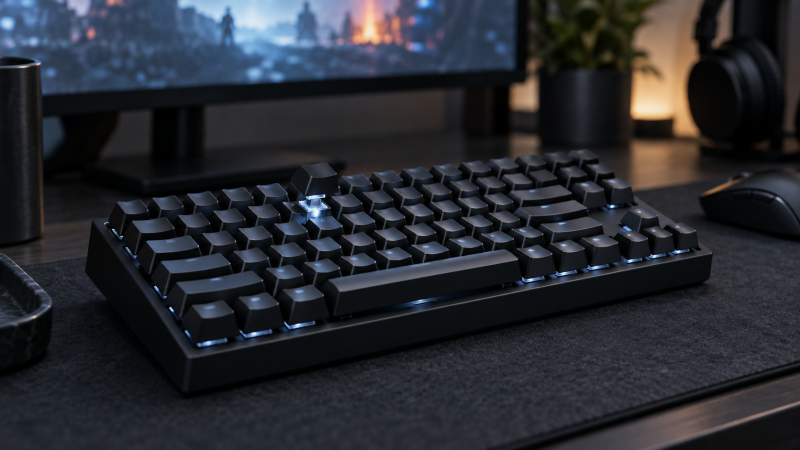
Rapid Trigger changes when a key resets as it rises, instead of waiting for a fixed release point. For competitive PC games, the earlier reset can make repeated movement inputs feel different from a conventional switch. It is still a setting to learn, not a guaranteed advantage. We did not measure match results, input latency or switch consistency on any keyboard here.
These five boards cover distinct choices. The Keychron K2 HE is the 75% wireless option. The Razer Huntsman V3 Pro TKL uses analog optical switches, while the newer Huntsman V3 HE Magnetic TKL uses Hall-effect switches and a listed 8,000 Hz mode. Redragon’s K707 HE and the RK C87 are lower-cost Hall-effect TKL alternatives.
Start with the layout and the game’s input rules, then tune one movement key at a time. A shorter actuation distance is not automatically the right setting.Rapid-Trigger Keyboards Compared
| Image | Product | Details | Check Price |
|---|---|---|---|
 | Keychron K2 HE | Layout: 75 percent Switch: Magnetic Hall effect Rapid Trigger: Configurable, maker-stated Connection: Three modes, maker-stated | Check Price on Amazon |
 | Razer Huntsman V3 Pro TKL | Layout: Tenkeyless Switch: Analog optical Gen 2 Rapid Trigger: Supported, maker-stated Connection: Wired | Check Price on Amazon |
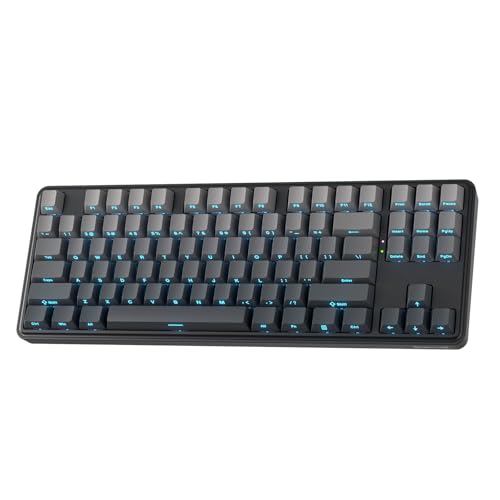 | Redragon K707 HE | Layout: 87-key TKL Switch: Magnetic Hall effect Rapid Trigger: Supported; 0.1-3.9 mm actuation listed Connection: Wired USB | Check Price on Amazon |
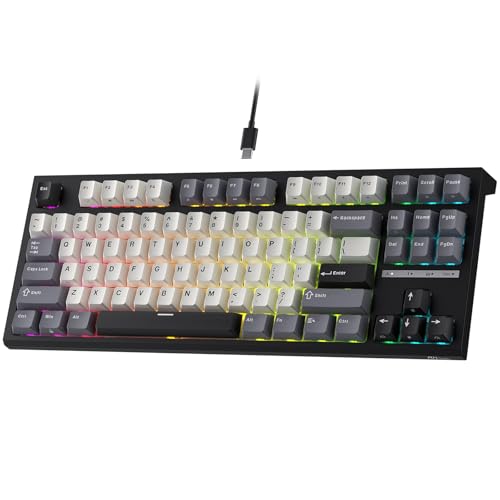 | RK ROYAL KLUDGE C87 | Layout: 87-key TKL Switch: Magnetic Hall effect Rapid Trigger: Supported; adjustable actuation Connection: Wired USB | Check Price on Amazon |
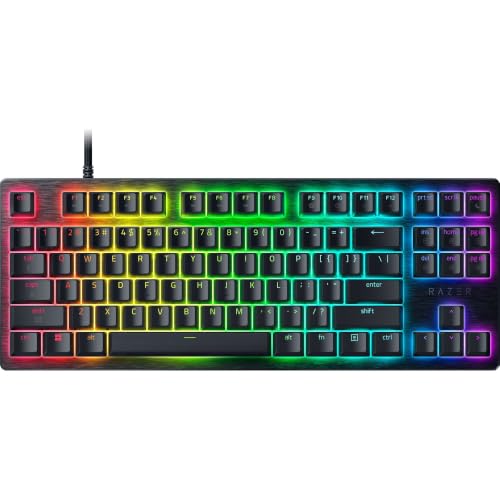 | Razer Huntsman V3 HE Magnetic TKL | Layout: Tenkeyless Switch: Magnetic Hall effect Rapid Trigger: Supported; 0.1-4.0 mm actuation listed Connection: Wired USB | Check Price on Amazon |
1. Keychron K2 HE — Best Wireless 75 Percent Layout
The K2 HE pack identifies magnetic switches with configurable Rapid Trigger, a 75% layout and three connection modes. The combination is a different buying job from a board kept permanently on one tournament PC. A 75% layout retains a function row and arrow cluster while leaving more room beside the mouse than a full-size board. Wireless makes desk switching easier, but the exact connection and software behavior should be checked for the target computer before it becomes a competition setup.
Use the K2 HE when the same keyboard handles ordinary writing and evening games. Set a conservative trigger for typing keys, then change only movement keys whose reset behavior you can evaluate in practice. Compared with the Razer optical TKL, its 75% shell saves some width and offers wireless flexibility. Neither source proves which board produces better results in a match. If a desk also uses a high-refresh external display, our USB-C dock guide covers the separate video and port-routing decision.
Our Take Choose the K2 HE when layout and multi-host use count as much as Rapid Trigger. Verify the exact host mode and configuration software before relying on a wireless gaming setup, and keep everyday typing settings separate from movement-key experiments.
- The 75% layout retains arrows and a function row in a smaller footprint than full size.
- Magnetic switches support configurable Rapid Trigger on the listed model.
- Multiple connection modes suit a desk shared by work and gaming hosts.
- Connection and software setup need checking on the exact gaming PC.
- A 75% layout is still wider than a compact 60% board for very low mouse sensitivity.
2. Razer Huntsman V3 Pro TKL — Best Analog Optical Option
The Huntsman V3 Pro TKL in the frozen pack uses second-generation analog optical switches and explicitly supports Rapid Trigger plus onboard actuation adjustment. Its tenkeyless shell keeps arrows and navigation keys while dropping the number pad. Optical sensing is the central distinction from the Hall-effect boards here. It does not, by itself, prove a faster reaction or lower end-to-end game latency.
The V3 Pro TKL is the Razer option for a buyer who wants the established analog optical switch system rather than the newer V3 HE Magnetic TKL. The two occupy similar desk-width roles, so do not buy both as if they solve different layout problems. Check current firmware, onboard settings and game rules for directional-input features before enabling them. Our gaming-laptop guide covers the broader PC choice, which a keyboard alone cannot replace.
Analog optical and Hall effect are different sensing methods. Judge the board by supported controls and fit, not by assuming one technology wins every game.Our Take Pick the V3 Pro TKL if you specifically want Razer’s analog optical Rapid Trigger board and an onboard adjustment path. A TKL is a familiar compromise between mouse room and navigation keys. Its optical label is not an independent performance verdict.
- Second-generation analog optical switches explicitly support Rapid Trigger.
- Onboard actuation adjustment reduces dependence on opening software for every change.
- The TKL layout preserves arrows and navigation controls.
- It is not the newer magnetic Huntsman variant, so confirm the switch system before ordering.
- The full TKL width takes more desk space than a 60% board.
3. Redragon K707 HE — Best Straightforward Magnetic TKL
Redragon’s K707 HE listing describes an 87-key wired Hall-effect keyboard with software-enabled Rapid Trigger and adjustable actuation settings from 0.1 to 3.9 mm. It also advertises an 8,000 Hz polling mode and a detachable USB-A-to-USB-C cable. Treat those as supported settings claimed by the seller, not measured input latency or a promise that every game benefits from the highest polling rate.
The listing says its magnetic switches are incompatible with other brands’ Hall-effect switches, an ownership detail to check before planning a switch swap. It also describes layers of case damping and side-printed PBT caps. Compared with the RK C87, the K707’s appeal is a clear wired TKL route with the actuation range stated directly, not a proven speed edge. Check its configuration software on the actual PC and save a conservative profile before tuning movement keys.
Our Take Choose the K707 when a wired TKL with clearly listed Rapid Trigger controls is enough. Ignore the seller’s dramatic speed language until you can test the board’s settings in your own game and confirm the software is usable.
- Wired USB keeps host connection planning simple.
- The seller explicitly lists Rapid Trigger and adjustable actuation.
- Its 87-key layout retains arrows and function keys.
- Cross-brand HE switch compatibility is expressly limited in the listing.
- Polling and timing numbers are seller specifications, not our latency measurements.
4. RK ROYAL KLUDGE C87 — Best for Adjustment Experiments
The C87 listing names magnetic switches, Rapid Trigger, an 87-key TKL layout and adjustable actuation. It advertises an especially fine 0.01 mm setting step and 8,000 Hz polling. Those figures describe offered controls, not precision or latency verified by this guide. A player who likes comparing release behavior across several key settings has more to explore here than someone who wants a board that stays at defaults.
Keep the experiment disciplined: change one control, test it in a practice environment, and return to the previous profile if accidental inputs rise. The seller also describes layered internal dampening and PBT keycaps. Neither proves a particular acoustic result at a microphone. The Redragon K707 offers a similarly wired TKL role. Choose between them on software, key feel and supported settings, not on tiny advertised millimeter increments alone.
A finer advertised adjustment step is not the same as a measured ability to execute more accurate game inputs.Our Take Consider the C87 if you want to experiment with Rapid Trigger and actuation profiles on a wired TKL. Its unusually small published step is a setting claim. Do not mistake it for proof of a competitive advantage.
- The exact listing explicitly combines Hall-effect switches and Rapid Trigger.
- An 87-key layout leaves arrows and a function row available.
- Adjustable actuation gives room to test different movement-key profiles.
- The advertised 0.01 mm step is not independently verified precision.
- Software and profile handling need a host check before competition use.
5. Razer Huntsman V3 HE Magnetic TKL — Best Newer Magnetic Razer
The V3 HE Magnetic TKL is a separate exact listing from the analog optical V3 Pro above. It describes Hall-effect magnetic switches, Rapid Trigger, adjustable 0.1 to 4.0 mm actuation and an 8,000 Hz polling mode. The seller also names Snap Tap directional-input handling and Dynamic Keystroke actions. Some game or event rule sets may restrict particular directional-input features, so check the rules before enabling them.
The V3 HE Magnetic TKL is the Razer TKL to consider when the magnetic switch system and its current controls are the reason to upgrade. It is not a different layout from the V3 Pro TKL, and the listing’s timing language is not a substitute for a controlled latency test. Confirm the exact magnetic model name, software and firmware before buying, because the Huntsman family contains several similarly named generations and switch types. A smaller board only helps mouse clearance if it actually fits the rest of the desk, including cable routing.
Our Take Buy the V3 HE Magnetic only if you want this switch type and will use its supported controls. The older optical V3 Pro is an alternative in the same layout, not an extra must-buy. Verify game rules for directional-input features before tournament play.
- The exact listing identifies Hall-effect magnetic switches rather than optical ones.
- Rapid Trigger and actuation adjustment are explicitly listed.
- TKL keeps navigation keys while removing the number pad.
- The similar Huntsman names make exact model verification important.
- Directional-input features may be restricted by a game or event, and advertised polling is not measured end-to-end latency.
Buying Guide
Choose the layout before the switch setting
A tenkeyless board keeps arrows and a function row but removes the number pad. A 75% board such as the K2 HE compresses more of the navigation area, while a 60% board would create still more mouse room. Measure keyboard-to-mouse clearance at your actual sensitivity instead of assuming every compact label means the same width. A cable route and wrist position can use part of the space a smaller shell appears to free.
For everyday work, list the keys you reach without a function layer. The K2 HE may suit mixed typing and play, while the four TKL picks keep a conventional arrow and function-key arrangement. If a game also depends on desk-mounted audio or control gear, plan its placement before choosing the board. A keyboard that crowds a microphone arm can be a worse fit despite better-looking switch settings.
Understand the reset behavior you are buying
Rapid Trigger changes reset behavior based on key travel. Adjustable actuation changes where the initial press registers. They are related but not identical controls. A board can advertise a very short actuation distance while still needing a usable Rapid Trigger configuration for repeated inputs. The K707 and C87 expose seller-stated adjustment ranges. The Razer boards use different sensing methods to deliver Rapid Trigger.
Begin with one movement key and a conservative profile. Too-sensitive settings may cause unintended movement when fingers rest on keys. Practice the release-and-repress sequence before changing every key. Save a typing profile if the board is also used for messages or schoolwork. Do not infer competitive benefit from a 0.01 mm claim or a large polling number by itself.
Check switch generation and software support
The two Razer Huntsman entries are deliberately different. V3 Pro TKL is analog optical and V3 HE Magnetic TKL is Hall effect. Similar family names do not mean settings or firmware controls match. Confirm the exact model in the listing. The K707 listing says its HE switches do not accept other brands’ replacements, so a switch-swap plan needs separate evidence.
Configuration software decides whether per-key settings are usable, but a basic typing connection does not prove full software compatibility. Check firmware tools and profile storage before tournament day. Save a known-good default profile and test it with the game closed and open.
Keep game rules and full-path latency separate
Some boards advertise directional-input features that prioritize one of two opposite keys. Check the specific game’s and event’s rules before using those modes. An allowed Rapid Trigger setting does not imply every SOCD or Snap Tap function is allowed. The keyboard listing cannot answer a tournament-policy question that can change by title and organizer.
An 8,000 Hz polling specification concerns one part of the input path. It is not a measured click-to-photon result. The host, firmware, game, display and settings all contribute to what a player experiences. We did not run a latency lab comparison. Choose a stable configuration that you can reproduce, then decide whether a setting helps in ordinary practice without claiming it will win games.
FAQ
Do I need Hall-effect switches to get Rapid Trigger?
No. The frozen Razer Huntsman V3 Pro TKL uses second-generation analog optical switches and explicitly supports Rapid Trigger. The Keychron, Redragon, RK and newer Razer magnetic models use Hall-effect sensing. The buyer-facing feature is configurable reset behavior, not one mandatory sensing technology.
Compare exact model names because nearby generations can change switch type. Start with the layout and control software you can use, then compare the available trigger settings. Neither optical nor Hall-effect labels alone establish a measured reaction-time benefit.
Is the shortest actuation distance best for every competitive game?
No. A very short threshold can make unintended inputs easier when a finger rests on a key. The published ranges tell you what settings are offered. They do not tell you which setting fits your hand, key pressure or game. Fine step sizes are not independent proof of tracking accuracy.
Set one movement key conservatively and practice. Keep a default profile to return to if accidental movement rises. A repeatable setting you understand is more useful than a minimum number chosen because it appears fast in a product title.
Are Snap Tap or similar directional modes always allowed?
No. Game and event policies may distinguish Rapid Trigger from simultaneous-opposite-direction handling. A keyboard can expose both features, but that does not make both acceptable in every competition. The seller listing cannot establish current tournament rules.
Before an event, read the organizer’s policy for the exact game and mode. If uncertain, disable the directional-input feature and use an ordinary profile until the rule is clear. Do not rely on another game’s policy as a substitute.
Bottom Line
The K2 HE suits a mixed-use desk that wants 75% wireless flexibility. Choose the Huntsman V3 Pro TKL for analog optical Rapid Trigger, or the newer V3 HE Magnetic TKL if the magnetic Razer feature set is the actual goal. The K707 and C87 provide two wired Hall-effect TKL routes, with the C87 inviting more adjustment experiments. Layout, exact switch generation and usable software count more than the smallest published millimeter number.