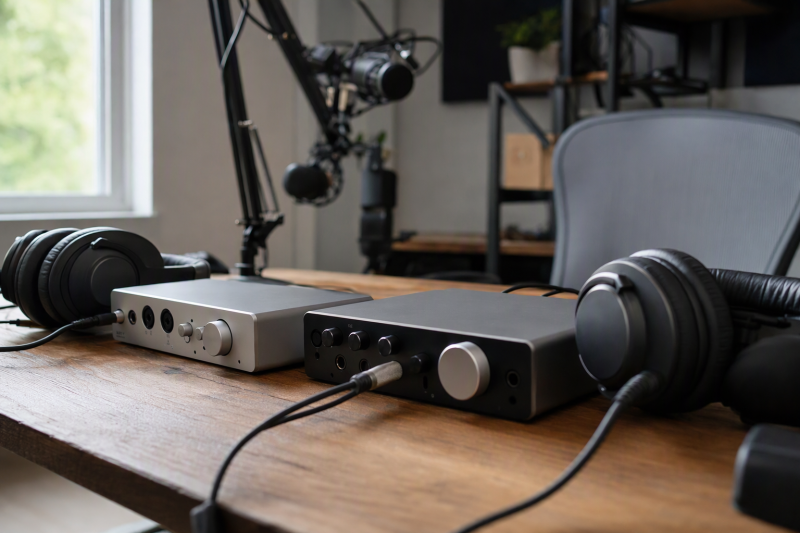
Two people recording together need to hear the session without taking turns on one headphone jack. A pair of jacks solves the physical connection problem, but two jacks do not always mean two independent mixes. One singer may need more voice and less backing track. An engineer may need the opposite. The monitor routing controls are as important as the number of jacks on the front panel.
These five exact Amazon US interfaces were selected from active New offers. Three Focusrite models serve different input counts, the RØDECaster Duo suits spoken-word production, and the MAONO P2 offers two listeners a simpler shared level. Headphone power, latency and noise were not measured on the sold units. Check the exact seller configuration and your software routing before building a session around any interface.
Count the headphone jacks, then ask whether each listener can get the mix and level they need.Dual-Headphone Interfaces Compared
| Image | Product | Details | Check Price |
|---|---|---|---|
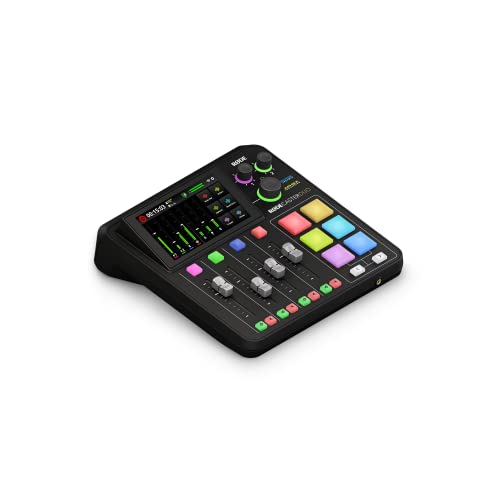 | RØDE RØDECaster Duo | Headphone jacks: Two 1/4-inch Mix routing: Custom outputs Mic preamps: Two Buyer fit: Podcast desk | Check Price on Amazon |
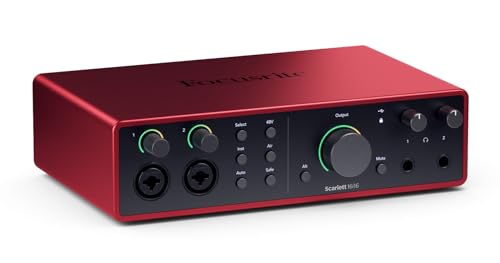 | Focusrite Scarlett 16i16 4th Gen | Headphone jacks: Two 1/4-inch Mix routing: Separate mixes Mic preamps: Two Buyer fit: Small music desk | Check Price on Amazon |
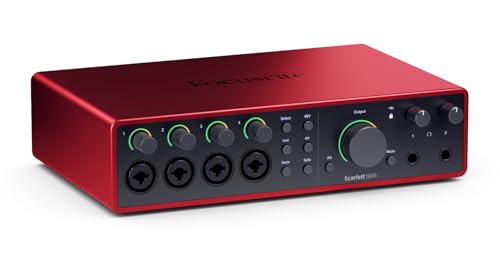 | Focusrite Scarlett 18i16 4th Gen | Headphone jacks: Two 1/4-inch Mix routing: Separate mixes Mic preamps: Four Buyer fit: Small group tracking | Check Price on Amazon |
 | Focusrite Scarlett 18i20 4th Gen | Headphone jacks: Two 1/4-inch Mix routing: Separate mixes Mic preamps: Eight Buyer fit: Rack sessions | Check Price on Amazon |
 | MAONO P2 Hybrid | Headphone jacks: 1/4 + 3.5 mm Mix routing: Shared headphone knob Mic preamps: Two XLR Buyer fit: Basic two-listener desk | Check Price on Amazon |
1. RØDECaster Duo — Best Two-Person Podcast Console
RØDECaster Duo is a production console rather than a plain two-channel recording box. RØDE documents two rear 1/4-inch headphone outputs, two combo microphone inputs and flexible routing for its analogue and digital outputs. A host and guest can monitor a conversation while the operator handles channels, pads and remote callers on the same desk. Its front headset socket is additional, but shares the mix of headphone output 1. Do not count it as a third independently routed mix.
Duo is the pick for a voice-first workflow that needs a tactile surface and more than a simple DAW input. RØDE’s guide covers custom submix routing, but setup still requires deciding what each participant should hear. A closed-back tracking headphone can reduce spill into a nearby microphone. Closed-back headphones will not fix a wrongly routed return from a remote guest.
The two main headphone outputs are useful for a host and producer, though an ensemble with several microphones will outgrow the two physical combo inputs. The Amazon offer identifies the black Duo unit, not a complete mic-and-headphone bundle. Confirm cables, recording destination and software workflow before a paid session. A headphone distribution amp is a separate expansion path when more than two listeners need feeds.
Our Take Duo is the practical two-person podcast desk when you need physical channel control. Choose a regular audio interface if you mainly need more simultaneous instrument or microphone inputs.
- Two main 1/4-inch headphone outputs.
- Flexible output routing for a voice session.
- Hands-on production controls.
- Only two physical combo mic inputs.
- Front headset jack shares headphone 1’s mix.
2. Focusrite Scarlett 16i16 4th Gen — Best Small Studio Pick
Scarlett 16i16 is the smallest of the three current-generation Focusrite picks here. Focusrite documents two front 1/4-inch headphone outputs with separate dedicated mixes and two front mic/line/instrument preamps. The two separate mixes are a clear fit for two collaborators recording voice or instrument parts while one person wants more direct input and the other prefers the DAW playback mix.
Independent mixes need deliberate routing in Focusrite Control 2. They do not appear merely because two headphones are plugged in. Set up a short test recording with each listener, confirm direct monitoring and software playback independently, then save the routing state. If you use a USB-C cable, its connector alone does not establish reliable bus power or low latency. Follow the interface’s power and host requirements.
The two built-in preamps keep the desk simpler than a larger chassis, but a session with several microphones needs more input hardware or a different interface. ADAT and other I/O can extend some setups, yet expansion adds cost and clocking work. The exact offer is for the 4th Gen 16i16, not a 2i2 with one headphone output, so verify the model name on checkout and delivery.
The value here is two independently routable headphone mixes without paying for a rack of microphone inputs.Our Take Scarlett 16i16 is the balanced pick for a two-person music or voice desk that needs different headphone mixes and only two built-in mic preamps.
- Two independently routable headphone outputs.
- Two mic/line/instrument preamps suit a compact session.
- Focusrite documents the monitoring workflow.
- Only two built-in preamps.
- Separate mixes require routing setup.
3. Focusrite Scarlett 18i16 4th Gen — Best Four-Preamp Desk Pick
Scarlett 18i16 extends the same two-listener idea to a busier desk. Focusrite specifies four front combo preamps and two headphone outputs that can each receive a dedicated mix. Four preamps make room for a small group with four simultaneous microphones, or two microphones plus direct instrument feeds, while an engineer and performer hear different balances.
The benefit is input count. Nothing here says headphone sound or latency is automatically better than the 16i16. Assign the two listener mixes in Focusrite Control 2, then test whether direct input and DAW playback reach both jacks. A balanced patchbay may help a growing desk organize outboard paths, but it does not add mic preamps or extra headphone outputs to this interface.
Four preamps also mean more cables and more opportunities for a bad gain setting during collaborative tracking. Use a conservative level check on every source, label the two headphone feeds and confirm whether each performer needs a click track. If a session regularly needs eight microphones, the rack-mounted 18i20 is the more direct fit than buying external expansion for a new 18i16.
Our Take Pick 18i16 when four built-in preamps are the actual requirement. It is not a necessary upgrade from 16i16 just to give two listeners headphones.
- Four preamps support more simultaneous sources.
- Two dedicated headphone mixes.
- Desktop form factor keeps controls close.
- Extra inputs are unnecessary for a simple duo.
- Complex sessions demand careful gain and routing checks.
4. Focusrite Scarlett 18i20 4th Gen — Best Eight-Preamp Rack Pick
The 18i20 is for a recording room that already needs a rack unit and many inputs. Focusrite lists eight microphone preamps and two headphone outputs on the 4th Gen model. Its user guide says each headphone output can have a dedicated mix, with Focusrite Control 2 able to route different feeds to the engineer and performer. The routing detail is a more useful distinction than simply counting the front sockets.
A small ensemble can record multiple microphones at once without adding an external preamp immediately. It still has only two built-in headphone jacks. If every musician needs a personal feed, add a properly planned distribution or additional output path. A headphone amp can serve additional listeners, but a splitter by itself does not create independent mixes.
Rack format costs desk space differently from a compact interface and may need longer headphone leads to reach performers. Place the unit so gain and level controls remain usable, then build and label Mix A and Mix B before the session. The listing’s 4th Gen identity is important because older 18i20 versions have different control software and hardware details. Do not merge their documentation.
Eight preamps solve a source count problem. Two headphone outputs still limit the number of direct listeners.Our Take The 18i20 suits a larger session with several simultaneous microphones. For two voices at one desk, the smaller interfaces are easier to justify.
- Eight built-in mic preamps.
- Two headphone outputs with separate routing.
- Rack format fits an established room.
- Only two direct headphone jacks for a larger group.
- More hardware and routing than a duo needs.
5. MAONO P2 Hybrid — Best Shared-Mix Two-Listener Option
MAONO P2 is the simplest way here to give two people a physical headphone connection at one desk. The maker’s P2 FAQ identifies one 6.35 mm and one 3.5 mm headphone jack and two microphone inputs. The two jack sizes avoid an adapter for one listener who has a small-plug headset, though the headphone ports are for listening, not for accepting a headset microphone.
The catch is the level control. Both jacks share one Headphones knob. MAONO advises using headphones with similar impedance if both people listen at once, because a shared setting can leave one too loud or too quiet. The P2 is a two-listener setup, not two independently balanced cue mixes. If the engineer and performer need different click levels, choose a Scarlett or Duo with documented output routing instead.
The P2’s hybrid computer and mobile connections may suit a small streaming desk, but confirm how your software records the two inputs before promising independent edit tracks. MAONO’s FAQ documents a stereo-mode workflow for separate mono tracks. Run a short rehearsal file and listen back to each channel. Do not confuse the P2 with another MAONO model that has different controls or output jacks.
Our Take P2 fits two people who can share a monitor balance. The shared level control is the reason to choose a more routable interface for serious collaborative tracking.
- Two headphone jack sizes serve two listeners.
- Two XLR inputs fit a small voice setup.
- Maker documents the shared-output behavior.
- No independent headphone level control.
- Different headphone sensitivity can upset the balance.
Buying Guide
1. Decide whether two jacks need two mixes
Two sockets solve only the physical connection problem. The P2 lets two people listen but shares one headphone knob. The Focusrite models document separate dedicated mixes. RØDE also documents custom routing for the Duo’s analogue outputs. Write down what each participant needs to hear before choosing. A singer may want more voice and less DAW playback, while a producer may need to hear the whole arrangement.
Test routing before guests arrive. Connect both pairs of headphones, play DAW audio, speak into each microphone and adjust one listener’s mix without accidentally changing the other’s. If the unit cannot make that separation, decide whether a shared mix is acceptable. A microphone splitter serves a different signal-flow job and will not create a second cue mix.
2. Match preamp count to the session
Count simultaneous sources, not total advertised I/O. RØDECaster Duo, Scarlett 16i16 and MAONO P2 are sensible starting points for two microphones. The 18i16 adds four built-in preamps. The rack 18i20 has eight. Digital inputs and software loopback inflate overall I/O labels but do not become physical mic sockets without other hardware.
Leave a growth path only if you need it. An ensemble tracking drums or several instruments at once may justify the 18i20’s rack footprint. Two-person interviews usually do not. If the project uses a stereo DI box, count the two channels it will occupy before selecting your interface. Avoid paying for unused preamps while neglecting the two headphone feeds your actual session needs.
3. Check headphone connectors, level and recording path
Jack size is not headphone power. Four picks use 1/4-inch headphone sockets. MAONO offers a large and a small jack. Use proper stereo TRS adapters when needed, and do not assume every demanding headphone reaches a comfortable level merely because it fits. Power with your headphones has not been measured here. Test at a safe listening level and avoid sudden cue changes.
Record a rehearsal before the main take. Confirm both microphones land on the intended separate DAW tracks, both headphones receive the right sources, and direct monitoring does not create distracting echo against software monitoring. If you need more listeners, plan an amplifier and output-routing scheme rather than an unexamined passive split. Save the routing configuration once it works.
FAQ
Are two headphone outputs always independent?
No. They can be two physical jacks tied to one mix and one volume control, as MAONO documents for the P2, or two routable outputs with their own cue mixes, as Focusrite documents for these Scarlett models. RØDE provides custom output routing on the Duo. Check the exact model’s output guide rather than inferring behavior from product photos.
If both listeners simply need the same program, a shared mix may be enough. If one needs more voice, click or backing track than the other, require independent routing and test it in the control software before buying a second set of headphones.
How many microphones can these interfaces record together?
The answer is the number of physical microphone preamps in the exact model, not the first number in the marketing I/O name. RØDECaster Duo, Scarlett 16i16 and MAONO P2 offer two mic inputs. Scarlett 18i16 offers four, and Scarlett 18i20 offers eight. Some devices can expand through digital I/O with other hardware, but that is a separate purchase and setup.
Make a channel list for one full session: lead vocal, guest, instrument, room mic and any stereo sources. Then add a small margin for likely changes. A large rack interface is sensible only if your source count or fixed-room workflow supports it.
Will a dual-output interface replace a headphone distribution amplifier?
For exactly two listeners, it often can. The two sockets are directly available, and on some models each gets a different mix. A distribution amplifier becomes useful when several performers need feeds farther from the interface or when a cue system needs more destinations.
But adding an amp is not the same as adding separate mixes. Its input receives whatever signal you route to it. Plan the interface’s available line and headphone outputs first, then decide how many independent cue mixes are required and which people can share one.
Bottom Line
Choose Scarlett 16i16 for a small studio needing two cue mixes, 18i16 when you need four simultaneous preamps, or 18i20 for an eight-preamp rack. RØDECaster Duo is the voice-production choice. MAONO P2 works for a shared cue but not two separate balances. Pick the routing behavior first and the input count second.