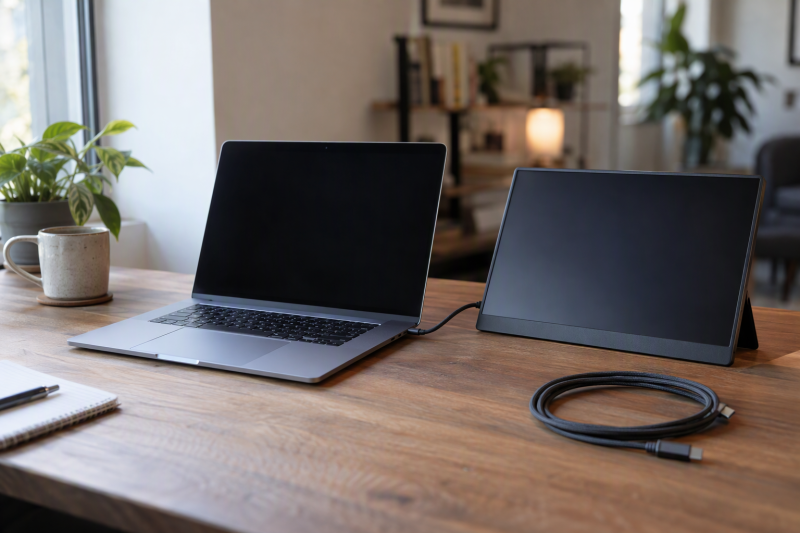
The MacBook Neo, MacBook Air and MacBook Pro differ in their ports. Apple lists one USB-C port at USB 3 speed and another at USB 2 speed for the Neo, two Thunderbolt 4 ports for the Air, and three Thunderbolt 5 ports plus HDMI and an SDXC slot for the two MacBook Pro configurations here.
MacBook Neo, Air and Pro Compared
| Image | Product | Best fit | Chip and memory | Display | Ports | Limit | Check Price |
|---|---|---|---|---|---|---|---|
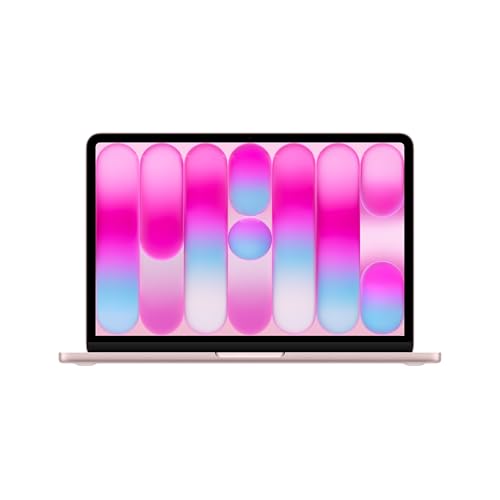 | Apple MacBook Neo | School work and one external display | A18 Pro, 8GB unified memory | 13-inch Liquid Retina, 2408 x 1506 | USB 3 USB-C up to 10Gb/s, USB 2 USB-C, headphone jack | One external display at up to 4K 60Hz | Check Price on Amazon |
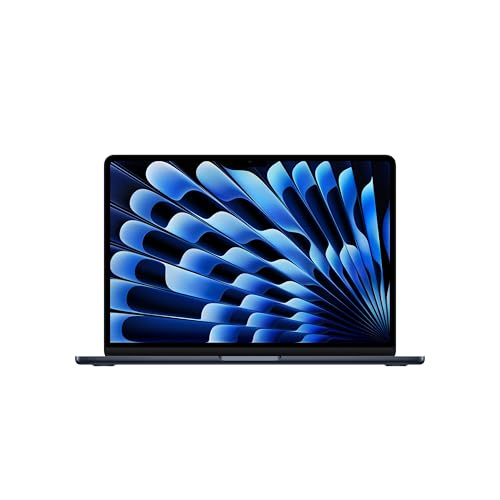 | Apple MacBook Air 13-inch M5 | Compact Mac with two Thunderbolt 4 ports | M5, 16GB unified memory | 13.6-inch Liquid Retina, 2560 x 1664 | 2x Thunderbolt 4, MagSafe 3, headphone jack | Up to two external displays | Check Price on Amazon |
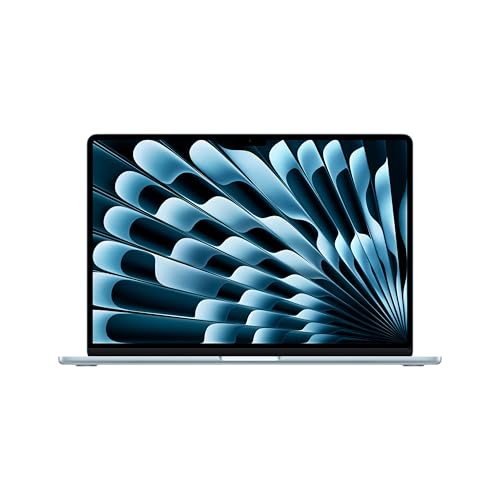 | Apple MacBook Air 15-inch M5 | Larger Air screen without moving to a Pro | M5, 16GB unified memory | 15.3-inch Liquid Retina, 2880 x 1864 | 2x Thunderbolt 4, MagSafe 3, headphone jack | Up to two external displays | Check Price on Amazon |
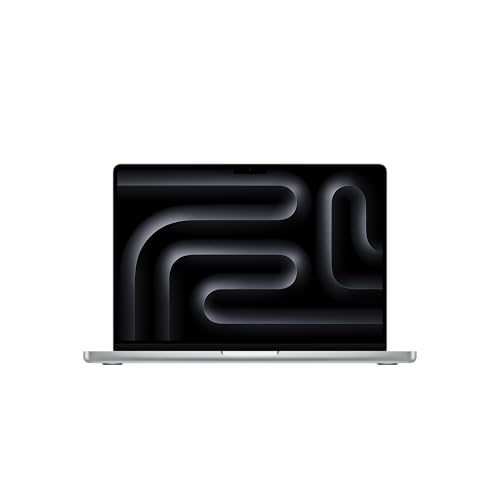 | Apple MacBook Pro 14-inch M5 Pro | Pro for three external displays in a 14-inch body | M5 Pro 15-core CPU, 16-core GPU, 24GB unified memory | 14.2-inch Liquid Retina XDR | 3x Thunderbolt 5, HDMI, SDXC, MagSafe 3, headphone jack | Up to three external displays | Check Price on Amazon |
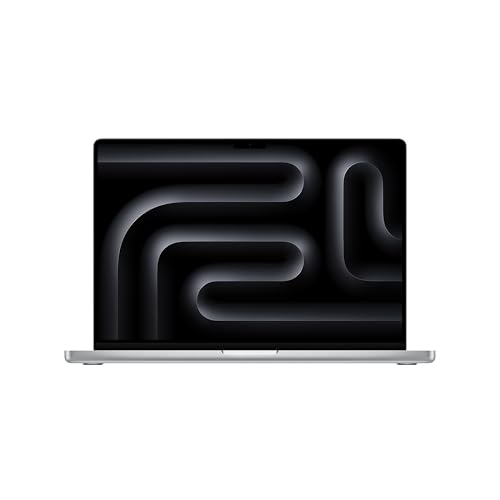 | Apple MacBook Pro 16-inch M5 Pro | Large-screen Pro with 48GB configuration | M5 Pro 18-core CPU, 20-core GPU, 48GB unified memory | 16.2-inch Liquid Retina XDR | 3x Thunderbolt 5, HDMI, SDXC, MagSafe 3, headphone jack | Up to three external displays | Check Price on Amazon |
1. Apple MacBook Neo — Best for School and One Display
Apple lists an A18 Pro chip, 8GB of unified memory, and a 256GB SSD for the 13-inch MacBook Neo in this configuration. The 13.0-inch Liquid Retina display is 2408 by 1506 at 500 nits, and Apple rates the 36.5Wh battery for up to 16 hours of video streaming or 11 hours of wireless web. Apple lists a weight of 2.7 pounds, the same figure it gives the 13-inch Air, and a Magic Keyboard without Touch ID for the 256GB model.
Apple specifies one USB-C port at USB 3 up to 10Gb/s with DisplayPort support and a second at USB 2 up to 480Mb/s, both able to charge, plus a headphone jack. The Neo supports one external display at up to 4K and 60Hz, and Apple’s page lists neither Thunderbolt nor MagSafe for it. Amazon’s listing describes a 1080p FaceTime HD camera, a dual-mic array, and two side-firing speakers. Apple lists Wi-Fi 6E for the Neo, where both Air models list Wi-Fi 7.
Our Take Choose the Neo for school work, web browsing, and one external display. Choose the 13-inch Air instead when you want Thunderbolt 4 ports, two external displays, or Touch ID.
- A buyer comparing the Neo with the 13-inch Air finds the same Apple-listed weight, 2.7 pounds, on both.
- Apple rates the Neo’s 36.5Wh battery for up to 16 hours of video streaming.
- Apple’s USB 3 USB-C port supports DisplayPort and data at up to 10Gb/s.
- Amazon lists a 1080p FaceTime HD camera and two side-firing speakers for the Neo.
- Apple supports one external display on the Neo and two on either Air, which rules the Neo out for a desk with two monitors.
- Apple lists USB 3 and USB 2 speeds for the Neo’s two USB-C ports, against two Thunderbolt 4 ports on both Air models.
- Apple lists a Magic Keyboard without Touch ID for the 256GB Neo, while both Air models list Touch ID.
2. Apple MacBook Air 13-inch M5 — Best Compact Mac With Thunderbolt 4
Apple gives the 13-inch Air two Thunderbolt 4 ports at up to 40Gb/s, a separate MagSafe 3 charging port, and a headphone jack. Apple lists support for up to two external displays, either two at 6K and 60Hz or two at 4K and 144Hz, and says both can run over a single Thunderbolt port. Apple lists no HDMI port or SDXC slot.
The configuration here pairs the M5 chip with 16GB of unified memory and a 512GB SSD. Apple lists a 13.6-inch display at 2560 by 1664, a 53.8Wh battery rated for up to 18 hours of video streaming, and a weight of 2.7 pounds, level with the Neo. Amazon’s listing adds a 12MP Center Stage camera, a three-mic array, and a four-speaker system with Spatial Audio, and Apple lists Touch ID.
Ports to know: The 13-inch M5 Air has two Thunderbolt 4 ports and a separate MagSafe 3 port, with support for up to two external displays.Our Take Choose this Air for a compact Mac with Thunderbolt 4 and two external displays. Choose the 15-inch Air for a larger screen, or a Pro for HDMI, SDXC, Thunderbolt 5, or three displays.
- Apple lists two Thunderbolt 4 ports at up to 40Gb/s plus a separate MagSafe 3 charging port on the 13-inch Air.
- Apple supports up to two external displays on the 13-inch Air, including two at 6K and 60Hz or two at 4K and 144Hz.
- At 2.7 pounds, the 13-inch Air carries a 53.8Wh battery that Apple rates for up to 18 hours of video streaming.
- Amazon lists a 12MP Center Stage camera for the 13-inch Air, and Apple lists Touch ID.
- Apple lists a 13.6-inch display for this Air, smaller than the 15.3-inch Air and the 14.2-inch and 16.2-inch Pro displays.
- Apple supports up to two external displays on this Air, while it supports up to three on M5 Pro MacBook Pros.
- Apple lists no HDMI port or SDXC slot for this Air, while both Pro models list both.
3. Apple MacBook Air 15-inch M5 — Best Larger Air Screen
Apple lists a 15.3-inch Liquid Retina display at 2880 by 1864 for the 15-inch Air, compared with 2560 by 1664 on the 13-inch Air. Apple gives it a weight of 3.3 pounds, 0.6 pounds more than the 13-inch Air, and a 66.5Wh battery rated for up to 18 hours of video streaming.
Apple lists a six-speaker sound system with force-cancelling woofers, where Amazon’s listing gives the 13-inch Air four speakers. The configuration pairs the M5 chip with 16GB of unified memory and a 512GB SSD, and Amazon’s listing adds a 12MP Center Stage camera and a three-mic array.
The ports match the 13-inch Air: two Thunderbolt 4 ports, MagSafe 3, a headphone jack, and support for up to two external displays. Apple lists no HDMI port or SDXC slot.
Screen-first choice: Apple lists a 15.3-inch display and six speakers for this Air, with the same two Thunderbolt 4 ports and two-display support as the 13-inch Air.Our Take Pick the 15-inch Air when you prefer a bigger screen and six speakers to a laptop 0.6 pounds lighter. Pick a Pro when you need Thunderbolt 5, HDMI, SDXC, or three displays.
- Apple lists a 15.3-inch 2880 by 1864 display for the 15-inch Air, larger than the 13.6-inch panel on the 13-inch Air.
- Apple lists a six-speaker sound system with force-cancelling woofers for the 15-inch Air, compared with the four speakers Amazon lists for the 13-inch Air.
- Apple rates the 15-inch Air’s 66.5Wh battery for up to 18 hours of video streaming.
- Apple lists MagSafe 3 as a charging port separate from the two Thunderbolt 4 ports, the same arrangement Apple lists for the other Air.
- Apple lists the 15-inch Air at 3.3 pounds, 0.6 pounds more than the 13-inch Air.
- Apple supports up to two external displays on both Air sizes, while it supports up to three on M5 Pro.
- Apple lists no HDMI port or SDXC slot for the 15-inch Air, while both Pro models list both.
4. Apple MacBook Pro 14-inch M5 Pro — Best Portable Pro for Three Displays
The Thunderbolt ports, HDMI port and SDXC slot set the 14-inch Pro apart from an Air. Apple lists three Thunderbolt 5 ports at up to 120Gb/s, HDMI, an SDXC slot, MagSafe 3, and a headphone jack. Apple says M5 Pro supports up to three external displays over any combination of Thunderbolt and HDMI ports, either three at 6K and 60Hz or three at 4K and 144Hz.
Amazon’s configuration has an M5 Pro with a 15-core CPU and 16-core GPU, 24GB of unified memory, and a 1TB SSD. Apple lists a 14.2-inch Liquid Retina XDR display at 3024 by 1964 with 1000 nits sustained brightness, 1600 nits peak brightness for HDR content, and a 1,000,000:1 contrast ratio. Apple gives it a weight of 3.5 pounds, 0.8 pounds more than the 13-inch Air, and rates the 72.4Wh battery for up to 22 hours of video streaming. Amazon’s listing names a 12MP Center Stage camera, three studio-quality microphones, and six speakers.
Our Take Choose this model for a compact Pro that can drive three external displays and read SD cards without an adapter. Choose the 16-inch M5 Pro for a larger screen, a larger battery, and the 48GB memory configuration Amazon lists for it, against 24GB here.
- Apple lists three Thunderbolt 5 ports at up to 120Gb/s, HDMI, and an SDXC slot for the 14-inch Pro.
- Apple states that M5 Pro supports up to three external displays, one more than either MacBook Air on this page.
- Apple rates the 14-inch Pro’s 72.4Wh battery for up to 22 hours of video streaming.
- Apple lists 1000 nits sustained brightness on the 14.2-inch Liquid Retina XDR display.
- Amazon lists 24GB of unified memory for this 14-inch Pro, half the 48GB it lists for the 16-inch M5 Pro.
- Apple lists the 14-inch Pro at 3.5 pounds, 0.8 pounds more than the 13-inch Air.
- Apple lists a 14.2-inch display for this Pro, smaller than the 15.3-inch Air and the 16.2-inch Pro.
5. Apple MacBook Pro 16-inch M5 Pro — Best Large-Screen Pro With 48GB
Amazon specifies an 18-core CPU, 20-core GPU, 48GB of unified memory, and a 1TB SSD for this 16-inch Pro. Apple lists 48GB as an M5 Pro memory option on both Pro sizes, so the 48GB figure belongs to this configuration, not to the 16-inch body.
The larger Pro has a bigger screen and battery. Apple lists a 16.2-inch Liquid Retina XDR display at 3456 by 2234 and 254 pixels per inch, a 100Wh battery rated for up to 24 hours of video streaming, and a 140W USB-C power adapter. Apple gives it a weight of 4.7 pounds, 1.2 pounds more than the 14-inch Pro.
Ports and display support match the 14-inch M5 Pro: Apple lists three Thunderbolt 5 ports, HDMI, SDXC, MagSafe 3, a headphone jack, and up to three external displays.
Memory and battery: Amazon lists 48GB of unified memory and an 18-core CPU for this 16-inch M5 Pro, where the 14-inch listing has 24GB and a 15-core CPU, and Apple rates its 100Wh battery for up to 24 hours of video streaming.Our Take Choose the 16-inch M5 Pro for the larger XDR screen, the 100Wh battery, and 48GB of memory. Choose the 14-inch M5 Pro for the same ports and three-display support in a body 1.2 pounds lighter.
- Amazon lists an 18-core CPU, 20-core GPU, and 48GB of unified memory for this 16-inch M5 Pro configuration.
- Apple lists a 16.2-inch 3456 by 2234 display at 254 pixels per inch for the 16-inch Pro.
- Apple rates the 16-inch Pro’s 100Wh battery for up to 24 hours of video streaming.
- Apple lists three Thunderbolt 5 ports, HDMI, SDXC, and up to three external displays for the 16-inch Pro, matching the 14-inch M5 Pro.
- Apple lists the 16-inch Pro at 4.7 pounds, 1.2 pounds more than the 14-inch Pro.
- Apple supports up to three external displays on M5 Pro, the same number as the 14-inch Pro, so the larger body adds no display.
Buying Guide
Start with the ports you will use
The Neo has one USB-C port at USB 3 up to 10Gb/s and a second at USB 2 up to 480Mb/s. Apple lists charging on both, DisplayPort on the USB 3 port, and no Thunderbolt port. Check any Thunderbolt accessory’s own specification against those two ports before choosing the Neo.
Both M5 Air models have two Thunderbolt 4 ports at up to 40Gb/s, plus MagSafe 3 and a headphone jack. The two M5 Pro models have three Thunderbolt 5 ports at up to 120Gb/s, HDMI, SDXC, MagSafe 3, and a headphone jack. Use the MacBook Air dock guide or the MacBook Pro dock guide after choosing the laptop port set.
Match display count before screen size
The Neo supports one external display at up to 4K and 60Hz. Apple lists up to two external displays for both M5 Air sizes, either two at 6K and 60Hz or two at 4K and 144Hz. If your desk has two monitors, choose an Air or a Pro instead of the Neo.
Apple lists up to three external displays for M5 Pro, over any combination of Thunderbolt and HDMI ports. Apple’s figures describe the Mac, so check a dock’s own display specification against them before pairing the two.
Compare the screen you carry
The Neo has a 13.0-inch display at 2408 by 1506, the 13-inch Air has 13.6 inches at 2560 by 1664, and the 15-inch Air has 15.3 inches at 2880 by 1864. Apple lists 500 nits for all three, and weights of 2.7, 2.7, and 3.3 pounds.
The Pro displays are 14.2 inches at 3024 by 1964 and 16.2 inches at 3456 by 2234. Both are Liquid Retina XDR with 1000 nits sustained and 1600 nits peak for HDR content, and Apple lists the two Pros at 3.5 and 4.7 pounds.
Treat memory as a configuration detail
Apple lists 8GB for both Neo models and 16GB for both M5 Air configurations here. Apple’s Air pages also list 24GB and 32GB as options, so the memory in a given Amazon listing is the figure to buy against.
Amazon lists 24GB for the 14-inch M5 Pro and 48GB for the 16-inch M5 Pro. Apple lists 48GB as an M5 Pro option on both sizes, so compare the memory, storage, and CPU and GPU fields of the specific listing before ordering.
Decide whether you need Pro ports
Apple lists HDMI and SDXC on the two MacBook Pro configurations and on neither the Neo nor either Air. An HDMI port and an SDXC slot connect a display or a memory card without an adapter. A single USB-C monitor needs only the DisplayPort support that Apple lists on the USB-C ports of every model here.
Apple lists Thunderbolt 5 only on the M5 Pro models. It lists Thunderbolt 4 for the M5 Air and no Thunderbolt port for the Neo. The Thunderbolt 5 laptop guide compares other laptops with that connection.
FAQ
Which Mac supports three external displays?
Apple specifies up to three external displays for the M5 Pro MacBook Pro configurations, over any combination of Thunderbolt and HDMI ports. The 14-inch and 16-inch M5 Pro models both have three Thunderbolt 5 ports and an HDMI port.
The M5 Air models support up to two external displays, while the Neo supports one at up to 4K and 60Hz. Compare a monitor’s resolution and refresh rate with the modes Apple lists for each Mac, such as three displays at 6K and 60Hz or at 4K and 144Hz on M5 Pro.
Does the MacBook Neo have Thunderbolt?
No. Apple lists one USB-C port at USB 3 speed up to 10Gb/s and a second USB-C port at USB 2 speed, along with a headphone jack. Apple does not list a Thunderbolt port, HDMI port, SDXC slot, or MagSafe port for the Neo.
The 13-inch and 15-inch M5 Air models have two Thunderbolt 4 ports. The M5 Pro models have three Thunderbolt 5 ports, so move to an Air or Pro when Thunderbolt accessories are part of the plan.
Is the 15-inch Air more capable than the 13-inch Air?
The two M5 Air configurations here both have 16GB unified memory, a 512GB SSD, two Thunderbolt 4 ports, MagSafe 3, and support for up to two external displays. The 15-inch Air adds a 15.3-inch screen, a six-speaker system, and a 66.5Wh battery, and weighs 0.6 pounds more.
Apple lists the 13-inch Air with an 8-core or 10-core GPU and the 15-inch Air with a 10-core GPU. Amazon’s 13-inch listing does not state its GPU core count, so confirm it before buying if graphics speed is part of the decision.
Which model has HDMI and an SD card slot?
Only the 14-inch and 16-inch M5 Pro MacBook Pros in this comparison list HDMI and SDXC. The Neo and both Air models use USB-C plus a headphone jack, and the Air models add MagSafe 3.
An HDMI port and an SDXC slot connect a display or a card without an adapter. An Air with a suitable dock can add the same connections, so check the accessory’s own port and display specification.
Does the 16-inch Pro have more memory than the 14-inch Pro?
Amazon lists 48GB of unified memory for the 16-inch M5 Pro and 24GB for the 14-inch M5 Pro. Apple lists 48GB as an M5 Pro memory option on both sizes, so the difference belongs to these two configurations, not to the body size.
The 16-inch listing also has an 18-core CPU and 20-core GPU, against a 15-core CPU and 16-core GPU for the 14-inch listing. Apple’s 14-inch page lists the 18-core CPU and 20-core GPU as an M5 Pro configuration too.
Bottom Line
Buy the MacBook Neo for school work and one external display. Pick the 13-inch M5 Air for a compact Mac with Thunderbolt 4, or the 15-inch M5 Air for a larger screen. The 14-inch M5 Pro and 16-inch M5 Pro are the choices for Thunderbolt 5, HDMI, SDXC, and up to three displays.