An RTX 5060 label narrows a gaming-laptop search, but it does not settle the rest of the machine. The six laptops below come from four brands and span three screen sizes: 14.5 inches, 15.3 inches and 16 inches. Five list a 165Hz screen and one lists 180Hz, while processors, memory, storage and ports differ from model to model.
Every figure comes from the Amazon listing for the named model, and a port is named only where that listing names it. Four of the six name Thunderbolt 4 or USB4, and the other two name no ports. For a broader search by high-speed ports, see the gaming laptop guide and the USB4 laptop guide. For a desk built around an external display and accessories, see the Thunderbolt 4 docking station guide and the Thunderbolt 5 gaming laptop guide.
RTX 5060 Laptops Compared by Screen Size, Refresh Rate and Brand
| Image | Product | Details | Check Price |
|---|---|---|---|
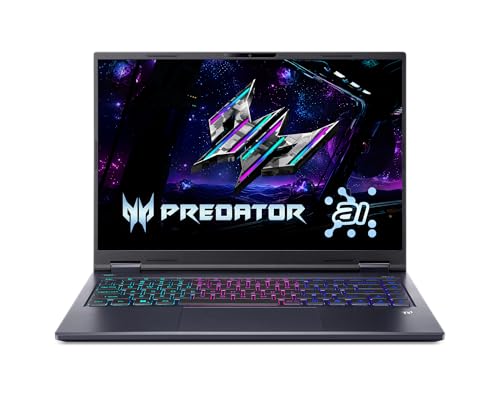 | Acer Predator Helios Neo 14 AI | Best fit: Smallest screen, 14.5-inch Screen: 14.5-inch WQXGA 165Hz matte Processor: Core Ultra 7 255H Listed connections: Thunderbolt 4, HDMI 2.1 Memory and storage: 16GB LPDDR5X, 1TB SSD | Check Price on Amazon |
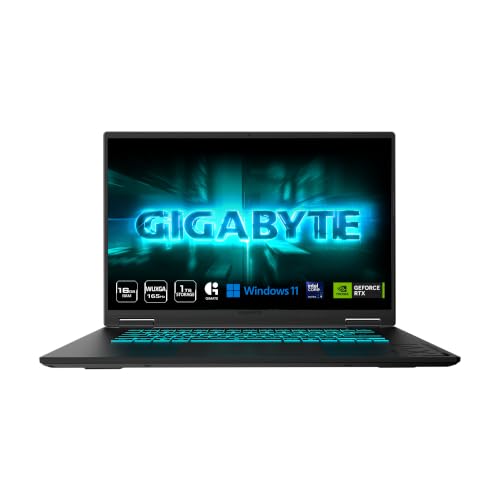 | GIGABYTE Gaming A16 | Best fit: Longest listed battery life Screen: 16-inch WUXGA 165Hz Processor: Ryzen 7 260 Listed connections: USB4 Type-C up to 40Gbps, PD 3.0 Memory and storage: 16GB DDR5, 512GB SSD | Check Price on Amazon |
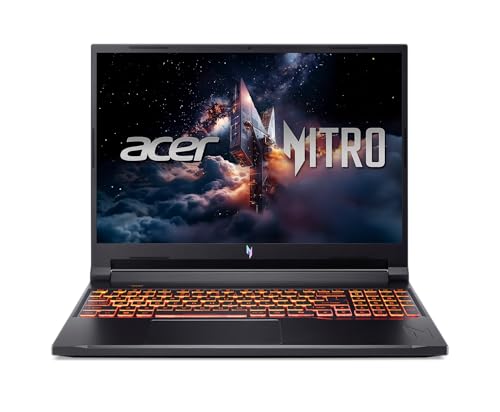 | Acer Nitro V 16 | Best fit: Only 180Hz screen Screen: 16-inch WUXGA 180Hz IPS Processor: Core 7 240H Listed connections: Thunderbolt 4, HDMI 2.1, Ethernet Memory and storage: 16GB DDR5, 512GB SSD | Check Price on Amazon |
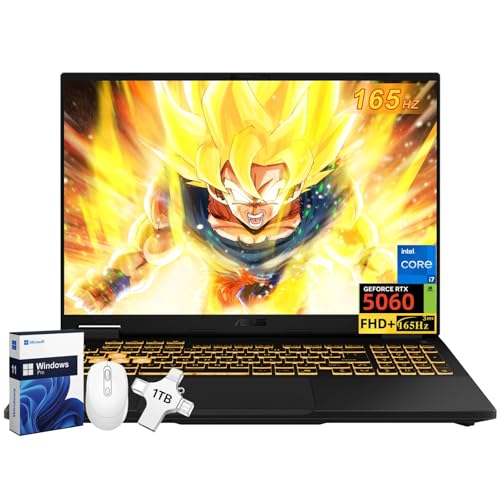 | ASUS TUF Gaming F16 | Best fit: 32GB memory in the seller's title Screen: 16-inch FHD+ 165Hz IPS Processor: Core i7-14650HX Listed connections: Thunderbolt 4, HDMI 2.1, USB-C PD, RJ45 Memory and storage: 32GB DDR5, 1TB SSD (seller's title) | Check Price on Amazon |
 | Lenovo LOQ 15.3-inch | Best fit: Only 15.3-inch screen Screen: 15.3-inch WUXGA IPS 165Hz Processor: Ryzen 7 250 Listed connections: No ports named in listing Memory and storage: 16GB memory, 1TB storage | Check Price on Amazon |
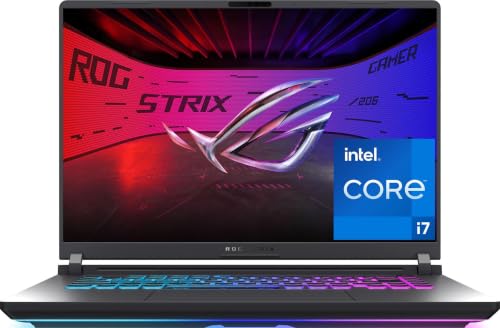 | ASUS ROG Strix G16 | Best fit: Only listing that states Wi-Fi 7 Screen: 16-inch FHD+ 165Hz Processor: Core i7-14650HX Listed connections: No ports named in listing Memory and storage: 16GB DDR5-5600, 1TB PCIe Gen 4 SSD | Check Price on Amazon |
1. Acer Predator Helios Neo 14 AI — Best Compact RTX 5060 Pick
Acer’s listing for the Predator Helios Neo 14 AI (PHN14-71-760T) gives it the only 14.5-inch WQXGA matte screen at 165Hz on this page, with 100% sRGB. The listing also names a Core Ultra 7 255H, an RTX 5060 Laptop GPU, 16GB of onboard LPDDR5X memory and a 1TB PCIe Gen 4 SSD, plus two M.2 slots with one open. Acer lists this memory as onboard, whereas its Nitro V 16 listing gives two DDR5 slots with a 32GB maximum. The 14.5-inch panel is the smallest of the six.
Acer names a Thunderbolt 4 USB-C port with DisplayPort and charging up to 90W, along with HDMI 2.1, and gives a weight of 4.19 pounds. Choose this laptop when a 14.5-inch matte display and a Thunderbolt 4 port outrank a larger 16-inch screen.
Our Take Choose the Helios Neo 14 AI for the smallest RTX 5060 screen here, a 14.5-inch matte 165Hz panel, with a Thunderbolt 4 port.
- Acer lists a 14.5-inch WQXGA matte display at 165Hz with 100% sRGB, the smallest screen of the six laptops.
- Acer lists a Core Ultra 7 255H and an RTX 5060 Laptop GPU for the PHN14-71-760T.
- Acer names a Thunderbolt 4 port with charging up to 90W, plus HDMI 2.1.
- Acer lists two M.2 slots on the Helios, with one slot open.
- Acer lists the Helios Neo 14 AI memory as onboard, while it lists two DDR5 slots for the Nitro V 16.
- Acer lists a 14.5-inch screen for the Helios, smaller than the 15.3-inch and 16-inch screens on the other five laptops.
2. GIGABYTE Gaming A16 — Best Listed Battery Life
GIGABYTE’s listing for the Gaming A16 gives a 16-inch 1920 x 1200 WUXGA display at 165Hz, a Ryzen 7 260, an RTX 5060 Laptop GPU, 16GB DDR5 memory and a 512GB SSD. It also states up to 14 hours of battery life, the longest battery figure on this page. ASUS lists up to 10 hours for the TUF Gaming F16, and the other four listings give none.
GIGABYTE names a USB4 Type-C port at up to 40Gbps that works with DisplayPort monitors and supports PD 3.0. The listing does not name Thunderbolt, HDMI or Ethernet.
Pick the Gaming A16 for a 16-inch 165Hz screen and the longest battery figure here, with USB4 as the stated high-speed port.Our Take Pick the GIGABYTE Gaming A16 for a 16-inch 165Hz screen, up to 14 hours of listed battery life and a USB4 Type-C port.
- GIGABYTE lists a 16-inch 1920 x 1200 WUXGA display at 165Hz with RTX 5060 graphics.
- GIGABYTE names a USB4 Type-C port at up to 40Gbps with DisplayPort monitor support.
- GIGABYTE lists up to 14 hours of battery life, the longest figure on this page.
- GIGABYTE states PD 3.0 support for the USB4 Type-C port.
- GIGABYTE lists a 512GB SSD, while the Helios Neo 14 AI, Lenovo LOQ and ASUS ROG Strix G16 list 1TB.
- GIGABYTE’s listing does not name Thunderbolt, HDMI or Ethernet.
3. Acer Nitro V 16 — Best 180Hz Screen Pick
Acer’s listing for the Nitro V 16 (ANV16-72-70F4) gives it the only 180Hz screen on this page: a 16-inch WUXGA IPS display with 100% sRGB, a 16:10 ratio, 3ms overdrive response time and 400-nit brightness. Acer also names a Core 7 240H, an RTX 5060 Laptop GPU, 16GB DDR5 memory and a 512GB PCIe Gen 4 SSD, and lists two DDR5 memory slots with a 32GB maximum.
Acer names a Thunderbolt 4 USB-C port with DisplayPort and charging up to 65W, along with HDMI 2.1 and an RJ-45 Ethernet port. Choose the Nitro V 16 when the 180Hz screen comes first, and compare its 512GB SSD with the 1TB SSDs on the Helios Neo 14 AI, Lenovo LOQ and ROG Strix G16.
Our Take Choose the Nitro V 16 for the 16-inch 180Hz panel, with Thunderbolt 4, HDMI 2.1 and Ethernet.
- Acer lists a 16-inch WUXGA IPS display at 180Hz with 100% sRGB and 400-nit brightness.
- Acer names a Thunderbolt 4 USB-C port with DisplayPort and charging up to 65W.
- Acer names HDMI 2.1 and an RJ-45 Ethernet port for the Nitro.
- Acer lists two DDR5 slots with a 32GB maximum for the Nitro.
- Acer lists a 512GB SSD for the Nitro V 16, while the Helios Neo 14 AI, Lenovo LOQ and ASUS ROG Strix G16 list 1TB.
4. ASUS TUF Gaming F16 — Best 32GB Memory Pick
The Amazon listing for the ASUS TUF Gaming F16 (FX608JMR-F16) states a Core i7-14650HX and RTX 5060 with a 16-inch FHD+ 165Hz IPS panel, 300-nit brightness and 100% sRGB. It names Thunderbolt 4, HDMI 2.1, USB-C with Power Delivery and RJ45 LAN, and it lists up to 10 hours of battery life.
The 32GB DDR5 and 1TB SSD come from the title and size field, which also list Windows 11 Pro and accessories, and the feature bullets do not repeat them. The 32GB and 1TB describe this seller’s offer, not necessarily every F16, so compare them with the 16GB of memory the other five laptops list.
The 165Hz panel is below the 180Hz of the Nitro V 16.Our Take Choose the TUF Gaming F16 for a Core i7-14650HX with RTX 5060, Thunderbolt 4 and RJ45 LAN, and confirm the seller’s 32GB and 1TB configuration before ordering.
- The TUF Gaming F16 listing states a Core i7-14650HX, an RTX 5060 and a 16-inch FHD+ 165Hz IPS panel.
- The TUF Gaming F16 listing names Thunderbolt 4, HDMI 2.1, USB-C Power Delivery and RJ45 LAN.
- The TUF Gaming F16 listing states up to 10 hours of battery life.
- The TUF Gaming F16 title and size field list 32GB DDR5, while the other five laptops list 16GB.
- The TUF Gaming F16 lists its 32GB and 1TB in the title and size field, not in the feature bullets.
- The TUF Gaming F16 lists a 165Hz panel, below the 180Hz of the Nitro V 16.
5. Lenovo LOQ — Best 15.3-Inch Option
Lenovo’s listing for the LOQ (83TN0002US) gives it the only 15.3-inch WUXGA IPS display at 165Hz on this page. The title pairs it with an RTX 5060, a Ryzen 7 250, 16GB of memory and 1TB of storage. The size sits between the 14.5-inch Acer and the 16-inch laptops. It suits a buyer who wants a little more screen than the Helios Neo 14 AI without moving to a 16-inch laptop.
The LOQ listing’s feature field holds only the word Laptop, and its title names no ports. No connection is stated for the LOQ, so check the port list on the seller’s page before pairing it with a dock or monitor.
Our Take Consider the LOQ for a 15.3-inch WUXGA 165Hz screen with an RTX 5060, Ryzen 7 250, 16GB of memory and 1TB of storage.
- Lenovo’s LOQ title states a 15.3-inch WUXGA IPS display at 165Hz with RTX 5060 graphics, the only screen of that size on this page.
- Lenovo’s LOQ title lists a Ryzen 7 250, 16GB of memory and 1TB of storage.
- Lenovo’s LOQ listing names no ports, and its feature field holds only the word Laptop.
- Lenovo’s LOQ lists a 165Hz screen, below the 180Hz of the Nitro V 16.
6. ASUS ROG Strix G16 — Best Wi-Fi 7 Pick
The Amazon listing for the ASUS ROG Strix G16 (G615JMR-AS74) states a 16-inch FHD+ 16:10 display at 165Hz, a Core i7-14650HX, an RTX 5060 Laptop GPU, 16GB DDR5-5600 memory and a 1TB PCIe Gen 4 SSD. The title adds Wi-Fi 7, which no other listing here states, and the memory speed is also unique to this listing. The listing says the display has an ACR film that reduces glare, and the listing names an end-to-end vapor chamber and tri-fan technology for cooling.
The listing names no ports, so a buyer who needs Thunderbolt, USB4, HDMI or Ethernet should confirm them on the seller’s page. Choose the ROG Strix G16 for Wi-Fi 7 and DDR5-5600 memory rather than for a stated connection.Our Take Choose the ROG Strix G16 for Wi-Fi 7, DDR5-5600 memory, a Core i7-14650HX, a 1TB SSD and a 16-inch 165Hz screen.
- The ROG Strix G16 listing states a Core i7-14650HX, an RTX 5060 Laptop GPU, 16GB DDR5-5600 and a 1TB PCIe Gen 4 SSD.
- The ROG Strix G16 listing states a 16-inch FHD+ 16:10 display at 165Hz with a glare-reducing ACR film.
- The ROG Strix G16 title states Wi-Fi 7, the only listing on this page to do so.
- The ROG Strix G16 listing names an end-to-end vapor chamber and tri-fan technology for cooling.
- The ROG Strix G16 listing names no ports.
Buying Guide
1. Start with the screen size you will use
The screens run from 14.5 inches to 16 inches. The Acer Helios Neo 14 AI is the smallest, the Lenovo LOQ is 15.3 inches, and the GIGABYTE Gaming A16, Acer Nitro V 16, ASUS TUF Gaming F16 and ASUS ROG Strix G16 are all 16 inches. Screen size sets how much display area you get. It does not say how fast the laptop runs.
The two Acer models show the gap. The Helios Neo 14 AI has a 14.5-inch WQXGA 165Hz matte display, and the Nitro V 16 has a 16-inch WUXGA 180Hz IPS display. Settle the size first, then compare refresh rate and ports.
2. Keep refresh rate and panel description separate
The Nitro V 16 is the only laptop here that lists 180Hz, on a 16-inch WUXGA IPS panel with 100% sRGB, 400-nit brightness and 3ms overdrive response time. The other five list 165Hz, so the RTX 5060 alone does not tell you which laptop has the faster screen.
The two ASUS laptops both list 16-inch 165Hz panels but describe them differently. The TUF Gaming F16 lists an FHD+ IPS panel at 300 nits and 100% sRGB, while the ROG Strix G16 lists an FHD+ 16:10 display with an ACR film that reduces glare. Compare the panel wording, not only the refresh rate.
3. Treat storage and memory as configuration details
The Helios Neo 14 AI, Lenovo LOQ and ROG Strix G16 list 1TB of storage, while the GIGABYTE Gaming A16 and Nitro V 16 list 512GB SSDs. Memory differs too. The Helios lists 16GB of onboard LPDDR5X, the GIGABYTE and Nitro list 16GB DDR5, the ROG lists 16GB DDR5-5600, and the LOQ lists 16GB without a memory type.
The Nitro V 16 lists two DDR5 slots with a 32GB maximum, and the Helios lists two M.2 slots with one open. The TUF Gaming F16 needs a careful read. Its 32GB DDR5 and 1TB SSD come from the seller’s title and size field, so they describe this offer and not necessarily every F16.
4. Read connection language exactly as stated
The GIGABYTE Gaming A16 names USB4 Type-C at up to 40Gbps, with DisplayPort monitor support and PD 3.0. The Helios Neo 14 AI, Nitro V 16 and TUF Gaming F16 name Thunderbolt 4, and all three also name HDMI 2.1. The Nitro V 16 and TUF Gaming F16 name an Ethernet port as well.
The Lenovo LOQ and ASUS ROG Strix G16 listings name no ports. A listing’s silence does not show that a port is present or missing. If a dock, external monitor, wired network or charger decides the purchase, confirm the port list on the seller’s page before ordering.
5. Match the model number before you buy
PHN14-71-760T, GAMING A16 3VHK3US893SH, ANV16-72-70F4, FX608JMR-F16, 83TN0002US and G615JMR-AS74 are the model numbers Amazon lists for these six laptops. Retailers can sell several screen, memory, storage and processor variants under one product name, so the model number is the detail to match against the seller’s page.
The TUF Gaming F16 is FX608JMR-F16 and the ROG Strix G16 is G615JMR-AS74, and both list a Core i7-14650HX and a 16-inch 165Hz screen. They are different laptops, so take the memory, storage and port details from the listing for the one you plan to buy.
FAQ
Which RTX 5060 laptop here has the highest listed refresh rate?
The Acer Nitro V 16 lists a 16-inch WUXGA IPS display at 180Hz, the highest refresh rate on this page. Acer also lists 100% sRGB, 400-nit brightness, a 16:10 ratio and 3ms overdrive response time.
The other five list 165Hz. Refresh rate does not settle display quality, because screen size, resolution, color coverage and glare treatment differ, but the Nitro V 16 is the answer for a buyer who puts refresh rate first.
Which pick is the smallest?
The Acer Predator Helios Neo 14 AI has the smallest screen at 14.5 inches, and Acer’s listing gives a weight of 4.19 pounds. Acer lists it as the PHN14-71-760T with a Core Ultra 7 255H and an RTX 5060 Laptop GPU.
The Lenovo LOQ is next at 15.3 inches, and the other four laptops list 16-inch screens. Start with the Helios for a smaller screen, then compare its 165Hz refresh rate and Thunderbolt 4 port with the larger models.
Which RTX 5060 laptops here name a high-speed USB-C port?
The Acer Predator Helios Neo 14 AI, Acer Nitro V 16 and ASUS TUF Gaming F16 name Thunderbolt 4. The GIGABYTE Gaming A16 names USB4 Type-C at up to 40Gbps with DisplayPort monitor support and PD 3.0.
The Lenovo LOQ and ASUS ROG Strix G16 listings name no ports. Their silence does not show that either laptop lacks a port, so check the exact configuration before buying if you need one.
Which models list 1TB storage?
The Acer Predator Helios Neo 14 AI, Lenovo LOQ and ASUS ROG Strix G16 each list 1TB of storage. The Helios and ROG also name a PCIe Gen 4 SSD, while the LOQ title says only 1TB of storage.
The ASUS TUF Gaming F16 title also lists a 1TB SSD, but it appears in the title and size field and not in the feature bullets. The GIGABYTE Gaming A16 and Acer Nitro V 16 list 512GB SSDs.
Are the ASUS TUF Gaming F16 and ROG Strix G16 the same configuration?
No. The TUF Gaming F16 is FX608JMR-F16 and the ROG Strix G16 is G615JMR-AS74. Both list a Core i7-14650HX, an RTX 5060 and a 16-inch 165Hz display.
The TUF listing names Thunderbolt 4, HDMI 2.1, USB-C Power Delivery and RJ45 LAN. The ROG listing names no ports but states 16GB DDR5-5600, a 1TB PCIe Gen 4 SSD and Wi-Fi 7. Treat each as its own laptop when accessories depend on ports.
Bottom Line
Choose the Acer Predator Helios Neo 14 AI for the smallest screen, a 14.5-inch matte 165Hz panel with a Thunderbolt 4 port. Choose the GIGABYTE Gaming A16 for a 16-inch screen, USB4 and the longest battery figure listed, or the Acer Nitro V 16 for the only 180Hz screen, with Thunderbolt 4, HDMI 2.1 and Ethernet. The ASUS TUF Gaming F16 lists Thunderbolt 4, Ethernet and a seller’s 32GB of memory, the Lenovo LOQ is the 15.3-inch option, and the ASUS ROG Strix G16 is the one that lists Wi-Fi 7. Match the model number and the port list to the seller’s page before ordering.