These five gaming laptops each have an RTX 5060 or RTX 5070 Laptop GPU and a Thunderbolt 4 port, as stated by Amazon or the maker. Two are Acer Nitro V models, two are ASUS (the ROG Strix G16 and the TUF Gaming F16), and one is the MSI Crosshair 18 HX AI. Screens run from 15.6 to 18 inches, and refresh rates from 165Hz to 240Hz.
The two Nitro V models share an RTX 5060 but differ in screen, memory type, storage, and ports. For a dock to pair with the laptop, see the Thunderbolt 4 docking station guide, and see the gaming laptop guide for a broader set of systems.
Mid-Range Gaming Laptops With Thunderbolt 4 or USB4 Compared
| Image | Product | Details | Check Price |
|---|---|---|---|
 | Acer Nitro V 15, RTX 5060 | Best fit: RTX 5060, 15.6-inch screen Screen: 15.6-inch FHD 165Hz IPS Processor: Core i7-13620H Ports: Thunderbolt 4 / USB4 40Gbps, HDMI 2.1, Ethernet Memory and storage: 16GB DDR4, 1TB SSD (seller upgrade) | Check Price on Amazon |
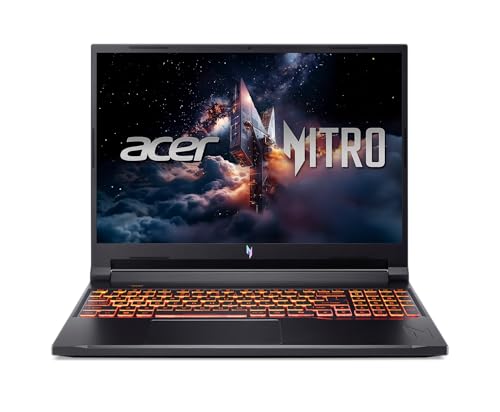 | Acer Nitro V 16 | Best fit: RTX 5060, 180Hz screen Screen: 16-inch WUXGA 180Hz IPS Processor: Core 7 240H Ports: Thunderbolt 4, HDMI 2.1, Ethernet Memory and storage: 16GB DDR5, 512GB SSD | Check Price on Amazon |
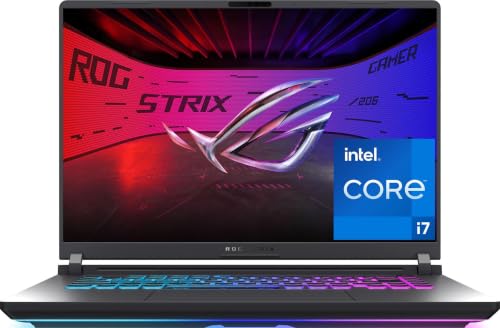 | ASUS ROG Strix G16 | Best fit: RTX 5060, Wi-Fi 7 Screen: 16-inch FHD+ 165Hz Processor: Core i7-14650HX Ports: Thunderbolt 4 (ASUS specification page) Memory and storage: 16GB DDR5, 1TB PCIe Gen 4 SSD | Check Price on Amazon |
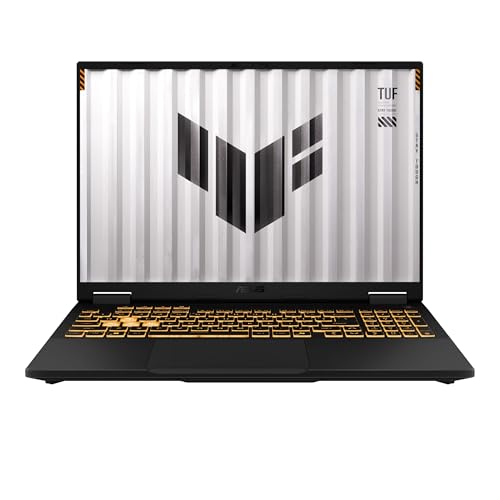 | ASUS TUF Gaming F16 | Best fit: RTX 5060, 32GB memory (seller upgrade) Screen: 16-inch WUXGA 165Hz IPS Processor: Core i7-14650HX Ports: Thunderbolt 4 / USB4 40Gbps, HDMI 2.1, Ethernet Memory and storage: 32GB DDR5, 1TB SSD (seller upgrade) | Check Price on Amazon |
 | MSI Crosshair 18 HX AI | Best fit: RTX 5070, 240Hz screen Screen: 18-inch QHD+ 240Hz IPS Processor: Core Ultra 9 275HX Ports: Thunderbolt 4, HDMI 2.1, Ethernet Memory and storage: 32GB DDR5, 1TB SSD | Check Price on Amazon |
1. Acer Nitro V 15, RTX 5060 — Best 15.6-Inch RTX 5060 Pick
Amazon lists the Nitro V 15 ANV15-52-73D8 with a Core i7-13620H processor, RTX 5060 graphics with 8GB of GDDR7, 16GB of DDR4 memory, and a 1TB SSD. The display is a 15.6-inch Full HD IPS panel at 165Hz. The listing says its seal was opened for a hardware upgrade, so the 16GB of memory and the 1TB SSD are the seller’s configuration.
The bullets name one USB-C port rated Thunderbolt 4 / USB4 at 40Gbps with data, power delivery and DisplayPort 1.4, plus HDMI 2.1 and a gigabit RJ-45 LAN port. The same bullet lists three USB 3.2 Gen 1 (5Gbps) ports.
Our Take Choose this Nitro V 15 for a 15.6-inch RTX 5060 laptop with a Thunderbolt 4 / USB4 port and a wired network port.
- For a gaming laptop in the RTX 5060 class, Amazon lists the Nitro V with 8GB of GDDR7 and a Core i7-13620H processor.
- Amazon lists one Thunderbolt 4 / USB4 port on the Nitro V at 40Gbps that carries data, power delivery, and DisplayPort 1.4.
- The Nitro V lists HDMI 2.1 for video and a gigabit LAN port for wired network use.
- Amazon’s listing says the seal was opened for a hardware upgrade, so the Nitro V’s 16GB of DDR4 memory and 1TB SSD are the seller’s configuration.
- The Nitro V’s 15.6-inch screen is smaller than the 16-inch and 18-inch screens on the other laptops here.
2. Acer Nitro V 16 — Best 180Hz RTX 5060 Pick
Amazon lists the Nitro V 16 ANV16-72-70F4 with a Core 7 240H processor, RTX 5060 graphics, 16GB of DDR5 memory, and a 512GB PCIe Gen 4 SSD. The display is a 16-inch WUXGA (1920 x 1200) IPS panel at 180Hz, with 100% sRGB color stated. Among the RTX 5060 models here, it has the highest refresh rate, 180Hz against 165Hz on the other three.
The ports bullet names a Thunderbolt 4 USB-C port with DisplayPort and charging up to 65W, one HDMI 2.1 port, and an RJ-45 Ethernet port. Amazon also states two DDR5 slots with a 32GB maximum.
Our Take Choose this Nitro V 16 for a 16-inch 180Hz screen with RTX 5060 graphics, Thunderbolt 4, HDMI 2.1, and Ethernet.
- Amazon lists the Nitro V with a 16-inch WUXGA IPS display at 180Hz and 100% sRGB color, a higher refresh rate than the other three models with the same GPU.
- Amazon lists the Nitro V with RTX 5060 graphics, a Core 7 240H processor, and 16GB of DDR5 memory.
- Amazon lists the Nitro V’s Thunderbolt 4 USB-C port with charging up to 65W, along with HDMI 2.1 and Ethernet for a wired connection.
- Amazon lists the Nitro V with a 512GB SSD, the smallest of the five, while the other four listings state 1TB.
3. ASUS ROG Strix G16 — Best RTX 5060 With Wi-Fi 7
Amazon lists the ROG Strix G16 G615JMR-AS74 with a Core i7-14650HX processor, RTX 5060 Laptop GPU, 16GB of DDR5 memory, and a 1TB PCIe Gen 4 SSD. The title states a 16-inch FHD+ 16:10 display at 165Hz, Wi-Fi 7, and Windows 11 Home. The bullets describe an end-to-end vapor chamber and tri-fan cooling.
Amazon’s title and bullets list no ports for this model. ASUS’s G615 specification page covers the G615JMR-AS74 and states one Thunderbolt 4 port with DisplayPort, power delivery, G-SYNC, and data speed up to 40Gbps, plus one USB 3.2 Gen 2 Type-C port, three USB 3.2 Gen 2 Type-A ports, and an RJ45 LAN port.Our Take Choose the ROG Strix G16 for a 16-inch 165Hz RTX 5060 laptop with Wi-Fi 7 and a Thunderbolt 4 port that ASUS states.
- Amazon lists the ROG Strix G16 as the G615JMR-AS74 with a Core i7-14650HX processor and RTX 5060 graphics.
- Amazon lists the ROG Strix G16 with Wi-Fi 7, 16GB of DDR5 memory, a 1TB PCIe Gen 4 SSD, and a 165Hz FHD+ display.
- ASUS’s specification page states the ROG Strix G16 has one Thunderbolt 4 port with DisplayPort, power delivery, G-SYNC, and data speed up to 40Gbps.
- Amazon’s title and bullets list no ports for the ROG Strix G16, so its port details come from ASUS’s G615 specification page.
- The ROG Strix G16 lists 165Hz, below the 180Hz Nitro V 16 and the 240Hz Crosshair 18 HX AI.
4. ASUS TUF Gaming F16 — Best RTX 5060 With 32GB Memory
Amazon lists the TUF Gaming F16 FX608JMR with a Core i7-14650HX processor, RTX 5060 graphics with 8GB of GDDR7, 32GB of DDR5 memory, and a 1TB SSD. The listing identifies a 16-inch WUXGA IPS panel at 165Hz, 300 nits, 100% sRGB, G-SYNC, and an IR camera.
It says the seal was opened for the stated memory and storage upgrade, so those capacity figures describe the seller configuration.The connectivity bullet states one USB-C Thunderbolt 4 / USB4 port at 40Gbps with data, power delivery, DisplayPort 1.4, and G-SYNC. It also lists HDMI 2.1, gigabit RJ-45 LAN, a second USB-C 3.2 Gen 2 port, and three USB 3.2 Gen 2 ports.
Our Take Choose the TUF Gaming F16 for an RTX 5060 laptop with 32GB of seller-upgraded memory, Thunderbolt 4 / USB4, HDMI 2.1, and Ethernet.
- Amazon lists the TUF Gaming F16 with a Core i7-14650HX processor, RTX 5060 graphics with 8GB of GDDR7, and a 16-inch WUXGA IPS screen at 165Hz.
- Amazon states the TUF Gaming F16’s USB-C port runs Thunderbolt 4 / USB4 at 40Gbps with DisplayPort 1.4 and power delivery.
- Amazon lists the TUF Gaming F16 with HDMI 2.1, gigabit Ethernet, a second USB-C port, and three USB 3.2 Gen 2 ports.
- Amazon’s listing says the seal was opened for the memory and storage upgrade, so the TUF Gaming F16’s 32GB of memory and 1TB SSD are the seller’s configuration.
- The TUF Gaming F16 lists 165Hz, below the 180Hz Nitro V 16 and the 240Hz Crosshair 18 HX AI.
5. MSI Crosshair 18 HX AI — Best RTX 5070 240Hz Pick
Amazon lists the MSI Crosshair 18 HX AI with a Core Ultra 9 275HX processor, RTX 5070 Laptop GPU with 8GB of GDDR7, 32GB of DDR5 memory, and a 1TB SSD. It also states an 18-inch QHD+ (2560 x 1600) IPS display at 240Hz with 100% DCI-P3 color.
The Amazon bullets list one USB-C Thunderbolt 4 port with DisplayPort and Power Delivery 3.0, HDMI 2.1, three USB-A 3.2 Gen 1 ports, and RJ45 Ethernet. MSI’s Crosshair 18 HX AI specification page also states an RTX 5070 Laptop GPU and one Thunderbolt 4 port.
Our Take Choose the Crosshair 18 HX AI for an RTX 5070 laptop with an 18-inch 240Hz QHD+ screen, Thunderbolt 4, HDMI 2.1, and Ethernet.
- MSI’s Amazon listing shows a Core Ultra 9 275HX processor, RTX 5070 graphics with 8GB of GDDR7, 32GB of DDR5 memory, and a 1TB SSD.
- MSI’s Amazon listing shows an 18-inch QHD+ IPS display at 240Hz with 100% DCI-P3 color.
- Amazon states MSI’s one USB-C Thunderbolt 4 port comes with DisplayPort and Power Delivery 3.0, along with HDMI 2.1 and Ethernet.
- MSI’s 18-inch screen is larger than the 15.6-inch and 16-inch screens on the other four.
- Amazon gives the model as MSI Crosshair 18 HX and lists no part number.
Buying Guide
1. Start with the GPU and the port
Every laptop here is stated to have an RTX 5060 or RTX 5070 Laptop GPU and a Thunderbolt 4 port. Amazon’s bullets state Thunderbolt 4 / USB4 for the Nitro V 15 and TUF Gaming F16, and Thunderbolt 4 for the Nitro V 16 and Crosshair 18 HX AI.
The ROG Strix G16 is the one model whose port statement comes from ASUS’s G615 specification page, because Amazon’s title and bullets list no ports. Check the port on the seller’s page before ordering if a dock or external monitor depends on it.
2. Compare the screen, not only the GPU
The Crosshair 18 HX AI lists the largest and fastest panel: 18 inches, QHD+, and 240Hz. The Nitro V 16 lists a 16-inch WUXGA IPS panel at 180Hz, and the Nitro V 15, ROG Strix G16, and TUF Gaming F16 list 165Hz.
Color claims differ. Amazon lists 100% DCI-P3 for the Crosshair, 100% sRGB for the Nitro V 16 and TUF Gaming F16, and 45% NTSC for the Nitro V 15. The ROG Strix G16 lists no color figure, and brightness is listed as 250 nits on the Nitro V 15, 300 nits on the TUF, and 400 nits on the Nitro V 16.
3. Separate seller upgrades from the base model
The Nitro V 15 and TUF Gaming F16 listings both say the seal was opened for a hardware upgrade. The Nitro V 15 lists 16GB DDR4 and a 1TB SSD as the upgrade, and the TUF lists 32GB DDR5 and a 1TB SSD.
The other three listings give memory and storage without upgrade wording: 16GB and 512GB on the Nitro V 16, 16GB and 1TB on the ROG Strix G16, and 32GB and 1TB on the Crosshair 18 HX AI. The Nitro V 16 also lists two DDR5 slots with a 32GB maximum.
4. Check the ports for a wired desk
Two of the five list a second USB-C port: the TUF Gaming F16 on Amazon and the ROG Strix G16 on ASUS’s page. Both pair it with the Thunderbolt 4 port, three USB 3.2 Gen 2 ports, and wired Ethernet, and the TUF also lists HDMI 2.1.
The Nitro V 15, Nitro V 16, and Crosshair 18 HX AI each list one USB-C port, which is the Thunderbolt 4 port, plus HDMI 2.1 and Ethernet.
5. Match the processor and GPU pair to the screen
The Nitro V 15 lists a Core i7-13620H and the Nitro V 16 lists a Core 7 240H, both with RTX 5060 graphics. The ROG Strix G16 and TUF Gaming F16 both list a Core i7-14650HX with RTX 5060, and differ in memory, 16GB against 32GB.
The Crosshair 18 HX AI lists Core Ultra 9 275HX and RTX 5070, the only RTX 5070 on this page, with an 18-inch 240Hz screen. For a dock or an external monitor, compare the full processor, GPU, and screen pairing.
FAQ
Which laptops here list USB4?
The Nitro V 15 and TUF Gaming F16 list Thunderbolt 4 / USB4 at 40Gbps in their Amazon bullets, with DisplayPort 1.4 and power delivery.
The Nitro V 16 and Crosshair 18 HX AI list Thunderbolt 4, and ASUS states Thunderbolt 4 for the ROG Strix G16. None of those three sources mentions USB4.
Which laptop has the highest refresh rate?
The MSI Crosshair 18 HX AI lists an 18-inch QHD+ IPS display at 240Hz with 100% DCI-P3 color. The Nitro V 16 is next at 180Hz.
The other three list 165Hz. The Crosshair screen is 18 inches, against 15.6 inches on the Nitro V 15 and 16 inches on the others.
Which picks list RTX 5060 graphics?
The Nitro V 15, Nitro V 16, ROG Strix G16, and TUF Gaming F16 each list an RTX 5060 Laptop GPU. They differ in processor, memory, storage, screen, and ports.
The Crosshair 18 HX AI is the RTX 5070 alternative. Its Amazon listing names a Core Ultra 9 275HX, 32GB DDR5 memory, a 1TB SSD, and an 18-inch 240Hz QHD+ panel.
Which laptops list a second USB-C port?
The TUF Gaming F16 lists a second USB-C 3.2 Gen 2 port at 10Gbps with data, power delivery, and DisplayPort 1.4, beside its Thunderbolt 4 / USB4 port. ASUS’s G615 page lists a USB 3.2 Gen 2 Type-C port at 10Gbps with DisplayPort and power delivery for the ROG Strix G16, beside its Thunderbolt 4 port.
The Nitro V 15, Nitro V 16, and Crosshair 18 HX AI each list one USB-C port, and it is their Thunderbolt 4 port.
Which model has RTX 5070 graphics?
The MSI Crosshair 18 HX AI lists an RTX 5070 Laptop GPU with 8GB of GDDR7. It also lists Core Ultra 9 275HX, 32GB of DDR5 memory, a 1TB SSD, and an 18-inch 240Hz QHD+ display.
Amazon lists one Thunderbolt 4 port with DisplayPort and Power Delivery 3.0, HDMI 2.1, Ethernet, and three USB-A ports. MSI’s Crosshair 18 HX AI page also states the RTX 5070 and Thunderbolt 4.
Bottom Line
Choose the Nitro V 15 for a 15.6-inch RTX 5060 laptop with Thunderbolt 4 / USB4 and Ethernet. Choose the Nitro V 16 for a 16-inch 180Hz RTX 5060 screen. Choose the ROG Strix G16 for RTX 5060 with Wi-Fi 7 and an ASUS-stated Thunderbolt 4 port. Choose the TUF Gaming F16 for RTX 5060 with 32GB of memory, Thunderbolt 4 / USB4, and a second USB-C port. Choose the Crosshair 18 HX AI for RTX 5070 graphics and an 18-inch 240Hz screen.