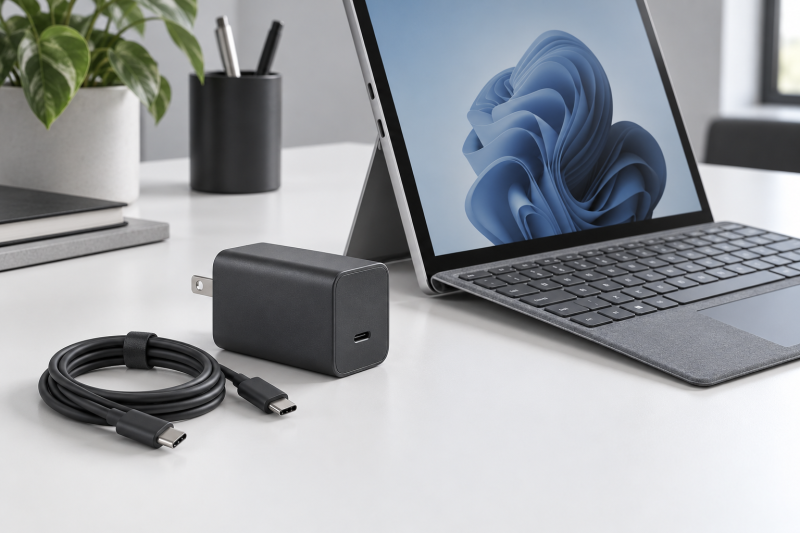
Five 65W chargers with a USB-C output are covered here. Microsoft lists Surface Pro 7, 7+, 8, 9, X, and the 11th and 12th Edition models, plus Surface Laptop 3 through 7, as able to charge through USB-C. Microsoft lists Surface Pro 3 through 6, Surface Laptop 2, and the first Surface Laptop as charging only through Surface Connect, the magnetic port, so a USB-C charger does not plug into those unless the kit includes a Surface Connect adapter, as two listings below state.
All five listings state 65W. Microsoft recommends 45W or 60W for the Surface Pro models and the Surface Laptop 3 through 7 models named above, so 65W meets that recommendation. Wattage and port are separate checks. A charger with enough watts must also match the port on the device.
For a broader selection that is not specific to Surface fit, use the USB-C charger guide. If the goal is to add ports while powered at a desk, compare a USB-C hub separately. A hub is not a replacement power brick.
Check that the Surface charges through USB-C, then choose among five 65W chargers by cable, size, and listed Surface models.Microsoft Surface USB-C Chargers Compared
| Image | Product | Details | Check Price |
|---|---|---|---|
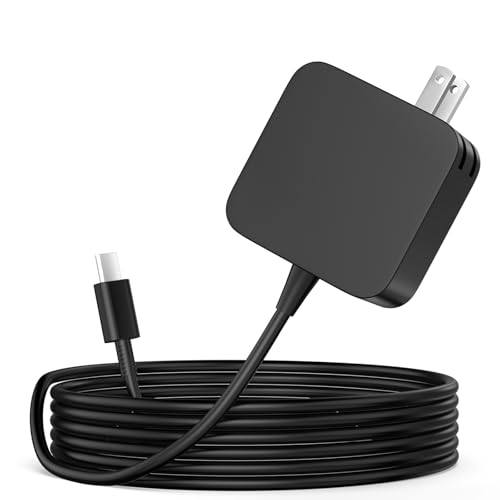 | GVKRLXZ 65W Surface USB-C Charger | Best fit: Surface Pro 8 and above Output: 65W, 20V / 3.25A listed Connector: USB-C tip In the box: Charger and 5.9 ft AC power cable Check first: Listing describes a 50-unit case pack | Check Price on Amazon |
 | EG evgoer 65W Surface Charger | Best fit: USB-C Surface with an 8.2 ft cable Output: 65W Connector: USB-C In the box: Charger, 8.2 ft USB-C cable, Surface connector Check first: Surface Connect-only models rely on the included connector | Check Price on Amazon |
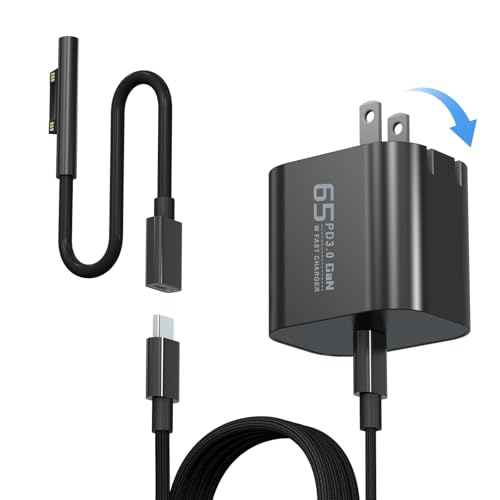 | Yodzgaco 65W USB-C Surface Charger | Best fit: Foldable plug, 1.93 x 1.77 x 1.5 in Output: 65W, 20V / 3.25A listed Connector: USB-C In the box: Charger, USB-C cable, Surface connector Check first: No cable length stated | Check Price on Amazon |
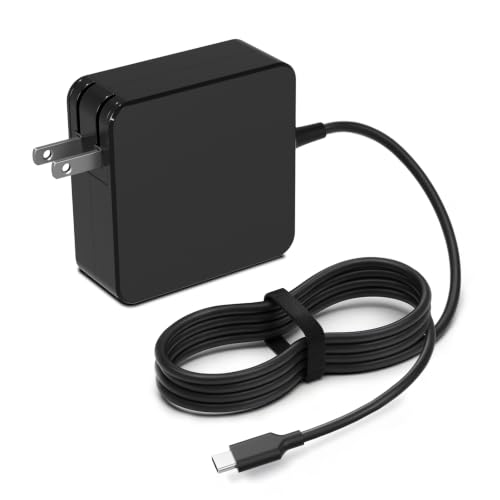 | DECSZDY 65W USB-C Wall Charger | Best fit: Surface Pro 7 or later with USB-C Output: 45W and 65W PD Connector: USB-C In the box: Not stated Check first: Listing names a 12-inch 12th Edition Microsoft does not list | Check Price on Amazon |
 | NDWQGFS 65W USB-C Surface Pro Charger | Best fit: Charging indicator light Output: 65W maximum Connector: USB-C In the box: 1.8 m power cord Check first: No Surface Connect adapter stated | Check Price on Amazon |
1. GVKRLXZ 65W Surface USB-C Charger — Best for Surface Pro 8 and Above
GVKRLXZ states a 65W USB-C charger with 100-240V input and output profiles of 5V, 9V, 12V, 15V, 18V at 3A and 20V at 3.25A. Its fit warning says the charger is only for Surface Pro 8 and above, and Microsoft lists Surface Pro 8, 9, and the 11th and 12th Edition models as able to charge through USB-C. The title also names Surface Laptop 5, 6, and 7, which Microsoft lists as USB-C capable, although the fit warning names only Surface Pro.
The box list names one charger and a 5.9-foot AC power cable, and the specification line describes a USB-C tip. The first bullet describes a 50-unit case pack while the item count field says one unit, so check the quantity on the listing before ordering.
Our Take Choose GVKRLXZ for a Surface Pro 8 or later that charges through USB-C, after confirming the quantity on the listing.
- For a Surface that charges through USB-C, GVKRLXZ states 65W output through a USB-C tip.
- A buyer reading the GVKRLXZ listing finds output profiles from 5V at 3A up to 20V at 3.25A.
- GVKRLXZ limits its stated fit to Surface Pro 8 and above, a range Microsoft lists as USB-C capable.
- GVKRLXZ describes a 50-unit case pack in its first bullet while its item count field says one unit, so a buyer should check the quantity before ordering.
- GVKRLXZ names Surface Laptop 5, 6, and 7 in its title, but its fit warning names only Surface Pro 8 and above.
2. EG evgoer 65W Surface Charger — Best with an 8.2-Foot USB-C Cable
EG evgoer lists a 65W charger, an 8.2-foot USB-C cable, a Surface connector, and a user manual in the box. The seller says the kit works as a standalone USB-C charger or, through the included magnetic Surface connector, with Surface laptops and tablets. It lists a foldable plug, a weight of 0.5 pounds, and an 18-month warranty.
The listing says it supports Surface Pro 3 through 12 and X, Surface Laptop 1 through 6, Surface Book 1 through 3, and Surface Go 1 through 3. Microsoft lists Surface Pro 3 through 6 and the first two Surface Laptop models as Surface Connect only, so those depend on the included connector rather than the USB-C port. The listing does not state what wattage the connector path supplies.
Our Take Choose EG evgoer when you want a long USB-C cable for a USB-C Surface. The seller describes the Surface connector as an extra.
- EG evgoer lists an 8.2-foot USB-C cable in the box for a USB-C Surface.
- The EG evgoer listing gives a foldable plug and a weight of 0.5 pounds.
- EG evgoer states an 18-month warranty on its listing.
- EG evgoer states fit for Surface Pro 3 through 6 and Surface Laptop 1 and 2 only through its included connector, and does not state that path’s wattage.
3. Yodzgaco 65W USB-C Surface Charger — Best Foldable Charger with a Listed Size
Yodzgaco lists output of 20V at 3.25A, 15V at 4A, 9V at 3A, and 5V at 3A, a 65W rating with 44W and 36W modes, and 100-240V input. It lists a foldable plug and a size of 1.93 by 1.77 by 1.5 inches, and describes the design as more compact than the original charger.
The box list names a 65W charger, a USB-C cable, and a Surface connector. The listing supports Surface Pro 3 through 12 and X, Surface Laptop 1 through 6, Surface Book 1 through 3, and Surface Go 1 through 3. As with EG evgoer, Microsoft lists some of those as Surface Connect only, so fit for them depends on the included connector, and the listing states no wattage for it.
Our Take Choose Yodzgaco for a compact travel charger for a Surface that charges through USB-C.
- Yodzgaco lists a foldable plug and a size of 1.93 by 1.77 by 1.5 inches, and describes the design as more compact than the original charger.
- Yodzgaco lists four output profiles from 5V at 3A to 20V at 3.25A.
- Yodzgaco states 100-240V input on its listing.
- Yodzgaco lists a USB-C cable in the box but states no cable length.
4. DECSZDY 65W USB-C Wall Charger — Best Wall Charger with 45W and 65W Modes
DECSZDY states 45W and 65W dual PD output through a standard USB-C port, with 100-240V and 1.5A input. Its compatibility bullet lists Surface Pro 7, 7+, 8, 9, X, and 10 for Business, and Microsoft lists each of those as able to charge through USB-C. The listing also says the charger is smaller than standard Surface Pro chargers, weighs 0.54 pounds, and charges other PD USB-C devices.
The same bullet names 12-inch and 13-inch Surface Pro editions, including “Surface Pro 12-inch (12th Edition)”, a name that Microsoft’s charging page does not use. Check the name printed on the device. The listing gives no cable length or box contents.
Our Take Choose DECSZDY for a Surface Pro 7 or later with a USB-C port when you want a wall charger with 45W and 65W modes.
- DECSZDY states 45W and 65W PD output through a standard USB-C port, and says it charges other PD USB-C devices.
- DECSZDY states 100-240V and 1.5A input on its listing.
- DECSZDY says its charger is smaller than standard Surface Pro chargers and weighs 0.54 pounds.
- DECSZDY names “Surface Pro 12-inch (12th Edition)”, a model name that Microsoft’s charging page does not use.
- DECSZDY gives no cable length or box contents.
5. NDWQGFS 65W USB-C Surface Pro Charger — Best with a Charging Indicator Light
NDWQGFS states 65W maximum output with 44W and 36W modes, a 1.8-meter power cord, and an LED light that shows charging status. Its first bullet names Surface Pro 11 through 3, Surface Laptop 7 through 1, Surface Go, and Surface Book 3, 2, and 1, and also names Nintendo Switch 2 in TV mode, ROG Xbox Ally, Steam Deck, ROG Ally, and Galaxy devices.
Microsoft lists Surface Pro 3 through 6 and the first two Surface Laptop models as Surface Connect only, and the NDWQGFS listing does not state a Surface Connect adapter. The listing does not say whether the 1.8-meter cord is the wall cord or the USB-C cable.
Our Take Choose NDWQGFS for a Surface that you know charges through USB-C, when a charging light is useful.
- NDWQGFS states an LED light that shows charging status, and it is the only listing here that does.
- NDWQGFS states a 1.8-meter power cord, though its listing does not say whether the cord is the wall cord or the USB-C cable.
- NDWQGFS states 65W maximum output with 44W and 36W modes.
- NDWQGFS names Surface Pro 3 through 6 and Surface Laptop 1 and 2, which Microsoft lists as Surface Connect only, but states no Surface Connect adapter.
Buying Guide
1. Identify USB-C versus Surface Connect
Microsoft lists Surface Pro 3 through 6, Surface Laptop 2, and the first Surface Laptop as charging only through Surface Connect. Read the model name on the device, then look at its ports. A USB-C charger without a Surface Connect adapter has no way to plug into those models.
Microsoft lists the 12-inch Surface Pro and the 13-inch Surface Laptop (1st and 2nd Edition) as charging only through USB-C. Models such as Surface Pro 8, Surface Pro 9, and Surface Laptop 5 accept either port. If both chargers are connected, Microsoft says the Surface charges only from the Surface Connect charger.
2. Match power to Microsoft’s recommended wattage
Microsoft recommends 60W for Surface Pro 8, Surface Pro 9, and Surface Laptop 5, and 45W for the 12-inch Surface Pro. All five listings state 65W as a maximum, which is above both figures. Microsoft says a lower-wattage USB-C charger may charge slowly or not at all and will not use fast charging.
Microsoft says a charger of 60W or more turns on a fully drained Surface right away. With a charger under 60W, the Surface must charge to 10% before it turns on.
3. Compare cables and size
EG evgoer lists an 8.2-foot USB-C cable, NDWQGFS lists a 1.8-meter power cord, and GVKRLXZ lists a 5.9-foot AC power cable. The three describe different cords, so measure from the outlet to the desk. Yodzgaco and DECSZDY give no cable length.
Yodzgaco gives a size of 1.93 by 1.77 by 1.5 inches, and EG evgoer and DECSZDY give weights of 0.5 and 0.54 pounds. GVKRLXZ and NDWQGFS give neither. EG evgoer and Yodzgaco list a foldable plug.
4. Treat the Surface lists as seller claims
Check the model name printed on the device against the listing and against Microsoft’s charging page. EG evgoer, Yodzgaco, and NDWQGFS name Surface Pro 3 and Surface Laptop 1, which Microsoft lists as Surface Connect only. Only EG evgoer and Yodzgaco state a Surface connector in the box.
Microsoft’s pages used here cover Surface Pro and Surface Laptop. Three listings also name Surface Go and Surface Book models, so confirm the charging port on those devices before ordering. GVKRLXZ limits its fit warning to Surface Pro 8 and above, a narrower claim than its title.
5. Check for USB-C PD
Microsoft says to use a USB Type-C PD charger when charging a Surface through its USB-C port. DECSZDY and NDWQGFS use the term PD in their bullets. GVKRLXZ, EG evgoer, and Yodzgaco state output profiles without the term.
Lower-wattage chargers may charge slowly or not at all, according to Microsoft. Check the output profile against the wattage Microsoft recommends for the model.
FAQ
Can a 65W USB-C charger power every Surface?
No. The Surface must charge through USB-C, or the kit must include a Surface Connect adapter. Microsoft lists Surface Pro 3 through 6, Surface Laptop 2, and the first Surface Laptop as charging only through Surface Connect.
Check the model on Microsoft’s charging pages before buying. A seller’s model list does not change which port the device has.
Is 65W faster than 45W?
Not necessarily. Microsoft recommends 45W for the 12-inch Surface Pro and 60W for Surface Pro 8, Surface Pro 9, and Surface Laptop 5. Microsoft asks for the recommended wattage, and says nothing about going above it on the pages used here.
Microsoft says Fast Charging needs enough power and a temperature between 25C and 35C, and charges up to 80% in about an hour on most devices.
Why do two listings include a Surface connector?
EG evgoer and Yodzgaco state a Surface connector in the box. The sellers describe it as the way the kit charges Surface laptops and tablets through the Surface Connect port.
Microsoft lists some of the models they name as charging only through Surface Connect. Neither listing states the wattage that path supplies, so confirm it with the seller.
Which Surface models charge only through Surface Connect?
Microsoft lists Surface Pro 3, 4, 5th Gen, and 6, Surface Laptop 2, and the first Surface Laptop as charging only through Surface Connect. Surface Pro 2 and the first Surface Pro use an older Surface charging port.
A plain USB-C charger does not fit any of those. Among the five listings, only EG evgoer and Yodzgaco state a Surface connector in the box.
Bottom Line
Pick GVKRLXZ for a Surface Pro 8 or later, EG evgoer for an 8.2-foot USB-C cable, Yodzgaco for a foldable plug and a listed size, DECSZDY for 45W and 65W modes, or NDWQGFS for a charging light. Confirm the Surface charges through USB-C first.