A DisplayPort cable for a high-refresh desk monitor must carry the resolution and refresh mode supported by both the source and display. Cable bandwidth is important, but it is only one part of the link. The graphics card or dock, monitor input, DisplayPort mode, DSC support, cable length, and system settings all affect the final result.
The eight cables below range from a 6.6-foot VESA-certified DisplayPort 1.4 option to 10-foot DP 2.1 listings and a 13-foot locking cable. Choose the shortest length that routes cleanly without tension, then match the stated bandwidth and refresh support to the exact monitor mode you plan to run.
Start with the monitor’s resolution and refresh target, confirm that every device in the link supports it, then choose the shortest DisplayPort cable that reaches without extensions or strain.Best DisplayPort Cables for High-Refresh Desk Monitors Compared
| Image | Product | Details | Check Price |
|---|---|---|---|
 | Capshi QHDS6688-6601 | Length: 10 feet Bandwidth: 32.4 Gbps Stated modes: 4K 144Hz; 2K 240Hz Certification: VESA certified | Check Price on Amazon |
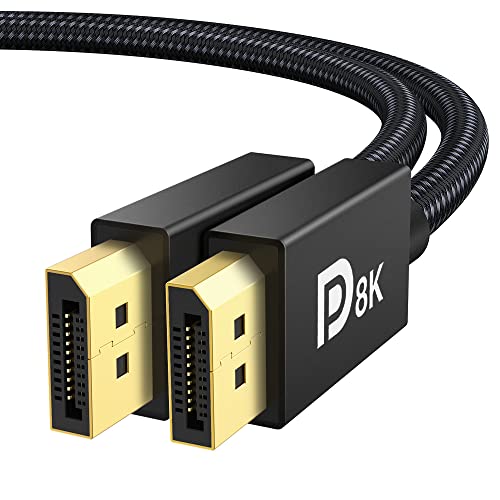 | IVANKY VBC31 | Length: 6.6 feet Bandwidth: 32.4 Gbps Stated modes: 4K 240Hz; 2K 240Hz Certification: VESA certified | Check Price on Amazon |
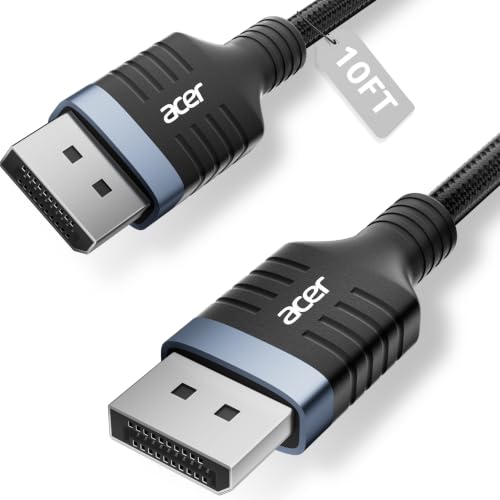 | Acer OCB258 | Length: 10 feet Bandwidth: 32.4 Gbps Stated modes: 8K 60Hz; 4K 144Hz Features: MST, HDR, HDCP 2.2 | Check Price on Amazon |
 | JSAUX DP2.1-10FT | Length: 10 feet Bandwidth: 80 Gbps stated Stated modes: 8K 120Hz; 4K 360Hz Features: DSC 1.2a, VRR, MST | Check Price on Amazon |
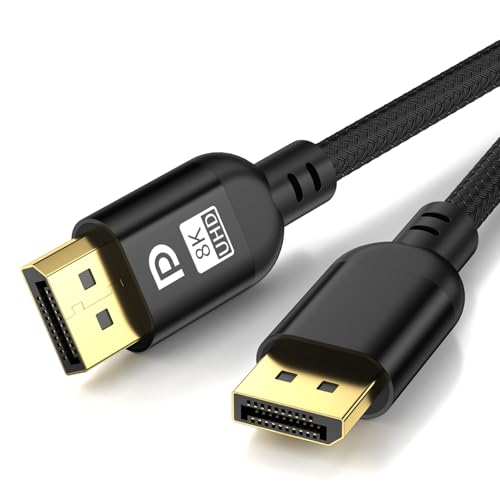 | Diyanisly AU-DP-3M | Length: 10 feet Bandwidth: 32 Gbps stated Stated modes: 8K 60Hz; 4K 120Hz conservative Build: Braided nylon, gold-plated connectors | Check Price on Amazon |
 | Cable Matters 102025-13 | Length: 13 feet Bandwidth: 32.4 Gbps Stated modes: 8K 60Hz; 4K 240Hz Connector: Locking latch | Check Price on Amazon |
 | jojobnj 10FT-DP-RED | Length: 10 feet Bandwidth: 32.4 Gbps Stated modes: 8K 60Hz; 4K 144Hz Build: Red aluminum housing | Check Price on Amazon |
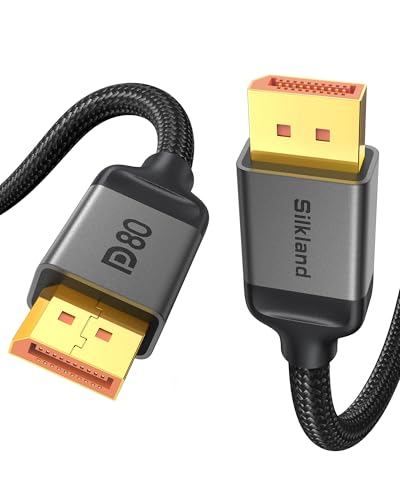 | Silkland S1335 DP80 | Length: 10 feet Bandwidth: 80 Gbps stated Stated modes: Uncompressed 4K 240Hz; 8K 60Hz Features: UHBR20, DSC 1.2a, VRR, MST | Check Price on Amazon |
1. Capshi QHDS6688-6601 DisplayPort 1.4 Cable — Best Certified 10-Foot DP 1.4 Pick
The Capshi suits a desk that needs a 10-foot run from a VESA-certified cable with stated DisplayPort 1.4 support. Its advertised modes include 8K at 60Hz, 5K at 60Hz, 4K at 144Hz or 120Hz, and 2K at 240Hz or 165Hz. Those modes cover common high-refresh desk targets without moving to a DP 2.1 listing.
Capshi states HBR3 bandwidth of 32.4 Gbps, Display Stream Compression 1.2, forward error correction, HDCP 2.2 and 1.4, and 32-channel audio. It also supports mirror and extended display modes. The build has multiple shielding layers and 24K gold-plated connectors, and the cable is described as slimmer and more flexible than a 28AWG design.
The cable connects full-size DisplayPort at both ends and is backward compatible with DP 1.3, 1.2, and 1.1 devices. Capshi advises against extensions or adapters because conversion can reduce performance. At 10 feet, adding another connection also makes the link harder to troubleshoot.
Choose Capshi when you need a VESA-certified 10-foot DP 1.4 cable for a stated 4K 144Hz or 2K 240Hz link without adapters. Our TakeBuy the Capshi QHDS6688-6601 when a standard desk route needs 10 feet and the target is within its stated DP 1.4 modes. VESA certification and a clear 32.4 Gbps claim make it easier to evaluate than an unqualified long cable. Confirm that the source and monitor also support the selected refresh rate and DSC mode.
- VESA-certified 10-foot DisplayPort 1.4 cable.
- States 4K at 144Hz and 2K at 240Hz.
- HBR3, DSC 1.2, and FEC support stated.
- Not a stated 80 Gbps DP 2.1 cable.
- Extensions and adapters are discouraged.
2. IVANKY VBC31 DisplayPort 1.4 Cable — Best Overall for a Standard Desk
The IVANKY VBC31 is the best fit for a normal desk because its 6.6-foot length avoids unnecessary excess while reaching most tower-to-monitor layouts. It is VESA certified and states support for 8K at 60Hz, 5K at 60Hz, 4K at 240Hz, 2K at 240Hz, and 1080p at 240Hz. Dynamic HDR, HDCP 2.2, FreeSync, and G-Sync are also named.
Its DisplayPort 1.4 HBR3 link is rated at 32.4 Gbps. The cable uses 30AWG tinned copper, a nylon-braided jacket tested for more than 28,000 bends, and 24K gold-plated connectors. A latch-free connector avoids the need to press a release tab when disconnecting, which can be convenient behind a monitor with limited access.
IVANKY identifies the cable as DisplayPort to DisplayPort. It does not connect directly to HDMI or Mini DisplayPort, and the listing discourages extensions or adapters. Before buying, verify that 6.6 feet reaches along the planned cable-management route rather than measuring only the straight-line distance.
The VBC31 is full-size DisplayPort at both ends, so it is not a direct fit for HDMI, Mini DisplayPort, or a USB-C-only laptop output. Our TakeBuy the IVANKY VBC31 for a typical high-refresh desk where 6.6 feet reaches comfortably. It combines VESA certification, a latch-free braided build, and a broad stated DP 1.4 refresh list. Choose a longer cable below when routing around an arm, standing desk, or wall path requires more slack.
- VESA-certified 6.6-foot DisplayPort 1.4 cable.
- States 4K and 2K support up to 240Hz.
- Latch-free connector and braided jacket.
- Too short for some standing-desk or wall routes.
- Not compatible with HDMI or Mini DisplayPort connections.
3. Acer OCB258 DisplayPort 1.4 Cable — Best Braided 10-Foot Alternative
The Acer OCB258 is a 10-foot DisplayPort 1.4 cable with stated 32.4 Gbps bandwidth. Its detailed product bullets list 8K at 60Hz, 5K at 240Hz, and 4K at 144Hz, plus Dynamic HDR and HDCP 2.2. Because unusually demanding modes depend on the full system and may use compression, confirm the exact mode with the monitor and graphics hardware rather than reading a resolution in isolation.
Acer states support for Multi-Stream Transport, allowing compatible devices to daisy-chain several monitors in extended or mirrored modes. MST availability and total link capacity still depend on the source, each display, and the selected resolutions. A cable cannot add daisy-chain support to a monitor that does not provide the needed output path.
The build has a heavy-duty nylon braid, reinforced aluminum shells, and multi-layer shielding. The cable works with full-size DP and DP++ connections and is backward compatible with DisplayPort 1.3, 1.2, 1.1, and 1.0. The supplied record does not state VESA certification, unlike Capshi and IVANKY.
Buy the Acer OCB258 when you need a braided 10-foot DP 1.4 cable and your setup can use its stated 4K 144Hz or MST capabilities. It has a reinforced physical design and broad backward compatibility. Pick Capshi instead when VESA certification is a deciding requirement.
- 10-foot cable with stated 32.4 Gbps bandwidth.
- States 4K at 144Hz and MST support.
- Braided jacket and reinforced aluminum shells.
- VESA certification is not stated.
- High-resolution MST layouts share available link capacity.
4. JSAUX DP2.1-10FT Cable — Best 80 Gbps Value Pick
The JSAUX is a stated 80 Gbps DisplayPort 2.1 and 2.0 cable, a step above the 32.4 Gbps DP 1.4 group. Its advertised modes include 16K at 60Hz, 8K at 120Hz, 4K at 360Hz, and 2K at 360Hz, with DSC 1.2a, HDR, HDCP 2.2, FreeSync, G-Sync, VRR, ALLM, audio, and MST.
Those maximum figures apply only when the graphics output and monitor input expose the corresponding capability. A DP 2.1 cable does not upgrade a DP 1.4 graphics card or display. It is backward compatible with DP 1.4 and 1.2, so it can serve an existing setup while leaving room for later hardware.
The cable is 10 feet long with a nylon-braided exterior and multiple layers of core shielding. JSAUX notes that this construction can make it relatively stiff. Plan a broad bend behind the monitor and avoid forcing the connector sideways, especially on an arm that moves frequently.
JSAUX is the value 80 Gbps choice, but its 10-foot braided construction is stated to be relatively stiff and needs room for gentle routing. Our TakeBuy the JSAUX DP2.1-10FT when you want stated 80 Gbps capacity and a 10-foot route at a desk that may later gain DP 2.1 hardware. It lists high refresh modes, VRR, DSC, and MST. Verify the source and display ports before paying for headroom they cannot use.
- States 80 Gbps DisplayPort 2.1 bandwidth.
- Lists 4K up to 360Hz and 8K up to 120Hz.
- Backward compatible with DP 1.4 and 1.2.
- VESA or DP80 certification is not stated.
- Braided 10-foot cable may be relatively stiff.
5. Diyanisly AU-DP-3M DisplayPort 1.4 Cable — Best Basic 10-Foot Braided Cable
The Diyanisly AU-DP-3M is a 10-foot braided DisplayPort 1.4 cable for desks, wall-mounted monitors, projectors, and other longer routes. Its listing states 32 Gbps bandwidth, compatibility with DP 1.2, 1.3, and 1.4, and support for NVIDIA and AMD graphics hardware, MacBooks with a suitable DisplayPort path, gaming monitors, and 8K televisions.
Its refresh claims require caution because the supplied record is internally inconsistent. The product title says 4K at 120Hz, while one bullet says 4K at 144Hz; both name 8K at 60Hz. Treat 4K 120Hz as the conservative stated target unless the current exact offer and seller documentation resolve the difference for your hardware.
The cable has a braided nylon jacket and gold-plated connectors, and a stated 24-month warranty backs it. It suits a buyer for whom length and a basic DP 1.4 link count for more than formal certification. The record does not name VESA certification, HBR3, FEC, or a specific DSC version.
The listing conflicts between 4K 120Hz and 4K 144Hz, so use 4K 120Hz as the conservative buying target unless the current offer resolves it. Our TakeBuy the Diyanisly AU-DP-3M for a basic 10-foot braided DP 1.4 run when 4K 120Hz meets the requirement. Its listing supplies the core length, bandwidth, and backward-compatibility claims. Choose Capshi for a VESA-certified 10-foot cable with an unambiguous stated 4K 144Hz mode.
- 10-foot braided cable for longer desk routes.
- States 32 Gbps and 8K at 60Hz.
- Backward compatible with DP 1.2 and 1.3.
- Listing conflicts on 4K 120Hz versus 144Hz.
- VESA certification is not stated.
6. Cable Matters 102025-13 DisplayPort 1.4 Cable — Best 13-Foot Option
The Cable Matters 102025-13 is the longest cable here at 13 feet. That extra reach suits a tower away from the desk, a wall-mounted monitor, a standing desk with a generous service loop, or a cable route that runs through management trays rather than directly between ports.
Its DisplayPort 1.4 feature set includes HBR3 bandwidth up to 32.4 Gbps, DSC 1.2, FEC, MST, and 32 audio channels. Advertised video modes include 8K at 60Hz, 5K at 60Hz, and 4K at 240Hz, while the gaming-monitor bullet names support up to 165Hz on compatible displays. The actual mode depends on the complete source-to-monitor path.
Construction includes bare copper conductors, foil and braid shielding, gold-plated connectors, and a secure locking latch. The latch holds the plug in against accidental removal, so press it before unplugging to avoid damage. This design suits a fixed connection better than a cable that is removed daily.
Cable Matters also states compatibility with USB-C to DisplayPort adapters on laptops with USB-C or Thunderbolt 3. That arrangement adds an adapter to the link, so its capabilities must match the target resolution and refresh. Native full-size DisplayPort is the simpler path.
Use the locking connector deliberately: press the release latch fully before unplugging, and do not pull the 13-foot cable by its jacket. Our TakeBuy the Cable Matters 102025-13 when a measured route needs 13 feet and a locking connector suits a fixed installation. It states the expected DP 1.4 features, including 32.4 Gbps, DSC, FEC, and MST. A shorter cable is easier to manage when the source sits close to the monitor.
- Longest option here at 13 feet.
- States HBR3, DSC 1.2, FEC, and MST.
- Secure locking connector for a fixed setup.
- Latch must be released before unplugging.
- Extra length creates more cable to route and store.
7. jojobnj 10FT-DP-RED DisplayPort 1.4 Cable — Best Easy-to-Identify Cable
The jojobnj cable offers a standard 10-foot DP 1.4 link with a red aluminum connector housing that is easier to identify behind a busy workstation. Its stated performance includes 32.4 Gbps bandwidth, 8K at 60Hz, and 4K at 144Hz. It is backward compatible with earlier DisplayPort versions.
A premium copper core and multi-layer shielding are intended to reduce electromagnetic interference over the longer run. Gold-plated connectors resist corrosion, while the reinforced aluminum housing adds strain resistance around the plug. The cable is marketed for gaming PCs, desktops, laptops, docks, monitors, and extended desktop setups with DisplayPort connections.
The supplied record does not state VESA certification, DSC, FEC, MST, variable-refresh support, cable jacket material, or whether the connector uses a latch. It suits the clearly stated modes better than a setup that depends on those features.
Buy the jojobnj 10FT-DP-RED when you want a 10-foot cable that is easy to identify and the stated 4K 144Hz target fits the monitor. Its reinforced red housing and shielding suit a permanent desk route. Choose a certified option when formal cable certification counts for more than visual identification.
- States 32.4 Gbps and 4K at 144Hz.
- Red aluminum housing is easy to identify.
- 10-foot length supports flexible routing.
- VESA certification is not stated.
- Shorter stated feature list than Cable Matters or Acer.
8. Silkland S1335 DisplayPort 2.1 Cable — Best DP80 Pick
The Silkland S1335 is a 10-foot cable advertised as DP80 with 80 Gbps bandwidth and UHBR20 compatibility. It states uncompressed support for 4K at 240Hz, 8K at 60Hz, and 2K at 540Hz. With DSC enabled, the listing extends its claims to 16K at 60Hz, 8K at 240Hz, and 4K at up to 540Hz.
Its feature list includes DSC 1.2a, VRR, FEC, ALLM, MST, dynamic HDR10+, HDCP 2.3, G-Sync, FreeSync, and uncompressed multichannel audio pass-through. These capabilities still require support from the connected graphics hardware and display. Silkland explicitly says the product does not connect through HDMI, USB, or other non-DisplayPort ports.
The latch-free plugs use 24K gold-plated connectors, 28AWG tinned copper conductors, triple shielding, a tinplate interference barrier, and a nylon exterior. That construction is intended for stable high-speed transmission and repeated bending. A 10-foot 28AWG braided cable still needs an easy bend radius behind movable displays.
The listing calls the cable DP80, but the supplied record does not separately state VESA certification. Buyers who require formal certification should verify the live product record or certification database before treating the marketing label as proof.
Silkland has the strongest stated mode list here, but those modes require matching DP 2.1 source and display hardware and may rely on DSC. Our TakeBuy the Silkland S1335 when a high-end desk has matching DisplayPort 2.1 hardware and needs a 10-foot stated 80 Gbps cable. Its DP80 and UHBR20 claims, latch-free build, and broad gaming feature list make it the top forward-looking pick. Verify formal certification separately if that is a requirement.
- States DP80, UHBR20, and 80 Gbps bandwidth.
- Lists uncompressed 4K at 240Hz.
- Latch-free plugs, triple shielding, and nylon exterior.
- Formal VESA certification is not stated in the supplied record.
- Top advertised modes need matching hardware and may use DSC.
Buying Guide
1. Start with one exact resolution and refresh target
Write down the mode you actually want, such as 2560 x 1440 at 240Hz or 3840 x 2160 at 144Hz. A cable advertised for a higher headline resolution is not automatically the best match for every lower-resolution high-refresh mode. Product listings often combine several modes that use different bandwidth and compression conditions.
Check the monitor manual and graphics output for the same target. The source, cable, and display must all support the selected link mode. Our guides to high-refresh monitors and 4K gaming monitors cover the display side of that decision.
2. Distinguish 32.4 Gbps DP 1.4 from stated 80 Gbps DP 2.1
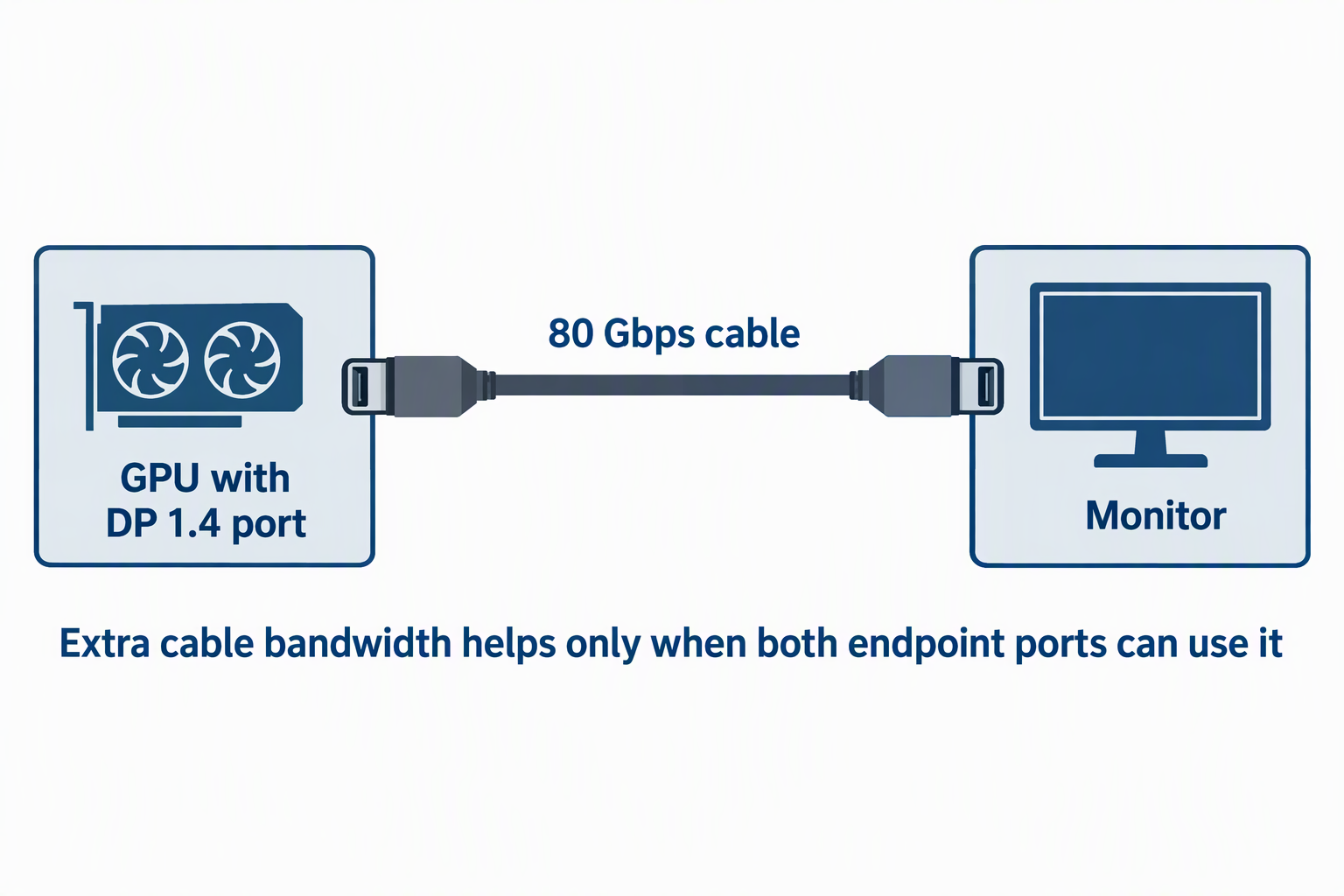
Most cables here state DP 1.4-class bandwidth of 32 or 32.4 Gbps. That group includes Capshi, IVANKY, Acer, Diyanisly, Cable Matters, and jojobnj. Their listed modes can still reach high refresh rates, often with the correct compression and device support.
JSAUX and Silkland state 80 Gbps DisplayPort 2.1 capability. Extra cable bandwidth helps only when both endpoint ports can use it. A newer cable is backward compatible, but it cannot turn a DP 1.4 GPU or monitor into an 80 Gbps device.
3. Understand when DSC appears in the mode claim
Display Stream Compression makes higher combinations of resolution and refresh possible within a link’s available capacity. Capshi, JSAUX, Cable Matters, and Silkland explicitly name DSC versions. Silkland separates several uncompressed modes from higher modes advertised with DSC enabled.
Both endpoints must support a compatible DSC path, and the correct display mode may need to be enabled. A cable cannot add DSC to a source or monitor that lacks it. When a target mode fails, check the GPU driver, monitor input setting, color depth, and refresh selection before blaming the cable alone.
4. Measure the routed length, not the straight gap
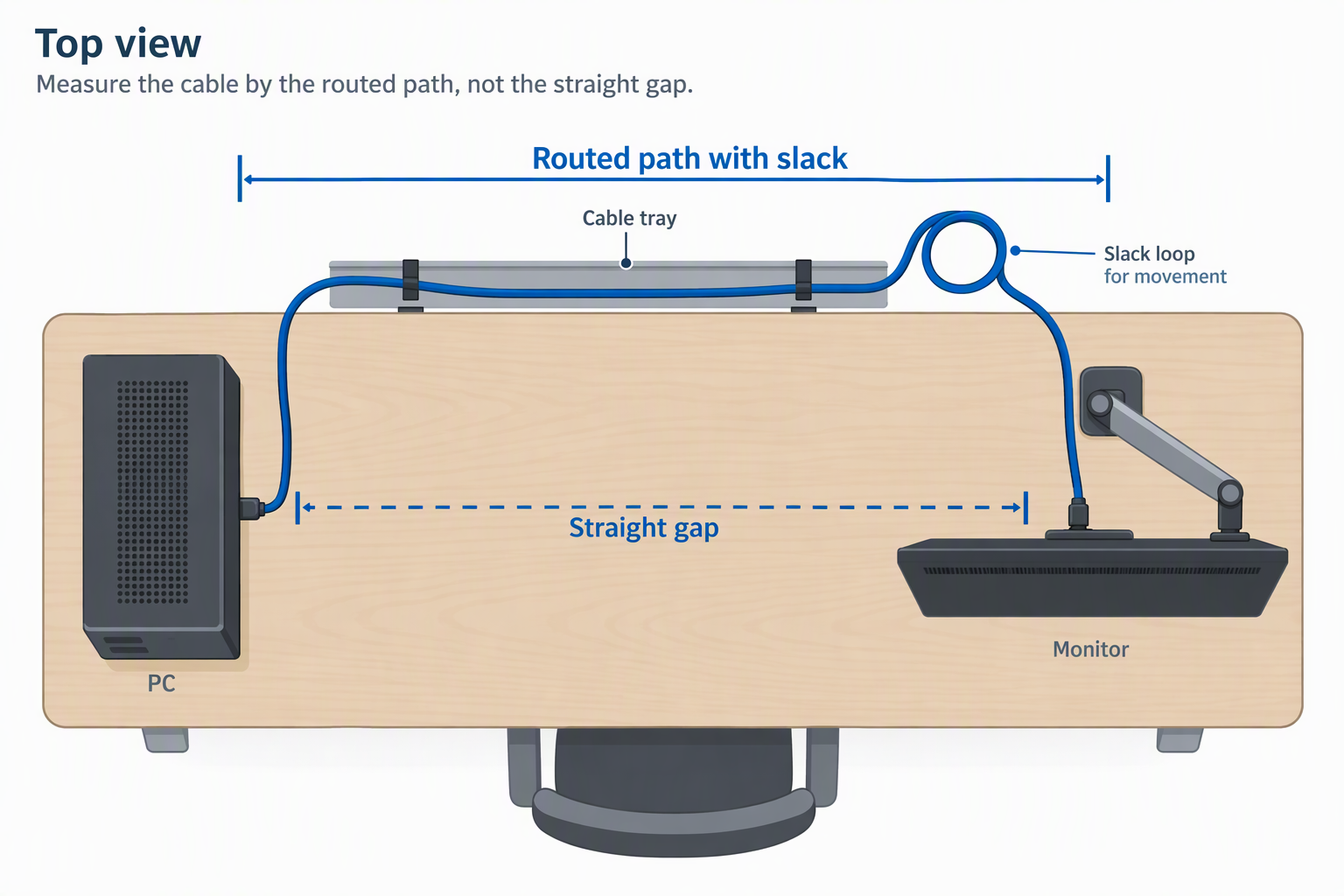
Follow the intended path from source port to monitor port, including cable trays, monitor arms, standing-desk movement, and a relaxed service loop. The shortest cable that reaches without tension is usually easier to route and troubleshoot. IVANKY’s 6.6 feet suits many ordinary desks, while most alternatives are 10 feet and Cable Matters reaches 13 feet.
Avoid tight bends at either connector. A moving monitor arm needs enough slack to travel without pulling sideways on the port. For cleaner routing, see our guides to under-desk cable trays and cable management sleeves.
5. Check connector type before ordering
Every product here is full-size DisplayPort to full-size DisplayPort. None is a direct HDMI, Mini DisplayPort, or USB-C cable. IVANKY and Silkland state this limitation directly, while Capshi and the other records describe native DisplayPort endpoints.
A laptop or dock with USB-C video output needs a suitable USB-C to DisplayPort cable or adapter instead. Adding conversion changes the capabilities and troubleshooting path. Our USB-C to DisplayPort cable guide covers that distinct product category.
6. Choose latching or latch-free plugs deliberately
IVANKY and Silkland state latch-free connectors, which release with a straight controlled pull on the plug body. Latch-free plugs are convenient where the monitor port is difficult to reach. They also avoid damage caused by forgetting a release tab.
Cable Matters uses a secure locking latch. A latching plug resists accidental disconnection but must be released before removal. This suits a fixed wall or desk installation more than a cable that is moved between devices every day.
7. Treat VRR, HDR, and MST as end-to-end features
Several listings name FreeSync, G-Sync, VRR, HDR, and MST. The cable carries these features only when the graphics source and monitor support them in the chosen mode. A cable cannot add variable refresh or HDR capability to an unsupported display.
MST also divides available link resources across connected displays. Plan the complete multi-monitor resolution and refresh combination instead of evaluating one screen at a time. Our guides to DisplayPort MST hubs and dual-monitor setups cover those broader layouts.
FAQ
Do I need DisplayPort 2.1 for a 4K high-refresh monitor?
Not always, because several DP 1.4 listings here state 4K at 144Hz or higher with compatible hardware and, in some cases, DSC. Start with the exact mode supported by the monitor and GPU rather than choosing by version number alone.
DP 2.1 offers more stated bandwidth for matching endpoints. It is most useful when the source and display can both use the added link capacity.
Can a DisplayPort cable increase my monitor’s refresh rate?
No, a cable cannot raise the maximum refresh capability of the GPU output or monitor input. It can only carry modes supported across the full connection.
If the desired option is missing, inspect the selected input, driver, resolution, color depth, DSC setting, and monitor menu. Replacing the cable helps only when the current cable is the limiting or faulty part.
Is a VESA-certified DisplayPort cable better?
Not by itself, though certification is an additional compatibility signal for the cable model. Capshi and IVANKY explicitly state VESA certification in the supplied records.
Certification does not override the endpoints or setup. The monitor, source, selected mode, and route still determine whether the connection works as intended.
Will a 10-foot cable handle 4K at 144Hz?
Several 10-foot products here state 4K at 144Hz, including Capshi, Acer, and jojobnj. Diyanisly’s supplied listing conflicts between 120Hz and 144Hz, so 120Hz is the safer planning figure for that model.
Use the cable without extensions and keep the run free of sharp bends. The GPU and monitor must also support 4K 144Hz through their DisplayPort ports.
Can I connect DisplayPort to HDMI with these cables?
No, these are DisplayPort-to-DisplayPort cables, not HDMI conversion cables. A physical adapter or active conversion product is a separate signal path with its own limits.
Choose a purpose-built cable for the actual ports. Our DisplayPort to HDMI adapter guide covers that different connection.
What causes flickering at a high refresh rate?
Flickering can come from the cable, a loose connector, an unsupported mode, GPU drivers, DSC or VRR settings, a dock, an adapter, or the monitor itself. Troubleshoot one variable at a time, starting with direct connection and a known supported mode.
Reduce refresh or color depth temporarily to test link stability. A stable lower mode does not prove the monitor’s highest mode will work across the same path.
Bottom Line
The IVANKY VBC31 is the best overall cable for a standard desk because it combines VESA certification, a manageable 6.6-foot length, and strong stated DP 1.4 modes. Choose Capshi for a certified 10-foot run, Acer for a braided MST alternative, JSAUX for stated 80 Gbps value, Diyanisly for a conservative 4K 120Hz long cable, Cable Matters for 13 feet and a locking plug, jojobnj for easy cable identification, or Silkland for the strongest stated DP80 feature set.