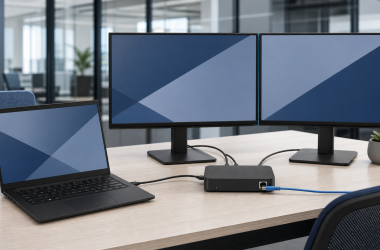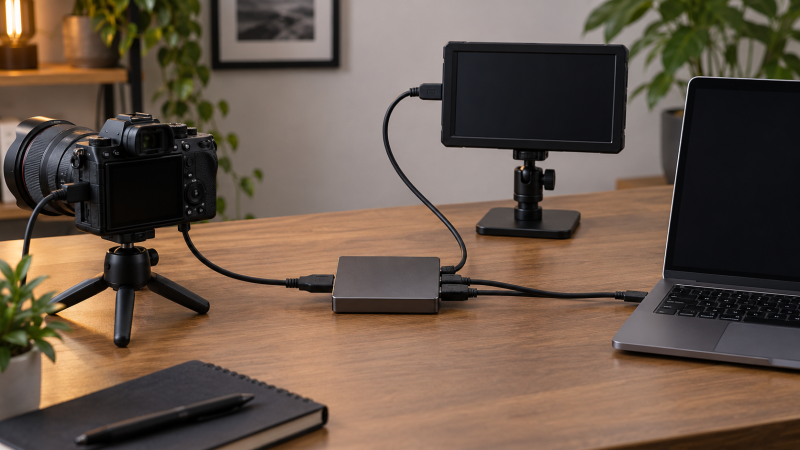
An HDMI loop-out capture card sends a camera feed into a computer while passing the same source to a local monitor. The second path sets it apart from a basic HDMI capture dongle. It helps you check framing, focus, exposure, and on-set confidence without relying on the delayed or scaled preview inside OBS or another capture application.
Input, loop-out, and USB capture are three different specifications. A device may accept and pass 4K while recording only 1080p60 or 2K30. The eight products below all state loop-out, but they differ in passthrough limits, captured output, USB connectors, microphone and headphone ports, included cables, and how clearly those details are documented.
Choose by the local monitor mode and the USB capture mode separately, then confirm camera output, HDCP status, laptop port speed, software format, and audio routing before a live session.HDMI Loop-Out Capture Cards for Camera Monitoring Compared
| Image | Product | Details | Check Price |
|---|---|---|---|
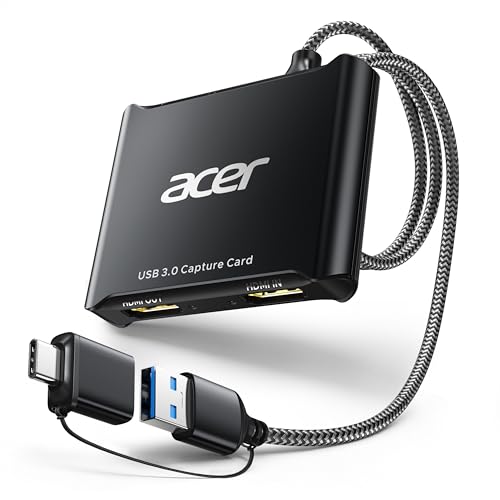 | Acer OCB5B0 | Input: 4K stated Loop-out: 4K stated in title Capture: 1080p60 Host: USB-A and USB-C | Check Price on Amazon |
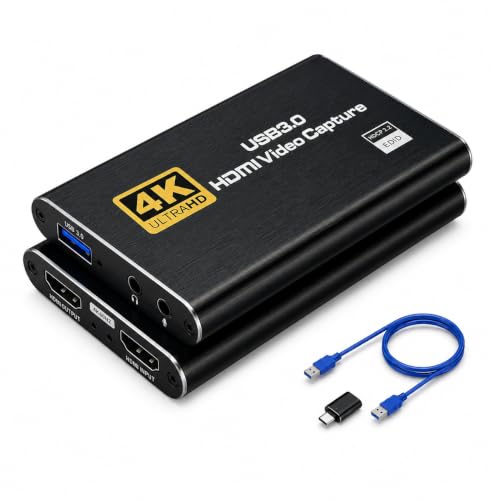 | GRACETOP GT-H2U | Input: Up to 4K stated Loop-out: HDMI real-time passthrough Capture: 1080p conservative Host: USB 3.0 | Check Price on Amazon |
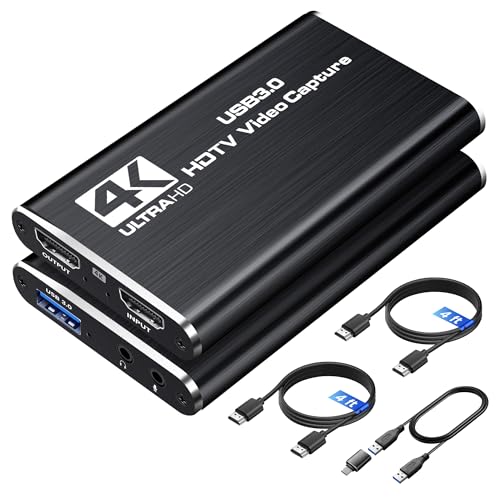 | avedio links Capture Card | Input: 4K60 Loop-out: 4K real-time stated Capture: 2K30 or 1080p60 Audio: Mic input and headphone output | Check Price on Amazon |
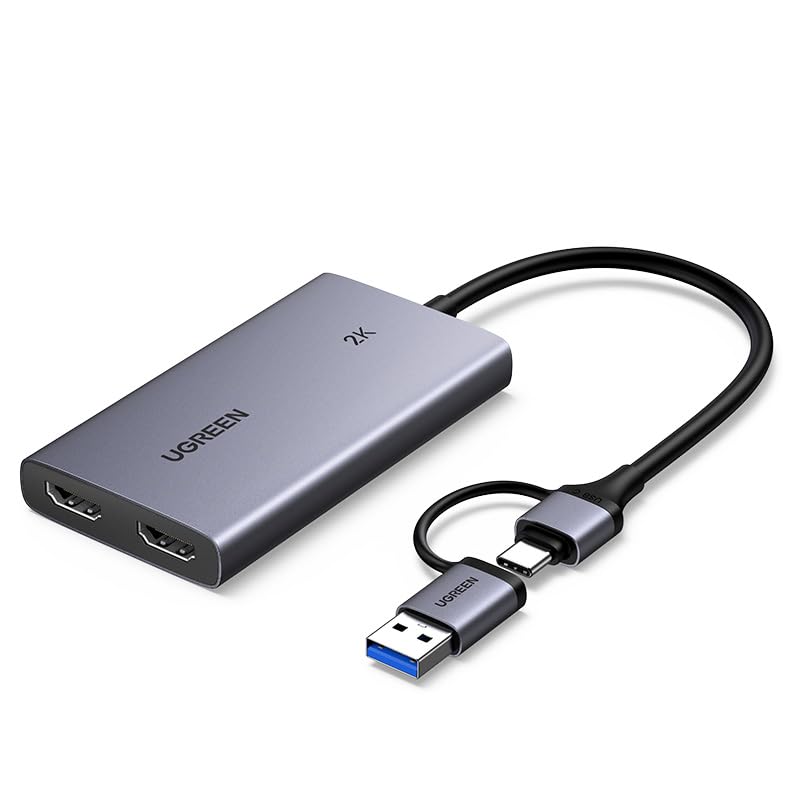 | UGREEN 25773 | Input: 4K30 4:4:4 Loop-out: 4K30 Capture: 2K30 or 1080p60 Host: USB-A and USB-C | Check Price on Amazon |
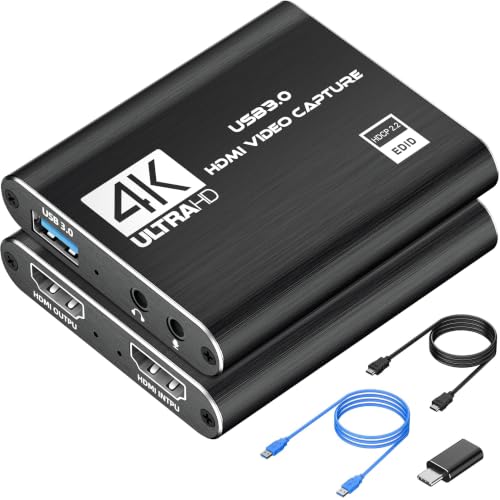 | VIXLW Black Capture Card | Input: HDMI; maximum not stated Loop-out: HDMI passthrough Capture: 1080p60 stated in title Audio: 3.5 mm TRS mic input | Check Price on Amazon |
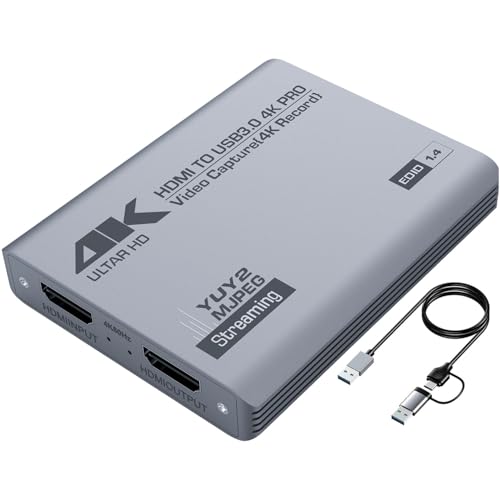 | Duomigo YYT-4K-HDMI | Input: 4K60 Loop-out: Up to 4K60 Capture: 2K30 or 1080p60 Host: USB-A and USB-C cable | Check Price on Amazon |
 | ORIVISION HDMI Video Capture with Loop | Input: Up to 4K Loop-out: HDMI passthrough Capture: 1080p30 conservative Systems: Windows, Android, macOS | Check Price on Amazon |
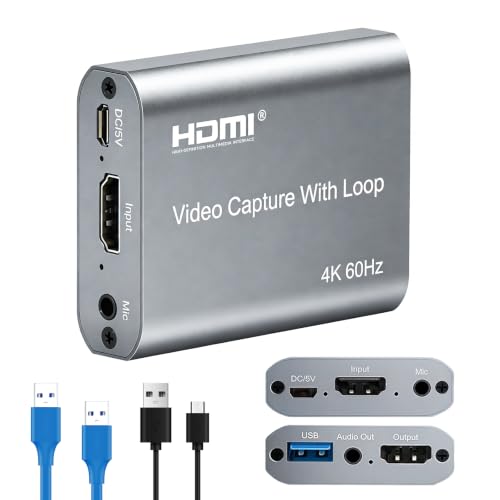 | ORIVISION U923 | Input: 4K60 Loop-out: HDMI real-time passthrough Capture: 1080p60 Audio: Mic input and stereo output | Check Price on Amazon |
1. Acer OCB5B0 Capture Card — Best Compact Dual-Host Pick
The Acer OCB5B0 is a compact USB 3.0 capture device with USB-A and USB-C host connections. Its listing title states 4K HDMI loop-out, while the detailed bullets describe 4K input and 1080p60 USB output. The supplied record does not give a specific loop-out resolution or refresh rate, so confirm that detail for the current offer before building a 4K monitoring path.
Acer states YUY2 capture for richer color than MJPEG and describes the device as low latency. The available format still depends on the laptop port, software selection, and computer performance. For camera work, 1080p60 capture can preserve smooth movement while the separate HDMI output feeds a local display.
A 3.5 mm microphone or headset input supports commentary, classes, or a separate voice source. No driver or external power is required according to the listing. Supported applications and platforms include OBS, XSplit, VLC, YouTube, Facebook, Windows PC, macOS, and Android, along with DSLR cameras and consoles.
The small body is easy to pack, but the record does not state a headphone output, included HDMI cables, maximum HDMI input refresh, or the exact USB cable arrangement. It is the portable pick for mixed USB hosts rather than the most fully specified loop-out unit.
Choose Acer for a compact USB-A and USB-C workflow, but verify the live loop-out mode because only the product title states 4K passthrough. Our TakeBuy the Acer OCB5B0 when a portable camera kit needs 1080p60 capture, USB-A or USB-C host support, and a microphone input. Its title promises 4K loop-out, but the missing passthrough details keep it behind the more explicit avedio links, UGREEN, Duomigo, and ORIVISION specifications.
- States 4K input and 1080p60 capture.
- USB-A and USB-C host connections.
- 3.5 mm microphone or headset input.
- Exact loop-out resolution is not detailed in the bullets.
- No headphone output or included HDMI cable is stated.
2. GRACETOP GT-H2U Capture Card — Best Basic USB 3.0 Loop-Out Box
The GRACETOP GT-H2U accepts a stated 4K HDMI input and records at 1080p through USB 3.0. Its title mentions 1080p60 and 2K30, but the supplied bullets only confirm smooth 1080p recording without stating the exact frame rate or 2K mode. Use 1080p as the conservative documented output until the live technical table confirms more.
An HDMI loop-out provides a direct real-time display path while the computer records or streams. GRACETOP calls it zero delay, referring to the local passthrough rather than the USB software preview or internet stream. The distinction is useful when a camera operator uses the monitor for focus or live movement.
The device is plug and play and is recognized as a webcam without a separate driver. It works with OBS, PotPlayer, VLC, Twitch, YouTube, and other named platforms. The package includes the capture card, one USB cable, and an instruction manual.
No microphone input, headphone output, host connector type, loop-out resolution, video format, or operating-system list is stated in the supplied bullets. GRACETOP is therefore a basic box for capture and monitoring rather than a deeply documented production tool.
Use 1080p as the conservative capture target because the title mentions 1080p60 and 2K30 but the detailed bullets do not confirm those exact modes. Our TakeBuy the GRACETOP GT-H2U for a basic USB 3.0 camera feed with direct HDMI monitoring and 1080p capture. It includes the necessary USB cable and names common software. Choose another model when exact loop-out resolution, 60 fps capture, USB-C, or audio jacks must be documented before purchase.
- States 4K input and HDMI loop-out.
- USB 3.0 plug-and-play webcam operation.
- USB cable and manual included.
- Detailed bullets do not confirm 1080p60 or 2K30.
- No mic, headphone, or host connector details are stated.
3. avedio links Capture Card — Best Overall Camera Monitoring Kit
The avedio links device has the strongest complete package for a camera and laptop. It accepts HDMI input up to 4K60, passes a stated real-time 4K feed through HDMI loop-out, and captures either 2K30 or 1080p60 through USB 3.0. YUV 4:2:2 and MJPEG output formats are both named.
That mode split suits two different jobs. A local 4K display can show the high-resolution camera feed while the laptop records a manageable 1080p60 stream, or the capture application can select 2K30 when added detail is more important than motion. The source, monitor, and capture software must support the chosen formats.
A 3.5 mm TRS microphone input adds commentary or a separate audio source, while an audio output supports headphones. The listing states no drivers or external power. Windows, macOS, Linux, and Android are named alongside OBS Studio, Zoom, VLC, PotPlayer, Twitch, and YouTube.
The included cable kit is unusually complete: two 4-foot HDMI cables, one USB 3.0 cable, and one USB-A to USB-C adapter. The kit supports camera input, local monitor output, and either common laptop connector without buying extras.
Buy the avedio links capture card when you want one package for camera input, local monitoring, USB capture, commentary, and audio monitoring. Its mode list is clear and all major cables are included. It is the best overall choice for assembling a portable laptop production kit from scratch.
- 4K60 input and stated real-time 4K loop-out.
- Captures 2K30 or 1080p60 over USB 3.0.
- Mic input, audio output, two HDMI cables, and USB-C adapter.
- Microphone input accepts standard 3.5 mm TRS only.
- 4K passthrough does not mean 4K USB capture.
4. UGREEN 25773 Capture Card — Best for Clearly Defined 4K30 Loop-Out
UGREEN gives the clearest 4K30 signal path in this group. The 25773 accepts 4K30 in 4:4:4 and passes 4K30 to the HDMI monitor while capturing up to 2K30 or 1080p60. The listing explicitly says 4K capture is not supported, so passthrough and USB recording are not confused.
USB-A and USB-C interfaces support laptops, desktops, tablets, and compatible iPads. The USB 3.0 path offers MJPEG for efficient compression or YUY2 for greater image clarity. An aluminum enclosure provides heat dissipation during longer capture sessions.
The device requires no external power or normal driver installation, though Windows 7 needs USB 3.0 drivers. Supported systems include Windows, macOS, Linux, and Android. UGREEN names OBS, XSplit, and PotPlayer, plus Switch, PlayStation, Xbox, and Quest sources.
There are two compatibility cautions. PS4 and PS5 require HDCP to be turned off for allowed capture, and iPhones cannot serve as the USB acquisition host because they do not support the required UVC role according to the listing. No microphone or headphone jack is stated.
UGREEN states the full path plainly, with 4K30 input and loop-out and USB capture limited to 2K30 or 1080p60. Our TakeBuy the UGREEN 25773 when a camera setup needs clearly documented 4K30 4:4:4 monitoring and either 2K30 or 1080p60 capture. Its USB-A and USB-C options, video formats, and OS limits are well explained. Add a separate audio interface if the workflow needs external microphone or headphone connections.
- Clearly states 4K30 4:4:4 input and loop-out.
- Captures 2K30 or 1080p60.
- USB-A and USB-C with MJPEG and YUY2.
- No microphone or headphone port is stated.
- Not compatible with iPhone as the acquisition host.
5. VIXLW Black Capture Card — Best Simple Mic-In Option
The VIXLW black capture card supports USB 3.0 capture up to 1080p according to the supplied bullets, while the title specifies 1080p60. It accepts HDMI devices including DSLR cameras, security cameras, consoles, DVD players, and set-top boxes. The exact maximum HDMI input and loop-out modes are not stated.
HDMI loop-out creates the local monitoring path. The listing describes no delay during live play, though it does not give passthrough resolution, color format, or refresh rate. For camera monitoring, confirm that the monitor receives the camera’s selected output mode before relying on it for a session.
The device is recognized as a webcam without a separate driver or external supply and supports Windows, macOS, OBS, PotPlayer, VLC, and major streaming platforms. A 3.5 mm TRS microphone input allows external commentary.
The product bullet refers to a Kedok capture card despite the VIXLW listing brand. That mismatch makes live-offer verification especially important. No headphone output, USB-C connection, included cable list, or Linux support is supplied.
VIXLW is a simple loop-out and mic-in choice, but the mixed branding and missing passthrough specifications require verification before production use. Our TakeBuy the VIXLW black card only after the current offer confirms the exact model, 1080p60 mode, and loop-out capability needed by the camera and monitor. It can provide a simple Windows or macOS setup with microphone commentary. Better-documented alternatives are safer for a new production kit.
- Title states 1080p60 USB 3.0 capture.
- HDMI loop-out and 3.5 mm TRS mic input.
- Plug-and-play webcam recognition.
- Loop-out mode is not specified.
- Listing mixes VIXLW and Kedok branding.
6. Duomigo YYT-4K-HDMI Capture Card — Best 4K60 Loop-Out Alternative
The Duomigo YYT-4K-HDMI matches many of the core specifications of the avedio links card. Duomigo states it accepts 4K60 input, passes up to 4K60 through HDMI loop-out, and captures 1080p60 or 2K30 over USB 3.0. YUY2 is supported for capture, and the aluminum-alloy enclosure is intended to dissipate heat during long sessions.
A 3.5 mm headset or microphone input handles interviews or commentary. The listing warns that it does not record party chat, which is relevant to console workflows but less important for camera monitoring. OBS may need a restart after audio setup to produce sound.
The host cable connects through USB-A or USB-C, and the package includes that cable plus a manual. According to the manufacturer, supported systems and applications include Windows 7, 8, and 10, macOS, Linux, Android, OBS, PotPlayer, VLC, and Zoom. Cameras, DSLRs, consoles, TV boxes, and other HDMI devices are named sources.
No dedicated headphone output is clearly stated apart from the combined headset or mic wording. The package list names no HDMI cable, so you need to plan the cable from the camera to the input and the cable from the loop-out to the monitor separately.
Duomigo provides 4K60 loop-out and 2K30 or 1080p60 capture, but the package list does not include the HDMI cables needed for both sides of the monitoring path. Our TakeBuy the Duomigo YYT-4K-HDMI when you need 4K60 camera monitoring, 1080p60 or 2K30 capture, and USB-A or USB-C host support. Its aluminum body and mic input cover a strong portable setup. Budget for two compatible HDMI cables and test the audio configuration before the session.
- 4K60 HDMI input and loop-out.
- Captures 1080p60 or 2K30 through USB 3.0.
- USB-A and USB-C cable plus mic input.
- HDMI cables are not listed in the package.
- OBS may require restart after audio setup.
7. ORIVISION HDMI Video Capture with Loop — Best for Basic 1080p30 Monitoring
This older ORIVISION model accepts an input stated up to 4K and captures up to 1080p. The listing says it generally supports 30 fps, while 60 fps depends on meeting specified computer requirements. So 1080p30 is the conservative capture target for purchasing and setup.
The hardware includes HDMI loop-out for real-time camera feedback, but the supplied record does not state the loop-out resolution or refresh. It is intended for DSLR cameras, camcorders, gaming sources, live streaming, broadcasting, and video conferencing.
ORIVISION lists Windows, Android, and macOS support with VLC, OBS, and AMCap. No separate driver is required. The unusually old minimum computer examples in the listing show that host performance affects the 60 fps mode, but they do not establish compatibility with every current system.
No USB speed, connector type, mic input, headphone output, video format, or included cable list is supplied. This product makes sense only as a basic 1080p30 loop-out option after verifying the exact current hardware revision.
Buy this ORIVISION model only when a basic 1080p30 camera capture with local loop-out meets the need and the current connector and OS details have been confirmed. It can serve a low-motion presentation or monitoring setup. The U923 below is the clearer ORIVISION choice for 1080p60 and audio ports.
- Accepts input up to 4K and captures up to 1080p.
- HDMI loop-out for local feedback.
- Windows, Android, macOS, and common software stated.
- Generally limited to 30 fps according to the listing.
- USB and loop-out specifications are incomplete.
8. ORIVISION U923 Capture Card — Best for Audio Monitoring
The ORIVISION U923 accepts 4K60 HDMI input, provides local HDMI loop-out, and captures 1080p60 through USB 3.0. The loop-out is described as zero latency for checking the source in real time while the laptop records or streams.
Its audio connections are the strongest reason to choose it. A 3.5 mm microphone input overlays commentary on HDMI audio, while a separate 3.5 mm stereo output feeds headphones or speakers. The two connections support camera monitoring and voice capture without a basic external mixer.
The unit is plug and play on Windows, macOS, and Android and works with OBS Studio, VLC, AMCap, Twitch, YouTube, and Facebook Live. It is also listed for camera work, conferencing, teaching, gaming, and professional video recording.
ORIVISION says newer units use a silver aluminum finish instead of dark gray, with the core specifications unchanged. The supplied record does not state 2K capture, USB-C connectivity, included cables, YUY2 or MJPEG options, or detailed HDCP behavior.
Buy the ORIVISION U923 when a camera stream needs 1080p60 capture plus direct monitoring of both video and audio. Its microphone overlay and headphone output are more complete than the mic-only models. Choose avedio links when 2K30 capture, USB-C adaptation, and included HDMI cables are more important.
- 4K60 input with HDMI loop-out.
- Captures 1080p60 through USB 3.0.
- Mic input with overlay and separate stereo output.
- No 2K capture mode or USB-C connection is stated.
- Included HDMI and USB cables are not listed.
Buying Guide
1. Map input, loop-out, and capture separately
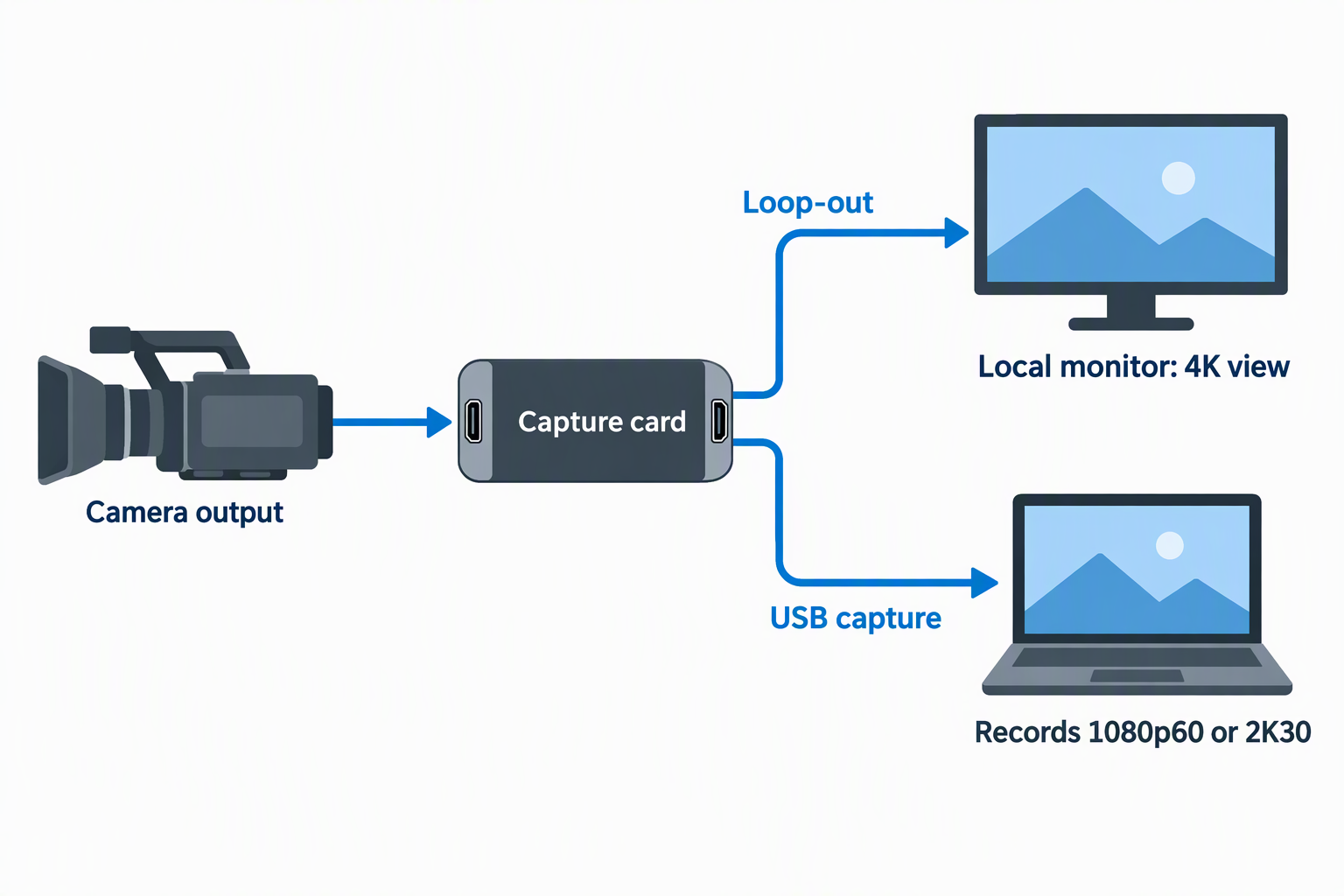
Write three lines before comparing products: camera output, monitor input, and desired USB capture. A 4K loop-out card can still record only 1080p60 or 2K30. UGREEN states this distinction clearly, while avedio links and Duomigo also give separate passthrough and capture modes.
The local monitor can display a higher-resolution feed than the laptop records. That arrangement is useful when the operator needs a detailed camera view but the stream platform only needs Full HD. Our guide to camera field monitors covers the display side of the path.
2. Use loop-out for local monitoring, not final color judgment
Loop-out avoids the additional preview delay introduced by USB capture and software. It is useful for framing, focus, movement, and confidence monitoring during a live session. The monitor and capture file may still differ because the capture device can scale or convert the video format.
Do not assume the local display proves the laptop recording is correct. Check both the loop-out monitor and a short test file from the capture application. For exposure and color work, a production monitor with suitable tools remains a separate choice.
3. Choose 1080p60 or 2K30 for the content
Motion-heavy camera work, demonstrations, and games benefit from 1080p60. Acer, avedio links, UGREEN, Duomigo, and ORIVISION U923 state 1080p60 capture. GRACETOP and VIXLW place 1080p60 in their titles but provide less detail in the bullets.
2K30 favors extra spatial detail at half the frame rate. avedio links, UGREEN, and Duomigo explicitly provide both choices. Match the OBS canvas, recording, and stream settings to the actual USB mode instead of the 4K loop-out monitor.
4. Confirm USB speed and connector type
All products are presented as USB capture devices, but connector documentation varies. avedio links includes a USB-A to USB-C adapter, UGREEN exposes USB-A and USB-C, and Duomigo includes a dual-host cable. Acer also states Type-A and Type-C ports.
Use a direct USB 3.0 laptop port for the highest stated capture modes. A connector that looks like USB-C does not by itself guarantee USB 3.0 bandwidth. If the laptop needs more ports, a USB-C hub must also support the required data path.
5. Plan the two HDMI cables
A loop-out workflow normally needs one HDMI cable from camera to capture card and another from capture card to monitor. avedio links is the only product here that explicitly includes two HDMI cables. The other packages require checking or purchasing the correct lengths.
Use cables that support the chosen camera and loop-out mode without creating strain. Short rig cables reduce clutter, while a desk monitor may need a longer service loop. Our HDMI cable guide and right-angle HDMI cable guide cover those routing choices.
6. Decide how microphone and headphone audio enter
Acer, avedio links, VIXLW, Duomigo, and ORIVISION U923 state microphone inputs. Only avedio links and ORIVISION U923 clearly name an audio or headphone output. That output helps the operator listen without depending on delayed laptop monitoring.
Confirm TRS connector requirements and test lip sync. A capture-card mic input is convenient but does not replace every function of an audio interface or mixer. For more inputs or gain control, compare compact USB audio interfaces.
7. Test camera output and software formats
Set the camera to a supported HDMI resolution and a clean feed without menus when possible. The capture application must select a format and frame rate that the device actually exposes, such as YUY2 or MJPEG on products that name both.
Record a short sample with the production laptop before going live. Check video, embedded audio, microphone input, loop-out monitor, dropped frames, heat, and reconnect behavior. Our laptops for live streaming guide covers the host that must encode the captured feed.
8. Account for HDCP and source restrictions
Camera feeds are usually the intended unprotected source, but consoles and media devices may enable HDCP. UGREEN instructs PS4 and PS5 users to turn HDCP off for allowed capture. A black screen can come from source protection rather than a cable or USB fault.
Only record sources and content you are authorized to capture. A loop-out capture card is not an HDCP bypass device. Test the exact source setting before the event rather than troubleshooting protection during a stream.
FAQ
What is HDMI loop-out on a capture card?
It is an HDMI output that passes the source to a local display while the USB connection sends video to the computer. The monitor path and captured path operate at separate stated resolutions on many devices.
The loop-out lets a camera operator watch a direct feed while OBS records. It does not mean the laptop captures at the same resolution shown on the loop-out monitor.
Is loop-out really zero latency?
Only in the sense that the local HDMI path avoids the USB software-preview route. Listings often call that path zero latency or no lag, but the entire monitor and source chain can still add its own processing delay.
Use loop-out for more immediate monitoring than the capture preview. Do not interpret the phrase as a laboratory measurement of every setup.
Can I monitor 4K while recording 1080p?
Yes, when the capture card explicitly supports 4K loop-out with 1080p capture. avedio links, UGREEN, Duomigo, and ORIVISION U923 describe that type of split path.
Confirm the exact refresh rate on both sides. UGREEN is limited to a stated 4K30 loop, while avedio links and Duomigo state 4K60.
Do I need two HDMI cables?
Yes, a camera-to-card input and card-to-monitor loop-out normally use separate HDMI cables. avedio links includes two 4-foot HDMI cables, while other packages may not include either cable.
Measure both routes independently. The camera cable needs movement slack, and the monitor cable needs a stable route away from strain.
Can I use the capture card as an HDMI output adapter?
No, these devices capture an HDMI source into USB and pass that source through HDMI. They do not add a normal desktop HDMI output to a laptop.
The loop-out mirrors or passes the capture source, not the computer desktop. Use a supported graphics adapter or dock for laptop display output.
Why does OBS show no sound?
The wrong audio source, format, sample setting, muted camera, host port, or application state can cause silence. Duomigo specifically recommends restarting OBS after audio setup.
Test embedded HDMI audio and the mic input separately. Monitor a local recording before relying on the live stream mix.
Bottom Line
The avedio links capture card is the best overall camera-monitoring kit because it combines 4K60 loop-out, 2K30 or 1080p60 capture, mic and headphone connections, two HDMI cables, and USB-C adaptation. Choose Acer for compact dual-host use, GRACETOP for a basic box, UGREEN for the clearest 4K30 specifications, VIXLW for simple mic-in, Duomigo for another 4K60 option, the older ORIVISION for basic 1080p30, or ORIVISION U923 for the strongest audio-monitoring path.