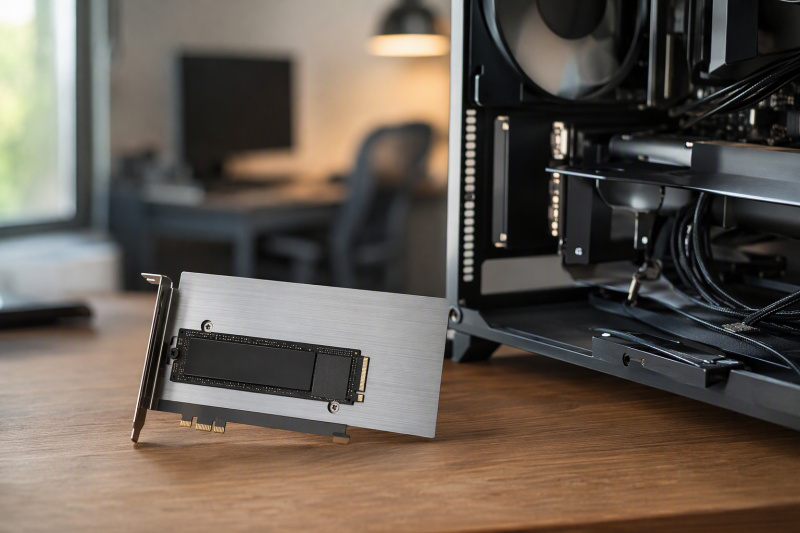
A spare PCIe slot can become an extra M.2 SSD position without replacing the motherboard. For a single NVMe drive, most adapter cards are electrically simple: they route four PCIe lanes from the slot to the SSD, add mounting points, and sometimes cool the drive with a heatsink. Because the card does so little, the compatibility checks decide whether the drive works.
Before buying, identify the SSD protocol, length, slot size, PCIe generation, BIOS support, and physical clearance. M.2 SATA and M.2 NVMe are not interchangeable, even when their cards look similar. A passive adapter cannot create NVMe support, add PCIe lanes, or make an old BIOS boot from a drive it cannot recognize.
[blueblock]Shut down and unplug the desktop before installation, follow the computer maker’s service procedure, and use proper static precautions. If an SSD contains needed data, do not initialize or format it simply because the first adapter or slot does not recognize it.[/blueblock]Quick Picks
- Best overall Gen3 single-drive adapter: SABRENT EC-PCIE supports common NVMe lengths, includes a heatsink and thermal pads, and clearly documents slot and BIOS requirements.
- Best Gen4 low-profile kit: GLOTRENDS PA09-HS supports PCIe 4.0 x4, includes full-height and low-profile brackets, and provides a substantial aluminum heatsink.
- Best Gen5 single-drive card: SABRENT EC-TFPE offers PCIe 5.0 x4 routing, tool-free SSD retention, and passive cooling without requiring bifurcation.
- Best simple budget x4 adapter: MAIWO NVMe Adapter supports four common SSD lengths, fits x4, x8, or x16 slots, and has an activity LED.
- Best for a spare x1 slot: GLOTRENDS PA09-X1 preserves larger slots for other cards at the cost of a severe x1 bandwidth limit.
- Best dual-NVMe bifurcation card: 10Gtek PCIX8M2-2 accepts two PCIe M.2 drives but requires motherboard BIOS bifurcation to expose both.
- Best mixed-protocol specialist: ELUTENG Dual M.2 advertises separate NVMe and SATA M.2 support, including uncommon 22110 drives, but its SATA routing needs careful verification.
- Best 22110 single-drive x4 adapter: Duttek PCIE-X4 supports NVMe and PCIe AHCI M-key drives through 22110 with Windows, Linux, and macOS support stated.
PCIe M.2 Adapter Card Comparison
| Image | Product | Details | Check Price |
|---|---|---|---|
 | SABRENT EC-PCIE | Drives: One M-key NVMe SSD Lengths: 2230 / 2242 / 2260 / 2280 Slot: PCIe x4/x8/x16; not x1 Cooling: Aluminum heatsink and thermal pads Limits: No M.2 SATA; motherboard NVMe support required | Check Price on Amazon |
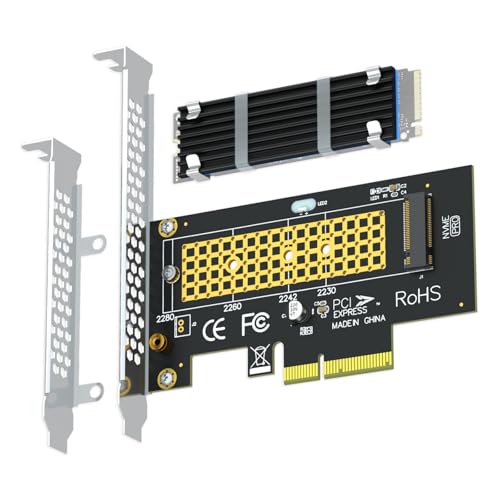 | GLOTRENDS PA09-HS | Drives: One M-key NVMe SSD Lengths: 2230 / 2242 / 2260 / 2280 Slot: PCIe 4.0 x4; fits x4/x8/x16 Cooling: 22x70x3mm heatsink Brackets: Full-height and low-profile | Check Price on Amazon |
 | SABRENT EC-TFPE | Drives: One M-key NVMe or PCIe AHCI SSD Lengths: 2230 / 2242 / 2260 / 2280 Slot: PCIe 5.0 x4 electrical; x16 physical Cooling: Integrated aluminum heatsink Bifurcation: Not required | Check Price on Amazon |
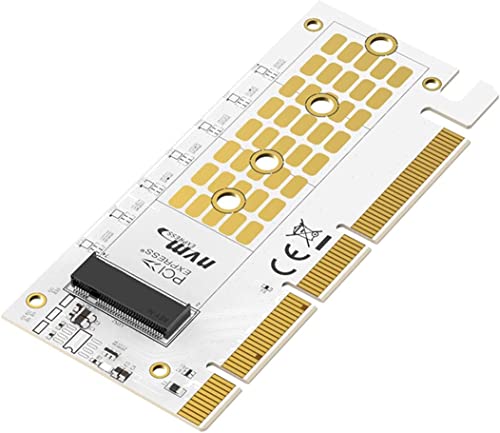 | MAIWO NVMe PCIe Adapter | Drives: One M-key NVMe SSD Lengths: 2230 / 2242 / 2260 / 2280 Slot: PCIe x4/x8/x16 Bandwidth: Up to 32Gbps stated Limits: No SATA M.2 | Check Price on Amazon |
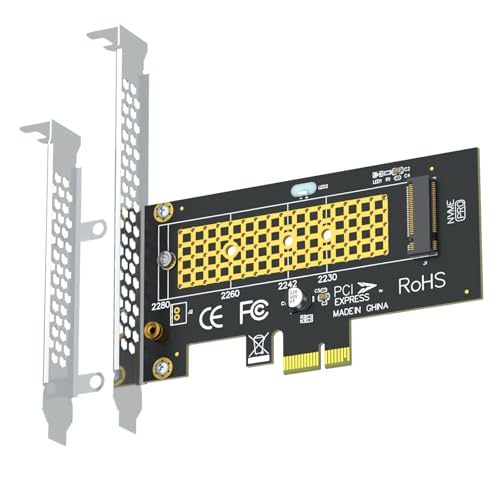 | GLOTRENDS PA09-X1 | Drives: One M-key NVMe SSD Lengths: 2230 / 2242 / 2260 / 2280 Slot: PCIe x1 Bandwidth: Limited to one PCIe lane Brackets: Full-height and low-profile | Check Price on Amazon |
 | 10Gtek PCIX8M2-2 | Drives: Two NVMe or PCIe AHCI M.2 SSDs Lengths: 2230 / 2242 / 2260 / 2280 Slot: PCIe 3.0 x8 Bifurcation: Required; otherwise only first drive appears Hot swap: Not supported | Check Price on Amazon |
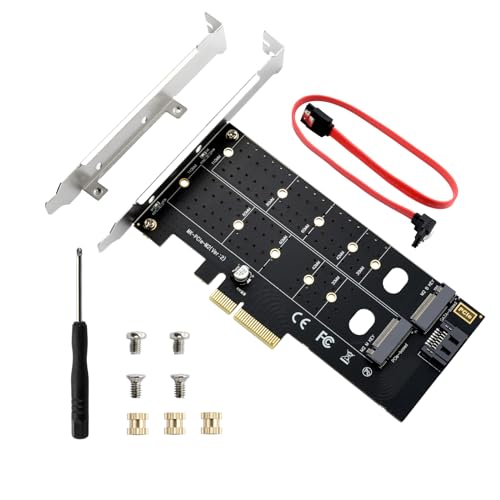 | ELUTENG Dual M.2 Adapter | Drives: NVMe and SATA M.2 support advertised Lengths: 2230 / 2242 / 2260 / 2280 / 22110 Keys: B-key / M-key / B+M-key stated Slot: PCIe x4/x8/x16 Caution: SATA data routing not explained | Check Price on Amazon |
 | Duttek PCIE-X4 | Drives: One M-key NVMe or PCIe AHCI SSD Lengths: 2230 / 2242 / 2260 / 2280 / 22110 Slot: PCIe 3.0/4.0 x4 or larger Cooling: Copper-hole passive board design Limits: No SATA M.2 | Check Price on Amazon |
1. SABRENT EC-PCIE — Best Overall Gen3 Single-Drive Adapter
For adding one NVMe SSD to a desktop, the SABRENT EC-PCIE is the clearest general-purpose choice. It supports 2230, 2242, 2260, and 2280 M-key NVMe drives and fits a physical PCIe x4, x8, or x16 slot. It does not fit an x1 slot and does not accept M.2 SATA B-key or B+M-key drives.
The EC-PCIE is a passive adapter with no storage controller. The SSD communicates directly over motherboard PCIe lanes, so the host determines generation, lane width, recognition, and boot support. An older board without NVMe support may ignore the drive even when the card is installed correctly. Sabrent states support for Windows 8 through 11 and Linux. Windows 7 needs NVMe hotfixes.
Sabrent includes an aluminum heatsink and thermal pads. Use one correctly sized pad between the SSD and heatsink, following the installation orientation, rather than stacking all supplied pads. Good case airflow still helps, because the heatsink can only transfer heat into the surrounding air.
The manufacturer includes mounting hardware and a screwdriver. Before buying, verify an open x4-size or larger slot, clearance below the graphics card, and BIOS NVMe support. If the goal is a boot drive, check the motherboard’s documented UEFI capabilities rather than assuming storage recognition guarantees booting.
- Clear NVMe-only compatibility
- Supports four common M.2 lengths
- Heatsink and thermal pads included
- Windows and Linux support stated
- No M.2 SATA support
- Does not fit PCIe x1 slots
- Boot and recognition depend on the motherboard
2. GLOTRENDS PA09-HS — Best Gen4 Low-Profile Kit
The PA09-HS is the most complete PCIe 4.0 kit in the group. It fits a physical x4, x8, or x16 slot and holds one M-key NVMe SSD in lengths from 2230 through 2280. M.2 SATA drives and PCIe x1 slots are explicitly unsupported.
Full PCIe 4.0 x4 performance requires a Gen4-capable SSD, CPU, motherboard, and slot. If any link is Gen3, the drive negotiates down to Gen3. The card does not upgrade the platform’s PCIe generation. GLOTRENDS specifically notes that Intel CPUs below 11th generation do not provide PCIe 4.0 support.
A 22-by-70-by-3mm heatsink is stated to reduce SSD temperature by 5 to 20°C, although actual cooling depends on controller placement, thermal-pad contact, case airflow, and workload. Full-height and low-profile brackets are included, so the card suits both towers and slim desktops.
Windows 8 through 11, Linux, and macOS support are stated. OS boot is possible when the motherboard firmware supports NVMe boot. Some older boards may use the SSD only as data storage. New blank SSDs need initialization and formatting, but an existing drive with needed files should not be initialized.
- PCIe 4.0 x4 support
- Large included heatsink
- Full-height and low-profile brackets
- Windows, Linux, and macOS support stated
- No SATA M.2 support
- No PCIe x1 fit
- Gen4 speed requires a full Gen4 path
3. SABRENT EC-TFPE — Best Gen5 Single-Drive Card
The EC-TFPE is designed for one high-performance SSD on a PCIe 5.0 x4 electrical path. Its connector is physically x16 for stability, and the card may fit some open-ended or suitable x4 and x8 slots. Check the actual chassis and slot rather than assuming every shorter connector accepts the full-length edge.
Gen5 throughput requires a Gen5 host slot and SSD. In Gen4 or Gen3 systems, the adapter operates at the lower generation. Sabrent states the maximum of 16GB/s bidirectional describes the Gen5 x4 link, not guaranteed application performance. Cooling, SSD controller behavior, files, and workload all affect results.
One drive means motherboard bifurcation is not required. Skipping bifurcation avoids a common problem found on multi-M.2 carrier cards. The card accepts 2230, 2242, 2260, and 2280 M-key NVMe drives plus older B+M-key PCIe AHCI or NVMe devices, but it does not support SATA M.2.
The EC-TFPE holds the SSD without a tiny M.2 screw, and an aluminum heatsink with thermal padding provides passive cooling. Confirm that the full-length slot and tall heatsink do not conflict with a GPU, CPU cooler, case fan, or adjacent card. Motherboard NVMe support remains necessary for recognition and booting.
- PCIe 5.0 x4 routing
- No bifurcation required
- Tool-free SSD retention
- Integrated passive heatsink
- Full-length physical connector needs clearance
- No SATA M.2 support
- Gen5 benefit requires a complete Gen5 path
4. MAIWO NVMe Adapter — Best Simple Budget x4 Adapter
MAIWO offers a simple one-drive card for an open x4, x8, or x16 slot. It supports M-key NVMe SSDs in 2230, 2242, 2260, and 2280 lengths. M.2 SATA AHCI drives using B-key or B+M-key connections are explicitly unsupported.
The product title references PCIe 4.0, while the detailed speed claim describes PCIe 3.0 x4 at up to 32Gbps, with test figures above 3,200 MB/s read and 1,500 MB/s write. Treat the card as passive routing and expect the slowest component in the path to set the generation and speed. Do not buy it solely for an ambiguous generation label.
Windows 7, 8, and 10 plus Linux are listed. macOS appears in the title but not the detailed compatibility text, and Windows 11 is not specified. If a drive does not appear, the guidance suggests installing the SSD maker’s NVMe driver, but BIOS support, slot lane allocation, and disk initialization should also be checked.
A thickened gold-finished PCB, elastic M.2 connector, and activity LED are described. No substantial heatsink or low-profile bracket is specified. The MAIWO is best suited to a data drive with moderate speed needs in a standard case with adequate airflow, not a hot Gen5 SSD under sustained writes.
- Supports common NVMe lengths
- Fits x4, x8, and x16 slots
- Activity LED
- Simple passive design
- No SATA M.2 support
- PCIe generation wording is inconsistent
- No substantial heatsink stated
5. GLOTRENDS PA09-X1 — Best for a Spare x1 Slot
The PA09-X1 is for a desktop whose only free connector is PCIe x1, because a graphics card or other expansion hardware occupies the larger slots. GLOTRENDS specifies support for one M-key NVMe SSD in 2230, 2242, 2260, or 2280 length and includes both full-height and low-profile brackets.
The tradeoff is bandwidth. An NVMe SSD normally uses four PCIe lanes, while this card routes only one. The drive therefore cannot reach x4 performance, regardless of its advertised speed. For bulk storage, backups, scratch files with modest demands, or reusing an existing SSD, the limitation may be acceptable.
Windows 8 through 11, Linux, and macOS compatibility are stated. Booting is possible only when the motherboard firmware supports NVMe boot. Some old boards may see the drive only as data storage. Windows 7 lacks a native NVMe driver and needs additional support.
The manufacturer notes that M.2 SATA drives are not compatible. New blank SSDs may need initialization and formatting, while existing disks should be identified carefully before any destructive action. This adapter is about slot availability, not maximum speed, and buyers should choose it only when keeping an x4 or x16 slot free outweighs the performance loss.
- Uses a PCIe x1 slot
- Leaves larger slots available
- Both bracket heights included
- Broad OS support stated
- Severe x1 bandwidth limit
- No SATA M.2 support
- Booting depends on motherboard firmware
6. 10Gtek PCIX8M2-2 — Best Dual-NVMe Bifurcation Card
The 10Gtek card is the exception to the single-drive focus. It accepts two PCIe M.2 SSDs through a PCIe 3.0 x8 slot. Both NVMe and PCIe AHCI M.2 drives are listed in 2230, 2242, 2260, and 2280 lengths. It is backward-compatible with older PCIe generations at reduced speed.
Motherboard bifurcation is mandatory for both drives. The BIOS must split the slot into two x4 groups, commonly shown as x4/x4 for an x8 connection. Without that support, only the first drive is recognized. The card is not a controller card that multiplexes two SSDs behind one visible device.
Full-height and low-profile brackets are included, but the standard mounting screw is not. The specified compatible bracket screw is #6-32 with a 5mm length and 8mm head diameter; verify the chassis requirement rather than substituting an arbitrary screw. Hot swapping is explicitly unsupported.
The card is suitable only after checking the motherboard manual and BIOS menus for bifurcation on the exact slot. Lane sharing with the GPU can also change graphics bandwidth. It fits when two drives and direct PCIe access are required, but a one-drive card is simpler and does not depend on a motherboard setting.
- Supports two PCIe M.2 drives
- PCIe 3.0 x8 interface
- Full-height and low-profile brackets
- Four common SSD lengths
- Bifurcation required for both drives
- No hot swapping
- Mounting screw not included
7. ELUTENG Dual M.2 — Best Mixed-Protocol Specialist
ELUTENG advertises separate positions for NVMe and SATA M.2 SSDs, covering B-key, M-key, and B+M-key drives from 2230 through the longer 22110 size. That unusual mix can help reuse an older SATA module alongside a PCIe SSD, but protocol routing needs special attention.
A passive PCIe slot does not natively carry SATA signaling. Adapter cards that mix protocols commonly require a separate SATA data connection from the card to a motherboard SATA port for the SATA slot. The ELUTENG listing does not explain that path, so verify the physical connectors, included cables, and whether both drives can operate simultaneously before purchase.
The card fits x4, x8, or x16 slots, not x1 or legacy PCI. NVMe transfer speed is stated up to a theoretical 32Gbps, with actual performance dependent on the host and SSD. BIOS PCIe boot support is required to use an NVMe drive as the system disk.
Windows 7, 10, and 11 compatibility is listed, with Windows 8 and newer described as driver-free. Copper layers, ventilation holes, a solid capacitor, and gold-plated contacts support thermal and electrical stability, but no clamping heatsink is described. The ELUTENG is a specialist compatibility card rather than the default choice for one modern NVMe SSD.
- NVMe and SATA M.2 support advertised
- Supports lengths through 22110
- Fits x4 and larger slots
- Windows support stated
- SATA data path is not explained
- No PCIe x1 support
- No substantial heatsink stated
8. Duttek PCIE-X4 — Best 22110 Single-Drive x4 Adapter
Duttek supports one M-key NVMe or PCIe AHCI SSD in 2230, 2242, 2260, 2280, or 22110 length. M.2 SATA is explicitly unsupported. The extra 22110 retention point suits longer enterprise-style modules that do not fit common adapters that stop at 2280.
Full PCIe 3.0 or 4.0 x4 performance requires a true x4, x8, or x16 slot. The product warns that x1 installation creates a heavy bottleneck, although the physical card appears designed for x4 placement. PCIe generations are backward-compatible, and the motherboard determines the negotiated link.
Windows 8 through 11, Linux, and macOS support are stated. NVMe boot works only when the motherboard BIOS supports it. Older systems may still use the SSD as data storage. Windows 7 lacks a native NVMe driver and may fail to recognize the drive without additional support.
The board uses copper holes for passive heat dissipation and includes an activity LED, screwdriver, full-height bracket, and SSD screw. It does not list a clamping heatsink or low-profile bracket. Confirm case height and airflow, especially when installing a fast 22110 SSD for sustained workstation transfers.
- Supports lengths through 22110
- NVMe and PCIe AHCI M-key support
- Windows, Linux, and macOS compatibility
- Activity LED and mounting tools included
- No SATA M.2 support
- No low-profile bracket stated
- No substantial heatsink included
Buying Guide: Choosing a PCIe M.2 Adapter
Identify NVMe, PCIe AHCI, or SATA before buying
M.2 describes the card shape, not the storage protocol. Most adapters here accept M-key NVMe SSDs and reject SATA B-key or B+M-key drives. A SATA module cannot communicate through a passive PCIe-only adapter merely because it fits mechanically.
Read the SSD label and part number. ELUTENG advertises a separate SATA M.2 slot, but its SATA signal path is not documented in the ELUTENG listing. The SABRENT Gen5 and Duttek models also accept certain PCIe AHCI M-key drives, which are different from SATA AHCI devices.
Match SSD length and keying
The codes 2230, 2242, 2260, 2280, and 22110 describe a nominal 22mm width and increasing card length. Most consumer NVMe SSDs are 2280, while compact devices may use 2230 and some enterprise modules use 22110.
The adapter needs a retention point at the exact length. SABRENT, GLOTRENDS, MAIWO, and 10Gtek stop at 2280; ELUTENG and Duttek extend to 22110. Never leave an SSD unsecured or bend it toward the board to reach the wrong standoff.
Check physical slot size and electrical lanes
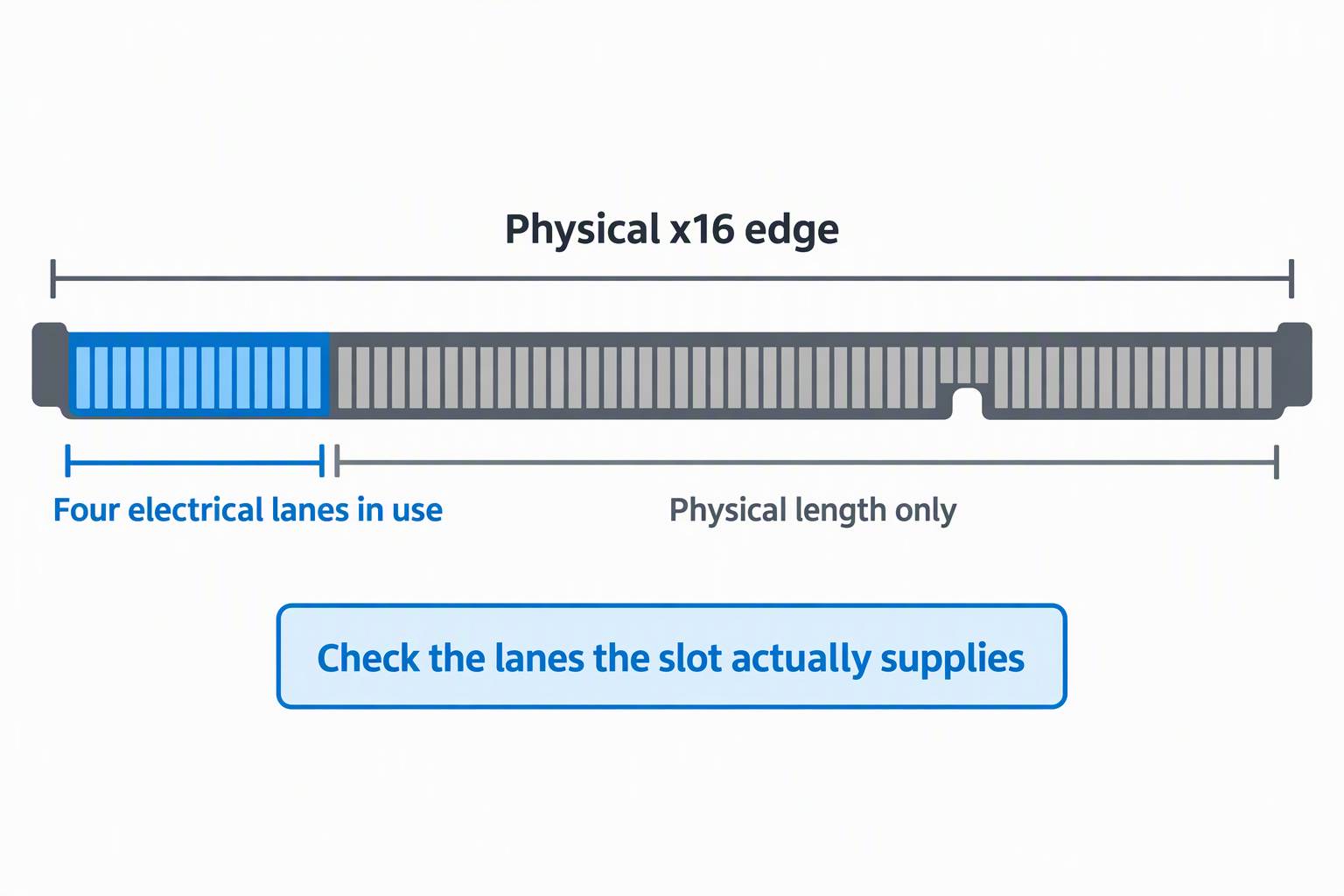
A card can have a physical x16 edge while using only four electrical lanes, as with the SABRENT Gen5 model. Other single-drive adapters use a physical x4 edge. Confirm both the connector length and the lanes supplied to that slot in the motherboard manual.
The GLOTRENDS PA09-X1 works in an x1 slot but severely restricts performance. The 10Gtek dual card needs an x8 path split into two x4 groups. GPU and M.2 lane sharing can reduce lanes or disable slots, so inspect the board’s population rules before installation.
Understand PCIe generation and speed negotiation
An adapter does not create a newer PCIe generation. A Gen5 adapter in a Gen3 slot runs at Gen3, and a Gen4 SSD behind an x1 adapter remains constrained to one lane. The SSD, CPU, chipset, slot, and adapter path negotiate to the slowest supported combination.
Sequential benchmark numbers are not the whole experience. Queue depth, thermal throttling, random access, file sizes, and workload affect actual speed. Buy enough bandwidth for the intended task, but do not sacrifice slot compatibility or cooling solely for a headline maximum.
Verify bifurcation before choosing multiple drives
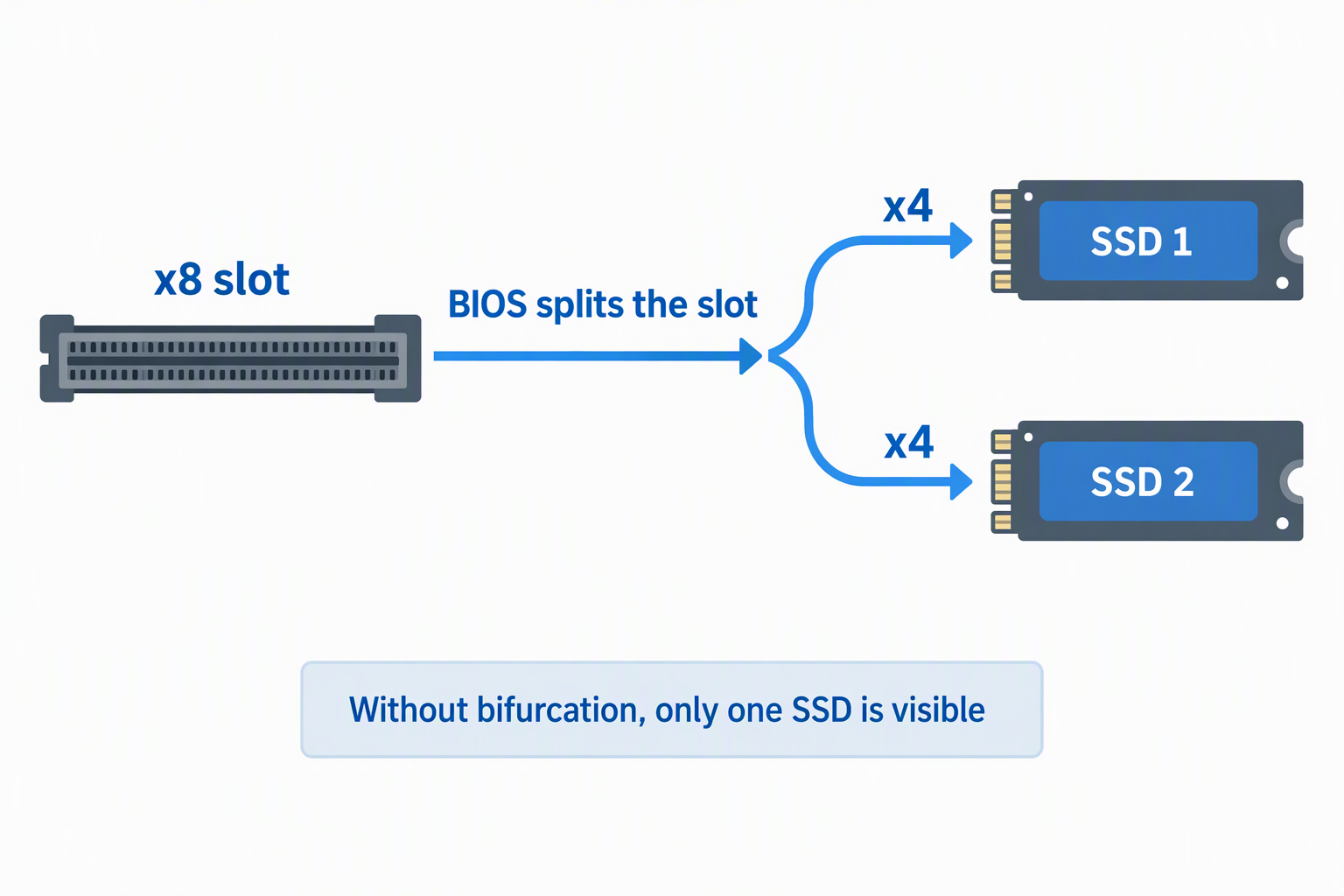
One-drive passive adapters do not need bifurcation because the SSD uses one x4 link. A two-drive card such as the 10Gtek needs the motherboard to split an x8 slot into x4/x4. Without that BIOS capability, only one SSD is visible.
Bifurcation support is specific to the motherboard, CPU, slot, and BIOS version. Do not infer it from the presence of an x16 slot. Check the board manual and firmware menus, and consider GPU lane reduction if the chosen slot shares CPU lanes.
Separate storage recognition from boot support
An operating system may recognize an NVMe data disk even when the firmware cannot boot from it. NVMe boot requires BIOS or UEFI support for the controller path. Older motherboards can therefore use an adapter for storage but not as the system drive.
Before migrating Windows or Linux, confirm the drive appears in firmware, create recovery media, and preserve the original boot disk. Windows 7 also lacks native NVMe support and needs appropriate hotfixes or drivers. Do not erase the old system drive until the new installation survives repeated cold boots.
Choose cooling for the SSD generation and workload
Fast NVMe controllers can throttle during long writes. SABRENT EC-PCIE, GLOTRENDS PA09-HS, and SABRENT EC-TFPE include clamping heatsinks or thermal pads, while simpler boards rely more heavily on copper area and case airflow.
Apply the thermal pad only where instructed and remove any protective film. Avoid bending the SSD by overtightening the heatsink. A warm heatsink can show that heat is moving outward, but sustained temperature should still be monitored during large transfers.
Install and initialize without risking existing data
Power down, unplug the PC, follow static precautions, mount the SSD at the correct standoff, and seat the adapter evenly. Check clearance around the GPU and CPU cooler. Never insert a PCIe card while the computer is powered.
A new blank SSD may need initialization, partitioning, and formatting in the operating system. An existing SSD with needed files should not. First confirm protocol, key, lane allocation, BIOS settings, driver support, and whether the old volume uses encryption or an unsupported file system.
Frequently Asked Questions
Will an M.2 SATA SSD work in an NVMe PCIe adapter?
Usually no. Most products here route PCIe lanes directly to an NVMe SSD and contain no SATA controller or SATA data connection.
ELUTENG advertises a separate SATA slot, but its SATA routing is not explained. Confirm whether a motherboard SATA cable is required and whether both slots work together.
Does a single-drive adapter require PCIe bifurcation?
No. One NVMe SSD uses one x4 link, so the motherboard does not need to divide the slot among several drives. The SABRENT Gen5 model explicitly states that bifurcation is unnecessary.
The dual-drive 10Gtek card is different. It requires x4/x4 bifurcation or only the first SSD will be visible.
Can an adapter make an old motherboard boot from NVMe?
Not by itself. A passive card does not add NVMe boot firmware. The motherboard BIOS or UEFI must understand NVMe on that PCIe path.
Some older systems can use the drive only after the operating system loads. Keep the boot disk on a supported controller if the firmware cannot see the adapter’s SSD.
Is a PCIe x1 NVMe adapter worth using?
It can be useful for adding capacity when larger slots are occupied. It will not deliver normal x4 NVMe performance, so it is better for backups, archives, and moderate data workloads.
Choose it intentionally for slot conservation. If a true x4 slot is available, an x4 adapter is the better performance match.
Do these adapters include an NVMe controller?
Most are passive and do not. The NVMe controller is on the SSD, while the card routes PCIe lanes, supplies power, and provides physical mounting and cooling.
Because most of these cards are passive, host lane allocation, PCIe generation, BIOS support, and bifurcation remain motherboard responsibilities. An adapter cannot manufacture features the platform lacks.
Related Storage and Workstation Guides
- M.2 SATA enclosures for older laptop SSDs
- SATA PCIe expansion cards for multi-drive desktops
- PCIe USB-A expansion cards for legacy desk gear
- 3.5-inch hard drive enclosures for desktop archives
- Five-bay DAS enclosures for video archive drives
- Wi-Fi 7 PCIe cards for desktop workstations
- SFP+ network cards for small 10GbE studios
- Encrypted USB drives for client transfers
Bottom Line
The SABRENT EC-PCIE is the safest general recommendation for a conventional NVMe upgrade, while the GLOTRENDS PA09-HS adds Gen4 routing, stronger cooling, and both bracket heights. Use the SABRENT EC-TFPE only when the workstation has a suitable Gen5 path, and choose the 10Gtek PCIX8M2-2 only after confirming x4/x4 bifurcation.