A laptop with 32GB RAM can have fixed or upgradable memory, and its USB-C ports differ from model to model. The guide covers six configurations that state 32GB of memory and Thunderbolt or USB4. Dell documents its memory as on package, Lenovo and HP document memory slots, and LG and MSI do not say.
Screen size, processor, storage, and port count differ across the six. A Thunderbolt or USB4 label does not say which docks, displays, or cables will work, so each section names who states the port claim.
Laptops With 32GB RAM and Thunderbolt or USB4 Compared
| Image | Product | Details | Check Price |
|---|---|---|---|
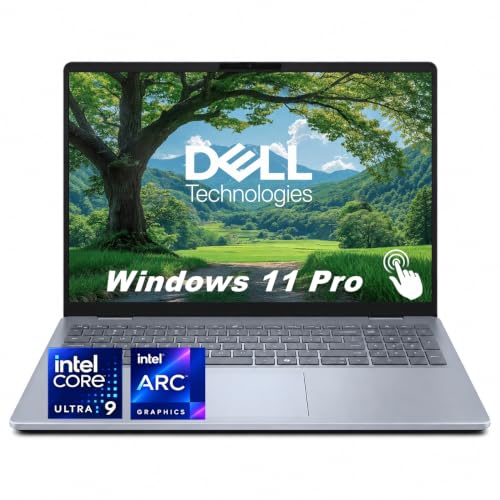 | Dell 16 Plus DB16250 | Best fit: 16-inch touchscreen with fixed 32GB memory Memory: 32GB LPDDR5X, on package (not upgradable) Processor: Core Ultra 9 288V Storage: 1TB SSD Thunderbolt or USB4 ports: 1x Thunderbolt 4, plus one 10Gbps USB-C | Check Price on Amazon |
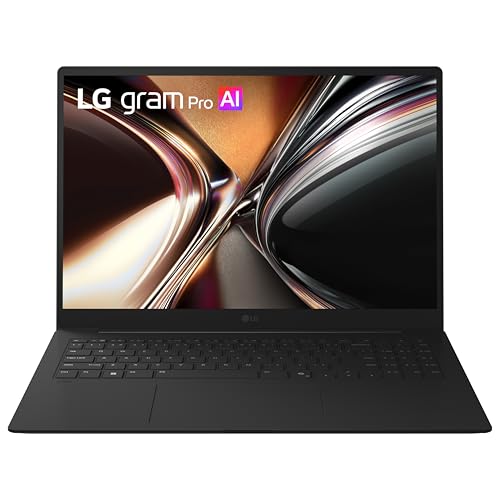 | LG gram Pro 16 16Z90U-H.AU89U1 | Best fit: Light 16-inch touchscreen with 2TB of storage Memory: 32GB LPDDR5X, upgrade path not stated Processor: Core Ultra 7 355 Storage: 2TB (2x1TB) SSD Thunderbolt or USB4 ports: Thunderbolt 4 in the Amazon title, count not stated | Check Price on Amazon |
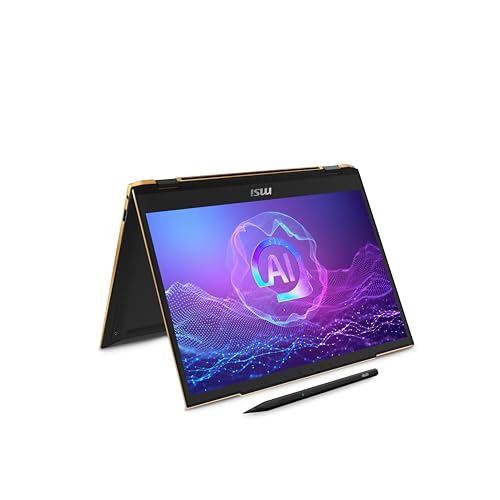 | MSI Summit 13 AI+ Evo A2VMTG-017US | Best fit: 13.3-inch touchscreen with two Thunderbolt 4 ports Memory: 32GB LPDDR5x-8533, upgrade path not stated Processor: Core Ultra 7 258V Storage: 2TB NVMe SSD Thunderbolt or USB4 ports: 2x Thunderbolt 4 with USB 4.0 | Check Price on Amazon |
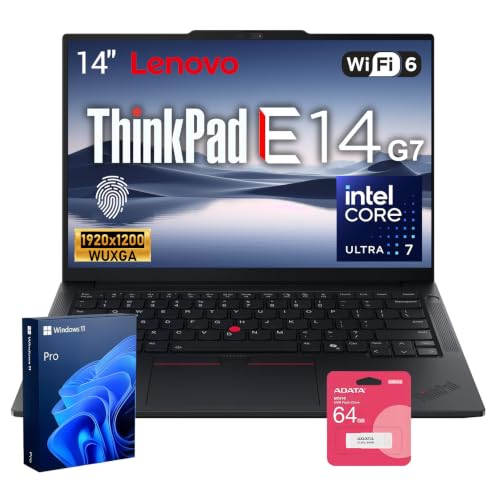 | Lenovo ThinkPad E14 Gen 7 | Best fit: 14-inch laptop with two memory slots Memory: 32GB DDR5, two SO-DIMM slots (upgradable) Processor: Core Ultra 7 255H Storage: 1TB SSD Thunderbolt or USB4 ports: 1x Thunderbolt 4 / USB4 40Gbps | Check Price on Amazon |
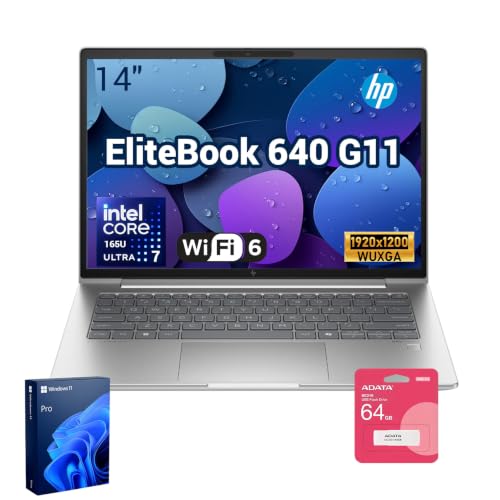 | HP EliteBook 640 G11 | Best fit: 14-inch business laptop with customer-accessible memory slots Memory: 32GB DDR5 (seller upgrade), two accessible slots Processor: Core Ultra 7 165U Storage: 1TB SSD (seller upgrade) Thunderbolt or USB4 ports: 2x Thunderbolt 4 USB4 40Gbps | Check Price on Amazon |
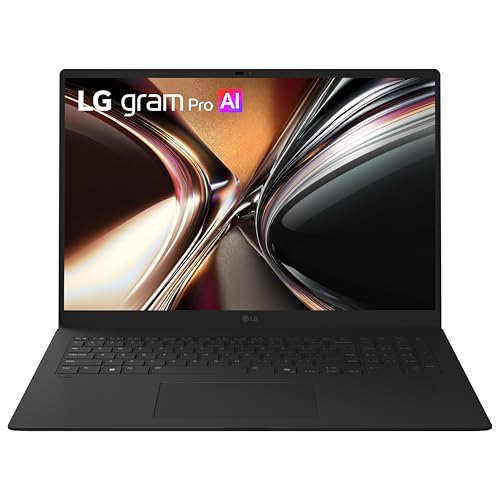 | LG gram Pro 17 17Z90U-G.AU89U1 | Best fit: 17-inch lightweight laptop with 2TB of storage Memory: 32GB RAM, upgrade path not stated Processor: Core Ultra 7 355 Storage: 2TB SSD Thunderbolt or USB4 ports: Thunderbolt 4 in the Amazon title, count not stated | Check Price on Amazon |
1. Dell 16 Plus DB16250 — Best for a 16-Inch Screen With Fixed 32GB Memory
The Amazon listing for this Dell 16 Plus states a Core Ultra 9 288V, 32GB LPDDR5X memory, a 1TB SSD, and a 16-inch 1920×1200 touchscreen. Dell’s manual lists 16GB and 32GB memory options and gives 32GB as the maximum, so this configuration carries the maximum memory Dell lists for the model.
Memory is fixed. Dell’s memory specification gives the slot entry as onboard memory (Memory on Package), so plan on the 32GB staying as shipped. Dell lists one Thunderbolt 4 port with DisplayPort 2.1 and Power Delivery, and the Amazon listing also names Thunderbolt 4. Dell lists a second USB-C port at 10 Gbps (USB 3.2 Gen 2) with DisplayPort 1.4 and Power Delivery, and says a Dell docking station can connect to either USB-C port.
Our Take Choose the Dell when a 16-inch screen, 32GB maximum, and one Thunderbolt 4 port fit the desk plan. Skip it if you want to add memory later.
- Dell lists 32GB as the DB16250’s maximum memory, and this LPDDR5X configuration carries that full amount.
- The Amazon listing states a Core Ultra 9 288V, 32GB memory, and a 1TB SSD.
- Dell lists a Thunderbolt 4 port with DisplayPort 2.1 and Power Delivery, and says a Dell docking station can connect to either USB-C port.
- The Amazon listing states a 16-inch 1920×1200 touchscreen.
- Dell lists memory on package, so the 32GB cannot be upgraded later.
- Dell lists one Thunderbolt 4 port, and its second USB-C port is rated at 10 Gbps.
2. LG gram Pro 16 16Z90U-H.AU89U1 — Best 16-Inch Light Laptop
The LG gram Pro 16 is for a buyer who wants a 16-inch touchscreen at about 3 pounds. LG’s page lists 32GB LPDDR5X memory, a 2TB (2x1TB) SSD, a 16-inch 2560×1600 IPS touchscreen, and a weight of 3 lbs at 0.6 inches thin. The Amazon title adds a Core Ultra 7 355 and a weight of 2.97 lbs.
The Amazon title is the source for Thunderbolt 4. LG’s page lists no ports and mentions a Thunderbolt cable only in a footnote, so the port count is not stated. LG’s page does not say whether the memory can be upgraded, and the LG feature text on Amazon lists support for up to 32GB LPDDR5x. The two-drive total is double the 1TB in the Dell, Lenovo, and HP configurations.
LG lists 32GB LPDDR5X, a 2TB SSD, a 16-inch touchscreen, and a weight of 3 lbs for the gram Pro 16.Our Take Pick this LG when the 16-inch touchscreen and 2TB of storage suit you better than user-serviceable memory. Confirm the Thunderbolt 4 port count with LG or Amazon before buying a dock.
- LG’s page lists 32GB LPDDR5X memory and a 2TB (2x1TB) SSD for 16Z90U-H.AU89U1.
- LG states a weight of 3 lbs and a thickness of 0.6 inches, and the Amazon title lists 2.97 lbs.
- The Amazon title states Thunderbolt 4, and the port count is left to confirm with LG or Amazon before buying a dock.
- LG’s page does not state a memory-upgrade path or a port list, so the Thunderbolt 4 label rests on the Amazon title.
- LG’s 16-inch gram Pro needs more carrying space than the 13.3-inch MSI.
3. MSI Summit 13 AI+ Evo A2VMTG-017US — Best 13.3-Inch Touchscreen With Two Thunderbolt 4 Ports
The Summit 13 AI+ Evo is for a buyer who wants two Thunderbolt 4 ports in a small touchscreen laptop. MSI’s A2VMTG-017US column lists a Core Ultra 7 258V, 32GB LPDDR5x-8533 memory, a 2TB NVMe SSD, and a 13.3-inch 1920×1200 touchscreen that supports MSI Pen2. The Amazon listing says the pen comes with the laptop.
MSI lists two Thunderbolt 4 ports that support Power Delivery, DisplayPort 1.4a, and USB 4.0, plus one USB 3.2 Gen 1 Type-A port and HDMI 2.1. MSI does not say whether the memory can be upgraded. MSI also lists a weight of 2.98 lbs and a 70Wh battery.
Our Take Choose the MSI when a small touchscreen, pen support, and two Thunderbolt 4 ports count for more than a larger built-in screen.
- MSI lists 32GB LPDDR5x-8533 memory and a 2TB NVMe SSD for the A2VMTG-017US.
- MSI lists two Thunderbolt 4 ports with Power Delivery, DisplayPort 1.4a, and USB 4.0.
- MSI lists a 13.3-inch touchscreen with MSI Pen2 support, and the Amazon listing says the pen comes with the laptop.
- MSI lists a weight of 2.98 lbs and a 70Wh battery.
- MSI’s 13.3-inch screen gives less built-in workspace than the 14-, 16-, and 17-inch laptops here.
- MSI does not state a memory-upgrade path for the 32GB LPDDR5x.
4. Lenovo ThinkPad E14 Gen 7 — Best for Upgradable Memory
The ThinkPad E14 Gen 7 is for a buyer who wants 32GB now and the option to change the memory later. The Amazon listing states a Core Ultra 7 255H, 32GB DDR5, a 1TB SSD, and a 14-inch screen, and says the memory is user-replaceable. Lenovo’s specification lists two DDR5 SO-DIMM slots and up to 64GB DDR5-5600, with a note that 64GB is available for special bid only.
Lenovo lists one USB-C port as Thunderbolt 4 / USB4 40Gbps with Power Delivery 3.1 and DisplayPort 2.1. The second USB-C port is labeled USB 20Gbps with DisplayPort 1.4. Lenovo says the laptop supports its own screen plus three external monitors through HDMI, USB-C, and Thunderbolt, and the dock and displays you choose set the working setup.
Lenovo lists two DDR5 SO-DIMM slots and one Thunderbolt 4 / USB4 40Gbps port for the E14 Gen 7.Our Take Buy the ThinkPad when replaceable memory counts for more than a second Thunderbolt port. Lenovo lists 64GB as special bid only, so confirm availability before counting on it.
- Lenovo lists two DDR5 SO-DIMM slots, and the Amazon listing says the memory is user-replaceable.
- Lenovo lists up to 64GB DDR5-5600 for the E14 Gen 7.
- Lenovo lists one USB-C port as Thunderbolt 4 / USB4 40Gbps with Power Delivery 3.1 and DisplayPort 2.1.
- Lenovo lists one Thunderbolt 4 / USB4 port, and its other USB-C port is USB 20Gbps.
- Lenovo lists the 64GB maximum as special bid only, so confirm availability before counting on it.
5. HP EliteBook 640 G11 — Best Business Laptop With Accessible RAM
The EliteBook 640 G11 is for a buyer who wants two Thunderbolt 4 ports and memory slots that HP documents as accessible. The Amazon listing states a Core Ultra 7 165U, 32GB DDR5, a 1TB SSD, a 14-inch 1920×1200 screen, and 2 x Thunderbolt 4 at 40Gbps. The listing also says the original seal was opened for upgrading and that HP US provides a warranty on the upgraded RAM and SSD, so the 32GB and 1TB are the seller’s configuration, not a stock HP one.
HP’s maintenance guide lists two customer-accessible memory slots, for IT or self-maintainers only, with DDR5-5600 and up to 64GB. It lists 32GB as one 32GB module or two 16GB modules. HP also lists two Thunderbolt 4 USB4 Type-C ports at 40Gbps with Power Delivery and DisplayPort 1.4. The Amazon listing does not say which modules the seller installed.
Our Take Consider the HP when two high-speed ports and accessible memory slots count for more than a factory-sealed configuration. Check which modules are installed, because the listing says the seller upgraded the memory and storage.
- HP lists two customer-accessible DDR5 memory slots for up to 64GB, for IT or self-maintainers only.
- HP lists 32GB as one 32GB module or two 16GB modules.
- HP lists two Thunderbolt 4 USB4 Type-C ports at 40Gbps with Power Delivery and DisplayPort 1.4.
- The Amazon listing states a Core Ultra 7 165U and 32GB DDR5, and says HP US provides a warranty on the upgraded RAM and SSD.
- The Amazon listing says the original seal was opened for the memory and storage upgrade, so the memory and storage are the seller’s configuration, not a stock HP one.
- The Amazon listing does not say which memory modules the seller installed.
6. LG gram Pro 17 17Z90U-G.AU89U1 — Best 17-Inch Lightweight Laptop
The 17-inch LG gram Pro is for a buyer who wants the largest screen here at about 3 pounds. LG’s support page for 17Z90U-G.AU89U1 lists 32GB RAM and a 2TB SSD. The Amazon title adds a Core Ultra 7 355, Thunderbolt 4, a weight of 3.04 lbs, and a thickness of 0.57 inches.
LG’s support page does not list ports, weight, or a memory-upgrade path, so the Thunderbolt 4 label comes from the Amazon title and the port count is not stated. The LG feature text on Amazon lists support for up to 32GB LPDDR5x memory. The 17-inch screen is the reason to choose it over the 16-inch LG or the 13.3-inch MSI.
LG lists 32GB RAM and a 2TB SSD for the gram Pro 17, and the Amazon title lists 3.04 lbs and Thunderbolt 4.Our Take Choose the LG gram Pro 17 when a larger screen is the priority and 3.04 lbs suits your travel. Pick the ThinkPad or HP instead when documented upgradable memory counts for more than screen size.
- LG’s support page lists 32GB RAM and a 2TB SSD for 17Z90U-G.AU89U1.
- The Amazon title lists a 17-inch screen at 3.04 lbs and 0.57 inches thin, the largest screen among the six laptops.
- The Amazon title states Thunderbolt 4.
- LG’s 17-inch gram Pro needs more desk and carrying space than the smaller options here.
- LG’s support page does not state a memory-upgrade path or a port list, so the Thunderbolt 4 label rests on the Amazon title.
Buying Guide
Decide Whether 32GB Must Be Upgradeable
The first split is fixed versus upgradable memory. Dell 16 Plus DB16250 uses memory on package, so its 32GB maximum has to cover the whole life of the laptop. The trade suits a buyer who prefers the 16-inch screen and Core Ultra 9 288V, but it removes the option to add memory later.
The ThinkPad E14 Gen 7 and EliteBook 640 G11 take the opposite approach. Lenovo lists two DDR5 SO-DIMM slots and up to 64GB, with 64GB for special bid only, while HP lists two customer-accessible slots and up to 64GB. The makers of the MSI Summit 13 AI+ Evo, LG gram Pro 16, and LG gram Pro 17 do not say whether their memory can be upgraded. Check which modules the HP seller installed before ordering.
Count the High-Speed Ports, Not Just USB-C Shapes
Every laptop here has a Thunderbolt or USB4 statement, but the counts differ. The MSI Summit 13 AI+ Evo and HP EliteBook 640 G11 each list two Thunderbolt 4 ports, which can be useful when one connection serves a dock and another serves direct storage. Dell 16 Plus and ThinkPad E14 Gen 7 each list one Thunderbolt 4 port, and Dell says its 10 Gbps USB-C port also accepts a Dell docking station. Neither the LG gram Pro 16 nor the LG gram Pro 17 has a stated port count, and both rest on a Thunderbolt 4 label in the Amazon title.
The other USB-C port on the ThinkPad E14 Gen 7 is not the same as its Thunderbolt 4 / USB4 40Gbps port, because Lenovo labels it USB 20Gbps. Read each port label and its stated speed before assuming two USB-C openings do the same job. The site’s Thunderbolt 4 docking stations guide helps match the laptop-side port with a dock’s stated host requirements.
Choose the Screen Size Before Comparing Small Details
The six configurations cover four screen sizes. The MSI Summit 13 AI+ Evo has a 13.3-inch 1920×1200 touchscreen, the ThinkPad E14 Gen 7 and EliteBook 640 G11 have 14-inch screens, the Dell 16 Plus and LG gram Pro 16 have 16-inch screens, and the LG gram Pro 17 has a 17-inch screen. Screen size sets the built-in workspace and the bag you need.
The two LG machines show why to compare size alongside weight. The Amazon titles list 2.97 lbs for the 16-inch LG and 3.04 lbs for the 17-inch LG, while MSI lists 2.98 lbs for the Summit 13 AI+ Evo. Check the dimensions against the bag or desk where the laptop will live.
Treat Storage as Part of the 32GB Decision
Memory handles open applications, while the SSD holds the files they use. The MSI Summit 13 AI+ Evo, LG gram Pro 16, and LG gram Pro 17 state 2TB of storage, while the Dell 16 Plus, ThinkPad E14 Gen 7, and EliteBook 640 G11 state 1TB. The 1TB gap counts for buyers who keep large local libraries, virtual-machine images, or several project folders on the laptop.
The HP EliteBook 640 G11 listing says its 1TB SSD was part of a seller upgrade, so check capacity and warranty terms together when storage size is as important as the 32GB of memory.
Match the Laptop to the Desk Accessory
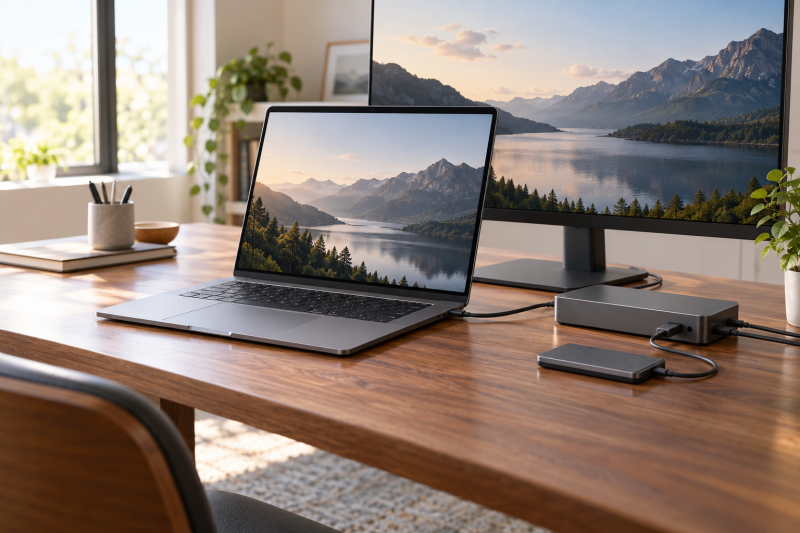
Thunderbolt 4 and USB4 are useful labels, but they do not guarantee a desk setup. Dell 16 Plus lists Thunderbolt 4 with DisplayPort 2.1 and Power Delivery, while ThinkPad E14 Gen 7 lists Thunderbolt 4 / USB4 40Gbps with Power Delivery and DisplayPort 2.1. Both laptops’ port details are the starting point for an external display, dock, or fast SSD.
Read the planned dock, cable, display, and storage documentation as well as the laptop’s. A laptop, cable, dock, and monitor form one connection chain, and a mismatch can change what the setup supports. The Thunderbolt laptop list and USB4 laptop list place these configurations beside wider port options.
FAQ
Is 32GB RAM enough for a laptop?
32GB gives more headroom than 16GB for many applications, browser tabs, or large local files open together. It is not a promise about one program, because software needs and file sizes vary.
If 32GB may fall short later, choose a laptop with memory slots. The ThinkPad E14 Gen 7 and EliteBook 640 G11 each document two memory slots and up to 64GB, with Lenovo listing 64GB as special bid only, while Dell 16 Plus specifies its 32GB as memory on package.
Is soldered laptop memory always a bad choice?
No. Fixed memory can be fine when 32GB covers the period you expect to keep the laptop. Dell 16 Plus DB16250 lists 32GB as its maximum, so the 32GB configuration is already at that limit.
The trade-off is finality. On-package memory cannot be upgraded the way a SO-DIMM module can, so choose the 32GB Dell 16 Plus only when that capacity suits your applications and files without a later expansion plan. The LG gram Pro 16, LG gram Pro 17, and MSI Summit 13 AI+ Evo list LPDDR5X memory, but their makers do not say whether it is soldered or upgradable.
Which picks have two Thunderbolt 4 ports?
The MSI Summit 13 AI+ Evo and HP EliteBook 640 G11 each list two Thunderbolt 4 ports. MSI lists Power Delivery, DisplayPort 1.4a, and USB 4.0, while HP lists Thunderbolt 4 USB4 Type-C 40Gbps with Power Delivery and DisplayPort 1.4.
Two ports can make a desk easier to arrange, but they do not set what every dock can drive. Match the accessories to their published host, cable, and display requirements before relying on a particular setup.
Can a Thunderbolt 4 laptop use USB4 accessories?
The connection names overlap, but the accessory’s documentation decides the supported result. ThinkPad E14 Gen 7 labels its port Thunderbolt 4 / USB4 40Gbps, and MSI Summit 13 AI+ Evo lists USB 4.0 support alongside its two Thunderbolt 4 ports.
Start with the exact port on the laptop, then read the accessory’s stated compatibility. The site’s Thunderbolt port identification guide helps tell the high-speed connection from other USB-C ports on the same laptop.
Should I choose 1TB or 2TB storage with 32GB RAM?
Choose capacity from the local material that must stay on the laptop. The LG gram Pro 16, LG gram Pro 17, and MSI Summit 13 AI+ Evo state 2TB SSDs, while the Dell 16 Plus, ThinkPad E14 Gen 7, and EliteBook 640 G11 state 1TB. A 2TB configuration can reduce how often you move large folders off the laptop.
The HP EliteBook 640 G11 listing says the seller upgraded its memory and SSD, and says HP US provides a warranty on the upgraded RAM and SSD, so check both before buying.
Bottom Line
Choose the Dell 16 Plus DB16250 when you accept fixed 32GB memory and want a 16-inch touchscreen with one Thunderbolt 4 port. Choose the Lenovo ThinkPad E14 Gen 7 or HP EliteBook 640 G11 when documented memory slots count for more, the MSI Summit 13 AI+ Evo for a 13.3-inch touchscreen with two Thunderbolt 4 ports, or either LG gram Pro 16 or LG gram Pro 17 for a light 16- or 17-inch laptop with 32GB and 2TB of storage.