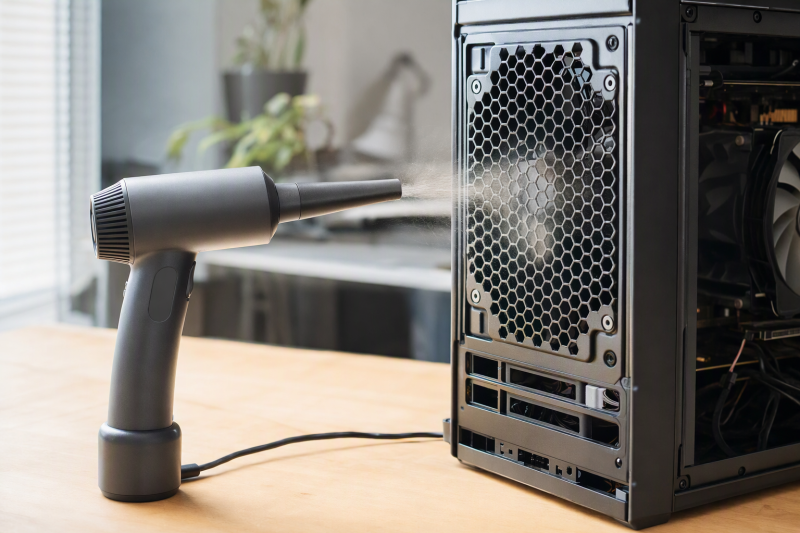
Dust in a laptop vent or desktop intake can make a cleaning job look simple. You point a blower at the grille and press the button. The harder question is where the dust will go. A narrow nozzle, a controllable low setting, and access to the fan count for more than the biggest motor RPM number on the box. A blocked vent may also need an opened chassis and a brush, not simply a stronger jet.
These seven electric air dusters have active New Amazon US offers and suit different routines for desk maintenance. The checked listings do not establish measured outlet airflow, noise, endurance, or cleaning results. Treat speed and runtime numbers as listing claims, not head-to-head results.
Power down and unplug the computer first. If a fan is accessible, hold its blades still while cleaning and give dislodged dust a route out of the case.Electric Air Dusters Compared
| Image | Product | Details | Check Price |
|---|---|---|---|
 | WOLFBOX MegaFlow 50 | Power: Rechargeable USB-C Control: 3 speeds Attachments: 4 nozzles Best fit: Light everyday desk clean | Check Price on Amazon |
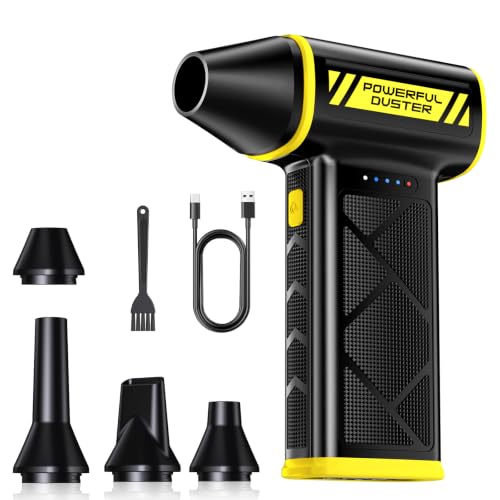 | HolyPoint 130000RPM | Power: Rechargeable USB-C Control: 3 speeds; runtimes stated Attachments: 4 nozzles, brush Best fit: Planned multi-desk sessions | Check Price on Amazon |
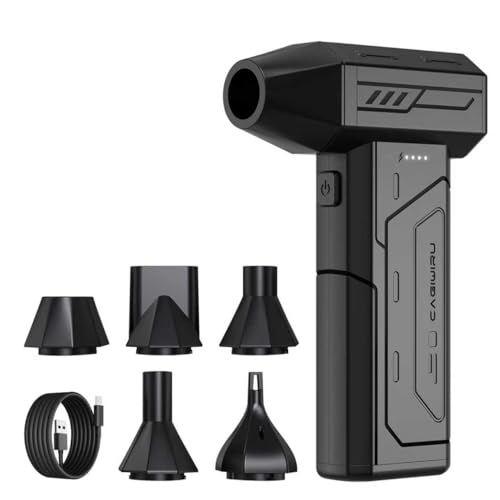 | CAGIWIRU three-gear | Power: Rechargeable USB-C Control: 3 speeds Attachments: 5 nozzles, LED Best fit: Nozzle variety | Check Price on Amazon |
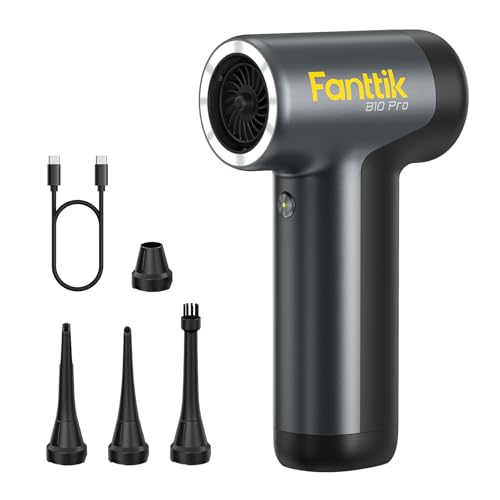 | Fanttik B10 Pro | Power: Rechargeable Type-C Control: 3 speeds plus boost Attachments: 4 nozzles, 9-LED ring Best fit: Dark PC case corners | Check Price on Amazon |
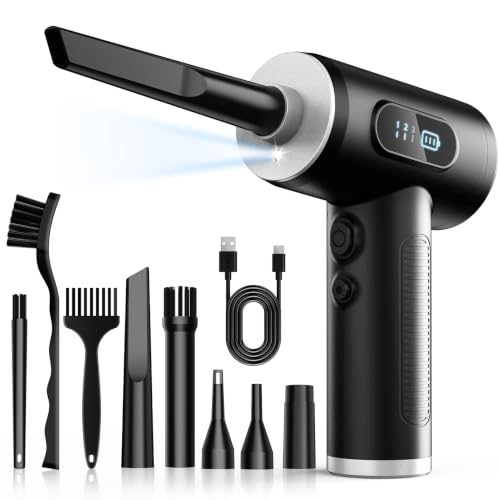 | FRESMOL cordless | Power: Rechargeable Control: 3 speeds, display Attachments: 5 nozzles, 3 brushes Best fit: Brush-assisted surface cleaning | Check Price on Amazon |
 | IT Dusters AirTec Type 6 | Power: Mains; 3-m cord Control: 2 stages Attachments: 6 nozzles, 3 brushes Best fit: Fixed repair bench | Check Price on Amazon |
 | WOLFBOX MF100 | Power: Rechargeable Type-C Control: 3 speeds Attachments: 5 nozzles, 2 brushes Best fit: Cordless with extra tools | Check Price on Amazon |
1. WOLFBOX MegaFlow 50 — Best Lightweight Everyday Pick
The MegaFlow 50 lists three speed settings and four nozzles in a body weighing about 0.45 lb. Its USB-C recharge and compact shape suit a desk where the same tool dusts a keyboard, a desktop intake, and accessible laptop vents. The stated 110,000 RPM is a motor figure, so we don’t know how much air reaches a narrow grille after nozzle losses.
WOLFBOX claims up to 240 minutes on the lowest setting and about 3.5 hours to charge. Those figures are unverified, and the runtime at the maximum setting is not given in the checked bullets. Start low near fins or a fragile connector, then use a short controlled burst. External dusting cannot prove that a blocked laptop heatsink has cleared.
Our Take Choose the MegaFlow 50 if you want a straightforward cordless pick for mixed desk cleaning. Its low weight and multiple nozzles count for more than its headline RPM.
- Three settings and four listed nozzles.
- Lightweight USB-C rechargeable body.
- Maximum-setting runtime not stated in checked bullets.
- Claimed motor RPM is not measured vent airflow.
2. HolyPoint 130000RPM — Best Runtime Detail
HolyPoint gives unusually explicit runtime claims for all three settings: up to 3.5 hours at low, 45 minutes at medium, and 19 minutes at turbo. It lists four nozzles, a brush, and a bag. Figures for all three settings can help a buyer plan a long keyboard and case cleaning session more than an isolated top-speed claim. The package is described as about 0.47 lb, so it is not a large shop blower.
The low setting is the sensible starting point near a fan or tight electronics. The listing’s 130,000-RPM and 120-W figures are not an independently verified airflow test, so we cannot rank it above WOLFBOX by those labels. Its bag and brush may be handy when moving between workstations, but check that the brush is appropriate for the surface and keep loose bristles out of a vent.
Our Take Choose HolyPoint if a declared runtime at each setting helps you plan repeated cleaning. Those numbers remain seller claims, and controlled technique still counts for more than turbo mode.
- Runtime stated separately for low, medium, and turbo.
- Bag, brush, and four nozzles listed.
- Turbo runtime claim is much shorter than low mode.
- No independently measured airflow or runtime here.
3. CAGIWIRU Three-Gear Duster — Best Five-Nozzle Kit
This CAGIWIRU listing includes five nozzles, three speed settings, and an LED light. A narrower attachment can reach the edge of a PC intake grille without directing as much air across the whole desk. The light may reveal dust around a case filter or keyboard, though it does not reveal what remains inside a closed heatsink. The listing claims around 25 minutes at its highest setting and around 240 minutes at its lowest.
The seller also states sound figures of 73.2, 81.2, and 82.5 dB for the three modes without specifying a measurement distance in the checked listing. Treat the duster as a potentially noisy tool, particularly indoors. The seller advises letting the battery cool for ten minutes after use before charging. Buyers who just need a single low-pressure nozzle may prefer a simpler unit rather than paying attention to five attachments they will not use.
Our Take Choose the CAGIWIRU if you want more nozzle shapes for case filters and keyboard gaps. Its runtime and sound figures are listing claims, not comparative lab measurements.
- Five stated nozzles and built-in light.
- Three settings for different cleaning surfaces.
- Seller’s highest-setting runtime is short.
- Noise and airflow have not been independently checked.
4. Fanttik B10 Pro — Best Lit PC Case Cleaner
Fanttik’s B10 Pro has a ring of nine LEDs and four specialized nozzles. The listing describes short, blade, inflating, and brush shapes, so a PC cleaner can choose a focused stream for a case corner or a softer pass with the brush over accessible dust. Its compact 3.3-by-1.8-by-5.9-inch body may be easier to aim inside a tower than a full-size corded blower.
The seller lists a 17.76-Wh battery, three speed levels, Type-C charging, and a one-tap boost that reaches 110,000 RPM. It claims 65 m/s airflow, but the test setup is not in the checked listing and should not be compared numerically with another brand’s figure. The light helps you see dust but does not make it safe to spin a fan at high speed. Hold accessible fan blades and work in short bursts.
Our Take Choose Fanttik if you clean inside a dark PC case, since its light and nozzle mix are practical there. Buy it for visibility and aiming, not because a claimed peak speed proves better cleaning.
- Nine-LED ring lights a case interior.
- Four distinct nozzle shapes listed.
- Peak airflow claim has no shared test basis.
- Small body may not suit long bench sessions.
5. FRESMOL Cordless Duster — Best Brush and Display Bundle
FRESMOL lists five nozzles and three brushes, plus a display for speed mode and battery level. The bundle is a sensible arrangement when cleaning case filters, keyboard edges, and exterior vent grilles in one session. A display may prevent an unexpected stop halfway through the job, but the checked bullets include no measured battery endurance.
The listing describes a 100,000-RPM motor, three modes, and an LED. None of those figures establishes its actual air volume at a clogged laptop vent. Brushes can loosen surface dust that air alone leaves behind, but avoid pushing bristles through a grille into moving parts. For heavy internal buildup, consult the machine’s service instructions before opening it. An exterior pass should not be sold as an internal clean.
Our Take Choose FRESMOL if you want three brushes and a mode and battery display in a cordless kit. The display is convenient, but its cleaning performance remains unmeasured.
- Five nozzles and three brushes listed.
- Battery and mode display.
- No verified runtime in the checked bullets.
- Brush use needs care around vent openings.
6. IT Dusters AirTec Type 6 — Best Corded Bench Option
AirTec Type 6 runs from mains power through a listed three-meter cord, so repeated workstation cleanups have no recharge pause. Its two stages and six nozzle attachments suit a fixed repair bench. Three brushes are described as ESD brushes, and the housing is claimed to be ESD-protected ABS. Those claims were not independently verified and do not replace a grounded work procedure where one is required.
The listing gives a 480-W motor and 125-mph airflow figure, but the published details do not establish a like-for-like comparison against cordless models. A fixed cord can be awkward around a laptop or a crowded desk, and full power is not the right starting point near a small fan. Use stage one and the appropriate nozzle first. For a single occasional keyboard clean, a small rechargeable blower may be less cumbersome.
Our Take Choose the Type 6 if you clean at a fixed repair bench rather than from a travel bag, and want no charging step. Its ESD and speed claims should not be treated as tested guarantees.
- Corded operation avoids charging downtime.
- Two stages, six nozzles, and three listed brushes.
- Cord limits reach away from a socket.
- ESD and airflow claims not independently tested.
7. WOLFBOX MF100 — Best Higher-Setting Cordless Option
The MF100 adds five nozzles and two brushes to a three-speed rechargeable design. WOLFBOX lists about 0.66 lb weight, a Type-C charging time around 2.5 hours, and up to 100 minutes on the first setting. It is the step-up choice for someone who wants more attachment options than the MegaFlow 50 without a wall cord. The listing also claims 150,000 RPM and 45 m/s; neither figure establishes measured cleaning performance here.
A higher motor setting may clear loose dust quickly, but it also makes control around a small fan more important. The included brushes are useful only when a surface can be reached safely. Do not aim a narrow high-speed nozzle deep into a sealed laptop and assume that the debris has left the cooling path.
Our Take Choose the MF100 if you want extra nozzles and brushes in a cordless duster. The cleaning method stays the same, with the low setting first, short bursts, and a visible exit for dust.
- Five nozzles and two brushes listed.
- Type-C recharge and three speed modes.
- Claimed peak numbers are not comparative proof.
- Lower-speed runtime does not predict turbo endurance.
Buying Guide: Clean the Vent Without Making a Bigger Problem
Choose the right airflow control and nozzle
Start with a low setting and a nozzle you can aim precisely. A wide blast can scatter dust around the room. A narrow blast can drive debris deeper into a closed vent if there is no exit path. Three-speed units offer some control, but the setting labels are not standardized across brands. The shape and distance of the nozzle count for as much as the motor setting. Avoid touching fragile fins or electrical contacts with a hard nozzle.
Do not compare RPM claims as if they were airflow measurements. Motor speed, outlet velocity, and useful cleaning volume are different quantities, and the checked listings do not give a shared test setup. Fanttik’s light and the bundled brushes on FRESMOL or MF100 may be more practical than a higher printed number. Our USB-C electric screwdriver guide covers one tool that may be needed if a service guide calls for opening a laptop to reach its fan.
Decide between cordless and a fixed bench blower
A cordless duster is easy to take between desks or use away from an outlet. Look at runtime at the setting you will actually use, not only the low-speed maximum. HolyPoint’s listing gives figures for all three modes. WOLFBOX’s checked bullets give a low-mode figure but no equivalent maximum-mode figure. Battery claims can vary with load and age.
At a permanent bench, a corded unit like AirTec Type 6 has no battery recharge cycle but is less portable. Check cable reach and keep the lead clear of the computer. A mains-powered blower is still an electrical appliance, so keep liquids out of the work area and follow its own safety directions.
Protect fans and make a route for dust
Switch the computer off, unplug it, and follow its service guide before opening or cleaning. iFixit’s guidance on cleaning computers says to prevent fan blades from spinning when high-pressure air strikes them. If the fan is accessible, hold it still with an appropriate tool or finger positioned safely away from sharp edges. If it cannot be accessed without a risky teardown, do not claim a deep clean from an outside vent pass.
Check where the dust exits. A filter or heatsink packed with lint may need physical access, not more pressure. Remove and clean a removable filter according to its instructions. Do not push damp material into electronics. A blower can dislodge loose dust but cannot diagnose a failing fan, dried thermal interface, or another cause of overheating. If temperatures remain abnormal, investigate the cooling system rather than repeating a harder blast. Our docking station guide addresses desk connections, a separate issue from cooling.
Frequently Asked Questions
Can I blow air into a laptop vent without opening it?
An external pass may remove loose surface dust, but it cannot show whether the internal fan or heatsink is clear. Air can move lint farther into a chassis if it has no obvious exit. Consult the exact model’s service instructions before deciding whether a vent-only clean is enough.
Do not deliberately overspin an inaccessible fan. If the laptop still runs hot or the vent seems blocked, arrange safe internal cleaning or service instead of repeatedly increasing blower speed. The checked listings do not establish whether external-only cleaning is enough for any particular laptop model.
Is a higher RPM duster always better for a computer fan?
A higher RPM figure is not always better, because RPM describes motor rotation, not the useful airflow at a fan after a nozzle and grille. Listings use different claims and rarely show comparable measurement methods. A high setting can also scatter dust or spin an unrestrained fan too fast.
Start with a controllable low setting and hold an accessible fan still. A light, a suitable nozzle, and a way to remove the dust are better buying criteria than a single large speed number. None of the products here was ranked by measured air volume.
Should I choose a corded or rechargeable electric duster?
Choose a rechargeable model when you clean several places or need to move freely. Compare the stated runtime for the mode you expect to use, and remember that these are seller estimates. Batteries also add a recharge step and can age.
Choose corded for a permanent bench where the outlet and cable do not impede the job. IT Dusters lists the AirTec Type 6 as corded; the other six product listings describe rechargeable models.
Bottom Line
Pick WOLFBOX MegaFlow 50 for ordinary desk maintenance, since it is a light three-speed starting point. Pick Fanttik B10 Pro if you want case lighting, and IT Dusters AirTec Type 6 if you do repeated work near an outlet. None turns a closed laptop vent into a verified internal clean. Plan the dust’s exit, restrain accessible fans, and use the lowest effective airflow.