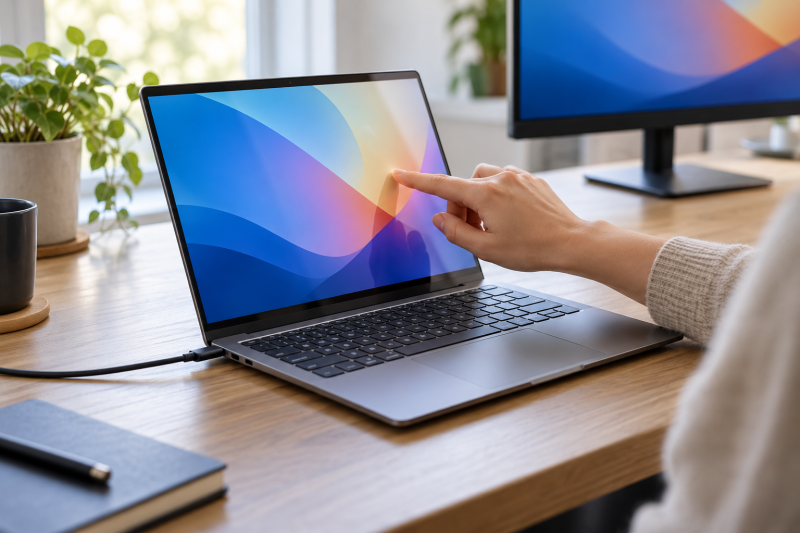
A touchscreen adds direct input for scrolling, annotating, and presenting, and a convertible hinge adds tablet and tent modes. It says nothing about ports, so the second filter is Thunderbolt 4 or USB4. Each of the five laptops below is sold with a touchscreen and has Thunderbolt 4 ports, as its maker or Amazon listing states them.
Memory, SSD, operating system, and bundle details come from the Amazon listing for each model, and the text says where a listing differs from the maker’s page.
Touchscreen Laptops Compared
The table gives each laptop’s screen, Thunderbolt 4 port count, memory and SSD, and pen support as the maker or the Amazon listing states them. A Thunderbolt port does not tell you what a particular dock or monitor will do, so check that accessory’s manual as well.
| Image | Product | Details | Check Price |
|---|---|---|---|
 | ASUS ExpertBook Ultra B9406CAA | Best fit: Daily-carry business laptop Screen: 14-inch 3K tandem OLED touch Thunderbolt 4 ports: 2 Memory and SSD: 32GB, 1TB (Amazon listing) Pen: Not stated by ASUS | Check Price on Amazon |
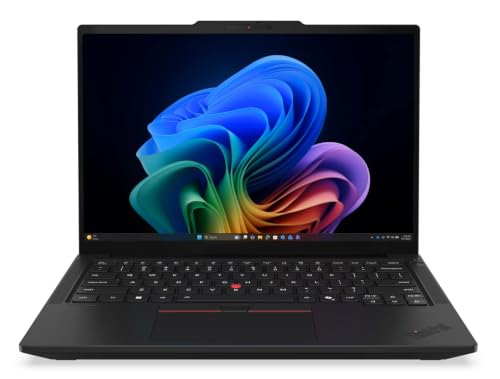 | Lenovo ThinkPad T14 Gen 7 Intel | Best fit: Touch business laptop with Ethernet Screen: 14-inch WUXGA IPS touch Thunderbolt 4 ports: 2 Memory and SSD: 32GB, 1TB (Amazon listing) Pen: None (Lenovo) | Check Price on Amazon |
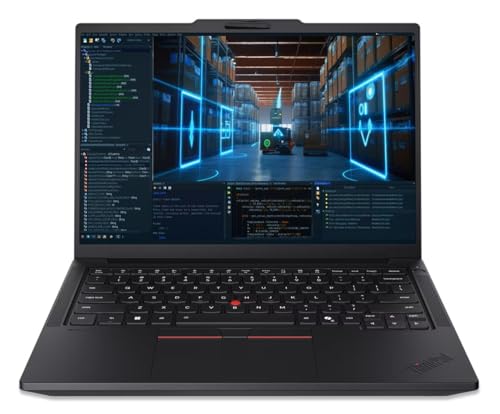 | Lenovo ThinkPad P14s Gen 7 AMD | Best fit: Touchscreen mobile workstation Screen: 14-inch WUXGA IPS touch, 500 nits Thunderbolt 4 ports: 2 Memory and SSD: 32GB, 1TB (Amazon listing) Pen: None (Lenovo) | Check Price on Amazon |
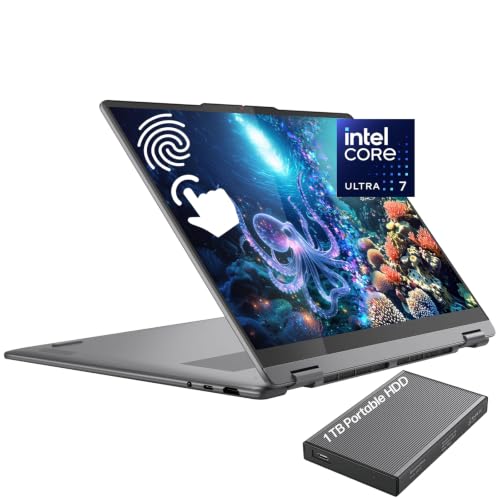 | Lenovo Yoga 7i 2-in-1 16ILL10 | Best fit: 16-inch convertible Screen: 16-inch WUXGA IPS touch, 300 nits Thunderbolt 4 ports: 2 Memory and SSD: 16GB, 1TB (Amazon listing) Pen: Yoga Pen option, none in the box | Check Price on Amazon |
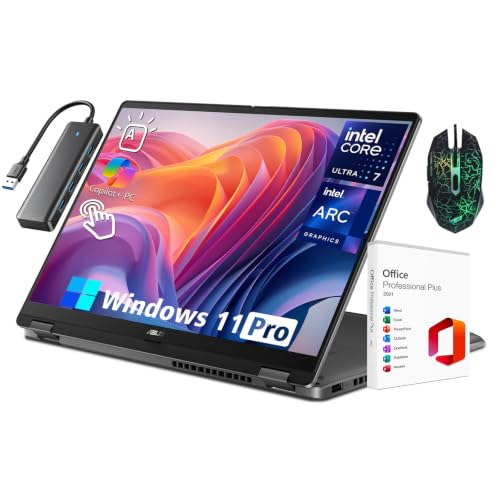 | ASUS Vivobook 16 Flip TP3607SA | Best fit: 16-inch OLED convertible Screen: 16-inch WUXGA OLED touch, 300 nits Thunderbolt 4 ports: 1 Memory and SSD: 32GB, 2TB (Amazon listing) Pen: Stylus support (ASUS) | Check Price on Amazon |
1. ASUS ExpertBook Ultra B9406CAA — Best Lightweight Business Touchscreen
ASUS describes the ExpertBook Ultra with a 14-inch 3K tandem OLED touchscreen and full-function Thunderbolt 4 Type-C ports. Its port diagram shows two, next to two USB-A ports and HDMI 2.1. ASUS says the Type-C ports carry power, audio, video, and data at the same time and support up to two 4K displays.
The Amazon listing for the B9406CAA-XSP76T states a Core Ultra X7 358H, 32GB of memory, a 1TB SSD, Windows 11 Pro, and a starting weight of 2.4 lb. For a laptop that travels every day, that weight is the first number to compare with the other 14-inch models below. ASUS states its up-to-26-hour battery figure from a lab test of a Core Ultra X7 358H configuration with 32GB of memory and a 2TB SSD, and the listing has a 1TB SSD.
ASUS pairs a 3K tandem OLED touchscreen with two Thunderbolt 4 Type-C ports, and Amazon states a starting weight of 2.4 lb.Our Take Choose the ExpertBook Ultra when you carry the laptop daily and want an OLED touchscreen with two Thunderbolt 4 ports. ASUS does not mention pen support on its ExpertBook Ultra page.
- ASUS lists a 14-inch 3K tandem OLED touchscreen for the ExpertBook Ultra.
- ASUS shows two Thunderbolt 4 Type-C ports that carry power, audio, video, and data at the same time, with support for up to two 4K displays.
- Amazon states a starting weight of 2.4 lb for the B9406CAA-XSP76T, the number to compare for a laptop that travels every day.
- The up-to-26-hour battery figure ASUS states comes from a lab test of a configuration with a 2TB SSD, and the Amazon listing has a 1TB SSD.
- ASUS does not mention pen support on its ExpertBook Ultra page.
2. Lenovo ThinkPad T14 Gen 7 Intel — Best Touch Business Laptop With Ethernet
Lenovo’s T14 Gen 7 Intel specification sheet lists in-cell and on-cell 10-point multi-touch panels and a non-touch panel, so touch depends on how the laptop is configured. The Amazon listing names a 14-inch WUXGA IPS touchscreen, a Core Ultra 7 365 vPro, 32GB of LPDDR5X memory, a 1TB SSD, and Windows 11 Pro.
Lenovo lists two Thunderbolt 4 ports with USB PD 15-100W and DisplayPort 2.1, plus a Gigabit Ethernet (RJ-45) port and HDMI 2.1. Lenovo states support for up to four independent displays, counting the laptop’s own screen, and says various docking solutions work through Thunderbolt or USB-C. Lenovo lists a starting weight of 2.80 lb for WLAN models with a 60Wh battery.
Our Take Pick the T14 for a conventional office laptop that adds a touchscreen to wired Ethernet and two Thunderbolt 4 ports. Lenovo states no pen support for it.
- Lenovo lists two Thunderbolt 4 ports on the T14, with USB PD 15-100W and DisplayPort 2.1.
- Lenovo’s specification sheet lists a built-in Gigabit Ethernet (RJ-45) port for wired networking.
- Lenovo states support for up to four independent displays on the T14, counting the laptop’s own screen.
- Lenovo lists a starting weight of 2.80 lb for WLAN models with a 60Wh battery, the lowest weight among the Lenovo laptops here.
- Lenovo lists a non-touch panel option for the T14 Gen 7 Intel, so the listing you order has to name a touchscreen.
- Lenovo states no pen support for the T14 Gen 7 Intel.
3. Lenovo ThinkPad P14s Gen 7 AMD — Best Touchscreen Mobile Workstation
The Amazon listing calls the P14s Gen 7 an ultra-portable mobile workstation and names a 14-inch WUXGA IPS touchscreen with an anti-glare finish, 500 nits, and 100% sRGB. It also states a Ryzen AI 7 PRO 450, 32GB of DDR5 memory, a 1TB SSD, and Windows 11 Pro. Lenovo’s specification sheet lists in-cell and on-cell 10-point multi-touch panels on some displays and a non-touch panel on others.
Lenovo lists two Thunderbolt 4 ports with USB PD 3.0, a Gigabit Ethernet (RJ-45) port, and HDMI. It states support for up to four independent displays, which means the laptop’s own screen plus three external monitors over the two Thunderbolt 4 ports and HDMI. Each Thunderbolt 4 port is listed at up to 5120×3200 at 60Hz or 3840×2160 at 120Hz. Lenovo lists a starting weight of 2.84 lb. The Amazon listing states one year of Courier or Carry-in Lenovo warranty.
Lenovo states up to four displays for the P14s Gen 7 AMD: its own screen plus three external monitors over two Thunderbolt 4 ports and HDMI.Our Take Consider the P14s when you want a touchscreen in a mobile-workstation configuration and a desk with several monitors. Lenovo states no pen support for it.
- Lenovo lists two Thunderbolt 4 ports with USB PD 3.0.
- Lenovo states support for up to four independent displays on the P14s, the laptop’s own screen plus three external monitors.
- The Amazon listing states 500 nits and 100% sRGB for the 14-inch touchscreen.
- Lenovo states no pen support for the P14s Gen 7 AMD.
- The Amazon listing states one year of Courier or Carry-in Lenovo warranty for the P14s.
4. Lenovo Yoga 7i 2-in-1 16ILL10 — Best 16-Inch Convertible With Two Thunderbolt 4 Ports
Lenovo’s specification sheet for the Yoga 7 2-in-1 16ILL10 lists a 10-point multi-touch screen, two Thunderbolt 4 ports with USB PD 45-65W and DisplayPort 2.1, and an HDMI 1.4b port. The Amazon listing for model 83JT names a 16-inch WUXGA IPS touchscreen at 300 nits, a 360-degree hinge, a Core Ultra 7 256V, 16GB of memory, a 1TB SSD, and Windows 11 Home. Its box contents add a 1TB portable hard drive.
Lenovo lists Yoga Pen options for this laptop, and the listing’s box contents do not include a pen. Lenovo states support for up to three independent displays, which means the laptop’s own screen plus two external monitors over HDMI and Thunderbolt. It also lists HDMI at up to 4K at 30Hz, and the starting weight is 4.23 lb for models with an IPS panel.
Our Take Choose this Yoga for a large convertible touchscreen with two Thunderbolt 4 ports. Buy a Yoga Pen separately if you want pen input, because the box contents show none.
- Lenovo specifies a 10-point multi-touch screen for the Yoga 7 2-in-1 16ILL10.
- Lenovo lists two Thunderbolt 4 ports with USB PD 45-65W and DisplayPort 2.1.
- Lenovo lists Yoga Pen options for the Yoga 7 2-in-1 16ILL10, although the listing’s box contents do not include a pen.
- The Amazon listing includes a 1TB portable hard drive in the box.
- Lenovo lists a starting weight of 4.23 lb for IPS models, against 2.80 lb for the ThinkPad T14.
- Lenovo states support for up to three displays in total and lists HDMI at up to 4K at 30Hz.
5. ASUS Vivobook 16 Flip TP3607SA — Best 16-Inch OLED Convertible
ASUS lists the Vivobook 16 Flip TP3607SA with a 16-inch OLED touchscreen with stylus support, a Core Ultra 7 258V with 32GB of memory, and one Thunderbolt 4 port at up to 40Gbps with display and power delivery. It adds a USB 3.2 Gen 2 Type-C port at up to 20Gbps, a USB-A port, and HDMI 2.1. The weight is 3.97 lb.
The Amazon listing for the TP3607SA-IS77T names a 16-inch WUXGA OLED touchscreen at 60Hz and 300 nits, a 360-degree hinge, 32GB of memory, a 2TB SSD, and Windows 11 Pro. ASUS’s page lists 512GB and 1TB SSDs, so the 2TB figure comes from the listing alone. The listing’s title also names an Ultra 9 185H beside the Ultra 7 258V, while its bullets and ASUS’s page name the Ultra 7 258V.
Our Take Pick the Vivobook 16 Flip for a 16-inch OLED convertible with stylus support. If a dock and a fast drive both need Thunderbolt, count the ports first, because it has one.
- ASUS lists a 16-inch OLED touchscreen with stylus support for the TP3607SA.
- ASUS lists one Thunderbolt 4 port at up to 40Gbps and a USB 3.2 Gen 2 Type-C port at up to 20Gbps, both with display and power delivery.
- The Amazon listing states a 2TB SSD with 32GB of memory.
- ASUS lists one Thunderbolt 4 port for the TP3607SA, against two on each of the other four laptops here.
- The Amazon title names an Ultra 9 185H beside the Ultra 7 258V that its bullets and ASUS’s page name.
Buying Guide
1. Start with the touchscreen and pen support
Lenovo sells the ThinkPad T14 and P14s with and without touch. Both specification sheets list in-cell and on-cell 10-point multi-touch panels and a non-touch panel. The Amazon titles for both name touchscreens, so read the title of the listing you order. The Yoga sheet lists a 10-point multi-touch screen, and ASUS lists a touchscreen for the ExpertBook Ultra and an OLED touchscreen for the Vivobook.
Pen support differs by model. Lenovo states no pen support for the T14 and P14s, and it lists Yoga Pen options for the Yoga. ASUS lists stylus support for the Vivobook panel. ASUS’s ExpertBook Ultra page does not mention a pen, so treat pen input on that laptop as unconfirmed.
2. Count the Thunderbolt 4 ports, then the displays
Four of the five laptops list two Thunderbolt 4 ports, and the Vivobook lists one. Lenovo states support for up to four independent displays on the T14 and P14s, counting the laptop’s own screen, and up to three on the Yoga. ASUS says the ExpertBook Ultra supports up to two 4K displays. Lenovo lists HDMI 1.4b at up to 4K at 30Hz on the Yoga, so a 4K monitor on that port runs at up to 30Hz.
Read the dock’s own manual before you buy it, because the dock, cable, and monitors set the final result. The Thunderbolt 4 docking-station guide and USB4 hubs and docks guide cover accessory types, and a dock’s host requirements come first.
3. Choose 14 or 16 inches by where the laptop works
Weight separates the sizes. Amazon states a starting weight of 2.4 lb for the ExpertBook Ultra. Lenovo lists 2.80 lb for the T14 and 2.84 lb for the P14s. ASUS lists 3.97 lb for the 16-inch Vivobook, and Lenovo lists a starting weight of 4.23 lb for the Yoga.
A 14-inch laptop with an external monitor suits a desk that the laptop leaves often. If the built-in screen has to carry reading, annotation, or presenting on its own, the 16-inch Yoga or Vivobook gives more room, and the added weight is the cost. The list of Thunderbolt laptops shows other models if none of these fit.
4. Check the memory and SSD on the listing
The listing states its own memory and storage. The ExpertBook Ultra, T14, and P14s listings state 32GB and 1TB. The Yoga states 16GB and 1TB, and the Vivobook states 32GB and 2TB. ASUS’s Vivobook page lists 512GB and 1TB SSDs, so that 2TB SSD comes from the listing alone.
Compare the model code, memory, SSD, and bundle on the page you order from, and do not carry a figure over from another listing of the same model name.
5. Match the panel and Windows edition to the work
OLED and IPS panels appear in this list. ASUS lists a 3K tandem OLED panel for the ExpertBook Ultra with up to 1400 nits of HDR brightness, and an OLED panel for the Vivobook. The T14, P14s, and Yoga listings state IPS, at 500 nits for the P14s and 300 nits for the Yoga.
Windows 11 Pro comes with the ExpertBook Ultra, T14, P14s, and Vivobook listings, and Windows 11 Home with the Yoga. ASUS recommends Windows 11 Pro for business on its Vivobook page. If your workplace manages laptops with Pro features, check the edition on the listing before you order.
FAQ
Does a touchscreen laptop need Thunderbolt 4?
No. Touch input and Thunderbolt are separate features, and a touchscreen is useful for reading, annotation, and a convertible hinge even if the laptop never connects to a dock.
Thunderbolt 4 becomes relevant when you also plan to attach a dock, monitors, or fast storage. Each laptop in this guide states both a touchscreen and Thunderbolt 4 ports.
How many external monitors can these laptops drive?
Lenovo states support for up to four independent displays on the ThinkPad T14 and P14s, which is the laptop’s own screen plus three external monitors. The Yoga is listed for two external monitors, one over HDMI and one over Thunderbolt. ASUS says the ExpertBook Ultra supports up to two 4K displays.
A dock changes the result, so check its manual against the monitors you own. ASUS’s Vivobook page lists one Thunderbolt 4 port, and it lists display support on that port and on its USB 3.2 Gen 2 Type-C port, plus HDMI 2.1.
Are the memory and SSD figures the same on every laptop with that model name?
No. Each figure here comes from the Amazon listing. ASUS lists 512GB and 1TB SSDs for the Vivobook TP3607SA, and the listing states 2TB.
Before ordering, compare the model code, processor, memory, SSD, and bundle with the page you intend to buy from.
Is OLED the better choice for a touchscreen laptop?
Not on its own. ASUS lists OLED panels for the ExpertBook Ultra and Vivobook, while the T14, P14s, and Yoga listings state IPS panels. Brightness differs as well: the Yoga and Vivobook listings state 300 nits, the P14s listing states 500 nits, and ASUS lists up to 1400 nits of HDR brightness for the ExpertBook Ultra.
Compare the panel type and the listed brightness for the room where the laptop will sit most of the day.
Can I use a pen on these laptops?
It depends on the model. Lenovo states no pen support for the T14 and P14s. It lists Yoga Pen options for the Yoga, and the listing’s box contents show no pen. ASUS lists stylus support for the Vivobook panel.
ASUS’s ExpertBook Ultra page does not mention a pen. If you plan to write or draw on the screen, choose the Yoga or Vivobook and confirm the pen before you buy.
Bottom Line
Choose ASUS ExpertBook Ultra for a light business laptop with two Thunderbolt 4 ports, Lenovo Yoga 7i for a 16-inch convertible with two Thunderbolt 4 ports, or ASUS Vivobook 16 Flip for a 16-inch OLED convertible with stylus support. Compare the memory, SSD, and bundle on the listing before you order.