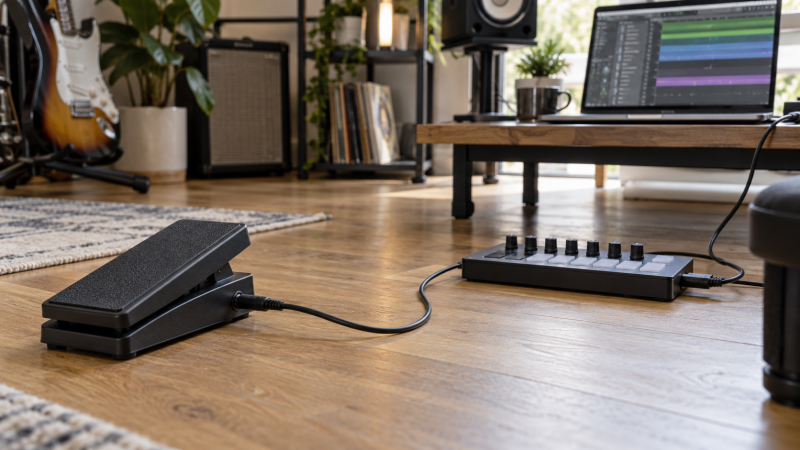
An expression pedal can move a DAW parameter continuously while both hands stay on a keyboard, guitar, controller, or desk. The useful result might be volume fades, filter sweeps, modulation depth, pitch movement, effect blend, or another assignable control. The key buying question is how the pedal movement becomes MIDI. Some pedals send MIDI directly, and passive TRS models must plug into a separate controller that does the conversion.
These five products cover both kinds. The Lefiko and BOSS pedals offer USB and Bluetooth MIDI. The Behringer is a large floorboard with two expression pedals, and the M-Audio and Artesia are compact passive pedals. A TRS expression connector is not a laptop USB connection, so map the full path to the DAW before you choose on pedal feel or price.
The Lefiko P4+Mate is the best all-around DAW option because it combines an expression pedal, four programmable switches, USB MIDI, Bluetooth MIDI, and a 25-hour battery claim. Choose the BOSS EV-1-WL when expression is the main job and you want more than one MIDI output, and the M-Audio EX-P when your controller already has a compatible expression jack.- Best all-around DAW controller: Lefiko P4+Mate combines continuous expression with four footswitches, programmable messages, USB, Bluetooth, and an included five-pin receiver.
- Best expression-focused MIDI pedal: BOSS EV-1-WL supports Bluetooth, class-compliant USB, and TRS MIDI at the same time.
- Best passive value: M-Audio EX-P uses a polarity switch and hardwired quarter-inch TRS cable for a compatible keyboard or controller.
MIDI Expression Pedal Comparison
| Image | Product | Details | Check Price |
|---|---|---|---|
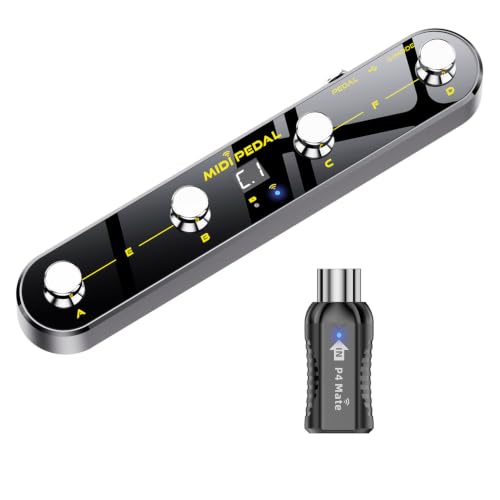 | Lefiko P4+Mate Wireless MIDI Foot Controller | Pedal Type: Direct MIDI expression plus 4 footswitches Connections: Bluetooth 5.3, USB MIDI, included 5-pin MIDI receiver Programming: KuSuite app; 5 modes; 32 messages per footswitch Power: Rechargeable; 25 hours stated Weight: 1.8 lb | Check Price on Amazon |
 | M-Audio EX-P Universal Expression Pedal | Pedal Type: Passive expression pedal Connections: Hardwired 1/4-inch TRS Programming: Through host keyboard or MIDI controller Compatibility Control: Polarity switch Cable Length: Supplied wording unclear: 18 m | Check Price on Amazon |
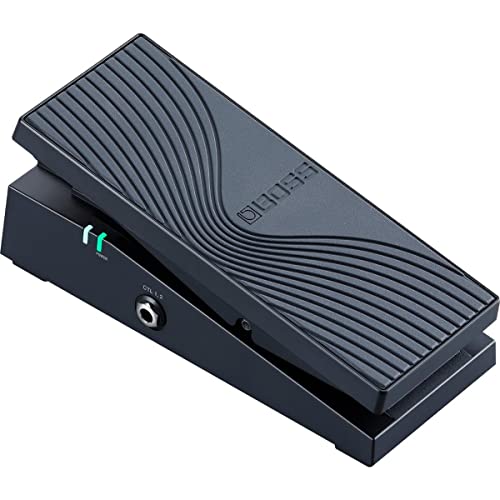 | BOSS EV-1-WL Wireless MIDI Expression Pedal | Pedal Type: Direct MIDI expression with toe switch Connections: Bluetooth, USB, TRS MIDI Programming: iOS/Android app; independent CC per output Expansion: Up to 2 BOSS FS-series footswitches Power: Not stated | Check Price on Amazon |
 | Behringer FCB1010 MIDI Foot Controller | Pedal Type: 2 expression pedals plus footswitch array Connections: Hardware MIDI; USB not listed Programming: 10 banks of 10 user presets Messages: 5 Program Change and 2 controller commands per preset Expansion: 2 relay-controlled switch jacks | Check Price on Amazon |
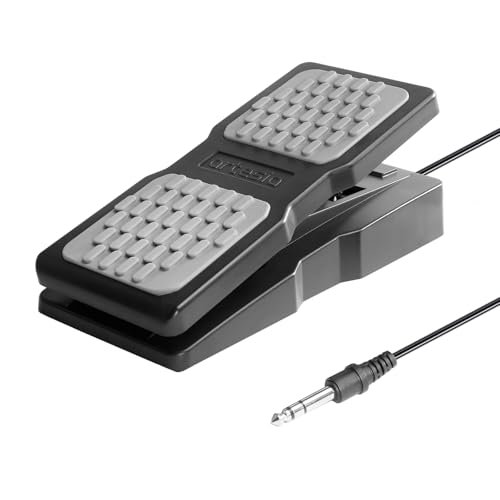 | Artesia AP-EX Universal Expression Pedal | Pedal Type: Passive expression pedal Connections: 1/4-inch TRS arrangement; wording unclear Programming: Through host keyboard or MIDI controller Compatibility Control: Polarity switch and 0-100% range knob Cable Length: 6 ft / 1.8 m | Check Price on Amazon |
1. Lefiko P4+Mate — Best All-Around DAW Controller
A solo creator who records alone needs one foot surface for parameter movement and for transport, looping, effect toggles, preset changes, or other mapped commands. The Lefiko P4+Mate combines a continuous expression pedal with four programmable metal footswitches, so one box covers both jobs. Five built-in modes and an LCD help you identify the current bank without checking the laptop during a take.
Connection choices include Bluetooth 5.3 MIDI, wired USB MIDI, and an included receiver for five-pin MIDI hardware. The maker states Bluetooth latency below 6 milliseconds and compatibility with Windows, macOS, iOS, and Android. Every footswitch stores two banks of 16 messages and supports five trigger styles, with Note On/Off, Control Change, and Program Change among the listed assignments.
You program it with the KuSuite app. The iPhone, iPad, and macOS version is listed through the App Store, while Android and Windows users get installers through a QR code on the product or manual. The internal battery is rated for 25 hours after a 2.5-hour USB-C charge, and the unit weighs 1.8 pounds. It is the strongest portable single-box option when a DAW workflow needs both continuous control and several switches.
[accentbox color=”blue”]Best for a solo DAW user who wants expression, transport or effect switches, and wired or wireless MIDI in one portable pedal.[/accentbox]- Expression pedal plus four programmable footswitches
- Bluetooth, USB, and included five-pin MIDI receiver
- 25-hour stated battery life
- Windows and Android software uses a product QR download
- More controls than a simple one-parameter setup needs
2. M-Audio EX-P — Best Passive Pedal for Controller Inputs
A keyboard, MIDI controller, synthesizer, or effects device with a compatible quarter-inch TRS expression input can use the M-Audio EX-P, a passive expression pedal. The pedal does not generate USB or Bluetooth MIDI and cannot connect directly to a laptop. The host controller reads the pedal position and sends an assigned MIDI value to the DAW.
A recessed polarity switch improves compatibility across devices that wire expression inputs differently. The textured foot rest, wide-angle motion, molded body, and compact footprint support portable use. The cable is hardwired, so you are less likely to leave it behind, but a damaged cable is harder to fix than a removable lead.
The supplied record lists a hardwired quarter-inch 1.8 m TRS cable. The source does not provide a resistance value, taper, or minimum-range control. Choose the EX-P when your keyboard or controller explicitly supports it.
[accentbox color=”blue”]Best for a keyboard or MIDI controller with a compatible TRS expression input and no need for direct laptop connectivity.[/accentbox]- Built-in polarity switch
- Hardwired quarter-inch TRS connection
- Compact textured pedal surface
- Requires a separate compatible controller input
- No direct USB MIDI output
3. BOSS EV-1-WL — Best Expression-Focused MIDI Pedal
The BOSS EV-1-WL is built around one expression treadle and offers three MIDI routes, Bluetooth wireless, class-compliant USB, and TRS MIDI. All three outputs can operate at once with independent MIDI Control Change assignments. One foot movement can then address a DAW and hardware devices in a coordinated setup, subject to the mappings selected in each destination.
USB provides plug-and-play operation with music software on macOS and Windows, while Bluetooth works with supported MIDI hosts and named BOSS devices. TRS MIDI can reach compatible hardware directly or five-pin equipment through the appropriate connection arrangement. The product includes a toe switch with indicators on both sides and an input for up to two BOSS FS-series footswitches.
You assign MIDI CC numbers and adjust the response curve in an iOS or Android app. The supplied record does not state power method, battery life, included cable, TRS MIDI wiring standard, or whether an adapter is included for five-pin gear. This pedal is the best fit when expression quality and simultaneous output paths count for more than having four built-in switches.
[accentbox color=”blue”]Best for an expression-centered setup that needs USB, Bluetooth, and hardware MIDI paths with separate CC assignments.[/accentbox]- Bluetooth, USB, and TRS MIDI
- Independent CC settings for simultaneous outputs
- Toe switch and two external footswitch inputs
- Power method and included cables are not stated
4. Behringer FCB1010 — Best Dual-Pedal Control Surface
The Behringer FCB1010 is a full-width MIDI foot controller with two expression pedals and ten footswitch positions. Behringer specifies that ten banks hold ten user-editable presets each, for up to 100 preset locations. It suits a hands-free DAW or performance system where two continuous parameters and many program or command changes must stay available without reaching for a computer.
According to the manufacturer, each preset can transmit five MIDI Program Change commands and two controller commands at the same time. MIDI Note On messages support trigger and tap-tempo uses, and the unit provides two relay-controlled switch jacks to change amplifier channels or operate other compatible hardware. The expression pedals allow separate MIDI channel, controller number, and range assignments.
The supplied record does not list USB or Bluetooth, so a laptop setup needs a MIDI interface or another device that can receive the FCB1010’s hardware MIDI and pass it to the computer. Dimensions, weight, power requirements, included MIDI cable, editor software, and pedal calibration procedure are also unstated. Choose it for its many controls and two expression pedals, not for a minimal backpack setup or a direct one-cable laptop connection.
[accentbox color=”blue”]Best for a fixed studio or performance desk that needs two expression pedals, many switches, and extensive hardware MIDI presets.[/accentbox]- Two assignable expression pedals
- Ten banks with ten presets each
- Program Change, controller, note, and relay commands
- No direct USB or Bluetooth connection is listed
- Large control surface is excessive for one parameter
5. Artesia AP-EX — Best Passive Pedal with Range Control
The Artesia AP-EX is another passive pedal for a keyboard, MIDI controller, synthesizer, or effects unit with an expression connection. Artesia includes a polarity switch to handle different host wiring, and the manufacturer specifies a center-positioned knob to adjust the working range from 0 to 100 percent. The range control can help align the pedal’s travel with a host device before the resulting MIDI CC is mapped in the DAW.
The pedal uses a non-slip surface and sturdy base for stability. The supplied record names a quarter-inch jack and a 6-foot, 1.8-meter cable, but it calls the connection an input jack and does not say whether the cable is detachable or hardwired or which end carries the plug. Confirm the actual connector arrangement for your controller.
Like the M-Audio, the AP-EX does not list USB, Bluetooth, or direct MIDI output, so it depends on another device to read the analog expression position and transmit MIDI. No resistance, taper, or exact polarity modes are supplied. Choose it over the EX-P when you want the range knob and the stated six-foot cable, provided the controller’s expression input is compatible.
[accentbox color=”blue”]Best for a compatible keyboard or controller input when a user-adjustable 0-to-100-percent pedal range is valuable.[/accentbox]- Adjustable 0-to-100-percent range
- Polarity switch
- Six-foot cable stated
- Requires a separate expression-capable controller
- Jack and cable arrangement is not fully clear
Buying Guide: Choosing an Expression Pedal for DAW Control
Decide whether the pedal must generate MIDI
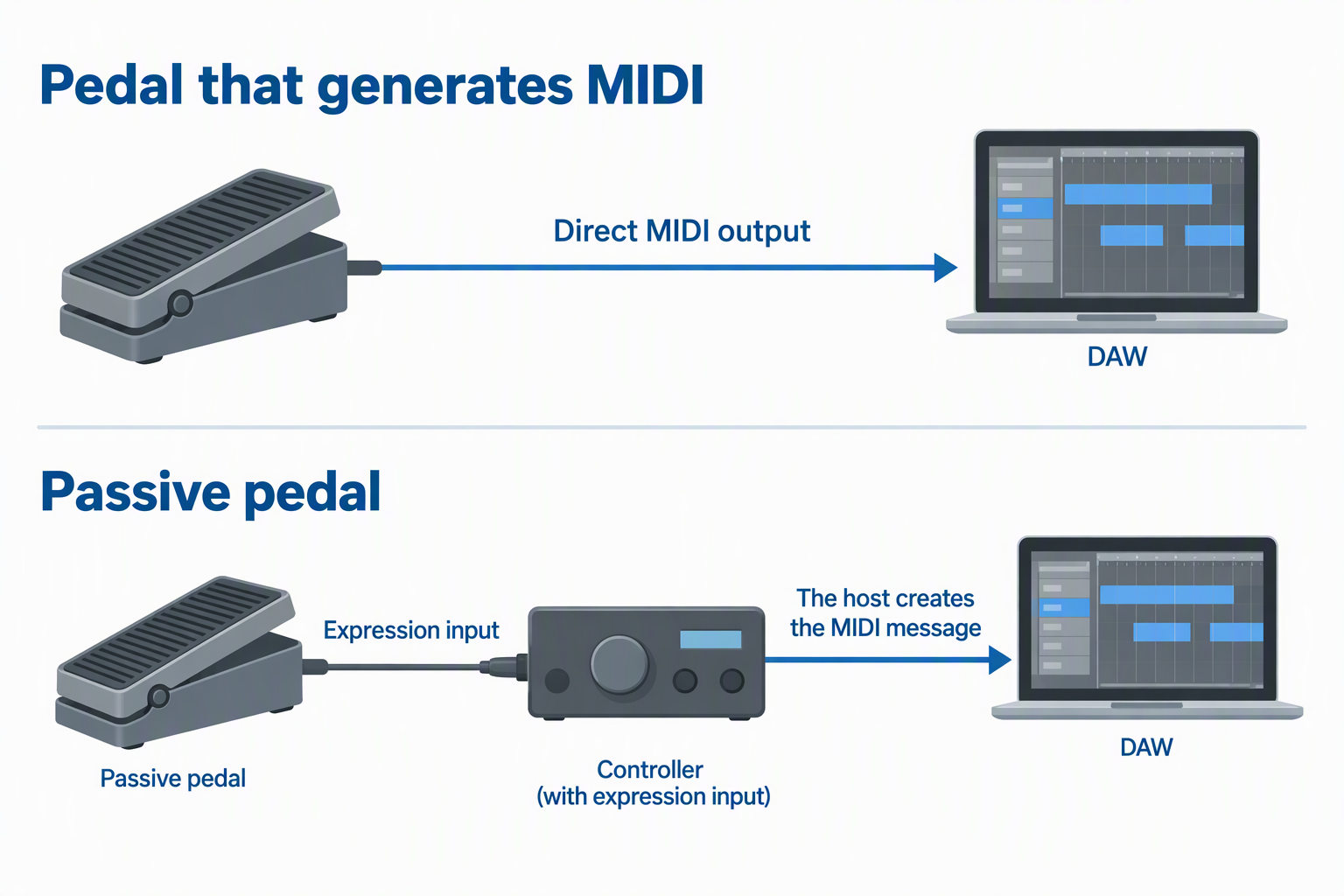
The Lefiko, BOSS, and Behringer products generate MIDI commands. They can participate in a DAW setup through USB, Bluetooth, or hardware MIDI, depending on the model. Direct MIDI output simplifies the connection map when no keyboard or controller sits between the foot and laptop.
The M-Audio and Artesia pedals are passive. They change an analog resistance read by a compatible expression input, and that host creates the MIDI message. A passive pedal cannot plug into a laptop headphone jack or generic audio input and become a DAW controller. Confirm a suitable expression port first.
Match the physical connector and MIDI transport
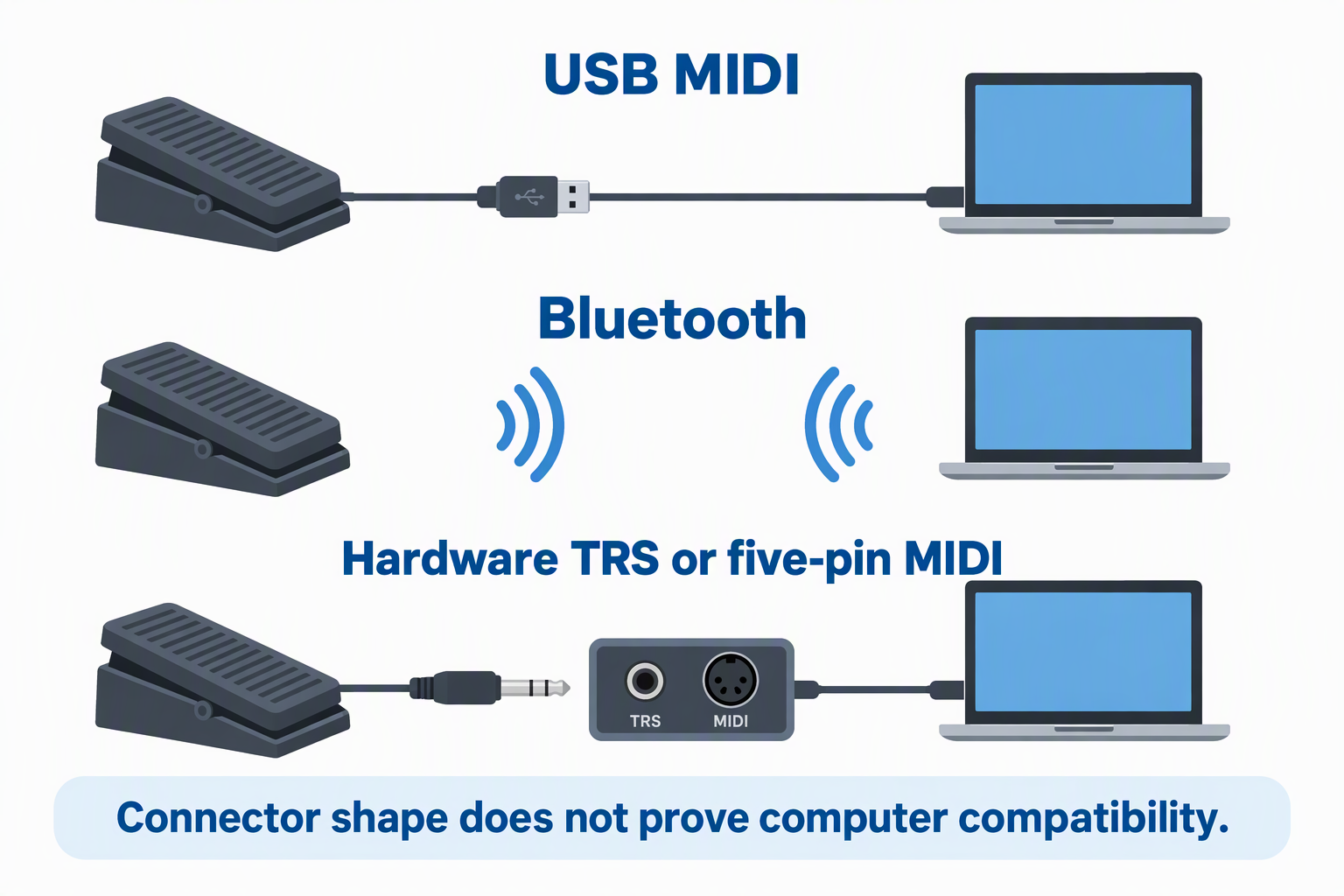
USB MIDI is the simplest wired laptop route when the pedal is class compliant and the operating system is supported. Bluetooth reduces cable clutter but depends on compatible host software and wireless conditions. Hardware TRS or five-pin MIDI may need an interface before the laptop can see it. Connector shape does not prove computer compatibility.
For passive pedals, check quarter-inch TRS wiring and polarity. A polarity switch improves the odds of correct operation, but it cannot guarantee that resistance and taper match every device. Use the controller manufacturer’s pedal guidance when available, then calibrate the full heel-to-toe movement.
Choose continuous controls and switches separately
Expression treadles send a changing value across their travel. Footswitches send events such as on, off, toggle, preset, note, or transport commands. Lefiko combines one expression pedal with four switches, BOSS includes a toe switch and expansion inputs, and Behringer supplies a large switch array. Continuous movement and shortcut triggering solve different DAW tasks.
List the actions needed during recording. One pedal may be enough for volume or effect depth, while loop recording may also need start, stop, undo, and track selection. Do not buy a large floorboard when one CC lane is the only requirement, but leave enough controls to avoid reaching for the keyboard mid-performance.
Map MIDI CC and response in the DAW
Choose a MIDI Control Change number that the instrument, effect, or DAW can learn, then bind it to the target parameter. BOSS provides response customization, Lefiko offers app-based message programming, and Behringer allows controller number and range assignment. Avoid duplicate CC mappings unless one pedal is intentionally meant to move several parameters together.
Test heel, midpoint, and toe positions. Reverse the polarity or response only when the direction is wrong, and scale the range if the musical control should never reach zero or maximum. Save the DAW mapping and pedal preset together so a later session restores the same behavior.
Consider wireless latency and battery routine
Lefiko states Bluetooth latency below 6 ms and 25 hours of use per charge. BOSS lists Bluetooth MIDI but supplies no latency or power figures in the source. Wireless response also depends on the host and environment. A published radio figure is not the whole end-to-end DAW latency.
Charge before a session and keep a wired fallback when the performance cannot stop. USB can carry MIDI directly on Lefiko and BOSS, subject to their supported setup. Battery-free passive pedals avoid charging, but they still require a powered host controller and a physical TRS cable.
Plan floor space and ergonomics
A compact passive pedal fits beneath a desk more easily than the wide Behringer floorboard. Confirm that the chair, keyboard stand, and desk permit full heel-to-toe travel without moving the pedal. The foot should reach the control without twisting the knee or ankle during a long recording session.
Use the non-slip surface or secure the pedal on a mat so mappings remain predictable. Keep cables away from chair casters and leave strain relief at every connector. Comfort and repeatability count as much as message capacity when the same automation move is performed across many takes.
Related Laptop Recording Guides
- Top standalone microphone preamps for laptop recording
- XLR-to-USB adapters for dynamic microphones
- Best XLR phantom power supplies for condenser microphones
- XLR microphone cable snakes for podcast desks
- Best HDMI capture dongles for laptop streaming
Frequently Asked Questions
Can a passive expression pedal connect directly to a laptop?
No, not through its quarter-inch TRS expression cable alone. The M-Audio EX-P and Artesia AP-EX need a keyboard, MIDI controller, effects device, or dedicated converter with a compatible expression input. That host turns pedal position into MIDI data.
If direct laptop connection is required, choose a pedal with USB MIDI or Bluetooth MIDI, such as the Lefiko or BOSS. The Behringer needs a hardware MIDI path. Trace every connection before ordering.
Is an expression pedal the same as a footswitch?
No. An expression pedal reports continuous position across its travel, while a footswitch typically sends a discrete press, release, or toggle. Continuous CC is suited to fades and sweeps, while switches suit transport, preset, and effect commands.
Some products combine both. Lefiko adds four switches, BOSS includes a toe switch, and Behringer offers many switches plus two treadles. Choose the mix that matches the actual DAW actions. One control type does not replace the other.
Can I control any DAW parameter?
No, only a parameter that supports MIDI mapping or MIDI learn can be controlled, and the pedal or its host must send a suitable message. Volume, modulation, panning, filter cutoff, effect mix, and automation controls are common examples. DAW and plug-in mapping support determines the final assignment.
Some parameters respond poorly to coarse or conflicting mappings. Test the range and direction, then save the configuration. A pedal cannot control a function that the software does not expose to MIDI.
Do I need Bluetooth for hands-free control?
No. USB MIDI, TRS MIDI, five-pin MIDI, or a passive expression input can all provide hands-free control. Bluetooth mainly removes a cable between the pedal and host. Wired connections avoid battery and pairing concerns.
Wireless can be useful across a studio or stage, especially with the Lefiko’s included receiver or BOSS Bluetooth support. Keep a charge and pairing routine. Choose wireless for placement needs, not because foot control itself requires it.
Bottom Line
The Lefiko P4+Mate is the strongest all-in-one choice for expression plus programmable footswitches and several MIDI routes. The BOSS EV-1-WL is better for a dedicated treadle with simultaneous USB, Bluetooth, and hardware MIDI outputs. Choose the M-Audio EX-P or Artesia AP-EX only when a compatible expression input already exists, and use the Behringer FCB1010 when two pedals and extensive switching justify a full floorboard.