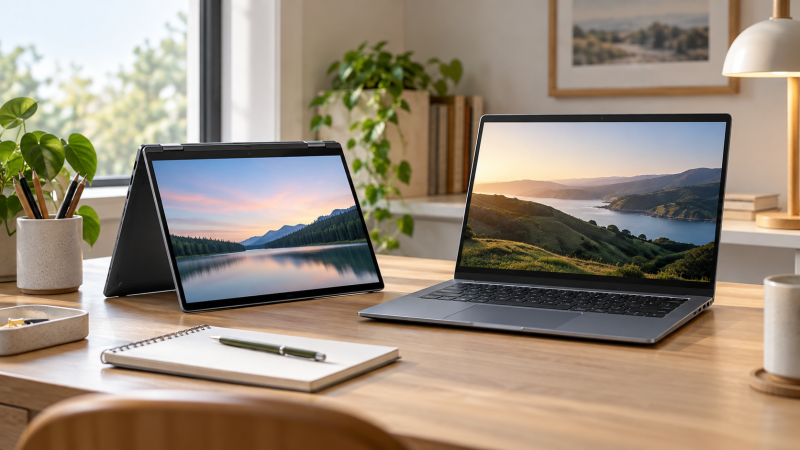
Chromebook Plus is a label, and each of the seven Amazon listings below uses it in the product title. The laptops differ a great deal. Screens run from 14 to 15.3 inches, only some name a touch screen, and the processors range from Core i3 and Intel N-series chips to a Core i5 and a Core Ultra 5.
Pick by screen and form first. The Acer Chromebook Plus 514 is a 14-inch touchscreen that lists Wi-Fi 7, the Lenovo Chromebook Plus 15 has a 15.3-inch 120Hz touchscreen, and the HP Chromebook Plus x360 folds into four modes. Several titles give memory or storage amounts that no bullet repeats, so those amounts are marked as possibly a seller configuration.
Choose the screen size and hinge first, then check the model number, the memory and storage, and the seller before you order.Chromebook Plus Laptops Compared
| Image | Product | Details | Check Price |
|---|---|---|---|
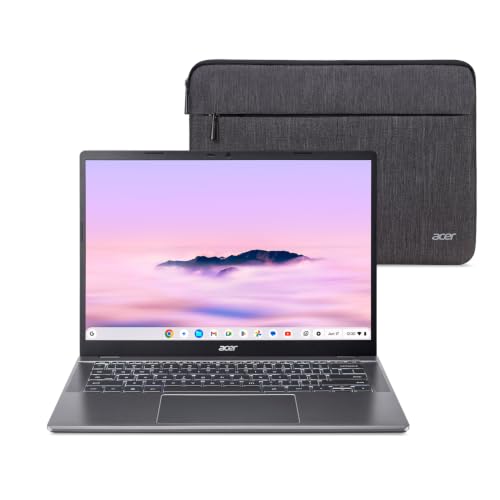 | Acer Chromebook Plus 514 | Best fit: 14-inch Wi-Fi 7 touchscreen Screen: 14-inch WUXGA matte touchscreen Processor: Intel Core i3-1315U Memory and storage: 8GB, 256GB SSD Listed extras: Wi-Fi 7, 2x USB-C, 2x USB-A, HDMI | Check Price on Amazon |
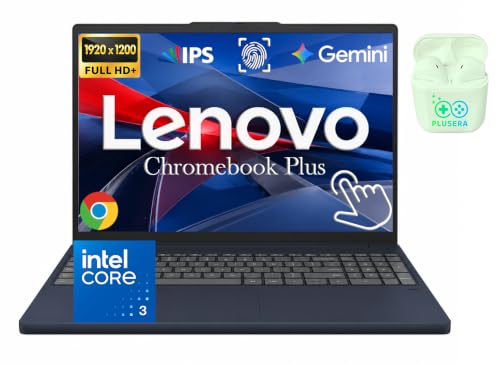 | Lenovo Chromebook Plus 15 | Best fit: Large touchscreen with 120Hz Screen: 15.3-inch WUXGA touch, 120Hz Processor: Intel Core 3 N355 Memory and storage: 8GB, 640GB with SD card (possibly seller configuration) Listed extras: Wi-Fi 6E, 2x USB-C, USB-A, HDMI, microSD | Check Price on Amazon |
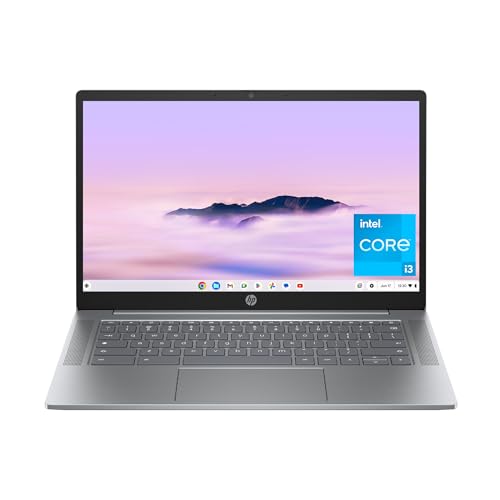 | HP Chromebook Plus 14 | Best fit: 14-inch HP with upfiring speakers Screen: 14-inch FHD IPS Processor: Intel Core i3-N305 Memory and storage: 8GB, 128GB UFS (title only) Listed extras: Dual upfiring speakers, privacy shutter | Check Price on Amazon |
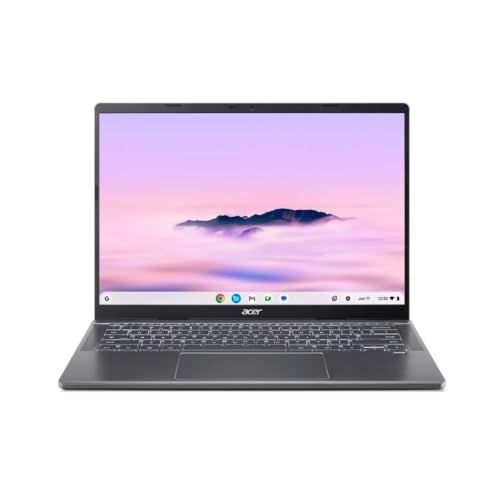 | Acer Chromebook Plus 714 | Best fit: Core Ultra 5 with a 120Hz screen Screen: 14-inch 1920 x 1200, 120Hz Processor: Intel Core Ultra 5 115U Memory and storage: 16GB, 256GB SSD (title only) Listed extras: English (US) keyboard, Intel AI Boost | Check Price on Amazon |
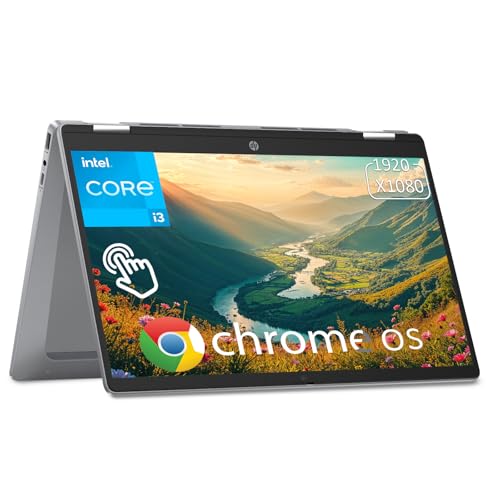 | HP Chromebook Plus x360 | Best fit: 14-inch convertible Screen: 14-inch FHD IPS touchscreen Processor: Intel Core i3-N305 Memory and storage: 8GB (title only), 256GB UFS Listed extras: 360-degree hinge, Wi-Fi 6, 2x USB-C, USB-A | Check Price on Amazon |
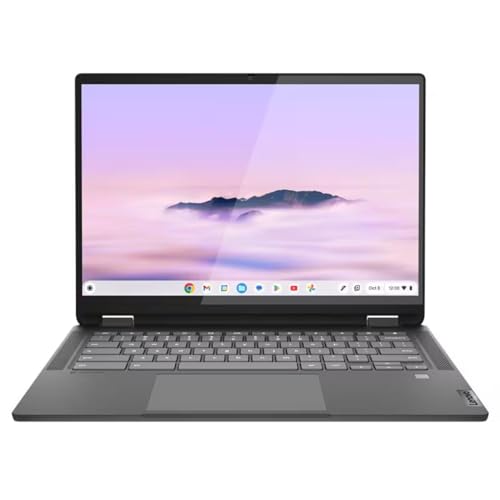 | Lenovo Flex 5i Chromebook Plus | Best fit: 14-inch with a microSD slot Screen: 14-inch 1920 x 1200 touchscreen Processor: Intel Core i3-1315U Memory and storage: 8GB, 256GB SSD (size field disagrees) Listed extras: Wi-Fi 6E, 2x USB-C with PD and DisplayPort, USB-A, microSD | Check Price on Amazon |
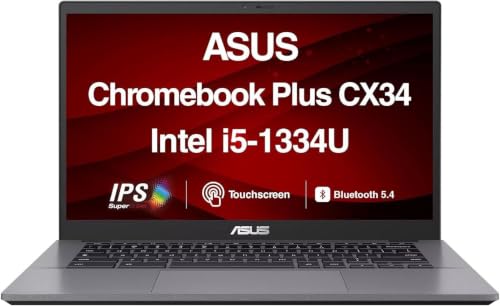 | ASUS Chromebook Plus CX34 | Best fit: Core i5 14-inch touchscreen Screen: 14-inch FHD touchscreen Processor: Intel Core i5-1334U Memory and storage: 8GB, 128GB SSD (title only) Listed extras: 180-degree lay-flat hinge, privacy guard webcam | Check Price on Amazon |
1. Acer Chromebook Plus 514 — Best 14-Inch Wi-Fi 7 Touchscreen
The Amazon listing for the Acer Chromebook Plus 514 states a 14-inch WUXGA touchscreen with a matte, anti-glare finish and 300 nits of brightness. It lists an Intel Core i3-1315U, Wi-Fi 7, and a 1080p camera with a privacy shutter. The ports are two USB-C, two USB-A, and one HDMI, and a protective sleeve comes in the box.
The bullets also give 8GB of LPDDR5 memory and a 256GB PCIe Gen4 SSD, so neither amount rests on the title alone. The USB-C ports are listed at 10Gbps with DisplayPort and charging up to 65W. The listing states up to 17 hours of battery life and adds that actual life may be lower. It names Microsoft 365, Adobe Photoshop, LumaFusion, and GeForce NOW as apps you can run.
Our Take Pick the 514 when you want a 14-inch touch screen and the newest Wi-Fi standard in this group. For tablet modes, look at the HP x360, whose listing names a 360-degree hinge.
- Acer’s 514 listing states a 14-inch WUXGA touchscreen, so a buyer who wants touch in that size gets it, with an anti-glare finish.
- Acer’s 514 listing is the only one of the seven to state Wi-Fi 7, and it pairs that with an Intel Core i3-1315U.
- Acer’s 514 listing names two USB-C ports, two USB-A ports, and HDMI, and its USB-C ports are listed with DisplayPort and charging.
- Acer’s 514 listing does not state a folding hinge, while the HP x360 listing names a 360-degree hinge.
- Acer’s 514 listing says battery life may be lower than the up to 17 hours it states.
2. Lenovo Chromebook Plus 15 — Best Large Touchscreen With 120Hz
The Amazon listing for the Lenovo Chromebook Plus 15 states a 15.3-inch WUXGA touchscreen at 1920 x 1200 with a 120Hz refresh rate, 400 nits of brightness, an anti-glare surface, and 100% sRGB color. The processor is an Intel Core 3 N355 with 8 cores, and the wireless is Wi-Fi 6E with Bluetooth 5.3. The ports are two USB-C, one USB-A, HDMI 1.4b, a microSD reader, and a headset jack.
The listing also states support for up to two external monitors alongside the built-in display and up to 11 hours of battery life. Its title gives 8GB of DDR5 memory and 640GB of storage, made up of 128GB UFS plus a 512GB SD card, and it adds a fingerprint reader and a PLUSERA earphone. Storage that includes an SD card is possibly a seller configuration, so confirm what ships before you order.
The Lenovo Chromebook Plus 15 is the only 15.3-inch model here and one of two listings that state a 120Hz screen.Our Take Pick this Lenovo when you want the largest touch screen of the seven. Choose a 14-inch model such as the Acer 514 or the Lenovo Flex 5i if you want a smaller laptop.
- Lenovo’s Chromebook Plus 15 listing states a 15.3-inch touchscreen, the largest of the seven, with a 120Hz refresh rate and 400 nits of brightness.
- Lenovo’s Chromebook Plus 15 listing states support for up to two external monitors alongside the built-in display.
- Lenovo’s Chromebook Plus 15 listing names two USB-C ports, one USB-A port, HDMI 1.4b, a microSD reader, and a headset jack.
- Lenovo’s Chromebook Plus 15 title shows 640GB of storage that includes a 512GB SD card, so the amount is possibly a seller configuration.
- Lenovo’s Chromebook Plus 15 listing states a 15.3-inch screen, the largest of the seven, so a buyer who wants a smaller laptop should choose a smaller model.
3. HP Chromebook Plus 14 — Best 14-Inch HP With Upfiring Speakers
The Amazon listing for the HP Chromebook Plus 14 gives model 14a-nf0050nr in the title. It states a 14-inch FHD IPS display with 178-degree viewing angles, an Intel Core i3-N305, an HP True Vision FHD camera with a privacy shutter, and dual upfiring speakers. It also states Chrome OS.
The title gives 8GB of RAM and 128GB of UFS storage, and no bullet repeats either amount, so both are possibly a seller configuration. The listing names no ports and no touch screen. Check for the ports and touch support you need before you order.
The HP Chromebook Plus 14 is the only listing here that states dual upfiring speakers.Our Take Pick the HP 14 for a 14-inch laptop with a Core i3-N305 and the dual upfiring speakers its listing states. Move to the HP x360 if you want touch, or to the Acer 514 if you want Wi-Fi 7.
- HP’s Chromebook Plus 14 listing states a 14-inch FHD IPS display with 178-degree viewing angles.
- HP’s Chromebook Plus 14 listing states an HP True Vision FHD camera with a privacy shutter.
- HP’s Chromebook Plus 14 listing is the only one of the seven to state dual upfiring speakers.
- HP’s Chromebook Plus 14 listing names no ports and no touch screen, so check for the ports and touch support you need before you order.
- HP’s Chromebook Plus 14 title gives 8GB of RAM and 128GB of UFS storage that no bullet repeats, so both are possibly a seller configuration.
4. Acer Chromebook Plus 714 — Best Core Ultra 120Hz Option
The Amazon listing for the Acer Chromebook Plus 714, model CBE794-1-57T9, states a 14-inch 1920 x 1200 screen and gives a 120Hz refresh rate in the title. It lists an Intel Core Ultra 5 115U with Intel AI Boost, 16GB of memory, an English (US) keyboard, and ChromeOS. The listing also states an 11.5-hour battery run time.
The 256GB SSD appears only in the title, so it is possibly a seller configuration. The listing names no touch screen and no ports, so check both before you order.
Our Take Pick the 714 when you want the Core Ultra 5 and a 120Hz 14-inch screen and do not need touch. The Acer 514 adds a touchscreen and Wi-Fi 7 with a Core i3 instead.
- Acer’s 714 listing states an Intel Core Ultra 5 115U with Intel AI Boost, a processor no other listing in the group names.
- Acer’s 714 listing gives a 14-inch 1920 x 1200 screen, and its title adds a 120Hz refresh rate.
- Acer’s 714 listing states 16GB of memory and an 11.5-hour battery run time.
- Acer’s 714 listing names no touch screen and no ports, so check both before you order.
- Acer’s 714 title gives a 256GB SSD that no bullet repeats, so it is possibly a seller configuration.
5. HP Chromebook Plus x360 — Best 14-Inch Convertible
The Amazon listing for the HP Chromebook Plus x360 states a 14-inch FHD IPS touchscreen at 1920 x 1080 and 250 nits, an Intel Core i3-N305 with 8 cores, Wi-Fi 6, Bluetooth 5.3, and a backlit keyboard. Its 360-degree hinge moves between laptop, yoga, flip, and tablet modes. The ports are two USB-C, one USB-A, and a headphone and microphone jack, and the listing states a 10-hour battery.
The bullets give 256GB of UFS storage and LPDDR5 memory without a size. The 8GB figure appears only in the title, so it is possibly a seller configuration.
Our Take Pick the x360 when you want to fold the screen back for notes or sharing. Choose the HP 14 if touch is not a requirement, or the ASUS CX34 if a lay-flat hinge is enough.
- HP’s x360 listing states a 14-inch FHD IPS touchscreen.
- HP’s x360 listing states a 360-degree hinge with laptop, yoga, flip, and tablet modes.
- HP’s x360 listing names two USB-C ports, one USB-A port, and a backlit keyboard.
- HP’s x360 title gives 8GB of memory that no bullet repeats, so it is possibly a seller configuration.
- HP’s x360 listing states Wi-Fi 6, a lower standard than the Wi-Fi 7 in Acer’s 514 listing and the Wi-Fi 6E in both Lenovo listings.
6. Lenovo Flex 5i Chromebook Plus — Best 14-Inch With a microSD Slot
The Amazon listing for the Lenovo Flex 5i Chromebook Plus states a 14-inch touchscreen at 1920 x 1200, an Intel Core i3-1315U, Wi-Fi 6E, Bluetooth 5.3, a backlit keyboard, and a webcam. The bullets name one USB-A port at 5Gbps and two USB-C ports at 10Gbps with USB PD 3.0 and DisplayPort 1.4. They also name a headphone and microphone jack and a microSD card reader.
The bullets give 8GB of soldered LPDDR4X memory and a 256GB PCIe 4.0 NVMe SSD. Amazon’s size field for the same item reads 64GB RAM and 1TB storage, which does not match, so the amounts are possibly a seller configuration. Confirm the memory and storage on the order page.
Our Take Pick the Flex 5i when you want a 14-inch touch laptop with a microSD slot and DisplayPort over USB-C. For tablet modes, look at the HP x360, whose listing names a 360-degree hinge.
- Lenovo’s Flex 5i listing names a microSD card reader, which sets it apart from the other smaller listings, and a headphone and microphone jack.
- Lenovo’s Flex 5i listing states two USB-C ports at 10Gbps with USB PD 3.0 and DisplayPort 1.4.
- Lenovo’s Flex 5i listing states an Intel Core i3-1315U with Wi-Fi 6E and Bluetooth 5.3.
- Amazon’s size field for the Flex 5i reads 64GB RAM and 1TB storage, which conflicts with the 8GB and 256GB in the title and bullets.
- Lenovo’s Flex 5i listing names one USB-A port, fewer than the two USB-A ports in Acer’s 514 listing.
7. ASUS Chromebook Plus CX34 — Best Core i5 14-Inch Touchscreen
The Amazon listing for the ASUS Chromebook Plus CX34 states a 14-inch FHD touchscreen with a three-sided NanoEdge display, an Intel Core i5-1334U, and a 180-degree lay-flat hinge. The title adds 8GB of LPDDR5X memory, a 128GB SSD, Bluetooth 5.4, and an FHD webcam with a privacy guard.
The bullets state Wi-Fi 6 where the title states Wi-Fi 6E, so check the wireless standard before you order. The memory and storage appear only in the title, so both are possibly a seller configuration. The listing names no ports. Amazon’s brand field shows ME2 MichaelElectronics2, which matches the seller name rather than ASUS, even though the title and bullets name the ASUS CX34.
The ASUS CX34 is the only Core i5 in the group and the only listing that states a 180-degree lay-flat hinge.Our Take Pick the CX34 when you want a 14-inch touch laptop with a Core i5-1334U. Confirm the seller and the Wi-Fi standard before you order.
- The ASUS CX34 listing states an Intel Core i5-1334U, the only Core i5 in the group.
- The ASUS CX34 listing states a 14-inch FHD touchscreen with a three-sided NanoEdge display.
- The ASUS CX34 listing states a 180-degree lay-flat hinge, the only one of the seven to state a hinge of that kind.
- The ASUS CX34 title states Wi-Fi 6E while a bullet states Wi-Fi 6, so check the wireless standard before you order.
- Amazon’s brand field for the ASUS CX34 shows ME2 MichaelElectronics2 rather than ASUS, so confirm the seller before you order.
Buying Guide
Check that ChromeOS runs the apps you need
Every listing here states Chrome OS or ChromeOS, so software is the first question and hardware is the second. Acer’s 514 listing names Microsoft 365, Adobe Photoshop, LumaFusion, and GeForce NOW. HP’s x360 listing says the Chromebook offers access to thousands of apps. Confirm that the apps your school or workplace requires run on ChromeOS before you compare screens.
Windows-only programs do not run on ChromeOS. If a course or an employer requires one, a Chromebook Plus is the wrong category, and no screen or processor changes that.
Choose screen size, touch, and refresh rate together
Screens run from 14 inches to 15.3 inches. The Acer 514 and 714 list WUXGA, the Lenovo Flex 5i lists 1920 x 1200, the Lenovo 15 lists a 15.3-inch WUXGA panel, and the HP and ASUS models list FHD. A larger panel gives more room for documents, and a 14-inch panel is the smaller body.
Five listings name a touch screen and two do not. The Acer 514, Lenovo 15, HP x360, Flex 5i, and ASUS CX34 name touch, while the HP 14 and Acer 714 do not. Only the Acer 714 and the Lenovo 15 state 120Hz, so pick that feature on purpose and do not assume the other five have it.
Read the memory and storage lines before you order
Four titles give memory or storage that no bullet repeats. The HP 14 title gives 8GB and 128GB, the Acer 714 title gives a 256GB SSD, the HP x360 title gives 8GB, and the ASUS CX34 title gives 8GB and 128GB. Each of those amounts is possibly a seller configuration.
The Lenovo 15 and the Flex 5i need a second look. The Lenovo 15 title builds 640GB from 128GB UFS plus a 512GB SD card, and Amazon’s size field for the Flex 5i reads 64GB RAM and 1TB storage against 8GB and 256GB in its bullets. Confirm the memory and storage on the order page before checkout.
Match the ports to your desk
The port lists differ widely. The Acer 514 names two USB-C, two USB-A, and HDMI. The Lenovo 15 names two USB-C, one USB-A, HDMI 1.4b, and microSD. The HP x360 names two USB-C and one USB-A, and the Flex 5i names two USB-C, one USB-A, and microSD. The HP 14, Acer 714, and ASUS CX34 listings name no ports.
Display output is stated in three places. The Lenovo 15 listing states support for up to two external monitors, the Acer 514 lists DisplayPort over USB-C and an HDMI port, and the Flex 5i lists DisplayPort 1.4 on its USB-C ports. For dock and accessory choices, read our Chromebook docking-station guide and our Wi-Fi 6 Chromebook guide.
Check the seller and the model number
The Amazon brand field and the title can name different companies. The ASUS CX34 listing shows ME2 MichaelElectronics2 in its brand field, so compare the model number and the seller on the order page with the product you meant to buy.
Buy a New offer. The HP 14 and the HP x360 each have a Used offer next to the New one, so check the condition on the order page before you pay.
FAQ
Which Chromebook Plus here has the largest screen?
The Lenovo Chromebook Plus 15 has the largest screen in this comparison. Its listing states a 15.3-inch WUXGA touchscreen with a 120Hz refresh rate and 400 nits of brightness.
Every other model here is a 14-inch laptop. Choose one of those if you want a smaller body for a bag or a shared desk.
Which Chromebook Plus here lists Wi-Fi 7?
The Acer Chromebook Plus 514 is the only one of the seven that names Wi-Fi 7. Its listing also states a 14-inch WUXGA touchscreen and an Intel Core i3-1315U.
Wi-Fi 7 only helps when your router supports it. The Lenovo 15 and the Flex 5i list Wi-Fi 6E, the ASUS CX34 title lists Wi-Fi 6E, and the HP x360 lists Wi-Fi 6.
Are the memory and storage amounts the same on every listing?
No. The Acer 514 states 8GB and 256GB in its bullets, while the HP 14, the Acer 714, the HP x360, and the ASUS CX34 give at least one amount only in the title. The amounts that appear only in a title are possibly a seller configuration.
The Lenovo 15 title adds a 512GB SD card to 128GB of UFS storage. Confirm the amounts on the order page before you buy.
Which Chromebook Plus here folds into a tablet?
The HP Chromebook Plus x360 states a 360-degree hinge with laptop, yoga, flip, and tablet modes. It is the only listing here that states one.
The ASUS CX34 states a 180-degree lay-flat hinge, which opens flat but does not fold back. The other five listings do not state a folding hinge.
Can I connect these models to a dock or an external display?
The Lenovo 15 listing states support for up to two external monitors alongside the built-in display. The Acer 514 lists DisplayPort over USB-C and HDMI, and the Flex 5i lists DisplayPort 1.4 on its USB-C ports.
The HP 14, the Acer 714, and the ASUS CX34 listings name no ports, so ask the seller what they have before you plan a desk setup around one of them.
Bottom Line
The Acer Chromebook Plus 514 is the best 14-inch touchscreen with Wi-Fi 7, the Lenovo Chromebook Plus 15 is the large 120Hz option, and the HP Chromebook Plus x360 is the convertible. The Acer Chromebook Plus 714 suits a buyer who wants a Core Ultra 5 without touch, the Lenovo Flex 5i adds a microSD slot, and the ASUS Chromebook Plus CX34 is the only Core i5.