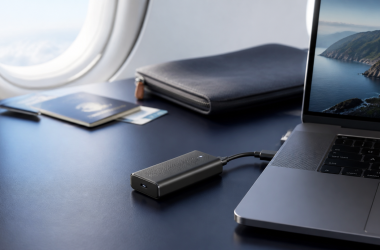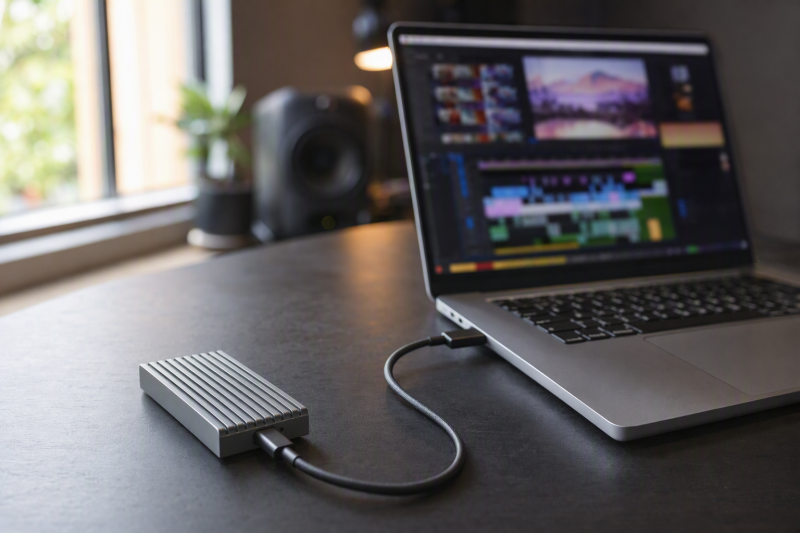
The OWC Express 1M2 80G 2TB is the best video-editing choice in this slate because it pairs a removable cable and user-serviceable M.2 storage with a fanless aluminum heat sink, explicit host-path ceilings, and the strongest retained long-transfer evidence: Macworld included a 450GB write test on its stated setup. It is a USB4 80Gbps product that is Thunderbolt-compatible, not a Thunderbolt 5-certified drive.
An 80Gbps link or a short sequential peak is not a sustained editing result. Cache, free space, NAND, controller, format, host, bridge, cable, temperature, and airflow can all change a long write. Independent observations below stay attached to the exact reviewed drive and setup. Other speed figures are identified as manufacturer ceilings.
Video-editing SSD decision matrix
| Product | Ownership | Cooling and cable | Evidence quality for long work | Decisive editing fit |
|---|---|---|---|---|
| OWC Express 1M2 80G 2TB | Prebuilt 2TB, user-serviceable M.2 | Fanless aluminum; removable cable | Macworld synthetic measurements and a 450GB write test on its setup | Best balance of serviceability and retained large-transfer evidence |
| OWC Envoy Ultra 2TB | Prebuilt TB5-certified 2TB | Fanless aluminum; captive cable | Named MacRumors measurements and PetaPixel thermal observations | Simple certified drive if cable replacement is not required |
| Satechi DotDisk | DIY 2280 NVMe | Active fan; removable cable | PCWorld no-throttling finding limited to its test | Active-cooled build with scoped thermal evidence |
| TerraMaster D1 SSD Pro | DIY 2280 NVMe | Fanless 38-fin body; removable cable | Manufacturer AJA figures and thermal wording | Quiet desk where fan noise is unwanted |
| TESmart TBE-X5Pro | DIY 2280 NVMe | PWM fan; removable cable | Manufacturer performance evidence | Actively cooled PCIe 5.0 build |
| SABRENT Rocket XTRM 5 2TB | Prebuilt 2TB | Heat-sink body; removable cable | Manufacturer ceilings only | Prebuilt drive with cable serviceability |
| ACASIS TB501 Pro | DIY 2230 to 2280 NVMe | Adjustable fan; removable cable | Manufacturer family-page evidence | Multi-size build with cooling control |
Quick picks
- OWC Express 1M2 80G 2TB: Best overall for serviceable editing storage.
- OWC Envoy Ultra 2TB: Best prebuilt Thunderbolt 5-certified drive.
- Satechi DotDisk: Best active-cooled DIY option with a scoped independent thermal finding.
- TerraMaster D1 SSD Pro: Best silent fanless DIY desktop enclosure.
- TESmart TBE-X5Pro: Best actively cooled PCIe 5.0 build.
- SABRENT Rocket XTRM 5 2TB: Best prebuilt option with a removable cable.
- ACASIS TB501 Pro: Best adjustable-fan, multi-size DIY enclosure.
| Image | Product | Details | Check Price |
|---|---|---|---|
 | OWC Express 1M2 80G 2TB | Type: Prebuilt 2TB, user-serviceable M.2 NVMe SSD Link / host path: USB4 80Gbps; explicit USB4 40, TB4, and TB3 Mac ceilings Cooling / cable: Fanless aluminum heat sink; removable cable Evidence boundary: Macworld synthetic plus 450GB write test on its stated setup; OWC ceilings remain manufacturer claims Best fit: Serviceable editing storage with the strongest retained long-transfer evidence | Check Price on Amazon |
 | OWC Envoy Ultra 2TB | Type: Prebuilt Thunderbolt 5-certified 2TB portable SSD Link / host path: Thunderbolt 5/4/3 and USB4 Cooling / cable: Fanless aluminum; captive 9.2-inch TB5 cable Evidence boundary: MacRumors and PetaPixel measurements apply only to their stated hosts and workloads Best fit: Simple prebuilt certified editing drive | Check Price on Amazon |
 | Satechi DotDisk 80Gbps | Type: Diskless M.2 2280 NVMe enclosure Link / host path: USB4 v2 80Gbps; TB5/TB4/USB4; no standard USB 3 fallback Cooling / cable: Active fan; removable 30cm TB5 cable Evidence boundary: PCWorld found no throttling only in its particular SSD, host, workload, and environment Best fit: Active-cooled DIY editing build with scoped independent thermal evidence | Check Price on Amazon |
 | TerraMaster D1 SSD Pro | Type: Diskless M.2 2280 PCIe Gen 3/4/5 NVMe enclosure Link / host path: 80Gbps; TB5/4/3, USB4, and USB 3 fallback advertised Cooling / cable: Fanless 38-fin aluminum; removable 0.3m cable Evidence boundary: AJA figures and zero-throttling wording are TerraMaster claims; no retained independent sustained result Best fit: Quiet fanless DIY editing desk | Check Price on Amazon |
 | TESmart TBE-X5Pro | Type: Diskless JHL9480 B2 M.2 2280 NVMe enclosure Link / host path: TB5/TB4/USB4 conservative path; older-host wording conflicts Cooling / cable: PWM active fan; removable 80Gbps cable Evidence boundary: Performance is manufacturer evidence; no retained independent sustained result or exact warranty term Best fit: Actively cooled PCIe 5.0 DIY editing build | Check Price on Amazon |
 | SABRENT Rocket XTRM 5 2TB | Type: Prebuilt 2TB portable SSD Link / host path: TB5 80Gbps link; TB4/TB3/USB4 and USB 20/10/5Gbps fallback Cooling / cable: Aluminum heat-sink body and sleeve; removable 50cm TB5 cable Evidence boundary: Transfer ceiling is a SABRENT claim; no retained independent sustained-write result Best fit: Prebuilt editing drive with a serviceable cable | Check Price on Amazon |
 | ACASIS TB501 Pro | Type: Diskless JHL9480 M.2 2230-2280 NVMe enclosure Link / host path: TB5/TB4/USB4 and USB 3; do not promise TB3 Cooling / cable: Adjustable active fan; removable cable Evidence boundary: Performance is manufacturer family-page evidence; no retained independent sustained result Best fit: Multi-size DIY editing build with adjustable cooling | Check Price on Amazon |
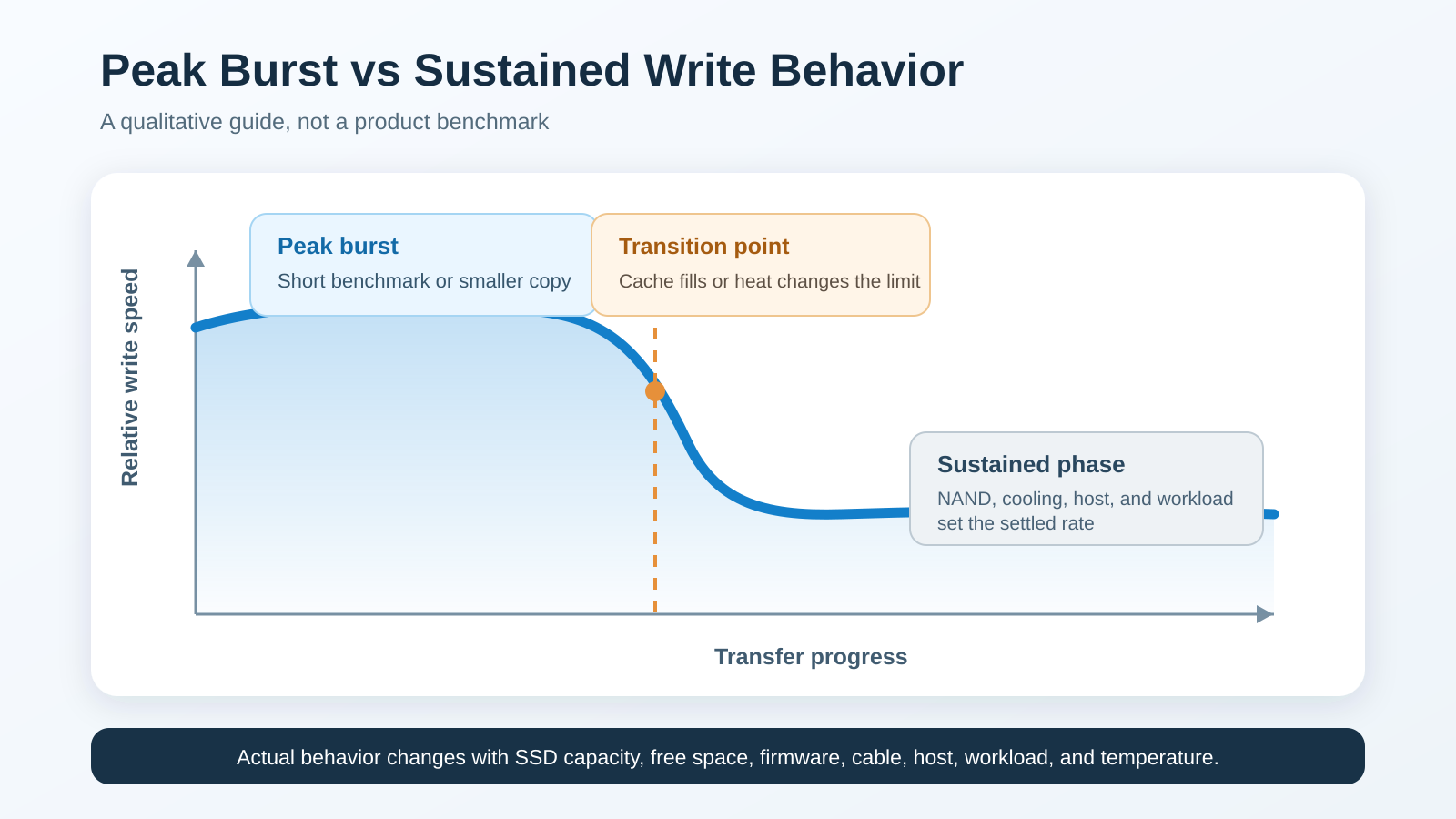
The figure explains why this ranking does not sort drives by their largest number. Timeline scrubbing, exports, proxies, and long media copies can outlast a fast cache burst. Cooling design matters, but only a correctly scoped long test can establish behavior after cache or thermal conditions change.
1. OWC Express 1M2 80G 2TB – Best overall editing choice
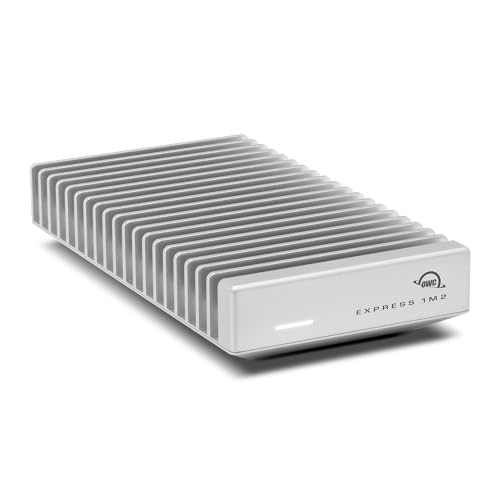
Buy the 2TB Express 1M2 80G when editing storage should remain repairable and upgradeable. This prebuilt configuration contains a user-serviceable M.2 NVMe drive, uses a removable cable, and cools through a fanless aluminum heat sink. OWC recommends Gen 5 SSDs averaging 11W or less for sustained work.
OWC lists over 6000MB/s on USB4 80Gbps or TB5 hosts, over 3800MB/s on USB4 40, up to 3800MB/s on TB4, and up to 2800MB/s on TB3 Macs. Those are OWC ceilings. Macworld measured roughly 5.6GB/s read and 5.5GB/s write in its synthetic run and included a 450GB write test on its stated macOS setup. Neither becomes a promise for another project drive or host.
Our Take
This is the strongest editing pick when evidence depth and replaceable parts matter together. Keep the Gen 5 power recommendation in the build plan.
- User-serviceable NVMe storage
- Removable cable
- Macworld included a 450GB write test
- Not Thunderbolt 5-certified
- Gen 5 drive power needs attention
- Source measurements remain setup-specific
2. OWC Envoy Ultra 2TB – Best prebuilt Thunderbolt 5-certified drive
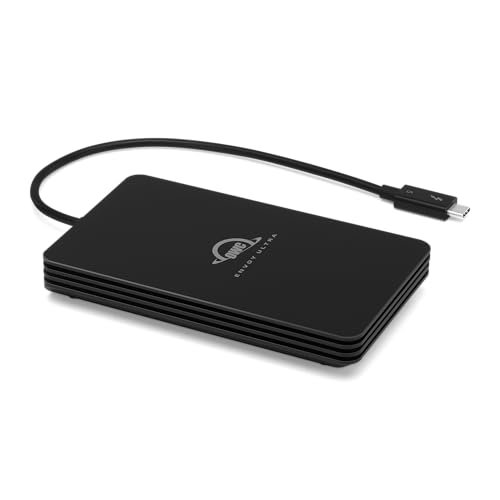
Choose the Envoy Ultra when you want a bus-powered, prebuilt 2TB SSD with Thunderbolt 5 certification. Its fanless aluminum body removes fan noise and setup decisions. The tradeoff is a captive 9.2-inch cable, which cannot be replaced on its own if damaged.
MacRumors measured about 5,255MB/s write and 5,347MB/s read in Blackmagic on an M4 Pro Mac mini. PetaPixel reported consistent empty and full thermal behavior with no throttling in its reviewed setup. Those observations do not guarantee the same long-write behavior on another host, file set, fill level, or ambient condition.
Our Take
The Envoy Ultra is the easiest certified prebuilt choice here. Accept the captive cable before making it a travel or field drive.
- Thunderbolt 5-certified prebuilt 2TB SSD
- Bus-powered fanless design
- Named independent measurements are retained
- Captive cable is not field-replaceable
- Peak figures do not establish every long write
- Fallback hosts lower the ceiling
3. Satechi DotDisk 80Gbps – Best active-cooled DIY choice
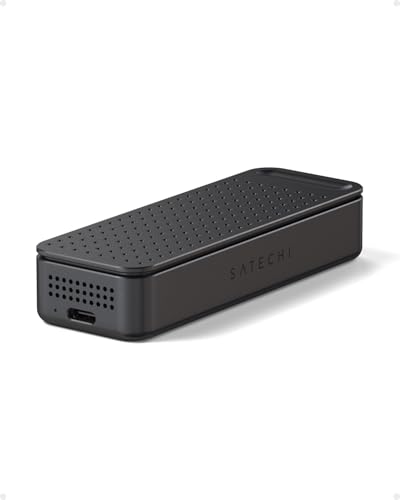
Buy the DotDisk if you want to choose the drive and prefer active cooling. It is a diskless enclosure for a compatible single-sided M.2 2280 NVMe SSD without an attached heat sink. Satechi lists capacity up to 8TB, an active fan, and a removable 30cm Thunderbolt 5 cable.
The current OS list starts at macOS Sonoma 14.6 and includes Windows 11 and Linux. It supports TB5, TB4, and USB4, but not standard USB 3 fallback. PCWorld found no thermal throttling in its particular SSD, host, workload, and environment, while also noting warmth in use. Do not extend that finding to another DIY configuration.
Our Take
DotDisk gives a DIY editor active cooling with useful scoped evidence. Confirm drive sidedness and the absence of standard USB 3 fallback first.
- Active fan
- Removable 30cm cable
- PCWorld found no throttling in its particular test
- NVMe SSD is not included
- Only single-sided 2280 drives without heat sinks fit
- No standard USB 3 fallback
4. TerraMaster D1 SSD Pro – Best silent fanless DIY choice
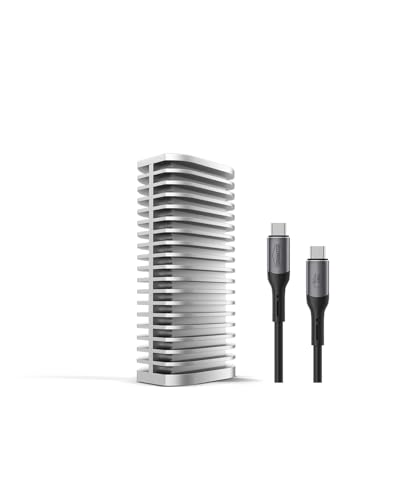
Choose the diskless D1 SSD Pro for a quiet edit desk. It accepts M.2 2280 PCIe Gen 3, 4, or 5 NVMe drives up to 8TB. A 38-fin aluminum body handles cooling without a fan, and the 0.3m 80Gbps cable is removable.
TerraMaster reports 7,061MB/s read and 6,816MB/s write from an AJA setup using a Samsung 990 Pro 4TB and an M4 Pro Mac. Its zero-throttling wording is also a manufacturer claim, not an independent sustained result. The authorized records conflict on weight, so weight is not part of this recommendation.
Our Take
The D1 SSD Pro is the quiet DIY pick with strong passive cooling hardware. Choose it for desk acoustics and serviceability, not an unverified sustained rank.
- Fanless 38-fin aluminum body
- Removable 0.3m cable
- Supports PCIe Gen 3, 4, and 5 NVMe drives
- SSD is not included
- Performance evidence comes from TerraMaster
- Published weight records conflict
5. TESmart TBE-X5Pro – Best active-cooled PCIe 5.0 DIY build
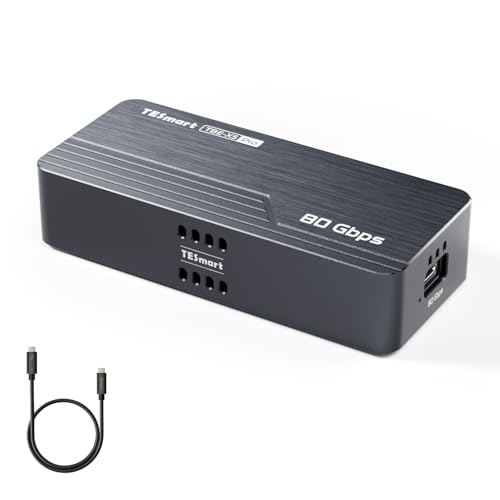
Pick the TBE-X5Pro for a diskless 2280 NVMe build that benefits from a JHL9480 B2 bridge and PWM active cooling. It accepts PCIe Gen 3, 4, and 5 NVMe drives up to 8TB and uses a removable 80Gbps cable.
TESmart advertises up-to-7000MB/s-class performance, but no independent sustained-write result is retained. Use only TB5, TB4, and USB4 as the conservative host path because the product page conflicts on Thunderbolt 3 and older USB support. The exact current warranty term was not established.
Our Take
This is an active-cooled PCIe 5.0 project enclosure for a buyer willing to validate the host and SSD. Its manufacturer-only performance evidence keeps it below the independently reviewed picks.
- JHL9480 B2 bridge
- PWM active cooling
- Removable 80Gbps cable
- SSD is not included
- No retained independent sustained result
- Older-host and warranty wording is unresolved
6. SABRENT Rocket XTRM 5 2TB – Best removable-cable prebuilt choice

Buy the Rocket XTRM 5 when you want a complete 2TB portable SSD without accepting a captive cable. SABRENT uses an aluminum heat-sink body, adds a silicone sleeve, and supplies a removable 50cm Thunderbolt 5 cable.
SABRENT states an 80Gbps connection and up to 64Gbps transfer. Both are manufacturer ceilings affected by the host, workload, cache, and thermals. The ledger contains no independent cache-exhausted or sustained-write result. Extended five-year coverage requires registration within 90 days rather than applying automatically.
Our Take
SABRENT is the serviceable-cable alternative to the Envoy Ultra. Its editing case rests on prebuilt convenience, not proven long-write leadership.
- Prebuilt 2TB drive
- Removable 50cm Thunderbolt 5 cable
- Heat-sink body with protective sleeve
- No retained independent sustained-write result
- Transfer figures are SABRENT ceilings
- Extended warranty requires timely registration
7. ACASIS TB501 Pro – Best adjustable-fan DIY choice
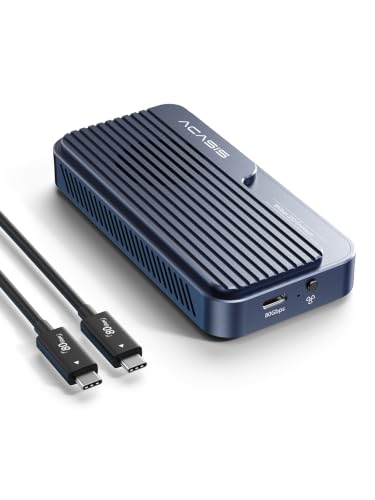
Choose the diskless TB501 Pro when cooling control and SSD length options matter. Its JHL9480 design accepts 2230, 2242, 2260, and 2280 NVMe drives up to 8TB. The fan is adjustable and the cable is removable.
ACASIS advertises over 6000MB/s on a suitable host, but that is family-page manufacturer evidence with no independent sustained result retained. Use TB5, TB4, USB4, and USB 3 compatibility conservatively. Do not promise Thunderbolt 3 because the family page and exact marketplace record conflict.
Our Take
The TB501 Pro fits an editor building around an unusual NVMe length or adjustable cooling. It requires more compatibility ownership than either prebuilt OWC drive.
- Supports 2230 through 2280 NVMe drives
- Adjustable active fan
- Removable cable
- SSD is not included
- Performance evidence is manufacturer-supplied
- Thunderbolt 3 support conflicts
What to check for a video-editing drive
Separate burst evidence from long-write evidence. A short sequential run may remain inside fast cache, while a long media copy can expose the underlying NAND path or thermal limits. Cooling fins and fans are useful design inputs, but neither proves a particular sustained rate.
Match the entire storage chain: TB5 or USB4 80Gbps host path, operating system, cable, enclosure bridge, SSD controller and NAND, capacity, format, fill level, free space, and airflow. Our explanation of SSD speed with and without a Thunderbolt dock shows why the host path belongs in the purchase decision.
Choose prebuilt storage when one-vendor setup and support matter. Choose DIY when you want replaceable capacity or control over the SSD. For field use, a removable cable can be repaired more easily than a captive one. On a quiet desk, weigh fan noise against the cooling demand of the selected drive.
Keep active project media backed up elsewhere. Fast external storage is working space, not a backup strategy.
Video-editing SSD FAQ
Is an 80Gbps link the same as an 80Gbps file transfer?
No. The link is a transport ceiling. Bridge overhead, SSD behavior, cache, thermals, host, file system, cable, and workload determine storage throughput.
Should an editor choose prebuilt or DIY storage?
Prebuilt drives reduce component-selection work. DIY enclosures let you choose and later replace the NVMe SSD, but you own compatibility, installation, cooling, and support across the parts.
Which OWC option has the more serviceable cable?
The Express 1M2 80G uses a removable cable. The Envoy Ultra’s 9.2-inch cable is captive. Our OWC Envoy Ultra review provides more context for that prebuilt drive.
Related reading
Use the Thunderbolt 5 external SSD guide when the purchase is broader than video editing.