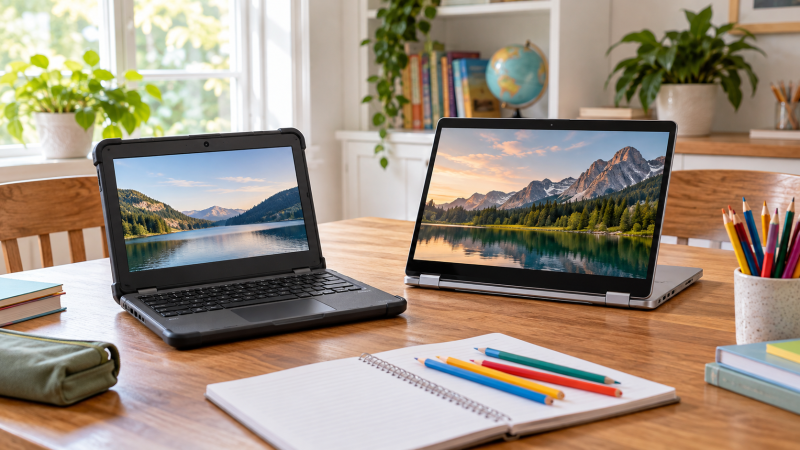
A school Chromebook should match how the student works: a small rugged model to carry between classes, a touchscreen convertible for shared home use, or a large screen for reading and documents. Each Chromebook below runs ChromeOS, and its Amazon listing says so and names a student, school or family use. ChromeOS does not run Windows-only programs, so check the school’s software list before buying.
The ASUS Chromebook C203XA is the only 11.6-inch model here, and the Acer Chromebook Plus 516 is the only 16-inch one. The Lenovo Flex 3i and both HP x360 models are touchscreen convertibles. Compare memory and storage with care, because two listings say the seller changed them.
Start with the school’s software list, then screen size, then whether the student needs a rugged body or a touchscreen hinge.Chromebooks for Kids and Students Compared
| Image | Product | Details | Check Price |
|---|---|---|---|
 | Lenovo IdeaPad Flex 3i Chromebook | Best fit: Compact convertible for schoolwork Screen: 12.2-inch 1920 by 1200 touchscreen Processor: Intel N100 Memory and storage: 4GB, 128GB (64GB eMMC plus SD card); seller says storage was expanded Notable feature: 360-degree hinge | Check Price on Amazon |
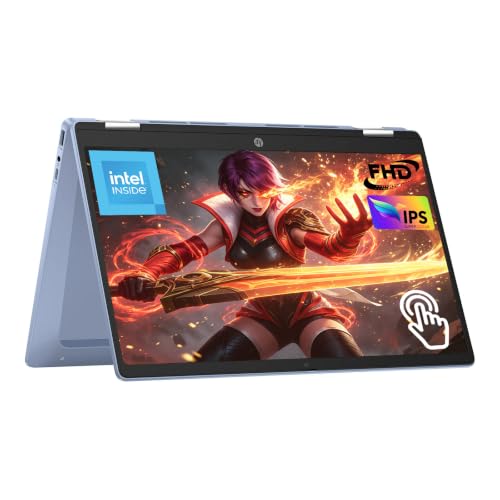 | HP Chromebook x360 14 | Best fit: 14-inch Full HD touchscreen convertible Screen: 14-inch 1920 by 1080 IPS touchscreen Processor: Intel N100 Memory and storage: 4GB, 64GB eMMC Notable feature: 2-in-1 design with tablet-style viewing | Check Price on Amazon |
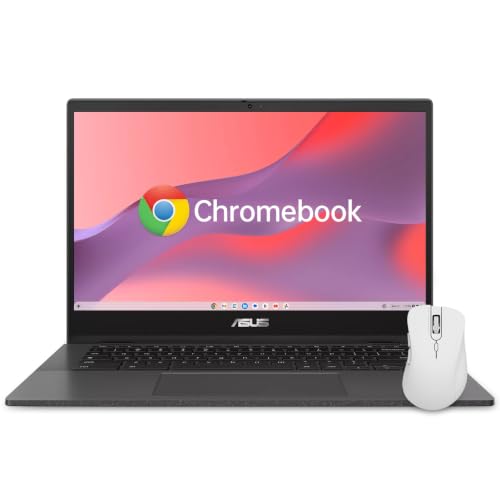 | ASUS Chromebook 14 | Best fit: 14-inch pick with a spill-resistant keyboard Screen: 14-inch 1920 by 1080 anti-glare Processor: MediaTek Kompanio 520 Memory and storage: 4GB, 64GB Notable feature: Keyboard handles spills up to 13 oz; MIL-STD 810H | Check Price on Amazon |
 | ASUS Chromebook C203XA | Best fit: Rugged compact classroom choice Screen: 11.6-inch 1366 by 768 anti-glare Processor: MediaTek MT8173C Memory and storage: 4GB, 32GB eMMC Notable feature: Rugged body, rubber grip, spill-resistant keyboard | Check Price on Amazon |
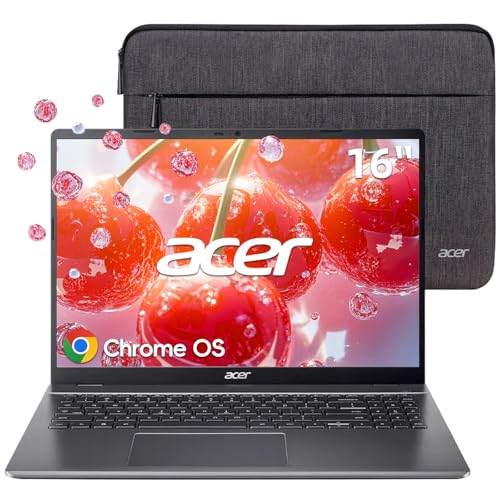 | Acer Chromebook Plus 516 | Best fit: Large-screen school choice Screen: 16-inch 1920 by 1200 IPS Processor: Intel Core i3-1315U Memory and storage: 8GB, 128GB UFS Notable feature: Numeric keypad, 16:10 screen | Check Price on Amazon |
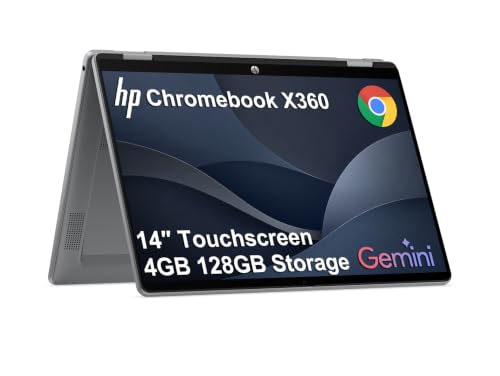 | HP Chromebook x360 Plus | Best fit: 14-inch convertible with a WUXGA screen Screen: 14-inch 1920 by 1200 touchscreen Processor: Intel N150 Memory and storage: 4GB, 128GB UFS; seller says system was resealed to upgrade it Notable feature: 360-degree hinge; MIL-STD 810H testing | Check Price on Amazon |
1. Lenovo IdeaPad Flex 3i Chromebook — Best Compact Convertible for Schoolwork
The Lenovo IdeaPad Flex 3i listing names a 12.2-inch touchscreen at 1920 by 1200, an Intel N100 processor, Wi-Fi 6 and a 360-degree hinge. It runs ChromeOS, and the listing names online school and students from K-12 through college. It lists USB-C, two USB-A ports, HDMI 1.4, a microSD reader and a 720p webcam with a privacy shutter. The listing also states an Auto Update Expiration date of June 2031.
The title gives 4GB of memory and 128GB of storage, split as 64GB of eMMC and a 64GB SD card. The listing’s disclosure says the storage was expanded, so that capacity is the seller’s configuration. Check the memory and storage on the order page before buying.
Our Take Pick the Flex 3i when a small touchscreen convertible suits the student better than a large display. It runs ChromeOS, so it suits web-based schoolwork and not Windows-only programs.
- The Lenovo Flex 3i is the smallest convertible here, and its listing states a 12.2-inch 1920 by 1200 touchscreen and a 360-degree hinge.
- The Flex 3i listing names an Intel N100 processor and Wi-Fi 6, and it presents the model for online school.
- The Flex 3i listing names USB-C, two USB-A ports, HDMI 1.4 and a microSD reader, and the webcam has a privacy shutter.
- The Flex 3i listing gives an Auto Update Expiration date of June 2031.
- The Flex 3i listing gives 128GB as 64GB of eMMC plus a 64GB SD card, and its disclosure says the seller expanded the storage, so the order page should confirm it.
- The Flex 3i has a 12.2-inch screen, smaller than the 14-inch screens on three other models and the 16-inch screen on the Acer.
2. HP Chromebook x360 14 — Best 14-Inch Full HD Touchscreen Convertible
The HP Chromebook x360 14 listing names a 14-inch 1920 by 1080 IPS touchscreen, an Intel N100 processor, a 2-in-1 design, Wi-Fi 6, USB-C, USB-A and HDMI. It runs ChromeOS, and the listing says the model is best for ChromeOS apps, Google tools, school tasks, browsing, streaming and video calls, not Windows-only software, heavy gaming or large creative workloads. For video calls it names dual array microphones, dual stereo speakers and a privacy shutter.
The listing states 4GB of memory and 64GB of eMMC storage and mentions no change to them.
The x360 14 is the Full HD option among the 14-inch convertibles, with an Intel N100 and a listing that limits its fit to ChromeOS and school tasks.Our Take Choose this HP when a 14-inch Full HD touchscreen convertible is enough and the 1920 by 1200 screen of the x360 Plus is not needed. Check the school’s software list first, because the listing says the model is not for Windows-only software.
- The HP x360 14 listing states a 14-inch 1920 by 1080 IPS touchscreen with a 2-in-1 design.
- The x360 14 listing names an Intel N100 processor and Wi-Fi 6, along with USB-C, USB-A and HDMI ports.
- For video calls, the x360 14 listing names dual array microphones, dual stereo speakers and a privacy shutter.
- The x360 14 listing names ChromeOS apps, Google tools and school tasks as the intended use and rules out Windows-only software.
- The x360 14 listing states 4GB of memory and 64GB of eMMC storage, less than the 8GB and 128GB the Acer listing states.
- The x360 14 listing excludes Windows-only software, heavy gaming and large creative workloads from its stated use.
- The x360 14 listing names neither spill resistance nor a MIL-STD durability rating.
3. ASUS Chromebook 14 — Best 14-Inch Pick With a Spill-Resistant Keyboard
The ASUS Chromebook 14 listing names a 14-inch 1920 by 1080 anti-glare display, a MediaTek Kompanio 520 processor, Wi-Fi 6, Bluetooth 5.4, a webcam with a physical shutter, and two USB-C ports with display output and power delivery. It runs ChromeOS, and the listing names Google Classroom. For durability it states MIL-STD 810H and a keyboard that handles spills up to 13 oz (300 ml).
The listing states 4GB of memory and 64GB of storage, and its title adds a wireless mouse. The 13 oz figure applies to the keyboard, and the listing gives no drop height.
The ASUS Chromebook 14 is the 14-inch model whose listing states a keyboard that handles spills up to 13 oz and MIL-STD 810H durability.Our Take Pick the ASUS Chromebook 14 when the spill and durability statements in the listing suit the family’s routine. Choose the C203XA for a smaller body, or an HP x360 when a touchscreen and convertible hinge are needed.
- The ASUS Chromebook 14 listing states MIL-STD 810H durability and a keyboard that handles spills up to 13 oz (300 ml).
- The ASUS Chromebook 14 listing names two USB-C ports with display output and power delivery.
- The ASUS Chromebook 14 listing states a 14-inch 1920 by 1080 anti-glare display, and the webcam has a physical shutter.
- The ASUS Chromebook 14 listing names neither a touchscreen nor a 360-degree hinge, so an HP x360 fits better when the student needs both.
- The 13 oz figure in the ASUS Chromebook 14 listing applies to the keyboard, and the listing gives no drop height.
4. ASUS Chromebook C203XA — Best Rugged Compact Classroom Choice
The ASUS Chromebook C203XA listing names an 11.6-inch 1366 by 768 anti-glare screen, a 180-degree hinge, a rugged body, a spill-resistant keyboard, a rubber safety grip and MIL-STD 810G durability. It states a weight of 2.6 pounds and up to 10 hours of battery life. It runs ChromeOS, and the listing describes it as a fit for the classroom or any accident-prone environment.
The listing states a MediaTek MT8173C processor with four cores, 4GB of memory and 32GB of eMMC storage, plus one USB-C port, one USB-A port and one HDMI port. The Acer listing states 8GB and 128GB, and the C203XA listing names Wi-Fi 5 where the other five name Wi-Fi 6 or 6E.
Our Take Choose the C203XA when a small screen and the rugged features the listing names, such as the rubber grip and spill-resistant keyboard, suit the student. Choose a 14-inch or 16-inch model when the student needs more screen area for reading and research.
- The C203XA listing names a rugged body, a spill-resistant keyboard and a rubber safety grip, and it describes the model as a fit for the classroom or any accident-prone environment.
- The C203XA has the smallest screen here, and its listing states an 11.6-inch anti-glare screen and a 180-degree hinge.
- The C203XA listing states a weight of 2.6 pounds and up to 10 hours of battery life.
- The C203XA listing names one USB-C port, one USB-A port and one HDMI port.
- The C203XA listing states an 11.6-inch 1366 by 768 screen, smaller and lower in resolution than the 14-inch and 16-inch models.
- The C203XA listing states 32GB of eMMC storage, the least of the six.
- The C203XA listing names Wi-Fi 5, where the other five listings name Wi-Fi 6 or 6E.
5. Acer Chromebook Plus 516 — Best Large-Screen School Choice
The Acer Chromebook Plus 516 listing names a 16-inch 1920 by 1200 IPS display with a 16:10 shape, an anti-glare coating and 300 nits of brightness. It lists an Intel Core i3-1315U processor, 8GB of LPDDR5 memory, 128GB of UFS storage, a full-size keyboard with a numeric keypad, two USB-C ports, two USB-A ports, HDMI 1.4 and Wi-Fi 6E. It runs ChromeOS, and the listing names Google Docs, Sheets and Classroom.
The listing says the taller 16:10 shape gives students more vertical space for reading, research and document editing. It also states up to 12.5 hours of battery life.
Our Take Pick this Acer when a large screen and a number pad suit the student’s work better than a small rugged body. It fits a desk where documents fill the screen. For a student who carries the Chromebook between classes, compare the smaller ASUS C203XA.
- The Acer listing states a 16-inch 1920 by 1200 IPS display with a 16:10 shape, and it says that shape gives more vertical space for reading and documents.
- The Acer listing names a 300-nit anti-glare screen.
- The Acer listing names an Intel Core i3-1315U, 8GB of memory and 128GB of UFS storage.
- The Acer listing names a full-size keyboard with a numeric keypad, two USB-C ports, two USB-A ports and HDMI 1.4.
- The Acer Chromebook Plus 516 has a 16-inch screen, larger than the 11.6-inch to 14-inch screens on the other five, so a student who carries it between classes should compare the smaller ASUS C203XA.
- The Acer listing names neither spill resistance nor a MIL-STD durability rating.
6. HP Chromebook x360 Plus — Best 14-Inch Convertible With a WUXGA Screen
The HP Chromebook x360 Plus listing names a 14-inch 1920 by 1200 touchscreen with an anti-glare coating and 300 nits, an Intel N150 processor, a 360-degree hinge with laptop, tent, stand and tablet modes, Wi-Fi 6, Bluetooth 5.4, USB-C, USB-A and an FHD camera. It states MIL-STD 810H testing and ChromeOS, and it names K-12 students and homeschool learning. The listing also states an Auto Update Expiration date of June 2033.
The title gives 4GB of memory and 128GB of UFS storage, and the disclosure says the brand-new computer was resealed to upgrade the system. Treat those figures as the seller’s configuration. The listing says the laptop passed MIL-STD 810H testing and does not say which accidents it survives.
Our Take Choose the HP x360 Plus when a 14-inch 1920 by 1200 touchscreen suits the student better than the Acer’s 16-inch screen or the ASUS keyboard’s spill resistance. Confirm the memory and storage on the order page, because the seller says the system was resealed to upgrade it.
- The HP x360 Plus is the only 14-inch model here with a 1920 by 1200 screen, and its listing states an anti-glare touchscreen and a 360-degree hinge.
- The x360 Plus listing names an Intel N150, Wi-Fi 6, Bluetooth 5.4, USB-C and USB-A.
- The x360 Plus listing states MIL-STD 810H testing and an FHD camera.
- The x360 Plus listing states laptop, tent, stand and tablet modes and an Auto Update Expiration date of June 2033.
- The x360 Plus disclosure says the system was resealed to upgrade it, so its 4GB and 128GB are the seller’s configuration.
- The x360 Plus listing names no spill resistance, and its MIL-STD 810H statement gives no drop height.
Buying Guide
1. Check the school’s software before choosing ChromeOS
Every Chromebook here runs ChromeOS, which suits web-based work, Google tools, browsing and video calls. The HP Chromebook x360 14 listing says it is for ChromeOS apps, Google tools and school tasks and not for Windows-only software, heavy gaming or large creative workloads. A Chromebook runs ChromeOS apps, so the same limit applies to every model here.
Ask the school which programs the coursework needs before buying. Browser tools and Google Workspace run on ChromeOS, while a required Windows or macOS program does not. Settle that question before comparing screens or prices.
2. Match the screen to the student’s work
The C203XA has the smallest screen at 11.6 inches, the Flex 3i has 12.2 inches, the three 14-inch models come next, and the Acer has the largest at 16 inches. The Acer listing says its 16:10 shape gives more vertical space for reading and documents.
Resolution, touch and anti-glare are separate choices. The ASUS Chromebook 14 lists an anti-glare 1920 by 1080 screen and names no touch, and the HP x360 Plus lists a 1920 by 1200 touchscreen with an anti-glare coating. Choose touch only if the student will use tablet-style viewing.
3. Read the durability statements as listing claims
Three listings make durability statements: the ASUS C203XA, the ASUS Chromebook 14 and the HP x360 Plus. The C203XA lists a rugged body, a rubber safety grip, a spill-resistant keyboard and MIL-STD 810G. The ASUS Chromebook 14 lists a keyboard that handles spills up to 13 oz and MIL-STD 810H, and the HP x360 Plus lists MIL-STD 810H testing only. The Lenovo, HP x360 14 and Acer listings name none of these.
A durability statement is the listing’s claim, not a promise about every accident. None of the six listings gives a drop height, and the 13 oz figure applies to the ASUS keyboard only. Follow the school’s rules on cases and damage when choosing.
4. Check memory, storage and the update date on the order page
Two listings say the seller changed the memory or storage. The Flex 3i disclosure says the storage was expanded, with 64GB of the 128GB on an SD card, and the HP x360 Plus disclosure says the system was resealed to upgrade it. The other four listings state their memory and storage in their bullets and mention no change.
Check the Auto Update Expiration date before buying. The Flex 3i listing states June 2031 and the HP x360 Plus listing states June 2033, and the other four listings do not state one. Memory, storage, accessories and the update date can all differ between sellers of a similar model name.
5. Plan accessories and connections as a whole setup
The Acer lists two USB-C ports, two USB-A ports and HDMI 1.4, the Flex 3i lists USB-C, two USB-A ports and HDMI 1.4, and the ASUS Chromebook 14 lists two USB-C ports and one USB-A port. The HP x360 14 and C203XA list USB-C, USB-A and HDMI, and the HP x360 Plus lists USB-C and USB-A. A port list does not show whether a given dock or monitor will work.
Check the Chromebook, cable, dock and monitor documentation together when the setup includes an external display or charging hub. The Chromebook docking-station guide and the Wi-Fi 6 Chromebook guide can narrow accessory and wireless choices.
FAQ
Which Chromebook is the smallest rugged option?
The ASUS Chromebook C203XA is the smallest rugged option. Its listing names an 11.6-inch anti-glare screen, a rugged body, a spill-resistant keyboard, a rubber safety grip and a weight of 2.6 pounds.
Its 32GB of eMMC storage and 1366 by 768 screen are the trade-offs. Choose a 14-inch or 16-inch model when the student needs more room for documents, and check the school’s software list first.
Which choices have a touchscreen or convertible hinge?
The Lenovo IdeaPad Flex 3i, HP Chromebook x360 14 and HP Chromebook x360 Plus list touchscreens and 2-in-1 designs. The Flex 3i has a 12.2-inch screen and the two HP models have 14-inch screens, at 1920 by 1080 for the x360 14 and 1920 by 1200 for the x360 Plus.
The ASUS C203XA has a 180-degree hinge, and its listing names no touchscreen. Choose an x360 or Flex model when touch or tablet-style viewing is part of the student’s routine.
Are the memory and storage figures the maker’s configuration?
Two of the six are not. The Lenovo Flex 3i listing says its storage was expanded, and the HP Chromebook x360 Plus listing says the system was resealed to upgrade it. Their advertised capacities are the seller’s configuration, not necessarily the maker’s.
The other four listings state their memory and storage without mentioning a change. Confirm memory, storage and included accessories on the order page, particularly when the school sets a minimum capacity.
Which model has the largest screen?
The Acer Chromebook Plus 516 has a 16-inch 1920 by 1200 IPS display. Its listing also names a numeric keypad and an Intel Core i3-1315U processor.
A 16-inch screen is larger than the 11.6-inch to 14-inch screens on the other five. A student who carries the Chromebook between classes may prefer the C203XA, the Flex 3i or a 14-inch model.
Can these Chromebooks replace a Windows laptop for school?
They can for schoolwork done in a browser, in Google Workspace or in ChromeOS apps. The HP Chromebook x360 14 listing says the model is not for Windows-only software, heavy gaming or large creative workloads.
Ask the school about required software before buying. If a class needs a Windows-only program, a local development setup or a specialist creative package, a Chromebook may not suit it.
Bottom Line
The ASUS Chromebook C203XA is the smallest rugged pick, the HP Chromebook x360 Plus is the 14-inch convertible with the 1920 by 1200 touchscreen, and the Acer Chromebook Plus 516 is the 16-inch pick. The Lenovo Flex 3i, HP x360 14 and ASUS Chromebook 14 differ in screen size, touch, ports and the durability statements their listings make.