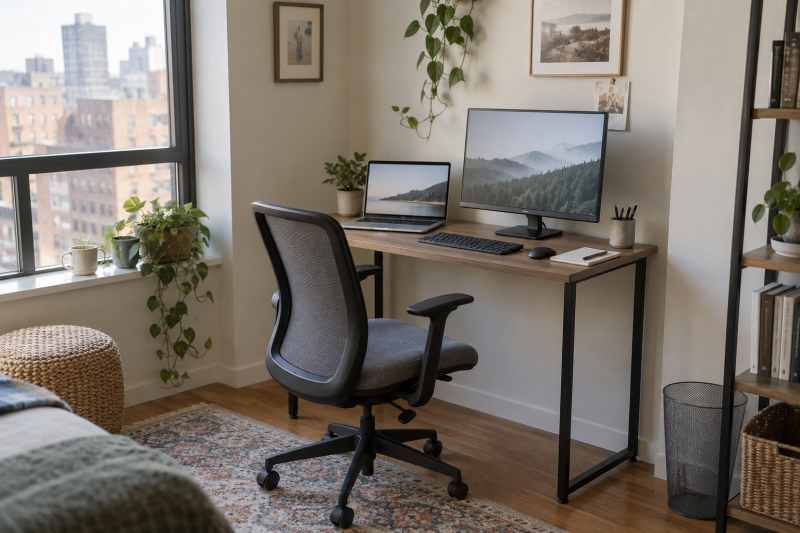
A laptop and one external monitor can fill a small desk faster than their screen sizes suggest. The monitor base, open laptop, keyboard and mouse all share the same usable desktop depth. A 40-inch width is often workable, but the desk still needs room for the chair, cables and the way you actually sit.
These six active-New Amazon US desks are fixed-height choices. Five are roughly 40 inches wide, and one is 31.5 inches. Some add a monitor shelf or built-in power, while simpler models leave the surface clear. Measure your equipment and room before ordering.
Tape a rectangle the size of the desktop onto the floor or an existing table. Place your laptop and monitor-base measurements inside it before choosing extras such as a raised shelf.Compact Laptop Desks Compared
| Image | Product | Details | Check Price |
|---|---|---|---|
 | SHW Mission 40-inch | Top: 40 x 19 in Height: 28 in Power: None built in Shelf: No Best fit: Simple open surface | Check Price on Amazon |
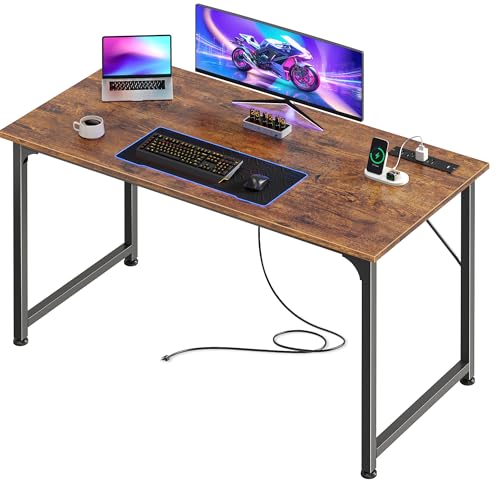 | PRAISUN 40 x 20 | Top: 40 x 20 in Power: 4 AC; USB-A; USB-C Shelf: No Best fit: Extra depth and outlets | Check Price on Amazon |
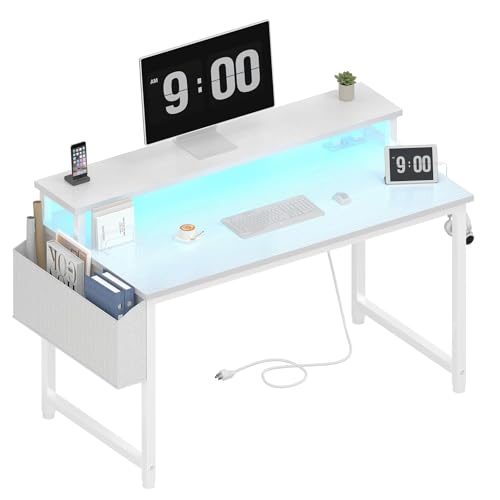 | Lufeiya 40-inch LED | Width: 40 in listed Power: 2 AC; 2 USB Shelf: Raised monitor shelf Best fit: Screen above work area | Check Price on Amazon |
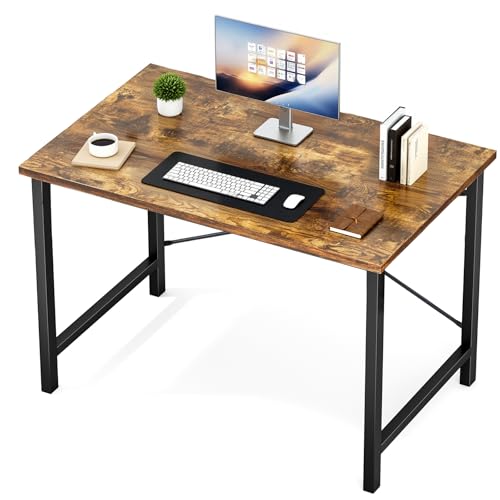 | Sweetcrispy 40-inch | Width: 40 in listed Depth: 19.69 in identity field Power: None built in Shelf: No Best fit: Plain braced desk | Check Price on Amazon |
| Pamray 32-inch | Top: 31.5 x 17.7 in Height: 29 in Shelf: Raised monitor shelf Best fit: Narrow wall space | Check Price on Amazon | |
| Lufeiya 40-inch Power | Width: 40 in listed Power: 2 AC; 2 USB Shelf: No Best fit: Open top with outlets | Check Price on Amazon |
1. SHW Mission 40-inch — Best Simple Open Surface
If you already own a monitor stand or arm, a plain top gives you more freedom than built-in shelves. SHW lists a 40-by-19-inch desktop and 28-inch desk height. That width can take a laptop and one screen if their bases are compact, but the 19-inch depth is the tighter measurement. Check how far the monitor base, keyboard and mouse extend toward your chair before buying.
The listing describes an engineered-wood top on a steel frame, a 110.2-pound stated capacity, and a five-year limited warranty. None of those claims guarantees that a particular monitor arm clamp is compatible with the rear edge, so inspect the frame and clamp clearance first. Compared with the Lufeiya shelf model below, SHW has fewer built-in parts to work around, but no integrated charging outlets. SHW suits a setup where you already manage power at the wall.
A flat, unbroken desktop makes it easier to change the position of the laptop or monitor later.Our Take Pick SHW if you want a straightforward 40-inch desk and already have a plan for power and screen height. Skip it if a shallow 19-inch top leaves no comfortable keyboard and mouse area.
- Plain surface allows flexible device placement.
- 40-by-19-inch dimensions are specified.
- 110.2-pound stated weight capacity.
- 19-inch depth can crowd a deep monitor base.
- No integrated power or monitor shelf.
2. PRAISUN 40-by-20-inch — Best Deep Top with USB-C Power
PRAISUN’s listed 40-by-20-inch surface gives a laptop and monitor another inch of front-to-back space compared with SHW. That extra inch can help if the monitor stand has a deep foot and you type on a separate keyboard. Measure the screen’s base rather than assuming the panel size determines how close it sits to the wall.
The desk includes a built-in strip with four AC outlets, one USB-A port and one USB-C port, according to the listing. The presence of USB-C does not establish laptop Power Delivery wattage, so do not plan to charge a laptop from that port without a verified rating. PRAISUN describes an engineered-wood top and steel-tube reinforcement, but gives no independent stability results. Its charging strip is a convenience for lamps and small devices, and a separate rated laptop charger may still be required.
USB-C is a connector shape, not proof that the desk’s built-in port can power your laptop.Our Take Choose PRAISUN if 20 inches of depth and accessible AC outlets solve your small-desk layout. Choose the simpler SHW if you do not want power hardware built into the furniture.
- 20-inch listed depth helps with monitor-base clearance.
- Four AC outlets plus USB-A and USB-C ports.
- Open desktop without a fixed monitor shelf.
- USB-C laptop charging capability is not established.
- Power strip adds another cable to route.
3. Lufeiya 40-inch LED Desk — Best Built-In Monitor Shelf
An external monitor can take up much of a narrow desktop. This Lufeiya configuration adds a raised monitor shelf, leaving part of the main work surface for a laptop and keyboard. The listing describes a 40-inch desk with a storage bag and removable headphone hooks. Check the exact shelf width and depth against your monitor base, because the seller’s claim that it can hold two monitors is not a measurement of your particular equipment.
Its built-in strip lists two AC outlets and two USB charging ports. The desk also includes an RGB LED strip, which you may regard as an extra or as visual clutter in a shared room. Neither LEDs nor the shelf compensate for an uncomfortable seated height. Compared with the plain Lufeiya power desk below, this model trades some open surface and a simpler appearance for raised screen placement.
Our Take Choose this Lufeiya if an integrated monitor shelf helps your exact screen and laptop layout. Pass if you prefer a clean surface or do not want the LED lighting.
- Integrated raised monitor shelf.
- Two AC outlets and two USB charging ports listed.
- Removable hooks and storage bag.
- Shelf fit and eye height need measurement.
- LED strip may be unwanted in a quiet workspace.
4. Sweetcrispy 40-inch — Best Plain Desk with Reinforced Corners
Sweetcrispy’s 40-inch desk keeps the surface free of a built-in shelf or charging strip. Its listing calls out metal-frame corner reinforcement and a particle-board top. Amazon’s dimension field gives 19.69 inches front to back. The open surface lets you position the laptop and monitor yourself; measure that depth against the monitor base and keyboard.
The seller claims support for up to 176 pounds, substantially more than a laptop and one display would usually need. Treat the figure as a stated static limit, not evidence that the desk will feel firm while you type or that a monitor arm clamp is safe. Compared with SHW, the Sweetcrispy offers a different frame and higher stated capacity, but less dimensional detail in the feature bullets. If precise fit is tight, the SHW or PRAISUN measurements are easier to plan from.
Our Take Pick Sweetcrispy when you want a plain 40-inch surface with reinforced corners. If a few inches determine whether the furniture fits, confirm the depth before paying.
- Unobstructed top for flexible arrangement.
- Corner-braced metal frame described.
- 176-pound stated capacity.
- 19.69-inch depth can crowd a deep monitor base.
- No integrated cable or power features.
5. Pamray 32-inch — Best Short Width with a Monitor Shelf
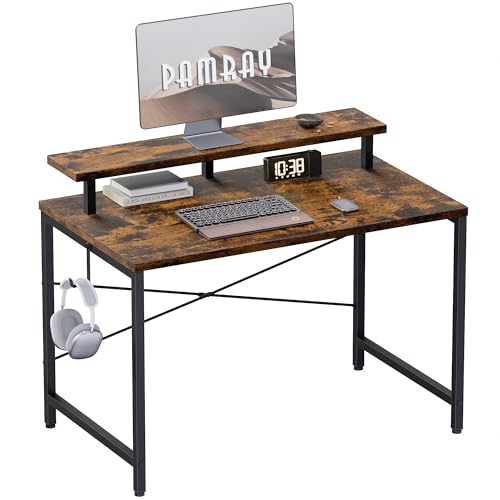
When only a narrow wall segment is available, Pamray’s 31.5-by-17.7-inch top can fit where the 40-inch desks cannot. The listing also gives a 29-inch height and describes an integrated monitor shelf and side hook. The Pamray is the most demanding layout in the group, because an open laptop, monitor base, keyboard and mouse may not all fit comfortably at once. Try a taped floor or table layout before treating the built-in shelf as extra space.
Pamray describes an X-shaped rear brace for the frame. It does not supply an independent wobble test. Compared with the Lufeiya shelf desk, the Pamray saves about eight inches of room width but leaves less flexibility for a larger laptop or mouse movement. Consider a setup with the laptop closed only if your workflow and external monitor connection support it. An open laptop plus one screen may call for a wider desk.
The smallest desk is useful only if its keyboard and mouse area remains comfortable after the laptop and monitor are placed.Our Take Choose Pamray only when a 40-inch desk will not fit and your monitor base suits the shelf. A larger desk will be easier to live with if the room allows one.
- 31.5-inch width fits a narrow wall space.
- Raised monitor shelf and side hook.
- 17.7-inch depth is specified.
- Cramped for an open laptop and separate monitor.
- Limited room to reposition devices.
6. Lufeiya 40-inch Power Desk — Best Plain Top with Outlets

This second Lufeiya offer is a plain 40-inch desk with built-in power, with a different layout from the shelf and LED model above. The exact listing describes two AC outlets, two USB charging ports, a removable storage bag and a headphone hook. It also names fixed steel brackets and adjustable leg pads. Check the current variant carefully. The feature text mixes color descriptions, so do not use those details as a buying criterion.
Without the other Lufeiya’s raised shelf, the monitor base and laptop share the main top. An open top makes it easier to choose your own monitor arm or laptop stand, subject to clamp compatibility and weight. The charging ports are useful for small devices but have no verified claim here for laptop wattage. Compared with PRAISUN, this lists fewer AC outlets and no USB-C outlet. Pick the surface layout first, then the power features.
Our Take Choose this Lufeiya for an open 40-inch surface with accessible outlets and no integrated monitor shelf. Choose the shelf model only if its raised platform solves a fit problem.
- Plain surface with two built-in AC outlets.
- Adjustable leg pads listed.
- Removable storage bag and hook.
- No built-in raised monitor shelf.
- Mixed color descriptions in feature text require variant checking.
Buying Guide
1. Start with usable width and depth
Measure the wall space and chair clearance before selecting a desktop width. A 40-inch desk is easier for an open laptop and separate monitor, while Pamray’s 31.5-inch width is a space-saving compromise. The home-office monitor guide can help choose a screen, but the desk must fit its stand and the laptop at the same time.
Depth determines whether the keyboard and mouse stay clear of the monitor base. SHW lists 19 inches, PRAISUN 20 inches, and Pamray 17.7 inches. A large stand can consume much of that distance. If a smaller mouse area is unavoidable, a thumb-operated trackball is one possible layout choice, but it should be comfortable for your hand before it becomes the reason to buy a desk that is too shallow.
2. Choose a plain top or a raised monitor shelf
A raised shelf can put a monitor above the laptop and keyboard zone, as on the Lufeiya LED desk and Pamray. Measure the stand’s footprint and the screen’s resulting eye height. A fixed shelf is not automatically better than an adjustable screen stand. If the laptop screen remains open beside the monitor, check that neither screen blocks the other or forces an awkward head turn.
A plain desktop gives you more arrangement options. SHW, PRAISUN, Sweetcrispy and the plain Lufeiya desk leave the main surface open. A monitor with USB-C charging may reduce extra desk cables. The USB-C monitor charging guide explains that choice. If you plan to clamp an arm, verify the desk’s rear edge and frame allow it rather than assuming a flat top is enough.
3. Keep power claims separate from laptop charging
Built-in AC outlets can make a compact desk easier to cable, but the strip still needs a wall connection. PRAISUN lists four AC outlets plus USB-A and USB-C. Both Lufeiya offers list two AC outlets and two USB charging ports. Confirm the current offer’s electrical ratings, outlet placement and cord reach. Do not overload a strip just because its sockets are convenient.
The USB-C connector on PRAISUN does not establish a laptop-charging wattage. Use your laptop’s rated charger unless the desk’s exact port supports the required Power Delivery output. A USB-C desktop charging station can be a separate, replaceable way to centralize power. A USB-C hub handles data connections, not furniture power, so keep those jobs distinct.
4. Plan the room after the desk is assembled
Check desk height and leg position, not just the top dimensions. SHW lists a 28-inch height and Pamray 29 inches. Your chair arms, knees and storage drawers need room under the desk. Adjustable feet can help level a surface, but do not prove it will feel rigid when typing. For heavy displays or an arm, confirm the current offer’s load and clamp instructions.
Leave a cable route behind the desk. A laptop dock, monitor power lead and lamp all need slack and accessible outlets. A home-office USB-C dock may reduce the number of laptop plugs. A monitor light bar adds another cable and can alter shelf clearance. Arrange these before pushing a compact desk flush against the wall.
FAQ
Is a 32-inch desk enough for a laptop and monitor?
Sometimes. A 31.5-inch desktop like Pamray’s can work when the monitor sits on its shelf, the laptop is compact and the keyboard and mouse area is carefully planned. It is much less forgiving than a 40-inch desk if you want the laptop open beside a monitor on its own wide base.
Put paper rectangles for the laptop, monitor base and input devices on a surface of the same dimensions. If the items overlap, a smaller desk will not fix the problem after assembly.
Does the desk’s USB-C outlet charge a laptop?
Not necessarily. USB-C shape alone says nothing about wattage. PRAISUN lists a USB-C port without verifying a laptop Power Delivery rating. The two Lufeiya desks list USB charging ports without establishing laptop charging either.
Use a separately rated charger unless the exact product documentation confirms the needed output. An AC socket on the desk can still accept your normal laptop charger when used within the strip’s stated electrical limits.
Can I attach a monitor arm to one of these desks?
Maybe, but clamp compatibility depends on the rear edge and frame. A flat top or high static load claim does not prove the edge can safely hold the concentrated force of an arm. Built-in monitor shelves and rear braces can also obstruct the clamp location.
Check both the arm maker’s clamp requirements and the desk maker’s instructions for the exact model. If those are unclear, use the monitor’s stand rather than treating a clamp as a guaranteed space-saving upgrade.
Bottom Line
For an open laptop plus one external monitor, start with a measured 40-inch surface if the room can hold it. SHW is the simple baseline. PRAISUN adds depth and power. Sweetcrispy and the plain Lufeiya keep the top flexible, while the Lufeiya LED configuration adds a monitor shelf. Pamray saves wall width, but its small work area calls for the most careful layout.