A 4K portable monitor gives a laptop a sharper second screen, but the six monitors below differ in more than size. They run from 14 to 16 inches and from 3840 by 2160 to 3840 by 2560 pixels, and they differ on touch, kickstands, VESA mounting, and bundled cables.
USB-C on a monitor is not always a one-cable video connection. Four of the six listings state what the laptop’s USB-C port must support, and all six also have an HDMI or Mini HDMI input. Check the laptop’s ports first, then choose the screen.
Check what your laptop’s USB-C port supports, then compare screen size, pixel count, touch, brightness, and stand or VESA mounting.| Image | Product | Details | Check Price |
|---|---|---|---|
 | MNN 15.6 Inch 4K Portable Monitor | Best fit: 4K IPS with smart cover Panel: 15.6-inch 3840x2160 IPS Ports: USB-C and HDMI Stand or mount: Cover folds into a stand Weight: 1.8 pounds | Check Price on Amazon |
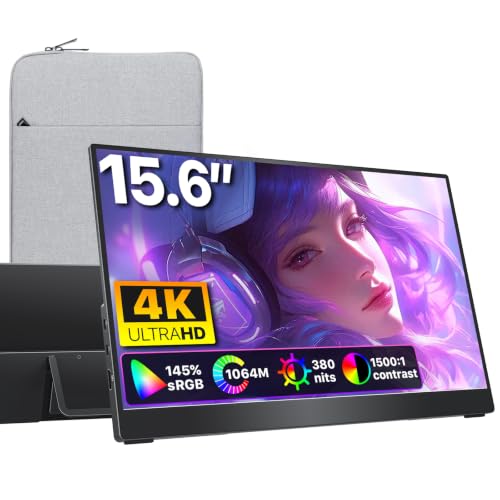 | cocopar Y156ULH 15.6 Inch 4K Portable Monitor | Best fit: Kickstand and VESA setup Panel: 15.6-inch 4K UHD, 145% sRGB Ports: Two USB-C and HDMI Stand or mount: Kickstand and VESA Weight: 1.55 pounds | Check Price on Amazon |
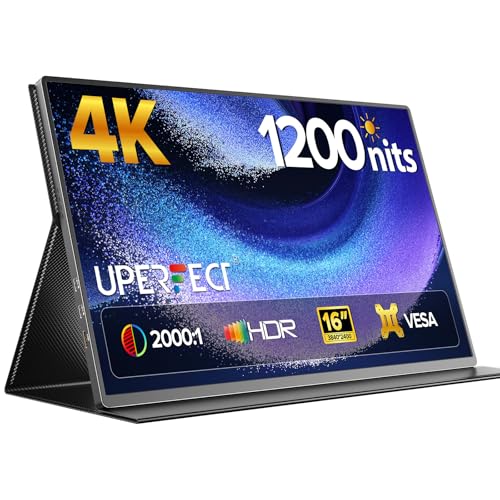 | UPERFECT 60T 16 Inch 4K Portable Monitor | Best fit: 1200-nit stated brightness Panel: 16-inch 3840x2400 Ports: USB-C and Mini HDMI Stand or mount: 75x75mm VESA Weight: 1.8 pounds in listing text | Check Price on Amazon |
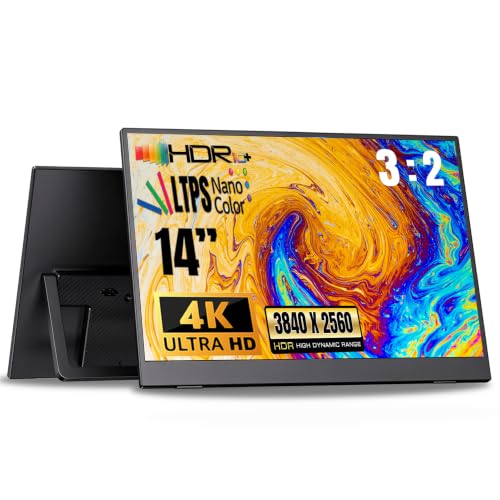 | SUPXJTAI PMXJT01 14 Inch 4K Portable Monitor | Best fit: Light 14-inch 4K panel Panel: 14-inch 3840x2560 LTPS Ports: USB-C and HDMI or Mini HDMI Stand or mount: Adjustable built-in stand Weight: 1.3 pounds | Check Price on Amazon |
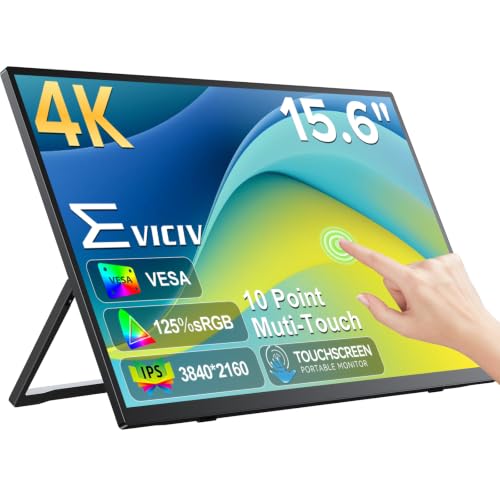 | EVICIV EV157PMT 15.6 Inch 4K Touch Monitor | Best fit: 10-point touch display Panel: 15.6-inch 3840x2160 touch Ports: USB-C and Mini HDMI Stand or mount: Stand and 75x75mm VESA Weight: 1.8 pounds | Check Price on Amazon |
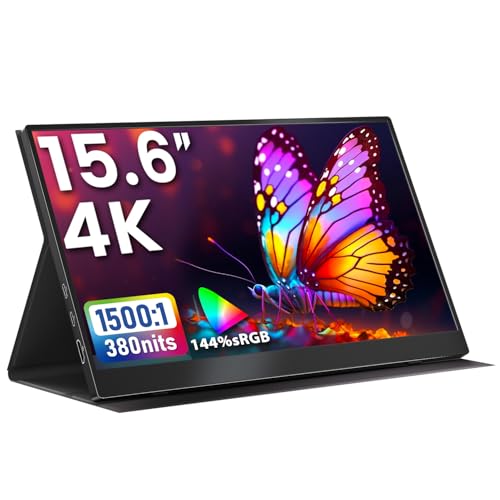 | Upperizon T156UH 15.6 Inch 4K Portable Monitor | Best fit: Cover, cables, and power adapter Panel: 15.6-inch 3840x2160 IPS Ports: Two USB-C and HDMI Stand or mount: 75x75mm VESA Weight: 2.05 pounds, 2.96 with cover | Check Price on Amazon |
1. MNN 15.6 Inch 4K Portable Monitor — Best 4K IPS With Smart Cover
MNN’s Amazon page describes a 15.6-inch 3840 by 2160 IPS panel in a 16:9 shape, with HDR, 60Hz, USB-C, HDMI, built-in speakers, and a smart cover that folds into a stand. The title also gives 100% Adobe RGB. MNN says USB-C single-cable use requires a compatible video output port on the source device.
Amazon’s product details give a 14.48 by 8.85 by 0.3 inch body and a weight of 1.8 pounds. MNN describes the cover as the stand and does not mention VESA mounting.
Our Take Choose MNN if you want a 4K IPS panel with a cover that doubles as a stand, and your laptop can send video over USB-C or HDMI.
- MNN gives a buyer the 3840 by 2160 pixel count on a 15.6-inch IPS panel, with HDR and 60Hz listed.
- MNN’s smart cover folds into a stand, and the monitor adds USB-C, HDMI, and built-in speakers to the setup.
- Amazon’s product details state the MNN’s weight at 1.8 pounds, a figure a traveler can check against a bag.
- MNN says USB-C single-cable use requires a compatible video output port, a condition to check on the laptop first.
- MNN does not mention VESA mounting and describes the cover as the stand, leaving arm mounting unstated.
2. cocopar Y156ULH 15.6 Inch 4K Portable Monitor — Best Kickstand and VESA Setup
cocopar describes a 15.6-inch 4K UHD panel with 145 percent sRGB, a metal body, a matte screen, two USB-C ports, one HDMI port, dual speakers, a built-in kickstand, and VESA compatibility. A fabric protective sleeve comes with it. cocopar says the USB-C ports need a source that supports Thunderbolt 3, 4, or 5 or DisplayPort Alt Mode for plug-and-play.
Amazon’s product details give 13.98 by 8.66 by 0.2 inches and 1.55 pounds, the lowest weight of the four 15.6-inch entries. cocopar states 4K UHD without a pixel count, so it does not confirm the 3840 by 2160 figure that MNN, EVICIV, and Upperizon list.
Our Take Pick cocopar if you want a built-in kickstand and a VESA option, and your laptop’s USB-C port supports Thunderbolt or DisplayPort Alt Mode.
- cocopar lists 4K UHD with 145 percent sRGB on a matte screen, and adds dual speakers to the package.
- cocopar gives the monitor a built-in kickstand and VESA compatibility, with two USB-C ports and one HDMI port for connections.
- At 1.55 pounds in Amazon’s product details, the cocopar is the lightest of the four 15.6-inch entries.
- cocopar says the USB-C ports need a source with Thunderbolt 3, 4, or 5 or DisplayPort Alt Mode for plug-and-play.
- cocopar states 4K UHD without a pixel count, leaving the exact resolution unconfirmed.
3. UPERFECT 60T 16 Inch 4K Portable Monitor — Best 1200-Nit Stated Brightness
UPERFECT describes a 16-inch 3840 by 2400 display with 145 percent sRGB, a 2000:1 contrast ratio, USB-C, Mini HDMI, a smart case, and built-in 75 by 75mm VESA mounting. The title and first bullet give 1200 nits, and UPERFECT adds that peak brightness is achieved when the monitor is connected to power and showing a white background.
Amazon’s product details give 13.94 by 9.06 by 0.39 inches and no weight. The VESA bullet states 1.8 pounds and a 14 by 9 inch size. UPERFECT is the only entry with a 16-inch panel, and its 2400 pixel height is taller than the 2160 of a 3840 by 2160 panel.
Our Take Choose UPERFECT if you want the largest screen here and a 1200-nit claim you can use with a power connection and a white background.
- UPERFECT offers the largest screen here, a 16-inch 3840 by 2400 panel, along with 145 percent sRGB.
- UPERFECT lists built-in 75 by 75mm VESA mounting alongside USB-C, Mini HDMI, and a smart case.
- UPERFECT lists a 2000:1 contrast ratio and a 1200-nit figure, the highest of the four brightness figures stated.
- UPERFECT says the 1200-nit figure applies when the monitor is connected to power and showing a white background.
- UPERFECT does not state what the USB-C input needs from the laptop, a gap to check against the laptop’s specifications.
4. SUPXJTAI PMXJT01 14 Inch 4K Portable Monitor — Best Light 14-Inch 4K Panel
SUPXJTAI describes a 14-inch 3840 by 2560 LTPS display with HDR, 100 percent sRGB, 350 nits, an adjustable built-in stand, and horizontal or portrait use. SUPXJTAI says the device must support USB-C DP Alt Mode or Thunderbolt 3 or 4. The title says USB-C and HDMI, while the connectivity bullet says USB-C or Mini HDMI, so confirm which video port it has before buying a cable.
Amazon’s product details give 12.74 by 8.04 by 0.32 inches and 1.3 pounds, the lowest weight of the six. A bullet says 1.1 pounds and 0.16 inches thin, which disagrees with the product details. SUPXJTAI calls the panel 4K, but 3840 by 2560 is taller than a 3840 by 2160 panel.
Our Take Pick SUPXJTAI if you want the smallest and lightest panel here, and your laptop’s USB-C port supports DP Alt Mode or Thunderbolt.
- SUPXJTAI offers the smallest panel here, a 14-inch 3840 by 2560 LTPS display, with HDR and 100 percent sRGB.
- SUPXJTAI includes an adjustable built-in stand for horizontal or portrait use, with USB-C listed as an input.
- At 1.3 pounds in Amazon’s product details, the SUPXJTAI is the lightest of the six entries.
- SUPXJTAI says the source must support DP Alt Mode or Thunderbolt 3 or 4.
- SUPXJTAI lists 350 nits, the lowest of the four brightness figures stated.
5. EVICIV EV157PMT 15.6 Inch 4K Touch Monitor — Best 10-Point Touch Display
EVICIV describes a 15.6-inch 3840 by 2160 touchscreen with 10-point capacitive touch, 125 percent sRGB, a 2000:1 contrast ratio, 450 nits at peak, USB-C, Mini HDMI, a stand, and 75 by 75mm VESA mounting. The bullets describe touch actions such as switching, sliding, and zooming.
Amazon’s product details give 14.1 by 8.3 by 0.27 inches and 1.8 pounds. EVICIV is the only entry that lists touch. EVICIV does not say what the USB-C input needs from the laptop or which operating systems support touch.
Our Take Choose EVICIV if touch is the deciding feature on a 4K portable screen.
- EVICIV adds 10-point capacitive touch to a 15.6-inch 3840 by 2160 panel, the only entry that lists touch.
- EVICIV lists a stand and 75 by 75mm VESA mounting, with USB-C and Mini HDMI as inputs.
- EVICIV lists 125 percent sRGB and a 2000:1 contrast ratio, with 450 nits at peak brightness.
- EVICIV does not state what the USB-C input needs from the laptop or which operating systems support touch, two gaps to close before relying on the touchscreen.
6. Upperizon T156UH 15.6 Inch 4K Portable Monitor — Best Cover, Cables, and Power Adapter
Upperizon describes a 15.6-inch 3840 by 2160 IPS panel with 144 percent sRGB, 60Hz, HDR, 380 nits, two USB-C ports, HDMI, speakers, and 75 by 75mm VESA mounting. Upperizon says the source needs Thunderbolt 3, 4, or 5 or a full-featured USB-C port, and says screen flicker from insufficient power calls for the original power adapter.
The box holds three cables (one HDMI and two USB-C to USB-C), a 30W power adapter, and a cover case. Amazon’s product details give 13.93 by 8.66 by 0.43 inches. Upperizon puts the monitor at 2.05 pounds and 2.96 pounds with the cover case, the heaviest of the six either way.
Our Take Pick Upperizon if you want the cables, a 30W power adapter, and a cover included, and can carry the heaviest monitor here.
- Upperizon lists 144 percent sRGB and 60Hz on a 15.6-inch 3840 by 2160 IPS panel.
- Upperizon gives the monitor two USB-C ports and HDMI, plus speakers and 75 by 75mm VESA mounting.
- Upperizon packs three cables, a 30W power adapter, and a cover case in the box.
- Upperizon says the source needs Thunderbolt 3, 4, or 5 or a full-featured USB-C port.
- Upperizon puts the monitor at 2.05 pounds and 2.96 pounds with the cover case, the heaviest of the six either way.
Buying Guide
1. Confirm the laptop display-output path
Four of the six listings state what the laptop’s USB-C port must support. MNN says a compatible video output port, cocopar says Thunderbolt 3, 4, or 5 or DisplayPort Alt Mode, SUPXJTAI says DP Alt Mode or Thunderbolt 3 or 4, and Upperizon says Thunderbolt 3, 4, or 5 or a full-featured USB-C port. UPERFECT and EVICIV state no condition, so check the laptop’s USB-C specifications yourself.
All six monitors also have an HDMI or Mini HDMI input. A second connection is available when the laptop has a matching video output. SUPXJTAI‘s title says HDMI and its connectivity bullet says Mini HDMI, so confirm which one it has before buying a cable.
2. Compare panel size and pixel count
The six entries cover one 14-inch, four 15.6-inch, and one 16-inch panel. SUPXJTAI is the 14-inch entry and UPERFECT is the 16-inch entry. MNN, cocopar, EVICIV, and Upperizon are 15.6 inches.
The pixel counts are not all 3840 by 2160. MNN, EVICIV, and Upperizon list 3840 by 2160, cocopar lists 4K UHD without a pixel count, UPERFECT lists 3840 by 2400, and SUPXJTAI lists 3840 by 2560. The two taller panels have a different shape, so compare body sizes with your bag as well as the resolution.
3. Read brightness and color figures with their limits
Four listings give a brightness figure. UPERFECT says 1200 nits with a condition: peak brightness is achieved when connected to power with a white background. EVICIV lists 450 nits at peak, Upperizon lists 380 nits, and SUPXJTAI lists 350 nits. MNN and cocopar give no brightness figure.
Color figures use different scales. UPERFECT and cocopar list 145 percent sRGB, Upperizon lists 144 percent, EVICIV lists 125 percent, and SUPXJTAI lists 100 percent. MNN‘s title gives 100% Adobe RGB, a different color space, so it does not compare directly with the sRGB figures.
4. Choose a stand, cover, or mount
A cover that folds into a stand and a built-in kickstand are different setups. MNN‘s smart cover folds into a stand, cocopar has a built-in kickstand and a fabric sleeve, and SUPXJTAI has an adjustable built-in stand. EVICIV lists a stand, while UPERFECT lists a smart case and Upperizon a cover case without saying either one works as a stand.
VESA mounting is stated on four listings. cocopar lists VESA compatibility, and UPERFECT, EVICIV, and Upperizon give a 75 by 75mm pattern. MNN and SUPXJTAI do not mention VESA, and none of the six says a VESA arm is included.
5. Decide whether touch and accessories are useful
EVICIV is the only entry that lists touch. It describes 10-point capacitive touch for actions such as switching, sliding, and zooming. EVICIV does not say which operating systems support touch, so check that before relying on it.
Upperizon is the only entry that lists a power adapter and a cable set. Its box holds two USB-C cables, one HDMI cable, a 30W power adapter, and a cover case. The broader portable monitor guide and USB-C monitor guide cover other sizes once you know which connection your laptop offers.
FAQ
Can any USB-C port drive a 4K portable monitor?
Not necessarily. Four listings state a condition: MNN needs a compatible video output port, cocopar needs Thunderbolt 3, 4, or 5 or DisplayPort Alt Mode, SUPXJTAI needs DP Alt Mode or Thunderbolt 3 or 4, and Upperizon needs Thunderbolt 3, 4, or 5 or a full-featured USB-C port.
UPERFECT and EVICIV state no condition. All six also have an HDMI or Mini HDMI input, which works when the laptop has a matching output.
Which entry is the smallest and lightest?
SUPXJTAI PMXJT01 is the 14-inch entry, and Amazon’s product details give it 1.3 pounds. It lists 3840 by 2560, HDR, 100 percent sRGB, USB-C, and an adjustable built-in stand.
A bullet on the same page says 1.1 pounds, so the weight differs by source. SUPXJTAI says the source must support DP Alt Mode or Thunderbolt 3 or 4.
Which monitor has touch?
EVICIV EV157PMT lists 10-point capacitive touch on a 15.6-inch 3840 by 2160 display. It also lists USB-C, Mini HDMI, 125 percent sRGB, a stand, and 75 by 75mm VESA mounting.
EVICIV does not say which operating systems support touch. Amazon’s product details give it 1.8 pounds.
Which display lists the highest brightness figure?
UPERFECT 60T lists 1200 nits, with the condition that peak brightness is achieved when connected to power with a white background. It is also the 16-inch 3840 by 2400 entry.
UPERFECT also lists 145 percent sRGB, a 2000:1 contrast ratio, USB-C, Mini HDMI, a smart case, and 75 by 75mm VESA mounting. Use the condition alongside the number.
Which listings have VESA mounting?
cocopar lists VESA compatibility. UPERFECT, EVICIV, and Upperizon list 75 by 75mm VESA mounting. MNN uses a smart-cover stand and SUPXJTAI has an adjustable built-in stand, and neither mentions VESA.
None of the six says a VESA arm is included. Confirm the arm and screws before choosing a mount-based setup.
Bottom Line
Begin with what your laptop’s USB-C port supports and the screen size you want. MNN 15.6 Inch is the cover-and-stand option, UPERFECT 60T lists a 16-inch 3840 by 2400 panel and a conditional 1200-nit figure, and EVICIV EV157PMT is the touch entry.